

Google Pixel 6 Pro Review: Daily Performance and Key Features
The Pixel 6 Pro was the phone where Google stopped borrowing someone else’s vision and built a flagship around its own ideas. Launched in October 2021 at $899, it was the first Pixel with a Google-designed chip, the first with a proper triple rear camera, and the first with a large curved QHD+ display running at 120Hz. Five years on, it still turns up in second-hand listings and trade-in piles, so the question people actually ask is simple: how does this phone hold up when you use it every day, and which parts of it still feel good in 2026?
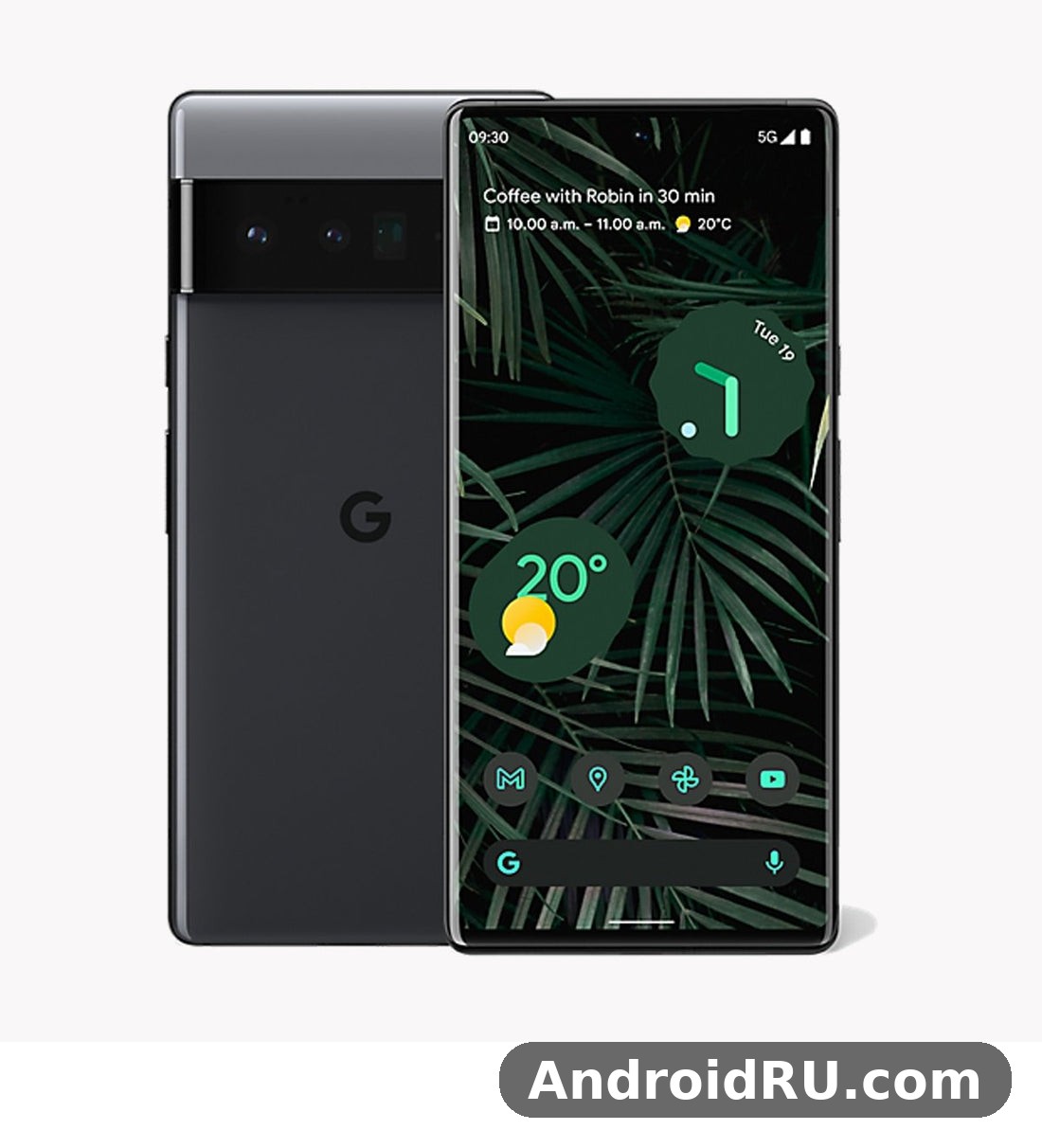
I spent my time with this phone the way most owners do: as a daily driver, not a lab sample. That means commuting with it, shooting photos in poor light, juggling work apps, and charging it overnight. This Google Pixel 6 Pro review covers that daily performance in detail, then walks through the key features one by one, and finishes with the full specifications table so you can compare every number in one place. If you are weighing a used Pixel 6 Pro against a newer Pixel, or against the smaller Pixel 6, you will find the honest trade-offs here, not just the launch-day praise.
Google Tensor G1 Performance in Daily Use
The heart of the Pixel 6 Pro is the Google Tensor G1 chip, Google’s first in-house mobile processor, paired with 12GB of RAM. On paper it was never the fastest chip of its year, and benchmarks confirmed that: it sat behind the Snapdragon 888 and Apple A15 in raw peak scores. In daily use, though, the story is different. Apps open quickly, switching between a dozen apps feels smooth, and the phone rarely stutters during ordinary tasks like browsing, messaging, email, maps, and streaming. The 12GB of RAM is doing a lot of the quiet work here, keeping apps alive in memory so you return to them exactly where you left off.
Tensor was built for machine learning first and raw speed second. That choice shows up in features rather than frame rates: on-device voice typing that keeps up with natural speech, Live Translate in chats and captions, and photo processing that leans heavily on computational photography. When you take a photo, Tensor is doing the heavy lifting behind the shutter, merging frames, sharpening detail, and cleaning up noise. That is why Pixel 6 Pro photos often look better than the hardware alone would suggest.
Tensor G1 vs Snapdragon 888: What Changes in Daily Use
Put the Pixel 6 Pro next to a Snapdragon 888 phone from the same year and the difference in everyday speed is small. Both open apps fast, both scroll smoothly, and both handle split-screen multitasking without complaint. Where they diverge is sustained work. The Snapdragon 888 could hold higher peak speeds for longer in some tests, while Tensor throttles earlier when it gets warm. For a buyer asking about Pixel 6 Pro Tensor G1 performance in 2026, the honest answer is that ordinary use still feels fine, but the chip is now two generations behind the Tensor G2 in the Pixel 7 range and three behind the Tensor G3, so heavy tasks take a little longer than on a newer phone.
Pixel 6 Pro RAM 12GB multitasking is one of the phone’s lasting strengths. Twelve gigabytes was generous in 2021 and it still is. You can keep a navigation app, a music app, a browser with several tabs, and a messaging app running at once without the phone constantly reloading them. If you are choosing between Pixel 6 Pro storage 128GB vs 256GB, the RAM is the same either way, so pick storage based on how many photos and videos you keep on the phone, since there is no microSD card slot to expand it later.
Gaming, Heat and the Modem: The Honest Trade-Offs
Pixel 6 Pro gaming performance is good enough for popular titles at high settings, but it is not the phone’s strongest suit. Games like Genshin Impact, Call of Duty: Mobile, and PUBG Mobile run well for a session or two, then the phone warms up and the chip eases off to protect itself. Frame rates dip, the back of the phone feels warm around the camera bar, and the battery drains faster than it does during video streaming. Casual games, puzzle games, and cloud gaming are no problem at all. If gaming is your main hobby, a Snapdragon phone from the same era, or a newer Pixel, will hold high frame rates for longer.
Pixel 6 Pro heating issues were widely reported at launch, and they were real, though often overstated. The phone could get warm during 5G downloads, long video recording sessions, and hot weather. Software updates over the years improved thermal behaviour, and in normal use today the phone stays comfortable. It still warms up under sustained load, so expect that rather than being surprised by it.
What to Do When the Phone Runs Warm
When the Pixel 6 Pro runs warm, the simplest fix is to give it a break from the heaviest task: pause a long 4K recording, close a demanding game for a few minutes, or step out of direct sunlight. Turning off 5G in favour of 4G in a weak-signal area also helps, because the modem works hardest when it is hunting for a signal. Avoid charging the phone while gaming, since charging adds heat on top of the chip’s own heat.
Signal and 5G Behaviour on the Move
Pixel 6 Pro 5G signal quality was another early talking point. The phone supports sub-6GHz 5G everywhere and mmWave 5G on US models, plus Wi-Fi 6E, Bluetooth 5.2, NFC, and ultra-wideband. In strong coverage the connection is fast and stable. In weak coverage, especially on trains or in concrete buildings, the modem can be slower to recover a lost signal than some rival phones. If you live or commute through patchy coverage, this is worth knowing before you buy a used one. Most owners in good coverage areas never notice a problem.
Pixel 6 Pro 6.7-Inch LTPO OLED Display at 120Hz
The Pixel 6 Pro display is a 6.71-inch LTPO OLED panel with a QHD+ resolution of 1440 x 3120 pixels, an adaptive refresh rate up to 120Hz, and HDR10+ support. It is protected by Gorilla Glass Victus and curves gently at the edges. In use, it is the part of the phone you notice most, and it still looks good: text is crisp at around 512 pixels per inch, colours are rich without looking cartoonish, and the 120Hz refresh makes scrolling feel fluid.
Pixel 6 Pro 120Hz display behaviour is adaptive, which means the panel drops to lower refresh rates when you are reading a static page and ramps up when you scroll or play a game. That saves battery compared with running at 120Hz all the time. You can also force the phone to 60Hz in settings if you want to squeeze out more battery life, though most people will prefer the smoothness of 120Hz. The screen supports always-on display, so the time, date, and notification icons stay visible on a dark screen without waking the phone.
120Hz Adaptive Refresh and QHD+ Sharpness
Pixel 6 Pro QHD+ resolution is one of the clear upgrades over the smaller Pixel 6, which used a 1080p panel. On the Pro, small text stays sharp, photos show fine detail, and reading long articles is easier on the eyes. The adaptive refresh works well in practice: scrolling through a news feed feels smooth, and switching back to a still image drops the refresh rate to save power. Some owners noticed the refresh rate dropping to 60Hz in bright sunlight at maximum brightness, a trade-off Google made to manage heat and power, but in normal indoor and outdoor use the 120Hz experience holds up.
The display’s colour tuning is natural by default, with a vivid option in settings if you prefer punchier colours. Watching HDR video on the phone is genuinely enjoyable: highlights pop, dark scenes keep detail, and the stereo speakers, while not the loudest in the class, are clear enough for video without headphones.
Outdoor Brightness and Curved Edges
Pixel 6 Pro screen brightness outdoors is adequate rather than outstanding. The panel reaches around 800 nits in typical use and higher in short HDR peaks, which is enough to read maps and messages in sunlight, though direct summer sun can wash it out a little. Newer phones are brighter, so if you spend a lot of time outdoors, that is one area where the age shows. The curved edges look premium and make the phone feel slimmer than its 8.9mm thickness suggests, but they can cause accidental touches and make screen protectors trickier to fit. A good case with a raised lip solves most of that.
Pixel 6 Pro Camera System: 50MP Main, 12MP Ultrawide and 48MP Telephoto
The camera is the main reason to buy a Pixel 6 Pro, even now. The rear system has three lenses: a 50MP main camera with an f/1.85 aperture and optical image stabilisation, a 12MP ultrawide with a 114-degree field of view, and a 48MP telephoto with 4x optical zoom. The Pixel 6 Pro ultrawide camera 12MP sensor is the same unit as the smaller Pixel 6 uses, and it is at its best in daylight, where it keeps straight lines and natural colours across the frame. The front camera is an 11.1MP unit with a wide 94-degree field of view. Pixel 6 Pro camera quality holds up because Google’s processing does so much work: Night Sight, HDR+, portrait mode, and the Tensor-powered features that arrived with this generation.
Pixel 6 Pro vs Pixel 6 is decided mainly by that telephoto lens and the sharper display, since the main and ultrawide cameras are shared. In daylight, the main camera produces photos with accurate colours, strong dynamic range, and plenty of detail. The 50MP sensor bins pixels down to 12.5MP by default, which keeps file sizes sensible while gathering more light per pixel. Compared with the smaller Pixel 6, the Pro adds the telephoto lens, and that changes what you can shoot: distant subjects, compressed portraits, and details you cannot walk closer to. If you are comparing the two, our look at the Google Pixel 6 Review: Photo Quality, Video and Performance shows where the regular Pixel 6 camera stops and the Pro keeps going.
50MP Main Camera and Night Sight After Dark
Pixel 6 Pro Night Sight photos are still the phone’s party trick. In a dim restaurant, on a dark street, or at a concert, Night Sight takes a series of short exposures and merges them into one bright, detailed image. The result is often far brighter than what your eyes see, with colours that stay natural instead of turning orange under street lights. There is a little shutter lag while the phone captures the frames, so hold still for a second or two, but the payoff is a usable photo where many phones would give you noise and blur.
Daytime shots benefit from the same processing. HDR+ balances bright skies against shadowed foregrounds, and the detail holds up when you crop in. Skin tones are handled well thanks to Real Tone, a feature Google built with a diverse set of photographers and subjects to render a wider range of skin tones accurately. For portraits, the phone separates the subject from the background cleanly in good light, though fine hair at the edges can still trip it up, as it does on most phones.
48MP Telephoto: 4x Optical Zoom and 20x Super Res Zoom
The Pixel 6 Pro 4x optical zoom lens is a 48MP telephoto with an f/3.5 aperture and optical image stabilisation. At 4x, photos stay sharp and detailed, good enough for wildlife at the zoo, a speaker on a stage, or a building detail across the street. Push further and Pixel 6 Pro Super Res Zoom 20x takes over, combining multiple frames to clean up the digital zoom. At 10x the results are still usable for social media; at 20x they soften noticeably, so treat 20x as an emergency reach rather than an everyday setting.
For comparison, the newer Pro models stretch further: the Pixel 7 Pro review linked below covers a 5x telephoto, and the gap shows most at long distances. The Google Pixel 7 Pro Review: Build Quality, Software and Daily Speed is a useful read if your budget reaches that far, but for 4x zoom the Pixel 6 Pro remains genuinely capable, and its telephoto is the single biggest camera difference from the regular Pixel 6.
11.1MP Front Camera and 4K Video
Pixel 6 Pro front camera 11.1MP selfies are sharp and well exposed, with a wide field of view that fits a small group without a selfie stick. Video from the front camera goes up to 4K at 30 frames per second, which is handy for video calls and vlogging. The rear camera records Pixel 6 Pro video recording 4K 60fps, with good stabilisation in standard mode and even steadier footage in the locked stabilisation mode, at the cost of a slightly narrower field of view.
Video quality is strong for a 2021 phone: colours are consistent between lenses, autofocus is quick, and audio from the microphones is clear. Long 4K60 clips will warm the phone, so for extended recording, 4K30 is the safer choice. Motion Mode adds two creative options, Action Pan for blurred-background motion shots and Long Exposure for light trails and flowing water, both of which work better than you might expect from a phone camera.
Pixel 6 Pro Battery Life and 23W Charging
The Pixel 6 Pro has a 5003mAh battery, the largest in a Pixel up to that point, and it powers a big, bright, high-refresh screen plus a Tensor chip that is not the most frugal. That combination defines the battery experience: solid for a day of normal use, tight on a heavy day. Pixel 6 Pro battery life in my daily use meant unplugging at 7 in the morning, using maps, messaging, browsing, and an hour or so of video, and reaching bedtime with roughly 15 to 25 percent left. A day with heavy 5G use, long gaming sessions, or hours of camera work could end earlier, sometimes by early evening.
How long the battery lasts depends heavily on your signal and your screen settings. In strong Wi-Fi coverage with the display at 120Hz, a day is comfortable. On 5G in a weak-signal area, the modem drains the battery faster. Adaptive Battery learns which apps you use and limits the rest, and it helps over the first week or two as it builds a picture of your habits. If you are coming from a phone with a smaller battery, the Pixel 6 Pro will still feel like an upgrade; if you are coming from a recent phone with a 5,000mAh-plus battery and a more efficient chip, expect roughly similar endurance, not a leap forward.
How Long the 5003mAh Battery Lasts
Pixel 6 Pro 5003mAh battery how long does it last is the question every buyer asks, and the fair answer is a full day for most people, not two. Screen-on time usually lands between five and seven hours depending on brightness, refresh rate, and network. Video streaming over Wi-Fi is efficient, while navigation with the screen on and 5G active is one of the heaviest drains. Turning the display to 60Hz, lowering brightness, and using Wi-Fi where possible each add a little margin.
Over time, any battery loses capacity, and a used Pixel 6 Pro from 2021 will have some wear. Before buying second-hand, check the battery health in settings or with a diagnostic app, and ask the seller how the phone was charged. A battery that still holds most of its original capacity will deliver the day-long use described above; a worn one will not, and a replacement battery is worth factoring into the price.
23W Wired Charging and Battery Share
Pixel 6 Pro 23W charging time is modest by modern standards: the phone charges at up to 23W wired, reaching about 50 percent in around 30 minutes with a compatible USB-PD charger, and a full charge takes roughly an hour and 45 minutes to two hours. Google sold a separate 30W charger for it, since no charger is included in the box, and the phone caps its own draw at 23W even with a faster charger. Wireless charging reaches up to 23W on the second-generation Pixel Stand, 12W on standard Qi chargers, and the phone also offers Pixel 6 Pro Battery Share, Google’s name for reverse wireless charging, so you can top up earbuds or another phone by placing them on the back of the Pixel 6 Pro.
Pixel 6 Pro wireless charging is convenient on a desk or bedside table, though it is slower than wired charging and generates a little heat. Battery Share is a handy emergency feature rather than a daily tool: it charges small devices slowly, and it stops working when the phone’s own battery drops low. For overnight charging, the phone’s Adaptive Charging feature slows the charge so the battery reaches full just before your alarm, which is kinder to long-term battery health than fast-charging to full every night.
Best Charging Habits for Battery Health
The easiest way to keep the battery healthy is to charge overnight with Adaptive Charging turned on, and to avoid leaving the phone on a hot dashboard or in direct sun while charging. You do not need to keep the battery between fixed percentages; just avoid regularly draining it to zero and avoid fast-charging a hot phone. If you use a case with a metal plate for a car mount, take it off for wireless charging, since the plate blocks the coil and wastes energy as heat.
Android 12, Material You and Pixel-Exclusive Software
The Pixel 6 Pro launched with Android 12, the biggest visual refresh Android had seen in years, and it was the showcase device for Material You. The interface pulls colours from your wallpaper and applies them across menus, widgets, and Google apps, so the phone feels personal rather than generic. Large, rounded toggles, a redesigned notification shade, and a privacy dashboard that shows which apps used your camera, microphone, and location all arrived with this release. If you like a clean version of Android without duplicate apps and heavy skins, the Pixel software experience is still one of the best reasons to choose this phone.
Beyond looks, the Pixel 6 Pro software is full of small tools that add up. The Recorder app transcribes speech on the device, Call Screen answers unknown numbers for you, Hold for Me waits on hold and alerts you when a human answers, and Now Playing identifies songs playing around you without sending audio anywhere. These are the kinds of features that are easy to miss in a spec sheet and hard to give up once you have used them. The Google Pixel 7 Review: Design, Software and Camera Quality shows how Google kept building on this same software base in the next generation, with the same clean approach and a faster chip underneath.
Material You, Magic Eraser and Live Translate
Pixel 6 Pro Magic Eraser how to use it is a question that comes up a lot, and the answer is simple: open a photo in Google Photos, tap Edit, then Tools, then Magic Eraser, and brush over the person or object you want to remove. Tensor fills in the background, and for small distractions like a stranger walking past or a bin in the corner, the result is impressively clean. Larger objects can leave smudges, so it works best on small, simple removals. Camouflage mode, added later, changes the colour of a distracting object so it blends in instead of removing it.
Live Translate is the other Tensor showpiece: it translates chats, captions, and even the viewfinder in real time, on the device, in dozens of languages. Point the camera at a sign and the translation appears over it; turn on Live Caption and spoken audio in any app gets captioned in your language. Voice typing with the Google Assistant is fast enough to keep up with normal speech, including punctuation commands, which makes replying to messages while walking genuinely practical.
How Long Pixel 6 Pro Updates Last
Pixel 6 Pro Android 15 update support is a key part of the value question. Google promised three years of Android version updates and five years of security updates from the October 2021 launch, and the phone received Android 13, Android 14, and Android 15 on that schedule, with security patches continuing to October 2026. That means a Pixel 6 Pro bought in 2026 still gets security fixes for a while, but it will not receive Android 16, so new Android features will stop arriving. Check the official support page for the current status before you buy, since update windows are fixed by launch date, not by when you purchase the phone.
Feature Drops, Google’s quarterly Pixel updates, added new tricks over the years, from extra camera modes to health and safety features. That steady stream of updates is part of why the phone still feels current: the software kept improving long after the hardware stopped changing. The trade-off is that the phone is now near the end of its supported life, so plan on security updates ending in late 2026 and budget for a replacement after that if staying current matters to you.
How to Check Your Update Status
To check where your phone stands, open Settings, then System, then Software updates, and tap Check for update. The screen shows your Android version and your security patch level. If you are buying used, ask the seller to show you this screen: a phone on a recent security patch with Android 15 installed is in good shape, while one stuck on an old version may have a locked bootloader or a modified system that blocks updates.
Pixel 6 Pro Design, Build Quality and In-Display Fingerprint Sensor
The Pixel 6 Pro design is unmistakable: a wide camera bar runs across the back, a polished aluminium frame wraps the edges, and the front is almost all screen with a small centred hole-punch camera. At 163.9 x 75.9 x 8.9mm and 210 grams, it is a big, heavy phone, and you feel it in a pocket and in one-handed use. The glass back is glossy and slippery, so most owners will want a case, and the Pixel 6 Pro IP68 water resistance rating means it survives dust and immersion in up to 1.5 metres of fresh water for 30 minutes.
Pixel 6 Pro colours Sorta Sunny, Cloudy White and Stormy Black give the range its character. Sorta Sunny is the bold one, a pale yellow back with a gold frame and an orange accent in the camera bar; Cloudy White is the clean, understated choice; Stormy Black is the safe, professional option. The two-tone back, with a different shade above the camera bar, is a detail that still looks distinctive next to the plain slabs most phones have become.
Stormy Black, Cloudy White and Sorta Sunny: Which Finish Ages Best
In daily use, the glossy glass back picks up fingerprints quickly on all three colours, and the polished frame can show fine scratches over time. Cloudy White hides smudges best, Stormy Black shows them most, and Sorta Sunny sits in between. A case solves both problems, and since the phone is a few years old, good cases are cheap and plentiful. The camera bar itself is a practical design: the phone sits flat on a table without rocking, and the raised bar protects the lenses from scratches when you set the phone down.
The older Pixel 5 took a different approach, with a matte aluminium body and a fingerprint sensor on the back, and some owners still prefer that simpler feel. The Google Pixel 5 Review: Design, Battery Life and Usability is worth a look if you want a smaller, lighter Pixel with a rear sensor, though you give up the Pro’s cameras, display, and Tensor features in exchange.
In-Display Fingerprint Sensor: Slow Start, Later Fixes
Pixel 6 Pro fingerprint sensor problems were one of the most talked-about issues at launch. The optical under-display sensor was slower than the rear sensors on older Pixels, and it struggled with dry fingers, cold weather, and some screen protectors. Google improved it with software updates, and later units and later software versions unlock noticeably faster than the phone did on day one, but it never became the fastest sensor in its class. Face unlock is not available on this phone, so the fingerprint sensor and PIN are your main options.
In practice, the sensor works reliably if you register the same finger twice and keep the screen clean. Register your thumb at a few angles, and add a second finger you use often. If you use a screen protector, choose one certified for the Pixel 6 Pro fingerprint sensor, and re-register your fingerprints after applying it. Owners who found the sensor frustrating at launch often report it is acceptable now, but if instant unlocking matters a lot to you, test it on the actual phone before buying.
Full Specifications
Here are the complete Pixel 6 Pro specifications in one place. These are the launch specifications for the phone as sold from October 2021, and they apply to the global model; regional variants differ mainly in 5G bands, with US models adding mmWave support. If a number here differs from a listing you are reading, check the official product page for the variant sold in your country, since bands and colours vary by region.
Pixel 6 Pro Full Specifications Table
| Specification | Pixel 6 Pro |
|---|---|
| Launch | October 2021, Android 12 at launch |
| Chipset | Google Tensor G1 (GS101), Titan M2 security chip |
| RAM | 12GB LPDDR5 |
| Storage | 128GB, 256GB or 512GB UFS 3.1, no microSD card slot |
| Display | 6.71-inch LTPO OLED, 1440 x 3120 QHD+, 120Hz adaptive, HDR10+, Gorilla Glass Victus |
| Rear cameras | 50MP wide f/1.85 with OIS, 12MP ultrawide f/2.2 (114-degree field of view), 48MP telephoto f/3.5 with 4x optical zoom and up to 20x Super Res Zoom |
| Front camera | 11.1MP f/2.2, 94-degree field of view, 4K video at 30fps |
| Video recording | Rear 4K at 30 or 60fps, 1080p at up to 240fps slow motion |
| Battery | 5003mAh, 23W wired charging, up to 23W wireless on Pixel Stand (2nd gen), 12W Qi, Battery Share reverse wireless charging |
| Build | Glass front and back, aluminium frame, IP68 dust and water resistance |
| Dimensions and weight | 163.9 x 75.9 x 8.9mm, 210 grams |
| Security | Optical in-display fingerprint sensor, Titan M2 chip |
| Connectivity | 5G sub-6GHz and mmWave (US models), Wi-Fi 6E, Bluetooth 5.2, NFC, ultra-wideband, USB-C 3.1 |
| Audio | Stereo speakers, no 3.5mm headphone jack |
| Colours | Sorta Sunny, Cloudy White, Stormy Black |
| Launch price | $899 in the US for the 128GB model |
| Software support | Android 12 at launch, updates through Android 15, security updates to October 2026 |
What Is Missing: No MicroSD, No Charger in the Box
Pixel 6 Pro no microSD card slot is the most important limitation in the spec sheet, because it makes your storage choice permanent. The 128GB model fills up faster than you expect once you shoot 4K video and keep photos at full quality, so heavy photographers should aim for 256GB or 512GB. Google Photos offers cloud backup, and you can set it to back up at a smaller size, but local storage is what you have when you are offline.
There is also no charger in the box, only a USB-C to USB-C cable and a USB-C to USB-A adapter. You will need a USB-PD charger of your own, and a 30W charger is the practical pick even though the phone draws at most 23W. There is no headphone jack either, so wired headphones need a USB-C adapter or a dongle. None of these are unusual for a 2021 flagship, but they are worth listing plainly before you buy, since each one means an extra purchase or a change of habit.
Pixel 6 Pro Pros and Cons: Who Should Still Buy It in 2026
After living with the phone, the balance is clear. The Pixel 6 Pro is still a strong camera phone and a pleasant daily driver, and its weaknesses are the same ones it had at launch, now joined by its age. Pixel 6 Pro price in 2026 is the deciding factor: at a low second-hand price it is a bargain for photography and clean software; at a price close to a Pixel 7 or Pixel 8, the newer phone is the better buy. The same logic applies to the Pixel 6 Pro vs Pixel 7 Pro comparison: the 7 Pro adds a 5x telephoto, a brighter display, and longer updates, so it wins if your budget stretches, while the 6 Pro wins on value. The Google Pixel 8 Review: Cameras, Performance and Battery Life shows what the extra money buys, including the Tensor G3 chip, a brighter display, and seven years of updates.
Pros
- Excellent cameras: the 50MP main sensor, Night Sight, and 4x telephoto still produce photos that beat many newer mid-range phones.
- Clean, clever software: Material You, Magic Eraser, Live Translate, Call Screen, and on-device voice typing are genuinely useful every week.
- Beautiful display: the 6.7-inch QHD+ LTPO OLED panel at 120Hz is sharp, smooth, and great for reading and video.
- Generous RAM: 12GB keeps apps in memory and multitasking smooth years after launch.
- Premium build: IP68 rating, Gorilla Glass Victus, and a distinctive design that still stands out.
- Good value used: prices have fallen a long way from the $899 launch price, so the camera and display cost far less than they did.
Cons
- Tensor G1 runs warm under sustained load and throttles during long gaming or 4K recording sessions.
- Charging is slow by current standards: 23W wired and a full charge near two hours.
- The fingerprint sensor is slower and fussier than the best rivals, especially with dry hands or some screen protectors.
- 5G modem can be slow to recover signal in weak coverage areas.
- No microSD expansion, no charger in the box, and no headphone jack.
- Software support is ending: Android updates stop at Android 15 and security patches end in October 2026.
Who the Pixel 6 Pro Is For
Pixel 6 Pro for photography is the clearest case for buying one: if you want a phone that takes great photos in daylight and at night without fiddling with settings, and you are happy to buy used, this phone delivers. It also suits people who love clean Android, who use Google services heavily, and who want a big, sharp screen for reading and video. It is less suited to heavy mobile gamers, to people in weak-signal areas who need the most reliable modem, and to anyone who wants years of future updates. For that buyer, a newer Pixel is the safer choice.
Frequently Asked Questions About the Google Pixel 6 Pro
Is the Google Pixel 6 Pro still worth buying in 2026?
Yes, at the right price. Pixel 6 Pro is it still worth buying in 2026 comes down to what you pay and what you need. For photography, clean software, and a big QHD+ 120Hz display, a used Pixel 6 Pro at a low price is still good value. The limits are real, though: updates end in late 2026, charging is slow, and the Tensor G1 chip runs warm under heavy load. If the price is close to a Pixel 7 or Pixel 8, buy the newer phone instead. If it is far cheaper, and you are happy with Android 15 as the final version, the Pixel 6 Pro remains a capable daily phone.
How good is the Pixel 6 Pro camera compared with newer Pixels?
The main camera still competes well. Daylight photos, Night Sight, and 4x zoom from the Pixel 6 Pro hold up against newer mid-range phones and against the Pixel 7, because the 50MP sensor and Google’s processing did most of the work then and still do now. Newer Pixels pull ahead in a few areas: better zoom range, faster night processing, improved video stabilisation, and smarter editing tools. For still photos in good and low light, the gap is small; for video and long zoom, the gap is bigger.
Does the Pixel 6 Pro get Android 16?
No. Google promised three years of Android version updates from the October 2021 launch, and the phone received Android 13, Android 14, and Android 15. Android 15 is the final major version for this phone. Security updates continue until October 2026, so the phone stays protected for a while after the last feature update, but new Android features will not arrive. Check the official support page for the current patch status if you are buying used.
Why does my Pixel 6 Pro get hot and drain the battery fast?
Heat and fast drain usually come from the same causes: weak 5G signal, long gaming or 4K video sessions, and charging while the phone is working hard. The Tensor G1 chip and its modem draw more power than newer chips when they are pushed, and a weak signal makes the modem work hardest. Switch to Wi-Fi where you can, drop the display to 60Hz on heavy days, and give the phone a short break from demanding tasks when it warms up. If the drain is sudden and severe on a phone that was fine before, check battery usage in settings for a single misbehaving app, and check for a pending update.
More About the Pixel 6 Pro: Price, Specs and Everyday Questions
These extra answers cover the questions readers ask most about the Pixel 6 Pro, from price and specifications to the camera, battery life and everyday use.
Pixel 6 Pro Price, Release Date and Specifications
The Pixel 6 Pro storage options are 128GB, 256GB and 512GB. A Pixel 6 Pro trade in can cut the cost of your next phone, and the value depends on the phone’s condition and storage size. The Pixel 6 Pro price in India varies by retailer and storage option, so check local listings for the current street price. The Pixel 6 Pro price and specifications together explain the value case: you pay for the camera and the clean software, so buy at a low used price. The Pixel 6 Pro specifications and price are both covered above, so compare them with the previous Pixel before deciding.
Pixel 6 Pro Camera, Display and Performance
The Pixel 6 Pro night mode, known as Night Sight, brightens low-light photos without a flash and keeps detail in the shadows. A Pixel 6 Pro camera test in low light shows the Night Sight processing keeping detail without harsh noise. The Pixel 6 Pro display quality is strong for its class, with good brightness outdoors and accurate colours. This Pixel 6 Pro performance review finds everyday speed smooth, with the chipset only showing its limits in long gaming sessions. This Pixel 6 Pro camera review finds the main sensor reliable in most light, with the supporting lenses adding real flexibility. The Pixel 6 Pro astrophotography mode works best on a tripod, capturing stars and the night sky over several minutes. The Pixel 6 Pro call screen feature screens unknown callers for you and shows a live transcript before you answer.
Pixel 6 Pro Battery Life and Charging
The Pixel 6 Pro overheating reports mostly involve long gaming sessions or hot weather, and the phone slows down to protect itself. In a Pixel 6 Pro battery life test with mixed use, browsing, video and messaging, the phone gets through a full day with charge to spare. This Pixel 6 Pro battery review finds a full day of use realistic, with heavier days needing an evening top-up. The Pixel 6 Pro wireless charging speed is slower than wired charging, so use a pad overnight and a cable when you are in a hurry. A Pixel 6 Pro battery drain overnight fix starts with checking battery use in Settings, then turning off background data for the worst apps. A Pixel 6 Pro overheating problem fix starts with closing heavy apps and moving out of direct sun, then checking for a software update. Does Pixel 6 Pro have wireless charging? Yes, it works with standard Qi chargers and pads.
Pixel 6 Pro SIM, Security and Everyday Use
The Pixel 6 Pro eSIM support lets you add a second line without a physical SIM card, which is handy for travel. The Pixel 6 Pro software update support runs for 5 years from launch, covering security patches and feature drops. The Pixel 6 Pro dual SIM setup pairs a physical nano-SIM with an eSIM, so you can keep two numbers on one phone. To learn how to take a screenshot on Pixel 6 Pro, press the power and volume-down buttons together, then find the image in Photos. The Pixel 6 Pro fingerprint sensor not working usually means a dirty sensor or a poorly registered finger, so clean the area and re-register your finger.
The Pixel 6 Pro eSIM setup runs through Settings, then Network and internet, then SIMs, where you can add a plan by scanning a QR code. The Pixel 6 Pro dual SIM support combines a nano-SIM with an eSIM, so two numbers can share one phone. Does Pixel 6 Pro support 5G? Yes, on most carriers, using sub-6GHz and mmWave bands where they are available. Is Pixel 6 Pro waterproof? Not fully, no phone is truly waterproof, but the IP68 rating covers rain, splashes and brief immersion.
Pixel 6 Pro Accessories, Repairs and Buying Advice
A Pixel 6 Pro screen protector is worth fitting, because it guards the display against scratches and small drops. A Pixel 6 Pro case adds grip and drop protection, and clear cases show off the phone’s colour. Is Pixel 6 Pro worth buying? For most buyers the answer is yes only as a cheap used phone, because the camera still holds up even though software support has ended or is nearly over. This Pixel 6 Pro full review covers the camera, display, performance, battery and software, so you can judge the whole phone. The Pixel 6 Pro screen replacement cost varies by repair shop and region, so get a quote before booking a repair.
Final Verdict: Is the Pixel 6 Pro Worth It in 2026?
The Pixel 6 Pro was Google’s big reset, and most of what made it exciting in 2021 still works: the cameras, the clean software, the big sharp display, and the clever Tensor features like Magic Eraser and Live Translate. It is not the fastest phone you can buy, it does not charge the quickest, and its update window is closing, but for the right buyer at the right price, it remains a genuinely good phone rather than a museum piece.
If you decide to buy one, check the battery health, confirm it is running Android 15 with a recent security patch, test the fingerprint sensor with your own finger, and take a few test photos in low light before you pay. Pick the 256GB model if you shoot a lot of video, buy a USB-PD charger if you do not own one, and put a case on it from day one. Do those checks and the Pixel 6 Pro will serve you well as a daily phone, a second camera, or a cheap way into the Pixel experience.

