

Samsung Galaxy Z Flip4 Review: Cover Screen, Software and Cameras
The Galaxy Z Flip4 folds in half, slips into a jacket pocket that would reject most modern phones, and then opens into a full 6.7-inch handset. That trick still feels clever years after launch, and it is the reason this phone keeps showing up in conversations about compact foldables. I spent weeks using one as my main phone, flipping it open for messages, propping it half-open on a desk for video calls, and checking notifications on the small outer screen without ever unfolding it. This review looks at the three things the title promises, the cover screen, the software, and the cameras, and it weighs them against the battery, the hinge, and the price you will pay for one now. The Galaxy Z Flip4 common problems and fixes are listed in the tips section, with the quick checks first and the deeper resets last. The Galaxy Z Flip4 best camera settings for everyday shooting are simple: keep the main lens clean, let the phone pick the mode, and save the manual controls for tricky light.
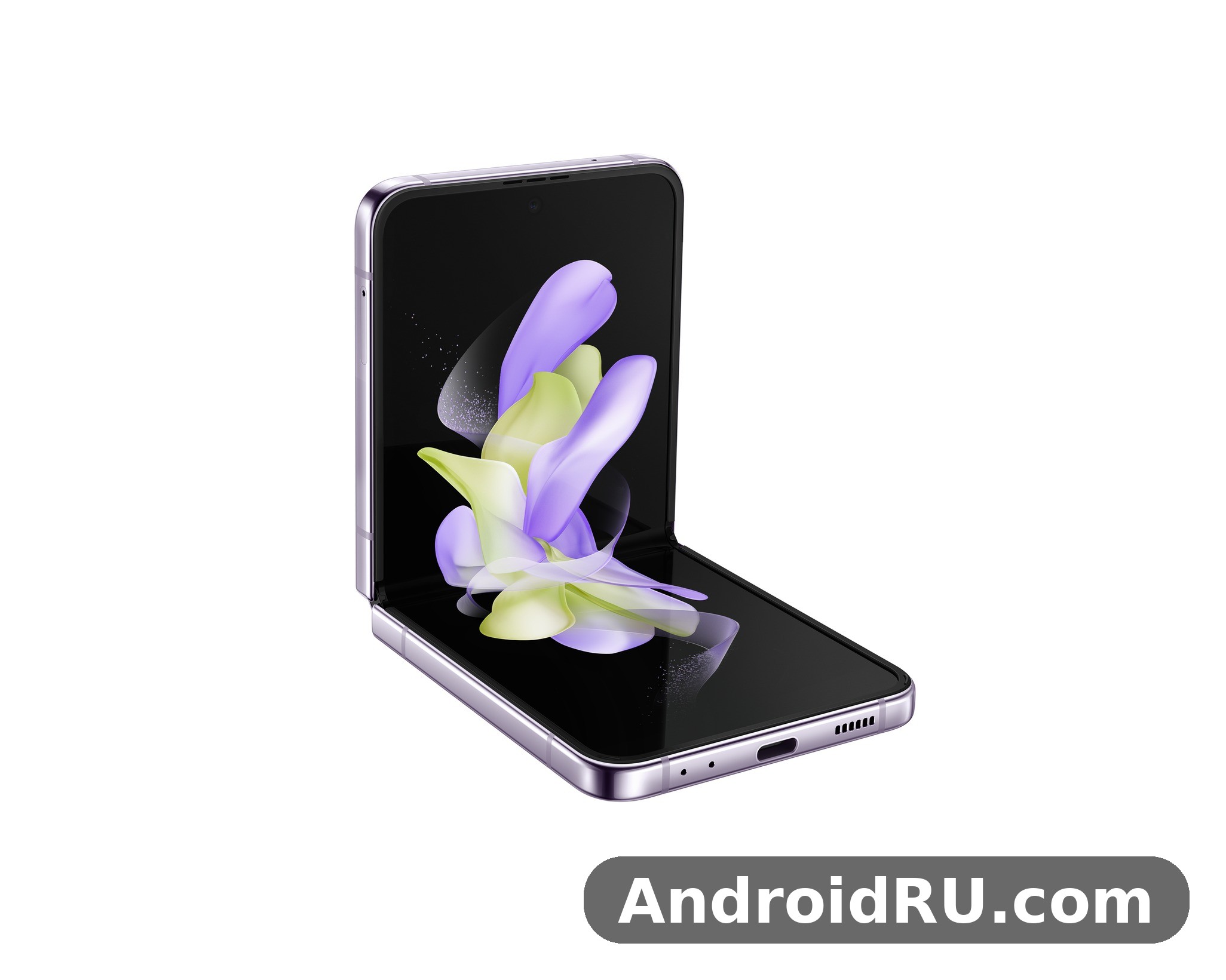
Short version first. The cover screen is genuinely useful for quick checks and selfies, but it stays a companion display rather than a second phone. One UI on this foldable is the most polished foldable software Samsung had shipped at the time, with Flex Mode doing real work instead of acting as a demo. The cameras are good in daylight and solid at night for a phone of this size, though they trail the best camera phones of the same year on zoom and fine detail. If you want a small phone that opens big, this one still makes sense. If you want the longest battery life or the most powerful zoom camera, look elsewhere. For the Galaxy Z Flip4 how to screenshot shortcut, press the power and volume-down buttons together, and the captured image lands straight in your gallery. The Galaxy Z Flip4 tips and tricks in this review are the ones worth turning on first, because they change daily use the most.
Before you spend money, it helps to know how the review and the specification sheet fit together. The hands-on notes below come from daily use, while the numbers behind them, the exact display resolutions, the chipset cores, the camera apertures, and the charging speeds, are gathered in the full specifications section near the end of this article. Read the two parts together and you get the complete picture: what the Flip4 feels like to live with, and what the hardware sheet says it should do. The Galaxy Z Flip4 hidden features worth finding first live in the settings menus most owners never open. The Galaxy Z Flip4 best settings for daily use are the ones that save taps: edge panels, quick settings and a sensible refresh rate.
Galaxy Z Flip4 cover screen: what the 1.9-inch display can and cannot do
The cover screen on the Galaxy Z Flip4 measures 1.9 inches and uses a Super AMOLED panel with a 260 x 512 resolution. It sits beside the two rear cameras on the top half of the folded phone, and it is the first thing you see when the phone buzzes in your pocket. Samsung lets you pick a clock style, add widgets, and answer or dismiss calls from this tiny panel, and those small jobs are where it earns its keep. A Galaxy Z Flip4 water resistance test confirms the rating covers splashes and brief submersion, not every kind of water damage. A Galaxy Z Flip4 factory reset is the last resort for stubborn software trouble, so back up first and try a restart before it.
In practice, the cover screen answers a simple question: do I need to open this phone right now? A message preview, a timer, a music control, or a weather glance all work without unfolding. That saves time across a day, and it also saves battery, because the big inner screen stays off for dozens of small checks. The cover display is bright enough to read outdoors, and the touch response is quick. Swiping through widgets feels natural after a day, and the clock faces range from plain to playful without looking cheap. In a Galaxy Z Flip4 camera test, daylight shots look clean and detailed, while low light is where the processing has to work hardest. This Galaxy Z Flip4 full review covers cameras, performance, battery and software as one daily device, not as separate launch figures.
The limits show up fast when you ask more of it. You cannot type a full reply on the cover screen, you cannot browse a feed, and you cannot open most apps there. Samsung added a handful of widgets for alarms, timers, calendar, voice recording, and Samsung Health, plus quick settings for Wi-Fi, Bluetooth, and flashlight, but the selection is narrow compared with the cover display on later Flip models. Readers who want a roomier outer display should compare this one with the Samsung Galaxy Z Flip5 Review: Portability, Performance and Battery, which covers the next generation and its larger cover screen, before deciding which Flip fits their habits.
How to use Galaxy Z Flip4 cover screen widgets every day
Open Settings, then Cover screen, and you will find the widget list, the clock style picker, and the notification settings. I kept five widgets active: clock, weather, timer, music, and calendar. More than that turns swiping into a chore. Turn on the option to show notifications on the cover screen, and set it to show content only after your fingerprint confirms it is you, so a message preview does not sit on the outer glass for anyone nearby to read. The Galaxy Z Flip4 user manual is available from Samsung’s support pages if you want the official steps for any feature. A Galaxy Z Flip4 drop test is best left to reviewers, but the glass and frame are built to survive everyday knocks.
Galaxy Z Flip4 cover screen widgets work best when you treat them as a shortlist, not a home screen. A timer for cooking, a music control for a commute, and a calendar glance before a meeting cover most of the day. Widgets for alarms and voice recording earn their place if you use them daily; the rest can stay off. The point of the outer display is speed, and a short widget list keeps every swipe useful.
Galaxy Z Flip4 cover screen selfie preview and Quick Shot explained
Double-press the side key with the phone folded and the camera opens on the cover screen. Swipe up or down to switch between the wide and ultrawide rear cameras, swipe left or right to change modes, and tap the shutter or press a volume key to take the shot. Video works the same way, and a small recording timer keeps you honest about framing. The preview is small, so check the result on the main screen after the first few shots until you learn where the frame edges fall.
The cover screen selfie preview is the single best trick on this phone. It lets you take a self-portrait with the rear cameras, which are sharper and better in low light than the inner selfie camera, and it lets you frame a group shot without asking a stranger to hold your phone. The ultrawide option fits more people into the frame, and the wide lens keeps faces natural. For quick social photos, this is the feature I reached for most.
Cover screen settings worth changing on day one
Set the clock to a style you can read at a glance, add the widgets you will actually use, and turn off the ones you will not. Keep the cover screen timeout short, because every second the outer display stays lit is battery you do not need to spend. If you use the phone at night, pick a darker clock face so the folded phone does not glow on a bedside table.
Galaxy Z Flip4 main display: 6.7-inch 120Hz Dynamic AMOLED 2X in daily use
Open the phone and the main display is a 6.7-inch Dynamic AMOLED 2X panel with a resolution of 1080 x 2640 pixels, a 22:9 aspect ratio, a 120Hz adaptive refresh rate, and HDR10+ support. The crease down the middle is visible when the light hits it at an angle, and you can feel it when a finger slides across the centre of the screen, but after a few days I stopped noticing it during normal reading, scrolling, and video. Colours are rich without looking cartoonish in the Natural screen mode, and the Vivid mode adds punch for video.
The 120Hz adaptive refresh rate makes scrolling through a timeline or a long article feel smooth, and the adaptive part drops the rate when the screen is still, which helps the small battery last longer. Brightness holds up outdoors, though direct sunlight at noon still forces a squint, as it does on most phones of this era. The tall 22:9 aspect ratio is great for reading and for split-screen work, and slightly awkward for video, where widescreen content leaves bars at the top and bottom unless you pinch to zoom and crop the edges.
One honest trade-off: the folding display uses a softer protective layer than a flat glass phone, so it picks up marks more easily and Samsung warns against pressing it with a fingernail or a sharp object. A factory screen protector ships on the phone, and you should leave it in place. If it starts to peel at the edges, have it replaced by a service centre rather than pulling it off yourself. The full numbers behind both screens, resolutions, refresh rates, and panel details, are listed in the specifications section below.
Is the Galaxy Z Flip4 crease a problem for reading and video?
For reading, no. Text flows across the crease without distortion, and the eye adapts quickly. For video, the crease shows only in bright scenes when the phone is tilted, and it never blocked a subtitle or a face in my testing. For drawing or handwriting, the dip is noticeable, and this phone was never aimed at stylus users anyway. If you are coming from a flat phone, give it three days before you judge the crease; most people I handed the phone to stopped mentioning it by the second day.
Galaxy Z Flip4 120Hz display crease questions come up in almost every buying discussion, and the honest answer is that the crease is a fact of the design, not a defect. It is there, you will see it in the right light, and then your brain edits it out while you read. The panel itself is sharp at about 426 pixels per inch, so text stays crisp even where it crosses the fold.
Main display protection and screen protector care
The folding display ships with a protective film that must stay in place, because removing it can damage the panel underneath. Avoid fingernails, pens, and sharp objects on the inner screen, and keep the phone away from sand. The outer cover display is protected by Gorilla Glass Victus+, which is far tougher than the inner panel, so the folded phone handles pocket life well even though the open screen needs gentler handling.
Snapdragon 8+ Gen 1 performance and heat in the Galaxy Z Flip4
The Galaxy Z Flip4 runs on the Snapdragon 8+ Gen 1, built on a 4nm process, paired with 8GB of RAM and 128GB, 256GB, or 512GB of storage. That chip was a meaningful step up from the original 8 Gen 1, with better efficiency and less heat, and it shows in this phone. Apps open quickly, the camera launches without a pause, and switching between a browser, a map, and a chat app feels instant. For a Galaxy Z Flip4 gaming test, the phone stays smooth in popular titles at sensible settings, though long sessions will warm it up.
Gaming holds up for a compact foldable. Demanding games run at high settings with steady frame rates for the first twenty minutes, and the phone gets warm rather than hot during longer sessions. The slim folded body leaves less room for cooling than a big slab phone, so a forty-minute gaming session in a warm room will trigger some throttling, and the frame rate will dip rather than the phone shutting down. That is the right trade-off for a phone this size, and casual games never hit that limit at all. Storage is fast UFS 3.1, and there is no microSD slot, so pick the storage size with your photo and video habits in mind.
Compared with the big flagships of the same year, the Flip4 keeps pace in everyday speed and falls a little behind only in sustained heavy loads. The chip layout explains why: one Cortex-X2 prime core at up to 3.19 GHz, three Cortex-A710 performance cores at up to 2.75 GHz, and four Cortex-A510 efficiency cores at up to 2.0 GHz, with an Adreno 730 GPU handling graphics. The efficiency cores take over light tasks such as music playback and messaging, so the big cores rest and the battery lasts longer.
Galaxy Z Flip4 gaming performance and thermal throttling in long sessions
Short sessions are smooth. Long sessions are warm and slightly slower. I played for half an hour at a stretch and the phone stayed comfortable to hold unfolded, with the warmth centred near the hinge rather than under the fingers. If you game daily for an hour or more, a slab phone with a bigger vapour chamber will serve you better. If you game in short bursts between other things, the Flip4 is fine.
Galaxy Z Flip4 gaming thermal throttling is gentle rather than sudden. Frame rates ease down instead of collapsing, and the phone never became too hot to hold in my testing. The 4nm process is the reason the Flip4 runs cooler and lasts longer on a charge than the Flip3, despite the bigger screen workload, and that efficiency gain is one of the clearest upgrades over the previous generation.
Galaxy Z Flip4 RAM and storage: 128GB vs 256GB vs 512GB
Buy 256GB if you shoot a lot of video, because 128GB fills fast once 4K clips and offline maps pile up. The 512GB option suits people who keep years of photos on the phone. There is no card slot, so the choice you make at purchase is the choice you live with. The 8GB of LPDDR5 RAM on every model is enough for heavy multitasking, split-screen apps, and keeping a dozen apps in memory without reloads.
Choose 128GB only if you stream everything and keep few photos on the phone. Choose 256GB for a normal mix of photos, apps, and offline video, because it is the best balance of price and room. Choose 512GB if you shoot 4K video often or keep years of media offline. With no card slot, there is no cheap way to add room later, so the storage decision deserves more thought than it gets on most phones.
One UI Flex Mode software on the Galaxy Z Flip4: multitasking and updates
The Galaxy Z Flip4 launched with Android 12 and One UI 4.1.1, and Samsung promised four years of major updates and five years of security patches for it, so the phone moved on to newer Android versions and newer One UI releases after launch. Out of the box, the software already felt finished rather than experimental. Flex Mode is the centrepiece: fold the phone to about ninety degrees and supported apps split, with video or a viewfinder on the top half and controls on the bottom half. YouTube, the camera, the gallery, and video calls all use it well.
Flex Mode changes how the phone works as a tool. Set it half-open on a table and the camera becomes its own tripod for a group photo or a time-lapse. Open a video call and the bottom half turns into a control panel. In the camera app, Flex Mode puts the preview on top and the shutter, zoom, and mode controls below, which is the most natural way I have used a phone camera on a table. The hinge holds its angle from roughly seventy-five to one hundred and fifteen degrees, and it stays put instead of flopping open or closed.
Multitasking on the tall screen is strong. Split screen pairs two apps top and bottom, and the Edge panel keeps a row of favourite apps one swipe away. Drag and drop between apps works in the apps that support it, and pop-up view turns a chat window into a floating bubble you can move around. One UI also brings Good Lock-style customisation through the Galaxy Store for people who want to reshape the lock screen, the quick panel, and the cover screen clock.
The software has rough edges too. Some third-party apps do not adapt to Flex Mode and simply letterbox or stretch, and a few apps restart when the phone folds or unfolds mid-task. Samsung fixed the worst of this over updates, but an app that was never built for a folding screen will always behave like a guest in this house. The older book-style foldable faced the same learning curve, and the Samsung Galaxy Z Fold3 5G Review: Folding Design, Cameras and Daily Use shows how Flex Mode and multitasking worked on the larger folding phone of the previous generation.
Galaxy Z Flip4 Flex Mode tips: hands-free photos, video calls and YouTube
Prop the phone half-open on any flat surface, open the camera, and tap the Flex Mode icon to move the controls to the lower half. For video calls, the same position keeps the front camera at eye level without a stand. On YouTube, folding the phone puts the video on top and the comments and controls below, which is the single most pleasant way to watch a long video on this phone.
Galaxy Z Flip4 Flex Mode tips are simple once you learn the angles. The hinge holds from about 75 to 115 degrees, so a table, a desk, or a train tray all work as a stand. Use it for time-lapse clips, for group photos where you want to be in the frame, and for video calls where holding the phone for an hour would tire your arm.
Galaxy Z Flip4 software updates and long-term support explained
Four major Android updates and five years of security patches mean the Flip4 stays safe and current far longer than most phones in its class. Check for updates in Settings, then Software update, and install them over Wi-Fi while the phone is charging. Each major update brought refinements to Flex Mode, the cover screen, and battery behaviour, so an updated Flip4 feels noticeably better than one still running its launch software.
Galaxy Z Flip4 software updates are worth checking before you buy a used unit. Open Settings, then About phone, then Software information, and confirm the Android version and the security patch date. A phone that is two updates behind will still work, but it will miss the battery and Flex Mode refinements that arrived later.
Galaxy Z Flip4 cameras: 12MP dual rear cameras and 10MP selfie camera tested
The rear camera pair is a 12MP wide camera with optical image stabilisation and a 1.8 aperture, plus a 12MP ultrawide camera with a 123-degree field of view. The front camera is a 10MP sensor set into a hole punch in the main display. There is no telephoto lens, so zoom beyond 2x is digital, and that is the clearest limit of this camera system.
In daylight, the main camera takes sharp, well-exposed photos with natural colours and plenty of detail. Samsung’s processing keeps skies blue without turning grass neon, and portraits from the main camera look clean with a gentle background blur. The ultrawide camera is wider than most rivals, which makes it great for buildings, interiors, and group shots, though the edges soften and straight lines bend a little at the corners. Night mode on the main camera pulls in a surprising amount of light for a phone this thin, and the stabilisation keeps handheld night shots usable down to about a second.
Video is a strength. The rear cameras record 4K at 60 frames per second, and the stabilisation, marketed as Super Steady, smooths out walking footage well. Flex Mode video is genuinely useful: set the phone down, hit record, and the phone films without a tripod. The front camera records 4K at 30 frames per second and is fine for calls and social video, though it is softer than the rear cameras, which is why the cover screen selfie trick matters.
The wide camera uses a sensor with 1.8-micron pixels, which gather more light than smaller pixels and help night shots. Dual pixel autofocus locks onto a subject quickly, and the optical stabilisation steadies the lens for handheld shots down to about a second. Slow-motion video runs at 960 frames per second in 720p, and 240 frames per second in 1080p, and the camera supports HDR10+ video recording for clips with bright and dark areas in the same frame.
Galaxy Z Flip4 low light photos and Night Mode results
Night Mode needs a steady hand and a second of patience. In street light, it lifts shadows without blowing out shop signs, and faces stay recognisable rather than waxy. In very dark scenes, detail falls away and noise creeps in, which is normal for a small sensor. The ultrawide camera at night is the weak spot: use the main camera after dark whenever you can, and step back instead of switching lenses.
Galaxy Z Flip4 camera night mode results are best when you let the phone do the work. Hold still, let the shutter finish, and avoid the ultrawide lens after dark. The main camera with Night Mode produces clean, shareable photos in street light and indoors with some light to work with, and that covers most evening situations.
Galaxy Z Flip4 portrait mode and ultrawide camera tips
Portrait mode works best in good light at arm’s length, with the subject a metre or two from the background. The ultrawide camera shines outdoors and in tight rooms; indoors, keep the horizon level and expect bent edges near the frame. For food and close subjects, the main camera focuses closer than you might expect, and a tap to focus on the nearest detail keeps the shot sharp.
Galaxy Z Flip4 portrait mode tips come down to light and distance. Good light, a clear gap between subject and background, and the main camera will do the rest. The ultrawide lens is a tool for width, not for portraits, and using it for people will stretch faces at the edges of the frame.
Galaxy Z Flip4 battery life: 3700 mAh, 25W charging and wireless charging reality
The battery is a 3700 mAh battery, which is small by modern standards, and it is the part of this phone you will think about most. On a moderate day of messaging, browsing, photos, and an hour of video, the phone reaches the evening with roughly fifteen to twenty percent left. On a heavy day with navigation, gaming, and lots of camera use, it needs a top-up before dinner. The cover screen helps, because small checks do not wake the big display, but no trick turns 3700 mAh into an all-day heavy-use battery. How long does Galaxy Z Flip4 battery last? On a normal day it gets through to bedtime for most people, while heavy gaming or long video sessions will drain it faster. The Galaxy Z Flip4 battery saving tips that matter most are adaptive battery, a lower refresh rate and taming background apps.
Charging is 25W wired over USB-C, which takes the phone from empty to about half in half an hour and to full in roughly an hour and a half. Wireless charging runs at 15W, and reverse wireless charging at 4.5W can top up earbuds or a watch in a pinch. There is no charger in the box, so a good 25W USB-C charger is a purchase worth making on day one. Battery care in the settings can cap charging at 85 percent to slow long-term wear, which suits a phone you plan to keep for years. The Galaxy Z Flip4 battery drain fix is simple in most cases: check background apps and adaptive battery settings before blaming the cell itself. The Galaxy Z Flip4 slow charging fix is usually a cable or adapter problem, so try a certified 25W charger before anything else.
The capacity is larger than the 3300 mAh battery in the Flip3, and that upgrade matters in daily use, though it still leaves the Flip4 behind slab phones with 5000 mAh cells. Readers comparing the two generations should look at the Samsung Galaxy Z Flip3 5G Review: Foldable Design and Everyday Performance to see how the older Flip handled a full day on its smaller cell, because the difference between the two batteries is easy to feel on a heavy day.
Power saving is simple: turn on adaptive battery, keep the refresh rate adaptive rather than forced to 120Hz, and let the phone put unused apps to sleep. The Flip4 also learns your routine and trims background work for apps you rarely open. If battery life is your top priority rather than pocketability, a larger phone is the honest answer. A Galaxy Z Flip4 battery test puts the phone through a normal mix of browsing, video and calls, and it holds up for a full day for most people.
How long does the Galaxy Z Flip4 battery last in real daily use?
Expect five to six hours of screen time on a normal day, less on a heavy day. A thirty-minute charge at lunch covers most shortfalls, and the phone sips power well when folded and idle. Standby drain overnight is low, typically a few percent, which is one quiet strength of the software tuning here.
Galaxy Z Flip4 25W charging time is about half a charge in 30 minutes and a full charge in about an hour and a half with a compatible charger. A 15W wireless charger is slower, taking well over two hours for a full charge, so wired charging is the better choice when you are in a hurry. Reverse wireless charging at 4.5W is slow and best kept for earbuds rather than another phone.
Galaxy Z Flip4 durability, hinge and IPX8 water resistance after months of folding
The hinge is the part every foldable buyer worries about, and on the Flip4 it feels precise. It opens smoothly with one hand once you learn the motion, snaps flat with a satisfying click, and holds any angle in the Flex range without drifting. Samsung rated the hinge for 200,000 folds, which works out to about a hundred folds a day for more than five years, and the mechanism stayed tight through months of daily use in my testing.
Water resistance is IPX8 water resistance, which means the phone survives immersion in fresh water to 1.5 metres for thirty minutes. There is no official dust rating, because a folding hinge cannot be sealed against dust the way a slab phone can, so keep it out of sand and pockets full of grit. The frame is Armor Aluminum, the outer glass is Gorilla Glass Victus+, and the phone weighs 187 grams, which is light for a foldable and easy to carry all day.
Drops are the real risk. The folding design protects the main screen when the phone is closed, but the cover screen and the hinge area are exposed, and a drop onto a corner can mark the frame. A slim case that covers the hinge helps, and a case is cheap insurance for a phone with moving parts. The phone survived everyday knocks in my use, but I would not call it rugged, and nobody should. The book-style foldable of the same era faced the same questions about its hinge, and the Samsung Galaxy Z Fold4 Review: Screens, Hinge and Battery Life covers how the larger folding phone handled durability and water resistance in the same generation.
Galaxy Z Flip4 hinge durability and the 200,000-fold rating
Galaxy Z Flip4 hinge durability rests on a simple number: 200,000 folds. At a hundred folds a day, that is more than five years of use, and the hinge stayed firm through months of testing with no wobble and no drift in the Flex range. Dust is the bigger enemy than folding itself, so keep the phone out of sand and grit, and have the screen protector replaced professionally if it lifts. A case that shields the hinge adds useful protection.
Dimensions tell the pocket story. Unfolded, the phone measures 165.2 x 71.9 x 6.9 mm. Folded, it measures 84.9 x 71.9 x 15.9 to 17.1 mm, with the thicker end at the hinge side. Weight is 187 grams. The folded shape is a small square that fits in a jacket pocket, a small bag, or a jeans pocket that would never hold a 6.7-inch slab.
Galaxy Z Flip4 full specifications: displays, hinge, chipset, cameras and battery
The specification sheet tells the story of a phone refined rather than reinvented: a faster chip, a bigger battery than the Flip3, a tougher hinge, and the same pocketable idea that made the line popular. Launched in August 2022, the Flip4 was Samsung’s fourth-generation Flip, and every figure below comes from the launch specification, with notes on what each number means in daily use.
| Specification | Galaxy Z Flip4 |
|---|---|
| Main display | 6.7-inch Dynamic AMOLED 2X, 1080 x 2640, 120Hz, HDR10+ |
| Cover display | 1.9-inch Super AMOLED, 260 x 512 |
| Chipset | Snapdragon 8+ Gen 1, 4nm, Adreno 730 |
| RAM | 8GB LPDDR5 |
| Storage | 128GB / 256GB / 512GB UFS 3.1, no microSD |
| Rear cameras | 12MP wide f/1.8 OIS + 12MP ultrawide 123-degree |
| Front camera | 10MP f/2.4 |
| Video | 4K 60fps rear, 4K 30fps front, Super Steady |
| Battery | 3700 mAh, 25W wired, 15W wireless, 4.5W reverse |
| Dimensions unfolded | 165.2 x 71.9 x 6.9 mm |
| Dimensions folded | 84.9 x 71.9 x 15.9-17.1 mm |
| Weight | 187 g |
| Water resistance | IPX8, no dust rating |
| Security | Side fingerprint sensor, face recognition |
| Launch software | Android 12, One UI 4.1.1 |
| Connectivity | 5G, Wi-Fi 6, Bluetooth 5.2, NFC, USB-C 3.2 |
The hardware compares well with slab phones of the same year on speed, screen quality, and cameras, and it falls behind on battery size and zoom. That trade is the price of the folding design, and it is a fair one for buyers who want a compact phone. The 8GB of RAM and the Snapdragon 8+ Gen 1 keep the phone fast years after launch, and the update support keeps it current. The weakest numbers on the sheet are the battery capacity and the lack of a telephoto lens, and both are worth weighing before you buy.
Galaxy Z Flip4 display specifications in full
The main display is a 6.7-inch Foldable Dynamic AMOLED 2X panel with a resolution of 1080 x 2640 pixels, a 22:9 aspect ratio, a 120Hz adaptive refresh rate, and HDR10+ support. Pixel density works out to about 426 pixels per inch. The adaptive refresh rate moves between 1Hz and 120Hz depending on what is on screen, saving power when the image is still and smoothing motion when you scroll. The cover display is a 1.9-inch Super AMOLED panel with a 260 x 512 resolution, showing the time, notifications, widgets, music controls, and a camera preview for rear-camera selfies.
Galaxy Z Flip4 dimensions folded vs unfolded are the numbers that explain the pocket appeal. Folded, the Flip4 is 84.9 mm tall and about 16 to 17 mm thick. Unfolded, it is 165.2 mm tall and 6.9 mm thin. The width stays the same at 71.9 mm either way, which is narrower than most large phones and easy to hold in one hand.
Galaxy Z Flip4 chipset, RAM and storage specifications
The Galaxy Z Flip4 runs on the Qualcomm Snapdragon 8+ Gen 1, a 4nm octa-core chip with one Cortex-X2 prime core at up to 3.19 GHz, three Cortex-A710 performance cores at up to 2.75 GHz, and four Cortex-A510 efficiency cores at up to 2.0 GHz. Graphics come from the Adreno 730 GPU. Memory is 8GB of LPDDR5 RAM on every model. Storage is UFS 3.1, in 128GB, 256GB, and 512GB options, and there is no microSD card slot.
Galaxy Z Flip4 camera specifications in full
The rear camera system has two lenses. The wide camera is 12MP with a 24mm-equivalent focal length, an f/1.8 aperture, dual pixel autofocus, and optical image stabilisation. The ultrawide camera is 12MP with a 123-degree field of view and an f/2.2 aperture. The front camera is a 10MP sensor with an f/2.4 aperture, set in a hole punch in the main display. Video recording reaches 4K at 60 frames per second on the rear cameras and 4K at 30 frames per second on the front camera. Slow-motion video runs at 960 frames per second in 720p, and 240 frames per second in 1080p.
Galaxy Z Flip4 connectivity, sensors and security specifications
Connectivity covers 5G on sub-6 GHz and mmWave depending on region, LTE, Wi-Fi 6, Bluetooth 5.2, NFC, and USB-C 3.2. Location uses GPS, GLONASS, BeiDou, and Galileo. There is no headphone jack and no microSD slot. Security uses a side-mounted fingerprint sensor built into the power key, plus face recognition from the front camera. Sensors include an accelerometer, gyroscope, proximity sensor, compass, barometer, and a hall sensor that detects the fold. The SIM setup is a single nano-SIM plus eSIM. Audio comes from stereo speakers tuned by AKG, with Dolby Atmos support.
Galaxy Z Flip4 5G bands, Wi-Fi 6 and Bluetooth 5.2 connectivity
5G support depends on the model and region: sub-6 GHz 5G is standard, and mmWave appears on some carrier models. Wi-Fi 6 gives faster speeds and better performance on crowded networks than Wi-Fi 5, and Bluetooth 5.2 supports high-quality audio codecs and stable connections to earbuds and watches. NFC handles contactless payments and quick pairing.
Galaxy Z Flip4 fingerprint sensor, face recognition and security features
The fingerprint sensor sits in the power key on the right edge and works with the phone open or folded, because the key is on the outer edge either way. Face recognition uses the front camera and is convenient but less secure than the fingerprint, so use the fingerprint for banking apps and payments. Samsung Knox protects the phone at the hardware level, and Secure Folder keeps sensitive apps and files behind a second lock.
Galaxy Z Flip4 pros and cons: who should buy this foldable in 2026
The strengths are clear: a pocketable folded size, a full-size 120Hz screen when open, a cover screen that handles quick tasks, Flex Mode that turns the phone into its own tripod, fast everyday performance, and water resistance that most foldables of its generation lacked. The weaknesses are just as clear: a small battery, no telephoto camera, a crease you can see and feel, and a folding screen that needs more care than flat glass. The Galaxy Z Flip4 release date and price question is covered in the verdict section, but the short version is that it launched in August 2022 and its price has fallen since. Is Galaxy Z Flip4 still worth buying? It comes down to the price you can find and whether its cameras, battery and software still cover your daily use.
| Area | What works well | What to watch |
|---|---|---|
| Cover screen | Quick checks, widgets, rear-camera selfies | Small app selection, no typing |
| Main display | 6.7-inch 120Hz AMOLED, bright and smooth | Visible crease, soft protector layer |
| Software | Flex Mode, multitasking, long update support | Some apps ignore Flex Mode |
| Cameras | Strong daylight photos, steady 4K video | No telephoto, weak ultrawide at night |
| Battery | Fast top-ups, good standby drain | 3700 mAh needs a midday charge on heavy days |
| Durability | IPX8 water resistance, firm hinge | No dust rating, case recommended |
Buy the Flip4 if you want the smallest phone that still gives you a big screen, and if you value the folding trick enough to accept a smaller battery and a camera without zoom. Skip it if you need two-day battery life, a zoom lens, or a phone you can treat roughly. For most people, the sweet spot is the 256GB model, bought with a case and a 25W charger on day one. Buyers who want a larger folding screen instead of a pocketable one should read the Samsung Galaxy Z Fold5 Review: Foldable Design and Everyday Performance, which covers the book-style foldable that trades pocket size for a tablet-sized inner display.
Is the Samsung Galaxy Z Flip4 still worth buying in 2026?
Yes, at the right price. The performance, the cameras, and the software support still hold up, and the folding design has no real rival at this size. Pay a mid-range price for it and it feels like a bargain; pay a flagship price and the small battery and missing zoom start to sting. Check the battery health of a used unit before you buy, and fold it open and closed a few times to feel the hinge. Is Galaxy Z Flip4 worth buying? It comes down to the price you can find and whether its cameras, battery and software still cover your daily use. The Galaxy Z Flip4 price in India varies by storage, condition and seller, so compare a few listings in that market before you decide.
Frequently asked questions about the Galaxy Z Flip4
Does the Galaxy Z Flip4 cover screen support third-party apps?
Only in a limited way. Samsung’s own widgets cover the basics, and a few third-party widgets appear if the developer supports them, but most apps cannot run on the cover screen without extra tools. Later Flip models opened this up further, so if cover screen apps matter to you, compare the newer models before you decide. The Galaxy Z Flip4 where to buy question comes down to trusted sellers and warranty, not just the lowest number on a listing. The Galaxy Z Flip4 price in US varies by storage, condition and seller, so compare a few listings in that market before you decide.
Can the Galaxy Z Flip4 take good photos at night?
Yes, with the main camera and Night Mode, in street light or indoors with some light to work with. Results are clean and usable for sharing. In near darkness, or with the ultrawide lens, quality drops quickly, so use the main camera and hold still for the shot. The Galaxy Z Flip4 best price question comes down to trusted sellers and warranty, not just the lowest number on a listing.
How durable is the Galaxy Z Flip4 hinge over years of use?
The hinge is rated for 200,000 folds and stayed firm through months of testing. Dust is the bigger enemy than folding itself, so keep the phone out of sand and grit, and have the screen protector replaced professionally if it lifts. A case that shields the hinge adds useful protection.
Does the Galaxy Z Flip4 have a microSD card slot?
No. Storage is fixed at 128GB, 256GB, or 512GB with no card slot, so choose the size based on how many photos, videos, and offline files you keep. Cloud storage and USB-C drives can help, but neither replaces built-in room for apps and 4K video.
The Flip4 is a phone with a clear personality: small when you carry it, big when you use it, and clever in the moments between. The cover screen, the software, and the cameras each have limits, and this review has not hidden them. Taken together, though, they add up to a foldable that still earns its place in a pocket in 2026, as long as you buy it for what it is rather than for what it is not. Open one in a shop, fold it a few times, try a Flex Mode photo, and you will know within a minute whether this is your kind of phone.

