

Samsung Galaxy Note10+ Review: Screen Quality, Cameras and Charging
The Samsung Galaxy Note10+ arrived in August 2019 as the largest and most complete phone in the Note line that year. It paired a 6.8-inch Dynamic AMOLED display with a triple rear camera, a built-in S Pen, 12GB of RAM and a 4300mAh battery, a combination aimed at people who use one phone for work notes, photos, video and long days away from a charger. Years after launch, the question is not whether the hardware was ambitious. The question is how the screen, the cameras and the charging hold up as a complete package, and who still gets real value from this phone in 2026. How long does Galaxy Note10+ battery last? On a normal day it gets through to bedtime for most people, while heavy gaming or long video sessions will drain it faster. The Galaxy Note10+ common problems and fixes are listed in the tips section, with the quick checks first and the deeper resets last.
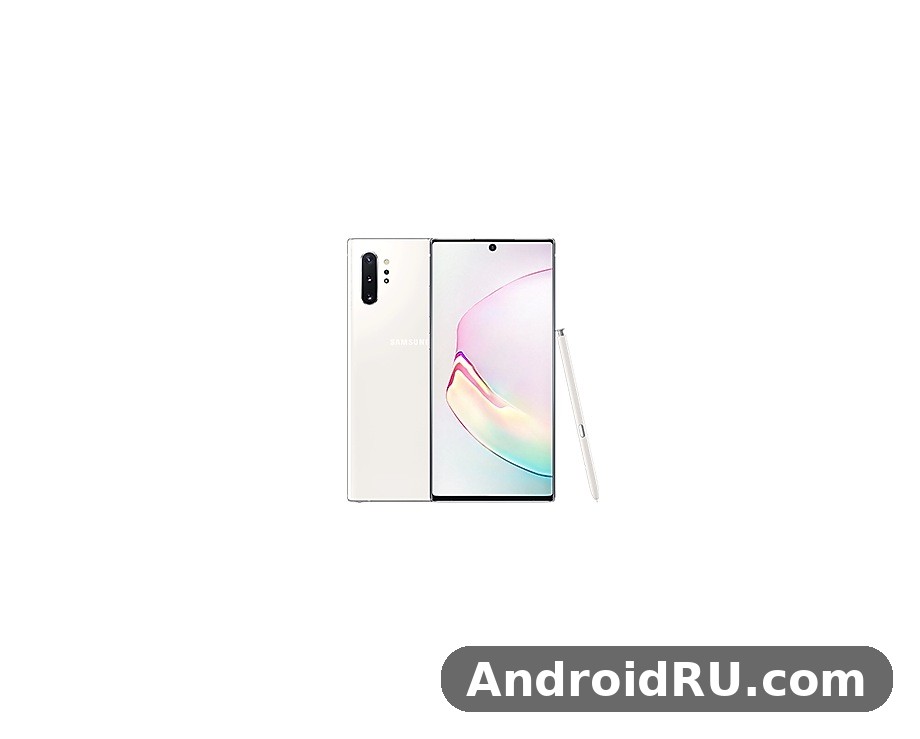
This article brings the review and the full specification sheet together in one place. The first sections look at the phone the way an owner lives with it: the display, the cameras, the battery and charging, performance, the S Pen and the software. A later section lists the full specifications, from the screen resolution and the processor options to the sensors and the network bands, so you can check any number without hunting through a second page. If a newer-feeling Samsung with current software is on your shortlist, the Samsung Galaxy S20 FE 5G Review: Design, Battery Life and Usability is a useful comparison point for battery life and everyday usability.
A short note on context helps. The Note10+ launched with Android 9 and One UI, and Samsung later updated it through several Android versions, ending its major update run at Android 12 with One UI 4.1. That matters for buyers in 2026, because the phone is no longer receiving new Android versions. The hardware, on the other hand, was built to a flagship standard of its year: Gorilla Glass front and back, an aluminium frame, IP68 water and dust resistance, and stereo speakers tuned by AKG. Keep both halves in mind as you read. A Galaxy Note10+ screen brightness test shows the display staying readable outdoors, even in bright sunlight. The Galaxy Note10+ best camera settings for everyday shooting are simple: keep the main lens clean, let the phone pick the mode, and save the manual controls for tricky light.
Galaxy Note10+ display: 6.8-inch Dynamic AMOLED, QHD+ and HDR10+
The 6.8-inch Dynamic AMOLED panel is the centrepiece of the Note10+, and it is the first thing that sets this phone apart from almost everything else Samsung sold in 2019. The resolution is 1440 x 3048, marketed as Quad HD+, with a pixel density around 498 pixels per inch, so text stays sharp even when you hold the phone close, and small interface details never look soft. Colours are rich in the default Vivid mode and noticeably calmer in Natural mode, which is the better choice if you edit photos or want skin tones to look true to life. The panel supports HDR10+ video, which gives supported films and clips deeper shadows and brighter highlights than standard video on the same screen. A Galaxy Note10+ water resistance test confirms the rating covers splashes and brief submersion, not every kind of water damage. The Galaxy Note10+ battery saving tips that matter most are adaptive battery, a lower refresh rate and taming background apps.
What makes the display work so well in daily use is not one number but the combination of size, brightness and tuning. The screen reaches high peak brightness for outdoor use, and the automatic brightness steps are smooth rather than jumpy, so moving from a dim room to bright daylight does not leave you squinting at a grey panel for several seconds. The 19:9 aspect ratio makes the phone tall, and the centred hole-punch camera keeps the top edge clean, with only a small circle interrupting the status bar area. Bezels are thin on all four sides, and the curved edges give the front a near borderless look, even if the curve can catch a stray reflection under strong light. The Galaxy Note10+ outdoor visibility holds up well, with the display staying readable even in bright sunlight. The Galaxy Note10+ battery drain fix is simple in most cases: check background apps and adaptive battery settings before blaming the cell itself.
Colour accuracy, HDR10+ video and brightness on the Note10+ screen
Colour handling on the Note10+ is flexible in a way that suits two different kinds of owner. In Vivid mode, Samsung pushes saturation so photos, games and social feeds look punchy and vivid, which most people prefer at first glance. In Natural mode, the same panel tracks closer to the sRGB colour space, so a photo you edit on the phone looks much closer to how it will appear on another calibrated screen. Switching between the two takes a few taps in Settings under Display and Screen mode, and the white balance slider lets you nudge the tone warmer or cooler. For video, HDR10+ support matters most on streaming services that carry HDR10+ titles, where bright scenes keep detail instead of blowing out to white. The Galaxy Note10+ slow charging fix is usually a cable or adapter problem, so try a certified 45W charger before anything else. For the Galaxy Note10+ how to screenshot shortcut, press the power and volume-down buttons together, and the captured image lands straight in your gallery.
Reading, video and split-screen use on a 6.8-inch panel
A 6.8-inch screen changes how you use a phone once the novelty wears off. Long articles are easier to read because more lines fit on screen at a comfortable font size, and the high resolution keeps small text crisp. Video fills the display nicely, with the tall ratio cropping very little from most modern films, and the stereo speakers are loud enough to watch a clip without earphones in a quiet room. Split-screen multitasking is where the size pays off most: two apps side by side each get enough width to stay usable, so you can keep a document open next to a browser, or a map next to a message thread. The S Pen adds to this, because you can jot a note over a video or annotate a screenshot without switching apps. A Galaxy Note10+ battery test puts the phone through a normal mix of browsing, video and calls, and it holds up for a full day for most people. In a Galaxy Note10+ camera test, daylight shots look clean and detailed, while low light is where the processing has to work hardest.
Outdoor visibility and eye comfort settings
Outdoors, the Note10+ display stays readable in direct sunlight, thanks to strong peak brightness and an anti-reflective coating that keeps glare lower than on many phones of its year. The blue light filter, found in the quick panel and in Display settings, warms the screen in the evening and can be scheduled, which helps if you read in bed. Dark mode, which arrived with One UI, turns menus and supported apps dark, saving a little power on an AMOLED panel and making the phone easier on the eyes at night. Both settings are worth turning on early, because they change the feel of the phone more than any single app you install. This Galaxy Note10+ full review covers cameras, performance, battery and software as one daily device, not as separate launch figures. A Galaxy Note10+ drop test is best left to reviewers, but the glass and frame are built to survive everyday knocks.
Galaxy Note10+ cameras: 12MP main, telephoto, ultrawide and ToF depth
The rear camera setup on the Note10+ is a quad arrangement: a 12MP main camera with a variable aperture of f/1.5 to f/2.4 and optical image stabilisation, a 12MP telephoto camera with 2x optical zoom and optical image stabilisation, a 16MP ultrawide camera with a 123-degree field of view, and a time-of-flight depth sensor that helps with portrait separation and augmented reality. The front camera is a 10MP sensor in the centred hole punch, with autofocus, which was unusual for a selfie camera in 2019 and still helps close-up shots stay sharp. On paper this is a flexible kit, and in practice the strength is range: the same phone covers wide landscapes, normal scenes and zoomed details without asking you to carry anything else. For a closer look at how Samsung photo processing moved on in the same era, the Samsung Galaxy S20 5G Review: Photo Quality, Video and Performance covers photo quality, video and performance on a closely related phone.
Daylight photos from the main camera are the most reliable part of the system. Colours are vivid without turning grass neon green, detail holds up well in the centre of the frame, and the variable aperture lets the camera open wide in dim light and stop down in bright light, which keeps highlights under control. The telephoto lens at 2x optical zoom is genuinely useful for portraits and for pulling a distant subject closer without the mushy look of digital zoom, and the ultrawide lens is the fun one, fitting far more of a street, a room or a landscape into a single frame.
Main camera photo quality in daylight and low light
In good light, the 12MP main camera produces photos that need little editing before sharing, with balanced exposure and good dynamic range from the HDR processing. In low light, Night mode combines several frames, and the results are brighter and cleaner than a single auto shot, though fine detail can soften if the subject moves. The variable aperture helps here, opening to f/1.5 to gather more light, and optical image stabilisation keeps handheld shots steadier at slower shutter speeds. The trade-off is that Night mode takes a second or two to capture, so it suits still scenes better than moving people or pets.
Ultrawide, telephoto zoom and portrait mode
The 16MP ultrawide camera is best for architecture, interiors and landscapes, where its 123-degree view captures a sense of space the main camera cannot. Edges can look a little stretched, which is normal for a lens this wide, and detail at the corners is softer than in the centre, so it pays to keep the main subject near the middle of the frame. The 12MP telephoto camera gives a clean 2x zoom with optical image stabilisation, and beyond that the phone crops in digitally, with quality dropping off past roughly 5x to 10x. Portrait mode uses the depth sensor and the telephoto lens to blur the background, and it works best with a clear gap between subject and background, in good light, at a distance of about one to two metres.
Video recording, Live Focus video and stabilisation
Video is a strong point for a phone of this age. The Note10+ records 4K video at up to 60 frames per second from the rear camera, with stabilisation that smooths out walking shots, and it can record 4K at 30 frames per second from the front camera. Live Focus video applies background blur while recording, which gives clips a more polished look, and the built-in video editor lets you trim clips, add text and adjust speed without a separate app. Super steady mode crops the frame a little to give extra stabilisation, which is useful for running or cycling footage. Audio from the stereo microphones is clear in quiet settings, though wind noise can intrude outdoors without a cover over the microphone.
Night mode, Scene Optimiser and camera settings worth changing
A few settings lift the camera above its defaults. Night mode is worth switching on manually in dim restaurants or evening streets, rather than waiting for the phone to suggest it. Scene Optimiser recognises common subjects such as food, landscapes and pets and adjusts colour and exposure, and most owners leave it on. Turning on the grid lines in the camera settings helps with composition, and saving photos in both JPEG and RAW, an option in Pro mode, gives more room to edit later. Pro mode itself is worth learning for still scenes, because it gives manual control over ISO, shutter speed and white balance that the auto mode hides.
Galaxy Note10+ battery and charging: 4300mAh, 45W wired and 15W wireless
The Note10+ carries a 4300mAh battery, a clear step up from the 3500mAh cell in the smaller Note10, and it is paired with 45W wired charging support, the fastest wired charging Samsung had offered on a Note phone at the time. There is a catch that buyers should know about before they judge the charging speed: the charger included in the box is a 25W charger, so the headline 45W speed needs a separate 45W USB Power Delivery charger and a suitable cable. With the included 25W charger, a full charge still takes a reasonable amount of time, and with a 45W charger the phone fills up noticeably faster in the first half hour, which is the part of a charge that matters most when you are in a hurry.
In daily use, the 4300mAh battery is a solid all-day cell for most owners. A day of messaging, browsing, maps, some video and a few photos usually leaves charge in reserve by bedtime, and lighter users can stretch to a second morning. Heavy days with hours of video, gaming or navigation will drain it faster, as they do on any phone with a large bright screen. The 4300mAh battery benefits from the efficient Dynamic AMOLED panel and from One UI power management, which puts rarely used apps to sleep and trims background activity. Screen-on time varies a lot with brightness and signal strength, so treat any single number you see quoted online as a rough guide rather than a promise for your own routine.
How fast is 45W charging on the Note10+ in practice
With a genuine 45W charger, the Note10+ gains a large share of its charge in the first 30 minutes, which is enough to rescue a phone that is nearly flat before an evening out. The charge rate slows as the battery fills, which is normal and deliberate, because lithium batteries charge fastest when they are emptiest and are protected by slower charging near full. Using the 25W charger from the box, the same phone still charges at a respectable pace, and the difference between 25W and 45W is most visible in that first half hour rather than in the total time to full. Either way, the phone supports USB Power Delivery, so a good-quality third-party charger that follows that standard will work, and a cheap charger that does not follow it may charge far more slowly.
Battery life across work days, travel days and video days
Work days are the easiest test for this battery: email, calls, notes with the S Pen and an hour or two of browsing leave the phone comfortable by evening. Travel days are harder, because weak signal, navigation and camera use all draw power at once, so a portable charger is still worth packing for a long day out. Video days sit in the middle, with local video playback lasting many hours thanks to the efficient screen, while streaming over mobile data drains the battery faster than playback from local files. Adaptive power saving in Settings can stretch the battery further by limiting background activity and lowering performance slightly, a fair trade on a day when you need the phone to last until late.
Wireless charging, reverse wireless charging and battery care
The Note10+ also supports 15W wireless charging and Wireless PowerShare, which lets the phone charge earbuds or another phone placed on its back. Wireless charging is slower than wired charging and generates more heat, so it suits a desk or a bedside table better than a quick top-up before leaving the house. For long-term battery health, the usual habits help: avoid leaving the phone at 0% or 100% for long stretches, keep it out of hot cars, and use the battery protection options in Settings if they are available on your software version. A battery that has been through several years of daily charging will hold less than a new one, so a used Note10+ should be judged on its current battery health, not on the 4300mAh figure alone.
Galaxy Note10+ performance: Exynos 9825, Snapdragon 855 and 12GB RAM
Performance depends on where you bought the phone. Most markets received the Exynos 9825, built on a 7nm process, while the United States and a few other markets received the Snapdragon 855, and both versions shipped with 12GB of RAM and either 256GB or 512GB of internal storage. In everyday use the difference between the two chips is small: apps open quickly, scrolling stays smooth, and switching between a dozen apps rarely forces a reload, because 12GB of RAM gives the system plenty of room. The Snapdragon version has a small edge in sustained gaming and in power efficiency under heavy load, while the Exynos version is the one most readers outside the United States will meet, and it handles the same daily tasks without complaint. For a Galaxy Note10+ gaming test, the phone stays smooth in popular titles at sensible settings, though long sessions will warm it up.
Gaming on the Note10+ is still enjoyable for most titles, with the large screen and stereo speakers making it a pleasant handheld console for casual and mid-weight games. Demanding games run at good frame rates with medium to high settings, though the phone can warm up during long sessions, and the frame rate may dip as the chip protects itself from heat. The 12GB of RAM helps here too, because a game stays in memory while you answer a message, and returning to it does not mean sitting through a loading screen again.
Gaming, multitasking and heat on the Note10+
For gaming, the Note10+ benefits from a vapour chamber cooling system that spreads heat across the body, so the phone warms evenly rather than developing one hot spot. Game Launcher gathers games in one place, blocks notifications during play, and records gameplay, which covers the basics without a separate app. Multitasking is a strength: the large screen and generous RAM make split-screen and pop-up windows genuinely usable, and Samsung DeX lets the phone drive a desktop-style interface on an external display, which turns the phone into a light work machine when a monitor is available. Heat is the main limit during long gaming sessions, so taking the phone out of a thick case and lowering the screen brightness a notch helps more than any performance mode.
RAM, storage and microSD expansion explained
Storage is one area where the Note10+ still looks generous. The base model has 256GB of internal storage, and a 512GB version was sold in some markets, and both accept a microSD card of up to 1TB, so photos, videos and offline maps need never compete for space. That microSD slot is shared with the second SIM tray on dual-SIM models, so you choose between a second SIM and a memory card, not both at once. The 12GB of RAM is more than most apps need, which is exactly the point: it keeps apps, browser tabs and camera data in memory, so the phone feels responsive even with many things open. For owners who keep years of photos on their phone, the combination of large internal storage and a card slot is a practical advantage that several newer flagships have dropped.
S Pen on the Galaxy Note10+: notes, Air Actions and remote control
The S Pen is the reason the Note line exists, and on the Note10+ it is built into the body, charges while docked, and works the moment you pull it out, with no pairing step for basic writing. The pen supports 4096 levels of pressure sensitivity, so a light stroke draws a thin line and a firm stroke draws a thick one, and the latency is low enough that handwriting feels close to pen on paper. Pulling the pen out opens Air Command, a small radial menu with shortcuts to create a note, view all notes, write on the screen, translate text and more. Screen off memo lets you write on the locked screen without unlocking the phone, which is the fastest way to capture a phone number or a reminder. The pen on the next Note moved faster still, and the Samsung Galaxy Note20 Ultra 5G Review: Display Quality, Speed and Daily Use explains how 9ms latency changed handwriting on the following model.
The headline S Pen feature on the Note10+ is Air Actions, which use the pen as a remote control. With the camera open, a click of the pen button takes a photo, a flick up or down switches between the front and rear cameras, and a circular gesture zooms in or out, so you can take group photos with the phone on a tripod and yourself in the frame. Air Actions also work in the gallery and in presentations, for moving to the next slide or changing the volume. The S Pen Air Actions are a feature you either use every week or forget entirely, and that split is honest: photographers and presenters love them, while owners who mainly write notes may never touch them.
Handwriting, Samsung Notes and converting notes to text
Samsung Notes is the home for S Pen writing, and it handles handwriting, typed text, sketches, audio notes and PDF annotation in one place. Handwriting can be converted to typed text, which makes a handwritten meeting note searchable and shareable, and the conversion is accurate enough for neat handwriting, though it struggles with rushed scrawls. Notes sync across Samsung devices when signed in, so a note started on the phone can be finished on a tablet. For students and anyone who takes notes in meetings, this is the single most practical reason to choose a Note phone over a similarly priced phone without a pen, because no touchscreen keyboard matches the speed of jotting a diagram or a formula by hand.
Drawing, screen write and translate with the S Pen
Beyond notes, the S Pen turns the large screen into a sketchpad, with the PENUP app offering colouring and drawing tools and a community to share work with. Screen write captures a screenshot and lets you annotate it immediately, which is useful for marking up a map, a document or a photo before sending it. The translate feature lets you hover the pen over a word to see its translation, which helps when reading a menu or a document in another language. These tools are small on their own, and together they are why the S Pen feels like part of the phone rather than an accessory that lives in a drawer.
Galaxy Note10+ design, build quality and IP68 protection
The Note10+ is a large phone that tries hard not to feel like one. It measures about 162.3 x 77.2 x 7.9 mm and weighs about 196 grams, which is heavy enough to feel solid and light enough to hold for a long reading session. The front and back are Gorilla Glass 6, the frame is aluminium, and the Aura Glow finish shifts between silver, blue, pink and green as the light moves, which hides fingerprints less well than a plain colour but looks striking in person. The centred hole-punch camera and the slim bezels give the front a clean, modern look that has aged well, and the curved screen edges make the phone feel narrower than its measurements suggest. If a folding screen appeals to you more than a pen, the Samsung Galaxy Z Fold8 Review: Foldable Design and Everyday Performance looks at Samsung’s later foldable flagship and how it handles everyday use.
Build quality is flagship-grade throughout: buttons are firm, the S Pen clicks cleanly into its silo, and the USB-C port and speaker grille are neatly finished. The phone carries IP68 water and dust resistance, which means it can survive immersion in fresh water up to 1.5 metres for up to 30 minutes under lab conditions, though Samsung, like every maker, does not cover water damage under warranty, and salt water, soap and hot water are all harder on seals than the lab test.
Buttons, ports and the missing headphone jack
The Note10+ was the first Note phone to drop the 3.5mm headphone jack, a change that annoyed many owners at launch and is now the norm across flagships. Audio goes through USB-C or Bluetooth, and Samsung included USB-C earphones in the box at launch, with AKG tuning. The power and volume buttons sit on the left edge, which takes a day to get used to if you come from a phone with buttons on the right, and the Bixby button is gone, with a long press of the power button opening the assistant instead. The bottom edge holds the USB-C port, the speaker, the microphone and the S Pen silo, all neatly arranged, and the SIM tray on top takes a nano SIM and a microSD card.
In-display fingerprint sensor and face recognition
Security uses an ultrasonic in-display fingerprint sensor, which reads your print through the glass and works with wet fingers better than optical sensors, though it can be slower than a capacitive sensor on the back or side. Registering the same finger twice, once with a light touch and once with a firm press, improves recognition, and a screen protector that is not certified for ultrasonic sensors can reduce accuracy. Face recognition is also available and is faster for unlocking in good light, but it is less secure than the fingerprint sensor, so it is best used for convenience while the fingerprint or a PIN guards payments and banking apps.
One UI software, updates and DeX on the Note10+
The Note10+ launched with Android 9 and One UI 1.5, and Samsung updated it to Android 10, Android 11 and finally Android 12 with One UI 4.1. One UI is built for large screens, with large headers that push content down toward your thumb, a dark mode, a system-wide night mode for the camera, and a generous set of customisation options for the home screen, the always-on display and the edge panels. Edge panels give quick access to apps, contacts and tools from a swipe on the curved edge, and the always-on display shows the time, date, battery and notifications without waking the phone. The software feels calm and organised compared with the busier Samsung skins of earlier years, and most owners find it easy to live with after a week. The Galaxy Note10+ tips and tricks in this review are the ones worth turning on first, because they change daily use the most. The Galaxy Note10+ hidden features worth finding first live in the settings menus most owners never open.
Updates are where buyers in 2026 need to be realistic. Major Android updates have ended for this phone, and security updates have also wound down, which means the Note10+ will not get new Android features or the latest security patches. For everyday use that is a manageable limit if you keep apps updated, use a browser that still receives updates, and avoid installing apps from unknown sources, but it is a real drawback next to a newer phone that still receives monthly patches. Banking apps and work profiles may also check the security patch level, so check that your essential apps still support the phone before you commit to it as a daily driver. The Galaxy Note10+ best settings for daily use are the ones that save taps: edge panels, quick settings and a sensible refresh rate. A Galaxy Note10+ factory reset is the last resort for stubborn software trouble, so back up first and try a restart before it.
One UI features worth using every day
A few One UI features earn their place on the home screen. Edge panels put your most-used apps one swipe away, and the clipboard edge panel keeps a history of copied text and images. Digital Wellbeing shows screen time per app and lets you set timers, which is useful if the large screen tempts you into long video sessions. Bixby Routines can automate small jobs, such as turning on the blue light filter at night or silencing the phone at work, and Good Lock, available in supported regions, opens deeper customisation for the lock screen, the recent apps view and the quick panel. None of these features is essential on its own, and together they make the phone feel tailored rather than generic. The Galaxy Note10+ user manual is available from Samsung’s support pages if you want the official steps for any feature.
DeX, Link to Windows and connecting to a computer
Samsung DeX turns the Note10+ into a desktop-style computer when connected to a monitor, with windows, a taskbar and keyboard and mouse support, and it also runs on a Windows PC through a USB cable, so the phone screen appears in a window on the computer. Link to Windows connects the phone to a Windows PC for notifications, messages and photos, and lets you drag photos from the phone to the computer. These features suit people who travel light and want one device for phone and light computer work, though DeX is no substitute for a laptop when you need heavy apps or large files. For a student or a field worker, the combination of DeX, the S Pen and the large screen is a practical mobile office.
Galaxy Note10+ full specifications
The Samsung Galaxy Note10+ is the larger of the two Note10 phones Samsung launched in August 2019, and its specification sheet reads like a checklist of everything a flagship of that year could offer. A 6.8-inch Dynamic AMOLED display with Quad HD+ resolution, a choice of the Exynos 9825 or Snapdragon 855 processor, 12GB of RAM, up to 512GB of storage with a microSD slot, a 4300mAh battery with 45W charging support, a quad rear camera and a built-in S Pen: each line of the sheet serves a different kind of owner, from note-takers to photographers to travellers. This article lists the full specifications, explains what each number means in practice, and points out the details that are easy to miss, such as the 25W charger in the box and the shared SIM and card tray.
A note on variants matters before the tables begin. The Note10+ was sold in two main processor versions: the Exynos 9825 for most markets, including Europe and much of Asia, and the Snapdragon 855 for the United States and a few other markets. Both versions share the same screen, cameras, battery, RAM and storage options, so most of this specification sheet applies to either one. Where the two differ, this article says so. Dimensions, weight and sensor lists are the same across the main variants, and network bands vary by region, so check the exact model number for your market if band support matters to you.
Galaxy Note10+ specifications at a glance
| Category | Galaxy Note10+ specification |
|---|---|
| Display | 6.8-inch Dynamic AMOLED, 1440 x 3048, HDR10+, 498 ppi |
| Processor | Exynos 9825 (7nm) or Snapdragon 855 (7nm), by region |
| RAM | 12GB |
| Storage | 256GB or 512GB, microSD to 1TB |
| Battery | 4300mAh, 45W wired, 15W wireless, Wireless PowerShare |
| Rear camera | 12MP main + 12MP telephoto 2x + 16MP ultrawide + ToF |
| Front camera | 10MP, autofocus, 4K video at 30fps |
| S Pen | Built-in, 4096 pressure levels, Bluetooth, Air Actions |
| Build | Gorilla Glass 6, aluminium frame, IP68, 196 grams |
| Software at launch | Android 9 with One UI, updated to Android 12 with One UI 4.1 |
Display specifications: 6.8-inch Dynamic AMOLED QHD+
The display is a 6.8-inch Dynamic AMOLED display with a resolution of 1440 x 3048 pixels, marketed as Quad HD+, and a pixel density of about 498 pixels per inch. Dynamic AMOLED is Samsung marketing for an AMOLED panel with HDR10+ support and improved colour accuracy, and on this phone it means deep blacks, high contrast and strong peak brightness for outdoor use. The aspect ratio is 19:9, the refresh rate is 60Hz, which was standard for Samsung flagships in 2019, and the front camera sits in a centred hole punch rather than a notch, leaving the top edge clean. The screen is protected by Gorilla Glass 6 and curves gently at both long edges.
Processor, RAM and storage specifications
The Note10+ uses one of two processors depending on region. Most markets received the Exynos 9825 processor, built on a 7nm process with an octa-core CPU, while the United States and a few other markets received the Snapdragon 855, also built on 7nm with an octa-core CPU. Both chips are paired with 12GB of RAM, which is the same across all variants, and both handle everyday apps, multitasking and gaming at a flagship level for 2019. The Snapdragon version has a small advantage in sustained performance and efficiency under heavy load, while the Exynos version is the one most readers outside the United States will own, and the difference in daily use is small.
Battery and charging specifications
The battery is a 4300mAh lithium-ion cell, sealed inside the phone and not user-replaceable without tools. Wired charging supports up to 45W through USB Power Delivery, wireless charging supports up to 15W through the Qi standard, and Wireless PowerShare lets the phone charge other Qi devices, such as earbuds or another phone, from its back at up to 9W. The charger included in the box is a 25W charger, so the headline 45W speed needs a separate 45W USB Power Delivery charger and a cable rated for that power. Battery life depends on brightness, signal strength and use, and a typical day of mixed use leaves charge in reserve by evening for most owners.
Rear camera specifications in detail
The rear camera is a quad setup. The main camera is 12MP with a variable aperture of f/1.5 to f/2.4, a 26mm equivalent focal length, dual-pixel autofocus and optical image stabilisation. The telephoto camera is 12MP with an f/2.1 aperture, a 52mm equivalent focal length, 2x optical zoom, autofocus and optical image stabilisation. The ultrawide camera is 16MP with an f/2.2 aperture and a 123-degree field of view, fixed focus. The fourth element is a time-of-flight depth sensor, which measures distance and helps with portrait separation and augmented reality. The main camera sensor size is 1/2.55 inch with 1.4-micron pixels, which was a large sensor for a phone camera in 2019.
| Camera | Specification |
|---|---|
| Main | 12MP, f/1.5-2.4 variable aperture, 26mm, dual-pixel autofocus, optical image stabilisation |
| Telephoto | 12MP, f/2.1, 52mm, 2x optical zoom, autofocus, optical image stabilisation |
| Ultrawide | 16MP, f/2.2, 123-degree field of view, fixed focus |
| Depth | Time-of-flight sensor for portrait separation and augmented reality |
| Front | 10MP, f/2.2, 26mm, autofocus, 4K video at 30fps |
| Rear video | 4K at 60fps, 1080p at 240fps, 720p at 960fps, HDR10+ recording |
Front camera, video recording and audio
The front camera is a 10MP sensor with an f/2.2 aperture, a 26mm equivalent focal length and autofocus, set in the centred hole punch at the top of the display. Autofocus on a front camera was unusual in 2019 and still helps close-up selfies stay sharp, and the camera records 4K video at 30 frames per second, which suits video calls and vlogging. Selfie portrait mode blurs the background, and the wide-angle option fits more people into a group selfie. Video from the front camera supports stabilisation, and the screen can act as a fill light in dim conditions.
S Pen specifications and features
The S Pen is built into the body of the Note10+, docks in a silo at the bottom edge, and charges while docked. It supports 4096 levels of pressure sensitivity, a fine tip for precise writing, and low latency that keeps handwriting feeling close to pen on paper. The pen contains a small battery and a Bluetooth Low Energy radio, which power Air Actions and the remote camera shutter, while basic writing and drawing work without any battery in the pen. The pen is water resistant to the same IP68 standard as the phone, so it can be used in rain, and it works on the wet screen better than a fingertip.
Dimensions, weight, build and sensors
The Note10+ measures about 162.3 x 77.2 x 7.9 mm and weighs about 196 grams. The front and back are Gorilla Glass 6, the frame is aluminium, and the phone carries IP68 water and dust resistance, which means it can survive immersion in fresh water up to 1.5 metres for up to 30 minutes under lab conditions. The Aura Glow finish shifts between silver, blue, pink and green as the light moves, and plain black and white finishes were also sold. The centred hole-punch camera, thin bezels and curved screen edges give the front a clean look that has aged well, and the phone feels solid in the hand without feeling bulky for its size.
Network, connectivity and security specifications
Network support on the Note10+ covers GSM, HSPA and LTE, with 4G LTE speeds up to Category 20, and there is no 5G version of the Note10+ itself, though a separate Note10+ 5G model was sold in some markets with the same screen and cameras. Wi-Fi is 802.11 a/b/g/n/ac, marketed as Wi-Fi 6, with dual-band support and Wi-Fi Direct, and Bluetooth is version 5.0 with A2DP and Low Energy support. NFC is included for contactless payments, the USB port is USB-C 3.1, and location uses GPS, GLONASS, Galileo, BeiDou and QZSS. The SIM tray takes a nano SIM and a microSD card, with dual-SIM models using the shared tray.
| Connectivity | Galaxy Note10+ specification |
|---|---|
| Mobile network | GSM, HSPA, LTE Cat 20; no 5G on the standard model |
| Wi-Fi | 802.11 a/b/g/n/ac, Wi-Fi 6, dual-band, Wi-Fi Direct |
| Bluetooth | 5.0, A2DP, Low Energy, dual audio |
| NFC | Yes, for contactless payments |
| USB | USB-C 3.1, DisplayPort support for DeX |
| Location | GPS, GLONASS, Galileo, BeiDou, QZSS |
| SIM | Nano SIM, dual SIM on some models, shared microSD tray |
Galaxy Note10+ versus Galaxy Note10: what the Plus model adds
The smaller Note10 sold alongside the Note10+, and the comparison shows what the extra money bought. The Note10+ has a larger 6.8-inch Quad HD+ display against 6.3-inch Full HD+ on the Note10, a bigger 4300mAh battery against 3500mAh, 12GB of RAM against 8GB, faster 45W charging support against 25W, and a microSD card slot that the smaller phone lacks. Both phones share the same processor options, the same S Pen, the same triple camera with the same sensors, and the same IP68 rating, so photo quality and pen features are essentially the same. The table below puts the key differences side by side.
| Feature | Galaxy Note10+ | Galaxy Note10 |
|---|---|---|
| Display | 6.8-inch Dynamic AMOLED, 1440 x 3048 | 6.3-inch Dynamic AMOLED, 1080 x 2280 |
| Battery | 4300mAh, 45W wired charging support | 3500mAh, 25W wired charging |
| RAM | 12GB | 8GB |
| Storage | 256GB or 512GB, plus microSD to 1TB | 256GB, no microSD slot |
| Rear camera | 12MP + 12MP tele + 16MP ultrawide + ToF | 12MP + 12MP tele + 16MP ultrawide |
| Weight | About 196 grams | About 168 grams |
| Charger in box | 25W charger | 25W charger |
The practical verdict is simple: the Note10+ is the better phone for people who watch video, play games, take notes for hours or keep large photo libraries, because the bigger screen, bigger battery and extra RAM all serve those uses. The smaller Note10 is the better phone for people who want a Note in a pocket-friendly size and do not need the card slot or the fastest charging. Both phones have the same update limits in 2026, so the choice between them comes down to size and battery, not to software support.
Galaxy Note10+ pros, cons and who should buy it in 2026
After living with the hardware on paper and in daily use, the Note10+ still has a clear set of strengths. The Dynamic AMOLED display is large, sharp and bright, and it remains one of the best screens of its generation. The camera system covers wide, normal and zoomed shots without fuss, and 4K 60fps video holds up well. The S Pen is genuinely useful for notes, annotation and remote camera control, and the 12GB of RAM plus microSD expansion keep the phone fast and roomy. The 4300mAh battery gets most owners through a day, and 45W charging support gives a fast rescue when the battery is low, provided you own a 45W charger. The Galaxy Note10+ release date and price question is covered in the verdict section, but the short version is that it launched in August 2019 and its price has fallen since. Is Galaxy Note10+ still worth buying? It comes down to the price you can find and whether its cameras, battery and software still cover your daily use.
Pros of the Galaxy Note10+
- Large, sharp 6.8-inch Dynamic AMOLED display with HDR10+ support, which makes video, reading and split-screen work a pleasure.
- Versatile triple camera with ultrawide and 2x telephoto lenses, plus 4K 60fps video and a useful Night mode.
- Built-in S Pen with Air Actions, handwriting conversion and screen-off memo, which no rival phone of its year matched.
- 12GB of RAM, 256GB or 512GB of storage and a microSD slot to 1TB, so the phone stays responsive and roomy.
- IP68 water and dust resistance, stereo speakers and Samsung DeX for desktop-style work on an external display.
Cons of the Galaxy Note10+
- No more major Android updates, with security updates wound down, which limits its life as a primary phone in 2026.
- The 45W charging speed needs a separate 45W charger, because only a 25W charger is included in the box.
- No 3.5mm headphone jack, so wired listening needs a USB-C adapter or USB-C earphones.
- Large and tall, so one-handed use is a stretch, and the curved screen edges can catch reflections and accidental touches.
- The in-display fingerprint sensor can be slower than a capacitive sensor, and some screen protectors reduce its accuracy.
Who the Note10+ suits best in 2026
The Note10+ suits a note-taker, a student or a field worker who wants a big screen and a pen in one device and does not need the newest Android version. It also suits a second-phone or media-phone role, where the display, speakers and storage matter more than update support, and it suits a buyer on a tight budget who finds a well-kept used unit with a healthy battery. The verdict is that the Note10+ was an excellent flagship in 2019, it remains a capable big-screen phone with a pen in 2026, and its limits are now about software age and battery wear rather than about the quality of its screen, cameras or design. Is Galaxy Note10+ worth buying? It comes down to the price you can find and whether its cameras, battery and software still cover your daily use. The Galaxy Note10+ price in India varies by storage, condition and seller, so compare a few listings in that market before you decide.
The verdict is that the Note10+ was an excellent flagship in 2019, it remains a capable big-screen phone with a pen in 2026, and its limits are now about software age and battery wear rather than about the quality of its screen, cameras or design. Before you decide, read the Samsung Galaxy S20+ 5G Review: Daily Performance and Key Features alongside this review, because it shows what the same generation offered buyers who wanted a slightly smaller flagship with a similar camera set. Then test the pen, the screen and the fingerprint sensor on the actual handset, and check the battery health before you pay.
Galaxy Note10+ frequently asked questions
Is the Galaxy Note10+ still worth buying in 2026?
It can be worth buying at the right price, as a second phone, a note-taking device or a media phone, because the screen, cameras, S Pen and storage are still strong. As a primary phone, the ended update support and the age of the battery are real limits, so check the battery health, confirm your banking and work apps still run on Android 12, and pay a price that reflects a phone with no further major updates. The Galaxy Note10+ pros and cons are summed up near the end of this review, with the strongest points first and the trade-offs stated plainly. The Galaxy Note10+ where to buy question comes down to trusted sellers and warranty, not just the lowest number on a listing.
Does the Galaxy Note10+ support 45W charging out of the box?
The phone supports 45W wired charging, but the charger in the box is a 25W charger, so you need a separate 45W USB Power Delivery charger and a suitable cable to reach the fastest speed. With the included 25W charger, charging is still reasonably quick, and the biggest gain from 45W charging shows in the first 30 minutes from a low battery. The Galaxy Note10+ price in US varies by storage, condition and seller, so compare a few listings in that market before you decide. The Galaxy Note10+ best price question comes down to trusted sellers and warranty, not just the lowest number on a listing.
How good is the Galaxy Note10+ camera compared with newer phones?
Daylight photos and 4K 60fps video still look good, and the ultrawide and 2x telephoto lenses cover the shots most people take. Newer phones pull ahead in low light, in zoom beyond 2x and in computational processing, so the Note10+ is best judged as a capable everyday camera rather than a match for a current flagship.
Does the Galaxy Note10+ have a microSD card slot?
Yes, the Note10+ has a microSD card slot that accepts cards up to 1TB, which is a useful advantage over the smaller Note10 and over several newer flagships that dropped the slot. On dual-SIM models the slot is shared with the second SIM, so you choose between a second SIM and a memory card.
Can the S Pen work without charging?
Basic writing and drawing with the S Pen work without any battery in the pen, because the pen is passive for those tasks. The Bluetooth features, including Air Actions and the remote camera shutter, need the pen to hold a charge, and the pen charges automatically while it sits in its silo inside the phone.
What is the screen size and resolution of the Galaxy Note10+?
The screen is 6.8 inches diagonally, with a resolution of 1440 x 3048 pixels, marketed as Quad HD+, and a pixel density of about 498 pixels per inch. It is a Dynamic AMOLED panel with HDR10+ support, a 60Hz refresh rate and a centred hole-punch camera, protected by Gorilla Glass 6.
Which processor does the Galaxy Note10+ use?
It depends on the region. Most markets received the Exynos 9825, while the United States and a few other markets received the Snapdragon 855. Both versions have 12GB of RAM, the same cameras and the same battery, and the difference in daily use is small, with the Snapdragon version holding a slight edge in sustained gaming and efficiency.
How much RAM and storage does the Galaxy Note10+ have?
Every Note10+ has 12GB of RAM, and storage is either 256GB or 512GB, using fast UFS 3.0 flash. A microSD card slot accepts cards up to 1TB, though on dual-SIM models the slot shares a tray with the second SIM, so you choose between a second SIM and a memory card.
How big is the Galaxy Note10+ battery and how fast does it charge?
The battery is 4300mAh, with wired charging support up to 45W through USB Power Delivery, wireless charging up to 15W, and Wireless PowerShare for charging other devices. The charger in the box is a 25W charger, so a separate 45W charger is needed to reach the fastest wired speed.

