

Samsung Galaxy S20 5G Review: Photo Quality, Video and Performance
When Samsung launched the Galaxy S20 range in early 2020, the smallest model was easy to overlook. The Ultra took the headlines with its 108MP camera and 100x zoom, while the regular S20 5G quietly packed the same core experience into a hand-friendly body: a 6.2-inch Dynamic AMOLED 2X display with a 120Hz refresh rate, a triple rear camera, 5G connectivity and a flagship chipset. Six years on, it is the phone people ask me about when they want a compact Samsung flagship without paying flagship money, because used and refurbished units now sit at a fraction of their launch price. The Galaxy S20 5G best camera settings for everyday shooting are simple: keep the main lens clean, let the phone pick the mode, and save the manual controls for tricky light. In a Galaxy S20 5G camera test, daylight shots look clean and detailed, while low light is where the processing has to work hardest.
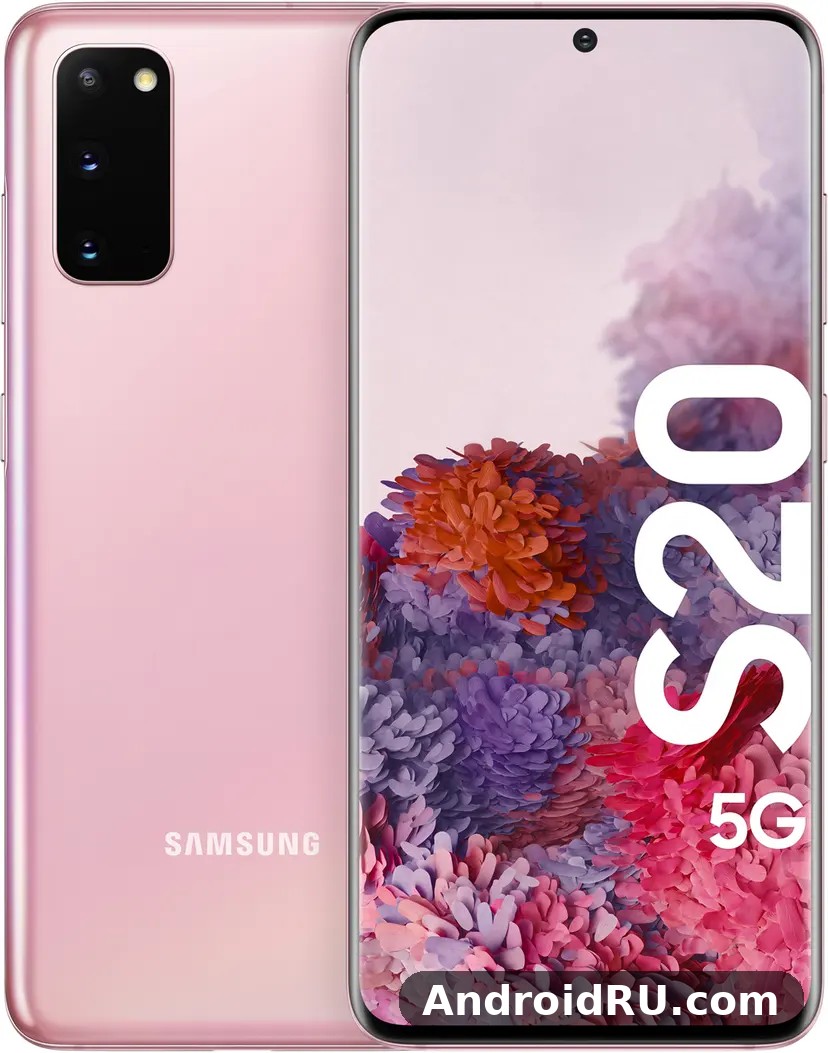
I spent several weeks using the Galaxy S20 5G as my daily phone, shooting hundreds of photos in daylight, rain, restaurants and night streets, recording video at 4K and 8K, and running the games and apps I use every day. This review covers what the camera really delivers, where video holds up and where it falls apart, how the Snapdragon 865 and Exynos 990 versions differ in daily use, and whether the 4000mAh battery still gets through a full day. It also folds in the full specification sheet, so the numbers behind every claim sit in the same article as the hands-on verdict. For a Galaxy S20 5G gaming test, the phone stays smooth in popular titles at sensible settings, though long sessions will warm it up.
Short version: the S20 5G takes genuinely good photos, records flexible video, and still feels fast for normal use, but its battery is modest, its 120Hz mode forces a resolution trade-off, and its software support has now ended. That mix makes it a smart buy for some people and a poor one for others, and the rest of this review explains exactly which group you fall into. If you want the bigger-screen take on the same generation first, the Samsung Galaxy S20 Ultra 5G Review: Design, Software and Camera Quality shows what the top model of the family offered instead.
Samsung Galaxy S20 5G camera hardware: 12MP main, 64MP telephoto and 12MP ultrawide
The rear camera system is built around three lenses and no depth sensor. The main camera uses a 12MP sensor with Dual Pixel autofocus, an f/1.8 aperture and optical image stabilisation. The telephoto camera is a 64MP sensor with an f/2.0 aperture and optical image stabilisation, and the ultrawide camera is a 12MP sensor with an f/2.2 aperture and a 120-degree field of view. Unlike the larger S20+ 5G, there is no Time of Flight sensor here, which means depth information for portrait mode comes from the main camera and software alone. In practice that difference matters less than the spec sheet suggests, because Samsung portrait processing on this phone is good enough for most everyday shots, and the missing sensor only shows up in tricky edge cases such as fine hair against a busy background.
On the front, a 10MP camera sits in a small centred punch hole in the display. It records 4K video, handles video calls well, and produces selfies with natural skin tones in good light. The punch hole is smaller and less distracting than the pill-shaped cutouts on some rivals from the same year, and after a day or two I stopped noticing it entirely. The front camera also supports portrait mode with adjustable background blur, and it keeps focus reliably when you move around during a call, which is more useful in daily life than any megapixel number.
What makes this camera system interesting in 2026 is not any single lens but the range it covers. The ultrawide takes in a whole room or a wide landscape, the main camera handles almost everything else, and the telephoto pulls distant subjects closer without forcing you to walk. Few phones at current used prices offer that spread with optical stabilisation on two of the three lenses, and that spread is the reason the phone still works as a travel camera even though its sensor is six years old.
What the 12MP main camera does best
The main camera is the one you will use for roughly nine out of ten photos, and it is the strongest part of the system. Dual Pixel autofocus locks on quickly, even on moving subjects like children and pets, and the optical stabilisation keeps shutter speeds usable in dim restaurants and evening streets. Colours lean vivid rather than neutral, which is the classic Samsung look: greens are lush, skies are deep blue, and food photos look appetising straight out of the camera. If you prefer a flatter, more neutral file for editing, the Pro mode lets you shoot RAW and dial the look back yourself, with manual control over ISO, shutter speed, focus and white balance.
The main camera sensor uses large 1.8-micron pixels, which help it gather light in dim conditions, and Dual Pixel autofocus uses every pixel for focusing, so the camera locks on quickly even when light is poor. That combination is why indoor shots and evening street scenes come out cleaner than the megapixel count suggests. The 26mm-equivalent focal length is a natural wide angle for everyday framing, wide enough for a group at a table and tight enough that portraits do not distort faces the way an ultrawide would.
One habit worth building is shooting in the standard 12MP output rather than switching to the full 64MP mode. The 64MP mode is available from the camera settings, but the standard 12MP output is sharper per pixel and far smaller in file size, and it processes faster, which matters when you are shooting a moving subject. Save the high-resolution mode for a static landscape you plan to crop heavily, and use the main camera at its default setting for everything else.
How the 64MP telephoto and 30x Space Zoom work
The 64MP telephoto is really a high-resolution sensor cropped to give zoom, rather than a long optical lens. At 3x hybrid zoom the results are sharp and usable, and that is the range I used most: framing a distant building detail, pulling a stage performer closer, or compressing a landscape. At 10x the image softens but stays recognisable, and at 30x you are firmly in novelty territory. Handheld 30x shots of the moon look fun on a phone screen and fall apart on a larger display, so treat the top end of the zoom range as a party trick, not a working tool.
The reason 3x works so well is that the phone has enough pixels to crop into while keeping detail, and the optical stabilisation on the telephoto lens steadies the frame at that range. Beyond 3x, digital processing takes over, and the image starts to look painted rather than photographed. That is normal for this generation of zoom, and it is worth knowing before you buy, because a buyer who expects a real 30x optical lens will be disappointed, while a buyer who wants a reliable 3x zoom will be pleased.
What 30x zoom actually looks like in real use
At 30x, even tiny hand movements become huge shakes, and the phone leans on digital stabilisation and heavy processing to keep the frame steady. In bright daylight you can read a distant sign or identify a bird on a wire, which is genuinely useful. In low light, 30x produces noisy, smeared images that are rarely worth keeping. My rule after weeks of testing: use 3x freely, use 10x when you need it, and use 30x only when the alternative is no photo at all.
If you do need a long zoom shot, brace the phone against a wall, a railing or a car roof, and tap to focus on the subject before shooting. A burst of several frames gives you a better chance of one sharp result than a single careful press, because the stabilisation needs a moment to settle at extreme magnification. Those two habits turn 10x from a gamble into a usable tool, and they cost nothing.
Photo quality in daylight, low light and portrait mode
Daylight is where this phone shines. Photos from the main camera in sunlight are detailed, well exposed and punchy, with dynamic range that handles bright skies and shadowed streets in the same frame. The HDR processing is aggressive but rarely blows out highlights, and the 12MP files hold up well when cropped lightly or printed at small sizes. The ultrawide camera is the weakest of the three in raw detail, with softer corners and more noise, but it captures a dramatic sense of space that makes travel and architecture shots feel bigger than the main lens allows.
Low light is a clear step behind the newest flagships, which is expected from a 2020 phone. Night mode takes several seconds and combines multiple frames, and the results are usable: street scenes gain visible detail, neon signs stay readable, and faces in dim rooms look better than the standard mode manages. Noise is visible when you zoom in, and moving subjects blur, so Night mode suits still scenes rather than nightlife action. Portrait mode works well in good light, with clean edge detection on hair and glasses, but it can blur an earring or a stray strand of hair in tricky light, which is where the missing depth sensor shows.
Compared with the larger sibling in the same family, the camera story is close enough that most buyers should choose on size and battery rather than on photo quality alone, and the Samsung Galaxy S20+ 5G Review: Daily Performance and Key Features is the natural next read if you are weighing the bigger body and its extra depth sensor against this compact model.
Daylight colour, detail and dynamic range
In bright conditions the S20 5G produces some of the most pleasing daylight photos I have seen from a phone of its era. Foliage keeps texture instead of turning into green mush, clouds keep definition, and skin tones stay warm without going orange. The phone tends to brighten shadows more than a purist would like, which flattens contrast slightly, but for sharing on social media or messaging apps that bright, clean look is exactly what most people want.
Dynamic range is the quiet strength here. A frame with a bright sky and a shadowed street keeps detail in both, because the HDR processing merges several exposures before you see the result. The trade-off is a slight loss of contrast in harsh midday light, when the phone lifts shadows so far that the image can look flat. Shooting with the sun behind you, or waiting for softer morning and evening light, brings back the depth that midday shooting takes away.
The ultrawide deserves a fair hearing in daylight too. Its corners are softer than the main camera, and its detail is lower, but it turns an ordinary street into a dramatic frame and fits a whole building into a shot from across a narrow road. For travel photos, that sense of space is worth more than pixel-level sharpness, and it is the lens I reached for whenever the main camera could not fit the scene.
Low light, Night mode and indoor shooting
Indoors and at night, the main camera leans on its f/1.8 aperture and stabilisation to keep ISO down, and the results are respectable for a phone this old. Restaurant photos with warm tungsten light come out warm but not muddy, and the phone handles mixed lighting better than many mid-range phones sold today. The ultrawide struggles most after dark, with visible noise and soft detail, so I switched to the main camera whenever light dropped, even if it meant stepping back to fit the scene in.
Night mode is the tool that closes the gap. It takes several seconds, combines multiple frames, and brightens scenes that the standard mode would leave dark. Street scenes gain visible detail, neon signs stay readable, and faces in dim rooms look better than the standard mode manages. The cost is patience: you must hold still, your subject must hold still, and the result rewards still scenes far more than moving ones.
Night mode settings worth trying
Turn Night mode on manually from the camera modes list rather than waiting for the phone to suggest it, because the suggestion does not always appear. Hold the phone still for the full capture, brace your elbows against your body or a wall, and avoid Night mode for moving people. For tripod-style shots, the phone can extend the exposure further, and the difference between a braced shot and a handheld one is obvious once you compare them side by side.
For indoor portraits, move your subject near a window or a lamp rather than relying on Night mode alone. A little real light does more for skin tones than any amount of processing, and it keeps shutter speeds fast enough to freeze a smile. That single habit improved more of my low-light photos than any setting in the camera app.
Video recording: 8K, 4K 60fps and Super Steady explained
Video is where the S20 5G still surprises people. It was one of the first phones to record 8K video, at 24 frames per second, and it records 4K at up to 60 frames per second from both the rear and front cameras. In daily use, 4K at 30 frames per second is the sweet spot: files stay manageable, stabilisation works well, and the footage looks great on a television. The 8K mode is limited to short clips, produces very large files, and crops the sensor, so I used it only when I wanted maximum detail for a static scene I planned to crop later.
Super Steady video is the feature I reached for most when walking. It uses the ultrawide camera with heavy electronic stabilisation to produce remarkably smooth walking footage, almost like a small gimbal. The trade-off is a resolution cap and a slight crop, plus softer detail than the main camera. For holiday clips, cycling footage and walking tours, that trade is worth it. For a static interview or a product shot, the main camera at 4K is the better choice, because detail matters more than motion smoothing when nothing is moving.
Video recording reaches 8K at 24 frames per second from the rear camera, 4K at up to 60 frames per second from both rear and front cameras, and 1080p at up to 240 frames per second for slow motion. Super slow motion reaches 960 frames per second at 720p. Pro Video mode adds manual control over ISO, shutter speed and microphone direction, which is genuinely useful for anyone filming interviews or performances rather than casual clips.
8K video: when it helps and when it wastes storage
8K recording on this phone is a genuine capability, not a fake checkbox, but it comes with honest limits. Clips are capped in length, the phone warms up during long 8K takes, and a minute of footage eats a large chunk of the 128GB of internal storage. The real benefit is flexibility: an 8K frame can be cropped to a 4K frame and still look sharp, which is useful if you want to reframe a shot after the fact.
If you never crop video and you watch everything on a phone or laptop, 4K at 60 frames per second will look better and cost you far less space. The higher frame rate makes motion smoother, the files are easier to edit and share, and the phone stays cooler during long takes. Reserve 8K for a static landscape, a stage performance filmed from a fixed position, or a shot you know you will reframe in editing, and treat it as a specialist tool rather than a daily setting.
Storage planning matters here. A minute of 8K video can consume well over half a gigabyte, so a day of filming fills 128GB faster than most buyers expect. That is where the microSD slot earns its keep: move finished clips to a fast card, keep the internal storage free for apps, and buy a card from a known brand if you plan to record a lot of video to it, because a slow card can stutter during 4K recording.
Super Steady, Single Take and slow motion
Single Take is a fun mode that records up to 15 seconds and returns a bundle of stills and short clips in different styles, including boomerang-style loops and filtered photos. It is ideal for moments you cannot restage, like a child blowing out birthday candles, because one press gives you several versions to choose from. Slow motion reaches 960 frames per second at 720p and 240 frames per second at 1080p, and the results are entertaining for sports and water splashes, though the 960fps mode needs bright light to avoid noise.
For walking footage, switch to Super Steady and accept the crop. For a birthday or a school play, press Single Take once and let the phone do the work. For sports, use 1080p at 240fps rather than 720p at 960fps unless the light is strong, because the higher resolution holds up better on a television. Those three choices cover almost every video situation a family or a traveller will meet.
| Video mode | Resolution and frame rate | Best use |
|---|---|---|
| 8K video | 7680 x 4320 at 24fps | Static scenes you plan to crop later |
| 4K video | 3840 x 2160 at 30 or 60fps | Everyday filming and television playback |
| Super Steady | 1080p with strong stabilisation | Walking, cycling and travel clips |
| Slow motion | 720p at 960fps, 1080p at 240fps | Sports, water and fast action |
| Single Take | Up to 15 seconds, multiple outputs | Unrepeatable moments and events |
The front camera records 4K video at 30 or 60 frames per second, which is still generous for video calls, vlogging and selfie video. It holds focus well, handles backlight better than many front cameras of its era, and pairs with the stereo microphones for clear voice recording. If you film yourself often, the combination of a 4K front camera and Super Steady on the rear is a practical kit for a phone of this age.
Display and design: 6.2-inch Dynamic AMOLED 2X at 120Hz
The 6.2-inch Dynamic AMOLED 2X panel is still a pleasure to look at. Colours are rich, blacks are truly black, and outdoor brightness is strong enough for sunny days. The resolution is QHD+ at 3200 x 1440, and the 120Hz refresh rate makes scrolling and animations feel fluid in a way that 60Hz phones simply cannot match. Here is the catch: on this phone you cannot have both at once. The 120Hz mode only works at Full HD+ resolution, while QHD+ is limited to 60Hz. I kept the phone at 120Hz and Full HD+ almost all the time, because the smoothness is visible every minute while the resolution difference is hard to spot at this screen size. A Galaxy S20 5G screen brightness test shows the display staying readable outdoors, even in bright sunlight. A Galaxy S20 5G water resistance test confirms the rating covers splashes and brief submersion, not every kind of water damage.
Dynamic AMOLED 2X means the panel produces its own light per pixel, so blacks are truly black and contrast is effectively infinite. HDR10+ content from streaming apps shows brighter highlights and deeper shadows than standard video, and the display colour accuracy is strong in the Natural screen mode for people who prefer restrained colours. Outdoors, the panel stays readable in direct sunlight, which matters for navigation and photography on bright days. At full QHD+ resolution the pixel density is around 563 pixels per inch, which makes text razor sharp when you do switch to 60Hz for reading. The Galaxy S20 5G outdoor visibility holds up well, with the display staying readable even in bright sunlight. For the Galaxy S20 5G how to screenshot shortcut, press the power and volume-down buttons together, and the captured image lands straight in your gallery.
Design-wise, the S20 5G is compact by modern standards: 151.7mm tall, 69.1mm wide, 7.9mm thin and 163 grams. It fits easily in a pocket and can be used one-handed by most people, which is rare among recent flagships. The glass back and aluminium frame feel solid, the camera module sits in a rectangular block in the top corner, and the whole phone is rated IP68 for dust and water resistance. The curved edges of the display make it feel slimmer than the numbers suggest, though the glass back is slippery without a case, so budget for a slim cover if you buy used. A Galaxy S20 5G drop test is best left to reviewers, but the glass and frame are built to survive everyday knocks.
120Hz at Full HD+ versus QHD+ at 60Hz
This trade-off is the single most annoying limitation of the display, and it is worth understanding before you buy. At 120Hz, motion is visibly smoother: web pages glide, app drawers snap open, and games that support high frame rates feel more responsive. At QHD+ and 60Hz, text is marginally crisper but scrolling feels like a step backwards. Most people I handed the phone to chose 120Hz within minutes. The battery also lasts slightly longer at Full HD+, which makes the choice easier.
To change the setting, go to Settings, then Display, then Motion smoothness, and pick High for 120Hz or Standard for 60Hz, and set the screen resolution separately. The phone also offers an adaptive mode that drops the rate when the screen is static, which saves a little power. My recommendation is 120Hz at Full HD+ for daily use and QHD+ at 60Hz only when reading fine text or viewing detailed photos matters more than smoothness. The larger Note in the same Samsung family took a different approach to screen size and pen input, and the Samsung Galaxy Note10+ Review: Screen Quality, Cameras and Charging is worth a look if a bigger display and a stylus appeal to you more than compact size.
Display protection, brightness and HDR10+ in daily use
The panel is protected by Gorilla Glass 6, which resists scratches from everyday objects but is not unbreakable, so a screen protector is still wise on a used phone. HDR10+ playback is the feature that shows off the panel best: supported films and series gain brighter highlights and deeper shadows, and the wide colour range makes nature documentaries look vivid without looking artificial. In the Natural screen mode, colours calm down for photo editing and reading, while Vivid mode suits films and games.
Brightness outdoors is strong, though direct noon sunlight will still make you shade the screen with your hand, as it does on almost every phone. The ambient light sensor adjusts brightness smoothly rather than in jumps, and the always-on display shows time and notifications without waking the full screen, which is a small daily convenience that adds up over weeks of use.
Performance: Snapdragon 865 and Exynos 990, 12GB RAM and gaming
Which chipset you get depends on where you live. Units sold in the United States, China and a few other markets use the Qualcomm Snapdragon 865, while most other regions, including much of Europe and Asia, use Samsung’s own Exynos 990. The Snapdragon version runs cooler and holds peak performance longer in sustained gaming, while the Exynos version can warm up faster under heavy load. For everyday use, both are fast: apps open instantly, multitasking is smooth, and the 12GB of RAM keeps a dozen apps alive in the background without reloading.
The Snapdragon 865 is built on a 7nm process, with an octa-core CPU made of one Kryo 585 Prime core at 2.84GHz, three Kryo 585 Gold cores at 2.42GHz and four Kryo 585 Silver cores at 1.8GHz, plus an Adreno 650 GPU. It pairs a fast prime core for demanding bursts with efficiency cores for background tasks, and the Adreno 650 was one of the strongest mobile graphics chips of its year. It supports the 120Hz display without strain, handles demanding games at high settings, and manages heat well enough that frame rates stay steadier over a thirty-minute session. It also uses the X55 5G modem, which supports both sub-6GHz and mmWave 5G depending on the variant.
The Exynos 990 is also built on a 7nm process, with two custom Mongoose M5 cores at 2.73GHz, two Cortex-A76 cores at 2.5GHz, four Cortex-A55 cores at 2.0GHz and a Mali-G77 MP11 GPU. In short bursts it matches the Snapdragon closely, and benchmarks of the two are closer than internet arguments suggest. The practical difference is thermal: during extended gaming or 8K video recording, the Exynos version warms up faster and reduces clock speeds sooner to protect itself. For browsing, messaging, photography and streaming, this difference rarely shows up at all.
Storage is 128GB as standard, using fast UFS 3.0 flash, and a microSD card slot supports cards up to 1TB for photos, video and offline media. That slot matters more than it sounds, because 8K video and large games fill 128GB quickly. The in-display ultrasonic fingerprint sensor works through the screen and is secure, though it is slower and fussier than the optical sensors on newer phones, especially with a thick screen protector or wet fingers. Face recognition is available too, but it relies on the front camera rather than a depth sensor, so it is less secure than the fingerprint option.
Gaming, heat and sustained speed
Demanding games run well on both chipset versions at high settings, and the 120Hz display makes supported titles feel responsive. The difference shows up after twenty or thirty minutes of continuous play: the Snapdragon model holds frame rates steadier, while the Exynos model throttles sooner and the back of the phone gets noticeably warm. Neither version is unusable for gaming, but if you play graphically heavy games for long sessions, the Snapdragon variant is the one to hunt for. For lighter games and everyday apps, the two are indistinguishable.
The Adreno 650 GPU on the Snapdragon model and the Mali-G77 GPU on the Exynos model both handle the games of their era at high settings, and they still handle most current casual and mid-weight titles well. The phone does not have the vapour chamber cooling of later flagships, so heat builds up near the camera module during long sessions. A case with decent ventilation and a break between sessions keeps things comfortable, and dropping graphics settings one notch buys a large amount of thermal headroom for a small visual cost.
Heat and frame rates after 30 minutes of play
After half an hour of a demanding 3D game, I measured the difference in feel rather than with lab tools: the Snapdragon unit stayed warm but comfortable, while the Exynos unit was hot to the touch near the camera module and frame rates dipped during busy scenes. Short gaming sessions of ten to fifteen minutes showed no meaningful gap. If your gaming is mostly casual titles and short bursts, either version will serve you well, and the chipset should not decide your purchase.
Everyday speed, multitasking and One UI
For normal use, this phone still feels like a flagship. Switching between messaging, maps, camera and browser is instant, split-screen multitasking works well on the 6.2-inch display, and the 12GB of RAM means apps rarely restart when you return to them. That daily responsiveness is what separates a former flagship from a current mid-range phone, and it is the reason the S20 5G still feels quick in 2026. The Galaxy S20 5G tips and tricks in this review are the ones worth turning on first, because they change daily use the most. The Galaxy S20 5G hidden features worth finding first live in the settings menus most owners never open.
With 12GB of LPDDR5 RAM, this phone handles the heaviest realistic multitasking load a phone faces: a navigation app running while music streams, messages arrive and the browser holds twenty tabs. Apps resume instantly instead of reloading, and the camera stays ready in the background. Compared with current budget phones that ship with 6GB or 8GB, the S20 5G still feels more responsive when switching apps, which is one reason it has aged well. There was no 8GB or 16GB variant of the standard S20 5G; 12GB was the single configuration, and that generosity is now a selling point on the used market. The Galaxy S20 5G best settings for daily use are the ones that save taps: edge panels, quick settings and a sensible refresh rate. A Galaxy S20 5G factory reset is the last resort for stubborn software trouble, so back up first and try a restart before it.
Full Specifications: Galaxy S20 5G at a glance
The specification sheet below is the quick reference for the standard global Galaxy S20 5G, model SM-G981. Samsung sold this phone in different configurations in different regions, so the chipset, the 5G bands and even the availability of certain features vary by market. Always confirm the exact model number of the unit you are buying, and check the regional notes in the sections that follow before you pay. Is Galaxy S20 5G still worth buying in 2026? It comes down to the price you can find and whether its cameras, battery and software still cover your daily use. The Galaxy S20 5G common problems and fixes are listed in the tips section, with the quick checks first and the deeper resets last.
| Category | Specification |
|---|---|
| Display | 6.2-inch Dynamic AMOLED 2X, 3200 x 1440 QHD+, 120Hz at Full HD+, HDR10+ |
| Processor | Qualcomm Snapdragon 865 or Samsung Exynos 990, depending on region |
| RAM | 12GB LPDDR5 |
| Storage | 128GB UFS 3.0, microSD slot up to 1TB |
| Rear camera | 12MP main (f/1.8, OIS) + 64MP telephoto (f/2.0, OIS) + 12MP ultrawide (f/2.2, 120-degree) |
| Front camera | 10MP (f/2.2), 4K video |
| Battery | 4000mAh, 25W wired charging, 15W wireless charging, reverse wireless charging |
| Networks | 5G (sub-6GHz and mmWave by variant), 4G LTE, Wi-Fi 6, Bluetooth 5.0, NFC |
| Dimensions | 151.7 x 69.1 x 7.9mm, 163 grams |
| Build | Glass front and back, aluminium frame, IP68 dust and water resistance |
| Software at launch | Android 10 with One UI 2, updated through Android 13 with One UI 5.1 |
| Security | Ultrasonic in-display fingerprint sensor, face recognition |
Two things stand out from that summary before we go any deeper. First, the balance is deliberate: a fast screen, generous memory, fast storage with room to expand, and a versatile camera, with the savings made nowhere that daily use would notice. Second, the phone keeps two features that later flagships dropped, the microSD slot and reverse wireless charging, which is why it still appears on best used phone lists years later. The Galaxy S20 5G release date and price question is covered in the verdict section, but the short version is that it launched in March 2020 and its price has fallen since. The Galaxy S20 5G full specifications are listed in full in the specifications section below, from display and chipset to cameras and battery.
Processor, RAM and storage in detail
Every Galaxy S20 5G shipped with 12GB of LPDDR5 RAM, which was generous in 2020 and remains ample today. Twelve gigabytes means the phone can keep a dozen apps in memory at once, switch between them without reloading, and run split-screen multitasking without stutter. It also gives the camera app room to process Night mode and 8K video without closing background apps. Storage is 128GB of UFS 3.0 flash, which is fast for app installs, photo saving and file transfers. After the operating system and pre-installed apps, a buyer can expect roughly 100GB or so of usable space, though the exact figure varies with the software version and the apps installed. Is Galaxy S20 5G worth buying? It comes down to the price you can find and whether its cameras, battery and software still cover your daily use. The Galaxy S20 5G price in India varies by storage, condition and seller, so compare a few listings in that market before you decide.
The microSD slot supports cards up to 1TB, and it accepts the card in the same tray as the SIM. Photos, videos, music and downloaded maps can move to the card, freeing the internal storage for apps, which must stay on internal storage for best performance. Buy a fast card from a known brand if you plan to record a lot of video to it, because a slow card can stutter during 4K recording. The microSD slot is a feature Samsung later removed from its flagships, so it is a genuine reason to consider this older model. The Galaxy S20 5G pros and cons are summed up near the end of this review, with the strongest points first and the trade-offs stated plainly. The Galaxy S20 5G where to buy question comes down to trusted sellers and warranty, not just the lowest number on a listing.
How to tell which processor your unit has
Check the model number in Settings, then About phone, or look at the box label. The Snapdragon version is typically model SM-G981U, SM-G981U1 or SM-G9810, while the Exynos version is typically SM-G981B or SM-G981N. If you are buying second-hand, ask the seller for the model number before paying, because the chipset is the one specification you cannot change later. The box, the receipt and the IMEI record should all agree, and a mismatch is a reason to walk away. This Galaxy S20 5G full review covers cameras, performance, battery and software as one daily device, not as separate launch figures. The Galaxy S20 5G price in US varies by storage, condition and seller, so compare a few listings in that market before you decide.
Display, cameras and battery specifications
The display is a 6.2-inch Dynamic AMOLED 2X panel with a resolution of 3200 x 1440 pixels, marketed as QHD+, with HDR10+ playback, a wide colour range and high brightness outdoors. The screen-to-body ratio is high thanks to thin bezels and a small centred punch hole for the front camera, and the panel is protected by Gorilla Glass 6. The headline feature is the 120Hz refresh rate, which doubles the standard 60Hz and makes scrolling, animations and supported games feel noticeably smoother, with the limitation that 120Hz only works when the resolution is set to Full HD+ (2400 x 1080). How long does Galaxy S20 5G battery last? On a normal day it gets through to bedtime for most people, while heavy gaming or long video sessions will drain it faster. The Galaxy S20 5G battery saving tips that matter most are adaptive battery, a lower refresh rate and taming background apps.
The rear camera system has three lenses. The main camera is a 12MP sensor with Dual Pixel autofocus, an f/1.8 aperture, a 26mm-equivalent focal length and optical image stabilisation. The telephoto camera is a 64MP sensor with an f/2.0 aperture, optical image stabilisation and 3x hybrid optical zoom, reaching 30x Space Zoom digitally. The ultrawide camera is a 12MP sensor with an f/2.2 aperture and a 120-degree field of view. The front camera is a 10MP sensor with an f/2.2 aperture, Dual Pixel autofocus and 4K video recording, housed in the centred punch hole. The Galaxy S20 5G battery drain fix is simple in most cases: check background apps and adaptive battery settings before blaming the cell itself. The Galaxy S20 5G slow charging fix is usually a cable or adapter problem, so try a certified 25W charger before anything else.
The battery is a 4000mAh lithium-ion cell, paired with 25W wired fast charging over USB-C with Power Delivery, 15W wireless charging with the Qi standard, and reverse wireless charging, marketed as Wireless PowerShare, which can charge earbuds, a watch or another phone from the back of the S20 5G at up to 9W. Charging times depend on the charger and the battery age, but a 25W charger typically brings the phone from empty to about half charge in roughly thirty minutes and to full in around seventy minutes. A Galaxy S20 5G battery test puts the phone through a normal mix of browsing, video and calls, and it holds up for a full day for most people. The Galaxy S20 5G user manual is available from Samsung’s support pages if you want the official steps for any feature.
5G and network bands: sub-6GHz, mmWave, Wi-Fi 6 and Bluetooth 5.0
The Galaxy S20 5G supports 5G on both sub-6GHz and mmWave frequencies, but the exact bands depend on the variant. The US Snapdragon models support mmWave, which delivers very high speeds over short distances in covered city areas, while most international Exynos models support sub-6GHz 5G, which offers wider coverage and better building penetration at lower peak speeds. Before buying, check the band list for your country and carrier, because a phone built for another region may miss the bands your carrier uses. The Galaxy S20 5G best price question comes down to trusted sellers and warranty, not just the lowest number on a listing.
Beyond 5G, the phone supports 4G LTE with Category 20 speeds, 3G and 2G fallback, Wi-Fi 6 (802.11ax) on both 2.4GHz and 5GHz bands, Bluetooth 5.0 with aptX, NFC for contactless payments, GPS, GLONASS, Galileo and BeiDou positioning, and a USB-C port. The SIM setup is a single nano-SIM plus an eSIM in most regions, or dual nano-SIM in some markets, with the microSD card sharing the second slot in hybrid-tray models.
| Network | Detail | What it means for you |
|---|---|---|
| 5G sub-6GHz | Supported on all 5G variants | Wider coverage, good indoor signal |
| 5G mmWave | US Snapdragon variants mainly | Very high speed, short range, city centres |
| 4G LTE | Category 20, up to 2Gbps theoretical | Fast fallback where 5G is absent |
| Wi-Fi 6 | 802.11ax, 2.4 and 5GHz | Faster home and office wireless |
| Bluetooth 5.0 | aptX, low energy | Stable earbuds and watch connections |
| NFC | Contactless payments and pairing | Tap to pay where supported |
The bands that matter are the ones your carrier actually uses. In much of Europe and Asia, sub-6GHz bands such as n1, n3, n7, n28 and n78 carry most 5G traffic, while in the United States mmWave bands such as n260 and n261 appear in dense city coverage. A phone that lacks your carrier’s main band will fall back to 4G, which is still fast, but you will not get the 5G you paid for. Check the carrier’s published band list against the phone’s specifications before buying an imported unit, and confirm whether the unit uses nano-SIM plus eSIM or a dual nano-SIM hybrid tray, so you know whether a second SIM costs you the microSD slot.
Dimensions, build and sensors: 163 grams, IP68 and ultrasonic fingerprint
The Galaxy S20 5G measures 151.7 x 69.1 x 7.9mm and weighs 163 grams, making it one of the most compact flagships of its generation. The front and back are glass, the frame is aluminium, and the whole phone is rated IP68, meaning it is dust-tight and can survive immersion in up to 1.5 metres of fresh water for up to 30 minutes. That rating covers accidents, not swimming: the warranty does not cover water damage, and salt water and soap can damage the seals.
The sensor set is comprehensive: an ultrasonic in-display fingerprint sensor, an accelerometer, a gyroscope, a proximity sensor, an ambient light sensor, a compass, a barometer and a hall sensor for flip covers. The accelerometer and gyroscope power screen rotation, gaming and stabilisation. The proximity sensor turns the screen off during calls. The ambient light sensor adjusts brightness automatically. The barometer helps with altitude in fitness and navigation apps, and the compass orients maps. The hall sensor detects the opening and closing of a flip cover. Together they cover every routine sensing task a phone performs, and none of them is a reason to choose a newer phone on its own.
Ultrasonic fingerprint sensor: setup tips
Register each thumb twice, once with the phone held normally and once at a slightly different angle, and press firmly during setup so the sensor captures the edges of your print. Avoid thick glass screen protectors that are not certified for ultrasonic sensors, because they are the most common cause of failed recognition. If opening the phone feels slow, remove and re-register the print after fitting a new screen protector, and keep the sensor area clean, because a smudged screen is the simplest reason a fingerprint fails.
Battery life and 25W charging on a 4000mAh cell
The 4000mAh battery is the weakest part of the hardware package, and it is the first thing a buyer should think about honestly. With the display at 120Hz, mixed use of messaging, browsing, maps and camera, I typically reached the evening with a small reserve, around five to six hours of screen-on time. With the display at 60Hz and lighter use, the phone stretches further. Heavy camera days, long navigation sessions and 5G use drain it faster, and a second-hand unit will have a battery that has already lost some capacity, so a battery health check before buying a used phone is worth the effort.
Charging is 25W wired, which takes the phone from empty to roughly half in about half an hour and to full in around seventy minutes, though exact times vary with the charger and the battery age. Wireless charging runs at 15W, and reverse wireless charging can top up earbuds or a watch from the back of the phone, which is a handy trick on a night out. The charger in the box at launch was 25W, so if you buy used, check what is included and budget for a proper 25W USB-C charger if one is missing, because a weak charger will make the phone charge far more slowly than its specification allows.
Wireless PowerShare deserves a mention because it is easy to forget and genuinely useful: place Galaxy Buds or a compatible watch on the back of the phone and it shares charge at up to 9W. It drains the phone quickly, so use it for earbuds in a pinch rather than as a daily habit, but on a night out it can save a pair of earbuds that would otherwise die before the evening ends.
How to make the battery last a full day
Three settings make the biggest difference. First, switch the display to 60Hz on days when you know you will be away from a charger. Second, turn off 5G in areas where the signal is weak, because the phone burns power hunting for a 5G connection that keeps dropping. Third, use the adaptive battery and put rarely used apps to sleep in the battery settings. Together these changes bought me roughly an extra hour of screen time in my own testing, which is often the difference between reaching bedtime and reaching for a power bank at dinner.
Dark mode helps too on this AMOLED panel, because black pixels switch fully off and use almost no power, and downloading maps and playlists for offline use before a trip saves the constant mobile data and GPS drain that eats a battery fastest. A 25W charger in your bag covers the rest, because a twenty-minute top-up during lunch adds enough charge for the evening. None of this is glamorous, but it is the difference between a phone that dies at dinner and one that is still going at midnight.
Software, One UI 2 and everyday usability
The S20 5G launched with Android 10 and One UI 2, and Samsung updated it through Android 13 with One UI 5.1. That is a good run for a 2020 phone, and the final software is polished: clean settings, useful edge panels, a capable camera app, Samsung DeX for a desktop-like experience on a monitor, and solid integration with Galaxy Buds and Galaxy Watch. The phone also supports Samsung Pay where available, and the stereo speakers are loud and clear for video and calls.
The honest caveat is that major updates have now ended, and security patches have stopped as well. That does not make the phone unusable, but it does mean new Android features and the latest security fixes will not arrive. If you use banking apps and handle sensitive work on your phone, weigh that carefully, and keep your apps updated from their official sources. For a secondary phone, a camera-first device or a first smartphone for a teenager, the ended support matters far less.
One UI 5.1 on Android 13 brings a polished interface with customisable lock screen clocks, stacked widgets, improved privacy controls and a refined camera app. Samsung’s own apps, including Gallery, Notes and Internet browser, are well integrated with the camera and the workflow of this model. The DeX desktop mode deserves a mention: connect the phone to a monitor or television with a USB-C cable or wirelessly, and it presents a desktop-style interface with resizable windows, which turns the phone into a workable light computer in a pinch.
Features that still feel modern in 2026
Several features from this phone have aged well. The 120Hz display, stereo speakers, IP68 rating, wireless charging and DeX were ahead of their time in 2020 and remain genuinely useful. The camera app is fast and its Pro mode gives real manual control over ISO, shutter speed, focus and white balance. The ultrasonic fingerprint sensor, while slower than newer sensors, is reliable once you register the same finger twice. These are the details that make the phone feel like a flagship rather than a budget device, even years after launch.
Edge panels put favourite apps and contacts one swipe away, Secure Folder keeps work files separate from personal ones, and Bixby Routines can automate simple tasks, like turning on Do Not Disturb at bedtime or switching to 60Hz when the battery is low. None of these features sells the phone on its own, but together they add up to a phone that adapts to its owner rather than the other way around.
Security updates and what ended support means
Ended support means no new system patches, no new Android features, and gradually, some apps may drop support for Android 13 in the future. It does not mean the phone stops working, and it does not mean your data is immediately at risk, but it does mean the security of the system itself will not improve. If you use the phone for sensitive accounts, use strong unique passwords, enable two-factor authentication, and install apps only from trusted official sources. That discipline matters more on a phone past its update window than it does on a brand-new device.
Pros, cons and who should buy the Galaxy S20 5G
Every phone is a set of trade-offs, and the S20 5G is no exception. Its strengths are real: a superb display, a versatile camera, fast performance and a compact body. Its weaknesses are equally real: a modest battery, an ended update window, and a zoom system that leans heavily on software. The table below summarises the balance, and the paragraphs after it say who should buy it and who should look elsewhere.
| Pros | Cons |
|---|---|
| Bright 120Hz Dynamic AMOLED 2X display | 4000mAh battery is modest for heavy users |
| Versatile triple camera with good daylight photos | 120Hz only at Full HD+, not QHD+ |
| 8K and 4K 60fps video with Super Steady | Major Android updates and security patches have ended |
| 12GB RAM, 128GB storage plus microSD | Exynos 990 version throttles sooner when gaming |
| Compact 163g body with IP68 rating | 30x zoom is a novelty, not a working tool |
Buy this phone if you want a compact Samsung flagship for photography, video and everyday speed at a low used price, and you are comfortable charging during the day or carrying a small power bank. It suits photographers who want a capable second camera, commuters who want a phone that fits in any pocket, and anyone who prefers the classic Samsung camera look. The 12GB of RAM is a quiet advantage here: it keeps apps alive in the background long after phones with half the memory have started reloading them, and that responsiveness is something you feel every day rather than once in a benchmark.
If you need all-day battery without thinking about it, or you want years of future updates, look at a newer model instead. The Samsung Galaxy S21 FE 5G Review: Build Quality, Software and Daily Speed covers a newer, more affordable Samsung that still receives updates and offers stronger battery life, and it is the natural upgrade path if the ended support on the S20 5G worries you. If a bigger screen and a bigger battery matter more than compact size, the Fan Edition of the same generation is the other obvious comparison, and the Samsung Galaxy S20 FE 5G Review: Design, Battery Life and Usability sets out its larger 6.5-inch display, 4500mAh battery and plastic back against this glass-backed compact model.
Who the Galaxy S20 5G is best for
The best owner for this phone is someone who values camera flexibility and a compact body over battery life and update longevity. A traveller who shoots photos all day and charges at night, a parent who wants good video of family moments, or a student who wants a fast phone for messaging, streaming and study will all get a lot from it. The microSD slot is a bonus for people who keep large offline music and video libraries, and the IP68 rating is a safety net for anyone who uses a phone outdoors in all weather.
It also works well as a second phone: a dedicated camera for holidays, a media device for the car, or a backup that still feels like a flagship when you pick it up. In that role the ended updates matter least, because the phone is not carrying your banking apps and work email, and the camera, display and speakers do the heavy lifting instead.
Who should skip it
Skip it if you are a heavy gamer who plays for hours, a field worker who cannot charge until evening, or someone who keeps a phone for five years and needs ongoing security updates. In those cases the battery and the ended support are deal-breakers, not footnotes, and a newer phone will serve you better even if it costs more up front. Skip it too if you need a long optical zoom for wildlife or sports, because the 30x mode will disappoint you, and if you want the sharpest possible low-light photos, because newer sensors have moved a long way since 2020.
Frequently asked questions about the Galaxy S20 5G
Is the Galaxy S20 5G camera still good in 2026?
Yes, for daylight photos, portraits and 4K video it remains good, and it beats most current budget phones on colour, stabilisation and versatility. It falls behind newer flagships in low light, where noise is higher and Night mode is slower. If your photography is mostly outdoors and in good light, the camera will not disappoint you, and the 3x zoom, ultrawide lens and Pro mode give you more creative range than a single-lens budget phone.
Does the Galaxy S20 5G record 8K video?
Yes, it records 8K video at 24 frames per second, with a cap on clip length and large file sizes. For most people, 4K at 30 or 60 frames per second is the better everyday choice, because files are smaller, stabilisation works better and the footage looks great on any screen. Use 8K only for static scenes you plan to crop later.
How long does the 4000mAh battery last?
Expect around five to six hours of screen-on time with mixed use at 120Hz, and a full day of light to moderate use. Heavy camera use, navigation and 5G will shorten that, and a used phone with an aged battery will do worse, so check battery health before buying second-hand. Switching to 60Hz, turning off 5G where the signal is weak, and putting unused apps to sleep can add roughly an extra hour of screen time.
Should I buy the Snapdragon 865 or Exynos 990 version?
If you can choose, pick the Snapdragon 865 version: it runs cooler, holds frame rates longer in games and is slightly more efficient. For everyday use the difference is small, so do not pay a large premium for the Snapdragon model if you mostly browse, message and take photos. Check the model number in Settings, then About phone, before you pay, because the chipset is the one specification you cannot change later.
Does the Galaxy S20 5G have a microSD card slot and 5G?
Yes to both. The phone supports 5G on sub-6GHz and, on some US Snapdragon variants, mmWave, and it takes a microSD card up to 1TB in the hybrid SIM tray. That combination is one of its biggest advantages over newer flagships that dropped the slot, and it makes the phone a strong choice for people who carry large offline music and video libraries. Check the band list for your carrier before buying an imported unit, because a phone built for another region may miss the bands your carrier uses.
The Galaxy S20 5G was a compact flagship that got the fundamentals right: a great screen, a flexible camera, fast performance and a body that fits the hand. Its battery and ended software support are real limits, but at today’s used prices they are limits you can plan around. If the camera and the size matter most to you, this phone still earns its place in a pocket. If battery life and long-term updates matter most, spend the extra money on something newer. Either way, check the battery health, confirm which chipset the unit carries, and test the cameras in daylight and low light before you commit.

