

Download APK Tango What’s New, Feature Changes & Review
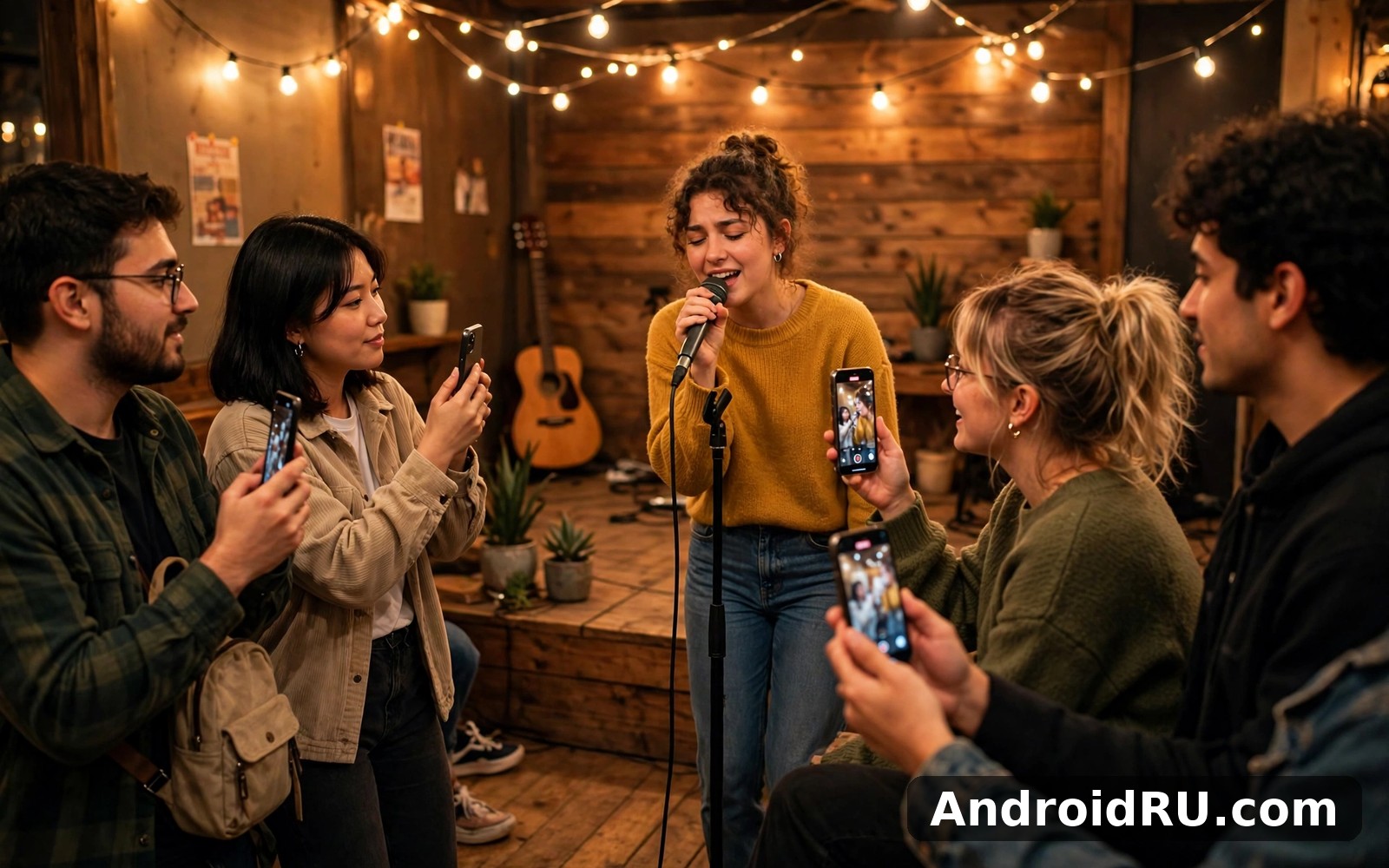
I first opened Tango on a quiet evening expecting another short-video app, and instead I found a live room full of people singing, chatting, and playing party games in real time. A host in Manila was taking song requests, a group in Cairo was running a quiz, and a dance battle had a few hundred viewers cheering in the comments. It felt less like scrolling a feed and more like walking into a street festival where every stall is a different show. After two weeks of watching, chatting, and trying a broadcast of my own, I have a clear picture of what Tango does well, what changed recently, and who should bother installing it.
This review covers the current Tango experience on Android: live broadcasts, video chat, gifts and coins, discovery, recent feature changes, how it compares with Bigo Live and Likee, and what it costs in battery and data. I tested it on a mid-range phone over Wi-Fi and mobile data, followed a dozen hosts across different time zones, sent gifts to see how the system works, and tried going live myself to learn what the host side actually feels like. If you are curious about live streaming apps but unsure where to start, the notes below should save you a week of trial and error.
What Tango Is: Live Streaming and Video Chat in One App
Tango is a social live streaming app where hosts broadcast video in real time and viewers watch, comment, and send virtual gifts. It began life as a video calling app years ago and gradually turned into a live entertainment platform, which explains why it still has strong one-to-one and group video chat alongside its broadcast rooms. The home screen mixes live rooms, recommended hosts, and short video clips, and you can move from watching a singer to joining a video chat room with strangers in a few taps. That blend of broadcast and chat is what separates Tango from a pure streaming app: the audience is part of the show, not just watching it.
Live broadcasts: the heart of the app
A live broadcast on Tango is a host streaming video while viewers type comments, tap hearts, and send gifts that appear as animations on screen. Popular rooms draw hundreds or thousands of viewers, while smaller rooms feel like a living room chat with ten regulars who know each other by name. Hosts run talent shows, talk shows, cooking sessions, gaming streams, and simple hangouts where the main attraction is conversation. I found the smaller rooms far more enjoyable than the big ones, because the host actually reads your comment and answers, which turns a passive watch into a real exchange.
Video chat rooms and one-to-one calls
Beyond broadcasts, Tango offers video chat rooms where up to nine people can talk face to face, and one-to-one video calls with friends or new contacts. The chat rooms work like a group call with strangers, which can be fun for an evening and awkward if the group has no shared topic, so I look for rooms with a clear theme, such as music or language practice. One-to-one calls need a mutual connection or an accepted request, which keeps random calls from strangers at a manageable level. In my testing, call quality was good on Wi-Fi, with clear audio and only occasional frame drops when someone moved between networks.
Tango What’s New: Feature Changes in Recent Versions
Tango has changed steadily rather than in one dramatic update, and the recent versions focus on discovery, host tools, and safer spending. The home feed now highlights live rooms you are likely to enjoy based on who you follow and what you watch, which means the first screen improves as the app learns your taste. Hosts gained better tools for running their rooms, including polls for the audience, a queue for song requests, and clearer statistics on viewers and gifts. The gift system was reorganised so popular gifts are easier to find, and the app added spending reminders that show how many coins a gift costs before you send it, which is a small change that prevents expensive accidents.
Discovery, recommendations, and the For You feed
The recommendation feed is the biggest recent change for viewers, because it replaced a mostly random list of rooms with a feed shaped by your follows, watch history, and language. After three days of following singers and skipping dance rooms, my feed was mostly singers and talk shows, which made opening the app feel personal rather than noisy. The feed also mixes in short videos from hosts, so you can preview a host’s style before joining a live room. That preview matters, because a host who is fun in a thirty-second clip is usually fun live, while a host with a dull clip rarely improves in a two-hour broadcast.
Host tools: polls, song queues, and room controls
Hosts can now run a poll during a broadcast, letting viewers vote on the next song or the next game, which keeps a room interactive instead of turning it into a one-way performance. The song request queue lets viewers suggest tracks in an orderly list rather than flooding the comments, and the host can skip or approve each request. Room controls improved as well: hosts can mute a disruptive viewer, pin a welcome message, and set a room topic that appears at the top of the screen. When I tried a short broadcast, the poll tool was the feature I used most, because it gave quiet viewers a way to join in without typing in a fast-moving chat.
How the new poll feature changes a live room
A poll turns a passive audience into participants, because voting takes one tap and the result appears live for everyone to see. I watched a host use polls to pick the next song every fifteen minutes, and the room stayed lively for two hours, while a similar room without polls lost half its viewers in thirty minutes. The trick is to keep polls short and frequent, with two or three options at most, so voting feels quick rather than like homework.
Spending reminders and clearer gift prices
The app now shows the coin cost of a gift before you send it, along with your remaining coin balance, which sounds obvious but was missing in older versions. I tested it by sending a small gift and the confirmation showed the price, my balance, and the gift animation in one screen. That clarity matters because gifts range from a few coins to thousands, and a tap in the wrong place used to be an expensive mistake. Parents should still check the purchase settings, since coin top-ups remain one tap away from the gift screen.
How Going Live on Tango Works: A First Broadcast
Going live takes about a minute: you tap the live button, pick a title and a cover image, choose a category such as music or chat, and the broadcast starts. The first viewers usually arrive within a minute or two if your title is clear, and the app suggests your room to people who follow similar hosts. During my first broadcast, a ten-minute chat session, I had eight viewers at the peak, three of whom typed comments and one who sent a small gift. The experience was nerve-wracking for the first minute and comfortable after that, mostly because the chat moves slowly in a small room and you can answer every comment.
Setting up a broadcast that people actually join
A good title does most of the work, so name the activity and the mood, such as an evening of acoustic songs and requests, rather than a vague greeting. A clear cover image helps too, and the app lets you pick a frame from your camera before going live. Lighting matters more than camera quality: a lamp in front of you beats an expensive phone in a dark room. I also learned to announce a broadcast to followers a few minutes early with a short post, because viewers who get a heads-up join faster than viewers who stumble on the room by chance.
Keeping a live room friendly and active
The hosts who keep viewers are the ones who talk to the chat by name, answer questions, and give the room something to do, such as a song request, a quiz question, or a vote. Silence is the fastest way to lose a room, so I keep a list of three topics to fall back on when the comments slow down. Moderation helps as well: pinning a welcome message that states the room rules, muting anyone who spams, and thanking gift senders by name all make regulars feel valued. A room with ten loyal regulars is worth more than a room with a hundred passers-by, because regulars return, gift, and bring friends.
Tango Gifts, Coins, and Earning as a Host
Gifts are the currency of attention on Tango: viewers buy coins with real money, spend coins on virtual gifts, and hosts convert the gifts they receive into diamonds, which can be cashed out once they pass a minimum threshold. A rose costs a few coins, a sports car animation costs far more, and the most expensive gifts are designed to be noticed by the whole room. The system is transparent about prices, and each gift shows its coin cost before you send it, but the real cost only becomes clear when you check your coin balance after a lively evening. I set myself a small weekly budget for gifts and stuck to it, which kept the fun in check.
How coins, gifts, and diamonds fit together
Coins are what viewers buy and spend, gifts are what viewers send, and diamonds are what hosts earn from those gifts. The conversion rate from gifts to diamonds is set by the platform and varies by gift, and hosts can see their diamond balance and cash-out options in the wallet section of their profile. Top-up packages range from small bundles of a few hundred coins to large packs, and the app sometimes offers bonus coins on larger purchases. My advice is to buy the smallest pack first and see how long it lasts, because a large pack encourages spending that a small pack naturally limits.
Can hosts really earn money on Tango
Yes, some hosts earn real money, but the honest picture is that a small number of popular hosts earn most of it, while most hosts earn a little or nothing. Earning depends on a regular schedule, a loyal audience, and a style that encourages gifts, such as singing, dancing, or running interactive games. A host with a hundred regular viewers who broadcast five nights a week can build a modest income over months, while a host who goes live once a week to a handful of friends will earn almost nothing. Tango also runs host agencies and official host programmes in some regions, which offer training and promotion to hosts who meet activity targets, so a serious host should check whether such a programme operates in their country.
What a new host should know before chasing earnings
Treat the first month as practice, not as a business, because your audience, your style, and your schedule all need time to settle. Broadcast at the same time on the same days so regulars know when to find you, and keep sessions to one or two hours rather than marathon streams that exhaust you and thin out the room. Track which sessions bring gifts and which bring only viewers, then do more of the first kind. And remember that cash-out minimums and payment methods vary by country, so check the wallet section for your region before counting on any income.
Tango vs Bigo Live vs Likee: A Fair Comparison Table
Tango, Bigo Live, and Likee all mix live streaming with social features, but they aim at different audiences, and picking the wrong one wastes your first week. Bigo Live leans toward big talent shows and professional hosts, Likee leans toward short videos with live streaming as a side feature, and Tango sits in the middle, with live rooms and video chat given equal weight. I spent time in all three before writing this review, and the table below reflects what each app actually feels like in daily use rather than what its marketing promises.
| Feature | Tango | Bigo Live | Likee |
|---|---|---|---|
| Main focus | Live broadcasts plus video chat rooms | Live talent shows and large broadcasts | Short videos first, live streaming second |
| Video chat | Strong: one-to-one calls and group chat rooms | Basic: multi-guest rooms in broadcasts | Basic: live PK battles and guest slots |
| Gifts and earning | Coins, gifts, diamonds, host programmes | Beans and diamonds, agency system | Diamonds and gifts, creator rewards |
| Discovery | Recommendation feed based on follows and watch history | Ranked charts and nearby hosts | Short video feed with live rooms mixed in |
| Best for | Viewers who like chatting with hosts and video chat | Viewers who like big shows and ranked hosts | Viewers who like short clips and casual live shows |
| Learning curve | Easy: clear home screen, rooms are one tap away | Medium: many features and event banners | Easy: familiar short-video layout |
Where Tango clearly wins
Tango wins when you want a conversation, not just a show. Its video chat rooms and one-to-one calls give you a way to talk to people directly, which Bigo Live and Likee treat as a side feature at best. The smaller rooms on Tango also feel more personal, because a host with thirty viewers can read every comment, while a host with three thousand viewers on Bigo Live cannot. If your idea of a good evening is chatting with a host and a handful of regulars, Tango is the best of the three for that job.
Where Bigo Live and Likee win instead
Bigo Live wins for spectacle: its top hosts run polished talent shows with professional lighting, ranked competitions, and large audiences that make a broadcast feel like an event. Likee wins for short video lovers, because its feed of clips is stronger than Tango’s, and a live room is a pleasant extra rather than the main reason to open the app. If you mostly want to watch short clips between live shows, Likee fits better, and if you want the biggest stages and the most competitive hosts, Bigo Live fits better. Readers who enjoy comparing social apps may also like the Reddit article, which covers a very different kind of community, and the Weibo article for a look at how a large social platform handles live content and discovery.
Tango Video Chat, Following Hosts, and Finding Rooms Worth Your Time
Discovery is the skill that decides whether Tango feels like a good app or a noisy one, because the home screen will happily show you rooms you do not care about unless you train it. Following a host is the strongest signal you can send: followed hosts appear first, their broadcasts trigger notifications, and the recommendation feed starts to look like their style. I follow about twenty hosts across music, chat, and gaming, and that small list is the reason my feed feels personal. The search tool also helps, since you can search by host name, by category, or by a keyword such as acoustic guitar, and the results are usually relevant.
Following hosts and building a feed you enjoy
The routine that worked for me was simple: join a room, watch for five minutes, and follow the host only if I would happily watch again tomorrow. That filter kept my follow list small and my feed strong, because every followed host earned the spot. I also unfollow hosts whose style drifts, since a stale follow list is the fastest way to ruin a recommendation feed. Notifications deserve care too: I turn on notifications only for my five favourite hosts and leave the rest off, which means my phone stays quiet while I still catch the shows I care about. The Truecaller article is worth a read if unwanted calls are a problem for you, since it covers a different side of managing who can reach you on your phone.
Video chat rooms: fun, limits, and safety
Video chat rooms are the most social corner of Tango, and also the corner where manners matter most. A good room has a topic, a host who keeps the conversation moving, and members who listen as much as they talk. A bad room has no topic, people talking over each other, and someone trying to move the conversation to another app within minutes, which is a warning sign I have learned to respect. Tango lets you report and block users from inside a room, and I use both without hesitation when someone ignores a polite no. For younger users and for anyone new to live apps, the safest habit is to keep personal details out of public rooms and to move a conversation to a private chat only with people you have known for a while.
Tango Device Compatibility, Data Use, and Battery Life
Tango runs on Android 5.0 and newer, and in practice it feels best on Android 9 or later with at least 3 GB of RAM, because live video is demanding on both the processor and the network. The install size is around 150 to 250 MB once caches build up, and the app stores thumbnails and short video previews, so a phone with little free space will benefit from a monthly cache clear. On my mid-range phone, a live broadcast started in two or three seconds on Wi-Fi and in five or six seconds on a good mobile connection, with smooth video at the default quality and only rare buffering during peak evening hours.
Android versions and older phones
On a newer phone, Tango runs smoothly with quick room switching and stable video, while on an older phone you may notice slower loading and warmer hardware during long broadcasts. My advice for an older handset is to watch at the standard quality setting rather than HD, close other apps before a long session, and keep the phone out of direct sunlight while streaming, since heat is what causes most mid-broadcast slowdowns. If the app crashes on an older phone, a cache clear and a fresh install usually fix it, and checking that you have the latest version from the Play Store is worth doing before anything else.
Data and battery: what an evening of live video really costs
Watching a live broadcast uses roughly 300 to 700 MB per hour depending on quality, and going live yourself uses a similar amount or more, since your phone uploads video at the same time as it downloads the chat. An hour of watching on Wi-Fi costs nothing in data but still drains about 15 to 20 percent of battery on my phone, because the screen, the camera decoder, and the network radio all work hard at once. I keep a charger nearby for any session longer than thirty minutes, and I switch to audio-only mode in a room I am mainly listening to, which cuts both data and battery use sharply. The data saver setting in the app is worth turning on if you watch on mobile data, since it lowers the default stream quality automatically.
Tango Pros and Cons, Who It Is For, and My Honest Verdict
After two weeks of watching, chatting, and broadcasting, I see Tango as a friendly live streaming app that shines in small rooms and stumbles when it tries to be everything at once. It is at its best when a host and a handful of regulars build a small community, and at its weakest when it pushes spending or when a room has no moderation. The lists below are the honest balance I would give a friend before they install it.
Tango pros: what kept me coming back
- Small live rooms feel personal, because hosts read comments, answer by name, and remember regular viewers.
- Video chat rooms and one-to-one calls add a social layer that pure streaming apps do not offer.
- Going live is quick and simple, with polls, song queues, and room controls that help a new host run a good room.
- The recommendation feed improves fast once you follow a few hosts, so the home screen soon shows rooms you actually enjoy.
- Gift prices and coin balances are shown clearly before you send anything, which prevents costly mistakes.
Tango cons: what frustrated me
- Watching live video uses a lot of data and battery, so long sessions need Wi-Fi and a charger.
- Gift spending can add up quickly, and the app makes topping up coins very easy, which is a risk for impulsive buyers.
- Some public rooms have weak moderation, with spam, self-promotion, and pushy requests to move elsewhere.
- Earnings for most hosts are small, despite the impression given by a few popular broadcasters.
- The home screen mixes live rooms, short videos, and promotions, so it can feel cluttered until you train the feed.
Who Tango is for
Tango fits people who enjoy live entertainment and conversation: viewers who like singing, talk shows, and party games, and hosts who want a low-barrier way to broadcast to a real audience. It fits less well for people who prefer recorded videos, for anyone on a tight data plan, and for parents looking for a tightly moderated app for younger teenagers. If you like the idea of a live room where the host knows your name, Tango is worth a week of your evenings; if you only want short clips, a short-video app will serve you better.
My honest verdict on Tango
My verdict is cautiously positive: Tango is a good live streaming app with a genuinely social heart, and its best rooms are a pleasure to spend time in. The app earns its place if you watch in small rooms, follow hosts you like, set a gift budget, and treat hosting as a hobby before it becomes a job. I keep it installed for evening viewing and for the occasional broadcast, and I would recommend it to anyone curious about live streaming who wants video chat in the same app. I would not recommend it as a way to make quick money, because that promise belongs to a handful of hosts, not to most people who go live.
Tango Frequently Asked Questions
Is Tango free to use on Android?
Yes, Tango is free to install, and watching broadcasts, joining video chat rooms, and following hosts cost nothing. Coins are the only paid element: you buy them with real money to send virtual gifts, and gifts are optional, since hosts welcome viewers who only watch and chat. I watched for a week without spending anything and still enjoyed the app, which is a fair test of whether the free experience holds up.
How do gifts and coins work on Tango?
Viewers buy coins in the app, spend coins on virtual gifts during a broadcast, and hosts receive diamonds from those gifts, which they can cash out after reaching a minimum balance. Gift prices range from a few coins for a rose to thousands for a large animated gift, and the app shows the cost and your balance before you send. Set a weekly budget for gifts before you start watching, because a lively room makes spending feel easy and the total only becomes clear afterwards.
Can I earn money by going live on Tango?
Yes, hosts can earn money from the gifts they receive, converted into diamonds and cashed out through the wallet section, but most hosts earn only a small amount. Real earnings need a regular schedule, a loyal audience, and months of consistent broadcasting, and the top earners are a small minority. Treat your first month as practice, check the cash-out minimum and payment options for your country, and look into official host programmes if you decide to take hosting seriously.
Does Tango use a lot of mobile data?
Yes, watching a live broadcast uses roughly 300 to 700 MB per hour depending on quality, and going live uses a similar amount or more. Use Wi-Fi for long sessions, turn on the data saver setting if you watch on mobile data, and switch to audio-only mode in rooms you mainly listen to. A single evening of mobile-data viewing can eat a noticeable share of a small data plan, so check your usage after the first week.
If you are curious about live streaming, give Tango one week: follow five hosts you enjoy, join two small rooms, and try a short broadcast of your own. That week will show you whether live rooms fit your evenings better than recorded video ever could. Click here to download the Tango app. If you want a different kind of social app alongside it, Click here to download the Reddit app for community discussions, or Click here to download the Weibo app for a large social feed with live content of its own.

