

Download APK Habitify Habit Tracker What’s New, Ease of Use & Review
I have tried more habit trackers than I can count, and most of them failed the same way: they were fun for three days, then the novelty wore off and the streak died quietly. Habitify survived longer on my phone than almost any of them, and the reason is not a single clever feature. It is the way the whole app is built around one idea: make checking off a habit take five seconds, and make missing a day feel like information rather than a punishment.
This review covers what Habitify does, what changed in recent versions, how easy it is to use day after day, and how it compares with Loop Habit Tracker, Streaks, and other rivals. I used it on Android for several weeks, tracking morning exercise, reading, water, and a nightly wind-down routine, and I paid attention to the moments where the app helped and the moments where it got in the way.
The short version: Habitify is one of the cleanest habit trackers on Android, with strong streaks, flexible reminders, clear stats, and home-screen widgets that actually work. It is not the cheapest path to premium features, and it will not coach you like a human, but if you want a tracker that stays out of your way and shows you honest numbers, it deserves a serious look.
What Habitify is and how the habit tracker works
Habitify is a habit tracker for Android and iOS that turns repeated behaviours into checkable daily tasks. You create a habit, choose how often it repeats, pick a time of day, and then tap it off when you do it. The app counts your streak, shows your completion rate, and draws charts so you can see whether a habit is growing or fading. That loop sounds simple, and it is, which is exactly the point: a tracker you have to fight will not survive a busy week.
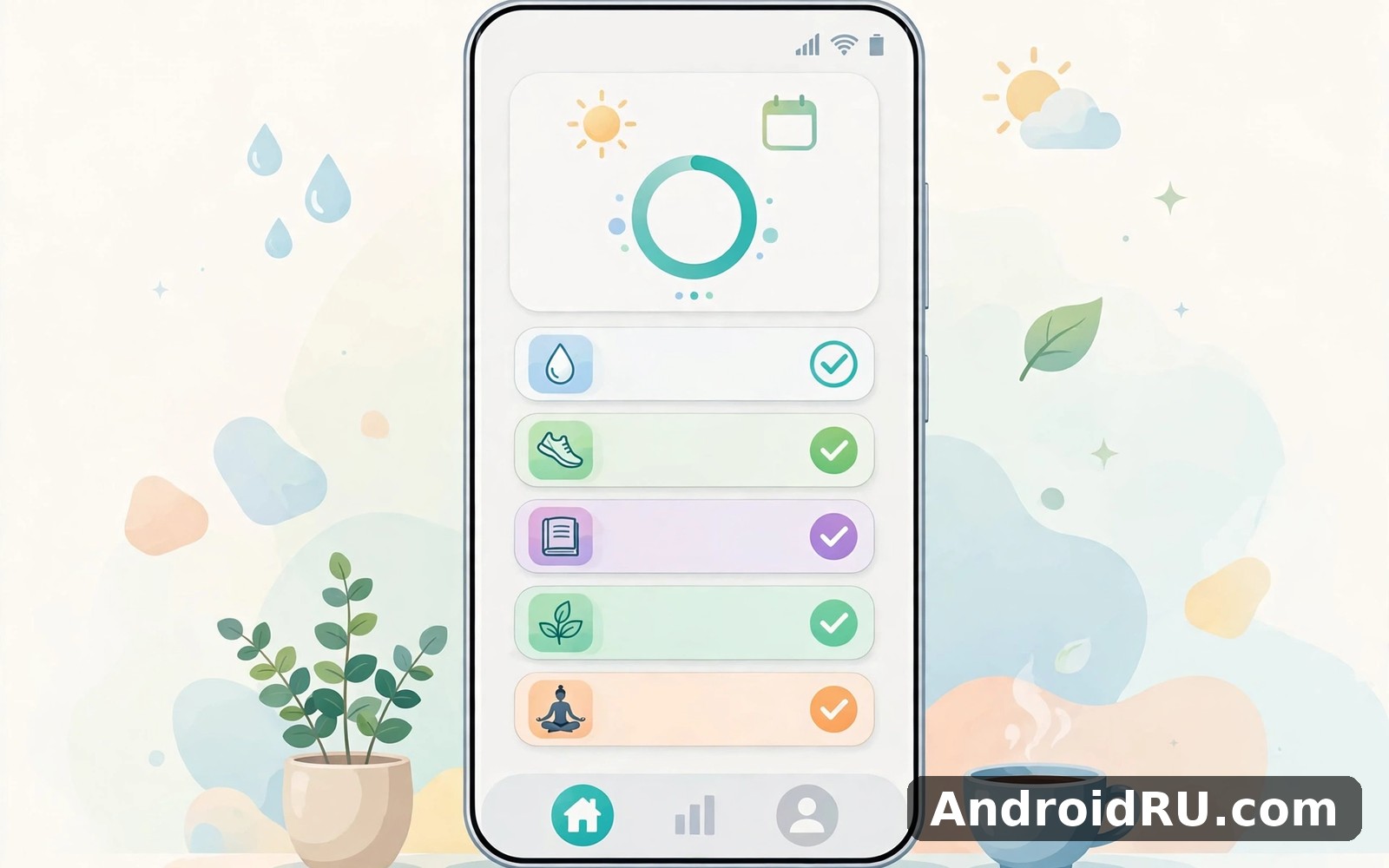
The home screen shows today’s habits grouped by time of day: morning, afternoon, and evening. Each habit is a card with a checkbox, and tapping the card opens detail with notes, stats, and history. A progress ring at the top shows how much of today is done, and the number moves as you check things off. That small visual reward matters more than it sounds like it should, because a ring at eighty percent is a gentle nudge to finish the last habit before bed.
Habits can repeat daily, on certain weekdays, or a set number of times per week. A gym habit can run Monday, Wednesday, and Friday. A reading habit can target five days out of seven, so a missed Tuesday does not break the pattern. You can also set a target value, such as eight glasses of water or thirty minutes of reading, and log progress in numbers instead of a simple yes or no.
Creating your first habit in Habitify
Tap the plus button, type the habit name, and pick an icon and colour. Icons are practical rather than decorative: a dumbbell for exercise, a book for reading, a glass for water. Colour-coding by area of life helps at a glance, so I used green for health, blue for learning, and orange for home routines. Add a reminder time, choose the repeat pattern, and save. The whole flow takes under a minute, which is important, because a tracker that needs ten minutes of setup per habit will never hold more than three habits.
How streaks work in Habitify and why they matter
A streak counts consecutive days you completed a habit. The app shows the current streak on the habit card and the best streak in the detail view, and it celebrates milestones such as seven, thirty, and one hundred days with a small animation. Streaks work because they turn an abstract goal into a visible chain: breaking it costs something you can see. The danger is the same as the benefit, and a broken streak after a holiday or an illness can feel worse than it should. Habitify softens this with skip days and a completion rate that stays honest even when a streak resets.
Skip days and rest days without losing your rhythm
You can mark a day as skipped when life genuinely gets in the way, and the app treats it as a planned pause rather than a failure. Setting rest days in the repeat pattern does the same thing in advance: a habit scheduled Monday to Friday simply does not expect anything on Saturday. Use both features deliberately. A tracker that forgives planned rest is a tracker you keep, while a tracker that demands perfection every single day is one you delete in week three.
Measurable habits with targets and units
Some habits are better counted than ticked. Habitify lets you set a unit and a daily target, so water becomes eight glasses, reading becomes twenty pages, and exercise becomes thirty minutes. You log partial progress through the day, and the habit counts as done when you reach the target. That flexibility is one of the app’s quiet strengths, because a binary yes-or-no box cannot describe a day when you read twelve pages instead of twenty.
What’s new in Habitify: recent updates and changes
Recent versions of Habitify have focused on polish rather than reinvention. The interface has become cleaner, with larger touch targets and a calmer colour palette, and the stats screens load faster than they used to. Widgets received attention too, with more sizes and a clearer display of today’s progress. Sync has become more reliable, so habits checked off on a phone appear on a tablet without a manual refresh.
The premium side has also evolved. Habitify Premium adds unlimited habits, detailed statistics, custom reminders, and cloud backup, along with themes and extra widgets. The free version covers the core loop well, including a limited number of habits, basic stats, and reminders, so you can test the app honestly for weeks before deciding whether premium is worth it. Check the current pricing inside the app before subscribing, because plans and trial lengths change, and the price on an old review may not match today’s offer.
One change worth noting is the way the app now handles notes and journals. You can attach a short note to a completed habit, which turns the tracker into a small diary of what worked. A note saying “ran before breakfast, felt easy” next to a streak is far more useful a month later than a bare tick, because it tells you the conditions that made the habit stick.
New widgets and home-screen improvements
Widgets are where Habitify earns its keep for many users. A medium widget shows today’s habits with checkboxes you can tap without opening the app, and a small widget shows the progress ring. Tapping a checkbox on the widget marks the habit done instantly, which removes the last excuse for skipping the log. Place the widget on your first home screen, not buried on page three, or you will forget it exists by Thursday.
Statistics upgrades and clearer progress charts
The stats view now shows completion rate by week and by month, best streak, total completions, and a calendar heat map where darker days mean more habits done. The heat map is the most honest screen in the app: it shows at a glance whether you are consistent or merely busy on Mondays. Monthly trends help you spot the slow fade that a daily view hides, such as a reading habit that quietly slipped from five days a week to two.
Ease of use: Habitify in real daily life
Ease of use is where Habitify beats most rivals. The app opens straight to today, the checkboxes are large, and nothing important sits more than two taps away. I timed my morning routine: opening the app, checking off water, exercise, and reading took under ten seconds on a normal day. That speed is the whole game for a tracker, because a tool that needs thirty seconds of navigation will lose to a busy morning every time.
The learning curve is gentle. A new user can create three habits and understand the whole app in one sitting, and the settings use plain labels instead of jargon. The trade-off is depth: power users who want conditional logic, chained habits, or complex automation will find the app simple, and may outgrow it. For most people that simplicity is a feature, not a gap, because a tracker should be boring and reliable rather than clever and fragile.
Reminders are flexible without being fussy. You can set one reminder per habit, choose the time, and pick a gentle tone, and the notification shows the habit name with a check action right in the shade. That inline action is a small detail with a large effect: you can complete a habit from the notification without opening the app at all.
Reminders that help instead of nagging
The best reminder is one you set for the moment you actually do the habit, not the moment you wish you did it. A water reminder at 9 a.m. helps if you drink water at 9 a.m., and annoys you if you only start drinking at lunch. I moved my exercise reminder from 6 a.m. to 7:15 a.m. after a week of swiping it away, and the completion rate jumped at once. Set reminders for real moments, keep the count low, and turn off any reminder you swipe away three days running.
Habitify widgets on Android home screens
Android widgets are a genuine advantage here. The checklist widget turns the home screen into the tracker, and the progress ring widget gives a glanceable summary. Resize the widget to fit your layout, and keep it near the apps you open first in the morning. The one weakness is that widget themes are limited in the free version, so the widget may clash with a heavily themed home screen until you subscribe or pick a neutral colour.
Morning, afternoon and evening habit groups
Grouping habits by time of day is a small piece of design that changes how the app feels. Morning habits sit together, so a single glance tells you whether the day started well. Evening habits form a wind-down list that doubles as a bedtime routine. You can reorder habits inside each group by dragging, and putting the hardest habit first in its group works better than burying it at the bottom where tired evenings will skip it.
Notes, journals and mood tracking inside Habitify
Notes turn a tick into a memory. Writing “walked with a friend” next to an exercise habit explains why that day felt good, and a month of such notes shows patterns a chart cannot. Habitify also lets you record mood alongside habits in some views, which helps you see whether good days follow good habits or the other way round. Keep notes short, a sentence at most, or you will stop writing them by week two.
Habitify vs Loop Habit Tracker vs Streaks vs other rivals
The habit tracker market splits into three camps: free and open source, polished and paid, and Apple-only. Loop Habit Tracker is the open-source Android favourite, free forever with strong widgets and no account needed. Streaks is the polished Apple-only option with a one-time price and deep system integration. Habitify sits in the middle: polished and cross-platform, with a free tier and a subscription for the full feature set. Which one fits depends on your phone, your budget, and how much polish you need.
| Feature | Habitify | Loop Habit Tracker | Streaks | Generic to-do apps |
|---|---|---|---|---|
| Platform | Android and iOS, syncs | Android only, open source | Apple only | All platforms |
| Price model | Free tier plus subscription | Completely free | One-time purchase | Free or subscription |
| Streaks and stats | Strong, charts and heat map | Strong, charts and scores | Strong, streak rings | Weak or absent |
| Widgets | Good, checkable from home screen | Excellent, very flexible | Excellent, Apple widgets | Basic task lists |
| Reminders | Flexible, per habit | Flexible, per habit | Flexible, system reminders | General task reminders |
| Accounts and backup | Account sync and cloud backup | Local, manual export | iCloud sync | Cloud sync usually |
Where Habitify wins against Loop Habit Tracker
Habitify wins on polish and cross-platform sync. The interface is calmer, the charts are easier to read at a glance, and habits sync between Android and iOS without manual export files. Loop wins on price and privacy: it is free, open source, and keeps data on the device unless you export it yourself. A user who stays on Android, distrusts subscriptions, and wants full control should pick Loop. A user who switches between Android and iPhone, or wants the prettiest stats, should pick Habitify.
Where Streaks still leads for Apple users
Streaks leads on Apple integration: it talks to Health, Siri, and the Apple Watch in ways an Android-first app cannot match, and its one-time price appeals to people who dislike subscriptions. The catch is the platform lock: Streaks does not exist on Android at all. An iPhone-only user who wants deep Apple integration should look at Streaks first. Anyone on Android, or anyone who might switch phones, should look at Habitify instead.
Habitify features, pros, cons and who it is for
Habitify features at a glance
The feature set covers the habit loop end to end: create habits with icons and colours, set repeat patterns and targets, get reminders, check habits off from the app, a widget, or a notification, and review streaks, completion rates, and heat maps. Notes and journals add context, cloud backup protects your history, and themes let you tune the look. Premium adds unlimited habits, advanced statistics, and extra widgets. Nothing here is experimental or half-finished, and that reliability is the point.
Pros of Habitify
- Checking off a habit takes seconds, from the app, the widget, or the notification.
- Streaks, heat maps, and completion rates show honest progress without spin.
- Widgets work well on Android and keep habits visible all day.
- Flexible scheduling covers weekdays, weekly targets, and measurable goals.
- Sync between Android and iOS keeps one history across devices.
Cons of Habitify
- Premium is a subscription, and the free habit limit will push heavy users to pay.
- It tracks habits but does not coach you, so motivation still comes from you.
- Widget themes and advanced stats sit behind the paywall.
- There is no built-in community or accountability partner feature.
Who Habitify is for
Habitify fits people who want a calm, reliable tracker for a handful of daily habits: exercise, reading, water, sleep routines, language practice, and the like. It fits users who check their phone often and want a widget that keeps habits visible. It fits less well for people who need a free unlimited tracker, in which case Loop is the honest alternative, and for people who want a coach, a community, or strict accountability, which this app does not try to provide.
Setting up Habitify for a habit that actually sticks
Start with three habits, not ten. Pick one health habit, one learning habit, and one home habit, and run them for two weeks before adding more. A tracker with three habits you complete beats a tracker with twelve habits you ignore, and the stats will prove it within a month. Set each reminder for the real moment you do the habit, place the widget on your first home screen, and review the heat map every Sunday evening for two minutes.
- Create one health habit, one learning habit, and one home habit with icons and colours.
- Set the repeat pattern honestly: weekdays only if weekends are truly different.
- Place the reminder at the real moment you do the habit, not an idealised time.
- Add the checklist widget to your first home screen and resize it to fit.
- Check habits off the same day, and add a one-line note when something worked well.
- Review the heat map every Sunday and adjust one thing that is not working.
People who enjoy organising their phone will find that Profile Mobile is a natural next app to try for a cleaner home screen, while Retro Music Player covers that need neatly if music is part of your morning routine. Readers who want to build a learning habit will find that Coding X Learn Python Java is worth a look as well as a daily practice option.
Backup and sync settings worth turning on
Turn on cloud backup as soon as you have a week of history, because a habit record is worthless if a lost phone wipes it. Sign in with the same account on every device, and check after a day that a habit completed on the phone shows as done on the tablet. Export your data occasionally too, so a copy of your history exists outside the app.
Common setup mistakes that kill a new habit
The most common mistake is setting the target too high: thirty minutes of reading on day one when you currently read none. Start at ten minutes, let the streak grow, and raise the target after two good weeks. The second mistake is adding too many habits at once, which turns the morning list into a chore. The third is setting reminders for every habit at the same time, which trains you to ignore all of them together.
Common Habitify problems and quick fixes
If a reminder does not appear, check the phone’s notification settings for Habitify first, then check battery optimisation, because aggressive battery savers on some Android phones delay or kill reminders. Exempt the app from battery optimisation if reminders matter to you. If a widget stops updating, remove it and add it again, which refreshes the connection without losing any data.
If sync looks wrong, open the app on both devices and pull down to refresh, then confirm both are signed into the same account. A habit completed offline will sync when the connection returns, so a missing tick usually means the app has not had a chance to upload yet. If a streak breaks after a timezone change or a flight, check the date the app recorded for that day before assuming the streak is lost.
Habitify frequently asked questions
Is Habitify free?
Habitify is free to use with a limited number of habits, basic statistics, and reminders. Premium is a subscription that adds unlimited habits, advanced statistics, extra widgets, and cloud backup. Try the free version for two or three weeks first, because the core loop is fully usable without paying, and only subscribe if you hit the habit limit or want the deeper charts.
Does Habitify work offline?
Yes, you can check off habits and view your history without a connection. Changes sync to your other devices when the phone is back online. This matters for travellers and for anyone whose commute passes through dead zones, because a tracker that refuses to work offline will lose the very days you most want to record.
Can Habitify remind me at different times on different days?
Reminders in Habitify are set per habit with one time each, and the repeat pattern controls which days the habit appears. If you need a different time on weekends, the practical fix is to set the reminder for the weekday time and use the widget on weekends, or create a second habit for the weekend slot. Check the current version for newer reminder options, because this area has changed across updates.
What happens to my streak if I miss a day?
The streak resets, but your completion rate and total count keep the honest picture, and that is the number worth watching over months. Use skip days for planned breaks and rest days in the schedule for regular days off, so a missed day reflects a real break rather than a forgotten tap. A single missed day has never ruined a habit; a week of missed days has.
Final verdict: who should keep Habitify on their home screen
Keep Habitify if you want a clean tracker that takes five seconds a day, shows you honest numbers, and stays visible through a good widget. Start with three habits, give it two full weeks, and judge it by the heat map on the second Sunday, not by the excitement of day one. Pick Loop if you want a free open-source tracker on Android alone, and pick Streaks if you live entirely inside Apple’s world.
When you are ready, open Click here to download the Habitify Habit Tracker app and create your first three habits today. For a tidier phone around it, you can also open Click here to download the Profile Mobile app, or Click here to download the Retro Music Player app if music belongs in your morning routine. The tracker only works if you open it tomorrow, so put the widget where you will see it first thing.

