

Download APK Tumblr What’s New, Common Questions & Review
Tumblr still feels like a corner of the internet made for creative people. I opened it again after a long break, half expecting a ghost town, and found artists posting daily sketches, writers sharing short fiction, and fandom blogs arguing lovingly about the same shows I grew up with. The pace is slower than the big feeds, and that slowness is the point: posts here are made to be kept, reblogged, and returned to, not scrolled past in half a second.
This guide answers the title in full: what changed in recent Tumblr versions, how the app works day to day, what it does well, where it falls short, and whether it fits your creative routine. I tested it on a mid-range Android phone over two weeks, posting text and photos, following new blogs, searching tags, and tweaking privacy settings. You will get concrete steps, a comparison table, honest pros and cons, and answers to the questions real readers ask before they install.
If you want to share art and writing and follow creative blogs, Tumblr is still one of the clearest tools for that job. If you want short video trends or a messenger for friends, other apps will serve you better, and the comparison below will show you which one.
What Tumblr Is and How Tumblr Works on Android in 2026
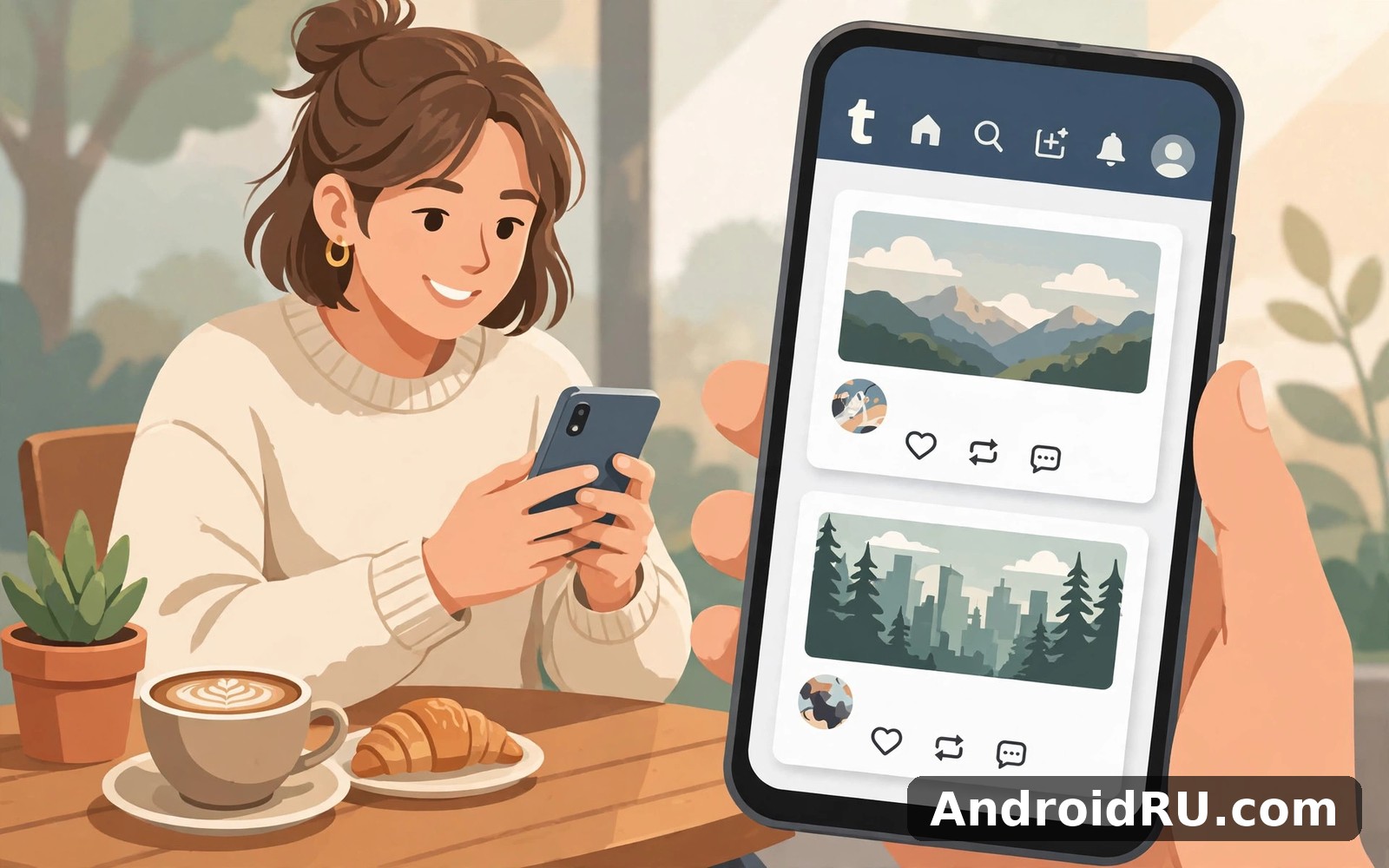
Tumblr is a microblogging and social platform where each user runs a blog, follows other blogs, and reblogs posts they love. A post can be text, a photo set, a GIF, a short video, an audio clip, a quote, a link, or a chat-style exchange. The dashboard — your home feed — shows posts from blogs you follow in reverse chronological order, with the newest first, and you can switch to a For You feed when you want recommendations instead.
That structure sounds old-fashioned next to algorithm-only feeds, and in practice it is a relief. You choose who fills your day. If you follow twenty artists, your morning opens with twenty drawings. If you follow writers, poets, photographers, and fandom blogs, the feed becomes a small magazine edited by you. I rebuilt my following list from scratch for this review, and the difference between a careless follow list and a careful one was the difference between noise and a feed I actually opened.
Reblogging is the heart of the platform. When you reblog a post, it appears on your own blog with the original creator credited, and you can add your own comment above it. That chain of reblogs is how art travels here, and it is also how small creators get discovered: a single reblog from a larger blog can bring hundreds of new readers in a day. Tags sit underneath each post, and tapping a tag opens every public post that carries it, which makes tags the real search engine of Tumblr.
The dashboard, the For You feed, and your own blog
The dashboard is the default view, and it rewards a tidy follow list. The For You feed mixes posts Tumblr thinks you will like, based on what you liked and reblogged, and it is the fastest way to find new blogs when you are starting out. Your own blog lives under your profile, and you can give it a title, a theme, and a description that tells visitors what you post. I set mine up in ten minutes with a plain dark theme, a short bio, and a pinned post, and that was enough for strangers to understand what the blog was for.
Secondary blogs are a quiet strength. You can run a second blog for a different topic — say, photography beside your main writing blog — without creating a second account. Each blog has its own followers, theme, and post history, and you switch between them from the profile menu. That separation keeps a fandom blog from swamping a professional art portfolio, which is a problem on platforms where one account must carry everything.
Post types on Tumblr: text, photo, GIF, video, audio, and quotes
Text posts support long writing, and Tumblr readers still read long posts here, which is rare on mobile social apps. Photo posts accept up to ten images in a set, and photographers use that to tell a small story in one scroll. GIFs loop silently and carry jokes, reactions, and fandom moments that a still image cannot. Video posts are shorter than on video-first apps, usually clips rather than long films, and audio posts suit music, podcasts, and voice notes. Quote posts and link posts round out the set, and the editor lets you combine text with images in a single post when a plain photo set is not enough.
How reblogs, likes, and tags actually work
A like is private: it saves the post to your liked list and tells the creator you enjoyed it, but it does not share the post with your followers. A reblog is public: it puts the post on your blog and into your followers’ dashboards. Tags are public too, and they decide who finds a post through search. I tag every post I publish with three to five honest tags — the topic, the medium, and the fandom or community — and those posts reach far more strangers than untagged ones.
Following blogs, muting words, and shaping the dashboard
Follow a blog by tapping Follow on its page or on any of its posts. Mute a word or tag from settings when a topic floods your feed during a big release or a sports final, and the dashboard hides posts carrying it. Block a blog when you do not want to see it again, and the block is quiet: no announcement, no drama, just a cleaner feed. These small controls are what make the dashboard feel like yours rather than like a slot machine.
Tumblr Features That Matter for Artists, Writers, and Fandom Fans
The feature list is long, but the ones that carry daily use are the dashboard, reblogs, tags, saved posts, asks, and the queue. Asks let followers send you questions, and you can answer them publicly as posts, which turns a quiet blog into a conversation. The queue lets you schedule posts to go out over days, so a burst of creativity on Sunday can fill your blog all week without you posting ten times in an hour.
Custom themes are another real strength. You can change colours, fonts, and layout on the web, and the mobile app respects the choices that matter most. A blog that looks like its owner is easier to remember than a default profile, and I recognised favourite blogs by their theme before I read the username. On Android, the theme options are simpler than on the web, so I do the detailed theme work in a browser and the daily posting in the app.
Sharing art and photography on Tumblr without losing quality
Photo posts keep images looking good on mobile, and a set of ten images lets a photographer show a series instead of a single frame. I posted a set of five street photos from one walk, and the set told the story better than any single image could. Add a caption that says where and when you shot them, tag the camera or the place if it matters, and reply to comments the same day, because early replies encourage more people to reblog.
Artists should post the finished piece first, then add process shots or sketches as a second post rather than burying them in the same set. Readers reblog finished work far more than process work, and a separate process post gives your most loyal followers something extra without diluting the main piece. Watermark lightly if you worry about reuse, and keep the watermark small and in a corner so it does not fight the art.
Writing, poetry, and long-form posts that readers finish
Long text still works here, and the readers who come to Tumblr expect it. I posted a 900-word short piece and watched it gather reblogs over three days, not three minutes, which is the opposite rhythm from short-video apps. Break long posts into short paragraphs, use a clear first line that states the idea, and end with a question or a line that invites a reblog comment. A read-more cut helps on the web, and on mobile a tight opening paragraph does the same job.
Asks, submissions, and community replies
Asks are questions sent to your inbox, and you can answer them as public posts or privately. I turned asks on in my second week and got three questions in two days: one about my camera, one about a story, and one from a new follower who wanted a recommendation. Answering one ask a week keeps a blog feeling alive without turning it into a help desk. Submissions let followers send you posts for your blog, which suits community blogs and fandom collections, though I keep submissions off on a personal blog so the voice stays mine.
The queue, drafts, and scheduled posting
The queue is the tool I wish every social app copied. Write five posts on a quiet evening, drop them in the queue, and Tumblr publishes them at spaced intervals you choose. Drafts hold unfinished ideas without publishing them, and scheduled posts let you pick an exact time for a single piece. I queue three posts a week and draft anything half-finished, and my blog stays active on days when I never open the app.
Custom themes, blog titles, and making a blog recognisable
Pick a theme that matches your work: dark for photography, plain and light for writing, bold for fandom. Write a title that says what you post, not just your name, and add one line that tells a stranger what they will find. Change the theme once and leave it alone for a month, because readers learn to recognise a blog by its look, and constant redesigns erase that recognition.
What’s New on Tumblr: Recent Updates, Feed Changes, and the App Today
Recent Tumblr updates have focused on the mobile experience: a cleaner dashboard, faster image loading, and clearer controls for what the For You feed shows you. The app feels quicker than it did a few versions ago, and I noticed photos loading in a smooth scroll on the same phone where older versions stuttered on image-heavy blogs. The editor gained a tidier layout too, with post-type buttons easier to reach and drafts simpler to find.
The For You feed is more visible now, and Tumblr nudges new users toward it when their follow list is still small. That helps a new account find creators in the first hour, though I still recommend switching back to the dashboard once you have followed twenty blogs you genuinely like. The dashboard is where the app feels most like Tumblr, and the For You feed is best used as a discovery tool, not as a permanent home.
Community features have also had quiet attention: group blogs, shared interests, and better handling of reblog chains, so a long conversation stays readable instead of collapsing into a tangle. Check the current version on the app page before you judge any single change, because Tumblr ships updates often and the experience shifts from one release to the next. What has not changed is the core promise: your blog, your follows, your tags, and a feed you control.
Dashboard vs For You: which feed should you use daily
Use the dashboard daily once your follow list is healthy, because it shows only the blogs you chose, in order, without guessing. Use For You when you are bored, when you want new artists, or when you have just joined and your dashboard is empty. I check For You for ten minutes on Sunday and the dashboard every other day, and that split keeps discovery alive without letting recommendations take over.
Ads, Blaze, and paid options explained plainly
Tumblr shows ads in the dashboard, and it offers paid options such as Blaze, which promotes a post to more readers, and an ad-free browsing option in some regions. Blaze suits a creator launching a piece they want seen widely, and it is not needed for daily use. I have used the free app throughout this review and nothing essential — posting, reblogging, following, or searching tags — required payment. Check the current pricing on the official page before you buy anything, because plans and availability vary by country.
Tumblr vs Reddit vs Pinterest vs Bluesky Comparison
Tumblr sits between four neighbours, and each one serves a different creative need. Reddit is a forum of communities, Pinterest is a visual discovery board, Bluesky is a short-post social network, and Tumblr is a personal blog network. The table below compares them on the criteria that decide which one you open every day.
| Platform | Main format | Best for | Discovery | Weak spot |
|---|---|---|---|---|
| Tumblr | Personal blogs, reblogs, mixed media | Art, writing, fandom, long posts | Tags and reblog chains | Smaller audience than the giants |
| Community forums and threads | Discussion, questions, niche topics | Subreddits and upvotes | Posts vanish fast from the front page | |
| Image boards and saved pins | Visual ideas, mood boards, recipes | Search and related pins | Weak conversation and comments | |
| Bluesky | Short posts and follows | Quick updates and public talk | Feeds and follows | Thin tools for long art and writing |
For a change of pace in the same area, Reddit is worth a look. People who like this app often enjoy Pinterest for a slightly different flavour. If this app is not quite your style, Bluesky offers a related way in. I keep all four installed and open each for a different job: Tumblr to post and keep work, Reddit to ask a question, Pinterest to collect ideas, and Bluesky to say something short.
The trade-off is honest. Reddit gives you bigger crowds and faster answers, Pinterest gives you better visual search, and Bluesky gives you a livelier public conversation. Tumblr gives you a home for your work that stays yours, a feed you edit by choosing follows, and readers who still read long posts. If you want a blog rather than a timeline, Tumblr is the clear pick.
When Reddit fits better than Tumblr
Pick Reddit when you have a question and want answers from a community, or when you want to discuss a niche topic with strangers who care about it. A subreddit gives you a ready audience in an hour, while a new Tumblr blog needs weeks to gather readers. I use Reddit for troubleshooting, recommendations, and debate, and Tumblr for the work itself.
When Pinterest or Bluesky fits better than Tumblr
Pick Pinterest when you are collecting visual ideas — a mood board for a room, a wedding, a recipe file, or an art style — because its search and boards beat every other tool for that job. Pick Bluesky when you want short public posts and quick replies, without the weight of running a blog. Neither replaces a personal blog, and that is why they sit beside Tumblr on my phone instead of replacing it.
How to Set Up Tumblr on Android Step by Step
Setup takes about ten minutes if you do it in order, and the order matters: account first, interests second, follows third, privacy last. Skip the follow step and the dashboard stays empty; skip the privacy step and the app stays noisier than it needs to be.
-
Install the app, open it, and create an account with an email address or Google sign-in. Choose a username you can live with, because changing it later breaks old links to your blog.
-
Pick a blog title and a short description that says what you post. Add a profile picture, even a simple one, because blogs with a picture get followed more than blank ones.
-
Choose three interests — art, writing, photography, fandom, music — and let the For You feed suggest blogs in those areas for ten minutes.
-
Follow twenty blogs you genuinely like. Like five posts, reblog two, and save one to your liked list, so the app learns your taste from real actions.
-
Open Settings, then Privacy, and check who can send you asks, who can message you, and whether your blog appears in search. Set asks to on and messages to people you follow if you want a quiet start.
-
Open Notifications and switch off everything except replies, reblogs, and new followers. Leave likes and generic recommendations off for the first week.
-
Write your first post — a photo, a short text, or a quote — tag it with three honest tags, and publish it. Then check your blog page to see how it looks to a visitor.
After each step, check the result: the dashboard should already show posts from your new follows after step four, and the notification screen should feel quiet after step six. If the dashboard still looks empty after a day, follow ten more blogs from tag pages, because a thin follow list is the most common cause of a dead feed.
Posting your first text, photo set, or reblog
Tap the create button, choose the post type, and keep the first post simple. A photo set of three images with a one-line caption is a better first post than a long essay, because it teaches you the editor without demanding a finished piece. Reblogging is even simpler: open a post you love, tap reblog, add one line of your own, and publish it. That single line is what turns a copy into a conversation.
Settings worth changing in week one
Change the dashboard view to following first, set media autoplay off on mobile data, and turn on data saver if your plan is small. Set the theme to follow your system setting so the app matches your phone at night. I keep notifications on for replies only, and I check the app when I choose to, rather than letting it pull me back all day.
A simple starter setup you can copy
Use this as a checklist, not as a claim about the app’s internals: notifications on for replies, media autoplay off, feed default set to following, data saver on, theme set to system. Change one setting at a time and test the result before you change another, so you know which change caused which effect. Keep a short note of the settings that work for you, because a note saves you from guessing again after a reinstall.
notifications = on
media_autoplay = off
feed_default = following
data_saver = on
theme = system
sound = gentle
Tumblr Pros and Cons, Features Verdict, and Who It Is For
A fair review gives Tumblr credit for what no other app copies well, and names the limits plainly. The platform earns its place through creative freedom and a feed you control, and it loses points on audience size, search, and the learning curve for new users.
Tumblr features in one honest list
The feature set covers personal blogs, reblogs, likes, tags, asks, submissions, the queue, drafts, scheduled posts, secondary blogs, custom themes, and a dashboard you shape by following. Reblogging with credit is the feature that defines Tumblr, because it lets art and writing travel while keeping the original creator visible in the chain. The app also respects short sessions: you can open it, check five posts, and put it down without feeling pulled into an endless scroll.
Pros of Tumblr: at least three real strengths
-
Creative freedom across media types — text, photo sets, GIFs, video, audio, quotes, and links all live on one blog, so an artist and a writer can share the same home.
-
A feed you control by choosing follows — the dashboard shows the blogs you picked, in order, without an algorithm deciding your whole day for you.
-
Tags and reblogs that help small creators get found — honest tags and a single reblog from a larger blog can bring new readers for days.
-
Long posts still get read — readers here expect writing, poetry, and essays, and a good piece gathers reblogs over days rather than minutes.
-
Secondary blogs and the queue — run a second topic without a second account, and schedule a week of posts from one creative evening.
Cons of Tumblr: at least two honest limits
-
Smaller audience than the biggest platforms — a new blog grows slowly, and viral reach is harder to earn than on short-video apps.
-
Search and finding older posts take more taps than they should — the dashboard is calm, but digging up a post from months ago can feel like a hunt.
-
New users face a short learning curve — reblogs, tags, asks, and the queue make sense after a week, but the first day can feel confusing.
-
Ads appear in the free app, and some paid options vary by region, so the experience differs a little from one country to another.
Who Tumblr is for, and who should skip it
Tumblr is for artists, writers, poets, photographers, and fandom fans who want a personal blog, a feed they control, and readers who still read long posts. It suits people who post a few times a week and enjoy the slow build of a following, and it suits anyone who wants a creative home rather than a trending feed. It is less suited to people who want fast viral video, instant answers from a large crowd, or a messenger for friends — Reddit, Pinterest, and Bluesky serve those jobs better. In practice, Tumblr works best as a creative routine, not as a race, and that framing keeps expectations fair.
Staying Safe, Private, and in Control on Tumblr
Privacy on Tumblr rewards a five-minute review in week one. Check who can send you asks, who can message you, and whether your blog appears in search results, then set each switch to match how public you want to be. I set asks on, messages to followers only, and search on, because I want strangers to find my art but not to message me out of nowhere. That balance has kept my inbox calm for weeks.
Use a strong, unique password for your Tumblr account, and turn on two-factor authentication if it is offered for your account. Sign out on shared devices after you finish, and do not share personal details in public posts or in asks. Review what the app can access once a month, remove access you no longer use, and keep the rest as it is. That small routine keeps surprises to a minimum.
Blocking and reporting are quick and quiet. Block an account that harasses you or floods your dashboard, report posts that break the rules, and mute words and tags that you do not want to see during a big release. None of these actions announces itself to the other person, and a cleaner feed is worth more than a public argument in the comments.
Fixing common Tumblr hiccups on Android
If the app feels slow, clear its cache from Android Settings, then Apps, then Tumblr, then Storage, and restart the app. That step removes temporary files without deleting your account. If Tumblr will not open, restart your phone and try again, then check for an app update. If a feature seems missing, check the settings screen first, because some features hide behind a toggle you can switch on. If you still cannot find it, reinstalling may restore the default layout, though you should note your login method first.
Speed, battery, and data notes for daily Tumblr use
On balance Tumblr runs well on most modern Android phones, and older phones still handle the core tools, though image-heavy blogs load more slowly. Short daily sessions use less battery than long background sessions, so close the app fully when you finish if battery life matters to you. Data use grows as you save more inside the app, so delete old items you no longer need from time to time. Use Wi-Fi for large media when you can, and check data use in your phone settings if you have a small plan.
When to clear the cache and when to reinstall Tumblr
Clear the cache when images load slowly, the dashboard stutters, or the app feels heavy after weeks of use. Reinstall only when the app will not open at all, a feature stays missing after a cache clear and a restart, or an update fails to install. Before you reinstall, note your username and login method, because you will need both again on the first screen.
Keeping your blog tidy over months of posting
Review your blog once a month and delete or draft posts that no longer represent you. Check your tags and fix the ones you misspelled, because a wrong tag sends a post to the wrong readers. A short, honest tag list you trust beats a long list you ignore, and a tidy blog is easier for new followers to understand in one visit.
Tumblr Frequently Asked Questions
The questions below are the ones I asked before keeping the app, and the ones friends asked after I recommended it. Each answer adds something new, so read the one that matches your doubt instead of skimming them all.
Is Tumblr free to use on Android?
Yes, the core app is free: posting, reblogging, following, searching tags, and running a blog cost nothing beyond your data. Tumblr shows ads in the free app and offers paid options such as Blaze for promoting a post and ad-free browsing in some regions, but nothing essential requires payment. I have used the daily features for weeks without paying anything, and the free experience covers the whole creative routine.
How do I find new blogs and creators on Tumblr?
Start with tags: tap a tag under a post you love and follow three blogs from the results. Then check the For You feed for ten minutes, follow the blogs whose work you finish rather than the ones you skim, and look at who your favourite blogs reblog, because reblogs are the best recommendations on the platform. Repeat that once a week and your follow list will grow with people whose work you actually enjoy.
Can I run more than one blog on Tumblr?
Yes, you can run secondary blogs under the same account, each with its own title, theme, followers, and post history. That suits a photographer who also writes, or a fandom fan who also posts original art. Switch between blogs from the profile menu, and keep each blog focused on one topic so new followers understand it in a single visit.
Why is my Tumblr dashboard empty or boring?
An empty dashboard usually means a thin follow list, not a broken app. Follow twenty blogs from tag pages, reblog two posts, and like five more, then check the dashboard again the next day. If the feed feels boring, unfollow five blogs you always skip and follow three new ones in a different style. The dashboard reflects your choices directly, so a boring feed is a sign to choose better follows, not to delete the app.
Is Tumblr still popular in 2026?
Tumblr is smaller than the biggest social platforms, and that is both its limit and its charm. It remains active for artists, writers, and fandom communities, where new posts appear daily and reblog chains still carry work to new readers. It will not give you the instant viral reach of a short-video app, but it will give you a stable home for creative work and readers who return for it. If you want a blog that lasts, the audience here is smaller and more loyal than the crowds elsewhere.
Final Verdict: Is Tumblr Right for You?
After two weeks of daily use, my verdict is positive with clear eyes. Tumblr does its main job well: it gives creative people a blog, a feed they control, and readers who still read, look, and reblog with care. It is not perfect, and no everyday app is, but it does its job without drama, and it respects short sessions in a way few social apps do.
Try it for one week before you decide. Follow twenty blogs with care, post twice, reblog twice, and set your privacy switches on day one. After that week you will know from evidence whether the rhythm fits you. If the dashboard still feels empty, the problem is usually the follow list, and a second week of better follows will tell you more than any review can.
You can Click here to download the Tumblr app when you are ready to start. If you want to try a similar tool, Click here to download the Reddit app. You can also Click here to download the Pinterest app when you are ready to compare it with this one.
If creative blogs and visual feeds are your thing, Tumblr is still a lovely place to wander. Start with the core feature, add extra features slowly, and let the blog grow one honest post at a time. That routine will show you whether the app fits your needs, and a week of real use is the fairest test any app can ask for.

