

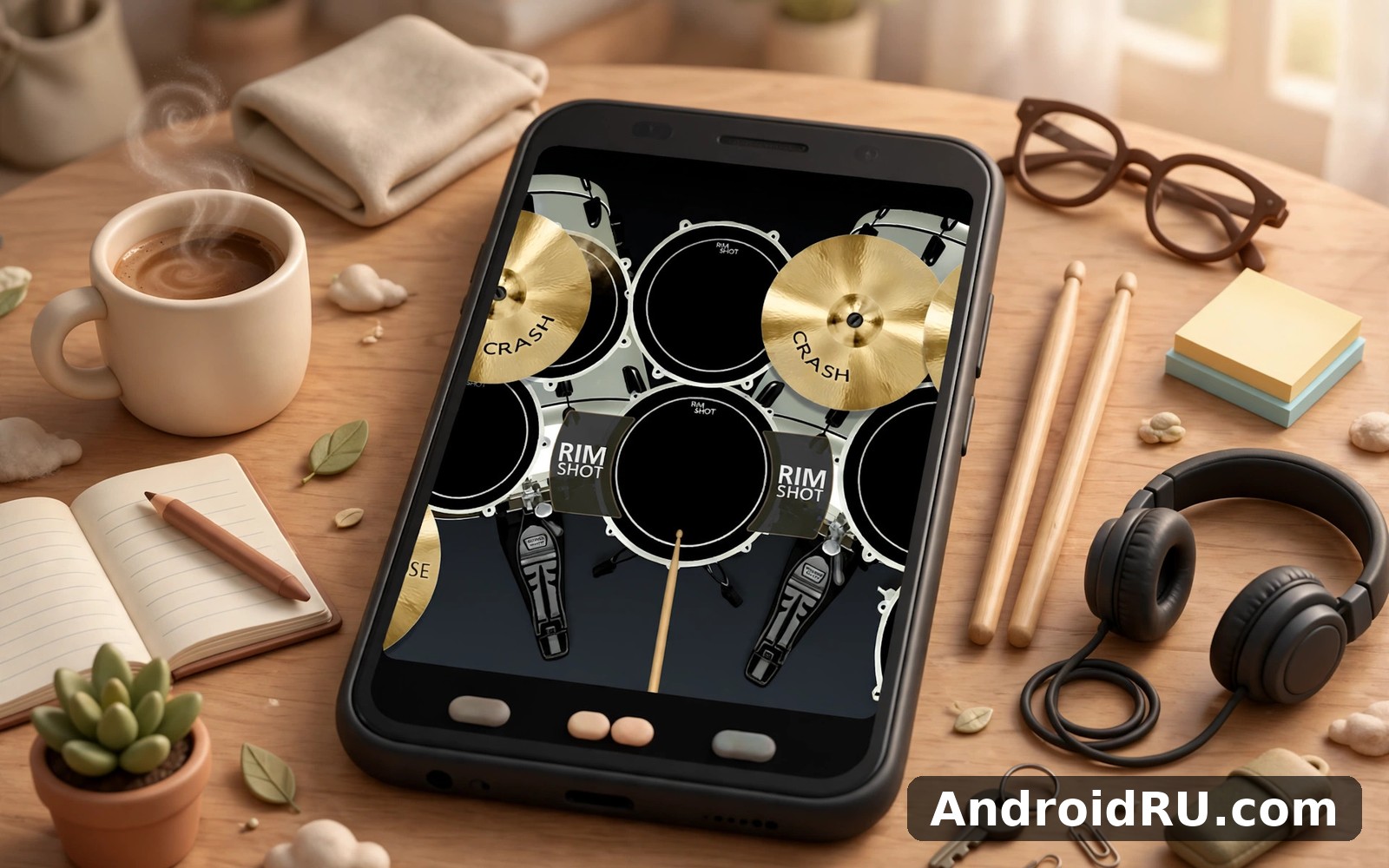
Download APK Real Percussion Drum Set New Features, Setup Essentials & Honest Review
I picked up Real Percussion Drum Set on a rainy Tuesday evening, phone in one hand and a pair of cheap earbuds in the other, mostly because I missed the feel of sitting behind a real kit. I had not played drums properly in years, and I wanted something that would let me tap out a groove on the sofa without waking the whole house. What I found was a virtual drum kit that takes itself seriously, with pads that respond to how hard you tap and sounds that hold up surprisingly well through headphones.
Over the next two weeks I used it most evenings, sometimes for five minutes while dinner cooked, sometimes for a full hour when a song got stuck in my head. I tried the built-in kits, recorded a few rough loops, worked through the practice tools, and compared it side by side with the other drum apps on my phone. This review pulls all of that together: the new features, the setup that actually sounds good, and an honest verdict on who should bother with it.
If you are short on time, here is the short version. The pads respond well, the sounds are convincing through headphones, and the practice tools give beginners a real path forward. The trade-off is that the free version leans on ads, and the kit selection feels thinner than the marketing suggests. Keep reading for the detail, or skip to the comparison table if you are choosing between drum apps right now.
What Real Percussion Drum Set Actually Is
Real Percussion Drum Set is a virtual drum kit for Android. The screen becomes a drum set: a snare, a bass drum, toms, hi-hats and cymbals laid out the way they sit on a real kit, and you play them by tapping. It sounds simple, and in a way it is, but the app adds enough depth around that idea to keep you coming back. There are several kits to switch between, a recorder, a metronome, lessons, and a small editor for shaping your own sound.
The app comes from the same family of music apps as Real Drum, and the two share a lot of DNA. Where Real Drum leans toward a full electronic kit with deep editing, Real Percussion Drum Set keeps the focus on playing: open the app, pick a kit, and start tapping within seconds. That difference matters more than it sounds. When I want to practise, I want the kit in front of me, not a settings screen, and this app gets that right.
You do not need any drumming experience to get something out of it. The first screen puts the kit in front of you with no account, no long tutorial, and no menu maze. I handed my phone to a friend who has never touched a drum, and within a minute she was holding a basic rock beat together. That kind of instant start is the app’s best trick, and it is the reason it works as a casual toy as well as a practice tool.
Real Percussion Drum Set Pads, Kits and Sounds
The pads are the heart of this app, so they deserve a close look. Everything else, the recording, the lessons, the kit switching, sits on top of how good it feels to hit a pad and hear a drum answer back. On my phone the response was quick, the volume followed how firmly I tapped, and fast rolls did not drop hits the way they do on cheaper drum apps I have tried.
The pad layout and how it feels under your fingers
The default layout mirrors a right-handed kit: snare slightly left of centre, hi-hat above it, bass drum at the bottom, toms arcing across the top, and crash and ride cymbals at the edges. It reads clearly at a glance, which matters when you are playing by feel and not staring at labels. The pads are large enough for two-thumb playing on a normal phone, and on a tablet the layout opens up into something genuinely comfortable.
Multi-touch works the way you would hope. You can hit the hi-hat and the snare at the same time, or crash a cymbal while the bass drum thumps underneath, and the app keeps up. I tested this with fast fills at higher tempos and the app tracked my hands without the smearing or missed hits I have seen elsewhere. That said, the physical limit is your screen: on a small phone, four-finger patterns get cramped, and a tablet is the better tool for serious practice.
Drum kits included and what each one sounds like
The app ships with a handful of kits, each with its own character. The rock kit is the default and the loudest of the bunch, with a snare that cracks and a kick that thumps. The jazz kit is softer and brushier, with a ride cymbal that sings rather than crashes. The electronic kit trades wood and skin for synthetic snaps and deep 808-style kicks, which suits modern pop and hip-hop grooves. The acoustic kit sits in the middle, warm and natural, and it is the one I kept coming back to for slower songs.
- Rock kit: punchy snare, deep kick and bright crash cymbals, built for loud, driving beats and practice at higher tempos.
- Jazz kit: softer snare, warm ride and gentle toms, suited to swing patterns, brushes-style playing and quiet practice.
- Electronic kit: synthetic drums with sharp claps and sub-bass kicks, a good match for hip-hop, pop and dance grooves.
- Acoustic kit: natural, warm drum sounds recorded to feel like a real kit in a small room, the most versatile choice for general playing.
Switching kits takes two taps, and the app remembers your choice, so your favourite kit is waiting when you open the app again. Some extra kits sit behind a paywall or an ad unlock, which is worth knowing before you fall in love with a sound in a preview video. The free kits cover most needs honestly, and I played for two weeks without feeling pushed to pay.
Rock kit vs jazz kit: which one to start with
Start with the rock kit. Its sounds are the most forgiving: the snare cuts through even when your timing wobbles, and the kick is easy to hear against the hi-hat. Once you can hold a steady beat for a full minute, switch to the jazz kit and notice how much more it asks of your touch. The softer sounds expose uneven hits, which makes the jazz kit a better teacher even though it feels harder at first.
Tuning the snare and toms for a tighter sound
Each pad can be tuned inside the kit editor, and small changes make a real difference. Dropping the snare pitch slightly gives it more body, while raising the toms a touch makes fills sound cleaner. I spent ten minutes nudging pitches and ended up with a kit that sounded noticeably closer to the one I remember from my old practice pad. Save the result as a custom kit so you do not lose it when you switch kits later.
New Features in the Latest Real Percussion Drum Set Update
Recent updates to Real Percussion Drum Set have focused on practice rather than gimmicks, which I appreciate. The headline additions are better recording, a proper looper for building grooves layer by layer, and a set of guided lessons that start from the very first beat. None of these are flashy on their own, but together they turn the app from a toy into something you can actually improve with.
Recording your own beats and loops
The recorder captures what you play and lets you play it back, export it, or layer another pass on top. I recorded a simple four-bar groove, then added a fill on a second layer, and the result sounded like a real practice take rather than a phone toy. The looper is the part I used most: set a length, play a bar, and it repeats while you add the next layer. That is how real drummers build a groove, and having it on a phone is genuinely useful.
Recording quality depends on your phone, not the app. On my mid-range handset the playback was clean, with no clipping on hard hits. One catch: the recorder picks up the timing you actually play, wobbles included, so do not expect it to fix a shaky beat for you. Use it as a mirror instead. Listening back to my own playing showed me that my left hand rushed the snare, a habit I had never noticed while playing.
Metronome, lessons and practice tools
The metronome is simple and does its job: pick a tempo, pick a time signature, and tap along. I used it at 80 beats per minute for slow practice, then nudged it up by five each day, which is the oldest practice trick in the book and still the best one. The lessons walk through basic patterns step by step, starting with a plain rock beat and moving toward fills, ghost notes and syncopation.
What I liked about the lessons is that they stay short. Each one takes a few minutes, shows the pattern on the kit, and then lets you play it with a backing click. There is no long video to sit through and no quiz at the end. The trade-off is depth: advanced players will run out of lessons quickly, and there is no structured course that carries you from beginner to intermediate over months. Treat the lessons as a starting ramp, not a full school.
Setup Essentials: Getting a Good Sound on Your Phone
Setup takes about two minutes, and most of it is about audio rather than the app itself. The app sounds decent through phone speakers, but it sounds far better through headphones, and the difference is big enough that I would call headphones essential rather than optional. Good sound changes how you play: you hear the ghost notes, you feel the dynamics, and your timing tightens up without you trying.
Speakers, headphones and why your audio output matters
Phone speakers compress the low end, so the bass drum loses its thump and the toms sound thin. A pair of wired earbuds fixes most of that for almost no money, and they also keep your practice private, which matters if you share a home. Bluetooth headphones work too, but they add a small delay that can throw off your timing at faster tempos, so wired is the safer choice when you are practising seriously.
I tested the app on three outputs: the phone speaker, wired earbuds, and a Bluetooth speaker. The speaker was fine for showing a friend a quick beat. The earbuds were the best all-round choice, with clear highs and a kick you could actually feel. The Bluetooth speaker sounded big and fun, but the delay made fast fills feel slightly drunk, so I kept it for listening back to recordings rather than for live playing.
Reducing audio delay on older phones
If you notice a gap between tapping a pad and hearing the sound, the problem is usually your phone’s audio path, not the app. Close other apps running in the background, turn off battery saver while you play, and switch to wired headphones if you can. On older phones, lowering the screen brightness and turning off animations can also help, since both free up the processor for audio. If the delay stays bad on a very old handset, no drum app will fix it, and a newer device is the honest answer.
Saving your first custom kit
A custom kit is worth building once you know which sounds you like. Mine uses the rock snare, the acoustic toms, and the electronic kick, a combination the stock kits do not offer. Building it took five minutes and it made the app feel like mine rather than a demo.
- Open the kit editor from the kit selection screen and pick a kit to use as your starting point.
- Tap any pad, then choose a different sound for it from the sound list and adjust the pitch and volume.
- Play a few bars with the new sound before moving on, so you can judge it in context rather than on its own.
- Save the kit under a name you will remember, then set it as your default so it loads every time you open the app.
Real Percussion Drum Set vs Real Drum Electronic Drums Set vs Classic Drum Play Drums
If you are choosing between drum apps, the differences are smaller than the app pages suggest, but they are real. All three of these apps give you a playable kit on your phone, yet each one aims at a slightly different player. The table below lines them up on the things that actually matter when you play every day, and the notes underneath explain who should pick which.
| Feature | Real Percussion Drum Set | Real Drum Electronic Drums Set | Classic Drum Play Drums |
|---|---|---|---|
| Pad layout | Realistic kit layout, large pads, good multi-touch | Full electronic kit, more pads and deeper editing | Simple classic layout, quick to learn, fewer pads |
| Sound character | Warm acoustic kits plus electronic options | Electronic-focused, many kits and sound packs | Classic drum sounds, straightforward and clean |
| Recording and looping | Recorder and looper included, easy layering | Recording included, stronger editing tools | Basic recording, fewer layering options |
| Lessons and practice | Short guided lessons, metronome included | Practice tools with more depth for regular players | Light practice features, best for casual play |
| Ease of use | Open and play in seconds, minimal setup | More menus to learn, rewards the effort | The simplest of the three, ideal for first-timers |
| Price model | Free with ads, extra kits behind payment | Free with ads, extra kits and features paid | Free with ads, simple paid options |
The honest answer is that you cannot go far wrong with any of them, and the best choice depends on how seriously you plan to practise. I kept Real Percussion Drum Set on my phone for daily playing, and I still open the other two when I want a different sound or a simpler session.
Where Real Drum Electronic Drums Set wins
Real Drum Electronic Drums Set is the deeper app of the pair. It offers more pads, more kits, and more control over each sound, which matters once you know what you want and the stock kits stop being enough. If you already play drums and you want an electronic kit you can shape properly, this is the stronger pick. The cost is complexity: the menus take longer to learn, and the first session feels less like picking up sticks and more like learning an instrument panel.
Where Classic Drum Play Drums fits better
Classic Drum Play Drums is the simplest of the three, and that is its whole appeal. There is less to learn, fewer menus to get lost in, and the kit sounds good straight away. For a younger player, a casual user, or anyone who just wants to tap along to a song for ten minutes, it is arguably the better choice. It will not carry you as far as the other two if you get serious, but not everyone wants to get serious, and this app respects that.
Grand Piano and Keyboard for players who want melody too
If drums alone start to feel limiting, Grand Piano and Keyboard is worth a look. It turns your phone into a piano keyboard, which pairs naturally with drumming: lay down a beat in one app, then work out a melody in the other. I found that alternating between the two kept practice fresh, and it taught me more about rhythm than drumming alone ever did, because a melody forces you to feel the beat rather than just hit it.
Pros and Cons After Two Weeks of Daily Practice
Two weeks of near-daily use is enough to see past the first-day charm and find the real strengths and the real annoyances. Nothing here surprised me twice, which is a good sign: the app is consistent, and what you see in week one is what you get in week three. Here is the balance sheet as I experienced it.
What I liked most
- Low-latency multi-touch pads that keep up with fast fills and let you play hi-hat and snare together without dropped hits.
- Warm, believable drum sounds that hold up through headphones, with kits that genuinely sound different from each other.
- Built-in recording and looping that turns practice into something you can listen back to and build on layer by layer.
- Short, practical lessons and a solid metronome that give beginners a clear path without long videos or quizzes.
- An open-and-play start with no account needed, so the kit is in front of you within seconds of tapping the icon.
What annoyed me
- Ads in the free version interrupt the flow, and they tend to appear right when you finish a good take.
- Some of the most interesting kits sit behind a paywall, so the free selection feels thinner than the app page suggests.
- Bluetooth audio delay makes fast playing feel slightly off, which is a hardware limit the app cannot fully fix.
- Lessons run out quickly for anyone past beginner level, with no structured course for intermediate players.
Who Real Percussion Drum Set Is For
This app fits beginners and casual players best. If you have never played drums and you want to know whether you enjoy it before spending money on a practice pad, this is a free and honest way to find out. It also fits lapsed players like me, people who used to play and want to keep their hands moving without buying a kit or annoying the neighbours.
It is less suited to advanced drummers who need deep editing, a large pad count, or a structured practice course. Those players will outgrow it within a month and should look at the deeper options in the comparison table above. It is also not a replacement for a real kit: no phone screen teaches you stick technique, foot control, or how a real snare feels under a rimshot. What it does teach, and teaches well, is timing, coordination, and groove, and those transfer directly when you sit behind real drums.
Real Percussion Drum Set FAQ
Is Real Percussion Drum Set free to use?
Yes, the core app is free, including the main kits, the metronome, the lessons, and the recorder. Ads support the free version, and extra kits and features are available as paid options. I used the free version for two weeks and never felt blocked from playing, though the ads did interrupt the flow now and then.
Can I record my drumming and share it?
Yes. The recorder captures your playing, and you can play it back inside the app or export the take to share with friends. The looper lets you build a groove layer by layer before you record the final version. Export options depend on your phone and the app version, so check the share menu after your first recording to see the formats on offer.
Does Real Percussion Drum Set work without an internet connection?
Yes, the kit itself works offline once the app is installed. You can play, practise with the metronome, and record without a connection. Some features, such as extra kit downloads and certain ads, need the internet, so if you plan to practise on a plane or in a dead zone, open the app once while online so everything you need is already on the phone.
Can I use Real Percussion Drum Set with a Bluetooth speaker?
You can, and it sounds big and fun, but Bluetooth adds a small delay between your tap and the sound. For casual playing that delay barely matters, but for serious practice at faster tempos it can throw your timing off. Wired headphones are the safer choice when timing matters, and the Bluetooth speaker is better saved for playing back recordings for friends.
My Honest Verdict on Real Percussion Drum Set
After two weeks, Real Percussion Drum Set has earned its place on my home screen. It is not the deepest drum app on Android, and it is not a replacement for real drums, but it does the thing it promises: it puts a playable, good-sounding kit in your pocket and gives you the tools to get better at it. The pads feel right, the sounds hold up, and the recorder turns idle tapping into practice you can hear improving.
My advice is simple. Install it, use wired headphones, start with the rock kit, and give it a week of short daily sessions before you judge it. If you are still opening it in week two, consider the paid kits. And if you want to compare before you commit, Click here to download the Real Percussion Drum Set app, or look at Click here to download the Real Drum Electronic Drums Set app and Click here to download the Classic Drum Play Drums app to see which kit fits your hands best.

