

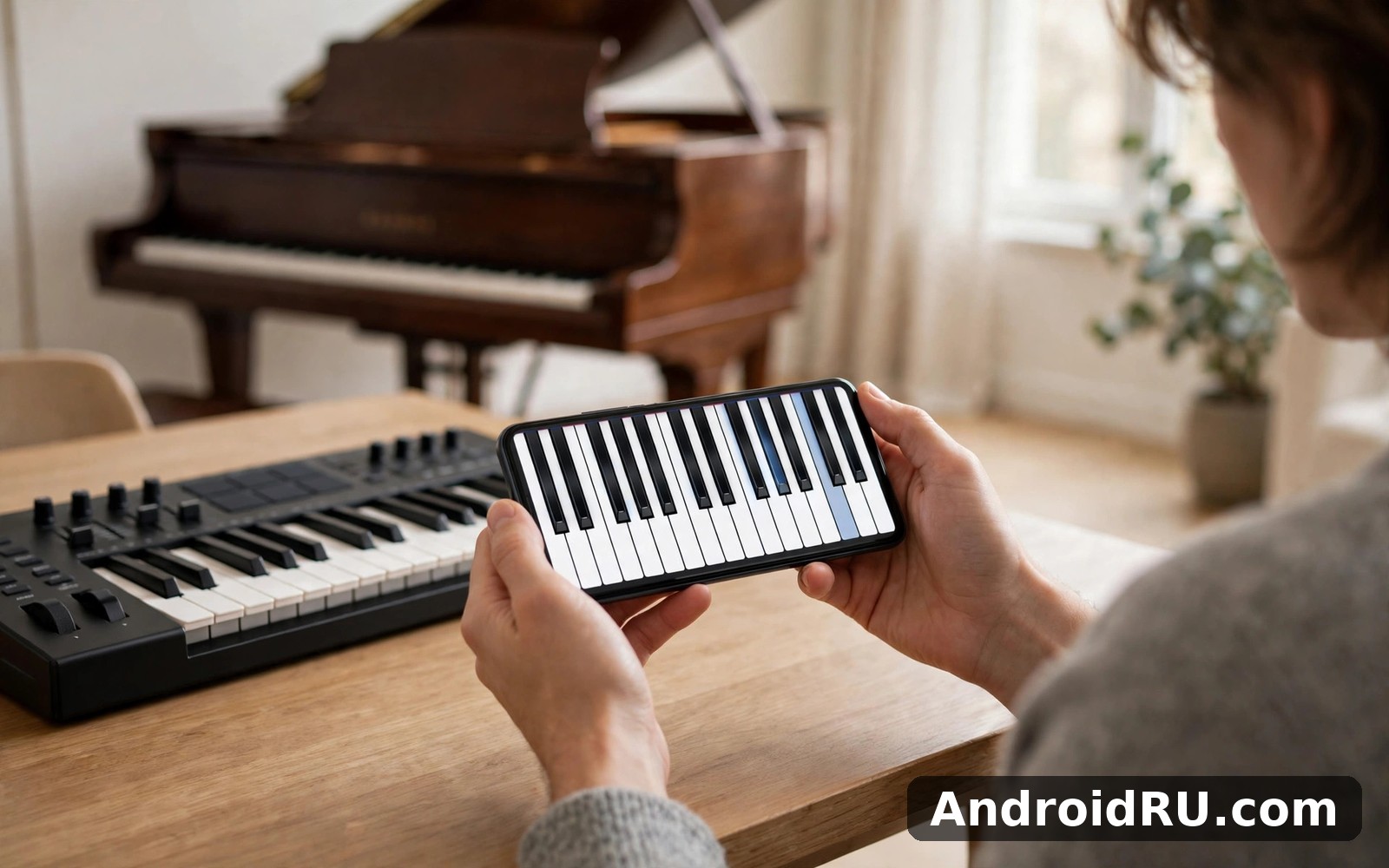
Download APK Grand Piano and Keyboard Latest Feature Review & Version Selection
I am no pianist, and my first attempt sounded like a cat walking across keys. Still, I kept tapping, because the app made it fun to try again. That first session set the tone for everything that followed: a piano on my phone that forgives beginners and rewards short daily practice.
This review answers the two questions in the title. First, what are the latest features actually worth using, and which ones are decoration. Second, how do you pick the right version, because the app comes in more than one edition and the wrong choice wastes either money or patience. I spent a week poking around Grand Piano and Keyboard in short daily sessions, and what follows is what actually held up in normal use.
If you are a beginner who wants to learn tunes, a casual player who enjoys noodling for a few minutes, or a parent looking for a practice tool for a child, this review is aimed at you. Experienced players will find some depth here too, though the app is honest about what it is: a practice piano, not a concert instrument. Start with the basics, judge the core feature for three days, and only then decide about the paid edition.
What Grand Piano and Keyboard actually is on your phone
In plain terms, Grand Piano and Keyboard is a piano keyboard app that puts a playable piano on your phone screen for practice and play. The home screen puts the most useful tools first, and that keeps the app friendly for new users and fast for returning ones. Many people keep it because it fits into a daily routine: open it for a few minutes, play something, and still make progress.
On a mid-range phone, Grand Piano opened quickly and the main actions stayed easy to find. Menus stayed short even after I explored deeper options, and that matters most when you open an app while busy with something else. Battery use stayed modest during my short daily sessions, and I never noticed the app draining power in the background. Longer sessions will use more battery, as any app does, and closing it fully after use kept things tidy on my phone.
Full keyboard layout sized for phone screens
The first thing worth trying is playing a full keyboard layout with keys sized for phone screens. It fits naturally into a first session and you can judge it for yourself at once. The keys are wide enough to hit cleanly with a thumb, and the layout scrolls so you can reach more octaves without shrinking the keys to nothing. On a tablet the same layout feels roomy enough for two hands, which is where the app starts to feel like a real instrument rather than a toy.
That small detail made daily use smoother for me. A keyboard app lives or dies on whether your fingers land where you meant them to land, and this one passes the test for simple tunes. Fast passages with many black keys will still feel cramped on a small phone, and that is a limit of the screen rather than a flaw in the app.
Instrument sounds when piano alone feels flat
Then there is trying different instrument sounds when piano alone feels flat. It takes a minute to grasp and then it stays useful every day. It is the kind of feature you notice most when it is missing. Switching to an organ, strings, or an electric piano changes the mood of a tune without changing the notes, and children in particular love cycling through the sounds to hear the same melody dressed differently.
Sound quality is decent for a phone app: the piano tone is warm enough for practice, and the extra voices are clearly sampled rather than synthesised into a buzz. Do not expect studio-grade samples, and do not judge the app against a digital piano that costs hundreds of dollars. Judge it against the price of a coffee and the fact that it lives in your pocket.
Recording a tune and playing it back
Another part I kept using was recording a short tune and playing it back to hear mistakes. I came back to it more than I expected once I knew where it lived, and once it clicked I stopped thinking about it and just used it. Hearing your own playing from the outside is the fastest way to spot a rushed bar or a note you keep missing, and no amount of staring at the keys teaches that as quickly.
Listening back to catch mistakes
Record a short passage, play it back, and listen for the note that arrives early or the chord that sounds muddy. I found two habits this way in my first week: I rushed the third bar of every tune, and I leaned too hard on my right thumb. Both were invisible while I played and obvious on playback. Keep recordings short, a few bars at a time, so the problem stays small enough to fix.
Saving a recording to practise later
Saved recordings grow over time, and storage use grows with them, so delete old projects or exports you no longer need every few weeks. That small habit keeps the app feeling fast for months. I kept one recording per tune I was learning and deleted the failed takes, which left a tidy list of progress I could actually hear improving.
Guided songs, scales and practice tools in Grand Piano and Keyboard
For longer sessions I liked following simple songs to learn the shape of a melody. It rewards a little patience and then it feels second nature, and it works best when you use it a little and often. The guided mode lights up the next key or shows falling notes, depending on the song, so you learn the shape of a tune before you worry about reading sheet music.
In daily use, Grand Piano rewards short sessions more than long ones. I found a few minutes each day taught me more than one long weekend binge. Small steady use builds familiarity without fatigue, and the app is built for exactly that rhythm: open, play one song or one scale, close, come back tomorrow.
Following songs to learn the shape of a melody
The song library covers the usual ground for beginners: nursery tunes, folk melodies, and a handful of classical pieces simplified for small hands. Each song shows you the notes in order, and you can slow the pace down until the pattern clicks. I learned the shape of two melodies in a week this way, and the slow-tempo option was the feature that made it possible. Playing along at full speed on day one teaches nothing but frustration.
Here is the catch: the free library is smaller than the paid one, and the tunes you want most may sit behind the paid edition. Check the library before you pay, because a library full of songs you never play is not worth the price. The songs included for free are enough to judge whether the guided mode suits you, and that judgement should come first.
Scale practice in short bursts instead of long dull drills
A quieter strength is practising scales in short bursts instead of long dull drills. Try it early so you know whether it suits your routine. I would put it near the top of the list for new users, because scales teach your fingers where the notes live, and that knowledge pays off in every song you learn later. Five minutes of scales before you play a song is a better warm-up than any amount of random noodling.
And finally there is playing along quietly with headphones late at night. It rounds the app out nicely without complicating the main job, and it never got in the way of the main job, which matters. Headphones turn a phone piano into a private practice room, and that privacy is what lets a beginner make ugly sounds without embarrassment while learning.
Latest features review: what changed and what stayed the same
The latest versions of Grand Piano and Keyboard have focused on the everyday experience rather than on a redesign. The home screen puts the most useful tools first, menus stay short, and the recording and playback tools are easier to reach than they used to be. Instrument sounds load faster, and the guided songs run more smoothly on mid-range phones. None of this is dramatic, and that is a compliment: the app was already doing its main job well, and the updates polish the job instead of replacing it.
What has not changed is the core promise. This is still a practice piano with a friendly keyboard, a song guide, and a recorder. It has not grown into a full music studio, and it has not tried to become a social network for musicians. That restraint is a strength, because the main tools stay clear and the app rarely wastes your time. Starting a useful session took seconds rather than a tutorial, and that low barrier is why I would mention it to friends without hesitating.
One honest note about versions: the app does not publish a loud changelog inside the app, so the best way to see what changed is to read the version notes on its official listing before you update. Do not assume a new version changes the sounds or the song list. If a feature seems missing after an update, check the settings screen first, because some features hide behind a toggle you can switch on. Reinstalling may restore the default layout if nothing else works.
Over a longer stretch, the steady progress mattered most. Small wins added up across weeks without any pressure to do more, and that gentle rhythm suits busy people better than a demanding daily grind. People who use Grand Piano every day often mention its reliability first. The core tools behave the same way from one session to the next, and predictability like that builds trust quietly over time.
Version selection: which edition of Grand Piano and Keyboard fits you
Choosing the right version is the second half of this review, and it matters more than most people expect. The free edition is a real piano with real songs, not a demo that stops after one tune. The paid edition adds more songs, more instrument sounds, and removes ads. The table below compares the editions on the points that decide the choice, and prices vary by region, so check the current listing before you pay.
| Edition | Best for | Songs and sounds | Recording | Ads | Price |
|---|---|---|---|---|---|
| Free edition | Beginners testing the app for a week | Core piano sound plus a starter song set | Basic recording and playback | Yes, shown between sessions | Free |
| Paid edition | Regular players who practise most days | Full song library and extra instrument voices | Full recording with saving and sharing | None | One-time purchase or subscription; check the current listing |
| Older versions | Phones that cannot run the newest release | Fewer songs and sounds than the current release | Basic recording, if present | Varies by version | Free, but without recent fixes |
My advice is simple: start free, play for a full week, and only pay if you hit a wall that the free edition puts in your way. If you never open the extra songs, the paid edition buys you nothing. If you practise daily and the ads break your concentration, the paid edition pays for itself in a month of calm sessions. Older versions are a fallback for older phones, not a bargain: they miss the recent fixes, and the core tools in the current free edition are better.
Before you install, check your free storage and your Android version first. That quick check takes less than a minute and it prevents a failed install on a full phone. Grand Piano runs well on most modern Android phones and tablets, and older phones may feel slower, but the core tools still work fine. If your phone is older, close background apps before you start.
How to set up Grand Piano and Keyboard in ten minutes
Install Grand Piano and Keyboard from a trusted source and grant only the permissions that match its main job. If a permission looks unrelated you can deny it at first and add it later. Most settings can change later, so a cautious start costs you nothing. Follow these steps in order and you will be playing your first tune within ten minutes.
- Install the app, open it, and dismiss the welcome tips. Do not read every screen on day one; the keyboard is the lesson.
- Play a few notes with your thumbs to feel the key size. If the keys feel cramped, switch to landscape mode for a wider layout.
- Open the sound menu and try three voices: piano, organ, and one more that catches your eye. Pick the piano as your default and come back to the others later.
- Turn recording on, play a simple tune, and play it back. This one test teaches you where the recorder lives and how your playing actually sounds.
- Open the song guide, pick the easiest song, and set the tempo to slow. Play it through twice before you raise the speed.
- Plug in headphones and check the volume at a low level first. Headphone practice is the habit that lets you play late at night without waking anyone.
- Put the app icon on your home screen where you will see it every morning. Out of sight means out of mind during the first week.
Before you install: storage, version and permissions
Check your free storage and your Android version before you install, and close other apps first if your phone feels slow that day. Saved work inside Grand Piano grows over time, so plan a quick tidy every few weeks. Share personal details only when a feature truly needs them, use a strong password for any account, and sign out on shared devices after you finish. Check the privacy settings during your first week and turn off sharing options you do not want to use. That review takes a few minutes and it gives you more control.
Settings worth changing on day one
Most settings sit together in one settings screen. Open that screen once and read each option slowly. Change only the options that match how you actually use the app: key size, default instrument, recording on or off, and notification settings. Keep alerts few and useful, and leave the rest at the defaults. Defaults are often kinder than a long evening of tweaking, and you can refine things later once habits form.
Pros and cons of Grand Piano and Keyboard
After a week of normal sessions, the strongest impression was how easy it felt to return to each day. The main strength of Grand Piano is its focus on one job done well: it avoids stuffing unrelated tools into every corner, and that focus helps busy users get value fast. Here is the honest balance, the same way I would explain it to a friend.
Full-size playable keyboard is the first strength: keys sized for thumbs, a layout that scrolls across octaves, and a layout that feels roomy on a tablet. The second strength is the guided song mode with slow tempo, which turns a tune you cannot play into a tune you can learn in a week. The third strength is recording and playback, which catches mistakes your ears miss while you play. A fourth strength is the headphone-friendly design, which turns late-night practice into a private habit instead of a household argument.
The cons are honest too. Advanced options take a little learning, and new users should expect a short learning curve there, though that curve fades with practice and it never blocked the basics for me. The free song library is smaller than the paid one, and the tune you want most may sit behind the paid edition. Finally, a phone screen is still a phone screen: fast passages with many black keys feel cramped, and no setting fixes the size of your thumbs.
Who Grand Piano and Keyboard fits best
Grand Piano suits beginners who want to learn tunes and casual players who just enjoy noodling. Beginners can start with the basic features and learn as they go, and experienced users can still find depth in the advanced options. It also fits parents who want a quiet practice tool for a child, and anyone who wants a five-minute musical break in a busy day. If you want a tool that does one job well, Grand Piano is worth a look.
Who should look elsewhere
You should skip Grand Piano if you only need its main job once in a blue moon, because a single use rarely justifies a new app on your home screen. A web search or a built-in tool may serve that one moment better, and that honesty saves you a download you will delete within days. Serious students who need full-size keys, weighted action, and sheet-music reading should look at a real keyboard or a dedicated learning platform instead. If you want many unrelated tools in one place, you may prefer a different app, because this one stays focused on its main job.
Troubleshooting Grand Piano and Keyboard: common problems and fixes
If Grand Piano will not open, restart your phone and try again. A restart fixes many temporary problems on Android phones, and if trouble continues, check for an app update. If a feature seems missing, check the settings screen first, because some features hide behind a toggle you can switch on. Work through the fixes below before you reinstall, because reinstalling wipes your saved recordings and settings.
No sound when I press the keys
Check the obvious causes first: the phone volume, the silent mode switch, and whether headphones are connected. Then open the app settings and confirm the instrument volume is up and the sound is not muted inside the app. If sound works in other apps but not here, force-stop Grand Piano, clear its cache from Settings, then Apps, then Grand Piano, then Storage, and open it again. If the problem started after an update, check the version notes on the listing, because a new release sometimes moves the sound toggle.
The app will not open or keeps crashing
Restart the phone, then check that you have free storage: a full phone stops apps from opening in strange ways. If the crash continues, check for an update, because the fix for your crash may already be published. Clear the cache before you clear data, because clearing data wipes your saved recordings. Only reinstall as a last step, and only after you have saved any recording you care about.
Keys feel laggy or notes arrive late
Lag usually comes from a busy phone rather than from the app. Close background apps, especially games and video apps, and try again. Older phones may feel slower, but the core tools still work fine, and a short session after a restart usually feels better than a long session on a tired phone. If lag appears only with one instrument sound, switch back to the plain piano voice, which is the lightest sound in the app.
When reinstalling actually helps
Reinstalling helps when the layout is broken, a feature vanished after an update, or the app crashes on every launch even after a restart and a cache clear. Before you reinstall, note your settings on paper or in a short phone note, because you will set them up again. Keep a note of settings that work well for you: that note saves time when you set the app up on a new phone, and small careful changes beat a big reset every time.
Apps that scratch the same itch as Grand Piano and Keyboard
If you enjoy playing music on your phone, Real Guitar Acoustic Electric is a natural next app to try. People who like playing music on your phone also tend to enjoy Real Percussion Drum Set. Both sit happily beside Grand Piano on a phone without fighting for your attention, and comparing two apps briefly often clarifies what you actually value most. Fish Audio covers similar ground from a different angle, and if Grand Piano leaves you wanting a little more variety, it is a sensible place to look next.
Frequently asked questions about Grand Piano and Keyboard
What is the best version of Grand Piano and Keyboard for beginners?
The free edition is the best version for beginners, because it includes the full keyboard, the core piano sound, a starter set of guided songs, and basic recording. Play it for a full week before you judge it, and only move to the paid edition when you hit a specific wall, such as a song you want that sits behind the paywall or ads that break your concentration. A week of short sessions shows the real rhythm of an app, and a single rushed evening rarely tells the whole story.
How do I record a song in Grand Piano and Keyboard?
Open the app, turn recording on from the main screen or the settings screen, and play your tune. When you finish, stop the recording and it appears in your saved list, where you can play it back, rename it, or delete it. Keep recordings short while you learn, a few bars at a time, so each playback points at one fixable problem instead of a whole song of mistakes.
Can I use Grand Piano and Keyboard with headphones?
Yes, and headphones are the best way to practise. Plug them in before you start, keep the volume low at first, and play as late as you like without disturbing anyone. Bluetooth headphones work too, though a wired pair gives slightly lower delay, which matters when your fingers and your ears need to agree on timing.
Does Grand Piano and Keyboard work offline?
The core piano, the sounds you have already loaded, and your saved recordings work without a connection, which makes it a good travel companion. Some features, such as fetching new songs or checking for updates, need a connection. If you plan to practise on a flight or in a dead zone, open the songs you want once while you are still online so they are ready when you are not.
My verdict on Grand Piano and Keyboard
You will not become a concert pianist from a phone screen. You might rediscover how much fun simply playing can be, and that is a fair trade for a free app and five minutes a day. After a week with Grand Piano, the novelty fades and the real test begins: does the app still earn its place on your home screen. For me, the answer depended on whether I reached for it without thinking, and that unconscious reach is the best sign an app fits your life.
I kept a tiny note of what I used Grand Piano for each day. The list stayed short and honest, and it showed a clear pattern: most days I used one core feature and ignored the rest. That pattern told me the app was doing its main job well. Extras are nice to have, but they rarely decide whether an app stays installed. Friends asked me whether Grand Piano was worth installing after they saw it on my phone, and I told them to try the core feature for three days first. Three days is long enough to feel the rhythm and short enough to quit without guilt, and that advice worked better than any feature list I could recite.
My verdict is warm and practical. Start with the free edition, give it a full week of short sessions, and judge it on your calendar rather than on a first impression. You should keep Grand Piano if its main job shows up in your week again and again, because repeated small needs add up to real value over months. When you are ready, open Click here to download the Grand Piano and Keyboard app and give it a proper try. If you want to try a similar tool, Click here to download the Real Guitar Acoustic Electric app. You can also Click here to download the Real Percussion Drum Set app when you are ready to compare it with this one.

