

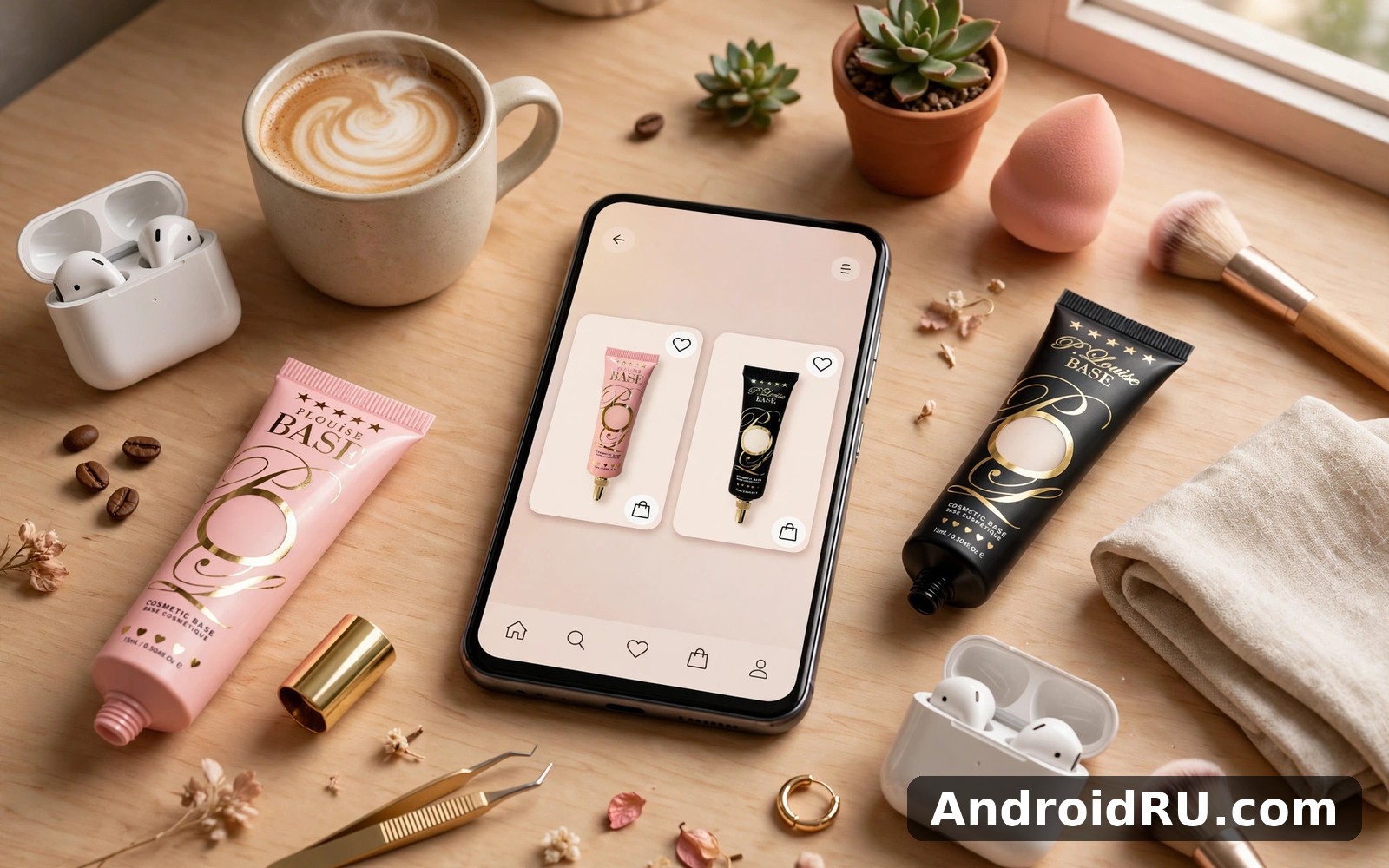
Download APK P Louise Cosmetics Latest Updates, Main Benefits & App Review
I first opened the P Louise Cosmetics app on a quiet Sunday morning, coffee in hand, because a friend had spent twenty minutes telling me about an eyeshadow base she swore by and I wanted to see what the fuss was about. The home screen loaded with new collections, a shade finder, and a basket that remembered what I had looked at the day before, and within ten minutes I understood why this small British beauty brand has such a loyal following.
This review covers the whole picture: what the brand is, how the app works, how to pick the right shade without wasting money, the real benefits of shopping through the app instead of a browser, the latest updates and collections, and an honest comparison with other beauty shops. I tested the app on my own phone over several weeks, browsing collections, saving shades, and following orders, so the notes below come from real use rather than a press release.
If you already love P. Louise products, the app is an easy recommendation. If you are new to the brand and wondering whether it is worth your time, read the shade guide and the comparison table first, because those two sections will answer most of your questions in a few minutes.
What P Louise Cosmetics Is and How the Brand Grew
P. Louise is a British beauty brand founded by makeup artist Paige Williams, and it grew the way the best modern beauty brands grow: through social media, honest tutorials, and products that solve a real problem for real people. Williams built her audience by teaching makeup in plain language, showing her own face, her own mistakes, and her own fixes, and that teaching style still shapes the brand today. The products feel like they were designed by someone who actually wears makeup every day, because they were.
The brand became widely known for its eyeshadow bases, especially the shade called Rumour, a pale base that makes eyeshadow colours look brighter and last longer on the lid. From there the range grew into lip products, face products, brushes, lashes, and limited collections built around a theme or a season. The app brings that whole catalogue together in one place, with the same friendly tone the brand uses on its social channels.
What sets P. Louise apart from a big department beauty counter is the sense of community. Customers talk to each other, share looks, and tell the brand what they want next, and the brand listens in a visible way. New shades and collections often arrive because customers asked for them, and that loop between the brand and its buyers is a large part of why people stay loyal.
Paige Williams and the story behind the brand
Paige Williams started as a makeup artist and educator, and the brand carries that teaching background in everything it does. Product pages explain what a product is for, how to apply it, and who it suits, instead of leaving you to guess from a shade name. Tutorials show the product on different skin tones, which matters far more than a studio photo of a single model.
That background also explains the pricing. P. Louise sits in the affordable to mid-range bracket, with most single products priced for everyday buyers rather than collectors, and bundles that make trying a full look cheaper than buying each piece alone. Check the current listing before you buy, because prices move with promotions and new collections, and a bundle that looks expensive today may be discounted next week.
The Rumour eyeshadow base and why it made the brand famous
The eyeshadow base known as Rumour is the product most people meet first, and it is worth understanding what it actually does. It is a creamy base applied to the eyelid before eyeshadow, and it does three things: it makes colours appear brighter, it stops shadow from creasing through the day, and it gives shimmer shades something to grip onto. A pale base also changes how a colour reads on deeper skin tones, which is why the brand later added base shades in a wider range of tones.
I tested Rumour with a matte brown and a shimmer gold on one eye, and the same shadows without a base on the other eye, and the difference was visible within an hour. The based eye kept its colour and its shimmer, while the other eye faded at the edges. That small test told me more than any product description could, and it is the test I suggest to anyone who doubts whether a base is worth buying.
Inside the P Louise App: Catalogue, Shades and Shopping Tools
Open the app and the first thing you see is the catalogue, organised by category: eyes, lips, face, brushes, lashes, and collections. Each product page shows photos, shade options, a description of what the product does, and how other customers rated it. The photos are clear and the shade names are plain, which sounds basic, yet many beauty apps still hide the shade you want behind three taps and a tiny swatch.
Navigation is simple enough that I found what I wanted on the first visit without a tutorial. The search bar handles product names and shade names, the category list narrows the range fast, and the basket stays visible so you can check your total before you commit. That sounds like table stakes for a shopping app, and it is, but the number of beauty apps that get it wrong is surprisingly high.
Product categories and how to browse them without getting lost
Start with one category and one purpose. If you want an eyeshadow base, open the eye category, filter by base, and compare two or three shades instead of scrolling through the whole catalogue. If you want a full look, open a collection page, because collections group products that were designed to work together, and buying a collection saves the guesswork of matching a lip colour to an eye look.
The app also groups products by new arrivals and by best sellers, and both lists are useful in different ways. New arrivals show what the brand is excited about right now, while best sellers show what customers keep buying again, and the overlap between the two lists is usually where the safest purchases live.
The shade finder and how it helps you choose
The shade finder asks a few simple questions about your skin tone and the look you want, then suggests shades that fit. It is a guide, not a guarantee, and I treat its suggestions as a shortlist rather than a final answer. The tool is most useful for bases and foundations, where the wrong shade is expensive to fix, and less critical for a lip colour, where a shade slightly off your plan can still look good.
One habit that saved me money: when the finder suggests two shades, save both to your wishlist and compare them in daylight against your jawline before you buy. A shade that looks perfect under shop lighting can look wrong at home, and the wishlist gives you time to think instead of buying in a hurry.
Wishlist, basket and order tracking in one place
The wishlist is the quiet hero of this app. Save a product, come back a week later, and it is still there with its price and shade, so you can watch for a promotion instead of buying on impulse. I keep a short wishlist of three or four items and review it once a week, removing anything I no longer want, which keeps the list honest and the spending under control.
The basket works as you would expect, with quantity controls and a running total, and order tracking shows where your parcel is after you buy. Tracking will not make a parcel arrive faster, but it removes the guesswork, and I check it once a day rather than refreshing it every hour, which is better for my patience and identical for the parcel.
How to Choose the Right Shade in the P Louise App
Shade choice is where most beauty purchases go wrong, and it is where the app earns its keep. A wrong base shade can make your whole eye look off, and a wrong lip shade can sit in a drawer for a year. The steps below are the method I use now, and they cut my wrong-shade purchases to almost none over the last few months.
-
Find your undertone first. Look at the veins on your wrist in daylight: blue or purple veins usually mean a cool undertone, green veins usually mean a warm undertone, and a mix usually means neutral. Write it down, because you will use it for every shade decision.
-
Use the shade finder as a shortlist. Answer its questions honestly, note the two or three shades it suggests, and ignore any suggestion that clashes with your undertone.
-
Compare shades on your own skin, not on a model. Look for customer photos and reviews from people with a skin tone close to yours, because a shade on a model with different colouring tells you little.
-
Check the finish, not just the colour. A matte shade and a shimmer shade with the same name can look like different colours on the lid, so read the finish in the description.
-
Save before you buy. Put the shade in your wishlist for a day, then look at it again with fresh eyes before you move it to the basket.
Undertone checks you can do at home in two minutes
Besides the vein test, try the jewellery test: silver usually flatters cool undertones and gold usually flatters warm undertones, while neutral undertones suit both. Try the white test too: hold a plain white cloth near your face in daylight and see whether your skin looks pinkish or yellowish next to it. None of these tests is perfect alone, but when two of them agree, you have a reliable answer, and that answer guides every base and foundation choice you make.
Swatch tips that prevent the most common shade mistakes
Swatch on your jawline or your inner wrist, never on the back of your hand alone, because the skin on your hand is often a different tone from your face. Blend the swatch fully, wait a minute for it to settle, and look at it in daylight rather than under a bathroom bulb. A shade that disappears into your skin when blended is a match, a shade that leaves a visible line is not, and a shade that looks right only in one light will disappoint you outdoors.
What to do when two shades both look right
Pick the lighter one for a base and the deeper one for a lip colour, as a rule of thumb. A base that is slightly light can be corrected with shadow on top, while a base that is too deep changes every colour you put over it. For lips, a deeper shade is more forgiving than a pale one that washes you out, and you can always sheer it out with a balm.
When to ask for help instead of guessing
Ask when you are buying a base for the first time, when your skin tone has changed with the seasons, or when two shades look identical on screen and you cannot tell them apart. The brand answers questions on its social channels and through customer support, and a short question there is cheaper than a wrong purchase. I asked once about a base shade for a friend with a deeper skin tone, and the answer arrived the same day with a clear suggestion.
Main Benefits of Shopping Through the P Louise App
The app is not just a smaller version of the website. It adds a few things that genuinely change how you shop, and those are the benefits worth naming, because they are the reason to install it instead of opening a browser tab each time. The biggest one is continuity: your wishlist, your basket, and your order history live in one place, on the device you carry, so a product you saved on Tuesday is still there on Saturday.
Notifications are the second benefit, and they work best when you keep them narrow. Turn on alerts for restocks and new collections, and turn off everything else. A restock alert for a shade you wanted is useful information, while a daily promotion alert is noise, and the app lets you choose between the two in the notification settings.
Early access is the third benefit, and it matters most for limited collections. App users often see new drops and limited shades before they sell out, and for a popular collection that can be the difference between getting the shade you wanted and finding it gone. I missed one limited lip shade by waiting a day, and I have not waited since.
Exclusive app offers and how to spot a real bargain
App offers usually take three forms: a percentage off a category, a bundle price for a set, or a free gift with a minimum spend. A real bargain is one where the discount applies to something already on your wishlist, while a false bargain is a discount that pushes you to buy something you did not want. My rule is simple: if it was not on my list yesterday, a discount today does not make it a need.
Check the current listing before you buy, because offers change with seasons and collections, and a bundle that is good value this week may be replaced by a better one next week. The app shows the offer terms on the product page, so read them there rather than trusting a headline.
Why the app beats a browser tab for regular buyers
For a one-off purchase, a browser tab is fine. For a regular buyer, the app wins on three small things that add up: saved shades, faster checkout, and order history that makes reordering a two-tap job. I reordered my base in under a minute from the order history, while the same purchase in a browser would have meant searching, picking the shade again, and typing my details. Those saved minutes matter when you shop often, and they are the practical reason the app stays on my phone.
That said, the app is not perfect, and the honest review later in this article names its limits. The point here is narrower: for someone who buys P. Louise products more than twice a year, the app pays for its space on the home screen.
Latest Updates and New Collections to Watch
P. Louise releases new collections through the year, often built around a season, a colour story, or a collaboration, and the app is the fastest place to see them. A collection usually includes a mix of eyeshadow palettes, lip products, and a base shade or two, so you can build a whole look from one drop. The app lists new arrivals at the top of the home screen, and the product pages for a new collection explain the theme, which helps you decide whether the whole set suits you or only one piece does.
Updates to the app itself arrive more quietly: a smoother checkout, a clearer shade display, or a fix for a basket that lost items. I notice these changes most when something that annoyed me last month suddenly works, and the honest truth is that I rarely read the update notes, I just feel the difference in daily use. Check the current listing if you want the newest build, and update before a big collection drop so you are not updating while everyone else is buying.
Limited editions and why they sell out fast
Limited editions sell out because the quantities are genuinely small and the audience is large and organised. Fans share drop times, set reminders, and buy within minutes, so a popular shade can be gone before lunchtime. If a limited shade matters to you, save it to your wishlist before the drop, turn on the restock and new collection alerts, and check the app at the announced time rather than hoping it will still be there in the evening.
If you miss a limited shade, do not pay an inflated resale price in a panic. Limited shades often return in a later collection or in a slightly different form, and the brand has brought back popular items before when demand was clear. Waiting a few weeks costs nothing and often pays off.
Restocks: how to catch a shade you missed
Restocks happen without much warning, which is why the wishlist matters. When a shade you saved comes back, the app can tell you, and that alert is worth more than checking the catalogue every day. I keep my wishlist short on purpose, with only the shades I actually intend to buy, so the alerts I get are the ones I care about and I do not learn to ignore them.
How to set a restock alert that actually reaches you
Save the product to your wishlist, allow notifications for restocks in the app settings, and check that your phone has not silenced the app in the system settings. An alert that arrives silently in a notification tray you never open is no alert at all, so test it once with a product that is already in stock and confirm the message appears.
Seasonal collections and when to buy them
Seasonal collections are best bought early if you want the full shade range, and best bought late if you want a discount, because the last pieces of a seasonal set are often reduced once the next season arrives. Decide which matters more to you before the drop: the exact shade, or the price. You can rarely have both, and knowing your priority in advance stops a rushed decision.
P Louise vs Other Beauty Shops: A Head-to-Head Comparison
No beauty brand exists alone, and P. Louise is best understood next to the other places people buy makeup. The comparison below is honest: each option has real strengths, and the right choice depends on whether you want one brand done deeply, or many brands under one roof, or a bargain above all else.
| Beauty shop | Range | Price level | Best for |
|---|---|---|---|
| P Louise Cosmetics | Single brand, deep range | Affordable to mid-range | Fans of the brand and its bases |
| Ulta Beauty | Many brands, huge range | Budget to luxury | One basket with many brands |
| Sephora | Many brands, curated range | Mid-range to luxury | Premium brands and samples |
| Purplle | Many brands, value focus | Budget to mid-range | Value hunting and Indian brands |
| Boots | Many brands plus pharmacy | Budget to mid-range | Everyday shopping with points |
| Superdrug | Many brands, value focus | Budget to mid-range | High street value and offers |
The table makes the trade-off plain. P. Louise wins on depth within its own brand: nobody else sells its bases, its collections, or its limited shades, and the app is the best place to get them first. Ulta and Sephora win on breadth, because one basket can hold five different brands, which suits a buyer who is still exploring. Purplle, Boots, and Superdrug win on value and convenience for everyday items, especially when a loyalty offer or a local branch makes the purchase easy.
My verdict by use case is straightforward. If you already know you want P. Louise products, buy them in the P Louise app and use the shade tools there. If you are comparing brands or building a routine from scratch, start at Ulta or Sephora, try samples, and then come back to P. Louise for the pieces you loved. If you want more beauty apps to compare, Purplle Online Beauty Shopping is a natural next app to try, and Ulta Beauty Makeup Skincare covers both worlds in one place, while Makeup Stylist Makeup Game lets you experiment with styles for fun before you spend money on real products.
Features, Pros, Cons and Who It Is For: An Honest Review
After several weeks of browsing, saving, and buying through the app, my view is positive with clear limits. It is a well-made single-brand shopping app that does its core job, helping you find and buy the right shade, better than most multi-brand apps do. It is not a replacement for a big beauty retailer, and it does not try to be.
Features worth knowing before you install
-
Full catalogue by category, with shade options, photos, and customer ratings on each product page.
-
Shade finder that suggests base and colour shades from a few simple questions about your skin tone.
-
Wishlist that keeps saved products, shades, and prices so you can wait for a promotion.
-
Basket and order tracking in one place, with a running total before checkout.
-
New collection alerts and restock notifications you can switch on or off by type.
Pros: what the app does well
-
Shade guidance is genuinely useful, with a finder, customer photos, and reviews from real buyers.
-
New collections and limited shades appear in the app early, which matters when quantities are small.
-
Wishlist and order history make reordering a base or a favourite lip shade a two-tap job.
-
The tone is friendly and educational, with tutorials and advice that suit beginners as well as regulars.
Cons: where the app strains
-
Single-brand range means you cannot compare other brands side by side without leaving the app.
-
Shade accuracy still depends on your screen and your lighting, so a shade can look different in person.
-
Limited editions sell out quickly, and the app cannot fix the frustration of missing a drop.
Who it is for
This app is for people who already buy P. Louise products, for makeup beginners who want clear guidance on shades and application, and for collectors who follow new drops and limited editions. It is less suited to buyers who want to compare ten brands at once, or who prefer to test every shade in a physical shop before buying. If you are in the second group, use the app to research and shortlist, then test in person where you can, and buy the shades you have already checked.
Frequently Asked Questions About P Louise Cosmetics
What is P Louise Cosmetics best known for?
The brand is best known for its eyeshadow bases, especially the shade Rumour, which brightens eyeshadow colour and helps it last longer on the lid. It is also known for affordable, beginner-friendly makeup and for limited collections that sell quickly. The brand was founded by makeup artist Paige Williams in the UK.
How do I choose the right base shade in the app?
Find your undertone first with the vein test in daylight, use the shade finder as a shortlist, and compare customer photos from people with a similar skin tone. Save two candidate shades to your wishlist, then check them against your jawline in daylight before you buy. A shade that disappears when blended is a match, and a shade that leaves a line is not.
Can I track my order in the P Louise app?
Yes, the app shows order tracking after you buy, so you can see where your parcel is without opening an email or a courier site. Tracking updates as the parcel moves, and the order history in the app keeps a record of what you bought, which makes reordering the same shade quick and simple.
Is the P Louise app better than buying on the website?
For regular buyers, yes, because the app keeps your wishlist, basket, and order history in one place, and it can alert you to restocks and new collections. For a one-off purchase, the website works just as well, and the choice comes down to whether you want alerts and saved shades or a single quick purchase.
Why did a limited shade sell out so fast?
Limited shades are made in small quantities and the audience is large and organised, with fans sharing drop times and buying within minutes. Save the shade to your wishlist before the drop and turn on new collection alerts, and if you miss it, wait before paying a resale price, because popular shades often return in a later collection.
When you are ready to give the app a proper try, use the link below. It takes you straight to the P Louise page on AndroidRU. Click here to download the P Louise Cosmetics app I suggest starting with the shade finder, saving two shades to your wishlist, and checking them in daylight before you buy, because that one habit saves more money than any discount. For a second option, Click here to download the Purplle Online Beauty Shopping app, and for a multi-brand comparison, Click here to download the Ulta Beauty Makeup Skincare app. The lasting lesson from my weeks with this app is simple: a shade chosen slowly, in daylight, beats a shade chosen quickly under bright lights, every single time.

