

Best Offline Casual Games to Play with One-Handed Controls
One thumb, one hand free, and a game that never asks for more. That is the quiet promise of a good casual title. You can play it on a crowded bus, in a queue, or on the sofa with a cup of tea in the other hand. No second thumb, no headset, no connection needed. Just a short session that ends when you say so.
This guide covers nine titles that work well with a single thumb and no internet connection. Each one is judged on the same points: how natural the one-thumb controls feel, how honest the offline play is, how fair the progression is, and how well a five-minute session satisfies. You will also find a comparison table, tips for picking the right title, and answers to the questions players ask before installing anything.
The genre suits almost everyone. Commuters, parents, night-shift workers, and anyone who wants a calm break from fast, demanding games will find something here. Start with one title, learn its rhythm, and let the rest of the list wait until you know what you enjoy.
What Makes a One-Thumb Game Work Offline
A strong one-thumb game is built around a single gesture. Tap to jump, swipe to turn, hold to glide. The gesture is easy to learn, the timing is the skill, and the challenge grows by changing the level, not by adding buttons. That simplicity is what makes the genre feel relaxing rather than demanding.
Offline play matters just as much. A game that works without a connection respects your time and your data. It loads fast, saves progress on the device, and never locks the first level behind a login screen. The best titles in this guide do all of that, and they stay fun for months without a single online event.
Thumb Reach and Button Placement
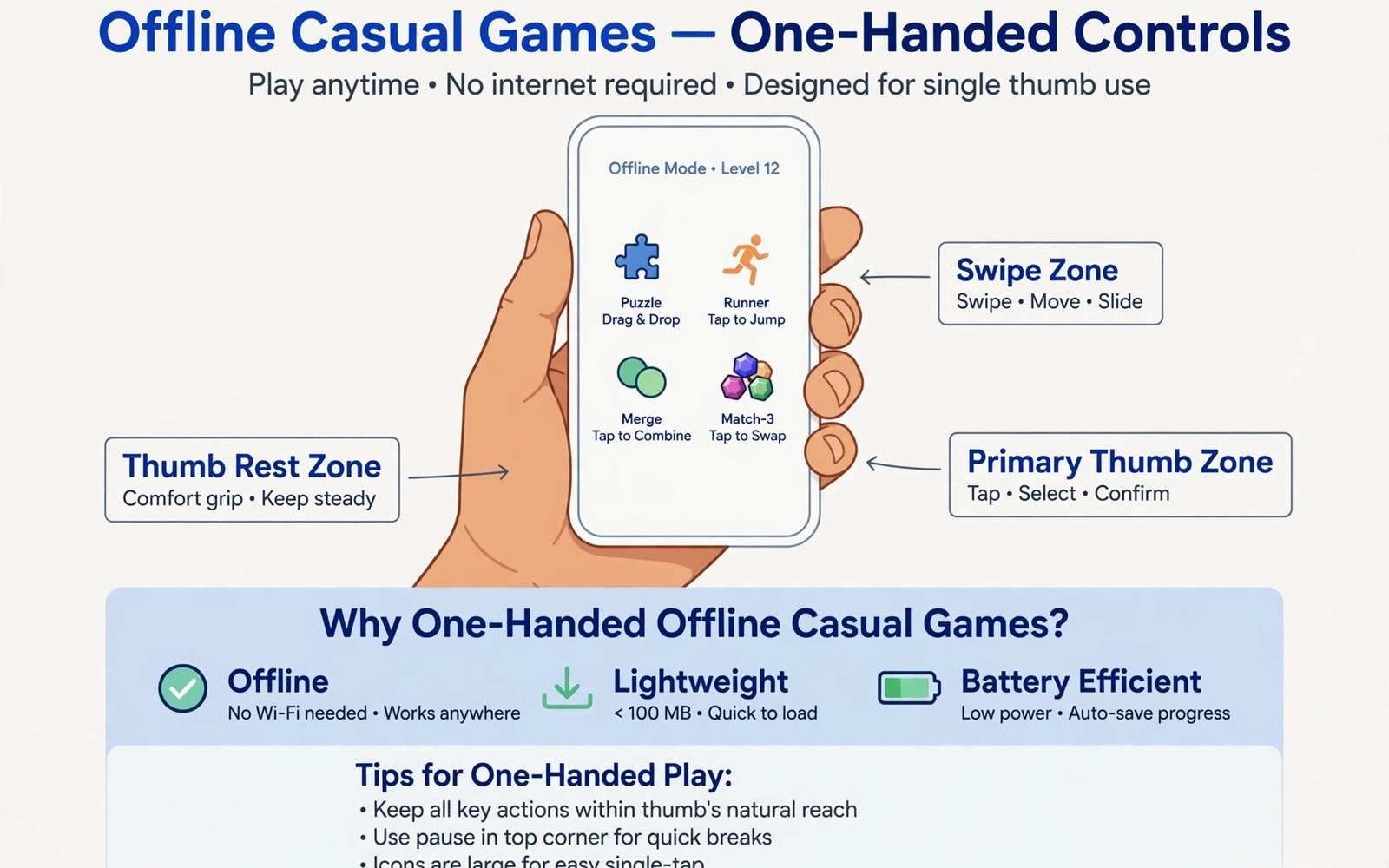
Good design puts the main control near the bottom of the screen, where your thumb already rests. Buttons that sit at the top force a stretch, which tires the hand and causes mistakes. The titles below keep the action low and the menus simple, so a phone held in one hand feels natural from the first minute.
Short Sessions That Save Cleanly
A casual session should end cleanly whenever life interrupts. The game should save your place, remember your progress, and let you resume in seconds. That reliability is easy to overlook until a game loses your progress, so it is worth checking early. Play one level, close the game, reopen it, and confirm that everything is still there.
How to Test a Game With One Hand Before Committing
Hold the phone in your usual hand, play three levels, and notice three things: does your thumb reach the control without stretching, does the game respond to a light tap, and can you pause with one finger. If any of those feels awkward, try the settings for button size or layout before giving up. A small adjustment often fixes a big annoyance.
The 9 Best Offline Casual Games for One-Handed Play
The nine titles below cover different moods: gliding through deserts, dodging traffic, stacking towers, slicing fruit, and solving quiet puzzles. All of them work with one thumb and play well without a connection. Read the verdicts, then try the one that matches your mood today.
1. Alto’s Odyssey
Alto’s Odyssey is a graceful endless sandboarding game set across dunes, canyons, and ancient temples. You tap to jump, hold to backflip, and chain tricks across slopes that shift with the light. The art is warm and calm, the music is gentle, and the whole game feels like a slow breath rather than a race. Goals give structure, but there is no fail state that punishes a relaxed run.
A fine pick for players who want beauty and calm in a short session. It is a fine pick for evenings, for winding down, and for anyone who finds fast arcade games stressful. The controls are a single touch, and the game saves progress cleanly between runs.
Pros:
- Gorgeous art and sound that make short sessions feel restful
- One-touch controls that anyone can learn in a minute
- Goals and photo mode add gentle long-term aims
Cons:
- The pace can feel slow for players who want a challenge
- Some later goals demand precise trick timing
- New areas arrive slowly across a long playthrough
Verdict: Reach for this first if you prefer the calmest game on this list, one that turns five minutes into a small holiday.
2. Crossy Road
Crossy Road is a cheerful arcade hopper where you tap to move a character across roads, rivers, and train tracks, one step at a time. The rule is simple: keep moving, avoid traffic, and collect coins for new characters. The blocky art is charming, the characters range from a chicken to a wizard, and each run lasts a minute or two.
This one suits players who like quick, funny sessions with a clear risk in every step. It is easy to learn, hard to master, and perfect for a queue or a commute. The single-tap control is the whole game, which makes it a textbook one-thumb title.
Pros:
- Instant fun with a single tap to move
- Huge cast of collectable characters to earn
- Short runs that fit any gap in the day
Cons:
- Progress can feel random when traffic timing is unkind
- Ads appear between runs in the free version
- Later characters take a long time to earn
Verdict: Pick this if you are looking for a light, funny game that you can start and stop in seconds, with no learning curve at all.
3. Stack
Stack by Ketchapp is a minimalist tower game with one rule: tap to drop each moving block onto the tower, and keep the tower growing. A perfect drop keeps the block full size. A sloppy drop trims the edges, and the tower gets narrower with every mistake. The visuals are clean, the colours shift as you climb, and the tension rises quietly.
It fits players who enjoy focus and precision in a tiny package. It is the smallest game on this list in spirit, and it asks for nothing more than good timing. A single thumb, a steady eye, and a few spare minutes are all you need.
Pros:
- Perfect one-tap timing test with no clutter
- Clean visuals and a calm, focused mood
- Tiny install that runs well on any phone
Cons:
- Very little variety beyond the core loop
- High scores can feel out of reach after a while
- No story or progression beyond the tower
Verdict: Choose this when you are after the purest timing game here, one that turns a single tap into a genuine skill test.
4. Fruit Ninja
Fruit Ninja by Halfbrick is a slicing arcade classic: fruit flies up the screen, and you swipe through it with one finger. Bombs must be avoided, combos earn bonuses, and modes range from a relaxed classic run to a timed arcade rush. The motion is satisfying, the feedback is instant, and a session can last two minutes or twenty.
A good match for players who want active, physical fun without learning complex controls. It works well for short bursts, for stress relief, and for anyone who likes a clear score to beat. One finger does everything, which keeps it firmly in one-thumb territory.
Pros:
- Instantly satisfying swipe controls
- Several modes for relaxed or timed play
- Clear scoring that invites one more run
Cons:
- Classic mode ends on a single mistake, which can frustrate
- Later content leans on in-app purchases
- Repetitive after long sessions without a break
Verdict: Go for this if you fancy a lively, hands-on game that turns a spare minute into a flurry of satisfying swipes.
5. Subway Surfers
Subway Surfers by SYBO is an endless runner where you swipe to dodge trains, jump barriers, and slide under obstacles while collecting coins. The character runs automatically, so your job is timing: swipe left, right, up, or down at the right moment. Power-ups such as the jetpack and the hoverboard add variety, and the city themes change with each season.
Ideal for players who like speed and colour in a casual package. It is one of the most played mobile games for a reason: the loop is simple, the pace is exciting, and a run can end in seconds or stretch into minutes. Swipes are big and forgiving, which helps one-thumb play.
Pros:
- Fast, colourful endless running with simple swipes
- Regular themed updates keep the scenery fresh
- Power-ups and hoverboards add variety to runs
Cons:
- Needs quick reactions, which can tire the thumb
- Offline play covers the core game but not every event
- Coins and keys can tempt spending over time
Verdict: Try this if you prefer the most energetic title on this list, with swipes that feel natural even on a crowded train.
6. Temple Run 2
Temple Run 2 by Imangi Studios is the sequel to the endless runner that defined the genre. You flee from a temple guardian along cliffs, mines, and rivers, swiping to turn, jump, and slide. The paths twist, the speed rises, and the coins and gems you collect feed upgrades that make each run last a little longer.
Best for players who enjoy a chase with real stakes. The controls are the same simple swipes as other runners, but the scenery and the speed give it a distinct thrill. It is a good pick for anyone who tried the original years ago and wants a polished return.
Pros:
- Polished endless running with varied scenery
- Simple swipe controls that suit one hand
- Upgrades give long-term goals beyond high scores
Cons:
- Difficulty ramps up quickly for new players
- Some upgrades take many runs to afford
- Occasional ads between runs
Verdict: Start with this if you are looking for a classic runner with a sense of adventure, and you enjoy chasing a high score through changing scenery.
7. Monument Valley
Monument Valley by ustwo games is a quiet puzzle game built around impossible architecture. You guide a small princess through structures that twist, fold, and rotate, tapping to move her and dragging parts of the world to open a path. The art is striking, the sound is gentle, and each level feels like a small piece of design to admire.
A strong choice for players who want a thoughtful, beautiful game rather than a score chase. It is the most artistic title on this list, and it works perfectly with one thumb, since every action is a tap or a slow drag. It is also a fine gift-style game to recommend to someone new to mobile puzzles.
Pros:
- Beautiful impossible architecture in every level
- Calm, thoughtful puzzles with no timers
- Tap and drag controls that suit one hand perfectly
Cons:
- Short campaign that ends sooner than many players want
- Puzzles are gentle, so challenge seekers may want more
- Expansions cost extra beyond the base game
Verdict: Take this when you are after the most beautiful game here, one that treats a puzzle as a place to wander rather than a test to pass.
8. 2048
2048 is a number puzzle where you swipe tiles on a small grid to combine matching numbers, aiming to reach the tile numbered 2048. Each swipe slides every tile, a new tile appears, and the board fills up fast if you play carelessly. The rules take a minute to learn, and the strategy takes weeks to refine.
Suited to players who like pure thinking with no timer and no noise. It is the most portable game on this list, since a board fits on any screen and a move takes a second. It is a fine pick for waiting rooms, queues, and quiet moments before sleep.
Pros:
- Pure puzzle with simple swipe controls
- No timers, no pressure, and tiny install size
- Deep strategy hidden behind simple rules
Cons:
- Minimal presentation can feel plain next to richer games
- A bad run can end with no way back
- No progression beyond the board itself
Verdict: Select this if you fancy a brain teaser that respects your time, fits in any spare minute, and never needs a connection.
9. Candy Crush Saga
Candy Crush Saga by King is a match-three puzzle where you swap adjacent candies to make lines of three or more, clearing boards across thousands of levels. Special candies, boosters, and varied level goals keep the formula fresh, and the bright art makes each board easy to read at a glance.
Made for players who want a familiar, friendly puzzle with endless content. It is the most played match-three game for a reason, and its single-thumb swapping works anywhere. It is also a good social game, since friends often compare levels and send lives.
Pros:
- Thousands of levels with varied goals
- Simple swap controls that work with one thumb
- Bright, readable boards and satisfying combos
Cons:
- Later levels can feel very hard without boosters
- Lives system can pause play at awkward moments
- In-app purchases are prominent in places
Verdict: Give this a try if you prefer the longest-lasting puzzle on this list, with new boards waiting whenever you have a spare minute.
Offline Casual Games Compared Side by Side
The table below lines up the nine titles on the points that matter for one-handed offline play. Use it to narrow the list to two or three, then try each one for a few levels. A game that looks perfect on paper can still feel wrong in your hand, and the reverse is often true.
| Game | Main gesture | Best mood | Offline play |
|---|---|---|---|
| Alto’s Odyssey | Tap and hold | Calm, scenic | Full game works offline |
| Crossy Road | Tap to step | Quick, funny | Core runs work offline |
| Stack | Tap to drop | Focused, minimal | Full game works offline |
| Fruit Ninja | Swipe to slice | Active, lively | Core modes work offline |
| Subway Surfers | Swipe to dodge | Fast, colourful | Core runs work offline |
| Temple Run 2 | Swipe to turn | Thrilling chase | Core runs work offline |
| Monument Valley | Tap and drag | Quiet, artistic | Full game works offline |
| 2048 | Swipe tiles | Thoughtful, calm | Full game works offline |
| Candy Crush Saga | Swap candies | Friendly, endless | Levels work offline |
Two patterns stand out from that comparison. The puzzle titles, Monument Valley and 2048, give the most complete offline experience, since nothing in them depends on an event or a server. The arcade titles give the most excitement, but a few of their extras need a connection. Most players end up keeping one of each: a calm puzzle for quiet moments and a lively arcade game for energy.
How to Pick the Right Title for Your Routine
The right game depends on your day, not on a ranking. A commuter with ten minutes needs something different from a night owl with an hour. The points below help you match a title to your routine, so the game you install is the one you actually open.
Match the Game to Your Free Time
Short gaps suit Crossy Road, Stack, and 2048, where a session ends in a minute or two. Longer breaks suit Alto’s Odyssey and Monument Valley, where a level deserves unhurried attention. If your free time is unpredictable, pick a game that saves instantly, so a sudden interruption never costs progress.
Check Offline Behaviour Before You Rely on It
Test your chosen game in airplane mode before you need it on a flight or a rural trip. Open it, play three levels, close it, and reopen it. If progress saves and the core modes load, the game is safe to rely on. If a login screen blocks the first level, pick a different title for travel days.
Variety also helps you learn what you enjoy. If you like careful thinking, try another puzzle style that rewards careful thinking during the same week and compare how each game feels. The contrast teaches you more about your taste than any single review can.
A Five-Minute Check for Ads and Logins
Play for five minutes and count the interruptions. Note how many ads appear, whether a login is requested, and whether progress stalls without a purchase. A kind game shows few ads and never blocks a level behind a paywall. If the check feels pushy, the game will feel worse after a month, so move on.
Settings and Habits That Make One-Handed Play Comfortable
Comfort is a setting, not a talent. A few small changes to grip, brightness, and sound can turn a tiring game into a relaxing one. The habits below cost nothing and work across every title on this list.
Grip, Brightness and Sound Settings
Rest the phone on your little finger for a relaxed grip and let the thumb do the work, rather than gripping the sides tightly. Lower the brightness a little in dark rooms, since a bright screen tires the eyes during a long session. Turn the sound down or off in public, and rely on vibration or visual cues instead. These tweaks keep a short session pleasant and a long one painless.
For a change of pace between sessions, a related casual game with a different twist can refresh your routine, since story games use the same one-thumb taps for a very different kind of play. Switching genres now and then keeps the habit fresh without adding new controls to learn.
When to Stop and Rest Your Thumb
Stop when the thumb feels stiff or the wrist aches, even if the level is almost done. Stretch the hand, shake it out, and take a minute away from the screen. Short breaks protect the hand far better than a long rest after the pain starts. A game that respects your time should never make you play through discomfort.
Mistakes That Ruin a Good Casual Game
Most disappointments in this genre come from avoidable choices, not from bad games. The list below covers the common ones, with a fix for each. Read it once before installing a new title, and you will waste less time on games that were never a good fit.
- Installing five games at once: none of them gets a fair chance. Fix it by trying one title for a week before adding another.
- Ignoring the offline test: a game that needs a login fails on a flight. Fix it by testing in airplane mode first.
- Chasing every daily reward: the habit turns a calm game into a chore. Fix it by playing when you want to, not when a timer tells you to.
- Playing through thumb pain: a sore hand ruins the next session too. Fix it by stopping early and stretching.
- Sticking to one genre forever: tastes change, and a new style can surprise you. For a fresh angle, try a different take on casual puzzle play and see how spatial puzzles feel with the same one-thumb controls.
- Judging a game by its first level: the best ideas often arrive later. Fix it by giving a promising title at least ten levels.
Frequently Asked Questions About Offline One-Handed Games
Which offline casual game is best for a complete beginner?
Crossy Road is the easiest start, because the rule is one tap and the fun arrives in seconds. Stack is the next step if you want a little more focus, and 2048 is the pick if you prefer thinking to reflexes. Start with one of those, learn its rhythm, and add a second title only when the first feels familiar.
Do these games really work without Wi-Fi?
The core modes of all nine titles work without a connection, though a few extras such as seasonal events, leaderboards, and some rewards need one. The puzzle titles are the most complete offline, while the runners and arcade games keep their main loop available. Test your chosen game in airplane mode before a trip, so there are no surprises.
Are one-handed games suitable for older phones?
Most of them are, since casual games rarely demand heavy graphics. Stack, 2048, and Crossy Road run well on modest hardware, and even the prettier titles such as Alto’s Odyssey scale down gracefully. If a game stutters, lower the graphics quality in its settings or close other apps before playing.
How do I avoid spending too much on in-app purchases?
Set a simple rule before you start: never buy a booster in the middle of a failed level, since that is when the temptation is strongest. Turn off one-tap purchasing in your phone settings, and treat boosters as a rare treat rather than a routine. The games on this list are all enjoyable without spending, and the free path is the intended one.
Final Thoughts: Start With One Game Tonight
Nine good titles is a luxury, but it can also be a distraction. The fastest way to find your favourite is to pick one, play it tonight, and give it a fair week. Notice when you reach for it, notice when you put it down, and notice whether your thumb feels fine afterwards. Those small observations tell you more than any ranking can.
Open your chosen game today, play three levels with one hand, and test it in airplane mode. If it feels natural, saves cleanly, and leaves you smiling, you have found your game. The rest of the list will still be there when you want a change.

