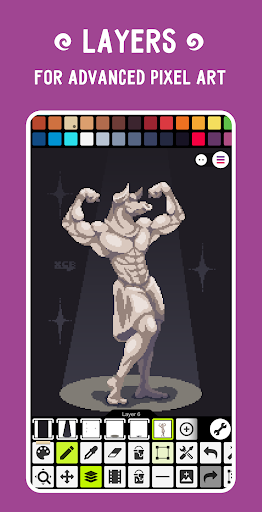
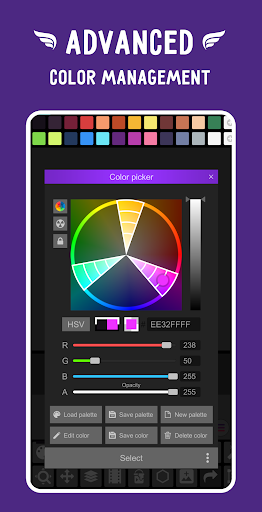
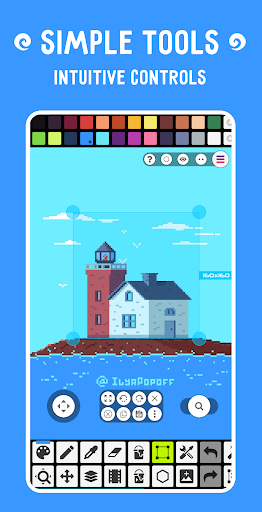
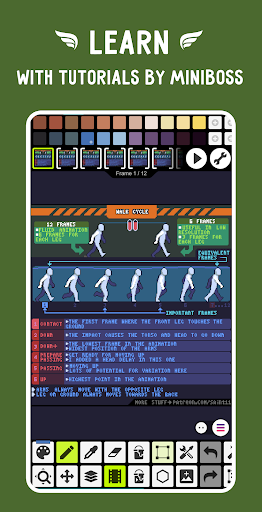
93,557 ratings on AndroidRU. 4,246 written reviews on AndroidRU, 100 shown below. Their honest reviews of this app.
PP̲e̲r̲s̲e̲p̲h̲o̲n̲e̲ Bello (FroggoYoutube)
2026-06-24★★★★☆
4/5
overall a very nice pixel art app! I like a lot of the features, and there is no limit to what you can make with it. A few things I'd suggest adding though are: the ability to add references (I don't know if I'm just drawing on small canvases but every time I add an image regularly it's far too big with no way to resize it while you're in the screen to edit it and things. if you try and resize it after it's only that portion) and a visualization of the canvas size before you create the project.
SSquishy Fierst
2026-04-12★★★★☆
4/5
Not bad for a free pixel art app on Android and computer, if you can't get aseprite on PC(19.99 USD not including other prices) or prefer using phone/Android, it's understandable as not everyone has a drawing tablet or a pc for that matter. I do dislike the features hidden by paywall, seems unnecessary for some of the things to be paid for to be honest, has a lot of drawing tools for free anyway. Not really intrusive ads, the pixel network is fine too, a decent community over there. 4/5 overall.
MMeri Lyn Richey
2026-02-18★★★★★
5/5
It's a good app, I use it a good bit and per pixel art session I probably get like three ads at most (most likely one or two). And by pixel art session I mean about half a dozen 16x16 pieces so it's just good. All the stuff you need is free, some stuff you don't need is free, and the only thing I think I've seen that's inconvenient to be paid for is going above 2048x2048 pixels, and that's not really needed to my knowledge for most uses. 10/10 app.
JJessica West
2025-08-03★★★★☆
4/5
This is a great app for pixel art. there are a few things that could be improved (I think, I'm not an app developer) . When uploading images on the canvas it could appear in a new layer rather than going over the last layer and erasing everything that's in it. Being able to undo deleting or merging layers. I think I had one more idea but I cannot remember it at this time. thanks!
KKelly B
2025-05-10★★★★☆
4/5
It crashes fairly often while I'm exporting but I've never lost any work. Otherwise, it works the way I want it to for the most part. I have very small complaints about other things, but this is probably the best mobile pixel art app out there. Worth getting the paid version imo. The ads were not the worst they could possibly be, but they were somewhat annoying, and a $3 one-time payment (or whatever it was) for an ad-free experience has been worth it for me.
EEmperial Young
2024-12-21★★★★★
5/5
Incredibly easy to use, downloaded it and had a finished piece a few hours later. The results were great. Mostly very intuitive to use, and functions perfectly. Layers and tools are a breeze. Saving is a bit weird, with it always offering a default Untitled filename, but I downloaded and created some great pixel art with such ease! Resize works well, too.
AAya Biesinger
2024-11-14★★★★★
5/5
I spent quite a while looking for good pixel art apps, and this is by FAR the best one I've found. I highly recommend it for the amazing quality and even though it does contain add, it doesn't bombard you with them like most mobile apps. It's really fun to see what other pixel artists are up to on the pixel network every day! I hope to improve my skills over time
HHanna Riley
2024-11-12★★★★★
5/5
Incredibly easy to use for beginners. You can create anything you want for free. This was my first time doing pixel art and yet the App was easy to get the hang of. No glitches or issues with saving layers. Also free layers so that's a huge plus on a free app! Animation is also free (also my first time animating) and Incredibly easy to use! I am honestly so amazed almost everything the app offers is free and customizable. 10/10 best experience.
KKestrel Wineman
2024-10-11★★★★★
5/5
Amazing pixel art app! I also draw on IbisPaintX, and the transition was surprisingly easy! It's really easy, with readable icons. One glitch I've noticed is that when using the lasso tool to enlarge something, when you undo it, it doesn't go back to the way it was before the transformation, it glitches and messes up the pixels. Other than that, absolutely amazing!
NNikki
2024-09-24★★★★★
5/5
This is a startlingly good art app, for something that's completely free. Honestly, the ads are super worth it when you realize that all your other options are either a "subscription service" or demand you effectively pay double its worth in micro transactions just to unlock what used to be considered core features. If you don't care to pirate any of the bigger, more mainstream options, then this app is, without a doubt, easily the most deserving of your attention.
DDominique
2024-08-08★★★★★
5/5
This is really cool! One time I drew pixel art and then put the pixel art on an isolated cup. Yay! Now i can drink water and look at kris from DELTARUNE at the same time! Overall, it's pretty awesome. But an have an idea. I know you can select a big area, but what if I want to select a specific place? So maybe add a version of that tool allowing you to select an area that's not just a sqaure?
IIliad Hera
2024-07-17★★★★★
5/5
Definitely the best pixel art app I've used. It's free and has all the same features that a lot of other apps I used forced pay or subsciption for basic things like layers. I will say though that you may need to pay to make animations, there are some things you can't access without that, which is fine. I'm very grateful for the features allowed in free mode and I don't have the patience for animation lol I've never encountered any issues using this either
EEdmund Wilson
2024-07-13★★★☆☆
3/5
You can use this app for a variety of things...making 2D characters for an indie game, coloring photos of real life images...it's a real swiss army knife app. Only gripe is...you cannot use the fill bucket option to fill in an object that wasn't drawn in app..as it doesn't recognize the pencil or pen drawn object as a shape, but more so a cluster of pixels:(sometimes only one pixel). Also, any project larger than 1000 x 1000 makes the app buggy and slow...will there be a patch for this?
ZZon
2024-02-12★★★☆☆
3/5
It was going good, I had just finished my project and went to animate it, I had accidentally opened a blank frame and went to delete it, I selected the blank frame and went to delete it, but it deleted the frame I had spent hours working on... I am not happy about this at all, hours of work gone, just like that! Could you at least make it to where we can restore our work?? Smh, but overall a good app...
DDaniel Adcock
2024-01-22★★★☆☆
3/5
Really good app, my go too for sure. Only issue I've experienced recently is when saving something and renaming it, when I go to save it again, I'll have to rename it again. I've also had multiple pieces be thrown around, layers deleted, flipped, etc, after saving and opening a few hours later. Until those are fixed I'm gonna have to stay at 3 stars.
JJess
2023-12-27★★★★★
5/5
Great app for on the go pixel art. Animation tools here are simple but powerful. Nice to also have the ability to create seamless tiles. This app is lightweight and simple to use yet has features that allow you to do more complex tasks. The ads in the free version are quite intrusive and obnoxious, though. I found myself using the app enough that I ended up purchasing the full version. I really like the integration with Google drive, makes it easy to get my art into other programs quickly!
PPixelator Gadzy
2023-11-12★★★★★
5/5
It's a nice and very versatile pixel art tool on the go. A gripe I have though is that if you hit undo too many times it just resets everything which can be a bit annoying but it's also made me be a little more confident in what I make so it's also been more of a plus side in all honesty. Everything else has performed exactly as I needed it to and I really enjoy the flow of using it. Highly recommend for anyone who wants or needs to do some pixel art on the go.
NNico Moriarty (Neeksters)
2023-11-09★★★★★
5/5
i love this app! I can freely express my art super easily! if I could say one thing; it would be so helpful to have the option to go through a whole and complete tutorial on everything. I mean EVERYTHING. it would be super helpful to know the tools and how to use them rather than just have pop ups you can click out of. Otherwise, LOVE IT!!!😍😍😍
RRowan Blair
2023-10-31★★★★☆
4/5
nice pixel editor program; minimal ads that aren't a gigantic pain in the butt to ex out of. in-app purchases (of things like brushes and premade sprites) aren't obnoxious. i wish it was more versatile in editing selections (no masking capability) but i guess that's not a common tool in pixel art? anyway, its a pretty good, easily accessible digital art tool when i'm away from my computer.
GGab R
2023-08-19★★★★★
5/5
I've used this app for a long time, but that was on ios, and after swapping to andriod I use it even more. The s-pen support is amazing. Plus it's one of the few art apps left that allow you to outright purchase it through ad removal and unlocking features. This one gets 5 stars for being reliably good even after a platform swap and still having an ethical pricing system for ad removal.
CChris Scutt
2023-07-31★★★★★
5/5
An all around great pixel maker, definitely not the best, but you can't win em all. I often enjoy creating, devoting hours of my time to make my masterpieces. When lazy people like me continuously work on projects, you know you've got a good game. It's like Photoshop for pixels. It's quite enjoyable. The only thing I wish there was is an outline tool that could be set to different colors, constantly outlining the same objects over and over gets annoying when layering something highly complex.
MMichael White
2023-07-03★★★★★
5/5
As a free service I have had an amazing time on this app, there isn't a lot of user guidance and it isn't always intuitive unless you are familiar with this type of software though. So more might be done regarding the informative aspects of the app in regards what is possible; because one of the shining points is that there are a lot of tools at your disposal that would be enough for anyone isn't planning to use this for business purposes, so long as you can find them. Thank you and keep at it
SSara Rara
2023-06-22★★★★★
5/5
I love it so much, it's really good even without premium. It's beginner and advanced friendly. It give you two types of set ups for that purpose. You can also animate but I find it kinda difficult. Although, I'm a beginner so that speaks for itself. Not really any ads and the ones there are, are really quick, so you can get back to work. Overall I really love this app and would recommend to anyone <3
AAnthony Browning
2023-03-28★★★★★
5/5
This pixel drawing app is extremely powerful! It has nearly every function I could ask for. Nearly. The only thing I can think of that I feel like it may be missing is to draw curved lines and ovals with the shapes tool. Navigating the menus can be a bit confusing at times but that's only because it's packed with features. For a mobile pixel app, I am extremely happy with it. Happy enough to upgrade to Cross Platform Pro.
AAlex Wagman
2023-03-04★★★★★
5/5
I love the layout of this one--all the tools I could need are available at a glance without having to dig through 30 menus, but they don't take up enough space to distract from the canvas. I'm both an amature and a beginner, so I don't know how much of a difference the paid versus the free features will make to somebody further along than me in their "artistic journey," so to speak
GGl!tched Narra
2023-02-04★★★★★
5/5
BEST PIXEL ART AND ANIMATION THING EVER!!! Literally nothing can compare. It has an amazing community, so many layers to work with, so many tools, and it's so easy to learn and understand. It feels so nice to draw snd animate for fun again. If I could recommend anything, it would be a challange thing where people post challanges for others to draw or animate the prompt! And whatever gets the most votes wins! I hope to see this community grow!
EEddie kelly
2022-12-11★★★★★
5/5
Fantastic. I've barely used it for more than 20 mins and already have a few animated sprites for testing. Ads are far and few between. Almost all options are available for free users. Files can be saved to many types of folders, as different types of files quick and easy. Its extremely helpful for my adhd, allowing me to make and animate a sprite whenever it may pop into my head. Honestly an amazing piece of software.
IIssac W.A.
2022-11-10★★★★★
5/5
I love this app, it's been so useful for drawing what I want and it works so well with my artstyle. my only issues with it, one time it reseted to the default set up when updating but that was easy to fix. the one major change I suggest is making 'yes' and 'no' buttons more distinct from each other, I cant tell you how many times I accidently pressed the wrong button and deleted hours of work. overall great app and look forward to using it for years to come!
SSam
2022-11-08★★★★☆
4/5
Holy I cannot believe how many normal art program functions are in this app. Like I wasn't even expecting it to have a way to select and manipulate specific areas, let alone allow me to do all this! I can't believe there's so much in a mobile app. It's almost like a normal drawing program on your computer, just tailored to pixel art. The only gripe is it's kind of hard to figure out how to do certain things sometimes. It's perfect otherwise.
HHouse Melancholy
2022-10-14★★★★★
5/5
i was searching through as many mobile art programs- that could animate- as i could. not only is this the most accessible one, but it has SO MUCH STUFF. it is a proper art program put into a mobile format, instead of just a watered down version of one. the only drawback(s) i've seen are a missing clipping layer function, which honestly i'm sure i could find if i looked, & not being able to rotate the canvas. other than that, very accessible, very well put together menus! thank you :]
WWe Don't Talk About This Anymore
2022-09-27★★★★★
5/5
Absolutely amazing! I've been using it for some animations, sprite sheets, and some quick pixel art on the go. This has become my #1 app for pixel art, especially considering the ads are few and far between, while also staying non-intrusive. You have every tool at your fingertips practically, without having to offer up a subscription fee, which is a godsend. It's quick and easy to set up your own pallette, and the storing of your projects lets you stop and continue anytime without fear!
KKanok
2022-08-21★★★★★
5/5
Honestly, this is a wonderful pixel editor. I bought the premium version and it's pretty great. It's easy enough for me to work on pixel art for game assets on my phone while I'm out doing things or just when I have some free time and am not at my computer. I highly recommend a phone or tablet with a stylus to get the most out of it, but it's not required.
RRyan Mulvaney
2022-08-16★★★★☆
4/5
Been using this for a couple days now and it's good enough for me to leave a review, which I don't normally do. Biggest critique is that you're limited to the size of canvas you can work with to 16x16, 32x32, ect. Kinda wish I could have 16x32 or whatever. Other than that, pretty neat little app that does what you downloaded it to do.
JJoshua Rankin
2022-06-22★★★★★
5/5
Excellent program for artists on the go. As an indie game developer working a full time job to fund my dev work, I often find that some of my best ideas come to me when I'm not sitting in front of the computer. PS gives me the ability to quickly and easily create game art for my games. Tons of tools and Easy to use interface, as well as an excellent free version (though I am using the pro version now) make Pixel Studio a no brainer. 10/10
BBrotherAV
2022-06-02★★★★★
5/5
I use this app for all my pixel art needs, it has things such as fill tools, gradients, and even ways to make short pixel gifs. I enjoy that ads never get in the way when I'm busy creating. I highly recommend this app to those who aren't able to access a laptop or PC (like myself) yet still want to make something great in the palm of their hands!
000Ace00
2022-04-22★★★★★
5/5
this app is so much fun! as a traditional artist it's hard to draw with my fingers when using my phone on a standard drawing app, I didn't know if I'd be good at pixel art but I am and it makes drawing my ocs on my phone fun and easy! and it makes it look like a video game which is fun too! It also has an animation feature which is soooo much fun to watch your pixel art come alive, I'm so glad I found this <3.
DDarky Lights
2022-02-19★★★☆☆
3/5
It's fine but there's somethings I would definitely added in. First off is something to rotate the canvas, it does ache my fingers when I can't change the angle of the canvas to draw and I don't want to rotate my whole tablet, it does get annoying. That is my biggest compliment here. I would add a blending mode to help with shading, lighting, etc. Lastly, I think adding a clipping layer would be nice addition to the app. For my style, makes it easier to add color to my linework without going over the line. If I do missed these features in the app or if these features are in the Pro version, do tell. That's just my piece of thought of what I thought the app needed. I think it's good for the most part, just minus what I said.
DDaniel Leach
2021-12-25★★★★★
5/5
I recommend this application to anyone getting into pixel art, or even experienced artists. Pixel Studio has been a huge help in making assets while I'm away from my computer. The ease of use and several save options are also amazing. And that's just the free version, the paid version is insane. I ran out of stars to give, it deserves more than 5. Really, good job on the software!
NNicole DeMerchant
2021-12-18★★★★★
5/5
This is a really good, simple, easy-to-use pixel art app. If you like the pixel art style and just want something to casually doodle in or make some simple sprites, this is it. You can animate with it too, but I don't have the patience for that so I can't comment on how good of a tool it is for that purpose. Well worth the purchase, but if you don't mind the occasional ads (and there really aren't many), then the free-to-use version is still functional and does the job just fine.
JJayden Wilton
2021-11-30★★★★★
5/5
Very good; simple and sleek interface, many useful tools, and *very* few ads (i've been using the app for 3 days now and have gotten a grand total of 1 ad). normally this would be the part of the review where i list the things i don't like about the app. oh wait, there are none! superb job. EDIT: The removal of the ability to "cut" from selections was uncool.
MMarc Justice
2021-11-21★★★★★
5/5
Fantastic app. I've been teaching myself to use the SDL library and this tool has been amazing for creating assets to practice with. I lack any artistic talent, and I've still managed to create mostly recognizable images. The ads are unobtrusive, and the tools are easy to use. I've killed so much time making goofy pixel art that I think I'm going to buy the full version just to show the dev my appreciation. Two thumbs up.
JJames Polston
2021-09-25★★★★☆
4/5
I really like almost everything about this app! It has almost everything I could ever want! I've got two small problems, though. I'd really like to see the "lasso" feature allow you to let go of the drawing without it requiring to fill all of the picture in instead of just the rim of the picture. I'd also like to be able to switch between frames without having to hide all frames after the one I want to see. Other than that, it's great!
II'm Self Aware
2021-09-10★★★★★
5/5
It's polished, stylish, and have a niche amount of tools. The animation works in seconds instead of frames, which I really love. And it brings you to the art work you where working My only problem is that it makes my device heat up, I'm sure it's the app itself since my phone never heard up. And when changing a frame to a decimal, it messes up if I don't put a zero before the period Also I personally think there should be a mirror tool, and maybe curve tools too. All in all, 5/5 Amazing!
JJurween
2021-08-25★★★★★
5/5
I initially downloaded this with a basic pixel art function in mind. Well, the sheer amount of features I accidentally discovered while trying to change the background color is astounding! Tabs, frames, grids, reference insertion... and that's the free version! The ads are mostly unobtrusive too. I figured I would do my part and rate the app 5 stars ⭐⭐⭐⭐⭐
JJustin Robertson
2021-08-17★★★★☆
4/5
I love this app and have been making cartoons with it for a while now. Couple of things tho. I wish I could play with bigger size projects without it crashing so much. I'm forced to make little 8 bit characters but I'd like to upsize my characters to get more detail. Also after about 80 frames it tends to get really slow. Other than that I will keep using this cuz it's the only thing I can find on my android for animating.
EE. G. Hoyt
2021-08-16★★★★☆
4/5
Great for beginners, even has an animation feature that is pretty simple to figure out. I've made a couple cutesy designs. This app works best with low pixel-count artworks, though. The more detailed you try to get, the more it lags and becomes difficult to manage. However, it is a good introduction to pixel art and pixel animation in general.
AAlan Arroyo
2021-07-26★★★★★
5/5
So I've been using this app for over a year now, I've gotten the hang of the controls and have made plenty of decent artworks. Overall not bad, especially since I use my thumb to draw (I unintentionally broke all my stylus pens a while back). Drawing with your thumb however, well at least for me, is not as hard it sounds and is actually easier when in comes to this app specifically.
WWill Gerrow
2021-07-16★★★★★
5/5
This app is pretty good, fun and intuitive even for beginners. I've made a few little sprite movies with it but no huge animations. The pictures that other people upload are really cool as well. There are some talented people on this app! I would strongly recommend this for any pixel artist. Its a cool app to use on the go. Also, I would like to suggest that the videos could be bigger. A gif can only have a max resolution of 128×128. I think 256×256 could be way better!
DDakota Jenkins
2021-06-13★★★★★
5/5
There's really only a few "cons" to this program I can think of, the main one being that I can't colour pick or generate a pallette from the background reference image. Otherwise, this is a great pixelart app! The animation feature is really good, though it takes a little bit of time to get used to. I do wish there was a way to toggle between two colours quickly - it would make dithering and some other niche uses easier, but all in all, it's really really good!
AAmy Lester
2021-06-06★★★★★
5/5
I use this for compositing my art into fullscreen animations. It has a lot more imaging abilities than I thought at first. Layers, change opacity, brightness and hue. Again, I don't use it for making my art, so I can't comment on brushes and the like, but what I do use it for works great! I can make animations in ANY resolution that my phone can handle. When you start making 30 frame animations with 15 layers @1920 x 1080 ... you get a little lag on the previews. But I love this thing~
ZZach Miller
2021-06-03★★★★★
5/5
This is by far the best pixel art editor I've seen on mobile. It has great zoom functionality, tons of useful tools and a great interface. I have yet to use the animation function, but I've made a few pixel arts so far and I love how easy it is with this app. You can move and zoom with both speed and precision, select exact colors, easily make straight lines, use multiple layers, use an invisible background, save files in multiple formats, insert other images, and even load files to edit later.
SSean Hudspeth
2021-05-21★★★★★
5/5
Basically the best pixel editor available. I don't give 5 stars easy. App has almost no bugs, easy to use tools and a helpful UI. Not to mention the ad control. It gives you an early warning when ads are about to pop and you never have to watch more than 5 seconds before being able to skip. Seriously a good app, I've been using it for like a year now with no issues 🤟
EErin Maxson
2021-05-13★★★★★
5/5
I'm a professional pixel artist, and this app has been a huge boost to my productivity. It has almost every feature I could want from a pixel art program, and unlike art software for laptops/desktops, I can easily use it anytime, anywhere. My only gripe is that the selection tools feel too rigid (i.e. no lasso tool, and no way to adjust margins of an existing selection).
PPohpoh
2021-04-12★★★★★
5/5
AWESOME app! love it for when I have an idea on the go, and can't get to my laptop in time to draw it out. I use it for both preliminary sketches and small sprites, and so far have had no issues with that whatsoever. Love the option for specific color palettes too, since that makes my work go by that much faster. Definitely recommend this app!!
OOtto Lewis
2021-03-03★★★★★
5/5
I'm not a professional artist, but I do love to dip my toes into art and animation. To that end, the app suits my needs pretty well. For the casual artist, Pixel Studio offers a good variety of tools at the low low price of free. While I haven't done so myself, one can also perchase the pro version at a decent price, and get access to even more tools, something I would if I weren't so stingy.
NNick Fierce
2021-02-23★★★★★
5/5
This is the first pixel drawing app I tried and I'm not going a step further. It took me about two minutes to figure it out and from there it was extremely easy. I love the simplicity of the switch between a single canvas and animation frames. I never would've gotten into pixel style art if it weren't for this amazing app. One thing I recommend is to add a circle type to the gradient tool, it would come in handy.
AAriana Hennebury
2021-02-22★★★★★
5/5
I love this app! it makes doing pixel work soooo amazing! I have a couple suggestions. I would like the opacity of both ends of the line tool to be an option in the settings. I love seeing both end or "anchors" but I don't need them so dark, so I would like to be able to change to opacity on them to make it easier. I also would like the option to be able to add pallets to my current pallet over having to make a new one each time?
WWill McKenzie
2021-01-20★★★★☆
4/5
As far as creating goes, I love this app. But the file management feels a little buggy. Like when I save a file, it doesn't show the other files in the folder so I'm not sure I'm saving it exactly where I want it to be. It would also be nice if I could save to external storage for keeping files backed up, but it doesn't seem like I can completely control the file path, it only lets me create folders. Also, Pixel Network says I have no previous works, but I just uploaded one a couple days ago.
KKevin Roblejo
2020-07-08★★★★★
5/5
Genuinely a good app. It's not overly complicated yet has everything. Want normal pixel art? You got it! Want a complete animated pixel scene? Also completely doable! I've done a lot of animated characters this way and it's honestly a lot of fun and really rewarding if you have the patience for it. It has a bunch of tools to help, even one that automatically makes a customizable color gradient for you, though I don't find much use for it based on the stuff I make. Anyways, it's great and free :)
AAlex Bonfield
2020-07-05★★★★★
5/5
I've been looking for a good mobile pixel editor. WOW I love how much you can customize the interface, and the eraser pen tool is such a great idea - mainstream editors could learn something from this little app. Also great tutorials. Honestly I'm having trouble thinking of any way you could improve it. Maybe allow repositioning of the color palette? I'll probably buy the pro version for the tiling features. Easy 5 stars - great work, devs. Edit - it has ads but they're unintrusive.
WWayfarer
2020-06-25★★★★☆
4/5
This is by-far the best mobile pixel art application. The controls are easy to use, but this app has a far, long way to go from perfection. The select tool has no variants in shape, including lasso select (free select). If you're a PC user, the Steam version is a no-no. I'd recommend using Piskel then. Also, Dark mode should NOT be in Pro, as light mode is very bright.
MMango Jam
2020-06-21★★★★★
5/5
Perfect pixel editor. It was a little overwhelming at first to have so many tools. But as soon as I learned how to use them, I can't see myself working without them. This app has everything without even having to buy the pro version, which I got anyway. The only way I could think of improving this app is to have separate save and save as buttons so you wouldn't have to go through so many prompts to save but besides that minor nitpick it deserves all 5 stars.
AAliien
2020-06-10★★★★★
5/5
Great app! Very happy with what I've been able to do with it. One question though- how do I save a gif/animation to my gallery? I'm using a Samsung galaxy s10+ if that helps. EDIT: nevermind, I found it by looking in the menu. I didn't see the "save" option before, my mistake! Fantastic app, great for everything I would ever need. Love it!! ♡♡♡♡
CClarin Gaucher
2020-04-28★★★★★
5/5
This is my favorite pixel art app EVER! It's easy to use, and has helped me get back into drawing. The community is mostly full of great people! Great job, developer! It's also free, witch is great! (you can purchase pro version, but most people don't need to.) It has a warning before you delete a animation frame or drawing, and let's you restore your drawing if it crashes. It might not restore fully thought, so always save!
AA Google user
2020-03-31★★★☆☆
3/5
Compared to IsoPix, this has several advantages, like >6 colors at a time, easily specifying the colors wanted in a free version, and resizing the image, but I personally don't agree with zooming and panning around with virtual anolog sticks. I'd prefer a toggle to switch to and from moving around and zooming by moving around the image instead. I do like that I don't have to worry about losing my progress, though I could be speaking too soon since I only got this within the past few days.
AA Google user
2020-02-27★★★★☆
4/5
Easy to use, easy to master, is not a common phrase. Being free, AND the best on the Android platform is a great combo. Animation, layers, multiple file type saves, etc. The only thing it loses a star for is because the ads are randomly very intrusive. They've popped up while I'm trying to save and I have to get off the train in a few seconds, not cool. While I also think devs should charge more for their work, $12.00 for the app is by far the highest price I've seen (to get rid of ads + more)
AA Google user
2020-02-13★★★★★
5/5
It's an amazing game even for me because I'm honestly bad at drawing and I'm a beginner at Pixel Art so this is amazing I mean my pictures actually look good for once but I do have one slight concern, I think it may have a bug in it because every time I get on and play for awhile there's always a flash and then it would be all different colors and glitchy stuff then switch back. And I'm seeing it the more I'm playing but other than that it's a really great game especially if your a beginner.
AA Google user
2020-01-14★★★☆☆
3/5
This app is okay. Its complex but you eventually get used to it. I just wish there were more things to help you because the assistant mode didnt really help at all. From what ive tried you cant make a new canvas so youre stuck with just that 1 canvas. The way the pen draws is smooth but at times it just dosent feel like pixel art to me, it just feels like your adverage digital pen. I wish there were some mode where you could change how the pen looked so it looked more pixely.
AA Google user
2020-01-05★★★★★
5/5
This apps great, but there is one issue. It crashes constantly which can be a bit annoying at times. It'll work fine for a few minutes, sometimes around maybe 10 minutes before it crashes again. Thankfully, it's not too big of an issue thanks to the feature that saves the progress of an artwork automatically, so when it does crash I don't lose any progress. I wasn't sure if this has already been reported or not but I wanted to write this just in case. Still an amazing app though! ^^
AA Google user
2019-11-19★★★★★
5/5
I use pixel art as my main art style for everything I do, whether it be logos, profile pictures, banners, even animations. So this app is definitely a very useful and helpful tool with an easy to learn layout and little tricks and features that I keep learning to master! The only issue I've really come across (that I haven't been able to figure out a solution to by myself) is that there's no real way to add custom fonts, which is why I was kind of hoping the developer might see this and consider making that a feature. I think it'd be cool and it would prevent restrictions on what fonts could be used/long winded ways of using one's own custom font. But other than that I really like this app and its features and I plan on continuing to use it in my every-day endeavors.
AA Google user
2019-11-16★★★★☆
4/5
Overall, this is a great pixel art app. But it has the tendency to suddenly freeze up on me while I'm working, especially on larger canvases. I'm thankful that it auto saves because I have no choice but to swipe out of the app when it freezes. However, when I swipe out and come back in, relying on the auto save isn't completely helpful because sometimes it deletes some of my pixels. Other than those problems, I'd say this is a pretty good app.
AA Google user
2019-10-16★★★☆☆
3/5
Okay. So basically, before a complete pro thing was added, which I get.. you gotta make money. But I really hate how they limited brushes and I can't change the size when I could do that before hand :/. I probably wouldn't use any of the other options if I bought the pack and it just really upsets me that I can't even adjust my brush size to just 1 pixel when I could do it before this update. It made doing art for others a lot harder, cause I do use this to make bobbing pixel animations.
AA Google user
2019-10-08★★★★☆
4/5
The app is great, has many features, and does what it says it does, and more! The only thing preventing it from getting a full 5 stars is the amount of bugs it has, and it being a bit tedius to do things in the menu. Things that could help: - Let the grid tool, when enabled, give the option to customize the grid size, to prevent the hastle of going into the menu, selecting user, typing the x value, and slowly typing the y value. More customization! Let us make our own fonts(make a template?)
AA Google user
2019-10-01★★★★★
5/5
Works well, and is easy to understand and use. By far my favorite pixel art app that I've tried. However, I'd like to bring a glitch to your [the developer] attention that is relatively minor, but throws me off when it happens: the image of what you're drawing will turn into a mess of random pixels from time to time while drawing. It's fixed by simply tapping again, but as I said, it kinda throws you off for a bit. I've done a small amount of testing to try and figure it out, but I've got nothin
AA Google user
2019-09-23★★★★★
5/5
Loved this app until today when it stopped letting me open or save projects. It says access is denied to the save folder. I uninstalled and reinstalled, have it permission to access files, but I'm still getting the same error. I don't know what to do, I've lost a lot of work if it can't be fixed. EDIT: followed the developer's advice and it started using a new save location. Just moved my files there and it's working fine again!
AA Google user
2019-09-03★★★★★
5/5
This update was pretty confusing I'll be honest. I love this app still though, great for pixel art and gifs. Thx for responding btw, I realized that I touched the wrong option the first time. The option for changing the brush size was a bit better for me, although I barely used that, so even with these changes, five stars well deserved. Had to re-edit because I noticed the brush size option was changed after editing my previous review.
AA Google user
2019-08-22★★★★☆
4/5
I'm really liking the app so far but everytime I try to share the pixel art it gets compressed and ends up being very blurry. I've been trying to share a sprite sheet to my email so I can use it in a game but it keeps becoming blurry. I've tried to figure out how to fix it but I cant. Other then that I love it. The controls are very easy for a beginner.
AA Google user
2019-08-11★★★★☆
4/5
its a great app works well and the animation is simple and easy. BUT i only give it 4 stars because there isn't a way to get the actual sized images off it. It says that has to do with something something on the phone maybe, but for me that makes it difficult to use. If there were other export options It'd be better.
AA Google user
2019-07-31★★★★★
5/5
This app is incredible! It's perfect for when I don't have my laptop around. Sonething I would suggest is the feature of having small windows you could open where you keep reference images. You could pick colors from them, or just use them to look at something. I think it would be really cool if that was possible, even if you had to pay for it.
AA Google user
2019-07-19★★★★☆
4/5
I wish the import sprite sheet option functioned correctly, I ended up hardlocking the app completely trying to get it to work, it's not bad, but definitely needs improvement. I had an idea for a tool that could be added? to the developer I say "Create a tool that selects a pixel space and breaks it into 4 and those four spaces turn into 32 spaces and so forth. I would call it a chunker".
AA Google user
2019-07-13★★★★☆
4/5
I've been using this app for over a year. I originally gave it a 5 star review with its ability to import palettes, images, and the large selection of tools that other apps don't include. however one of these tools had made my life in pixel art a living hell. The selection tool won't let me select and drag, copy or cut anything. It keeps flashing and once I let go of the area I want to select it disappears. Great app, but it's making correcting proportions really hard.
AA Google user
2019-07-06★★★★★
5/5
Possibly the best pixel art app on android. Slightly less robust than other options, but it makes up for it with a fantastic, easy-to-use interface. For basic pixel art, this is going to be all you need. One feature it lacks that I would like, however: the ability to import a saved pixel art piece into the current project. EDIT: Oh, wow, can't believe I didn't notice that the feature already exists. Whelp, there we go, the perfect program.
AA Google user
2019-06-26★★★★★
5/5
Yo, like honestly! This is pixel-art Photoshop, on mobile, for free!! The only free-version downside is that when you save a drawing it'll play a quick banner ad. Literally all of the exporting/importing options are already available; I would more than willingly pay $10-$50 for a program like this, now that I know how good it is!
AA Google user
2019-06-08★★★★☆
4/5
This software is absolutely amazing. I used to consider Pixly as the best, and donated to it, but I still like to try out other things to make sure I'm using the best. Pixel Studio is the best. However, I feel like it needs a gradient tool. I use these programs to do full arts in pixel form, but backgrounds take awhile to do due to a lack of the gradient tool. With that said, don't pass this up. You'll be missing out on the best pixel art program on Android.
AA Google user
2019-06-03★★★★★
5/5
I Love This App. It's Pixels aren't Uneven Pixel Art Apps, And The Resize Makes It Easy to Reduce Fuzziness. The Functions are Great, but Not too Complex. I Enjoy Drawing On It Because It's Just Perfect. #1 BEST PIXEL APP! I highly Reccomend It And so Far No Bugs. Also, It Would Be Great If there was a Wider Range Of Shapes. Customizable outline Size/Color would be good, as Well as Non-Square Select?Thank you for a really Great app!
AA Google user
2019-06-02★★★★★
5/5
The app contains pixel art tutorials that I found extremely helpful, and its relatively easy to use to make pixel art and animations. Thankfully, you dont have to pay to get everything, just a few extra features that I don't find necessary (but I am an amateur and just doing this for fun). Very useful app, only has a few ads and is great for making little fun animations on the go. There are a few minor bugs, but it has not affected me very much. 10/10 would doodle again.
AA Google user
2019-05-18★★★★☆
4/5
Fantastic!! It is hard to draw pixel art in a phone, but this makes it really easy. Beautiful UI and intuitive features. You should make the custom tool button a drop up selection so I don't have to change it in settings. I would like to hold the button, have it expand the list upward, I can then drag up to the top that i would like to make active and default. Repeat to change. I also request an image pixelation tool to convert an imported to pixels for a base. I will likely become a BRO!
AA Google user
2019-05-01★★★★★
5/5
This app is by far, the most advanced pixel art app I've ever found on this store. Absolutely gorgeous, and it doesn't have constant ads covering the screen what so ever. Its got basic tools, a gradient color wheel, layering, and even a frame by frame animation system. Plus, it's got plenty of slots to slave all your colors! Absolutely, love this app!!
AA Google user
2019-04-24★★★★★
5/5
one of the best pixel apps I have ever used! It works well. It's easy to use, and it is very useful for those who struggle with making pixel art on the computer! Also there aren't any pesky ads every 5 seconds! The only ads you get is the one every so often when you open the save menu options! Definitely 5 stars! You should definitely try it out!
AA Google user
2019-04-23★★★☆☆
3/5
At first this app was awesome I even started to make gifs for people! Then for some reason I revisited an gif and tried to finish it but it was all weird? The pens wasn't working how it was supposed to. Now when I reopend the app it's just a white screen. I tried to leave it alone for a while still nothing. I don't want to delete the app then re install it because I don't want to lose all of my work.
AA Google user
2019-03-12★★★★★
5/5
This is. Honestly everything I've been looking for. Dotpict is so weird with its cursor and stuff, but this app!! It has layers! It has animation! It has color palettes! It has! So much! I've used a lot of art programs for PC and this MOBILE APP has managed to be just as good as them. I don't even need the Pro (bro) version but dude you deserve the support so I'm buying it.
AA Google user
2019-03-09★★★★☆
4/5
So I love this app especially for when I'm out and about and suddenly want to make something. The tools are great and pretty responsive the ability to have layering and onion layers plus the time between frames can be tweaked pretty well. There can be a bit of an issue trying to hit the pixels on the edge unless you zoom in. But my only real issue is that I cant export the WIP to something other then a .psp or gif so I can work on my project on pc when I get home. Unless I missed something lol.
AA Google user
2019-02-23★★★★☆
4/5
So far, this app is great! I like that there's a shape tool so you can easily make a circle with just dragging~ My only complaint is that I frequently get an error with loading and using color palettes. I save the files correctly, and they're in the correct place, yet I get a red screen and an error half of the time, even with copy pasting the name to download it from the app.
AA Google user
2019-01-31★★★★☆
4/5
Its excellent!_I wanna suggest a couple features/changes that would be nice. When zooming and having the brush tool, I often accidentally make lines, which is very annoying. I also would like to be able to zoom and move around at the same time (similar is ibispaint x).And the last thing is, that after using the zoom tool once, or having the eraser selected and moving the canvas, the selector automatically goes back to brush, even if im not done using the zoom tool or eraser. Thx for your time!
AA Google user
2019-01-30★★★★☆
4/5
Wonderful app! I've made so many pixels recently, and being able to work wherever I am/whenever I want has helped me to improve as a pixel artist! However, I have run into a possible bug? I cant find a few of my psp files in the app. I can find it just fine in my file viewer, and trying to save the app under the name of the missing file asks me if I want to overwrite. Does anyone know a way I can open up these files?
AA Google user
2019-01-13★★★★☆
4/5
This app was actually more than I was expecting! I was just looking for a quick app that I would make one small crappy animation on and when I started using this, it gave me so much more. it has so many options like Layers or animating but I feel like it could do with a centering tool and an adjusting slider for the full option. Thank you for exceeding my expectations and I hope you continue to reach for your goals!
AA Google user
2019-01-03★★★★★
5/5
This is the most USEFULL, easy to use, and strait foward pixel art animation app out there by a long shot. If you are a beginner looking to get into pixel art animation, stop your search, this the only app you will need for a while. I wish I could of given it 10 stars but it's whatever. The only tool I would suggest is one that works as the pen tool but it is a selecter tool, you can select unique and organic shapes to then copy, clone, or move.
AA Google user
2018-12-25★★★★★
5/5
I love this app for making cross stitch patterns, but it would be easier if the grid in the app was adjustable. It seems that it adjusts depending on how far you zoom in, but I would like to be able to have every individual pixel gridded without having to get super close to the image. I gave this app five stars because I know cross stitch patterns aren't what it is intended for, but I would like the devs to know that it is what I and many other people use it for and an edit would be appreciated.
AA Google user
2018-10-21★★★★★
5/5
It's fantastic! Easy to use while being advanced enough that few features are missing. It could use a tutorial, because some things are difficult to find (or maybe they aren't added.) List of things it could use/stuff I couldn't find. 1. Opacity 2. Lightbox When the under layer shows through 3. Layer movement.
AA Google user
2018-09-29★★★★☆
4/5
Decent. I've been trying out various pixel art programs for a while now and I think this is as close as I'll get. 2 features I wish this app had (& then it would be 5stars without a doubt, given all its other functions): -The ability to specify separate X/Y sizes. I don't want to have to count width when I come in knowing what constraints I need for an image. For instance, I needed to make a 15x33 sprite, but had to just do so on a 33x33 canvas. -The ability to load any photo on a layer. This would be amazing as I could make a concept image freely, set it as a base layer, draw over it with my pixel art constraints, and boom. Plus, I could just sample the colors of the concept instead of being reminded by the app how hard color-blindness is when I need to pick a pallet.
No reviews match this filter.


 Download Pixel Studio: pixel art editor V5.67 APK Free, Mod Premium