

OnePlus 13 Review: Photo Quality, Video and Performance
OnePlus has spent years trying to close the gap between its phones and the best camera phones on the market, and the OnePlus 13 is the model where that effort finally feels complete. This is not a phone that leans on one headline feature. It pairs a Hasselblad-tuned triple camera system with the Snapdragon 8 Elite, a huge silicon-carbon battery, and a display that stays readable in harsh sunlight. After weeks of daily use as a main phone, carrying it on walks, shooting in low light, recording family clips, and gaming in the evening, the picture that emerges is of a flagship that is fast, steady, and genuinely good at the things people actually do with a phone every day.
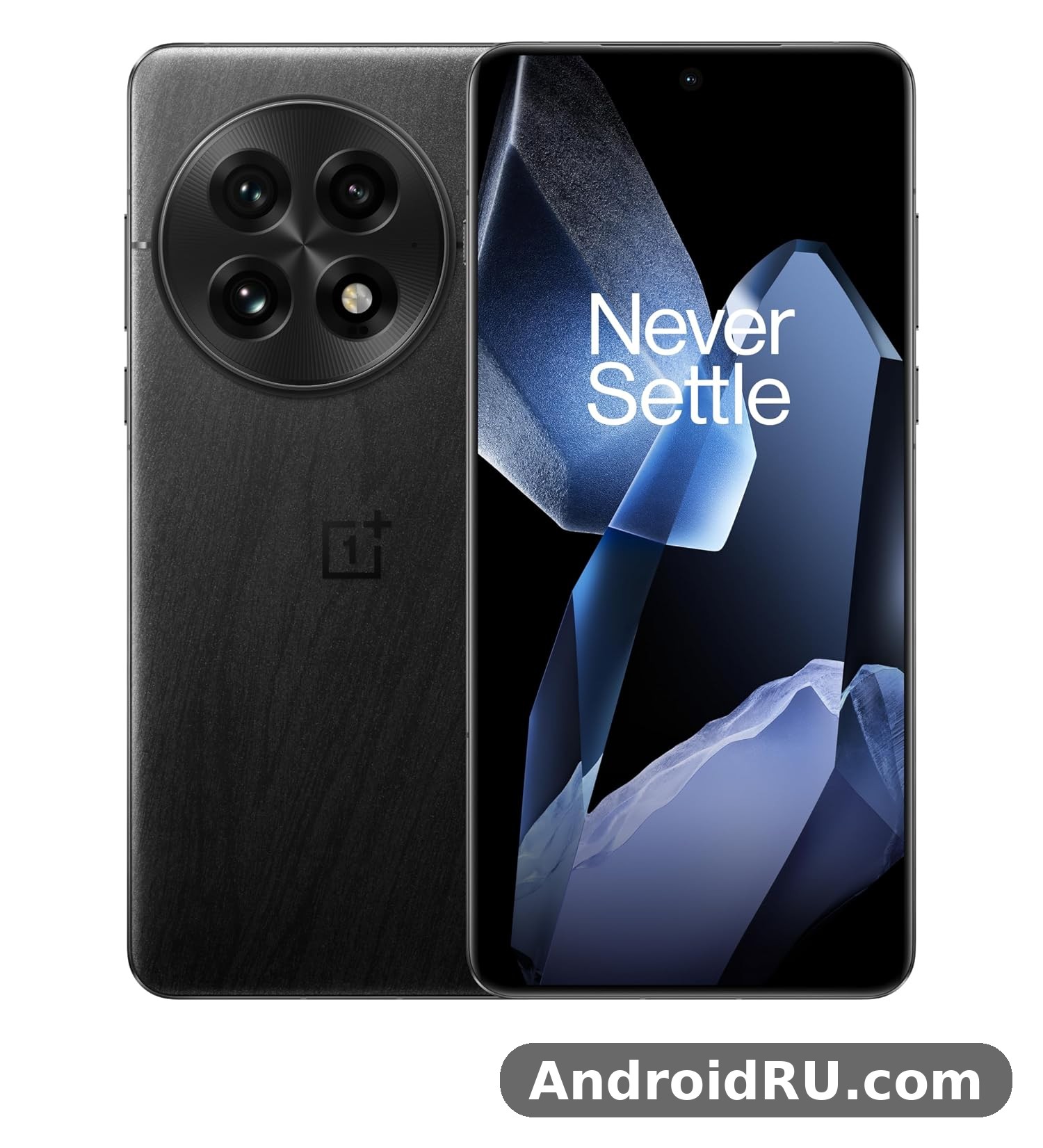
That matters because flagship phones are judged on a short list of everyday tests. Photos need to look good without editing. Video needs to stay smooth when you walk. Games need to run without the phone turning into a hand warmer. The battery needs to survive a long day and refill quickly when it does run low. The OnePlus 13 camera quality holds up across that list, and where it falls short, the misses are specific and easy to describe rather than vague. This review covers photo quality first, then video, then performance, and finishes with the full specifications, a comparison against its closest siblings, and an honest verdict on who should buy it.
One thing to set straight at the start: this is a review of a phone that has been on sale since January 2025, so there is no guesswork about whether its headline features exist. The OnePlus 13 review 2025 coverage from early hands-on reports matches what the retail phone does, and the software has matured through several updates since launch. If you are shopping in 2026, the question is no longer whether the phone works as promised. It is whether its camera, video, and speed still stand out against newer rivals, and whether the OnePlus 13 price in 2026 makes sense against the phones OnePlus sells alongside it.
OnePlus 13 Photo Quality: Hasselblad Cameras in Real Use
The camera hardware is straightforward on paper and strong in practice. The main camera uses a 50MP Sony LYT-808 sensor with an f/1.6 aperture and optical image stabilisation. The ultrawide is also 50MP, covering a 120-degree field of view, and the telephoto is a 50MP periscope-style unit with 3x optical zoom. All three sensors share the same resolution, which keeps the look of photos consistent when you switch lenses, and all three carry Hasselblad colour tuning. That tuning is the heart of the OnePlus 13 photo quality story: colours lean natural rather than pumped up, skin tones stay believable, and greens and blues look like the scene you were standing in.
In daylight, the main camera is hard to fault. Detail is crisp across the frame, dynamic range handles bright skies and shaded streets in the same shot, and the phone rarely blows out highlights the way some rivals do. The OnePlus 13 Hasselblad colour tuning shows most clearly in landscapes and food shots, where the phone resists the temptation to oversaturate. Photos look slightly calm straight out of the camera, which some people will read as dull next to a more aggressive rival, but the files take edits well and print nicely. If you like your photos to look finished without touching a slider, this is one of the more trustworthy cameras at this price.
The telephoto is the surprise of the set. A 3x optical zoom at 50MP gives you real reach for portraits, street details, and distant subjects, and the OnePlus 13 telephoto zoom quality holds up well at 6x thanks to sensor cropping and clean processing. Portrait shots at 3x have natural background separation, and the phone is good at keeping hair and glasses edges intact. At 10x and beyond, the image softens and the phone leans on digital processing, so distant text and fine textures lose definition. That is normal for this class of phone, and the useful range for most people ends around 6x.
OnePlus 13 Portrait Mode Tips and People Photos
Portraits are where this phone earns its keep for family photos. The 3x lens gives a flattering focal length, and the portrait pipeline keeps skin texture instead of smoothing it into plastic. A few OnePlus 13 portrait mode tips make a visible difference: shoot at 3x rather than 1x for head-and-shoulders shots, keep the subject a couple of metres from the background for cleaner separation, and use the 85mm-style framing the camera app offers for tighter portraits. Indoors, the main camera at 1x is the better choice because it gathers more light, and the phone’s face detection is quick to lock on even when people move.
The front camera is a 32MP unit, and the OnePlus 13 selfie camera quality is solid rather than spectacular. Selfies are sharp in good light, with accurate skin tones and a wide enough field of view for two people. In dim rooms, noise creeps in and the phone smooths detail more aggressively. Video calls look clean, and the front camera supports 4K recording, which is useful if you film yourself for social clips. It will not replace the rear cameras for anything important, but it is dependable for daily use.
OnePlus 13 Night Mode Photo Samples and Low-Light Shooting
Low light is where flagship cameras separate themselves, and the OnePlus 13 does well here. The main sensor’s large pixels and fast aperture pull in enough light that the phone often does not need a long exposure, and when it does use night mode, the hold-still time is short. OnePlus 13 night mode photo samples taken on city streets show clean shadows, readable neon signs, and street lamps that keep their shape instead of blooming into blobs. The ultrawide is the weakest link after dark: it is usable, but noise is more visible and fine detail softens, so for night shots the main camera is the right tool.
The phone’s night mode works automatically in the main camera app, and it is worth letting it decide. Forcing night mode on a well-lit scene adds little, and shooting handheld at 1x in a dim restaurant usually produces a better result than switching to the ultrawide and hoping for the best. The OnePlus 13 photo quality at night is at its best when you give the main camera a second to settle and avoid covering the lenses with a finger, which sounds obvious until you do it in the dark.
Ultrawide, Macro Photography and Colour
The ultrawide earns its place in daylight. The OnePlus 13 ultrawide camera review picture is positive: straight lines stay mostly straight, colours match the main camera closely, and the 120-degree view is genuinely useful for buildings, interiors, and group shots in tight spaces. Edge softness is present if you look closely, but it rarely ruins a shot. The ultrawide also doubles as the macro camera, and macro photography on this phone is fun rather than a gimmick: you can get close to flowers, textures, and small objects and keep them sharp, with the autofocus locking on quickly.
Colour is the thread that ties the three lenses together. Hasselblad’s input shows in the restrained reds and the way the phone handles mixed lighting. There is a Master mode in the camera app for people who want manual control and RAW output, and it is genuinely useful for editing later, but most owners will never open it. The standard photo mode already delivers the Hasselblad look, and the extra modes are there for the days you want to slow down and compose.
What the Main Camera Does Best
Daylight landscapes, portraits at 3x, and food in natural light are the main camera’s strongest subjects. Detail holds up when you crop, colours stay honest, and the phone is quick enough that you rarely miss a moment waiting for the shutter. The shutter lag is short, the camera app opens fast from the lock screen, and burst shooting keeps up with moving subjects like children and pets.
Where the Cameras Fall Short
No camera system is perfect, and this one has two honest weaknesses. The ultrawide falls behind the main camera after dark, and the digital zoom beyond 6x is ordinary rather than remarkable. Video zoom while recording is also a step behind the stills quality. None of these are deal-breakers for most buyers, but they are worth knowing before you choose this phone over a rival with a stronger zoom or a better ultrawide.
OnePlus 13 Video Recording and Stabilisation
Video is the second half of the title’s promise, and the OnePlus 13 treats it seriously. The rear cameras record 8K at 30 frames per second and 4K at up to 60 frames per second, with Dolby Vision HDR available at 4K 60fps, and the front camera records 4K at 30fps. The headline number is less important than how the footage looks when you walk, pan, and follow a moving subject, and that is where the stabilisation earns its keep. Walking footage at 4K 30fps is smooth without the wobble that cheaper phones show, and panning across a scene stays even instead of stuttering.
The OnePlus 13 video recording quality is strongest in daylight, where colours match the stills pipeline and detail is crisp. Skin tones in video stay natural, which matters for family clips and vlogging, and the phone handles the jump from shade to sunlight without big exposure swings. Indoors, the footage stays usable down to ordinary living-room light, though noise appears in very dim rooms and the phone leans on processing to keep things bright. Audio from the stereo microphones is clear, with wind noise handled reasonably well outdoors.
Stabilisation deserves a closer look because it is easy to get wrong. The OnePlus 13 4K video stabilisation test that matters most is the simplest one: walk down a street holding the phone normally and watch the footage back. On this phone, the result is steady enough to share without editing, and the ultra-steady mode tightens things further at the cost of a slight crop. For running or cycling, an action camera still wins, but for holidays, school events, and everyday clips, the phone is more than good enough.
4K Video, Dolby Vision and Slow Motion
Recording in Dolby Vision gives footage a wider dynamic range and richer highlights, and it plays back beautifully on the phone’s own HDR10+ display. The trade-off is file size and compatibility: Dolby Vision clips are larger, and some older apps and screens do not show them at their best. For most people, 4K at 30fps in the standard profile is the sweet spot, with Dolby Vision reserved for clips you plan to keep. Slow-motion recording is available at high frame rates in 1080p, and it works well for sports and pets, though detail drops compared with normal 4K.
One practical note: long 4K recording sessions warm the phone, as they do on every flagship, but the OnePlus 13 did not shut down or throttle recording during ordinary use. Clips of ten to fifteen minutes in warm weather stayed stable, and the phone recovered quickly once recording stopped. If you plan to film an entire event in 4K 60fps, keep the phone out of direct sun and carry a charger, because video is one of the fastest ways to drain any battery.
Video Zoom, Focus and Audio
Focus during video is quick and confident. The phone tracks faces well and rarely hunts for focus when the subject moves, which is the difference between usable footage and a frustrating clip. Video zoom is smooth while recording, though quality drops past 3x, so it is best to set your framing before you press record. The microphones pick up voices clearly at arm’s length, and the phone does a decent job of lowering wind noise without making voices sound muffled. For serious creators, an external microphone still helps, but casual filming needs nothing extra.
Best Video Settings for Everyday Clips
For everyday filming, set the rear camera to 4K at 30fps with stabilisation on, and leave Dolby Vision off unless you know you want it. That combination gives sharp, steady footage with manageable file sizes. For action, switch to the ultra-steady mode. For a cinematic look, 4K at 24fps with Dolby Vision on gives a pleasing result, though you will want to check playback on the screen you plan to share it on.
Snapdragon 8 Elite Performance and Gaming on the OnePlus 13
Performance is the third promise in the title, and the Snapdragon 8 Elite delivers it with room to spare. This is Qualcomm’s flagship chip, built on a 3-nanometre process, with a custom Oryon CPU and a fast Adreno GPU, and in the OnePlus 13 it is paired with 12GB or 16GB of LPDDR5X RAM and UFS 4.0 storage. Everyday use is instant: apps open without hesitation, switching between a dozen apps is smooth, and the phone never makes you wait for the keyboard, the camera, or a web page. That sounds like faint praise until you use a slower phone for a day and realise how much of a phone’s feel comes from never waiting.
The OnePlus 13 Snapdragon 8 Elite performance shows most clearly under load. Demanding games run at high settings with steady frame rates, and the phone’s vapour-chamber cooling keeps the frame rate stable over a long session instead of dropping after ten minutes. The OnePlus 13 gaming performance in titles like Genshin Impact and PUBG Mobile is strong at high graphics settings, with the 120Hz display making movement look fluid. Touch response is quick, the stereo speakers are loud enough to hear footsteps and dialogue without headphones, and the haptics give a firm, precise click rather than a vague buzz.
Heat is the question every gaming phone has to answer. The OnePlus 13 gets warm during long gaming sessions, as any phone pushing this chip will, but it stays comfortable to hold and does not become unpleasant. OnePlus 13 overheating during gaming is a complaint you will find for almost any flagship if you search for it, yet in normal sessions of thirty to sixty minutes the phone stayed within a comfortable range and the frame rate held steady. Charging while gaming adds heat, so if you play plugged in, expect the phone to warm up more and the charging speed to slow down to protect the battery.
Daily Speed, Multitasking and Storage
Outside games, the speed story is about consistency. OxygenOS 15 is light and quick, and the combination of fast storage and generous RAM means apps stay in memory instead of reloading. The OnePlus 13 storage options 256GB 512GB cover most buyers, with the 512GB model pairing with 16GB of RAM. There is no microSD slot, so choose the storage size with your photo and video habits in mind, because 4K video and a large photo library fill 256GB faster than most people expect. UFS 4.0 storage makes installing apps, copying files, and loading large games noticeably quicker than older storage.
Vulkan gaming support matters for newer titles that use the Vulkan graphics API, and the Snapdragon 8 Elite handles those games well. The phone also benefits from a high touch sampling rate, which makes fast-paced games feel responsive. For productivity, split-screen multitasking works smoothly, and the large display makes editing documents and spreadsheets practical in a way smaller phones do not.
Benchmarks, Thermals and Real-World Feel
Benchmark scores for this chip are among the highest of any Android phone from its generation, and the OnePlus 13 posts strong numbers in sustained tests as well as short bursts. Numbers are only part of the story, though. What you feel in the hand is a phone that does not stutter when you scroll a heavy web page, does not drop frames when you swipe through a photo gallery, and does not hesitate when you open the camera while a game is running in the background. That steadiness is the real benefit of a flagship chip paired with good cooling and clean software.
One fair comparison helps here. If you are choosing between this phone and the cheaper OnePlus 13R, the performance gap is real but narrow for everyday use. The OnePlus 13R Review: Cameras, Performance and Battery Life covers a phone with a slightly older flagship chip that is still fast for most people. The OnePlus 13 earns its premium with the newer chip, better cameras, and faster charging, but a buyer who mostly browses, messages, and watches video will not feel the difference every day.
OnePlus 13 Display, Design and Build Quality
The display is one of the best parts of this phone. It is a 6.82-inch LTPO AMOLED panel with a 3168 by 1440 resolution, a 1 to 120Hz adaptive refresh rate, and a peak brightness rating of 4500 nits. In practice, that means text is razor sharp, scrolling is smooth, and the screen stays readable in direct sunlight. The OnePlus 13 display quality stands out most outdoors, where many phones wash out; this one keeps colours and contrast visible even on a bright day. The LTPO display drops to 1Hz for static content like an always-on clock, which saves battery, and ramps to 120Hz the moment you scroll.
Colour and HDR support are strong. The panel covers the HDR10+ standard and Dolby Vision playback, so films and shows on streaming services look rich, with deep blacks and bright highlights that the AMOLED panel renders cleanly. The screen is slightly curved at the edges, a design choice that looks premium but can cause accidental touches for some hands; a case largely solves that. The ultrasonic fingerprint sensor sits under the display and is fast and reliable, working even with slightly damp fingers better than older optical sensors. OnePlus 13 fingerprint sensor speed is a small detail that you notice every time you unlock the phone, and here it is quick enough to feel instant.
Design, Materials and In-Hand Feel
The design is restrained and well made. The frame is aluminium, the back is glass with a soft matte finish on most colours, and the large circular camera module is the visual signature. At 213 grams and 8.5 millimetres thick, the phone is substantial without feeling heavy, and the weight is balanced so it does not feel top-heavy. The matte back resists fingerprints better than glossy glass, though a case is still wise for a phone at this price. Gorilla Glass protects the front, and the phone feels dense and solid, with buttons that click firmly and no creaks or flex.
The OnePlus 13 water resistance IP69 rating deserves attention because it goes beyond the usual IP68. The phone is rated IP68 and IP69, meaning it survives submersion and also resists high-pressure, high-temperature water jets. That does not make it a diving camera, and the warranty does not cover water damage, but it does mean rain, splashes, and an accidental drop in a sink are far less worrying than on a phone with no rating at all. The IP69 rating is a genuine durability advantage over many rivals that stop at IP68.
Speakers, Haptics and Everyday Comfort
The stereo speakers are loud and clear, with more bass than most phones manage, and the OnePlus 13 speaker quality test that matters is a video call in a noisy room or a video played without headphones. Dialogue stays intelligible, and music sounds full at moderate volume. The haptic motor is precise, giving a short, firm tap for typing and notifications rather than a long buzz. The phone is comfortable for one-handed use given its size, though reaching the top of the screen still needs a hand shift, as it does on every large phone.
OnePlus 13 Battery Life and 100W Charging
Battery life is where the OnePlus 13 quietly beats many rivals. The 6000mAh battery uses silicon-carbon technology, which packs more capacity into the same space than older lithium-ion cells. The OnePlus 13 battery life in daily use is comfortably a full day and often stretches into a second day for moderate users. With heavy use, including gaming, 4K video, and navigation, the phone still reaches bedtime with charge to spare. The large battery, the efficient chip, and the adaptive display work together, and the result is a phone you do not have to think about charging midday.
The Si-C battery is also the reason the phone is not thicker than it is. Silicon-carbon cells hold more energy per gram, and OnePlus used that advantage to fit a 6000mAh cell into a slim body. Battery health is protected by charging controls that slow the charge overnight and limit heat, which should help the battery hold its capacity over years of use. After months of daily charging, the phone should still deliver close to its original endurance.
100W Charging, Wireless Charging and Overnight Drain
Charging speed is a headline feature. The OnePlus 13 charging speed with the included 100W SUPERVOOC charger takes the phone from empty to full in around 36 minutes, and a ten-minute top-up adds a large chunk of usable charge. That changes how you think about the battery: instead of charging overnight, you can plug in while you get ready in the morning and leave with most of a day’s charge. The 100W charging uses a proprietary charger, so the fastest speeds need the OnePlus brick and cable, while standard USB-PD chargers top up more slowly.
Wireless charging is also fast. The phone supports 50W AIRVOOC wireless charging with the matching OnePlus wireless charger, and standard Qi wireless charging at lower speeds with other pads. Magnetic charging accessories work with a compatible case, though the phone does not have built-in magnets like some rivals. OnePlus 13 wireless charging at 50W is quick enough to be practical rather than a novelty, filling the phone in well under an hour on the right pad.
Standby drain is low. OnePlus 13 battery drain overnight is typically only a few percent with the always-on display off, and a little more with it on, which is normal for an AMOLED phone. If overnight drain is higher, the usual culprits are a rogue app or poor signal, and the battery settings page shows exactly which app used power while you slept. For travellers, the combination of a big battery and fast charging is the most practical feature on the spec sheet.
Battery Tips That Actually Help
Two habits make the biggest difference. First, use the adaptive refresh rate and let the display drop to 1Hz when you are reading, because the screen is the largest power draw. Second, charge with the fast charger when you need speed and a slower charger overnight, which keeps heat down and helps long-term battery health. The phone’s own battery care settings handle most of this automatically, so you do not need to micromanage it.
OxygenOS 15 Software and AI Features
The OnePlus 13 ships with OxygenOS 15 on top of Android 15, and the software is one of the reasons the phone feels fast. The interface is clean, animations are smooth, and there is very little bloat. OnePlus 13 OxygenOS 15 features include a redesigned quick settings panel, smoother animations, better multitasking with floating windows, and a set of AI tools for writing, summarising, and photo editing. The AI eraser in the gallery removes unwanted objects from photos convincingly, and the AI summary tools in the notes app are genuinely useful for long articles and meeting notes.
The OnePlus 13 software update policy is generous for a phone in this class: four major Android updates and six years of security updates from launch. That means a phone bought in 2025 should stay current into the next decade’s early years, and the OnePlus 13 long term review after six months picture is positive, with updates arriving regularly and the phone feeling as quick as it did on day one. OxygenOS 15 is also close enough to stock Android that switching from another Android phone feels familiar, with OnePlus additions like the Shelf and custom gestures layered on top rather than replacing the basics.
There are a few software quirks worth knowing. The default settings include some features you may want to turn off, like extra notifications from preinstalled apps, and the camera app has more modes than most people will ever use. The always-on display is customisable and looks sharp on the AMOLED display, and the phone supports dual-window multitasking and app cloning for people who run two accounts. Privacy controls are clear, and the permission manager makes it easy to see which apps have access to your location, camera, and microphone.
AI Tools, Customisation and Daily Use
The AI features are practical rather than showy. Circle to Search works well for identifying objects and text on screen, the photo editor’s AI tools clean up shots quickly, and the voice recorder can transcribe and summarise. Customisation is deep: you can change the icon style, the always-on display, the fingerprint animation, and the accent colours, and the phone keeps those choices through updates. For most owners, the software simply gets out of the way, which is the highest praise a phone interface can earn.
Full Specifications of the OnePlus 13
The table below gathers the complete specification of the OnePlus 13 in one place. Figures are the official launch specifications for the global model; regional variants can differ slightly in bands and bundled accessories, so check the official product page for your region if a specific band matters to you.
| Specification | OnePlus 13 |
|---|---|
| Display | 6.82-inch LTPO AMOLED display, 3168 x 1440, 1-120Hz adaptive, 4500 nits peak, HDR10+, Dolby Vision, Gorilla Glass |
| Chipset | Qualcomm Snapdragon 8 Elite, 3nm, Adreno GPU |
| RAM | 12GB or 16GB LPDDR5X |
| Storage | 256GB or 512GB UFS 4.0, no microSD slot |
| Rear cameras | Triple 50MP camera system: 50MP main (Sony LYT-808, f/1.6, OIS) + 50MP ultrawide (120-degree) + 50MP telephoto lens (3x optical zoom), Hasselblad camera tuning |
| Front camera | 32MP, 4K video at 30fps |
| Video | 8K at 30fps, 4K at 60fps, Dolby Vision HDR, 1080p slow motion |
| Battery | 6000mAh battery, Si-C battery technology |
| Charging | 100W SUPERVOOC wired, 50W AIRVOOC charging wireless, USB-C |
| Software | OxygenOS 15, Android 15, 4 major updates, 6 years of security updates |
| Build | Aluminium frame, glass back, IP68 and IP69 rating, 162.9 x 76.5 x 8.5 mm, 213 g |
| Connectivity | 5G, WiFi 7, Bluetooth 5.4, NFC, GPS, dual SIM, USB-C 3.2 |
| Security | Ultrasonic fingerprint sensor under display, face unlock |
| Audio | Stereo speakers, no 3.5mm headphone jack |
| Sensors | Accelerometer, gyroscope, proximity, compass, ambient light, barometer |
What the Spec Sheet Means in Practice
A spec sheet only matters when it changes what you can do. The 6000mAh battery changes how often you charge. The 100W charging changes how long charging takes. The Snapdragon 8 Elite changes how long the phone stays fast. The IP69 rating changes how much you worry about water. The rest of the sheet, from WiFi 7 to Bluetooth 5.4, is about the phone staying current for years, and the OnePlus 13 WiFi 7 connectivity in particular means the phone is ready for the fastest home networks even if your router is not yet.
Storage and RAM: Which Model to Pick
Most buyers should pick the 256GB model with 12GB of RAM, which handles everything in this review comfortably. The 512GB model with 16GB of RAM is the right choice if you record a lot of 4K video, keep large games installed, or plan to keep the phone for four or more years. There is no wrong choice here, only a question of how much headroom you want.
Accessories Worth Buying on Day One
A case and a screen protector are the two sensible first purchases, and the OnePlus 13 case and screen protector market is well stocked, with official and third-party options in slim, rugged, and clear styles. The official 100W charger is worth buying if your box does not include one in your region, and the 50W wireless charger is worth it only if you charge wirelessly every day. A USB-C cable rated for fast charging is a small purchase that makes a real difference to charging speed.
OnePlus 13 vs OnePlus 13R vs OnePlus 12: Comparison and Verdict
The hardest question for a buyer is not whether the OnePlus 13 is good. It is whether it is the right OnePlus to buy. The comparison below puts it against the two phones most buyers cross-shop it with, and the OnePlus 13 vs OnePlus 12 comparison is the one that matters most for upgraders.
| Feature | OnePlus 13 | OnePlus 13R | OnePlus 12 |
|---|---|---|---|
| Chipset | Snapdragon 8 Elite | Snapdragon 8 Gen 3 | Snapdragon 8 Gen 3 |
| Rear cameras | 50MP + 50MP + 50MP, 3x telephoto | 50MP + 8MP + 50MP, 2x telephoto | 50MP + 48MP + 64MP, 3x telephoto |
| Battery | 6000mAh, 100W wired, 50W wireless | 6000mAh, 80W wired, no wireless | 5400mAh, 100W wired, 50W wireless |
| Display | 6.82-inch 2K LTPO AMOLED, 4500 nits | 6.78-inch 1.5K LTPO AMOLED, 4500 nits | 6.82-inch 2K LTPO AMOLED, 4500 nits |
| Water resistance | IP68 and IP69 | IP65 | IP65 |
| Software | OxygenOS 15, Android 15 | OxygenOS 15, Android 15 | OxygenOS 14, Android 14 at launch |
Against the OnePlus 12, the OnePlus 13 is a clear step forward in battery size, water resistance, and chip speed, with a camera system that is more consistent across its three lenses. The OnePlus 12 Review: Design, Software and Camera Quality still describes a good phone, and owners of the 12 do not need to rush to upgrade, but anyone buying fresh should pick the 13 for its longer update support and bigger battery. Against the 13R, the OnePlus 13 earns its higher price with the newer chip, the better ultrawide and telephoto, wireless charging, and the IP69 rating. The 13R remains the value pick for buyers who want the battery and the screen without paying for the best cameras.
Looking ahead matters too. The OnePlus 15 Review: Daily Performance and Key Features covers the newer flagship that arrived after this phone, and it is the natural next step if you want the latest chip and the longest support window. The OnePlus 13s Review: Build Quality, Software and Daily Speed covers the compact sibling for buyers who find the OnePlus 13 too large. And if your budget is tighter, the OnePlus 12R Review: Daily Performance and Key Features covers the older value model that still handles daily use well.
Who Should Upgrade and Who Should Wait
Owners of a OnePlus 11 or older will feel the upgrade in every area: camera, battery, screen brightness, and speed. Owners of a OnePlus 12 can wait, because the differences, while real, are not transformative for everyday use. Owners of a phone from another brand who want a fast Android flagship with a great camera and a big battery will find the OnePlus 13 an easy recommendation, especially now that the OnePlus 13 price in 2026 has settled below its launch price in many markets.
Pros and Cons: Who the OnePlus 13 Is For
Pros
- Snapdragon 8 Elite speed that stays fast under load, with steady gaming frame rates and quick everyday use.
- Consistent Hasselblad cameras with natural colour, a strong 3x telephoto, and reliable low-light photos from the main sensor.
- Excellent battery life from the 6000mAh cell, with very fast 100W wired and 50W wireless charging.
- Bright, sharp 2K display with adaptive refresh, plus IP68 and IP69 water resistance that few rivals match.
Cons
- Ultrawide camera falls behind the main sensor after dark, and digital zoom past 6x is ordinary.
- No microSD slot, and the fastest charging needs the proprietary OnePlus charger and cable.
- Curved screen edges can cause accidental touches, and the phone is large for small hands.
- Some preinstalled apps and notifications need tidying up on first setup.
Who It Is For
This phone suits people who take a lot of photos and video, play games, and want a battery that lasts a full day without thinking about it. It suits photographers who like natural colour, commuters who watch video on a bright screen, and anyone who keeps a phone for three or four years and wants long software support. It is less suited to buyers who want a small phone, who need expandable storage, or who want the absolute best zoom on the market. For those buyers, a compact model or a rival with a stronger periscope zoom may fit better.
Frequently Asked Questions About the OnePlus 13
Is the OnePlus 13 camera good for night photos?
Yes, the main camera is good at night. The large sensor and fast aperture gather plenty of light, and the night mode produces clean shots with controlled highlights in most city and indoor scenes. The ultrawide is weaker after dark, so use the main camera for night shots whenever you can, and give the phone a moment to settle before you press the shutter.
How long does the OnePlus 13 battery last?
Most people get a full day comfortably, and moderate users often reach into a second day. Heavy days with gaming, navigation, and 4K video still end with charge left at bedtime. The 6000mAh battery is the main reason, helped by the efficient chip and the adaptive display that drops to 1Hz when you are reading.
Does the OnePlus 13 support wireless charging?
Yes, it supports 50W wireless charging with the matching OnePlus charger and standard Qi wireless charging at lower speeds with other pads. It also supports 100W wired charging, which fills the phone in around 36 minutes from empty with the right charger and cable.
Is the OnePlus 13 waterproof?
It is rated IP68 and IP69, which means it survives submersion in fresh water and resists high-pressure water jets. That is stronger protection than most phones offer. It is still not a diving camera, and water damage is not covered by the warranty, so treat the rating as protection against accidents rather than an invitation to swim with the phone.
How many software updates will the OnePlus 13 get?
OnePlus promises four major Android updates and six years of security updates from launch. That covers the phone through several Android versions and keeps it secure well beyond the usual ownership period, which makes it a sensible choice if you plan to keep your phone for years.
Should I buy the OnePlus 13 or the OnePlus 13R?
Buy the OnePlus 13 if cameras, wireless charging, water resistance, and the newest chip matter to you. Buy the 13R if you want the same battery and a similar screen for less money and can live with a weaker ultrawide, no wireless charging, and an older chip. For most people who keep a phone for years, the OnePlus 13 is the better long-term buy.
The OnePlus 13 is the most complete phone OnePlus has made. Its Hasselblad cameras produce natural, trustworthy photos, its video is steady and detailed, and its performance never gets in the way. The Hasselblad camera tuning, the big silicon-carbon battery, and the bright display add up to a phone that is easy to live with every day. If you want a flagship that does the everyday things well and keeps doing them for years, this is one of the strongest choices in its class. Check the current price in your region, pick the storage size that fits your photo and video habits, and give the cameras a proper test in daylight and at night before you decide.

