

Google Pixel 8 Pro Review: Photo Quality, Video and Performance
The Pixel 8 Pro arrived in October 2023 as Google’s most capable phone camera of its year, and three years on it still gets asked about for one simple reason: the photos. This Google Pixel 8 Pro camera review covers a phone built around computational photography, a triple rear camera with a real 5x telephoto lens, and a promise of seven years of software support that keeps it relevant long after most 2023 flagships have stopped receiving updates. If you are weighing a used or discounted 8 Pro against a newer Pixel, the question is not whether the camera was good. It was. The question is whether the whole package still holds up in 2026.
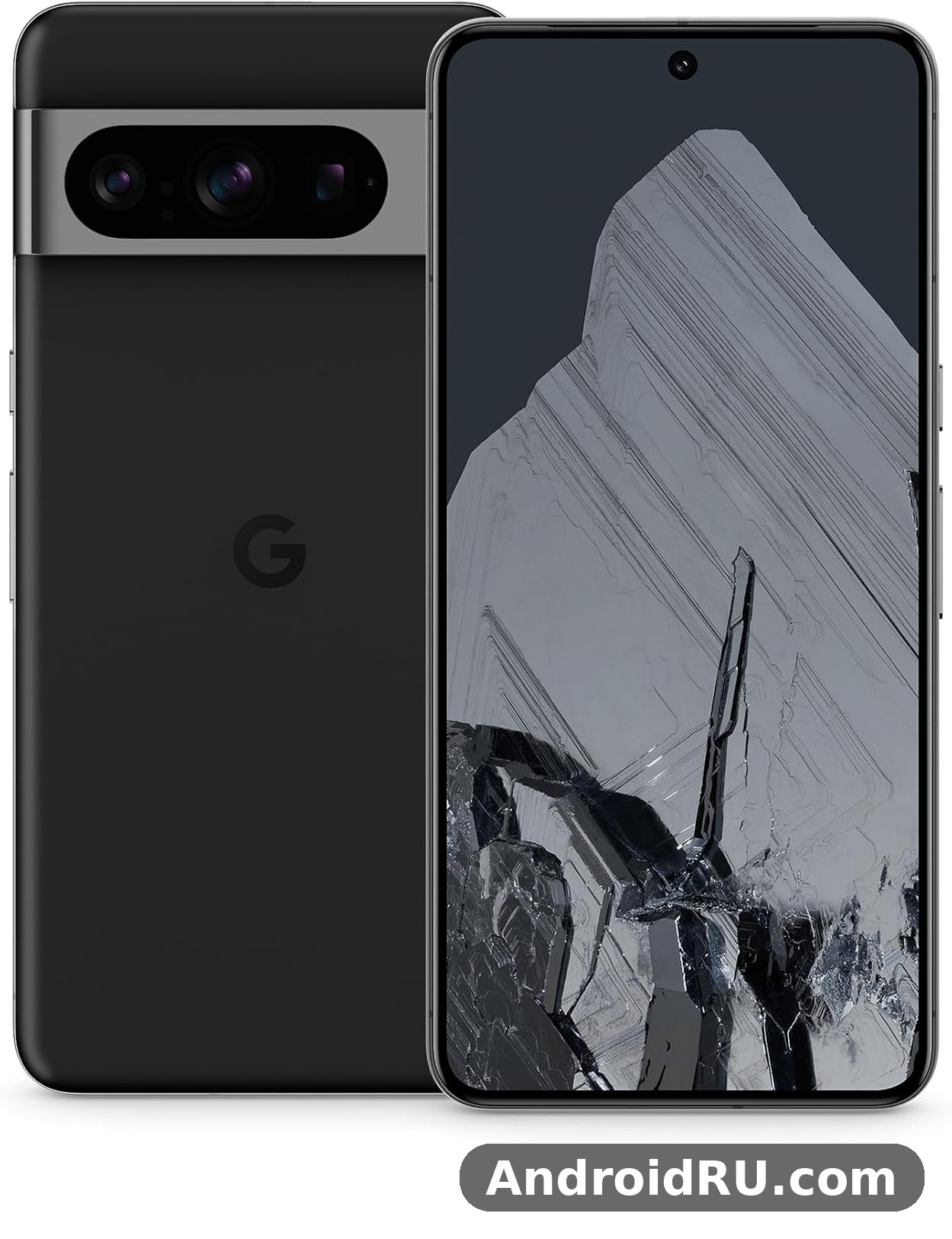
This review covers the three things in the title, in that order. First, photo quality in daylight, at night, and at long zoom. Then video, where the 8 Pro added Video Boost and Night Sight Video for the first time. Then performance, where the Tensor G3 chip trades raw benchmark speed for on-device AI features. Along the way you will find the full specifications, a comparison table against the Pixel 9, Pixel 10 and Pixel 7 Pro, honest pros and cons, and answers to the questions buyers actually ask before spending money on a 2023 flagship in 2026.
A quick note on how this review is framed. The Pixel 8 Pro is a released phone, not a rumour, so every claim here is about the shipping device and its public updates. Where a result depends on conditions, such as light or network signal, this review says so instead of giving a single number and pretending it applies everywhere.
Google Pixel 8 Pro photo quality in daylight and low light
Daylight is where the Pixel 8 Pro camera review story starts, because it is where the phone is hardest to fault. The 50MP main camera produces images with clean detail, restrained sharpening, and colours that lean natural rather than saturated. Skin tones look right in mixed light, greens stay green instead of turning neon, and the sky keeps its gradient instead of blowing out to flat white. Google’s HDR processing pulls detail from shadows without making the whole frame look flat, which is the trick most phone cameras still get wrong. Point the phone at a street scene, a plate of food, or a pet running across a lawn and the result is usually a keeper on the first try.
The 12GB of RAM and the Tensor G3 chip matter here in a quiet way. Each shot runs through several frames merged into one, and the phone does that merge fast enough that you rarely notice a delay. Burst shots of moving subjects stay sharp more often than on the previous generation, and the shutter feels responsive even when HDR is working hard. That responsiveness is part of Pixel 8 Pro photo quality that does not show up in a spec sheet: you miss fewer moments because the camera is ready when you are.
Pixel 8 Pro photo quality in low light is the stronger story. Night Sight has been a Pixel signature for years, and on the 8 Pro it benefits from the larger main sensor, the faster lens, and better processing. Handheld night shots of city streets keep neon signs readable, shadows hold texture instead of turning into black smudges, and faces in dim restaurants stay recognisable without the waxy smoothing some rivals apply. The phone asks you to hold still for a second or two, and the result is usually worth that pause.
There are limits, and they are worth knowing before you buy. Very dark scenes with almost no light still produce noise if you crop in hard, and moving subjects at night can blur because Night Sight needs a still moment. The ultrawide camera is weaker after dark than the main lens, so night shots framed wide will look softer. None of that is unusual for a phone camera. What matters is that the main camera, the one you will use most, is dependable after dark in a way few 2023 phones could match.
How the 50MP main camera handles detail and colour
The main camera uses pixel binning by default, combining four pixels into one to produce 12.5MP images with better light gathering, while a 50MP mode is available in Pro controls for scenes where you want maximum detail. In practice, the binned mode is the right default for almost everyone: files stay manageable, noise stays low, and detail is more than enough for social sharing and large prints. Switch to the full 50MP mode for landscapes with fine texture, such as foliage or architecture, and you will see extra detail when you zoom in on a big screen.
Colour science is a matter of taste, and Google’s taste is conservative. Compared with phones that push saturation hard, Pixel 8 Pro images can look slightly muted straight out of the camera. That is a deliberate choice, and it pays off when you edit: there is more headroom to push colours yourself, and skin tones do not go orange. If you prefer punchier images, the phone’s photo settings let you raise warmth and contrast, and the Magic Editor tools in Google Photos can rework a shot after the fact. The base image is honest, which is the better starting point.
Night Sight and low light photos on the Pixel 8 Pro
Night Sight on the Pixel 8 Pro works by capturing a burst of frames at different exposures and merging them, which is why a two-second hold can produce a photo that looks like it was taken with far more light than was actually there. The mode triggers automatically in dark scenes, and you can also force it on. Astrophotography mode, available when the phone is steady on a tripod or a flat surface, takes long exposures of the night sky and can pick out stars that are invisible to the naked eye in a city. It is a party trick with real substance behind it.
For everyday low light photos, the practical advice is simple. Use the main camera, not the ultrawide, after dark. Keep the phone as steady as you can for the couple of seconds Night Sight needs. Tap to focus on the subject rather than letting the phone guess. And check the result before you walk away, because a second attempt costs nothing and a missed night shot cannot be retaken. With those habits, Pixel 8 Pro Night Sight results are consistently strong, from neon-lit streets to candle-lit rooms.
Best camera settings for sharper Pixel 8 Pro photos
Three settings make the biggest difference. First, turn on the Pixel 8 Pro Pro controls if you like manual input: the 8 Pro lets you adjust shutter speed, ISO, focus, and white balance, and shoot RAW for editing. Second, keep the lens clean, because the large camera bar collects fingerprints and a smudged lens is the most common cause of soft night photos. Third, use the 2x crop from the main sensor for quick portraits instead of digital zoom from the ultrawide, since the main sensor’s crop holds detail better. None of these need a tutorial. They are one-time settings and one habit.
When to use the 48MP ultrawide instead of the main lens
The 48MP ultrawide camera earns its place for landscapes, tight interiors, and group shots where stepping back is not an option. Pixel 8 Pro ultrawide camera macro mode focuses close enough to photograph flowers, food texture, and small objects with real detail. The trade-off is that it gathers less light than the main lens, so in dim rooms the main camera will give you a cleaner image even if you have to step back. Use the ultrawide when the scene demands width or closeness, and use the main lens when the light is poor.
Pixel 8 Pro 5x telephoto zoom and portrait results
The telephoto lens is what separates the 8 Pro from the regular Pixel 8, and it changes how you shoot. A 48MP telephoto with 5x optical zoom gives you a 112mm-equivalent focal length, which is the classic range for portraits, and it lets you photograph subjects you cannot walk up to, from stage performers to wildlife at the edge of a park. Optical zoom means the detail is real, captured by the lens, not invented by cropping. At 5x, images stay sharp with good texture and natural background separation.
Pixel 8 Pro 5x optical zoom quality holds up well at 10x, where Super Res Zoom combines the optical image with computational processing to fill in detail. Results at 10x are good enough for social sharing and small prints, though a close look reveals some softening. At 30x, the maximum digital zoom, the phone is doing heavy computational work, and the results are best treated as a way to read a distant sign or identify a faraway object rather than as a photograph you will frame. That is true of every phone with extreme digital zoom, and Google is honest about it in the way the viewfinder behaves at long range.
Portraits are where the telephoto earns its keep. Shooting at 5x gives faces natural proportions, without the wide-angle distortion you get from a main lens held close, and the background blur looks gradual rather than cut out. Pixel 8 Pro portrait mode works with the telephoto and the main camera, and it handles hair edges and glasses better than the previous generation. For parents photographing children, the combination of fast shutter and telephoto reach is genuinely useful: you can stay back, stay out of the moment, and still get a tight, flattering frame.
One comparison puts the zoom in context. The smaller Pixel 8 has no telephoto lens at all, so its zoom is a crop of the main sensor, and the difference at 5x is obvious side by side. Readers weighing the two phones can compare the pair in our Google Pixel 8 Review: Cameras, Performance and Battery Life, which covers where the standard model matches the Pro and where the telephoto and extra RAM pull ahead.
Is the 48MP telephoto lens good for portraits?
Yes, for most people it is the best portrait lens on the phone. The 5x focal length flatters faces, the large sensor keeps noise low, and the phone’s depth processing separates subject from background without the harsh halo that older portrait modes produced. It works best outdoors or in bright indoor light. In very dim rooms, the phone may switch to a crop of the main sensor for portrait mode, because the telephoto lens gathers less light, so check which lens is active if the light is poor. For daylight portraits of people and pets, the telephoto is the lens to reach for first.
Pixel 8 Pro zoom quality at 5x, 10x and 30x
At 5x, expect sharp, detailed images you can print. At 10x, expect clean images for screens and social posts, with slight softening if you pixel-peep. At 30x, expect usable record shots for identifying distant subjects, not gallery images. The phone also offers a 2x option from the main sensor, which is handy for a slightly tighter frame without switching lenses. The practical rule is to use optical 5x whenever you can, treat 10x as a strong backup, and treat 30x as a tool for seeing, not for keeping.
Google Pixel 8 Pro video quality, stabilisation and 4K recording
Video is where the Pixel 8 Pro made its biggest jump over the Pixel 7 Pro, and it is also where the phone’s AI features are most visible. The main camera records 4K at up to 60 frames per second, with good dynamic range and colours that match the stills, so a video clip and a photo from the same scene look like they belong together. Stabilisation is strong: walking footage looks smooth without the wobble that cheaper phones produce, and panning stays even instead of jerky. For family videos, travel clips, and everyday recording, the default video mode is dependable.
Pixel 8 Pro 4K video recording settings are worth a minute of your time. The camera offers 4K at 24, 30, and 60 frames per second, plus 1080p at up to 240 frames per second for slow motion. For most clips, 4K at 30 frames per second is the sweet spot: files stay manageable, motion looks natural, and low light performance is better than at 60 frames per second, because each frame gets more light. Use 60 frames per second for sport and fast action, where smooth motion matters more than low light. Use slow motion sparingly, for a single moment in a clip, rather than whole videos that become hard to watch.
Pixel 8 Pro Video Boost is the headline feature, and it needs explaining because it works differently from normal recording. When you enable it, the phone records and then uploads the clip for cloud processing, which applies heavier stabilisation, better tone mapping, and Night Sight Video for dark scenes. The processed result can look noticeably better than the original, especially in low light, where Night Sight Video brightens shadows and reduces noise in a way on-device processing cannot match. The catch is the wait: processing takes time and needs a connection, so Video Boost is a tool for clips you care about, not for everything you shoot.
Audio is easy to overlook and hard to fix later, so it is worth a mention. The phone’s microphones handle wind noise reasonably well, and Audio Magic Eraser in Google Photos can reduce background noise, such as wind or crowd chatter, from a clip after recording. It is not magic in the literal sense, and very loud wind will still intrude, but for everyday clips it removes enough distraction to make the result more watchable. If you record interviews or vlogs regularly, an external microphone will still beat any phone, but for casual use the built-in audio is solid.
Video Stabilization modes and when to use each one
Pixel 8 Pro video stabilisation comes in three modes: standard stabilisation for everyday clips, locked stabilisation for a fixed, tripod-like frame, and active stabilisation for walking or running. Standard mode is the right default: it smooths shake without cropping the frame too aggressively. Locked mode suits static shots, such as a speech or a performance, where you want the frame to stay put. Active mode is for movement, and it crops in more to keep the image steady, so expect a slightly tighter field of view. Switching modes takes seconds in the camera settings, and matching the mode to the shot is the difference between footage that looks professional and footage that makes viewers seasick.
Pixel 8 Pro 4K video recording settings for everyday clips
For everyday clips, set 4K at 30 frames per second, leave stabilisation on standard, and turn on Video Boost only for clips you plan to keep. Record with the main camera in low light, since it gathers the most light, and switch to the ultrawide only when the scene needs width. Hold the phone with both hands and move slowly; no stabilisation can fix a sudden jerk. Check the first few seconds of a clip before you keep recording, because exposure and focus mistakes are cheaper to catch early. These habits sound basic, and they are, which is exactly why they work.
Tensor G3 performance, gaming and heat on the Pixel 8 Pro
The Tensor G3 is the chip at the centre of the Pixel 8 Pro, and understanding it means understanding what Google optimised for. This is not a chip built to top benchmark charts. It is built to run on-device AI features fast: live translation, call screening, voice transcription, photo editing, and the computational photography that defines the camera. In daily use, that focus shows. Apps open quickly, switching between a dozen apps is smooth thanks to the 12GB of RAM, and the phone rarely stutters in normal tasks such as browsing, messaging, maps, and streaming.
Pixel 8 Pro Tensor G3 performance in benchmarks sits below the fastest rival chips of 2023, and that gap is real if you measure it. In practice, the gap matters less than the numbers suggest, because the tasks most people do all day are not benchmark-limited. Scrolling, typing, photo editing, and video playback all run well. The phone feels fast in the hand, which is the test that counts for daily use. Where the chip shows its limits is sustained heavy load: long gaming sessions and 4K video recording can warm the phone, and when it warms up it throttles, which means performance drops to protect the hardware.
Pixel 8 Pro gaming performance is good enough for popular titles at sensible settings, including long sessions of casual and mid-weight games. Demanding 3D games run, and they look good on the bright OLED display, but the phone will get warm after twenty or thirty minutes, and frame rates can dip in the most intensive scenes. If mobile gaming is your main hobby, a phone with a chip tuned for sustained peak performance will serve you better. If gaming is something you do in bursts between other tasks, the 8 Pro handles it without complaint. The 120Hz display keeps motion smooth, and the stereo speakers are loud and clear enough for games without headphones.
Heat deserves an honest paragraph, because it is the most common complaint about this generation. The Tensor G3 runs warmer under load than some rivals, and Pixel 8 Pro overheating was reported more often on early software versions, before updates improved thermal management. In normal use, the phone stays comfortable. Under sustained load, such as recording long 4K clips in hot sun or gaming while charging, it gets noticeably warm and may slow down. Keeping the phone out of direct sun while recording, and avoiding gaming while fast charging, removes most of the problem. It is a real trade-off, not a deal-breaker, and it is the main reason to think carefully if you are a heavy gamer.
The generational picture matters for buyers comparing Pixels. The Tensor G3 in the 8 Pro is a step up from the Tensor G2 in the Pixel 7 Pro, with better efficiency and stronger AI performance, while the newer Tensor G4 in the Pixel 9 series and the Tensor G5 in the Pixel 10 series each move efficiency and sustained performance further along. Readers curious about the next generation can read our Google Pixel 9 Review: Daily Performance and Key Features to see how the G4 changes daily speed and heat, and the comparison table later in this review lines up the three generations side by side so the differences are easy to see.
Tensor G3 vs Tensor G2: what actually changed
Compared with the Tensor G2, the G3 brings a newer CPU layout, a faster AI core, and better efficiency for the features Google cares about, such as on-device language models and photo processing. The practical result is a phone that feels a little faster in daily tasks, handles AI features with less delay, and manages heat a little better under the same load. It is an evolution, not a revolution, and anyone coming from a Pixel 7 Pro will notice the camera and the display more than the chip. The bigger reason to move from a 7 Pro is the longer support window and the newer camera hardware, not raw speed.
Does the Pixel 8 Pro overheat during gaming?
It can get warm, and in long sessions of demanding games it may throttle, which shows up as a dip in frame rate. Short sessions and less intensive games are fine, and the phone recovers quickly once the load drops. If you plan to game for an hour at a time, use a case that does not trap heat, keep brightness at a moderate level, and avoid charging while you play. Those three habits keep the phone cooler than any setting change. For most buyers, heat is an occasional annoyance during heavy use, not a daily problem.
Pixel 8 Pro display, design and battery life
The display is one of the best parts of this phone. A 6.7-inch LTPO OLED panel with a 120Hz adaptive refresh rate, a sharp 1344 by 2992 resolution, and a peak brightness of up to 2,400 nits, it stays readable in direct sunlight and looks superb indoors. Pixel 8 Pro display brightness outdoors holds up even in harsh sun, and the Pixel 8 Pro 120Hz refresh rate makes scrolling feel fluid while the panel drops to 1Hz for static text. The adaptive refresh rate drops as low as 1Hz for static content, which saves battery, and rises to 120Hz when you scroll, which keeps motion smooth. Colours are vivid without going over the top, and the always-on display shows time and notifications without waking the whole screen. Gorilla Glass Victus 2 protects the front, and Pixel 8 Pro IP68 water resistance means dust and a dunk in water are not a worry.
Design is a matter of taste, and the 8 Pro has a distinct look. The polished aluminium frame and the full-width camera bar across the back make it recognisable from across a room, and the matte glass back resists fingerprints better than glossy rivals. It is a big phone at 213 grams, and one-handed use is a stretch for most people, so a case and a careful grip help. The three launch colours, Obsidian, Porcelain, and Bay, give buyers a real choice, with Bay’s soft blue standing out in a market full of black and grey slabs. A temperature sensor sits on the camera bar, a Pro-only feature that can measure the temperature of objects, though most owners will use it rarely.
Pixel 8 Pro battery life is solid rather than spectacular. The 5,050mAh battery gets most people through a full day of normal use, including messaging, maps, streaming, and photography, with charge left in the evening. Heavy days with lots of camera use, navigation, and 5G will end closer to empty, and a very heavy day may need a top-up before bed. Screen-on time varies with brightness and signal, so anyone quoting a single number is simplifying. In practice, expect a full day for typical use and plan a charger for days when you are out shooting photos and video from morning to night.
Pixel 8 Pro charging speed 30W wired takes the battery to around 50 percent in about 30 minutes with a compatible USB PD charger, and a full charge takes well over an hour. That is slower than some rivals that charge in half the time, and it is the weakest part of the hardware package. Pixel 8 Pro wireless charging runs at up to 23W with the Pixel Stand, and 12W with standard Qi chargers, and Battery Share lets the phone wirelessly charge earbuds or another phone in a pinch. The phone ships without a charger in the box, so check the official page for a compatible 30W charger if you do not already own one.
Day-to-day extras round out the experience. The Pixel 8 Pro fingerprint sensor is optical and works reliably once you register the same finger twice, and Pixel 8 Pro Face Unlock is fast enough for most situations, though it is less secure than the fingerprint for payments in some contexts. Call quality is clear, 5G reception is solid in covered areas, and Wi-Fi 7, Bluetooth 5.3, NFC, and ultra-wideband cover the connectivity bases. Stereo speakers are loud and balanced for video and calls. None of these features will sell the phone on their own, and all of them together make the phone easy to live with.
6.7-inch LTPO OLED display and 120Hz refresh rate
The 6.7-inch LTPO OLED display is the part of the phone you look at most, and it earns its flagship billing. The 120Hz refresh rate makes scrolling and animations feel fluid, the high peak brightness keeps the screen readable outdoors, and the sharp resolution keeps text crisp. LTPO technology lets the refresh rate drop for static images, which saves battery during reading. If you are comparing screen sizes, the larger display is also the reason to consider the big-screen alternative in our Google Pixel 9 Pro XL Review: Build Quality, Software and Daily Speed, which pairs a 6.8-inch screen with the newer Tensor G4 chip.
Pixel 8 Pro battery life and 30W wired charging
For a normal day, the 5,050mAh battery is enough, and the 30W wired charging is enough to recover quickly during a coffee break, but it is not fast by 2026 standards. A practical routine is to charge overnight with adaptive charging, which slows the charge to protect battery health, and to carry a small power bank on travel days when the camera is working hard. Battery health settings and adaptive battery, both in the settings menu, are worth leaving on: they learn your routine and stretch the battery where it matters.
Android 14 to Android 16 and seven years of Pixel 8 Pro updates
Software support is the Pixel 8 Pro’s quiet superpower. The phone launched with Android 14 and the Pixel 8 Pro seven years of updates promise covers operating system updates, security patches, and feature drops, taking it through Android 21 in principle and keeping security updates coming until 2030. It has already received Android 15 and Android 16, and the update record so far has been steady, with monthly security patches and quarterly feature drops adding new capabilities. For a phone bought in 2026, that support window is the single biggest reason the 8 Pro still makes sense: you are buying years of updates, not just a 2023 camera.
What do those updates actually bring? Feature drops have added new AI tools, camera improvements, and quality-of-life changes, while the major Android upgrades bring new privacy controls, better notifications, and interface refinements. The phone runs clean Android without duplicate apps or heavy skins, which keeps it fast and makes updates arrive promptly. Google’s AI features, such as Call Screen, Hold for Me, live transcription, and the photo editing tools in Google Photos, are part of the daily experience rather than a separate app you forget to open.
Pixel 8 Pro Android 16 update availability is straightforward: the phone is in Google’s supported list, and updates arrive over the air in the usual staged rollout, so some owners see them a few days before others. Before a major update, back up your photos and check that you have enough free storage, since a failed update is almost always a storage problem. After an update, give the phone a day to settle, because battery use is often higher for the first day while the system re-indexes. If an update ever feels wrong, the support pages and the settings menu have a clear path to check the version and the security patch level.
Seven years of updates also changes the used-phone maths. A Pixel bought second-hand in 2026 still has years of security patches ahead of it, which is not true of most 2023 Android phones from other brands. That is worth factoring into the price: a cheaper phone with two years of support left is not cheaper if you have to replace it sooner. The 8 Pro’s support window is the reason it appears on so many best-value lists years after launch, and it is the feature that will matter most in the second half of its life.
What seven years of updates means for Pixel 8 Pro owners
Seven years of updates means the phone stays secure, keeps getting new features, and stays compatible with new apps for far longer than the typical Android phone. It means a phone bought in 2026 can still be a daily driver in 2029 and 2030 without running outdated software. It does not mean the battery will last seven years without degrading, and it does not mean every future feature will run at full speed on 2023 hardware. It means the software side of the phone ages slowly, which is the part you cannot fix yourself.
Google Pixel 8 Pro Full Specifications
Here is the complete specification sheet for the Pixel 8 Pro, followed by a comparison table that lines it up against the Pixel 9, Pixel 10, and Pixel 7 Pro. Pixel 8 Pro storage options run from 128GB to 1TB, and the Pixel 8 Pro 12GB RAM keeps multitasking smooth across a dozen open apps. The numbers are the launch specifications; software updates have changed some behaviours since launch, but the hardware is fixed, so this table stays accurate as a buying reference.
| Specification | Google Pixel 8 Pro |
|---|---|
| Release date | October 2023 |
| Display | 6.7-inch LTPO OLED, 1344 by 2992, 120Hz adaptive 1 to 120Hz, peak brightness up to 2,400 nits, Gorilla Glass Victus 2 |
| Chipset | Google Tensor G3, Titan M2 security chip |
| RAM | 12GB LPDDR5X |
| Storage | 128GB, 256GB, 512GB, or 1TB UFS 3.1, no microSD slot |
| Rear cameras | 50MP main f/1.68, 48MP ultrawide f/1.95 with macro, 48MP telephoto f/2.8 with 5x optical zoom, up to 30x Super Res Zoom |
| Front camera | 10.5MP f/2.2 with autofocus, 4K video up to 60fps |
| Video | 4K up to 60fps, 1080p up to 240fps slow motion, Video Boost, Night Sight Video |
| Battery | 5,050mAh |
| Charging | 30W wired, up to 23W wireless with Pixel Stand, 12W Qi, Battery Share reverse wireless charging |
| Operating system | Android 14 at launch, upgradable to Android 15 and Android 16, seven years of OS and security updates |
| Connectivity | 5G, Wi-Fi 7, Bluetooth 5.3, NFC, ultra-wideband, USB-C 3.2 |
| Security | In-display fingerprint sensor, Face Unlock, Titan M2 chip |
| Durability | IP68 dust and water resistance |
| Dimensions and weight | 162.6 by 76.5 by 8.8 mm, 213 grams |
| Colours | Obsidian, Porcelain, Bay |
| Extras | Temperature sensor, stereo speakers, no charger in the box |
Before the comparison table, a note on how to read it. The Pixel 8 Pro is the middle generation here: newer than the 7 Pro, older than the 9 and 10. Each generation changed the chip, and the chip is the clearest way to tell them apart, so check the chipset row first when you compare. The Tensor G3 belongs to the Pixel 8 series, the Tensor G4 belongs to the Pixel 9 series, and the Tensor G5 belongs to the Pixel 10 series. Mixing those up is the most common mistake in Pixel comparisons, and it changes the conclusion, because the newer chips run cooler and more efficiently.
| Feature | Pixel 8 Pro | Pixel 9 Pro | Pixel 10 | Pixel 7 Pro |
|---|---|---|---|---|
| Chipset | Tensor G3 | Tensor G4 | Tensor G5 | Tensor G2 |
| Display | 6.7-inch LTPO OLED, 120Hz | 6.3-inch LTPO OLED, 120Hz | 6.3-inch OLED, 120Hz | 6.7-inch LTPO OLED, 120Hz |
| RAM | 12GB | 16GB | 12GB | 12GB |
| Rear cameras | 50MP plus 48MP ultrawide plus 48MP tele 5x | 50MP plus 48MP ultrawide plus 48MP tele 5x | 50MP plus 48MP ultrawide plus 10.8MP tele 5x | 50MP plus 12MP ultrawide plus 48MP tele 5x |
| Front camera | 10.5MP | 42MP | 10.5MP | 10.8MP |
| Battery | 5,050mAh | 4,700mAh | 4,970mAh | 5,000mAh |
| Wired charging | 30W | 30W | 30W | 23W |
| Launch Android | Android 14 | Android 14 | Android 16 | Android 13 |
| Update promise | 7 years | 7 years | 7 years | 5 years |
Pixel 8 Pro vs Pixel 9 vs Pixel 10: chipset and camera differences
Pixel 8 Pro vs Pixel 10 is the widest generational gap here: the newer phone pairs the Tensor G5 with a smaller telephoto sensor, while the 8 Pro keeps the larger 48MP telephoto. The chipset tells the generational story in one line. The Pixel 8 Pro runs the Tensor G3, the Pixel 9 series runs the Tensor G4, and the Pixel 10 runs the Tensor G5, and each step brings better efficiency and cooler sustained performance. Camera hardware moved more slowly: the 8 Pro and 9 Pro share a similar triple-camera layout, while the Pixel 10 keeps a triple camera with a smaller telephoto sensor. In daylight, the photo gap between the three generations is smaller than the chip gap, which is why the 8 Pro still photographs well in 2026. Where the newer phones pull ahead is sustained performance, heat, and the newest AI features that lean on the newer chips.
Pixel 8 Pro vs Pixel 9 Pro: which Pro model fits which buyer
The Pixel 9 Pro is the smaller, newer Pro, with a 6.3-inch screen, 16GB of RAM, a 42MP front camera, and the Tensor G4 chip, and our Google Pixel 9 Pro Review: Design, Software and Camera Quality covers it in full. Choose the 9 Pro if you want a smaller phone, the newest chip, and a better selfie camera. Choose the 8 Pro if you want a larger 6.7-inch display, a similar triple camera, and a lower price, and you are happy with the Tensor G3. Both get seven years of updates, so support is not the deciding factor. Price and size are.
Pixel 8 Pro vs Pixel 7 Pro: is the upgrade worth it
Against the Pixel 7 Pro, the 8 Pro is a clear step forward: a brighter display, a better ultrawide camera, a faster chip, and seven years of updates instead of five. The 7 Pro is still a capable phone, and our Google Pixel 7 Pro Review: Build Quality, Software and Daily Speed covers its strengths, but its support window is shorter and its Tensor G2 runs warmer. If you own a 7 Pro and the camera still satisfies you, the upgrade is a nice-to-have rather than a must. If you are buying fresh and the two phones are close in price, the 8 Pro is the better buy for the longer support alone.
Pros and cons of the Google Pixel 8 Pro and who should buy it
The honest summary is that the Pixel 8 Pro is a camera-first phone with software support that outlasts its hardware generation, held back by a chip that runs warm and charging that is slower than rivals. The 50MP main camera is still one of the most dependable phone cameras you can buy, day or night, and the 5x telephoto gives it a range the regular Pixel 8 cannot match. The Tensor G3 chipset is not the fastest chip of its year, but it powers the AI features that make the phone feel smart, from Call Screen to Magic Editor. The seven years of updates is the feature that keeps this phone relevant in 2026, and the 5,050mAh battery gets most people through a full day.
Pros:
- Excellent photo quality from the 50MP main camera, with strong Night Sight and reliable colours in daylight and low light.
- A real 5x optical telephoto lens that makes portraits and distant subjects look genuinely good, not just cropped.
- Seven years of OS and security updates, taking the phone from Android 14 through Android 16 and beyond.
- A bright 6.7-inch 120Hz LTPO OLED display that stays readable outdoors and feels smooth in daily use.
- Useful AI tools built in, including Pixel 8 Pro Magic Eraser, Best Take, Magic Editor, Call Screen, and Audio Magic Eraser.
- IP68 water resistance, wireless charging, and a clean version of Android with no duplicate apps.
Cons:
- The Tensor G3 chip runs warm under sustained load and can throttle during long gaming sessions or extended 4K recording.
- Charging is slow by modern flagship standards, with 30W wired charging taking well over an hour for a full charge.
- Video Boost needs cloud processing and a wait, so it is not an instant fix for every clip you shoot.
- The phone is large and heavy at 213 grams, which makes one-handed use a stretch for many people.
- No charger in the box, and storage cannot be expanded with a microSD card, so choose the storage size carefully at purchase.
Pixel 8 Pro price in 2026 is where the value case comes together. At launch the phone cost $999, and in 2026 it sells for far less new, refurbished, or second-hand, which changes the comparison completely. Against a new Pixel 9 or Pixel 10 at full price, the 8 Pro offers most of the camera quality and the same seven-year update promise for much less money. The Pixel 8 Pro vs Pixel 9 camera gap in daylight is small, and the main differences are the newer chip, the smaller body of the 9 Pro, and the better selfie camera. If those differences are worth the price gap to you, buy newer. If they are not, the 8 Pro is the better value.
Who the Pixel 8 Pro is best for
The Pixel 8 Pro is best for photographers who want a dependable camera without carrying a second device, for buyers who plan to keep a phone for four or five years and want updates the whole time, and for anyone who values clean Android and Google’s AI features over benchmark scores. It suits travellers who need a good zoom and a bright screen, parents who need a fast camera for children and pets, and buyers coming from an older Pixel who want a familiar experience with a much better camera. Pixel 8 Pro selfie camera quality is solid for video calls and social posts, with autofocus keeping faces sharp, and the 10.5MP front camera records 4K video, which is more than enough for everyday use.
Who should skip the Pixel 8 Pro
Skip it if mobile gaming is your main hobby, because the Tensor G3 will throttle in long sessions and rivals with gaming-tuned chips will stay cooler. Skip it if you need the fastest possible charging, because 30W wired charging will frustrate you every day. Skip it if you want a small phone, because the 6.7-inch body is big and heavy, and the regular Pixel 8 or the Pixel 9 is the better fit. And skip it if you need the newest AI features that depend on the Tensor G4 or G5, since some of those will never come to the G3. For everyone else, the balance of camera, screen, battery, and support still works.
Frequently asked questions about the Google Pixel 8 Pro
Is the Google Pixel 8 Pro still worth buying in 2026?
Yes, for most buyers, if the price is right. The camera still photographs well, the display is still bright and smooth, and the phone still receives Android updates with years of support left. The main reasons to buy newer instead are gaming performance, faster charging, and a smaller body. Check the price against a Pixel 9 or Pixel 9 Pro first: if the 8 Pro is much cheaper, it is the better value. If the prices are close, the newer phone is the better buy.
How good is the Pixel 8 Pro camera for night photos?
Very good, and the main camera is the reason. Night Sight produces clean, detailed night shots with readable signs and natural colours, and it works handheld in most situations. Use the main camera after dark rather than the ultrawide, hold still for the couple of seconds Night Sight needs, and expect moving subjects to blur in very dark scenes. For city streets, restaurants, and evening events, the night camera is one of the strongest parts of this phone.
Does the Pixel 8 Pro get Android 16 and how long is support?
Yes. The phone launched with Android 14, has received Android 15 and Android 16, and Google promised seven years of OS updates and security patches from launch, running to 2030. Monthly security patches and quarterly feature drops continue through that window. Support covers software, not battery wear, so a phone bought in 2026 will need a battery check before the software support ends, but the software itself will stay current for years.
How long does the Pixel 8 Pro battery last on a normal day?
For typical use, including messaging, browsing, streaming, and photography, the 5,050mAh battery lasts a full day with charge left in the evening. Heavy days with lots of camera use, navigation, and 5G will end closer to empty, and a very heavy day may need a top-up before bed. Charging to around 50 percent takes about 30 minutes with a compatible 30W charger. Adaptive battery and adaptive charging, both in the settings menu, help stretch battery life and protect long-term battery health.
What is the difference between the Pixel 8 Pro and the Pixel 8?
The Pro adds a 48MP telephoto lens with 5x optical zoom, a 48MP ultrawide camera instead of 12MP, 12GB of RAM instead of 8GB, a larger 6.7-inch display, a bigger 5,050mAh battery, and a temperature sensor. Both phones share the Tensor G3 chip and seven years of updates, so daily speed and software support are similar. The Pro is the better choice if you want the zoom lens and the larger screen; the regular Pixel 8 is the better choice if you want a smaller, cheaper phone and can live without the telephoto.
More About the Pixel 8 Pro: Price, Specs and Everyday Questions
These extra answers cover the questions readers ask most about the Pixel 8 Pro, from price and specifications to the camera, battery life and everyday use.
Pixel 8 Pro Price, Release Date and Specifications
The Pixel 8 Pro specs cover a Tensor G3 chipset, 12GB of RAM and a 5,050 mAh battery, which we cover in detail in the specifications section above. Questions about the Pixel 8 Pro release date come up often, because this model launched alongside the rest of its Pixel generation. The Pixel 8 Pro RAM is 12GB, which is enough for smooth multitasking and keeping apps open in the background. The Pixel 8 Pro processor is the Tensor G3 chipset, which handles everyday apps and photography well. The Pixel 8 Pro price and specifications together make the value case: you pay for the camera, the clean software and the long update window. The Pixel 8 Pro specifications and price are both covered above, so compare them with the previous Pixel before deciding. The Pixel 8 Pro price in India varies by retailer and storage option, so check local listings for the current street price.
Pixel 8 Pro Camera, Display and Performance
The Pixel 8 Pro night mode, known as Night Sight, brightens low-light photos without a flash and keeps detail in the shadows. The Pixel 8 Pro video recording reaches 4K, with stabilization that keeps handheld clips smooth. A Pixel 8 Pro camera test in low light shows the Night Sight processing keeping detail without harsh noise. The Pixel 8 Pro display quality is strong for its class, with good brightness outdoors and accurate colours. This Pixel 8 Pro performance review finds everyday speed smooth, with the chipset only showing its limits in long gaming sessions.
The Pixel 8 Pro camera quality stands out in low light, where Night Sight keeps photos bright without a flash. The Pixel 8 Pro astrophotography mode works best on a tripod, capturing stars and the night sky over several minutes. The Pixel 8 Pro night sight photos keep detail in dark scenes without a flash, which is where this phone beats many rivals. The Pixel 8 Pro magic eraser how to use guide is simple: open the photo in Google Photos, tap Edit, then remove the unwanted object.
Pixel 8 Pro Battery Life and Charging
In a Pixel 8 Pro battery life test with mixed use, browsing, video and messaging, the phone gets through a full day with charge to spare. This Pixel 8 Pro battery review finds a full day of use realistic, with heavier days needing an evening top-up. The Pixel 8 Pro wireless charging speed is slower than wired charging, so use a pad overnight and a cable when you are in a hurry. A Pixel 8 Pro battery drain overnight fix starts with checking battery use in Settings, then turning off background data for the worst apps. A Pixel 8 Pro overheating problem fix starts with closing heavy apps and moving out of direct sun, then checking for a software update. Does Pixel 8 Pro have wireless charging? Yes, it works with standard Qi chargers and pads.
Pixel 8 Pro SIM, Security and Everyday Use
The Pixel 8 Pro eSIM support lets you add a second line without a physical SIM card, which is handy for travel. The Pixel 8 Pro software update support runs for 7 years from launch, covering security patches and feature drops. To learn how to take a screenshot on Pixel 8 Pro, press the power and volume-down buttons together, then find the image in Photos. The Pixel 8 Pro fingerprint sensor not working usually means a dirty sensor or a poorly registered finger, so clean the area and re-register your finger. The Pixel 8 Pro eSIM setup runs through Settings, then Network and internet, then SIMs, where you can add a plan by scanning a QR code. The Pixel 8 Pro dual SIM support combines a nano-SIM with an eSIM, so two numbers can share one phone. Does Pixel 8 Pro support 5G? Yes, on most carriers, using sub-6GHz and mmWave bands where they are available. Is Pixel 8 Pro waterproof? Not fully, no phone is truly waterproof, but the IP68 rating covers rain, splashes and brief immersion.
Pixel 8 Pro Accessories, Repairs and Buying Advice
A Pixel 8 Pro screen protector is worth fitting, because it guards the display against scratches and small drops. Is Pixel 8 Pro worth buying? For most buyers the answer is yes at the right price, because the camera and clean software still hold up. The Pixel 8 Pro pros and cons are simple: the camera and software are strong, while charging speed and gaming power lag behind rivals. This Pixel 8 Pro full review covers the camera, display, performance, battery and software, so you can judge the whole phone. The Pixel 8 Pro screen replacement cost varies by repair shop and region, so get a quote before booking a repair.
Final verdict: is the Pixel 8 Pro still a smart buy in 2026
The Pixel 8 Pro earns its reputation as a camera phone first and a flagship second. Photo quality is strong in daylight and at night, the 5x telephoto adds a range most phones in its price bracket cannot match, and video has improved enough that Video Boost and Night Sight Video are real reasons to choose it. Performance is good for daily use and light gaming, with heat as the honest trade-off, and the display and battery do their jobs without fuss. Seven years of updates is the feature that makes a 2023 phone a sensible purchase in 2026.
Buy it if the camera and the support window matter most to you and the price undercuts the newer Pixels by a clear margin. Compare it against the Pixel 9 Pro if you want a smaller phone with a newer chip, and against the Pixel 8 if you do not need the telephoto lens. Then check one thing today: the price of the storage size you actually need, since 128GB fills up fast with 50MP photos and 4K video, and storage cannot be expanded later. Pick the right storage, set up Pro controls and Night Sight, and the Pixel 8 Pro will reward you with photos that still impress years after launch.

