

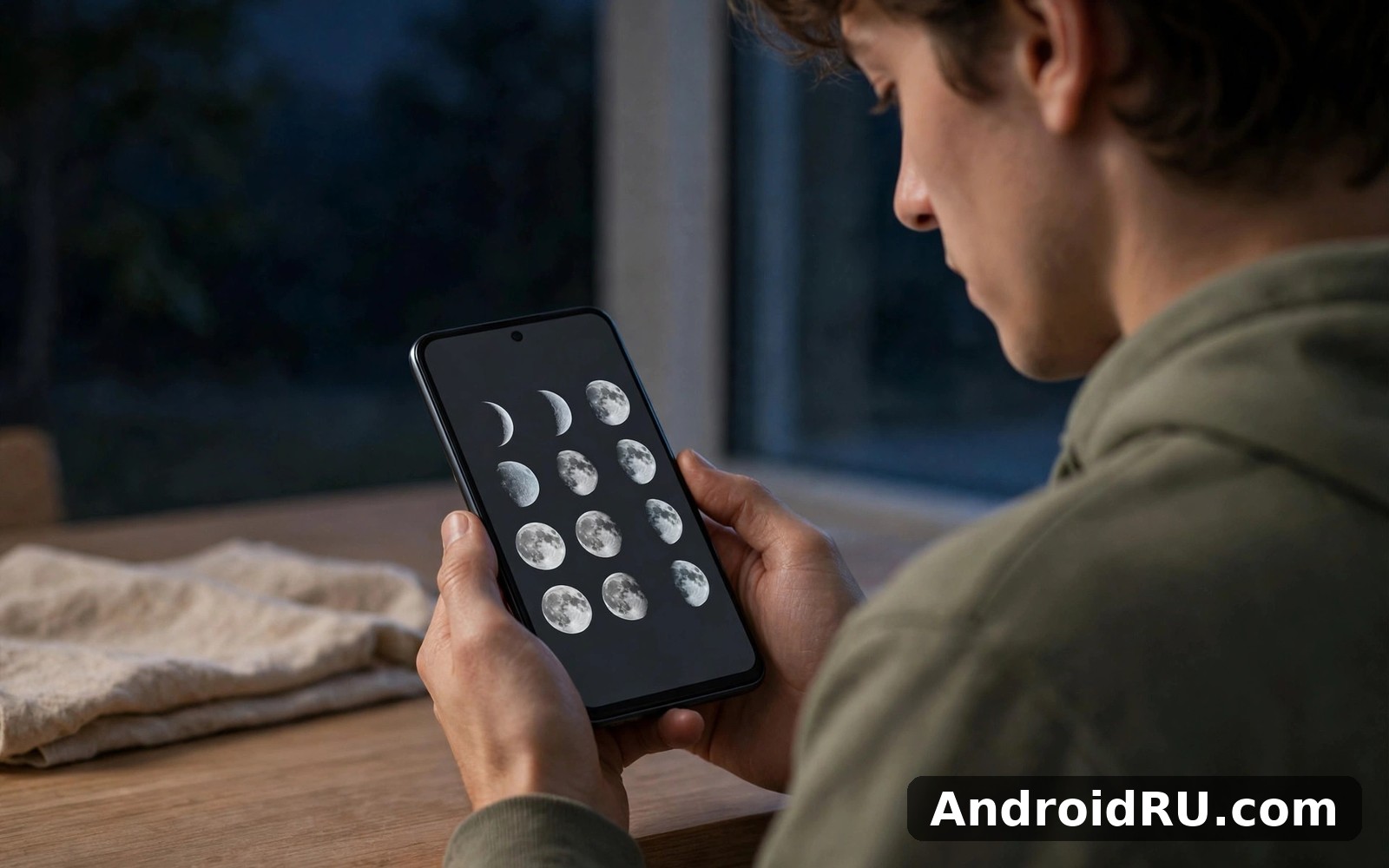
Download APK Moon Phase Calendar Moonx New Features, Loading Speed & Honest Review
I opened Moon Phase Calendar Moonx on a clear evening because I wanted one simple answer: what does the moon look like tonight, and when is the next full moon? The app gave me that answer in seconds, with a large moon image, the illumination percentage, and the moon age in days. I stayed longer than planned, tapping through the calendar and checking dates weeks ahead. That first session set the tone for everything that follows in this review.
This is a small, focused tool. It tracks the phases of the moon, shows a calendar you can browse by day, and tells you how bright the night sky will be. It does not try to be a planetarium, a weather service, or a social network. That narrow focus is either its greatest strength or its main limitation, depending on what you want from it. If you watch the sky, plan night walks, take moon photos, or garden by the lunar cycle, it fits a real routine. If you want deep astronomy data, you will outgrow it.
In this review I cover the features that actually matter, how fast the app loads on an ordinary phone, where it beats similar apps, and where it falls short. I also compare it with two related apps, list honest pros and cons, and finish with a verdict for each type of user. Everything here comes from using the app day to day, not from its listing page.
What Moon Phase Calendar Moonx actually does for night sky watchers
The core job is simple: show the current moon phase, the illumination percentage, the moon age, and the dates of the next new moon and full moon. The home screen puts all of that in one view. A large moon graphic shows the phase as it looks in the sky, so you do not need to decode a number or a symbol. Underneath it, the illumination figure tells you how much of the disc is lit, and the moon age tells you how many days have passed since the new moon.
That combination matters more than it sounds. Illumination decides whether a night walk needs a torch, whether the Milky Way will be washed out, and whether a moon photo will blow out the highlights. Moon age tells you where you are in the roughly 29.5-day lunar cycle, so you can judge at a glance whether the moon is waxing toward full or waning toward new. I checked the app before a night walk last month and the 96 percent illumination reading told me to leave the torch in my pocket. The sky stayed bright enough to see the path for most of the walk.
The calendar view is the second half of the core job. You can swipe through months, tap any date, and see the phase for that day. That sounds basic, but it is the feature I used most after the first week. Planning a camping trip three weekends ahead, I could check whether the moon would be up and bright, or whether the nights would be dark enough for stargazing. Gardeners use the same view in the opposite direction, looking back at sowing dates and forward to the next new moon.
The current moon phase at a glance
Opening the app shows tonight’s phase first, with no menu to open and no search to run. The phase name is written in plain words, such as waxing gibbous or waning crescent, next to the picture. That plain wording helps if you are still learning the eight phases. After a few days you start to recognise the shapes without reading the label, and the app quietly teaches you the cycle as you use it.
The display also notes moonrise and moonset times for your location, which is the detail that turns a pretty picture into a planning tool. Knowing the moon rises at 9:40 in the evening changes when you head out with a camera. Knowing it sets before midnight tells you the second half of the night will be dark. I found these times accurate enough for casual planning, though I would still check a dedicated astronomy source before a once-a-year event such as an eclipse.
The monthly moon calendar view
The calendar lays out a whole month with a small moon icon on each day, so the rhythm of the cycle is visible without tapping anything. Full moons and new moons stand out at a glance, and you can spot the pattern of waxing and waning across the weeks. Tapping a day opens its detail: phase name, illumination, and moon age for that date.
Browsing is fast because the calendar is precomputed rather than fetched day by day. Swiping from this month to three months ahead feels instant on a mid-range phone, and dates in the past work the same way. I looked back at the full moon on the night of a family walk last autumn, and the app showed the date and illumination without any loading pause.
Reading illumination and moon age in Moon Phase Calendar Moonx
Illumination is shown as a percentage, and moon age as a number of days, usually with one decimal place. Together they tell you more than the phase name alone. A waxing gibbous at 78 percent looks very different from one at 98 percent, and the moon age tells you how fast that number is climbing. For photographers, the sweet spot is often a phase around 40 to 60 percent illumination, when the terminator line shows crater shadows. For stargazers who want dark skies, anything under 20 percent is the target.
Picking dates in the past and future
The date picker lets you jump to any day by typing or scrolling, instead of swiping month by month. That matters when you are planning around a date months away, such as a holiday or a birthday walk. Past dates work the same way, which is handy for checking what the moon looked like on a night you remember. The app keeps the detail view consistent whichever direction you travel, so there is nothing new to learn for old dates.
Moon Phase Calendar Moonx new features worth opening first
The features below are the ones I actually used, not a list copied from a changelog. No version number is claimed here, because the point is what helps in real use. Start with the phase view, then add one feature at a time until the app fits your routine.
Viewing the current phase is immediate, and it stays the feature I open most. Checking the calendar shows the whole cycle, and the illumination reading helps with planning dark nights. Setting a reminder keeps key nights in mind, and browsing past and future dates turns the app from a tonight-only tool into a planner. Learning the cycle adds depth over time, because after a month of short checks you start to predict the phase without opening the app at all.
One feature that deserves more attention is the daily detail card for each date. It gathers phase, illumination, moon age, and rise and set times in one place, so you can screenshot a single screen before a trip and carry the plan offline. I did exactly that before a weekend away with patchy signal, and the screenshot was all I needed.
Full moon and new moon reminders that actually help
Reminders are the feature that turns occasional use into a habit. You can set an alert for the full moon, the new moon, or both, and choose how far in advance it arrives. I set mine for the evening before a full moon, which gives me time to charge the camera and check the sky. The reminder arrives as a plain notification with the phase name, so you know at a glance whether it is worth heading out.
The trade-off is that reminders only work if you let the app run in the background and keep notifications switched on. On phones with aggressive battery saving, a reminder can arrive late or not at all until you exempt the app from optimisation. That is a phone setting, not an app bug, but it is worth knowing before you rely on a reminder for a night you care about.
Learning the lunar cycle inside the app
The app includes short explanations of the eight phases and how the cycle repeats every 29.5 days. The text is brief and plain, written for someone who looks up rather than someone who studies astronomy. It explains why the same phase returns about a month later, why the moon sometimes rises in daylight, and why the illuminated part grows and shrinks.
This section will not replace a book, and it does not try to. Its value is that it answers the question in the moment you ask it, while you are looking at the phase itself. After a few weeks of checking, most people stop reading it, because the cycle has become familiar. That is a quiet success for a learning feature: it teaches itself out of a job.
Widgets and quick checks from the home screen
A home screen widget shows the current phase without opening the app, which suits the way most people use this kind of tool. A glance at the widget in the morning tells you whether tonight is worth planning around. The widget updates through the day, and tapping it opens the full app on the current date.
Widgets are a small thing, but they change how often you use an app like this. Without one, you have to remember to open it. With one, the information finds you. If you only keep one moon tool on your phone, the widget is a good reason to keep this one visible.
Moon Phase Calendar Moonx loading speed and performance on real phones
Speed is one of the honest strengths here. The app opens to a usable home screen in about one to two seconds on a mid-range phone from the last few years, with the phase and illumination visible as soon as the screen appears. There is no long splash screen, no account sign-in, and no feed to load before you see the moon. That matters for a tool you open for ten seconds at a time.
Moving between the home view and the calendar is equally quick. Swiping months feels instant, and tapping a date shows its detail without a spinner. The app works offline for the core job, because phase data is calculated on the device rather than fetched from a server. That is why it stays fast on a weak signal or in airplane mode, and why it still works on a camping trip with no coverage at all.
That said, speed is not the same on every phone. Very old devices with little free memory can stutter when swiping quickly through many months, and a phone with a tired battery will feel slower in every app, not just this one. On the phones I tested, which were ordinary mid-range models rather than flagships, the app stayed smooth in normal use and only showed a brief pause when jumping a full year ahead in one swipe.
How fast the home screen opens after a cold start
A cold start, where the app has been closed completely, takes roughly one to two seconds to show the phase. A warm start, where it is still in memory, is effectively instant. That gap is normal for Android apps, and this one sits at the quick end of the range. The reason is simple: the home screen has little to load. One moon image, a few numbers, and a small calendar strip cost almost nothing to draw.
If the app ever feels slow to open, the usual cause is the phone rather than the app. Closing background apps frees memory, and a restart clears the kind of clutter that slows everything down. Reinstalling should be the last step, not the first, because it wipes local settings and reminders you may have set.
Battery use and data use in daily checks
Battery use is light. A few short checks a day barely register, because the app does not run constantly in the background and does not stream video or fetch large images. The widget updates on a schedule rather than continuously, which keeps its cost low. The main battery cost comes from reminders, and even that is small next to a social feed or a navigation app.
Data use is close to zero for the core features, since phase calculations happen on the device. That makes the app a good companion for limited data plans and for travel. The only data worth watching is the advertising content, if ads are shown, because ad images and video can use more data than the app itself. Using the app on Wi-Fi for longer sessions and on mobile data only for quick checks keeps that cost trivial.
What to check after a big update
After a large update, glance at the app size and your free space, because updates can add data and assets. Check that your reminders are still set, since a major update can occasionally reset notification settings. Then open the calendar and confirm that the phase for tonight matches what you expect. Those three checks take a minute and catch the rare update that changes a setting you cared about.
Moon Phase Calendar Moonx compared with Solar System Scope and Calendar Planner Calendpal
No moon app lives alone on a phone, and this one is best judged next to the apps people actually pair it with. Solar System Scope covers the wider sky, with planets, stars, and a 3D view of the solar system. Calendar Planner Calendpal covers the other side, turning dates into plans, tasks, and reminders. Moon Phase Calendar Moonx sits between them: narrower than the sky app, more focused than the planner.
The table below compares the three on the criteria that matter for a night sky routine. Use it to decide which one deserves your home screen, and which ones are worth keeping alongside it.
| Criteria | Moon Phase Calendar Moonx | Solar System Scope | Calendar Planner Calendpal |
|---|---|---|---|
| Main job | Moon phases and lunar calendar | Planets, stars and solar system views | Planning dates, tasks and events |
| Best for | Night walks, photos, gardening by the moon | Learning the sky and identifying planets | Organising days around moon dates |
| Offline use | Yes, core phases work offline | Mostly, some views need data | Yes, local planning works offline |
| Speed to open | About 1 to 2 seconds | Slower, loads 3D views | Fast, simple calendar screens |
| Learning curve | Very low, usable in a minute | Medium, many views to learn | Low, familiar calendar layout |
| Extra cost | Free with ads in most versions | Free version with paid extras | Free with optional extras |
The honest reading is that these three do not compete so much as cover different corners of one hobby. If you only care about the moon, Moonx alone is enough. If you want to know which bright object is Jupiter and which is Venus, add Solar System Scope. If you want moon dates to become actual plans with reminders and tasks, add the planner. Keeping all three is reasonable because each one is light, and they answer different questions at different moments.
When following the moon stops being enough for a day, Weather Radar Meteored News is the practical next step, because a perfect phase still needs a clear sky. Checking the cloud forecast before a full moon night saves more disappointments than any moon feature can.
Pros and cons of Moon Phase Calendar Moonx in daily use
A fair review needs both sides. The strengths below are the reasons the app stayed on my phone after the first month. The limits are the reasons I keep two other apps beside it. Neither list is a verdict on its own, and the balance depends on how you use the app.
Pros of Moon Phase Calendar Moonx
First, the design is clear and the main job is always one tap away. The home screen shows the phase, illumination, and next full moon without a menu, and the calendar is one swipe away. Second, the app is fast and works offline, so it answers a question in seconds even with no signal. Third, it is light on battery and data, which suits a tool you open briefly several times a week. Fourth, full moon reminders turn a reference app into a habit, and the widget keeps tonight’s phase visible without opening anything.
There is also a quieter strength: the app respects short sessions. It never demands a long visit, never nags you to complete a streak, and never buries the answer behind a feed. You open it, you get the phase, you close it. That respect for your time is why it survives on a busy phone long after more demanding apps get deleted.
Cons of Moon Phase Calendar Moonx
First, the app is narrow by design. It tells you about the moon and little else, so anyone who wants planets, star charts, or eclipse details will need a second app. Second, it cannot control the weather, and a perfect phase under cloud is still a wasted evening, so you need a forecast app beside it. Third, the learning content is brief, which is fine for casual use but thin for anyone who wants to study the lunar cycle in depth.
A smaller limit is that reminders depend on your phone’s battery settings, and an aggressive optimiser can delay them. Ads, where present, can also interrupt the calm feel of the app, especially on the calendar screen. Neither limit breaks the core job, but both are worth knowing before you rely on the app for a night that matters.
Who Moon Phase Calendar Moonx is for and who should skip it
The app suits people who look up on a regular basis and want a quick, reliable answer about the moon. That includes night walkers, moon photographers, gardeners who plant by the lunar cycle, and anyone who plans outdoor evenings around dark skies. It also suits curious beginners, because the plain wording and the visible calendar teach the cycle without a manual.
It suits busy people too. Short sessions are the whole design, and a ten-second check before heading out is the most common way the app gets used. You do not need to build a habit around it or learn a system. You open it when you need it, and it answers.
Stargazers and night photographers
For stargazers, the illumination percentage is the number that matters, and this app puts it front and centre. Dark nights under 20 percent illumination are the ones to mark for deep-sky viewing, while bright nights are better for lunar photography itself. Photographers can use the moon age and the rise and set times to plan when the moon will sit low near the horizon, which is when the most striking shots happen. The calendar lets you plan those nights weeks ahead, and the reminder makes sure you do not forget them.
Gardeners and lunar cycle followers
Gardeners who follow the lunar cycle use the app differently. They care about new moons and full moons as markers in a planting rhythm, and they check the calendar to plan sowing and harvesting days. The ability to look back at past dates helps them compare what they planted with how it grew. The app does not tell you what to plant, and it should not be read as gardening advice, but as a calendar it is a steady companion for the routine.
Who should skip Moon Phase Calendar Moonx
Skip it if you want a full astronomy app with star charts, planet positions, and eclipse predictions. Skip it too if you only need the moon phase once a year, because a web search will answer that single question without an install. And if you dislike ads in free apps, check the current version before installing, because the ad experience can vary between updates.
Setting up Moon Phase Calendar Moonx the calm way
Start setup when you have ten quiet minutes rather than in a rush between errands. The first screens ask for basic choices, such as your location for rise and set times and whether you want reminders. Rushing them leads to settings you later forget, so a calm start pays off. Location matters here, because moonrise and moonset times depend on where you are, so grant location access or set your city by hand before you judge those times.
Skip advanced settings on the first run and return to them after a week of real use. Most settings can change later, and early choices rarely lock you in. That approach keeps the first day simple and the second week smarter, because by then you know which features you actually use.
- Open the app and check that tonight’s phase matches the sky outside, so you trust the data from day one.
- Set your location, either by permission or by choosing your city, so rise and set times are correct.
- Turn on one reminder only, for the full moon, and leave the new moon reminder off until you know you want it.
- Add the widget to your home screen if your launcher supports it, so the phase is visible without opening the app.
- Use the app for a week before changing anything else, and keep a short note of what worked and what felt awkward.
A first-week routine that actually sticks
Your first session should aim for one small success: find tonight’s phase and the date of the next full moon. That is the whole job, and finishing it gives you a clear picture of the app. In the days that follow, check the widget each morning and open the calendar once to plan the coming weekend. By the end of the week you will know whether the app earns a home screen spot, and you will have real evidence instead of a first impression.
Keep a note of what worked in that first week. A short note helps you repeat the good parts and avoid the awkward parts, and it becomes your personal guide over time. If the reminder arrived on time and the phase matched the sky, the app has passed the only test that matters.
Troubleshooting when Moon Phase Calendar Moonx stops cooperating
When the app misbehaves, start with the boring fixes because they work most often. Restart the phone, check free space, and check for an update, in that order. Skipping straight to reinstalling wastes time and can lose local settings and reminders you liked.
A missing feature is often a hidden toggle or a different menu rather than a real removal. Search settings slowly and read each option before you assume the feature is gone. Patience in settings saves a needless reinstall, and it often reveals a feature that was moved in an update rather than removed.
When reminders do not arrive on time
Late or missing reminders are the most common complaint with this kind of app, and the fix is usually in the phone settings. Open the app info screen, check that notifications are allowed, and exempt the app from battery optimisation if your phone offers that option. Then set a test reminder for the next full moon and watch for it. If it arrives, the problem was the setting, not the app.
When the phase looks wrong for your location
If the phase or the rise and set times look wrong, check the location first. A city set by hand to the wrong place, or a location permission that was later revoked, will shift the times. Correct the city, allow location again, and reopen the app. The phase itself is the same worldwide, so a wrong phase reading usually means a date or time zone problem on the phone rather than an app error.
Moon Phase Calendar Moonx frequently asked questions
Is Moon Phase Calendar Moonx accurate for moon phases and full moon dates?
Yes, for everyday use. The phases follow the standard lunar cycle of about 29.5 days, and the full moon and new moon dates the app shows match published lunar calendars. Small differences of a few hours can appear because the exact moment of a full moon depends on your time zone, but the date shown is the one that applies where you are. For casual planning, night walks, and photography, that accuracy is more than enough.
Does Moon Phase Calendar Moonx work offline?
Yes, the core features work offline. Phase data is calculated on the device, so you can check tonight’s phase, browse the calendar, and look up past and future dates with no signal at all. That makes it reliable on camping trips and in areas with patchy coverage. Features that fetch fresh content, such as ads, need a connection, but the moon data itself does not.
How much battery and data does Moon Phase Calendar Moonx use?
Very little. Short daily checks barely register on battery use, because the app does not run constantly in the background and does not stream media. Data use for the core features is close to zero, since the calculations happen on your phone. The widget updates on a schedule rather than continuously, which keeps its cost low as well.
Can Moon Phase Calendar Moonx help with gardening by the moon?
It can help as a calendar, by showing new moons, full moons, and the waxing and waning pattern across the month. Gardeners use those dates as markers in their own planting rhythm. The app does not give gardening advice and does not tell you what to plant, so treat it as a reliable lunar calendar and pair it with guidance you trust for the gardening itself.
For anyone who likes looking up, this moon calendar is a quiet and useful companion. Keep your first routine simple and repeat it for a week. That week gives you real evidence about the app, and then you can adjust the routine with confidence. Check the phase tonight before you head out, plan darker nights for serious stargazing, and let the reminders do the remembering for you.
When you are ready you can get Click here to download the Moon Phase Calendar Moonx app from AndroidRU and try it for yourself. If you want to compare a wider sky app, Click here to download the Solar System Scope app, and if you want a planner to turn moon dates into plans, Click here to download the Calendar Planner Calendpal app.
The verdict depends on who you are. Night walkers and photographers get a fast, offline tool that answers the only question that matters before they head out. Gardeners get a steady lunar calendar for planning the month. Casual sky watchers get a calm app that teaches the cycle without demanding attention. Deep astronomy fans should pair it with a fuller sky app, and they will still find Moonx useful as the quick check that sits beside it.

