

Download APK Nextdoor New Features, In-App Purchase Guide & Honest Review
I first opened Nextdoor on a quiet morning while my phone was still charging, with a few minutes to spare before the day properly began. A neighbour had mentioned a lost cat, a road closure, and a free bookshelf, all in the same breath, and all three had come from this one app. That was my first clue about what Nextdoor is really for. It is not a global social network. It is a noticeboard for the streets around your own front door, and it only works when the people posting actually live nearby.
Over the next month I used it the way most people do: a quick check in the morning, a glance in the evening, and a post of my own when something on my street needed eyes on it. Some days it was genuinely useful. A water outage was explained before the utility company sent a text. A plumber with forty neighbours vouching for him turned up the same afternoon. Other days the feed was a lost parcel and three arguments about parking. That mix is the honest picture, and this review covers all of it: the new features, the money side, and where the app earns its place and where it strains.
If you are thinking about joining, this guide answers the questions I had before I signed up. What does Nextdoor actually do that a group chat does not? What has changed in the app lately? Does anything inside it cost money, and what happens if you tap the wrong button? Read on for the full picture, including a comparison with other apps and a clear verdict for different kinds of users.
What Nextdoor Actually Does for Your Street
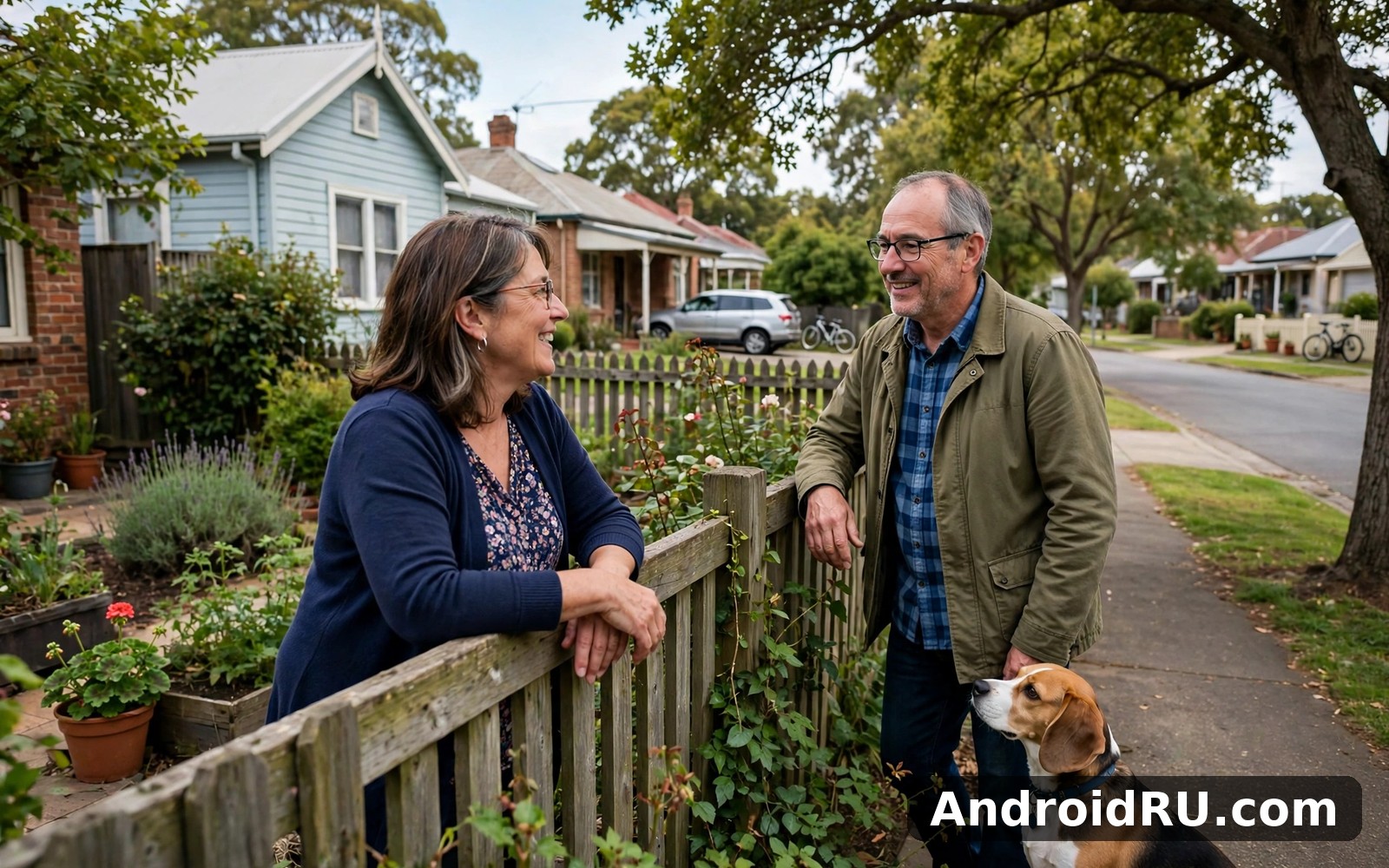
Nextdoor is a neighbourhood social network. You join with your real name and your real address, the app checks that you live where you say you live, and then it shows you posts from people in your neighbourhood and the ones next to it. The whole point is that the audience is small and local. A post about a noisy party at 2 a.m. matters to the twenty houses around you and to nobody in another city, so the app keeps it close to home.
The home feed mixes several kinds of posts: general news, recommendations for local tradespeople, items for sale or free, lost and found pets, crime and safety reports, events, and posts from public agencies such as the police, fire service, and the local council. You can filter the feed to your own neighbourhood only, or widen it to nearby areas when you want a broader view. That filter is one of the first things worth learning, because the wider view gets noisy fast.
Your verified neighbourhood feed
The feed is the heart of the app. When I opened it each morning, the top posts were usually a mix of one urgent item, such as a road closure or a missing dog, and a handful of everyday ones, such as someone giving away a plant or asking for a reliable electrician. Posts show the author’s first name and neighbourhood, which keeps the tone more civil than an anonymous forum. People still argue, of course, but they argue with their street name attached, and that changes the temperature.
You can react to posts, comment on them, and send a private message to the author. You can also save a post to come back to it later, which I used for tradespeople recommendations and for sale items I wanted to think about. The search works well enough for finding an old recommendation: type “plumber” and you get months of neighbours naming the same two or three names, which is a better shortlist than any search engine gives you.
For Sale & Free: the local classifieds
The For Sale & Free section is where Nextdoor quietly beats most alternatives. Because buyers and sellers live within walking distance, collection is easy and there is no postage, no packaging, and no stranger turning up from across town. I watched a neighbour give away a working washing machine in under an hour, and I picked up a bookshelf two streets away the same evening I saw it listed. Prices tend to be lower than on bigger selling platforms, and free items move fast.
That said, the section has its own etiquette. First reply usually wins, so you need notifications on if you want the good free stuff. Sellers expect you to turn up when you say you will, and neighbours remember the people who do not. My rule after a few weeks: only message a seller if you can collect within a day, and say so in the first message.
Safety alerts and agency posts
The Crime & Safety section is where the app is most valuable and most likely to be misread. Neighbours post about break-ins, suspicious vans, and doorbell footage, and public agencies post official alerts about floods, fires, and road closures. The official posts are clearly labelled, and they are the ones I learned to trust. Neighbour reports are useful as early warnings, but they are not verified, and a “suspicious person” post can turn out to be a delivery driver. I treat neighbour safety posts as a prompt to check my own locks and cameras, not as confirmed fact.
Nextdoor New Features Worth Knowing About
Nextdoor has changed more in the last couple of years than its calm reputation suggests. The app went through a full redesign with a new logo, a cleaner home feed, and a simpler bottom navigation bar, and the changes were aimed at one problem: the old app made it hard to tell what mattered right now from what was simply chatty. The new layout puts urgent items, such as safety alerts and posts from agencies, higher up, and it gives groups and events their own clearer home.
The redesign also changed how recommendations work. Business recommendations, which used to be a loose collection of comments, now sit under a feature called Faves, where neighbours vote for the local businesses they rate highest. The result is a shortlist that feels earned rather than advertised. When I needed a roofer, the Faves list for my area gave me three names, and two of them had dozens of neighbours behind them.
A redesigned home feed
The new home feed is built around relevance rather than pure chronology. Posts from your own neighbourhood and posts marked urgent appear first, while older chat drifts lower. You can still switch to a simple chronological view if you prefer it, and I did that for the first week because the ranked feed felt unpredictable. After a while I switched back, because the ranked feed surfaced the one post that mattered, a burst water main, before I had scrolled at all. The trade-off is real, though: a ranked feed can bury a quiet post from a neighbour who needs help, so I check the chronological view on weekends when I have time to scroll properly.
How to switch between ranked and chronological views
Open the feed, look for the filter or sort control at the top of the screen, and choose the order you prefer. The setting sticks between visits, so you only need to set it once. I keep the ranked view for weekday mornings, when I want the urgent item first, and the chronological view for a Sunday scroll.
Faves: business recommendations that stick
Faves is the feature I now use most. Each neighbourhood has a list of favourite local businesses, voted for by neighbours, and you can browse by category: plumbers, electricians, cafes, vets, gardeners, and more. A business only earns a Fave when real neighbours name it, so the list reads like a shortlist from people who have actually paid for the work. When I needed a locksmith at short notice, the top Fave in my area answered within the hour, and the neighbour who recommended him had used him twice.
Businesses can claim their page and reply to recommendations, and local businesses can also pay to promote a post or a deal to nearby neighbourhoods. That is advertising, and it is labelled as such. The Faves list itself is not for sale, which is the part that keeps it trustworthy.
Groups and events, rebuilt around real streets
Groups are the quiet success of the redesign. My area has a gardening group, a running group, a parents group, and a group for people who borrow tools from each other instead of buying them. Groups keep niche chat out of the main feed, which is a relief for everyone who does not care about tomato blight. Events work the same way: street parties, litter picks, garage sales, and school fairs get their own listing with a date, a place, and a way to say you are coming.
How to find a group worth joining
Open the Groups tab, browse the list for your neighbourhood and the ones nearby, and join one that matches something you actually do. I joined the tool-lending group first and borrowed a pressure washer within a week. One good group beats ten idle ones, so leave the groups you never open after a fortnight.
How the Nextdoor Feed, Groups and Safety Alerts Work
Under the surface, Nextdoor runs on three simple ideas: your posts reach people near you, your identity is tied to a real address, and your feed is shaped by distance and by what your neighbours engage with. That is very different from a global network, where a post can travel anywhere and the audience is anyone. On Nextdoor, a post about a lost cat reaches the streets where the cat actually went missing, and that is the whole advantage.
Posting is straightforward. You write a short post, pick a category such as General, For Sale & Free, Safety, Lost & Found, or Recommendation, and choose whether it goes to your neighbourhood only or to nearby ones as well. Photos help a lot, especially for lost pets and items for sale. A post with a clear photo and a street name gets far more useful replies than a vague one. My lost-parcel post with a photo of the doorstep got three replies in an hour; a neighbour without a photo waited a day.
Posting, commenting and private messages
Comments on Nextdoor tend to be practical rather than performative. People ask where exactly, when exactly, and whether it is still available, and the author answers. Private messages are there for the details that should not be public: your house number, your phone number, a time to collect something. Keep those details in private messages, never in a public post. I learned that the easy way by watching a neighbour post her address in a public thread; the comments filled up with people telling her to delete it, and she did.
Urgent alerts and crime reports
Urgent alerts are a separate category with a louder treatment: they appear at the top of the feed and can trigger a push notification. Use them sparingly and only for things that genuinely need immediate attention from neighbours, such as a fire, a flood, a missing child, or a crime in progress. Misusing urgent alerts for a lost parcel or a noisy party annoys the whole street and teaches people to ignore the next real one. When I saw a genuine urgent alert about a gas leak, half the street had already seen it before the official message arrived, and that is the system working as intended.
How to mute a noisy thread
Open the post, look for the menu in the corner, and choose mute or turn off notifications for that post. You stay in the neighbourhood, but your phone stops buzzing every time someone adds a comment. I mute any thread that passes twenty comments without new information.
How to report a post that breaks the rules
Open the post, use the report option, and pick the reason that fits: harassment, misinformation, spam, or a post that does not belong in that category. Reports go to Nextdoor moderators and to volunteer neighbourhood leads, and posts that break the rules can be removed. Reporting is more useful than arguing in the comments, and it keeps your name out of a public fight.
Nextdoor In-App Purchase Guide: What Costs Money and What Does Not
Here is the part most guides get wrong, so let me be plain about it. The Nextdoor app for residents is free. There is no subscription, no paid tier, and no paywall between you and the feed, the groups, the safety alerts, or the For Sale & Free listings. You can read every post, comment on it, message a neighbour, list an item for sale, and join every group without paying anything. If a guide tells you there is a premium Nextdoor membership for residents, it is describing something that does not exist for ordinary members.
That does not mean no money moves through the app at all. It means the money moves in two places that are easy to confuse with in-app purchases, and this section separates them clearly so you never pay for something by accident.
The member app is free: what that covers
Everything a resident does on Nextdoor is free. Creating an account, verifying your address, reading the feed, posting, commenting, private messaging, joining groups, listing items, and receiving urgent alerts all cost nothing. There is no limit on how many posts you can write, no limit on how many groups you can join, and no feature that only appears after a payment. I have used the app daily for a month without spending anything, and nothing in it has ever asked me for a card.
If you see a payment screen inside Nextdoor, stop and read it carefully, because it is almost certainly one of the two cases below, not a charge for using the app itself. The verified neighbourhood feed is the core of the service, and it has never been behind a paywall for residents.
Where money actually changes hands
Money enters the picture in two places. The first is business advertising. Local businesses can pay Nextdoor to promote a post, a deal, or their business page to nearby neighbourhoods, and larger advertisers can run sponsored posts in the feed. Those are business products, bought through Nextdoor’s advertising tools, not purchases a resident makes inside the app. You will see the result as a labelled sponsored post, and you can hide it if it does not interest you.
The second is buying and selling between neighbours. When you buy a second-hand chair from someone two streets away, you pay that person directly, usually in cash on collection or through a payment app you both already use. Nextdoor does not take a cut, does not hold the money, and does not offer buyer protection, so treat every purchase like a cash sale at a car boot sale: check the item before you pay, and meet in a public place if you are unsure. The For Sale & Free listings work because the seller lives nearby, not because the app guarantees the deal.
How to check and manage purchases on Google Play
Because the Play listing for Nextdoor may show a label about in-app purchases, here is what that label means and how to stay in control. On Google Play, the “in-app purchases” label appears when an app offers any paid item through Play billing, and for Nextdoor that covers the business side rather than a resident subscription. The practical steps are the same for any app, and they are worth knowing.
Open Google Play, tap your profile icon, then Payments & subscriptions, then Budget & history, to see every purchase tied to your account. If a charge appears that you do not recognise, check the date and the item name there first, because the history page is the fastest way to tell a genuine purchase from a mistake. You can also set a purchase approval rule in Play so that every purchase needs your fingerprint or password, which stops accidental taps by children or by a phone in a pocket.
How to request a refund for an accidental purchase
Open Google Play, go to Payments & subscriptions, then Budget & history, find the charge, and follow the refund flow. Play usually allows a refund request shortly after a purchase, and the window and the outcome depend on the item and the timing, so check the current Play refund page for the exact rules. If the purchase was made through a business advertising product rather than Play billing, the refund route is Nextdoor’s business support instead, so keep the receipt or confirmation email.
How to Set Up Nextdoor and Verify Your Address Step by Step
Setting up Nextdoor takes about ten minutes, and the part that takes longest is the address check. The app needs to know you live where you say you live, because the whole service depends on it. Here is the flow I went through, step by step, with what to check after each one.
- Install the app and create your account. Open Nextdoor on your phone, sign up with your email address, and enter your real name and home address. Use the name neighbours would recognise, because anonymous accounts do not last long here.
- Choose your neighbourhood. The app suggests a neighbourhood based on your address. Check that the boundaries look right, because some streets sit on the edge of two areas, and joining the wrong one means missing the posts that matter.
- Verify your address. Pick the verification method the app offers you: a code sent by post, a phone call or text to a number linked to the address, or a document such as a utility bill. Enter the code when it arrives.
- Set your notification preferences. Turn on urgent alerts and replies to your own posts, and turn off the rest for the first week. You can add more later, and a quiet first week beats a noisy one that makes you mute everything.
- Introduce yourself. A short post saying hello, which street you are on, and one thing you can help with, such as lending a ladder or watering plants, gets a warmer welcome than silence. I posted once and three neighbours introduced themselves in the comments.
- Join one group and save one useful post. Pick a group that matches a real interest, and save a tradesperson recommendation you might need later. That is the whole setup, and the app is ready for daily use.
What to do when address verification fails
Address verification is the step most people get stuck on, and it is usually a small mismatch rather than a real problem. The common causes are a flat number written in a different format from the official record, a new-build address that is not in the database yet, or a postcard code that expired before it arrived. Check the address exactly as it appears on a utility bill, and try the phone or document method if the postcard route stalls.
Verification by postcard, phone or document
The postcard method takes several days, because a physical letter has to reach you. The phone method is faster when your number is already linked to the address, and the document method works well for new builds and flats, because a utility bill or council tax document proves the address directly. If all three fail, Nextdoor support can check the address by hand, so contact them with a photo of a bill rather than trying the same failed method again.
Fixing the most common Nextdoor problems
Most Nextdoor problems have ordinary fixes. If the feed will not load, check your connection first, then force-close the app and reopen it, then check for an app update. If notifications are missing, open the phone settings, find Nextdoor, and check that notifications are allowed and that battery optimisation is not putting the app to sleep. If a post disappears, it was probably removed by a moderator or moved to a different category, and the search will usually still find it. If the app logs you out after an update, sign in again with the same email address, because a second account with a different email creates a duplicate profile that confuses the address check.
Nextdoor vs Parler, Pinterest and Reddit: A Neighbourhood Comparison
Nextdoor is often compared with other social apps, but the comparison only makes sense if you ask what each one is for. Parler, Pinterest, and Reddit are all built around interests and ideas, while Nextdoor is built around a street address. That single difference decides almost everything else, from who you meet to what you see. If you enjoy Nextdoor then Parler is a natural next app to try and it offers a different angle on the same kind of everyday activity. When you want a change of pace then Pinterest covers that need neatly. And for a third option Reddit is worth a look as well. I still came back to Nextdoor for my daily routine because the simple loop I built here suited me best.
| App | Who you meet | What you see | Cost for residents | Best for |
|---|---|---|---|---|
| Nextdoor | Verified neighbours | Local news, safety alerts, free and for-sale items | Free | Street-level news and local help |
| Parler | People who share your views | Posts, news and commentary | Free to join | Open discussion with like-minded users |
| People who share your tastes | Ideas, images and saved boards | Free to join | Home ideas, recipes and planning | |
| People who share your interests | Communities on every topic | Free to join | Deep discussion and niche hobbies |
When Reddit fits better
Reddit fits better when the topic is not local at all. A question about fixing a boiler has a better answer in a plumbing community with thousands of members than in a neighbourhood feed with twelve, and a hobby question belongs in its own community. I use Reddit for the things where the best answer comes from a stranger with expertise, and Nextdoor for the things where the best answer comes from a neighbour with a ladder.
When Pinterest fits better
Pinterest fits better when you are planning rather than reacting. Saving ideas for a kitchen renovation, a garden layout, or a birthday party works better on boards you can return to than in a feed that moves on by tomorrow. I keep Pinterest for the planning stage and Nextdoor for the doing stage, when I need a person nearby rather than a picture.
Nextdoor Pros and Cons From Real Daily Use
After a month of daily use, the balance is clear. Nextdoor does a small number of things well, and it does them better than any global app, because no global app knows your street. It also has real rough edges, and anyone who joins expecting a calm, perfectly moderated community will be disappointed on some days. Here is the honest list.
What I liked after a month
- Local information you cannot get anywhere else. Road closures, water outages, bin collection changes, and lost pets appear here first, often hours before any official channel.
- Trusted tradespeople, shortlisted by neighbours. A recommendation backed by twenty neighbours is worth more than a five-star rating from strangers.
- Free items and quick sales within walking distance. Collection is easy, prices are low, and useful things stay in use instead of going to landfill.
- Urgent alerts that genuinely help. A gas leak warning reached my street before the official message, and that is the feature working as intended.
- A verified audience. Knowing that posters live nearby keeps the tone more accountable than an anonymous forum.
What frustrated me
- Repetitive complaints and neighbourhood arguments. Parking, noise, and dogs dominate some weeks, and the same topics return again and again.
- Unverified safety posts. A “suspicious person” report can be a delivery driver, and the app does not always make that clear fast enough.
- Coverage depends on your street. A quiet neighbourhood with few members gives you a thin feed, and the app is only as good as the neighbours who post.
- Advertising in the feed. Sponsored posts from businesses are labelled, but they still interrupt a feed you open for local news.
My verdict by use case
For staying informed about your street, Nextdoor is the best option I have found, and nothing else comes close for urgent local news. For finding a trusted tradesperson, it is the best shortlist available, because the recommendations come from people who paid for the work. For buying and selling locally, it is the easiest option for anything you can carry home. For general socialising or for discussing ideas with people far away, it is the wrong tool, and Reddit or Pinterest will serve you better. The verdict depends on the job, and for the local job, Nextdoor wins.
Who Nextdoor Is For and Who Should Skip It
Nextdoor fits people whose daily life is tied to a place: homeowners, renters, parents, pet owners, and anyone who has ever needed a ladder, a plumber, or a parcel that went to the wrong house. It also fits people who have just moved, because it is the fastest way to learn a street: who the reliable tradespeople are, which roads flood, and when the bins go out. If you work from home and rarely leave the house, it is also a low-effort way to stay connected to the area without joining anything formal.
Great fit: new movers and renters
If you have just moved, Nextdoor answers the questions that no moving checklist covers. Which broadband actually works on this street? Who fixes boilers here? Is the noise on Friday nights a one-off or a pattern? The answers are in the feed and in the Faves list, and asking a question yourself gets replies from people who live with the same quirks. I would call it the first app to install after the boxes are unpacked.
Great fit: parents and pet owners
Parents use Nextdoor for school run changes, lost uniform, babysitter recommendations, and warnings about roadworks near the school gate. Pet owners use it for lost and found animals, vet recommendations, and dog walkers. Both groups benefit from the verified local audience, because a lost dog post needs to reach the streets the dog actually ran through, not the whole internet.
Think twice if you want a global feed
If you want to follow world news, discuss politics with strangers, or build an audience, Nextdoor will feel small and slow. The feed is deliberately local, the audience is deliberately limited, and the app does not reward viral posts. That is a design choice, not a bug, but it means people who want reach should look elsewhere. The same applies if your neighbourhood has very few members: check how active your area is before you invest time in setting up, because a quiet street gives you a quiet feed.
Nextdoor FAQ: Questions People Ask Before Joining
Is Nextdoor free to use?
Yes. The app is free for residents, with no subscription and no paywall for the feed, groups, safety alerts, or For Sale & Free listings. Local businesses pay for advertising and promoted posts, but residents never pay to read or post. If a screen inside the app asks for payment, read it carefully, because it relates to a business product or to a purchase from another neighbour, not to a membership charge.
Does Nextdoor show my exact address to neighbours?
No. Your neighbours see your first name and your neighbourhood, not your house number or street address. You choose how much detail to share, and you should only share a specific address in a private message when you need to, such as arranging a collection. Your full address is used for verification and is not shown on your public profile.
How does Nextdoor verify that I live where I say I live?
Nextdoor offers a code sent by post, a phone call or text to a number linked to your address, or a document such as a utility bill. The postcard method takes several days, while the phone and document methods are usually faster. If your address is a new build or a flat with an unusual format, the document method is the one most likely to work first time.
Can I use Nextdoor without joining my neighbourhood group?
You can read some public content without an account, but posting, commenting, messaging, and joining groups all need a verified account tied to your address. That is the trade-off at the heart of the app: the verification step is the reason the feed stays local and the audience stays real. If you are not comfortable sharing your address for verification, the app will not work well for you.
What should I do if a neighbour posts something untrue about my street?
Reply once with the correct information and a source if you have one, such as a council notice or a photo, and then report the post if it breaks the rules. Arguing in the comments rarely changes minds and fills the feed with noise. If the post is a safety claim, such as a crime report, and you have better information, a calm correction helps the whole street more than a long argument.
A Straight Verdict on Nextdoor in 2026
Nextdoor earns its place on my phone for one reason: it tells me things about my own street that no other app can. The new feed and the Faves list are genuine improvements, the member app is free, and the safety alerts and local classifieds do real work on ordinary days. The rough edges are real too: repetitive arguments, unverified safety posts, and a feed that is only as good as the neighbours who post in it. None of those flaws made me delete it, because the useful days outnumber the noisy ones by a wide margin.
My advice is simple. Install it, verify your address, turn on urgent alerts only, join one group, and give it two weeks of short daily checks. If your street is active, you will know by day three. If it is quiet, you will know by day seven, and you can leave it installed for the occasional alert without checking it daily. Either way, the cost is ten minutes of setup and nothing else.
When you are ready to give Nextdoor a proper try then use the link below and it takes you straight to the Nextdoor page on AndroidRU where you can get it. I suggest trying Nextdoor for two full weeks before you judge it, because a fortnight of short sessions shows the real character of a neighbourhood app.
Click here to download the Nextdoor app
A similar app is worth a quick look too. Click here to download the Parler app. As a second option Click here to download the Pinterest app.

