

Download APK Nextdoor Latest Feature Review & Security Essentials
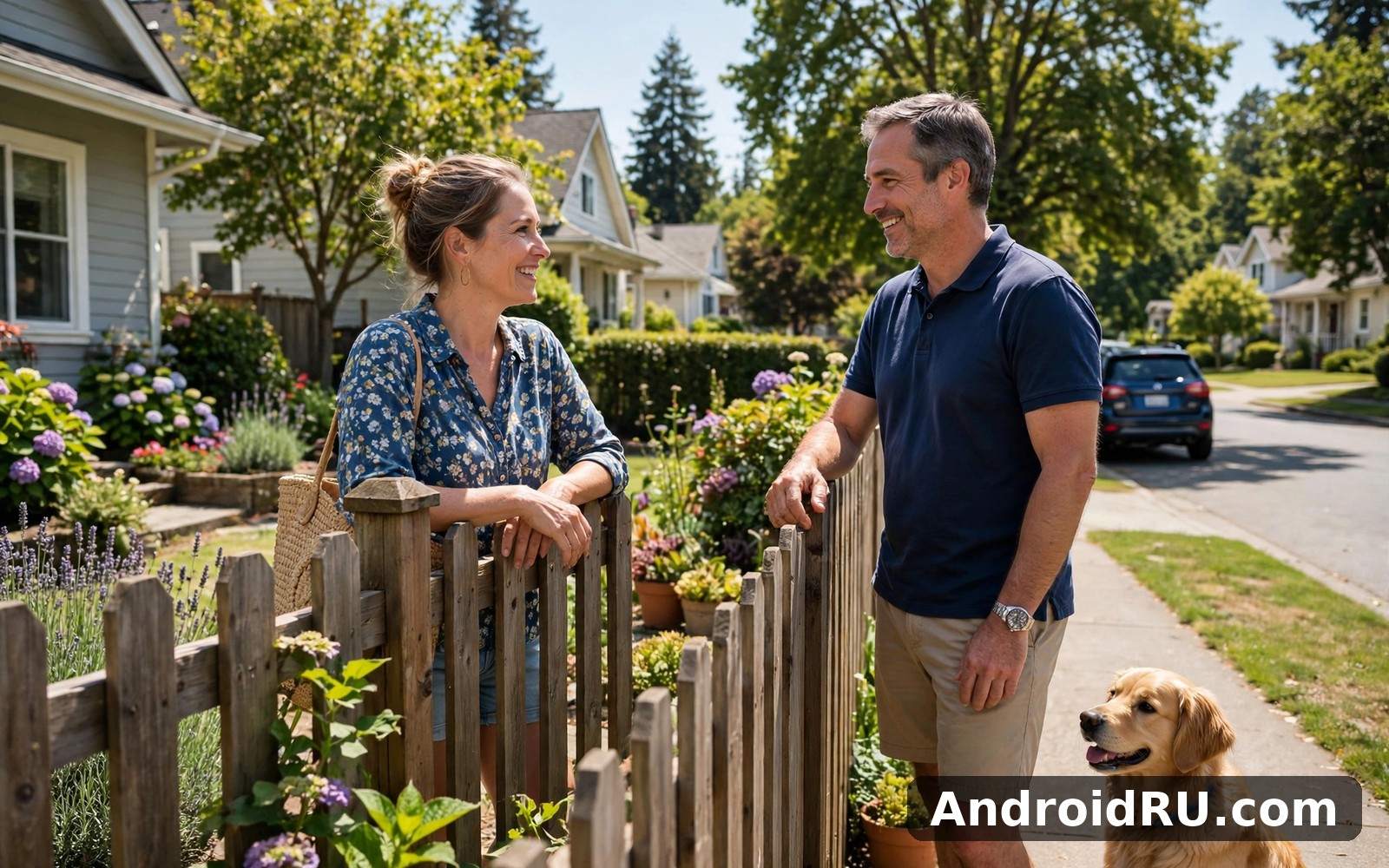
I opened Nextdoor on a quiet morning while my phone was still charging, with ten spare minutes and no plan beyond seeing what my street was talking about. The first screen felt calm. A lost cat two streets away, a plumber recommended by three different neighbours, and a warning about a van going around checking car doors sat side by side in one feed. That mix told me more about the app in sixty seconds than any feature list could. It is a noticeboard, a group chat, and a local newspaper folded into one place, and it only works when real people nearby actually use it.
Over the next month I checked it the way I would check a real noticeboard: briefly in the morning, once more in the evening, and longer on weekends when something interesting came up. I posted a question about a reliable electrician, reported a post that named a house number it should not have named, and tested the safety alerts on a night when a storm knocked a tree across our road. This review covers what I found, including the newest features, the verification steps that keep the network honest, and the security settings that matter most before you post anything personal.
What Nextdoor Actually Does for Your Neighbourhood
Nextdoor connects people who live near each other, and that simple idea shapes everything in the app. Your feed shows posts from your immediate neighbourhood first, then from nearby areas you choose to follow. Posts cover the ordinary texture of local life: a found set of keys, a road closure, a school fair, a recommendation for a roofer, a warning about parcels going missing. The app works best in areas where a few dozen active members post regularly. In a quiet street with only five members, the feed can feel empty for days, and that is a fair warning rather than a flaw in the design.
The tone is different from a general social network. People write as neighbours, not as performers. A post about a noisy building site gets practical replies with dates and contact numbers. A post asking for a babysitter gets names from people who have actually used one. That said, the same closeness can make disagreements feel personal, because the person arguing with you lives three doors down. The mute and block tools exist for exactly that reason, and I used them once during my test month without any drama.
Neighbourhood feed, local recommendations and safety alerts
The feed is the heart of the app. You can filter it by category, save posts you want to return to, and follow a thread without joining in. Recommendations are the part I used most: search for a trade or a service, read what neighbours actually wrote, and message the person who posted the recommendation for a detail or two. Prices and phone numbers change, so treat any figure in an old post as a starting point and confirm it directly before you book anything.
Safety alerts deserve a separate mention because they behave differently from ordinary posts. An urgent alert pushes a notification to people nearby, and neighbours can add updates as the situation changes. I saw this work well when a water main burst on a nearby road: the first post warned drivers, a second added the name of the closed junction, and a third confirmed when the road reopened. That kind of rolling update is hard to get from a council website or a group chat.
Groups, events and local business posts
Groups let you narrow the conversation to one street, one building, or one shared interest such as gardening, running, or buying and selling second-hand furniture. I joined a small gardening group and found it far more useful than the main feed for that topic, because every post was relevant and nobody had to wade through unrelated news. Events work the same way: a street party, a litter pick, or a school fundraiser gets its own page with a date, a place, and a list of people coming.
Local businesses can post in a dedicated area, which keeps the main feed from turning into an advertising board. A cafe announcing a new opening or a vet sharing holiday hours is useful. A business posting the same offer every day is not, and neighbours can report that kind of repetition. My rule after a month is simple: follow two or three groups that match real interests, ignore the rest, and let the main feed handle the general news.
Nextdoor Latest Features Worth Knowing in 2026
The newest version of Nextdoor puts more weight on timely local information and on giving members finer control over what they see. The feed now surfaces urgent local posts more clearly, with a distinct label so a road closure or a missing pet does not get buried under older chat. Search has improved too: you can look for a past recommendation by trade, by street, or by the name of the person who posted it, which turns months of neighbour advice into a usable local directory.
Another change I noticed is the way the app handles media. Photos in a post now open larger with a swipe, and you can add more than one photo when you report a problem, such as a damaged pavement or a fly-tipped sofa. That sounds small, but a second photo showing the exact location made a council report I filed far easier to act on. Video posts remain short and practical, mostly clips of a local event or a brief warning, rather than long entertainment clips.
How urgent alerts reach you faster now
Urgent alerts now carry a clearer visual treatment in the feed and in notifications, so you can tell at a glance whether a post needs your attention now or can wait until evening. You can choose which kinds of urgent alerts you receive, which matters on a busy day. I kept alerts for safety and for road closures switched on, and switched off the rest. The setting lives in the notification screen, and changing it takes less than a minute.
Smarter search for recommendations you can trust
Search is where the app quietly earns its keep. Typing “plumber” now returns recommendations with the date of the post, the street of the person recommending, and how many neighbours agreed. A recommendation from last week by someone on your street carries more weight than a glowing review from two years ago by a stranger three miles away. I still message the original poster before booking, because a short exchange tells you whether the job was small or large, and whether the price quoted still makes sense.
How Nextdoor Verification Works and Why It Matters
Verification is the feature that separates Nextdoor from an open forum. The app asks you to confirm that you actually live where you say you live, usually by confirming your address through a postcard code, a phone check, or another method offered in your area. Until that step is done, your access stays limited. Some new members find this slow or old-fashioned, and I understand that reaction. In practice, the friction is the point: it keeps the network tied to real streets and real households.
A verified neighbourhood changes how people write. Posts carry a real name and a real street, even if the exact house number stays hidden. That accountability cuts down on the kind of anonymous provocation that ruins open forums. It does not remove disagreement, and it should not, but it does make drive-by abuse much rarer. When I posted my electrician question, three replies came from people whose streets I recognised, and that context made their answers easy to weigh.
How to verify your address step by step
Start by entering your home address exactly as it appears on a letter, including the flat number if you have one. Choose the verification method the app offers you: a postcard with a code, a phone number check, or a document check where available. If you choose the postcard, it usually arrives within a week, and the code stays valid for a generous window, so there is no need to watch the letterbox every day. Enter the code in the app, and your profile moves from pending to verified.
While you wait, you can still read the feed and set up your profile, so the waiting time is not wasted. Add a photo only if you are comfortable doing so, write one line about yourself, and choose which nearby neighbourhoods you want to follow. A short, honest profile gets better replies than a blank one, because neighbours can see you are a real person and not a blank account.
What to do if your verification postcard never arrives
If a week passes with no postcard, check the address you entered first: a missing flat number or a mistyped postcode is the most common cause. The app lets you request a new code, and you can switch to a different verification method if one is offered in your area. If you rent, check whether the post goes to a shared mailbox or a concierge desk where it might sit unnoticed. I have seen neighbours find their code in a pile of unopened mail a fortnight later, so a quick check of the hallway pile is worth the effort.
Nextdoor Security Essentials: Settings to Check First
Security on Nextdoor is mostly about deciding what neighbours can see and what the wider internet cannot. Your exact address is never shown to other members by default; they see your street or your neighbourhood, not your house number. Your full address is used for verification only. That distinction matters, and it is worth confirming in your privacy settings during your first week, rather than assuming it. I checked mine on day two and found the defaults sensible, with one exception: I tightened who could see my profile photo and my posts from nearby areas.
A strong, unique password and a second verification step on your account are the two basics that protect everything else. Neighbourhood verification only proves where you live; it does not protect your login. Use a password you do not reuse elsewhere, switch on two-step verification if your phone offers it for the account, and check the login alerts so you hear about a sign-in from an unfamiliar device. These steps take five minutes and they guard years of local history.
How to control who sees your address and your posts
Open your profile settings and look for the privacy section. You can choose whether your posts are visible to your own neighbourhood only, or to nearby neighbourhoods as well. For most posts, your own neighbourhood is enough. For a lost pet or a safety warning, a wider audience makes sense, and you can choose that per post rather than changing the global setting. You can also hide your street name from your public profile if you prefer to be known by your first name and neighbourhood only.
Photos deserve a second thought before you post them. A photo of a found dog is harmless. A photo of your front door with the house number visible, or a photo taken through a window that shows your street, gives away more than the words do. I crop house numbers out of photos now, and I avoid posting photos that show a car number plate. The app does not do this for you, so it has to become a habit.
Reporting, blocking and muting neighbours safely
Every post has a report option, and reports go to moderators who are themselves local volunteers, with the app team behind them for serious cases. Use the report button for posts that share private details, for harassment, or for scams such as fake tradespeople asking for payment in advance. Blocking a member hides their posts from you and stops them messaging you. Muting a thread removes it from your feed without alerting anyone. I muted one long argument about parking and my feed improved immediately, with no hard feelings on either side.
Scams deserve a frank paragraph. A local network is a tempting target for fake offers, because trust runs high between neighbours. Be wary of any post offering a service far below the usual price, asking for payment before any work, or linking to a payment page outside the app. A genuine local trader will accept a phone call, give a real address, and let you pay after the work is done. If a post feels wrong, report it and warn the thread politely with facts, not accusations.
Nextdoor vs Element vs ShareChat vs Moj: A Neighbourhood App Comparison
No single app covers every kind of local conversation, so a fair comparison helps you choose where to spend your time. Nextdoor is built around verified local identity, which makes it strong for trust and weak for anonymity. The alternatives below serve different needs, and many people keep two of them installed for different jobs. If you enjoy connecting with neighbours and local news then Element is a natural next app to try and it offers a different angle on the same kind of activity. When you want a change of pace then ShareChat covers that need neatly. And for a third option Moj is worth a look as well. I still came back to Nextdoor for my daily routine because the simple loop I built here suited me best.
| App | Main focus | Identity check | Best for | Free to use |
|---|---|---|---|---|
| Nextdoor | Verified neighbourhood news and recommendations | Address verification | Local trust, safety alerts, tradespeople | Yes |
| Element | Private group chat and secure messaging | Account sign-in | Private groups, community organising | Yes |
| ShareChat | Short video, status updates and live chat | Account sign-in | Entertainment, regional language content | Yes |
| Moj | Short drama, reels and video discovery | Account sign-in | Watching short videos, creators | Yes |
The table shows the split clearly. Nextdoor wins when the question is “who near me can I trust for this job” or “what is happening on my street right now”. Element wins when a group needs a private, organised chat with proper moderation tools and no public feed. ShareChat and Moj win when the goal is entertainment and discovery rather than local problem solving. That said, none of the three alternatives replaces the verified local feed, and none of them needs to: they answer different questions, and the honest verdict depends on which question you are asking this week.
Pros and Cons of Nextdoor After a Month of Daily Use
A month of real use gives a fairer picture than a first impression, so here is the honest balance. The features below are the ones I actually used, not the ones listed on a marketing page. Features include the neighbourhood feed with category filters, local recommendations with searchable history, urgent alerts for safety and road closures, groups by street or interest, events with dates and attendee lists, private messages between neighbours, and a business directory for local services. Each of those does what it promises, and together they cover most of what a local network needs to do.
Pros: first, the verified local network builds real trust, so recommendations carry weight and scams are easier to spot. Second, safety alerts and rolling updates during a local incident are genuinely useful and hard to get elsewhere. Third, the feed stays calm and practical, with clear labels and readable text that suits a quick morning check. Fourth, groups and events make it easy to find people nearby who share one interest, without turning the main feed into noise.
Cons: first, the app is only as lively as your area, so a quiet neighbourhood means a quiet feed for days at a time. Second, verification by postcard can take a week, which feels slow when you want to post on day one. Third, disagreements between neighbours can feel personal because everyone involved lives nearby, and the moderation tools, while decent, cannot fix every awkward thread. Fourth, the search for old recommendations is better than it was but still misses some older posts, so I keep a short note of the best tradespeople I find.
What surprised me most during the test month
The surprise was not one single feature. It was how quickly the app stopped feeling new and started feeling like part of the street. After a few days I knew which neighbours posted reliable recommendations and which ones posted mostly jokes. I knew which streets had active groups and which ones stayed quiet. That familiarity is worth more than a flashy launch screen, and it is the reason the app survived my usual cull of apps I stop opening after week two.
Who Nextdoor Is For — and Who Should Skip It
Nextdoor fits people who want practical local information and are willing to be known as a neighbour, at least by first name and street. Homeowners, renters, newcomers to an area, and parents looking for local activities all get real value from it. If you have just moved, the app shortens the time it takes to learn which streets are friendly, which tradespeople are reliable, and what is happening at the weekend. If you run a small local business, the business posts give you a way to reach nearby customers without paying for broad advertising.
It fits less well for people who want anonymity, or who live in an area with very few members, or who only want entertainment. If your street has almost no active members, the feed will stay quiet no matter how good the app is, and you would be better off joining a local group on another platform until more neighbours sign up. People who dislike any form of identity check will also find the verification step annoying, and that is a fair reason to choose a different tool. The app is a tool for a specific job, not a network for everyone.
Nextdoor for renters, homeowners and newcomers
Renters often worry that verification needs proof of ownership. It does not: you verify where you live, not what you own, and tenants verify the same way owners do. Newcomers get the most obvious benefit, because the app answers the questions every new arrival asks: where is the nearest pharmacy, who fixes boilers on this street, and what is that noise on Saturday morning. Homeowners use it more for recommendations and for keeping an eye on planning notices and roadworks. The three groups use the same feed in different ways, and the feed is broad enough to serve all of them.
Nextdoor FAQ and a Calm Way to Get Started
Is Nextdoor free to use for neighbours?
Yes, joining and using the core features costs nothing. You can read the feed, post, join groups, and receive safety alerts without paying. Local businesses have paid options for promoting posts, and those are clearly labelled, so a neighbour post and a promoted business post are easy to tell apart. If you ever see a charge mentioned in a post from another member, treat it with care and check it against the app itself rather than trusting the post alone.
Does Nextdoor show my exact home address to other members?
No, your exact address stays private. Other members see your first name and your street or neighbourhood, not your house number. You can tighten this further in privacy settings by hiding your street name from your profile. Your full address is used only for verification, and the app does not publish it in the feed, in groups, or in search results.
How do I report a scam or a post that shares private details?
Tap the report option on the post, choose the reason that fits, and add a short note if the form allows it. Local volunteer moderators review the report, and the app team handles serious cases such as harassment or fraud. Do not repost the private detail while warning others: describe the problem in general terms, such as “this post shares a house number, please remove it”, rather than repeating the number itself.
Can I use Nextdoor if my neighbourhood has very few members?
Yes, you can join and read nearby neighbourhoods, and you can invite neighbours with a printed invitation or a link from the app. Growth is slow but real: my own street went from a handful of members to a lively feed over several months as people invited each other. Until then, use the app for safety alerts and for following nearby areas, and check back once a week rather than every day.
Getting started takes one quiet half hour. Verify your address, set your notification choices, tighten your privacy settings, and join one or two groups that match a real interest. Then post one useful thing: a recommendation, a question, or a warning about something on your street. That first useful post does more to build your local network than a week of silent reading. When you feel ready then Click here to download the Nextdoor app is a good place to begin. A similar app is worth a quick look too: Click here to download the Element app. For a second option, Click here to download the ShareChat app. Give it a full week of short visits before you judge it, because a week of ordinary days shows the real character of a neighbourhood app.

