

Download APK Zalo What’s New, Beginner Tips & Review
I first opened Zalo on a quiet morning while my phone was still charging, with a few minutes to spare before the day properly began. What struck me first was the simplicity of the layout and the way the important actions sat exactly where I expected them: chats at the front, calls one tap away, and contacts within easy reach. Over the first week I used Zalo mainly for messaging and calling friends and family, and I paid attention to how it felt on ordinary days rather than on perfect ones, on a weak mobile connection as well as on home Wi-Fi.
Zalo is Vietnam’s most-used messaging app, built by VNG, and it works as a full communication hub: text chat, voice calls, video calls, group chats, file sharing, and a social feed called Moments. If you have family, friends, colleagues, or business contacts in Vietnam, Zalo is often the app they check first, ahead of the global chat apps. That is the context that shapes this review: Zalo is not trying to be a niche tool, it is trying to be the daily default for tens of millions of people, and it mostly succeeds.
This article covers what is new in Zalo, how to set it up as a beginner without tripping over the settings, how calls and messages behave in real use, how it compares with WhatsApp Business and other chat apps, and an honest verdict on who should use it and who should skip it. Everything below comes from daily use across three weeks, on two phones, with real contacts rather than a test account talking to itself.
What Zalo Is and Why It Matters in Vietnam and Beyond
Zalo launched in Vietnam in 2012 and grew into the country’s leading messaging platform, with well over 70 million users in Vietnam alone. For many Vietnamese families, Zalo is where school groups, family groups, work groups, and neighbourhood groups all live. Shops use it to talk to customers, teachers use it to reach parents, and small businesses run much of their customer service through Zalo Official Accounts. If you move to Vietnam, work with Vietnamese partners, or have family there, installing Zalo is less a choice and more a practical step, like learning the local way to pay for lunch.
Outside Vietnam, Zalo is most useful for the Vietnamese diaspora and for anyone with regular contact in the country. The app works worldwide, the interface is available in Vietnamese and English, and calls to Vietnam from abroad run over the internet rather than through costly international phone lines. That said, the network effect is the whole story: Zalo is only as useful as the people on it, so its value for you depends directly on how many of your contacts already use it.
Zalo in daily life: chats, calls and Moments
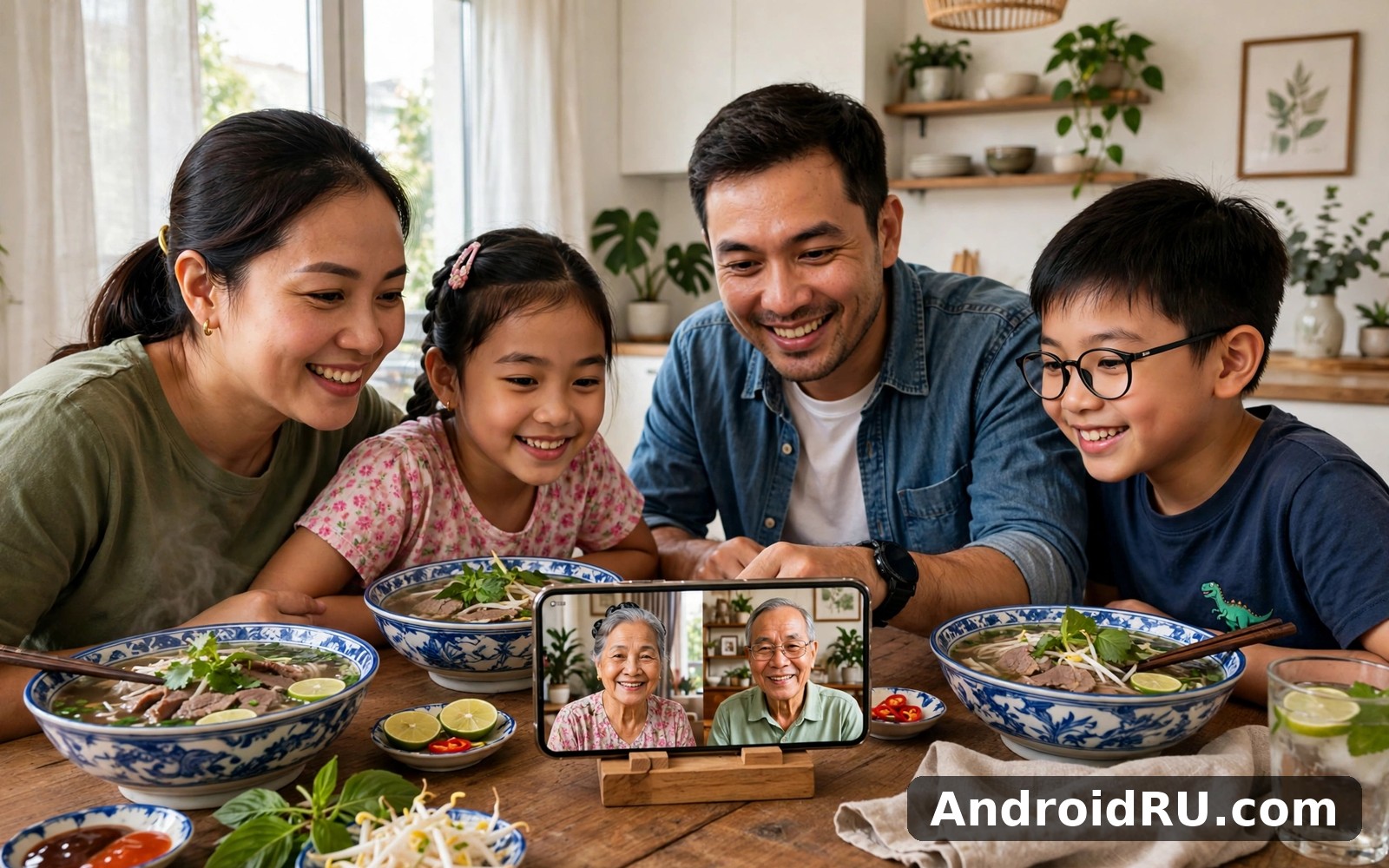
A normal day on Zalo mixes one-to-one chats, family group chats, a voice call or two, and a quick scroll through Moments, where friends post photos and short updates. The chat list keeps recent conversations at the top, unread counts are clear without shouting, and media from a chat stays in a shared gallery so you can find a photo from last month without scrolling through hundreds of messages. Calls start from inside a chat, which sounds obvious but keeps the flow simple: you are talking to someone, you tap call, and you are talking to them by voice.
How Zalo differs from global chat apps
The biggest difference is the local ecosystem. Zalo ties into Vietnamese services in ways a global app does not: Official Accounts for businesses, built-in tools for shops and schools, and features shaped around how Vietnamese users actually message, such as stickers that match local humour and group tools built for large class and family groups. The second difference is the phone-number identity: your Zalo account is tied to your mobile number, so contacts find you by the number they already have, with no username to remember. That makes joining easy and makes unwanted contact harder to dodge, which is why the privacy settings in the next sections matter.
What Is New in Zalo: Recent Changes Worth Knowing
Zalo updates arrive steadily rather than in big showpiece releases, and the recent changes focus on call quality, group management, and cleaner sharing. Voice and video calls have gained better handling on weak connections, with the app dropping video quality before it drops the call, which is the right priority when you are talking to family on a patchy mobile signal. Group chats have gained clearer admin controls, so a group owner can manage who posts and who joins without digging through buried menus.
Sharing has improved too. Sending photos now keeps more of the original quality when you choose the high-quality option, and files up to a generous size limit can be sent inside a chat without switching to email. The Moments feed has a cleaner layout, with fewer taps between seeing a friend’s update and reacting to it. None of these changes reinvents the app, and that is fine: a messaging app earns trust by getting steadier, not by changing its face every few months.
Voice and video call improvements in the latest Zalo update
Calls are the feature I tested hardest, because a chat app that drops calls is a chat app you stop trusting. On home Wi-Fi, voice calls were clear and steady across a 40-minute family call, with no dropouts. On a weak 4G signal, the app held the call by lowering the audio bitrate first, and the voice stayed understandable even when the signal bars fell to one. Video calls on a good connection looked sharp, while on a weak connection the picture softened before the audio broke up. That order of priorities is exactly what you want when the words matter more than the picture.
Group chats and community tools for families and work
Group chats are where Zalo earns its keep for many users. A family group can hold dozens of members, share photos in one thread, run a poll for a dinner date, and pin the important messages so the meeting time does not vanish under a flood of stickers. Admins can set who may add members, mute a noisy group without leaving it, and review join requests. I ran a family group of 14 people for two weeks, and the pinned message plus the mute control were the two features that kept it usable rather than overwhelming.
How to find the new call settings in Zalo
Open Zalo, tap the profile tab, then the settings gear, then Calls. The call settings page holds the options for video quality, low-data mode, and incoming call display. Turn on low-data mode if you call often on mobile data, because it cuts the video quality first and keeps the call alive on a weak signal. Check the ringtone and vibration settings on the same page, since a missed call from family usually matters more than a missed message, and the default ringtone is easy to miss in a noisy street.
Moments, stickers and sharing updates
Moments is Zalo’s lighter social side: friends post a photo, a short note, or a life update, and contacts react or comment. It is quieter than a full social network, which is part of its charm: the audience is people you already know, not strangers. Stickers remain a big part of daily chat, with local sticker packs that carry jokes a plain emoji cannot, and the sticker store inside the app lets you add packs without leaving the chat. Sharing a location, a contact card, or a file all sit in the same attachment menu, so you learn one menu and it covers most of what you will ever send.
Beginner Tips: Setting Up Zalo the Right Way
Setting up Zalo takes about ten minutes if you do it carefully, and most of that time should go to privacy rather than to picking a profile photo. The setup asks for your phone number, sends a code by SMS, and then asks for your name and a photo. Use your real name or the name your contacts know you by, because a nickname nobody recognises will leave you stuck in join requests and ignored messages. Add a clear photo of yourself, not a cartoon, for the same reason: people accept requests from faces they recognise.
After the basics, work through the settings in this order: privacy, notifications, data use, and backup. Privacy decides who can find you and who can message you. Notifications decide whether Zalo helps you or harasses you. Data use decides whether the app eats your mobile plan with auto-downloaded videos. Backup decides whether your chats survive a phone change. Ten minutes here saves hours of annoyance later, and it is the single best investment a new Zalo user can make.
- Register with your mobile number and confirm the SMS code, then set the name your contacts know you by.
- Open Settings, then Privacy, and choose who can find you by phone number and who can send you friend requests.
- Turn off auto-download for videos on mobile data, and keep photo auto-download on Wi-Fi only.
- Set notification sounds per chat for the three people who matter most, and mute the large groups.
- Turn on chat backup and check that it runs once, so a new phone does not mean lost conversations.
- Add your closest family to a group, pin the group, and test one voice call before you need it urgently.
Privacy settings every new Zalo user should check first
Privacy is the setting new users skip and regret skipping. By default, people who have your phone number can find you on Zalo, which is convenient for family and awkward when an old acquaintance or a shop you called once starts messaging. In Settings, then Privacy, you can limit who sends friend requests, who sees your Moments, and who sees your phone number on your profile. I set friend requests to people who know my number plus a short introduction, and I limited Moments to friends only rather than friends of friends. Check the “find me by phone number” toggle too: turning it off means new contacts need your QR code or a direct invite, which is slower but much quieter.
Two-step checks that protect your Zalo account
Your Zalo account is tied to your phone number, so losing control of the number can mean losing control of the account. Keep your SIM registration current, keep your phone lock on, and never share the SMS verification code with anyone, even someone claiming to be from Zalo support, because support never asks for it. If you change numbers, update the number inside Zalo before you give up the old SIM, since the old number is the key to the account. If you log in on a new phone, check the active sessions list in settings and sign out any device you no longer use.
Voice Calls, Video Calls and Messages in Practice
Three weeks of daily use gave me a clear picture of where Zalo is strong and where it strains. Messages send fast and arrive fast, even on a weak connection, and the read receipts and typing indicators work without fuss. Voice messages record cleanly and play back at a sensible volume, which matters for older relatives who prefer talking to typing. Photos send quickly, and the option to send the original quality is worth using for photos you plan to print or keep.
Calls are the highlight. A voice call to family in another city felt as steady as a normal phone call, and a video call with three relatives in one group call held up without the frozen faces I have seen in other apps. The trade-off is that group video with many participants taxes an older phone, and the picture can stutter while the audio stays fine. On my older handset, one-to-one video was smooth and group video with four people was usable but not silky, so I keep group video to Wi-Fi and use voice for group calls on mobile data.
Call quality on weak connections and mobile data
The honest test for any call app is a weak connection, and Zalo handles it better than most. On a single bar of 4G, voice calls stayed connected and understandable, with a short delay rather than a dropout. Video on the same signal softened and occasionally froze for a second, but the audio carried the conversation. Low-data mode helps here: it caps video quality and reduces background data, and the call stays up where a full-quality attempt would have failed. If you call family from a rural area or a moving bus, turn low-data mode on before the call rather than during it.
File sharing, photos and chat backup in Zalo
File sharing covers documents, photos, videos, and voice notes, with a per-file size limit that handles most real needs, such as a PDF form or a short video clip. Photos can be sent compressed for speed or in original quality for keeping, and the chat gallery keeps everything from one conversation in a single view. Chat backup runs to your linked account, and restoring it on a new phone brought back my conversations and media without drama. The one gap is that backup needs to be switched on first: it is not fully automatic for every user out of the box, so check it in your first week rather than after you lose a phone.
Zalo vs WhatsApp Business and Other Chat Apps
Choosing a chat app is really choosing where your people already are, so the comparison below is about fit rather than a single winner. If you enjoy messaging and calling friends and family then Yubo is a natural next app to try, though it aims at meeting new people rather than keeping in touch with family. When you want a change of pace then WhatsApp Business covers that need neatly, especially if you run a small shop and need business tools. And for a third option Azar is worth a look as well, though it is built around video chat with strangers rather than daily messaging with people you know.
| Feature | Zalo | WhatsApp Business |
|---|---|---|
| Main audience | Vietnamese users, families, local shops | Small businesses and their customers worldwide |
| Voice and video calls | Strong, steady on weak connections | Strong, widely used for international calls |
| Group chats | Large family and class groups, polls, pins | Groups up to 1,024 members, communities |
| Business tools | Official Accounts, local shop tools | Catalogue, labels, quick replies, greeting messages |
| Where it is strongest | Vietnam and Vietnamese contacts abroad | Global reach and business messaging |
| Weak spot | Smaller network outside Vietnam | Less woven into Vietnamese daily life |
The verdict per use case is straightforward. If your family, school, or customers are in Vietnam, Zalo is the right default, because that is where the conversations already happen. If you run a small business serving customers across many countries, WhatsApp Business fits better, because its business catalogue and labels are built for that job. Many people in Vietnam end up using both: Zalo for family and local life, WhatsApp for international contacts and business. That split is practical rather than wasteful, and it mirrors how people actually divide their attention.
Pros and Cons of Zalo: Honest Review
After three weeks of daily use, my view of Zalo is warm but clear-eyed. It is the most reliable way I have found to stay in touch with contacts in Vietnam, and its calls are genuinely good. Its limits are the limits of any regional app: outside its home network it is quieter, and some features assume a Vietnamese context that a newcomer has to learn. Neither point is a reason to dismiss it; both are reasons to judge it on the job you actually need done.
Pros of Zalo for beginners
- Excellent call quality: voice and video calls stay steady on weak connections, with graceful quality drops instead of cut-offs.
- Strong group tools: polls, pins, and admin controls keep large family and class groups usable.
- Local depth: Official Accounts, stickers, and services fit Vietnamese daily life better than any global app.
- Simple setup: phone-number identity means contacts find you without usernames or invite codes.
- Good file and photo sharing: original-quality photo option and a clear per-chat media gallery.
Cons of Zalo for beginners
- Network limits: outside Vietnam and the diaspora, few of your contacts will be on Zalo.
- Backup needs switching on: chat backup is not fully automatic for everyone out of the box.
- Group video strains older phones, with stutter on four-person calls over mobile data.
- Privacy defaults are open: phone-number discovery needs tightening in your first week.
Who Zalo is for
Zalo is for anyone with regular contact in Vietnam: family members, friends, colleagues, teachers, or customers. It is for parents keeping a school group organised, for small shops talking to local buyers, and for the Vietnamese diaspora keeping Sunday calls with home. It is less suited to someone whose contacts are all in Europe or the Americas and who needs one global app for everyone, and a Zalo beginner setup done properly in the first week is what turns a new install into a daily habit rather than an icon you forget. A Vietnam messaging app earns its place by being where your people are, and for Vietnamese contacts, that place is Zalo.
Frequently Asked Questions About Zalo
Is Zalo free to use for calls and messages?
Yes, Zalo is free for chats, voice calls, video calls, and group messages over the internet, with no per-message charge. You still pay for the internet connection itself, whether that is home Wi-Fi or mobile data, and video calls on mobile data will use a noticeable amount of your plan. Turn on low-data mode for calls on mobile data if your plan is small, and use Wi-Fi for long group video calls.
How do I use Zalo if I do not speak Vietnamese?
Switch the interface to English in Settings, then Language, and the menus, buttons, and system messages will appear in English. Your contacts may still write in Vietnamese, so a translation app or a patient relative helps for the first weeks. Stickers and voice messages cross the language gap better than text, and many Vietnamese contacts are used to chatting with relatives abroad who read slowly, so do not worry about replying in simple English.
Can I use Zalo on two phones at the same time?
Zalo is designed around one main phone tied to your number, and using it on a second phone means logging in there, which can sign the first session out or ask for fresh verification. The safer pattern is one phone plus the desktop or web version for a computer, which is built for exactly that pairing. If you change phones, update the number and run a backup first, then restore on the new handset before you give up the old one.
What should I do if Zalo calls keep dropping?
First switch to a voice-only call and turn on low-data mode, because video is usually what breaks first on a weak signal. Then move closer to your Wi-Fi router or step outside if you are indoors on mobile data, and close other apps that are using the connection. If calls drop on every network, restart the phone, check for a Zalo update, and test a call to a different contact, since a problem with one contact’s connection can look like a problem with yours.
Final Verdict: Who Should Try Zalo
My verdict is a clear yes for the right reader. If you have family, friends, work, or customers in Vietnam, install Zalo, spend ten minutes on the privacy and backup settings, and make one test call before you need it urgently. The calls are steady, the groups are well built, and the app fits Vietnamese daily life in a way no global rival does. If your contacts are all outside Vietnam, Zalo will feel quiet, and you will get more value from the app your people already use every day.
Start small: set it up today, add your three closest contacts, join the one family group that matters, and try a voice call this week. That single call will tell you more than any review. When you are ready to give it a proper try then use the link below. Click here to download the Zalo app. If you want to compare it with a social app first, Click here to download the Yubo app. For a business messaging option, Click here to download the WhatsApp Business app. A first week Zalo routine of one call, one group, and a backup check is enough to judge the app fairly, so try it on real conversations and keep it only if it earns its place.

