

Download APK Crossword Mini Arrowwords Setup Essentials, What’s New & Full Review
I opened Crossword Mini Arrowwords during a lunch break with only a short window to spare, and that first session told me almost everything I needed to know. The app loaded quickly, the home view showed me the next puzzle without fuss, and I finished a small grid in five minutes and stopped. No long tutorial, no account wall, no pressure to keep playing. For a word game, that kind of short session fits real life very well, because most of us play crosswords in gaps: on a bus, in a waiting room, or over a coffee.
This review covers the three promises in the title. First, the setup essentials: what to allow, what to change in week one, and how to make the game suit your eyes and your routine. Second, what is new in recent versions, and whether those changes matter for a daily player. Third, a full review after several weeks of play, with real features, honest pros and cons, a comparison with similar puzzle games, and a verdict for different kinds of players. I played on Android, on a mid-range phone, in short sessions most days and longer sessions at weekends.
If you like crosswords but want a smaller, gentler format than a full newspaper grid, this game is written for you. If you are new to arrowwords, where the clues sit inside the grid itself, the how-to sections below will get you started in one sitting. If you already play every day, the sections on difficulty, hints, and streaks will tell you whether this version still has room to grow with you.
What Crossword Mini Arrowwords is and how arrowwords work
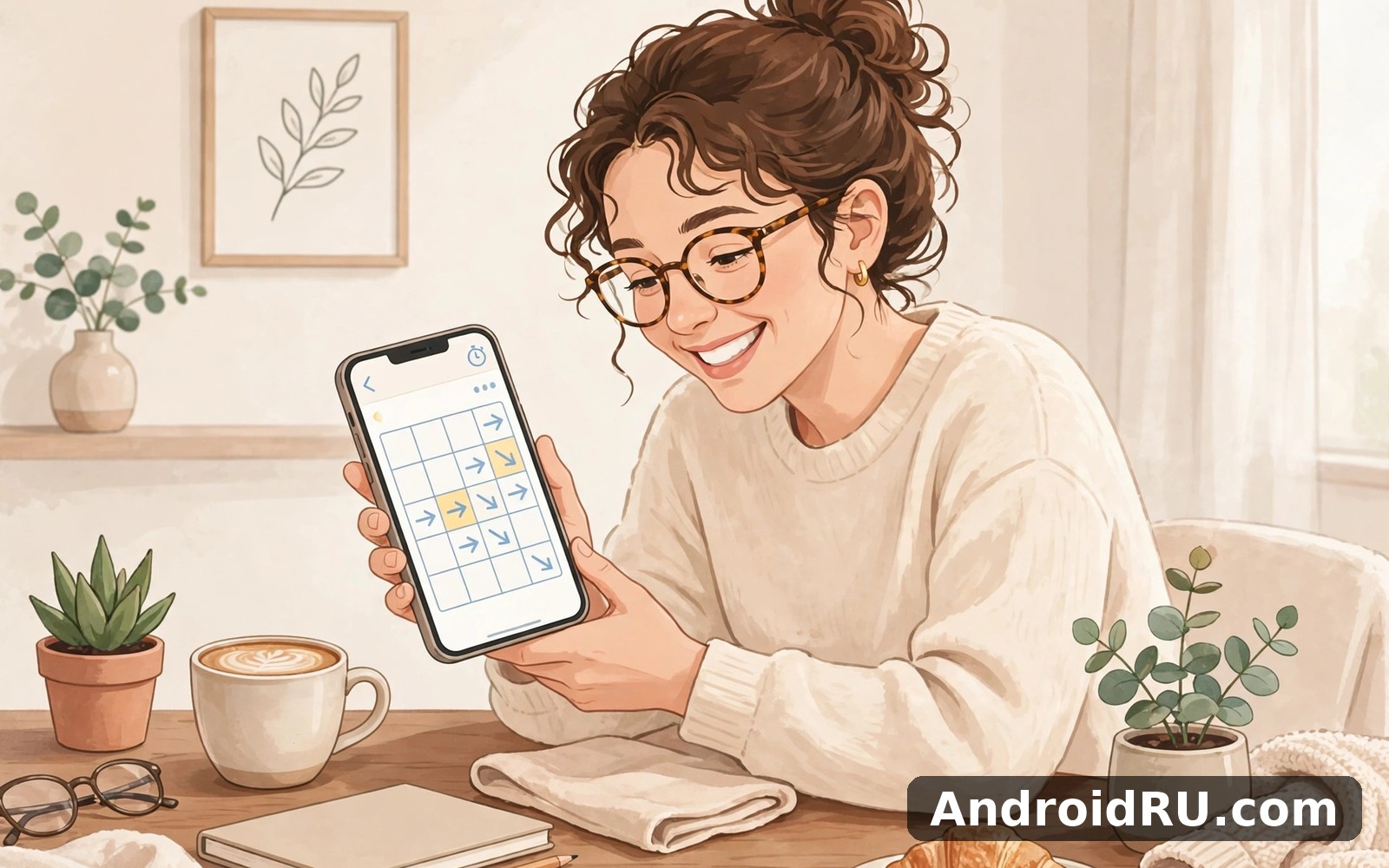
Crossword Mini Arrowwords is a small-format crossword game built around arrowwords, a style of puzzle where each clue sits in a square inside the grid, with an arrow pointing to the word it describes. You do not need a separate clue list. You look at the grid, read the clue in the square, and type the answer into the cells the arrow points to. That design suits a phone screen, because everything you need is in one place and your thumb never has to jump between a list and a grid.
The mini format is the other half of the idea. A typical puzzle here is a small grid, often five by five or a little larger, with a handful of answers rather than dozens. A puzzle takes three to ten minutes, depending on how fast you spot the answers. That size is a deliberate choice: it gives you a finished puzzle and a small sense of progress in a single short session, instead of a half-finished grid you abandon and forget. I found the size ideal for mornings, when I want a gentle start rather than a long challenge.
The answers lean towards everyday vocabulary, general knowledge, and short words rather than obscure terms. You will meet clues about animals, food, colours, countries, jobs, and common phrases, with the occasional proper name or abbreviation. The difficulty comes less from rare words and more from the tight crossing of a small grid, where one wrong letter blocks two answers at once. That is a fair kind of difficulty, and it rewards a careful second look rather than a large vocabulary.
Arrowwords versus classic crosswords on a phone
A classic crossword splits your attention between a numbered clue list and a grid, which works on paper and feels cramped on a phone. An arrowword keeps the clue beside the answer, so you read and type in the same place. The trade-off is that arrowwords give you less room for long, clever clues, so the wordplay is simpler and more direct. If you love cryptic clues and long definitions, a classic crossword app will suit you better. If you want a quick, friendly puzzle you can finish before your coffee cools, the arrowword format is the better pick.
The other difference is error handling. In a small arrowword grid, a wrong answer shows up fast, because the crossing letters stop matching. I learned to trust that signal: if two crossing answers both feel right but share a letter that cannot be both, one of them is wrong, and the shorter answer is usually the one to rethink. That habit, checking crossings before reaching for a hint, is the single skill that improves your speed most in this game.
Who the mini format suits best
The mini format suits beginners, casual players, and anyone who wants a daily puzzle without a daily commitment. It suits people learning English vocabulary, because the clues use common words in a clear context, and it suits older players who want a readable grid without tiny print. It suits less well the expert solver who wants a large grid, a cryptic challenge, or a puzzle that takes an hour. For that player, this game is a warm-up rather than a main event, and the review below says so plainly.
Crossword Mini Arrowwords setup essentials for a good first week
Setup takes about five minutes, and most of it is about comfort rather than accounts. Install the app, open it, and play the first puzzle before you change anything, so you know what the default experience feels like. Then open settings and look at four things: text size, sound, notifications, and hints. Those four settings decide whether the game feels calm or noisy, and they are the only ones most players ever need to touch.
Text size matters more than any other setting in a word game. If the letters feel small, increase the grid text size one step and play another puzzle before deciding. I raised mine one step on the first day and never changed it again, and the grid stayed readable in bright light and in a dim room. Sound is a personal choice: I turned off the background music and kept the soft tap sound for correct letters, because the tap gives a small reward without becoming a distraction. Notifications deserve a quick look too: keep a morning reminder if it helps you play, and turn off the rest.
Accounts and progress saving are worth checking in week one, even though the game works without an account. If the app offers a way to save progress or link to a game account, set it up early, so a phone change or a reinstall does not wipe your solved puzzles and streak. I make it a habit to check save options in week one on every game I keep, because a quick look now can save real frustration later. If the app works fully offline, test that too: play one puzzle with mobile data off, and confirm that your progress is still there when you reconnect.
Step by step: your first puzzle from opening to finishing
- Open the app and tap the first puzzle on the home screen, without changing any settings yet.
- Tap a clue square in the grid and read the clue, then look at the arrow to see which direction the answer runs.
- Type the answer using the on-screen keyboard, and watch the crossing letters fill in as you go.
- If a letter feels wrong, tap the cell and change it, then recheck the crossing answer before moving on.
- Use the check-letter option once on a stuck answer, rather than revealing a whole word at once.
- Finish the grid, look at your time and any mistakes, and then close the app while the win still feels fresh.
That six-step flow is the whole game in miniature. The first puzzle should take five to eight minutes, and if it takes longer, that is fine: you are learning the layout, not failing a test. By the third puzzle, the tapping, the arrows, and the keyboard will feel automatic, and your attention will shift from the controls to the clues themselves. That shift is the moment the game starts to feel like a crossword rather than a new app.
Text size, sound, and display settings worth changing first
Check the display and text size during your first week, because a size that suits your eyes makes every session more comfortable. I adjusted mine once and never thought about it again. Small comfort changes often matter more than big feature hunts, and this game is a good example: one text-size change did more for my enjoyment than any new puzzle pack. If you play at night, check whether the app offers a dark or low-light mode, and use it, because a bright grid in a dark room tires the eyes fast.
Notifications, reminders, and keeping the habit friendly
Set a loose time for play rather than a strict deadline. A loose window keeps the habit friendly and flexible. I used a morning window and I moved it when the day demanded it, and flexibility kept the habit alive through busy weeks. Keep the morning reminder and switch off the rest, so the game nudges you once and then leaves you alone. A reminder that arrives at a busy hour will get ignored and then resented, so move it to a calm slot and the whole habit feels easier.
What’s new in Crossword Mini Arrowwords and what changed for players
Recent versions of the game have focused on the everyday experience rather than on adding new modes. The grid is clearer, the keyboard is easier to reach, and the daily puzzle flow is smoother, with the next puzzle appearing as soon as you finish the current one. Those are small changes, but they touch the screens you open most, so they matter more than a new tile you would never tap. I noticed the improvement most in the crossing letters: they now stand out just enough that a wrong letter is easier to spot before it blocks a second answer.
New puzzle content arrives regularly, with fresh grids and a daily puzzle that gives regular players a reason to return. The daily puzzle is the most useful recent addition for habit building, because it gives you one clear puzzle to solve each day without choosing from a list. I played the daily puzzle most mornings, and the shared date made it easy to compare my time with a friend who plays the same puzzle. That small social thread, comparing times on the same grid, added a reason to return that a random puzzle list never gave me.
Hint and check options have also been tidied. You can now check a single letter, reveal a single letter, or reveal a word, with each option costing a different amount of in-game currency or a short wait. The distinction matters: checking one letter teaches you something, while revealing a whole word ends the puzzle for you. I used the check-letter option most, because it told me whether I was on the right track without giving the answer away. If you find yourself revealing whole words often, the puzzle is too hard for your current level, and dropping to an easier set for a week is the better fix.
Daily puzzles, new grids, and how often fresh content appears
Fresh grids appear often enough that I never ran out during several weeks of daily play. The daily puzzle refreshes each morning, and the puzzle library holds a large back catalogue you can work through at your own pace. If you play one puzzle a day, the catalogue will last a long time. If you play ten puzzles in a sitting, you will move through the easier sets fast, and that is the point where the game starts to feel short for a heavy player. The honest advice for a heavy player is to treat the daily puzzle as the core habit and the library as a weekend extra, rather than burning through the library in a week and then feeling done.
Hint system, coins, and whether you need to pay
Hints are the part of the game where money can enter, so it is worth understanding before you spend anything. You earn hint currency by finishing puzzles and by returning daily, and you can spend it on checking or revealing letters. In my weeks of play, the free earnings covered the hints I actually needed, because I used check-letter sparingly and only on puzzles where I was genuinely stuck. The game does offer purchases for extra currency, but nothing in the core puzzle loop requires paying. My advice is simple: play free for two weeks, see how many hints you actually use, and only then decide whether a purchase would change anything. For most players, it will not.
Crossword Mini Arrowwords features in full, from grid to streak
The core features are straightforward and they all serve the same goal: a small puzzle you can finish. The grid is the centre, with clue squares, arrows, and a clear highlight for the active word. The keyboard sits below the grid, with letters large enough to tap without careful aiming. A check button lets you verify a letter or a word, a hint button reveals help when you are stuck, and a progress bar shows how much of the grid is complete. The home screen shows the daily puzzle, your current streak, and the next puzzle in the set you are working through.
Around that core sit the features that keep a daily habit going. A streak counter records how many days in a row you have solved a puzzle, and a small calendar shows your recent history. Statistics track your average time, your best time, and how many puzzles you have finished, which is useful if you like watching a slow improvement over weeks. A favourites or bookmark option lets you save a puzzle you enjoyed, and a share option lets you send your result to a friend without spoiling the answers. None of these features is flashy on its own, yet together they give the game a sense of progress that a bare grid would lack.
The game also handles interruptions well, which matters on a phone. If a call arrives mid-puzzle, the game saves your place and lets you resume from the same grid when you return. If you close the app halfway through a puzzle, the letters you typed are still there the next time you open it. That respect for interruptions fits how phones are actually used, and it is a quiet strength that I noticed every day. A puzzle game that loses your progress when life interrupts is a game you will stop trusting, and this one does not do that.
How the keyboard, checking, and error highlights work
The on-screen keyboard is laid out for thumbs, with the letters you need close at hand and a delete key that is easy to reach. When you tap a clue square, the grid highlights the word that clue points to, so you always know where your letters will go. If you type a letter that conflicts with a crossing answer, the game does not always flag it at once, which is a design choice: part of the puzzle is spotting the conflict yourself. The check option is there when you want a verdict, and using it on one letter at a time is the best way to learn without giving the game away.
Using check-letter instead of reveal-word to learn faster
Check-letter tells you whether the letters you have typed are right, without telling you the answer. Reveal-word gives you the answer and ends the thinking for that word. I used check-letter when I had a word I felt fairly sure about but wanted to confirm before building on it, and I saved reveal-word for the rare puzzle where I had no foothold at all. Over a few weeks, that habit taught me more than revealing words ever would, because a confirmed letter is a clue for the next crossing answer, while a revealed word is just a finished cell.
Streaks, statistics, and watching your time improve
Your streak is a gentle motivator, not a punishment. A missed day resets the count, and the app welcomes you back without a lecture about streaks or progress. I linked my session to my morning coffee, so that anchor did most of the work for me, and a missed day simply meant starting again the next morning. Statistics are more useful than the streak for measuring progress: my average time on an easy grid fell by about a minute over three weeks, not because I learned new words, but because I got faster at spotting crossings and trusting the first answer that fit.
Crossword Mini Arrowwords versus other mini puzzle games
Crossword Mini Arrowwords sits in a busy corner of the puzzle world, beside other small games that fill the same five-minute gap. If you enjoy everyday tasks then My Mini Mart is a natural next app to try, because it offers a different kind of short-session play with a shop to run rather than a grid to solve. When you want a change of pace then A9 Mini Camera App covers that need neatly, with a camera tool that suits a different mood entirely. And for a third option Mini Shopping Mall Simulator is worth a look as well, because it gives you a longer management game for evenings when a five-minute puzzle feels too short.
The comparison that matters most is with other crossword apps. A classic crossword app gives you larger grids, longer clues, and a deeper challenge, but it asks for more time and more screen space. A word-search app gives you a relaxing find-the-word hunt with no clues to solve, which suits a tired evening better than a crossword. A word-connect game, where you swipe letters to form words, feels faster and more arcade-like, but it teaches less vocabulary. Crossword Mini Arrowwords sits between those options: more thinking than a word search, less time than a full crossword, and more structure than a swipe game.
| Game | Session length | Thinking style |
|---|---|---|
| Crossword Mini Arrowwords | 3 to 10 minutes | Clues inside the grid, small grids |
| Classic crossword app | 15 to 60 minutes | Clue list, large grids, deeper vocabulary |
| Word search game | 5 to 15 minutes | Find hidden words, relaxing, low pressure |
| Word connect game | 2 to 8 minutes | Swipe letters, fast, arcade feel |
| Mini shopping simulator | 10 to 30 minutes | Manage a shop, plan and upgrade |
| Mini mart game | 5 to 20 minutes | Run a small shop, serve customers |
The table is a guide to choosing by mood, not a ranking. On a fresh morning, I pick the arrowword puzzle. On a tired evening, I pick a word search. On a long train ride, I pick a classic crossword or a management game. The right game is the one that matches the time and energy you actually have, and this one matches the short, fresh slots of the day better than any of the others in the list.
Crossword Mini Arrowwords pros and cons after weeks of daily play
After several weeks, my overall review is positive, and it comes from daily use rather than a quick glance. The app feels honest about what it does. It does not promise more than it can deliver, and that honesty is rare. The strengths are about fit and feel: the puzzles are the right size, the grid is readable, the game respects interruptions, and the daily puzzle gives you a reason to return. The limits are about depth: a heavy player will move through the easier content fast, and an expert solver will want a larger, harder grid.
Pros of Crossword Mini Arrowwords for everyday players
- Small readable grids finish in minutes, so a puzzle fits a coffee break, a bus ride, or a waiting room.
- Clues sit inside the grid, so you never jump between a clue list and the puzzle on a small screen.
- The daily puzzle and streak give you a gentle reason to return without pressure or guilt.
- Progress saves automatically, so a call or a closed app never loses the letters you already typed.
- Hints are earnable by playing, and the core puzzles do not require a purchase to enjoy.
Cons of Crossword Mini Arrowwords and where it strains
- Depth is limited for advanced solvers, who will want larger grids and harder clues after a few weeks.
- Short sessions can only carry you so far before you need longer material elsewhere.
- Some puzzles repeat common answers, so a heavy player will start to recognise clues quickly.
- Ads can interrupt the flow between puzzles unless you play offline or adjust the settings.
Who Crossword Mini Arrowwords is for, and who should look elsewhere
This game is for beginners, casual crossword fans, vocabulary learners, and anyone who wants a calm daily puzzle that takes minutes rather than an hour. It is for people who play on the move, in short gaps, and who like finishing what they start. It is less suited to expert solvers who want cryptic clues and large grids, and to players who want a long evening game with deep progression. If you fall in that second group, treat this as a warm-up game beside a harder crossword app, rather than as your only puzzle. That framing keeps expectations fair, and it is how I use it myself.
Crossword Mini Arrowwords tips, troubleshooting, and a calm routine
A few habits make the game more enjoyable, and none of them require skill, only patience. Start with the shortest answers first, because a three-letter word gives you crossing letters for two longer answers. Read the clue twice before typing, because a misread clue is the most common cause of a wrong answer. When you are stuck, leave the puzzle for an hour and come back with fresh eyes; a fresh look often makes a confusing clue suddenly clear. I have solved more puzzles this way than by tapping everything at once, and sleep and distance are underrated tools for any word game.
Timing matters more than effort. A short session when you are fresh gives you more than a long session when you are tired. I stopped forcing long sessions on busy evenings and saved exploration for weekends, keeping weekdays short. That rhythm felt sustainable and it kept the game enjoyable rather than stressful. If a puzzle frustrates you, switch to an easier set for a day rather than burning hints on a grid that is above your current level. Progress in a puzzle game is not linear, and a gentle day often leads to a faster day after it.
If something goes wrong, the fixes are simple. If a puzzle will not load, check your connection first, then close and reopen the app, because most loading problems are a weak signal rather than a broken puzzle. If the keyboard covers the grid, rotate the phone or tap a different clue square to shift the highlight. If your progress seems lost after an update, check the save and account options, and confirm that you are signed in to the same account you used before. If an ad freezes the game, close the app from the recent-apps screen and reopen it; your letters should still be there.
A few more everyday habits that keep the game fresh
Keep your sessions short on weekdays and let weekends carry the longer explores. That split protects the habit when work gets busy. I found that a short weekday visit still counted as progress, and counting small visits kept my run of good days alive. Write down one thing you liked about the game after your first week. A short note helps you remember why you kept the app, and a written reason is a useful anchor on a busy day when you are tempted to delete apps on impulse.
Explore one new section each weekend, such as a harder puzzle set or a themed pack, while weekdays stay focused on the daily puzzle. That split kept weekdays calm and weekends interesting, and it stopped me from feeling overwhelmed on busy days. Try the game in different places to learn its strengths: at home I explored more deeply, on the move I used only the quick daily puzzle, and in a quiet cafe I took my time over a harder grid. Each setting showed me a different strength.
When a puzzle feels too hard, and what to do next
A puzzle that feels too hard is usually a sign to change approach, not to quit. Check the crossing letters first, because one wrong letter often blocks two answers. Use check-letter on the answer you feel most sure about, and let the confirmed letters guide the rest. If you still have no foothold, switch to an easier puzzle for the day and return to the hard one tomorrow. I have finished puzzles on the second day that felt impossible on the first, and the overnight break did more than any hint could.
Keeping your progress safe across phones and updates
Check the save and account options in week one, and confirm how progress is kept before you need it. If the game links progress to an account, sign in early and test it by closing and reopening the app. If progress is stored only on the device, take a note of that, and be careful before clearing app data, because clearing data can wipe local progress in a way that clearing cache does not. A quick look at those options now can save frustration later, and it is a habit that has rescued me more than once on other games.
Crossword Mini Arrowwords questions readers ask before playing
Is Crossword Mini Arrowwords free to play, and what do hints cost?
The core game is free to play, with puzzles, the daily puzzle, and the basic hint options available without paying. You earn hint currency by finishing puzzles and returning daily, and that free earning covered the hints I actually used in several weeks of play. Extra currency is available to buy, but nothing in the main puzzle loop requires a purchase. Play free for two weeks first, count how many hints you really use, and only then decide whether paying would change anything for you.
Can I play Crossword Mini Arrowwords offline?
Yes, in most cases you can play puzzles you have already loaded without a connection, and your progress is saved on the device. The daily puzzle and any new puzzle packs need a connection to load, so open the app once on Wi-Fi in the morning if you plan to play offline later in the day. If you play on a plane or a train with no signal, load the daily puzzle before you leave, and it should be there when you need it.
How long does a typical puzzle take to finish?
Most puzzles take three to ten minutes, depending on the grid size and how fast you spot the answers. An easy grid on a fresh morning can take three minutes, while a harder grid with trickier clues can take ten or more. That range is the point of the mini format: you can finish a puzzle in a single short gap, and you can also take your time over a harder one without feeling that you have started something you cannot finish.
Is Crossword Mini Arrowwords good for learning English vocabulary?
It is a useful extra tool for vocabulary, though it is not a course on its own. The clues use common words in a clear context, and the crossing letters help you remember spellings, which suits learners who already know basic English and want to practise. It works best beside reading and speaking practice, not instead of them. If you are learning English, play the easy sets first, look up any answer you did not know, and write it down once; that small step turns a game into a study habit.
What should I do if my progress or streak disappears?
First, check whether you are signed in to the same account you used before, because a different account will show a different history. Then close and reopen the app, and check the save options to confirm that progress syncing is on. If the streak is gone but the solved puzzles are still there, treat it as a fresh start rather than a loss: the puzzles you solved are the real progress, and a new streak begins with the next daily puzzle. If the problem followed an update, wait a day before reinstalling, because a reinstall without a linked account can wipe local progress for good.
Crossword Mini Arrowwords verdict for different kinds of players
For a beginner or a casual player who wants a gentle daily puzzle, the verdict is a clear keep: the size is right, the clues are fair, and the habit is easy to hold. For a vocabulary learner, the verdict is a keep as a second tool beside reading and speaking, not as a course on its own. For a busy commuter who plays in five-minute gaps, the verdict is a keep, because few puzzle games fit those gaps as well as this one. For an expert solver who wants large grids and cryptic clues, the verdict is different: keep it as a warm-up, and pair it with a harder crossword app for the main challenge.
When you are ready to give it a proper try then use the link below. It takes you straight to the Crossword Mini Arrowwords page on AndroidRU where you can find it. I suggest trying it for a full week before you judge it. A week of short sessions shows the real character of a game.
Click here to download the Crossword Mini Arrowwords app
When Crossword Mini Arrowwords feels familiar, two more apps are worth a glance. Click here to download the My Mini Mart app. And as a second choice, Click here to download the A9 Mini Camera App app.
What stayed with me about Crossword Mini Arrowwords is how little drama it adds to my day. It helps and then it steps aside. That is exactly what I want from a daily puzzle. I would keep it installed even if I used it only a few times a week, because a calm puzzle, solved steadily, beats a hard puzzle that never gets opened.

