

Download APK Acca Student Accountant Update Benefits, Latest Features & Review
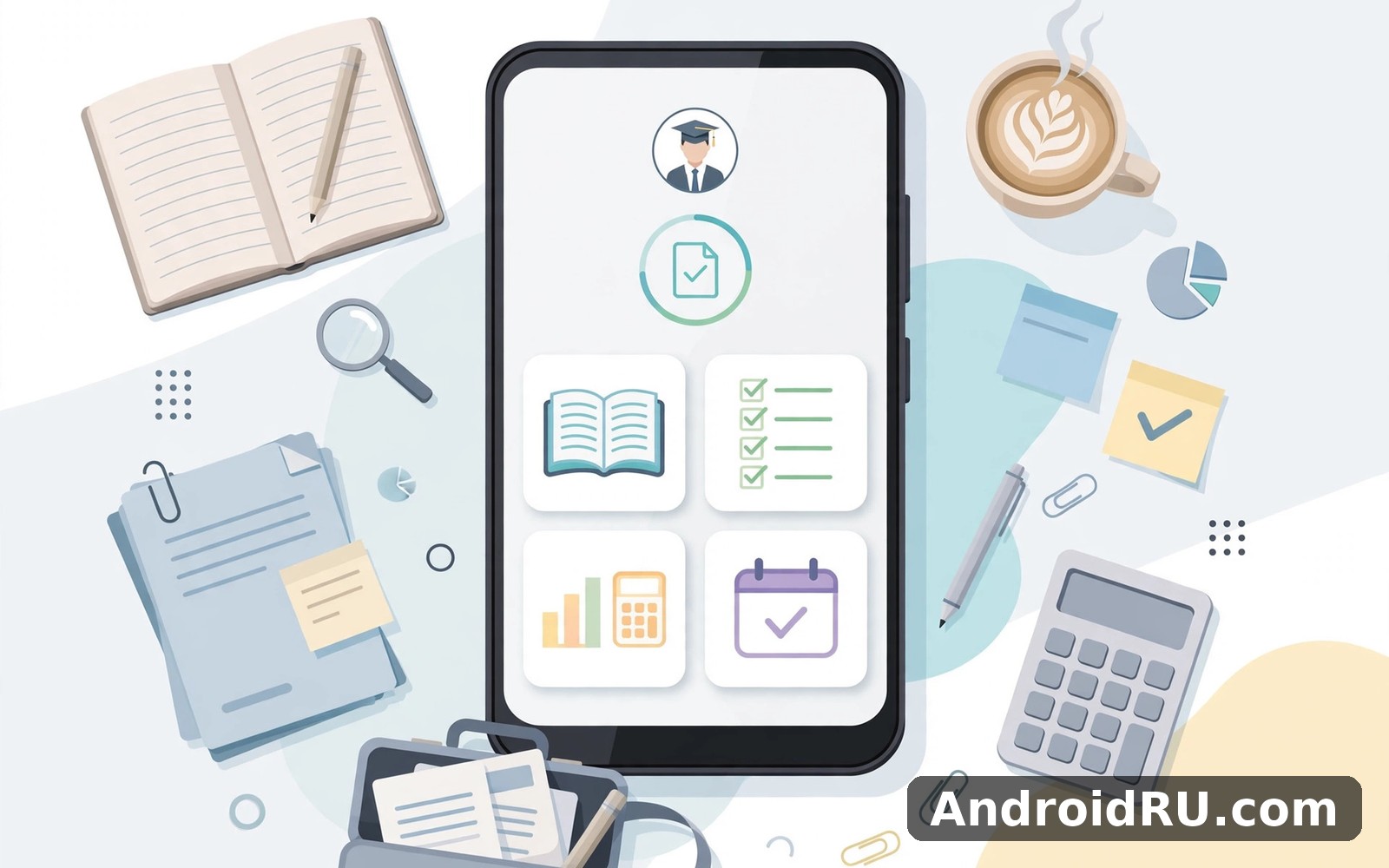
Studying for ACCA exams is a long project, not a single test. There are thirteen exams, hundreds of syllabus topics, and months of revision between each sitting, and the students who pass are usually the ones who track their progress instead of guessing at it. Acca Student Accountant is a study companion app built for that exact problem: it gives ACCA students a planner, an exam countdown, syllabus tracking, flashcards, practice questions, and progress charts in one place, so the whole qualification fits in a pocket.
I spent time working through the app as a study tool rather than as a quick download, setting up a mock study plan for two exam papers, building flashcard decks, and running practice question sets. What stood out was how the app treats study as a schedule first and a content library second. It does not try to replace a textbook or a tuition provider. It tries to answer a narrower question: what should I study today, how far behind am I, and what do I still get wrong?
This review covers the update benefits in the latest version, the features that actually help during revision, the limits that matter before exam week, and a comparison with the other tools ACCA students commonly use, from Anki and Quizlet to spreadsheets and paper planners. You will find pros and cons, a clear view of who the app suits, and a verdict that depends on where you are in the qualification.
What Acca Student Accountant Is and Who It Is Built For
Acca Student Accountant is a mobile study app aimed at students working through the ACCA qualification, from the Applied Knowledge papers through Applied Skills and into Strategic Professional. The app organises study around the official syllabus structure, so each exam paper breaks down into topics and subtopics you can tick off as you cover them. That structure is the core idea: instead of a loose pile of notes, you get a checklist that mirrors what the exam actually tests.
The audience is clear. It suits self-study students who do not have a tutor checking their pace, students retaking a paper who need to find their weak topics fast, and busy learners fitting revision around a job. It is less useful for someone who wants full video lectures or a complete question bank inside one app, because the app focuses on planning and recall rather than teaching the syllabus from scratch.
How the App Maps the ACCA Syllabus to a Study Plan
When you pick an exam paper, the app shows its syllabus topics in order, with a progress marker on each one. You can mark a topic as not started, in progress, or complete, and the app rolls those marks up into an overall percentage for the paper. That single number is surprisingly motivating during a long revision period, because it turns a vague feeling of being behind into a concrete figure you can act on. A student who sees 40 percent with three weeks left knows exactly how much ground remains.
Applied Knowledge, Applied Skills, and Strategic Professional Support
The three levels of the qualification need different study habits, and the app reflects that in how it presents each paper. Applied Knowledge papers suit short flashcard sessions and quick question drills, which the app handles well. Applied Skills papers need longer practice sessions and written answers, so the planner and countdown matter more than the cards. Strategic Professional papers need case-style thinking and timed practice, and here the app works best as a tracker around other materials rather than as the main study source.
Acca Student Accountant Update Benefits: What the Latest Version Adds
The latest updates focus on the parts of studying that break down under pressure: keeping a plan current, finding weak topics, and revising on a phone in short gaps. The headline benefit is a reworked study planner that adjusts your daily targets when you miss a session, instead of leaving a stale plan that quietly becomes impossible. If you skip two days, the planner spreads the missed topics across the remaining days and tells you the new daily load, which is far more honest than a plan that pretends nothing happened.
Another concrete benefit is faster loading of question sets and flashcard decks, which matters when you open the app for ten minutes on a commute. Older versions could lag when a deck grew large; the current build opens decks quickly and keeps your place when you switch away. The progress charts also gained clearer weekly views, so you can see at a glance whether this week beat last week, and the exam countdown now shows days, hours, and the exact sitting date you entered, which keeps the deadline visible every time you open the app.
Smarter Study Planner That Adjusts When Life Gets in the Way
The updated planner asks for your exam date, the papers you are sitting, and how many hours you can study each day, then builds a schedule topic by topic. When a session is missed, it recalculates rather than scolding you, and it flags the topics that are most at risk so you can protect them first. That behaviour is the single most useful change in the update, because real study plans always slip, and a tool that adapts is worth more than a perfect plan that falls apart in week two.
How the Planner Handles a Missed Week Before Exam Day
If you lose a full week to work or illness, the planner offers two choices: spread the missed topics evenly, or prioritise high-weight topics and mark the rest for light review. The second option is the honest one near exam day, because covering every topic thinly beats covering half the syllabus deeply while leaving the other half untouched. Choose the priority mode when fewer than three weeks remain.
Exam Countdown and Deadline Reminders That Keep You Honest
The countdown sits on the home screen and counts down to your exam sitting, with optional reminders at milestones like 30 days, 14 days, and 7 days out. The reminders are plain and practical: they name the paper and the topics still incomplete, rather than sending a generic nudge. You can set quiet hours so reminders never arrive at night, and you can turn off reminders for a paper you have already finished.
Acca Student Accountant Key Features in Detail
The app packs six main tools into one home screen, and each one serves a different part of revision. Used together, they cover planning, memorisation, testing, and review. Used alone, each tool still works, so you can lean on the planner during term time and switch to flashcards and questions in the final weeks.
Study Planner: Building a Week That Actually Fits Your Life
The planner turns a syllabus into dated sessions. You set your exam date and daily study hours, and the app assigns topics to days, balancing heavy topics with lighter ones. You can drag a session to another day, mark it complete, or mark it skipped, and the planner updates the rest of the schedule. Flexible daily targets are the point here: the plan bends to your week instead of demanding a perfect one.
Exam Countdown: Days Left, Topics Left, and What Comes Next
The countdown shows the days left until your sitting next to the number of topics still incomplete, which is a more useful pair than either figure alone. Thirty days left sounds comfortable until you see twelve topics still marked as not started. Tapping the countdown opens the next three sessions in your plan, so the gap between knowing the deadline and knowing the next step is one tap.
Syllabus Tracking: Seeing the Whole Qualification at a Glance
Syllabus tracking is the checklist view of each paper, with topics grouped the way the exam groups them. You can filter by status to find everything marked as weak or not started, and the app highlights topics that carry more weight in the exam, where that weighting is known. For retake students, this view is the fastest way to find the topics that cost marks last time and make sure they are covered first this time.
Marking Topics Honestly: Complete Means Tested, Not Just Read
A common trap is marking a topic complete after reading it once. The app works better if you only mark a topic complete after answering practice questions on it correctly, because reading feels like learning while testing proves it. I kept a personal rule during testing: a topic earns its tick only after five correct practice answers in a row, and that rule made the progress percentage far more honest.
Flashcards: Spaced Recall for Standards, Formulas, and Definitions
Flashcards cover the definitions, standards, and formulas that ACCA exams reward you for recalling quickly: accounting standards, audit terms, tax thresholds, and key ratios. You can use built-in decks or build your own, and the app spaces repetitions so cards you miss return sooner than cards you know. Making your own cards takes time, but the act of writing a card is itself a study session, and students who build decks usually remember more than students who only read them.
Practice Questions: Testing Yourself Before the Exam Does
Practice questions come in short sets you can finish in ten minutes, which suits revision in gaps between other commitments. Each question shows the correct answer with a short explanation after you respond, so a wrong answer becomes a lesson instead of a dead end. The app records your score per topic, and those scores feed the progress view, so weak topics surface automatically instead of waiting for you to notice them.
Using Question Scores to Find Your Weak Topics
Open the progress view after a week of practice and sort topics by score. Anything below half correct deserves a full review session, not another round of questions. Read the topic again, rebuild its flashcards, and only then retest. Repeating questions on a topic you have not restudied just memorises the answers without fixing the gap.
Progress Tracking: Charts That Show Whether Revision Is Working
Progress tracking turns your ticks, scores, and study minutes into charts: completion by paper, accuracy by topic, and study time by week. The weekly study-time chart is the most honest of the three, because it shows whether you actually studied or only planned to. A flat week on that chart is a clearer signal than any motivational message, and it arrives early enough to fix.
Acca Student Accountant vs Other ACCA Study Tools
Most ACCA students already use something, so the fair question is what this app replaces and what it sits next to. The table below compares it with the tools students most often mention, on the points that decide daily use.
| Tool | Best strength | Planning | Flashcards | Practice questions | Price |
|---|---|---|---|---|---|
| Acca Student Accountant | All-in-one ACCA tracking | Yes, syllabus-based | Yes, built-in and custom | Yes, short sets | Free with optional extras |
| Anki | Spaced repetition depth | No planner | Excellent, fully custom | No | Free on Android |
| Quizlet | Large shared decks | No planner | Very good, shared sets | Basic quiz modes | Free with paid tier |
| Spreadsheet planner | Total control | Manual, flexible | No | No | Free |
| Tuition provider app | Full course content | Course-based | Varies | Full question banks | Paid course fee |
| Paper planner and notes | No distractions | Manual | Handwritten cards | No | Cost of paper |
The honest picture is that this app wins on combination, not on any single tool. Anki beats it for pure spaced repetition, and a tuition provider beats it for full question banks and teaching. But neither of those gives you a syllabus checklist, a countdown, and a planner in the same place. Students who want one home screen for their whole study routine will get the most from it, while students who already have a system they trust may only use it for the countdown and the syllabus tracker.
For a different kind of everyday organisation, The Smart Card is a natural next app to try, since it handles cards and daily admin in the same tidy, checklist style that suits a busy student routine.
When Anki or Quizlet Is the Better Pick
If flashcards are your whole revision method, Anki gives you deeper control over intervals, card types, and statistics than this app does, and Quizlet gives you access to large shared decks made by other students. Both are better single-purpose card tools. The trade is that neither knows your ACCA syllabus, so you must build or find the right decks yourself and track your progress elsewhere.
When a Tuition Provider App Is the Better Pick
If you need taught content, marked mock exams, and a full question bank with detailed examiner-style answers, a tuition provider app is the right tool and this app is not a substitute for it. Use the provider app to learn, and use Acca Student Accountant to plan, track, and drill recall around it. The two work well side by side when each one does the job it was built for.
How to Set Up Your ACCA Study Plan in the App
Setup takes about fifteen minutes and is worth doing properly, because a plan built on wrong dates quietly misleads you for months. Follow the steps below in order, and check each one before moving on.
-
Add your exam papers first. Pick the exact papers you are sitting in the next session, not every paper in the qualification, so the planner and the countdown stay focused.
-
Enter the real exam date for each paper. If the sitting dates are not published yet, use the usual exam week as a placeholder and update it the day the dates are confirmed.
-
Set honest daily study hours. Two realistic hours beat four imaginary ones, because the planner builds the schedule on the number you give it.
-
Mark topics you already know. If you passed a paper before or covered a topic at work, mark it complete now so the plan spends time where you are actually weak.
-
Build one flashcard deck per paper. Start with ten cards for the definitions you mix up most, and add five new cards each week rather than building a hundred at once.
-
Run a practice set every day for a week. Short daily sets build the accuracy data the progress charts need, and they show your weak topics within days.
Common Setup Mistakes That Waste the First Month
The most common mistake is adding every paper at once, which turns the planner into a wall of topics and hides the next session. The second is setting daily hours too high, which makes the plan look easy on paper and impossible in practice. The third is never opening the progress view, which means weak topics stay hidden until mock exam week. Check the progress charts every Sunday and adjust the plan while there is still time to act.
Acca Student Accountant Pros and Cons
Like any study tool, this app helps most when its strengths match your study style, and it frustrates when you ask it to do a job it was not built for. The list below keeps both sides plain.
Pros of Acca Student Accountant
-
Syllabus-based planning and tracking that mirrors the real exam structure, so progress percentages mean something instead of counting generic study hours.
-
Flashcards, practice questions, countdown, and planner in one app, which removes the need to juggle four separate tools during revision.
-
Adaptive planner that recalculates after missed sessions instead of letting a stale schedule become impossible.
-
Progress charts that surface weak topics by score, so revision time goes where marks are actually being lost.
-
Short practice sets that fit a commute or a lunch break, making daily revision realistic for working students.
Cons of Acca Student Accountant
-
Practice question depth is limited compared with a tuition provider question bank, so it suits drilling and recall more than full exam practice.
-
It does not teach the syllabus, so self-study students still need textbooks, notes, or a course alongside the app.
-
Flashcard decks need building or curating, and the built-in decks may not cover every niche topic in the Strategic Professional papers.
-
Reminder and planner features only help if you open the app regularly; a plan you ignore is no better than no plan at all.
Who Acca Student Accountant Is For and Who Should Use Something Else
The app fits self-study ACCA students who want structure without paying for a full course, retake students who need to find weak topics fast, and working students who revise in short daily sessions. It also fits students who like seeing progress as a number, because the completion percentages and weekly charts reward steady work in a way a paper checklist does not.
It is not the right main tool for students who need taught lessons, marked mocks, and examiner-style feedback, since those need a tuition provider. It is also not the right tool for students who already run a trusted system in Anki plus a spreadsheet, unless they want the ACCA-specific syllabus view that those tools cannot give. If your study routine already works, do not rebuild it around a new app in exam month.
For keeping records and numbers tidy outside study hours, Accounting Bookkeeping is worth a look as well, since the same habit of tracking small entries daily pays off in both study and money. And if you want a creative break between revision sessions, Oldroll Vintage Film Camera covers that need neatly, with film-style photography that has nothing to do with exams and everything to do with switching off.
Best Use Cases: Retakes, Working Students, and Final-Month Revision
Retake students get the most value, because the syllabus tracker and question scores point straight at the topics that failed last time. Working students benefit from the short practice sets and the planner that respects a two-hour evening. Final-month revision suits the app well too, since the countdown, the weak-topic filter, and the flashcard decks all sharpen as the exam gets closer.
Acca Student Accountant FAQ
Is Acca Student Accountant free to use?
The core tools, including the planner, countdown, syllabus tracking, flashcards, and practice questions, are free to use. Some extra content or advanced features may sit behind an optional purchase, so check the current offering inside the app before you rely on a specific deck or feature. The free tier covers the full study-tracking workflow for most students.
Does Acca Student Accountant cover all ACCA exam papers?
The app covers the papers across Applied Knowledge, Applied Skills, and Strategic Professional, organised by syllabus topic. Coverage can vary by paper and by update, so check that your exact paper appears with its full topic list before you build a plan around it, and update the app to the latest version for the newest papers.
Can Acca Student Accountant replace a tuition course?
No, and it does not try to. The app plans, tracks, and drills recall, but it does not teach the syllabus, mark written answers, or explain examiner expectations the way a tuition provider does. Treat it as a study companion around a textbook or a course, not as a course on its own.
How do the flashcards help with ACCA exams?
Flashcards target the fast recall that ACCA exams reward: standards, definitions, formulas, and key terms. The app spaces repetitions so cards you miss return sooner, which builds recall over weeks rather than cramming it in a night. Building your own cards adds a second layer of learning, since writing a clear card forces you to understand the idea first.
What should I do if I fall behind my study plan?
Open the planner and let it recalculate instead of trying to catch up in one weekend. Use the priority mode to protect high-weight topics first, and mark anything you genuinely cannot cover for light review rather than pretending it is done. A shorter honest plan beats a long pretend one in the final weeks.
Final Verdict on Acca Student Accountant
Acca Student Accountant is a solid study companion with a clear job: keep an ACCA student organised, honest about progress, and revising a little every day. The updated planner that adapts after missed sessions is the standout improvement, and the combination of syllabus tracking, flashcards, practice questions, and progress charts covers the revision workflow better than any single-purpose tool. The limits are real too: the question bank is thinner than a tuition provider’s, the app does not teach, and it only works if you open it. My verdict is practical. If you are a self-study student or a retake student who needs structure, install it, set up one paper properly, and use it daily for two weeks. If the progress charts start guiding your revision, keep it. If you already have a system that works, take the countdown and the syllabus tracker and leave the rest.
To try the app yourself, Click here to download the Acca Student Accountant app. For tidy everyday card management alongside your studies, Click here to download the The Smart Card app. And for a creative break with film-style photos, Click here to download the Oldroll Vintage Film Camera app.

