

Download APK Chat Master Latest Feature Review & Alternatives to Consider
I tried Chat Master on my older phone first, because that is the real test for me. New apps often struggle on older hardware, and a video chat app has more ways to struggle than most. This one loaded in a reasonable time, the layout stayed clear, and the first video call connected without a long wait. That gave me enough confidence to keep it installed and use it properly for a few weeks.
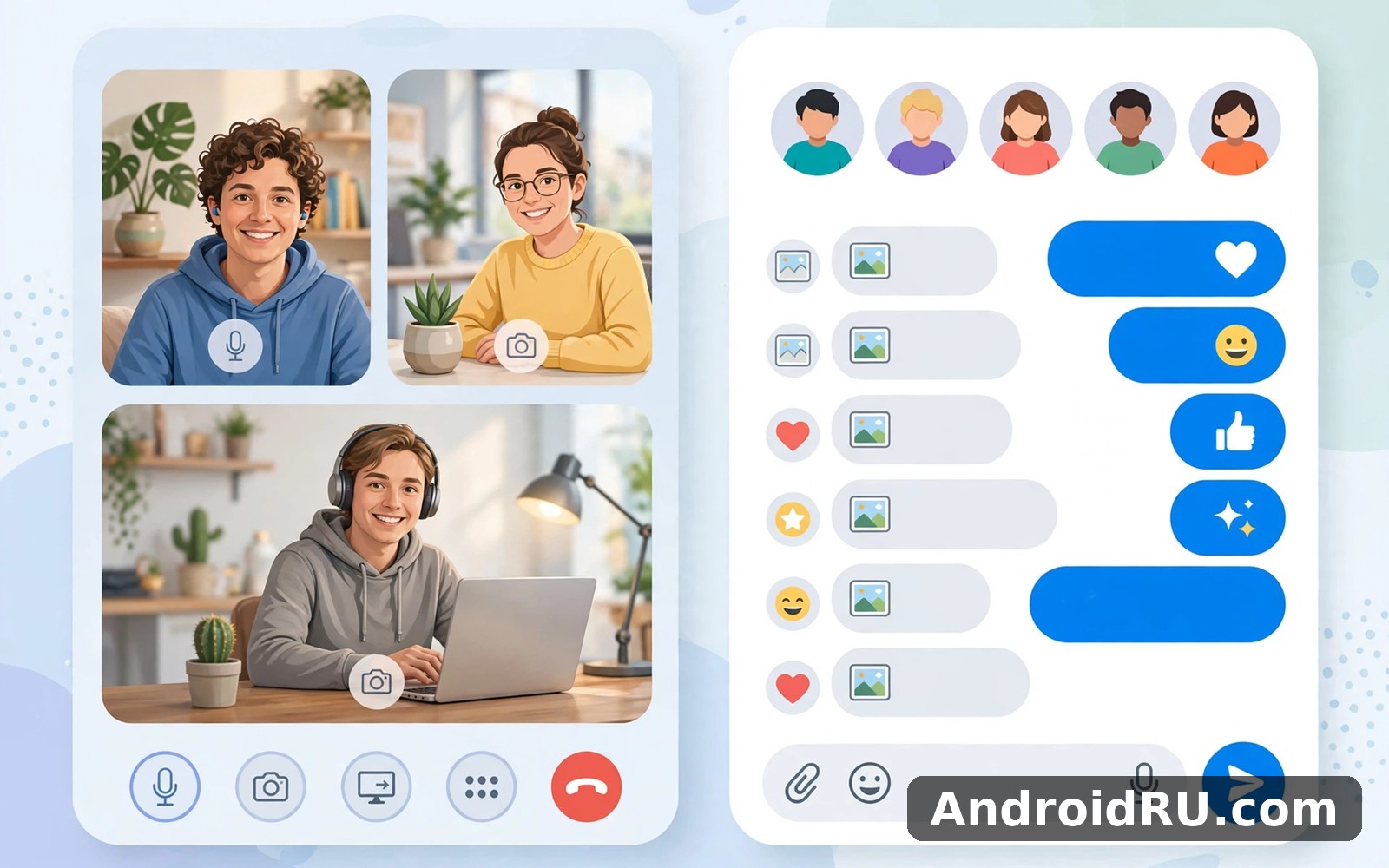
Chat Master is a live video chat and meet-people app. You open it, you get matched with strangers for one-to-one video or text chat, and you can keep talking, move on to the next person, or add people you click with. It sits in the same space as Azar, Yubo and Likee, but each of those apps leans in a different direction, and this review covers the differences properly, with a comparison table, a section on each alternative, and a verdict for each kind of user.
If you want a quick answer: Chat Master suits casual one-to-one video chat with strangers, Likee suits short video and party games, Yubo suits group hangs with people your own age, and Azar suits polished random video matching. The rest of this review explains why, and what each app costs you in privacy, patience and paid extras.
What Chat Master Is and How Live Video Chat Works
Chat Master is built around random video matching. You tap to start, the app connects you with another user on video, and either side can end the call and move to the next match. Text chat runs alongside the video, so you can type when the audio is unclear or when you would rather not speak straight away. That simple loop, match, talk, move on, is the whole core of the app, and everything else is built around it.
The people you meet are strangers, and that is both the appeal and the risk. A good match can turn into a real conversation in a minute. A bad match ends with a tap. I found the pace quick, sometimes too quick, because many users end a call within seconds if the first impression does not land. If you go in expecting every call to become a friendship, you will be disappointed. If you go in expecting a few good chats among many short ones, the app makes sense.
Matching is usually filtered by simple choices such as gender preference or region, though the exact filters available can depend on your account type and the current version. Free matching is broad, and paid options tend to narrow it down. Check the filters on the matching screen before you start, because the defaults decide who you meet first.
Who Chat Master is built for
The app fits adults who enjoy meeting new people by video and who are comfortable talking to strangers. It fits people with spare minutes in the evening, travellers who want a chat across borders, and language learners who want real conversation practice. It does not fit anyone looking for a dating app with profiles and matching by interests, because the matching here is fast and random rather than careful and profile-based.
How a first session actually feels
My first session lasted about fifteen minutes and included six or seven calls. Two were short hellos that ended fast. One was a decent chat about music that ran for several minutes. The rest sat in between. Video quality was acceptable on a mid-range phone over home Wi-Fi, with occasional blur when the connection dipped. Audio was clear enough for normal conversation, and the text chat saved one call where the other person’s microphone was too quiet.
Chat Master Features: Random Video, Text Chat, Gifts and More
The feature list is shorter than it first looks, because most of the screen is the video call itself. That is a good thing. A video chat app should put the call first and the extras second, and Chat Master mostly does that. The features below are the ones I actually used, not a list copied from a store page.
Random one-to-one video matching
This is the main feature, and it works as described. You tap to connect, the app finds a partner, and the video starts. Ending a call is one tap, and the next match starts quickly. I never waited long for a match during evening hours, though quieter times of day were slower. The speed of matching matters, because a random chat app that makes you wait defeats its own purpose.
Text chat and translation help
Text chat sits beside the video, and it is useful in three situations: when audio fails, when you are in a noisy place, and when you and the other person do not share a language well. Some versions offer translation help for text messages, which can turn a stilted exchange into a real one. Translation is never perfect, and it struggles with slang, but it is better than staring at a message you cannot read.
Using text chat when video is not practical
On a bus or in a shared room, video with sound is not always possible. Text chat lets you keep a conversation going without the camera and microphone, and you can switch back to video when you are somewhere private. I used this more than I expected, because real life rarely gives you a quiet room on demand.
Friends, follows and repeat chats
When a call goes well, you can add the other person as a friend or follow them, so you can find them again later. This turns random matching into something closer to a social app over time, because a small circle of repeat contacts builds up. The circle stays small unless you work at it, since most matches are one-off, but the option matters for the chats that deserve a second call.
Gifts, coins and paid extras
Chat Master uses virtual gifts and coins, like most apps in this space. You can send a gift during a call, and gifts are bought with coins, which are bought with real money or earned in small amounts through app activity. Gifts are a way to show appreciation, and for some hosts they are part of the fun. They are also the main way the app makes money, so expect prompts to buy coins. Set a spending limit for yourself before you start, because small coin purchases add up fast across a week.
What the free version gives you and what it holds back
The free version gives you the core loop: matching, video, text chat and basic filters. Paid extras usually cover narrower matching filters, extra coins, and removing limits on how many calls or messages you can make. I used the free version for most of my testing and it was enough to judge the app fairly. Pay only if a specific paid feature solves a specific frustration you have actually felt, not because a prompt tells you to.
Profiles, photos and first impressions
Your profile is simple: a photo, a short bio, and basic details. Keep it honest and keep it light, because the first thing a stranger sees is your photo and your opening seconds on video. A clear photo and a short friendly bio got me better conversations than a blank profile did. Do not put personal details such as your full name, address, phone number or workplace in a public profile, because strangers in a random chat app are still strangers.
Chat Master Alternatives to Consider
Chat Master is not the only app in this space, and for many people it is not the best fit. The three alternatives below are the ones I would actually suggest, and each one suits a different kind of user. I have used all three enough to describe them fairly, and the comparison table after this section puts them side by side.
Likee
Likee is a short video and live streaming app with party games, live rooms and a strong creator side. You watch short videos, join live broadcasts, play simple party games with other users, and chat in live rooms. It feels more like a video community than a one-to-one chat app, because the centre of gravity is content and live shows rather than private random calls.
Pros of Likee: lively live rooms and party games give you something to do together rather than just staring at a stranger; the short video feed is fun even when you do not want to talk to anyone; creators and hosts make the app feel busy at most hours. Cons of Likee: it can feel noisy and crowded if you wanted a quiet one-to-one chat; the focus on gifts and creator rewards is heavy; finding a genuine private conversation takes more effort than in Chat Master. Likee fits people who want entertainment first and chatting second.
If you enjoy live video and chat then Likee is a natural next app to try. It offers a different angle on the same kind of activity, with live rooms and games instead of pure random matching.
Yubo
Yubo is a social app for making friends through live video hangs and group streams. You join live rooms, swipe to find people, and chat in groups rather than only one-to-one. It is aimed at younger users, and it puts friendship and group hangs first, with features for finding people nearby or with shared interests.
Pros of Yubo: group live rooms feel more natural than cold one-to-one calls, because you can watch and join in gradually; the friend-finding tools are better than pure random matching; the community feel suits people who want regular contacts rather than endless strangers. Cons of Yubo: the age skew means older users may feel out of place; group rooms can be chaotic and hard to follow; random one-to-one video is not its main strength. Yubo fits younger users who want to make friends in groups.
When you want a change of pace then Yubo covers that need neatly, and its group live rooms are a genuinely different way to meet people compared with Chat Master.
Azar
Azar is the closest direct rival to Chat Master. It is a random one-to-one video chat app with gender and region filters, translation for text chat, and a polished matching flow. The experience is very similar in shape, but Azar feels more refined in presentation, with smoother matching and a larger user base in many regions.
Pros of Azar: matching feels fast and polished, with a big pool of users; translation help works well for cross-language chats; filters for region and gender are clear and easy to use. Cons of Azar: paid filters and coins are pushed hard, and the free experience feels limited after a while; the random matching has the same hit-and-miss quality as every app in this space; moderation and fake profiles remain a problem, as they are everywhere here. Azar fits people who want the most polished version of random video chat.
And for a third option Azar is worth a look as well, especially if you want to compare its matching and filters directly against Chat Master before you settle.
Chat Master vs Likee vs Yubo vs Azar Comparison
The table below compares the four apps on the points that actually decide which one you will enjoy. Read it as a guide to fit, not as a scoreboard, because the best app for a quiet one-to-one chat is not the best app for a lively group hang, and no single app wins every row.
Random one-to-one video is Chat Master and Azar territory, while group hangs belong to Yubo and live entertainment belongs to Likee. That one sentence explains most of the table, and it is the distinction I would start with if a friend asked me which app to try first.
| Feature | Chat Master | Likee | Yubo | Azar |
|---|---|---|---|---|
| Main style | Random one-to-one video | Short video and live rooms | Group live hangs | Random one-to-one video |
| Text chat | Yes, beside video | Yes, in live rooms | Yes, in rooms and direct | Yes, with translation |
| Translation help | Basic text help | Limited | Limited | Strong text translation |
| Party games | No | Yes | Some in rooms | No |
| Making friends | Add after a good call | Follow creators | Swipes and groups | Add after a good call |
| Gifts and coins | Yes | Yes, heavy | Yes | Yes, heavy |
| Best for | Quick random video chats | Live entertainment | Young group hangs | Polished random video |
| Free core | Yes, with limits | Yes, with limits | Yes, with limits | Yes, with limits |
Which alternative fits which user
Choose Likee if you want to watch and join in rather than start cold calls. Choose Yubo if you are younger and you want friends in groups rather than strangers one at a time. Choose Azar if you want the same kind of random video as Chat Master but with a more polished feel and a bigger pool of users. Choose Chat Master if you want a simple, direct random video app without the extra layers of a video community.
Chat Master Pros and Cons: An Honest Review
My overall view after a few weeks is that Chat Master does one thing well and does not pretend to do much else. The random video loop is quick, the app is easy to use, and the free version is enough to judge it. The limits are the limits of the whole category: hit-and-miss matches, paid filters, and the need to stay careful with strangers.
Pros of Chat Master
- Fast matching keeps the app fun — you are talking to someone within seconds, not waiting in a queue, and that speed is the whole point of a random chat app.
- Simple layout that works on older phones — big buttons, clear labels, and a video-first screen that needs no learning.
- Text chat beside video — a useful fallback when audio fails, when you are somewhere noisy, or when language gets in the way.
- Friends and repeat chats — a good call can become a repeat contact, so the app grows beyond pure randomness over time.
- Free core is genuinely usable — you can judge the app properly without paying first.
Cons of Chat Master
- Many matches end in seconds — random matching is hit and miss, and a run of short calls can feel tiring.
- Paid filters and coins are pushed often — the prompts to buy are frequent, and the best filters sit behind payment.
- Stranger risk is real — you will meet rude users and fake profiles, so blocking and reporting need to be quick habits.
- Video quality depends on both sides — a good connection on your end cannot fix a poor connection on theirs.
Who Chat Master is for
Chat Master fits adults who enjoy spontaneous video chat, language learners who want real conversation practice, and night owls with a few spare minutes who like meeting people from other places. It fits less well for people who want careful matching by interests, for anyone who dislikes talking to strangers, and for younger users, who will find Yubo a better-shaped community. If you are in the first group, give it a week of short sessions and judge it on the good calls, not the short ones.
Safety, Privacy and Moderation in Chat Master
Random video chat with strangers needs more care than most apps, and I say that plainly because the fun of the app can make people forget it. You are showing your face to someone you have never met, in real time, and that deserves a few firm habits from the first session. The app gives you reporting and blocking tools, but the tools only help if you use them fast and without hesitation.
Keep personal details out of every call. Do not share your full name, address, phone number, workplace, school, or social media handles with a stranger on video, no matter how friendly the chat feels. Do not send money or gift cards to anyone you met in the app, and treat any request for money, codes or account details as a red flag. A genuine new friend will not ask for those things in the first call, or the tenth.
Blocking, reporting and ending a call fast
End any call the moment it turns rude, uncomfortable or strange. You owe a stranger no polite goodbye in a random chat app. Use the block and report buttons for users who harass, spam or break the rules, because reporting is how moderation learns who to remove. I blocked two users in my first week and reported one, and the process took seconds each time. If an app makes reporting hard, that is a warning sign. Here it is easy enough to use in the moment.
Privacy settings to check in your first week
Open the settings and review what your profile shows, who can find you, and what notifications the app sends. Keep your profile photo public only if you are comfortable with strangers seeing it, keep your bio short, and turn off any location sharing you do not need. Check the app permissions on your device too: camera and microphone are needed for video chat, but location and contacts are not, so do not grant them unless you have a clear reason.
Video chat safety for younger users and families
Random video chat apps are not built for children, and parents should treat them as adult spaces. If a teenager in your family wants to meet people online, a friend-focused app with age limits and group moderation is a safer shape than a random one-to-one video app. Talk about the rules before the app is installed: no personal details, no money, no moving a chat to another app at a stranger’s request, and tell a parent straight away if a call feels wrong.
Chat Master Pricing, Coins and Devices
Chat Master is free to install, and the core matching and video chat work without payment. Coins and paid extras cover narrower filters, extra gifts and removing limits, and the exact prices can change, so check the current prices inside the app before you buy anything. I tested mainly on the free version, and I would suggest you do the same for a week before spending anything.
Coin spending deserves a simple rule: decide a weekly limit before you open the app, and stop when you reach it. Small purchases feel harmless one at a time, but they add up across a week of evening sessions, and the app is designed to make buying easy. If you find yourself buying coins to chase a better match, step back, because no purchase fixes the randomness of who you meet next.
On devices, the app ran acceptably on my older phone over home Wi-Fi, with clear video most of the time and occasional blur on a weak signal. A newer phone will handle video more smoothly, and a strong connection matters more than the phone itself. If calls keep freezing, check your connection before you blame the app, close other video apps, and try again on Wi-Fi rather than mobile data.
When you are ready to give it a proper try then use the link below, which takes you straight to the Chat Master page on AndroidRU. Click here to download the Chat Master app. I suggest trying it for a full week of short sessions before you judge it, because a week shows the real mix of good calls and short ones far better than a single evening.
If you want to compare it directly with the alternatives above, the links are here too. Click here to download the Likee app. For a second option, Click here to download the Yubo app. Trying two apps for a few days each is the fastest way to learn which style fits you.
Keeping the app updated and fixing common glitches
Check the installed version in your device app info and compare it with the latest version on the app page. Updates can fix call quality, change the filter screen or improve moderation tools, so a problem on an old version may already be fixed. If video freezes, close the app fully and reopen it, check your connection, and restart the phone if the problem persists. If a feature looks different from the description here, an update is the most likely reason.
Frequently Asked Questions About Chat Master
What is Chat Master used for?
Chat Master is used for random one-to-one live video chat with strangers, with text chat alongside the video. You get matched, you talk for as long as both sides want, and either side can move on to the next person. People also use it to practise a language, meet people from other places, and pass spare time with spontaneous conversation.
How do I find better matches on Chat Master?
Use the filters on the matching screen, keep your profile clear and friendly, and treat the first seconds of a call as your introduction: smile, say hello, and ask a simple question. Better matches also come from patience, because random matching is hit and miss by nature. If a run of calls is poor, take a break and try again at a busier hour rather than pushing through frustration.
Can I use Chat Master for free?
Yes, the core matching, video and text chat work without payment. Paid extras cover narrower filters, extra coins and gifts, and removing some limits. Check the current prices inside the app before buying anything, set a weekly spending limit for yourself, and judge the free version for a week before you decide whether any paid feature is worth it.
Is Chat Master safe to use?
It can be used safely with firm habits, but it is not risk-free, because you are talking to strangers on live video. Keep personal details private, never send money or codes, end uncomfortable calls at once, and use block and report without hesitation. Review your profile and permissions in the first week, and keep chats inside the app rather than moving to another service at a stranger’s request.
Which is better, Chat Master or Azar?
It depends on what you value. Azar feels more polished, with stronger translation and a larger user pool, while Chat Master is simpler and more direct. If you want the most refined random video experience, try Azar. If you want a straightforward app without extra layers, Chat Master fits. Try both free for a few days and keep the one whose matches and pace suit you.
My Verdict on Chat Master and Its Alternatives
Chat Master is a good, simple random video chat app, and that simplicity is both its strength and its limit. It does the core loop well, it runs fine on ordinary phones, and it asks little of you to get started. It will not give you careful matching, deep profiles or a busy community, and it should not be judged for missing things it never promised.
Pick the app that matches the evening you want: Chat Master or Azar for quick random video, Likee for live shows and party games, Yubo for group hangs with new friends. Try your first pick for a week, keep your personal details private, set a coin limit before you start, and let the good calls decide whether it stays on your phone.

