

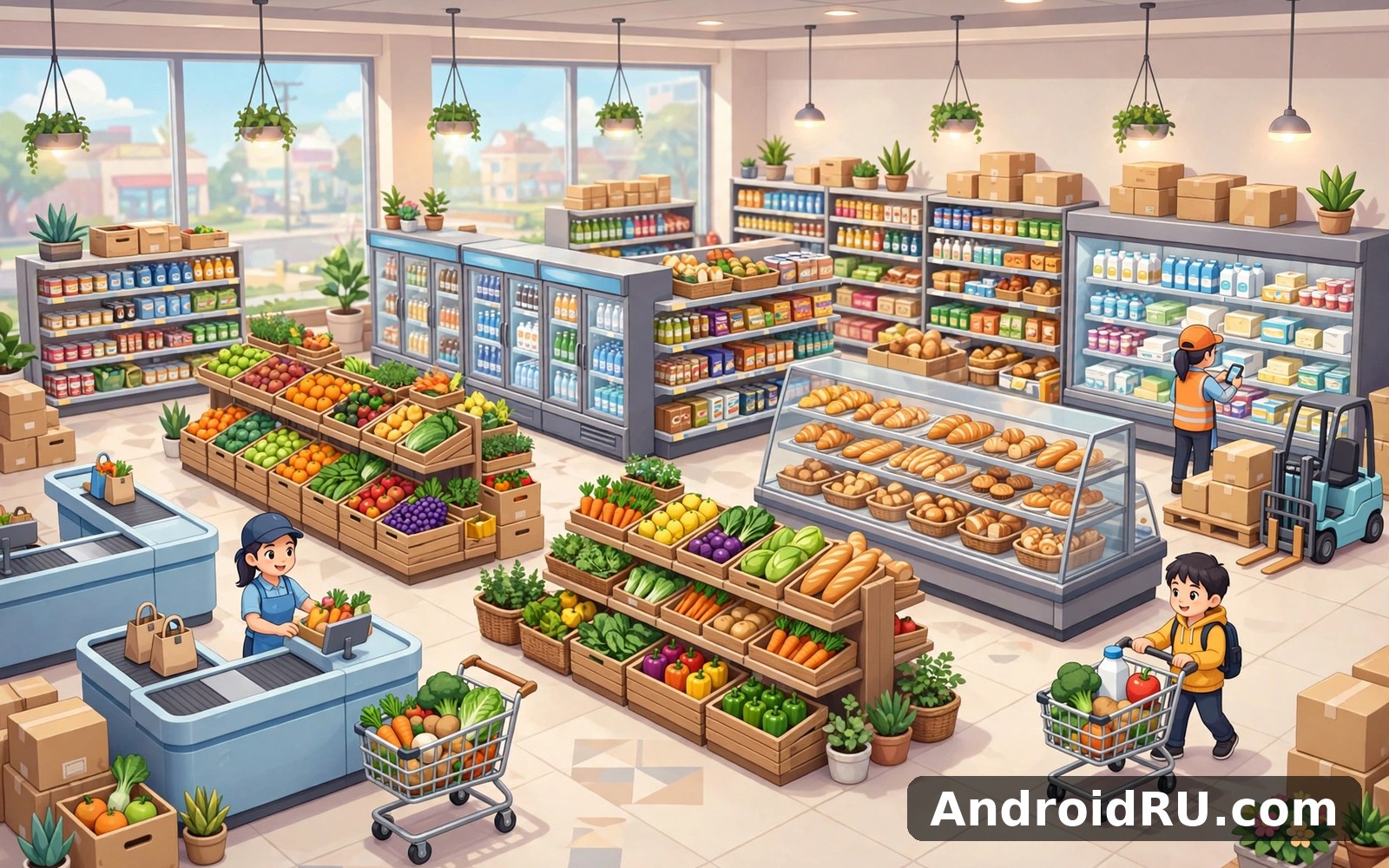
Download APK Supermarket Master Simulator In-App Purchase Guide, Latest Features & Review
I installed Supermarket Master Simulator after a long day at work because I wanted something calm that still gave me decisions to make. The home screen showed me the basics in plain language, and I felt at ease within the first minute. No long tutorial blocked the door, no pop-up demanded money before I had even stocked a shelf, and the first customer walked in before I had time to feel lost.
This guide answers the three questions the title promises. First, what does the game actually let you buy with real money, what do those purchases cost in practice, and which ones are worth it. Second, what the latest features change about daily play. Third, whether the game earns a place on your phone after the novelty wears off. I played it in short bursts across three weeks, on a mid-range phone and on an older spare, and I kept notes on where money helps, where patience works just as well, and where the game starts to repeat itself.
If you are deciding whether to spend anything at all, start with the in-app purchase section. If you only want to know whether the game is fun, skip to the pros and cons and the verdict. Either way, you will leave with a clear picture, not a sales pitch.
What Supermarket Master Simulator Is and How the Shop Loop Works
Supermarket Master Simulator is a casual management game where you run a small grocery shop and grow it into a busy supermarket. You buy stock, place it on shelves, set prices, serve customers at the till, and spend the profit on more shelves, more products, and more floor space. The loop is simple on purpose: every session gives you a visible result, whether that is a fuller shop, a faster till, or a new aisle you could not afford yesterday.
That simplicity is the whole point. The game never asks you to learn a deep economy or memorise a tech tree. It asks you to keep shelves full, keep queues short, and keep expanding at a pace your cash flow can support. I found that rhythm relaxing after work, and I found it easy to pick up again after a gap of several days because nothing had moved and nothing had reset.
The Core Loop: Stock Shelves, Serve Customers, Expand the Floor
A typical session starts with a quick look at what sold out while you were away. Empty shelves mean lost sales, so restocking comes first. You order goods from the supplier menu, carry boxes to the shelves, and watch customers pick them up. When the till queue grows, you jump on the register yourself or let a hired cashier handle it while you focus on the floor.
Profit from a session goes into the next upgrade. Early on, that means a second shelf and a wider range of goods. Later it means new departments such as fresh produce, frozen food, and household goods, plus a bigger floor so customers stop bumping into each other near the entrance. Each expansion changes how the shop feels: a cramped corner shop becomes a place where ten customers can browse at once without a jam at the door.
The loop stays honest about cause and effect. If shelves sit empty, sales fall that same day. If you price a product too high, it gathers dust while cheaper goods fly off the shelf. If you expand before your income supports it, you end up with a big empty floor and a thin wallet. Those lessons arrive gently, one at a time, which is why the game suits short sessions so well.
Cashiers, Stockers and the Jobs You Hand Off
Early on you do everything yourself: stocking, till work, and cleaning up after a busy rush. That hands-on phase teaches you what each job actually costs in time. The till eats your attention during rush hour, stocking eats it between rushes, and a messy floor slows customers down just enough to notice.
Hiring staff changes the game from a juggling act into a management puzzle. A cashier frees you to restock during the busiest hour. A stocker keeps shelves full while you handle the till or plan the next expansion. The wages are modest at first, so the real question is timing: hire too early and wages eat your profit, hire too late and you spend every session firefighting instead of growing.
Your First Day on the Shop Floor
On day one, keep it small. Stock two or three product types, keep prices near the suggested level, and serve customers yourself so you learn how fast the till moves. Resist the urge to buy every shelf the shop offers in the first hour. A half-empty shop with full shelves sells better than a big shop with gaps everywhere, and the game rewards that discipline with steady early income.
When to Hire Your First Cashier
Hire your first cashier when the queue regularly reaches four or five customers while you are still stocking shelves. That is the point where one person cannot do both jobs without losing sales. Check your daily income first: if a cashier’s wage is less than a fifth of what you earn in a day, the hire pays for itself in shorter queues and happier customers who actually finish their shopping instead of walking out.
Supermarket Master Simulator Latest Features in the Current Version
The current version of the game builds on the same core loop but adds more reasons to come back each day. The biggest change is variety: more products, more shelf types, and more ways to shape the shop so it feels like yours rather than a copy of every other player’s store. None of these features change the basic idea, and that is a good thing. They give long-term players new goals without forcing beginners to learn a new game.
I noticed the new content most in the second week, once the early shelves were full and the first expansion was paid off. That is when daily tasks and seasonal goods start to matter, and when the shop begins to feel like a place you manage rather than a tutorial you are finishing.
New Shelves, Products and Store Zones
Recent updates added more product lines, from bakery goods and fresh produce to frozen meals and cleaning supplies. Each new line needs its own shelf type, so a bakery shelf looks and behaves differently from a freezer cabinet. That sounds cosmetic, but it changes planning: frozen goods sell steadily through the day, bakery goods spike in the morning, and produce needs frequent restocking because it moves fast.
Store zones matter more than they used to. Placing popular goods near the entrance pulls customers deeper into the shop, while putting slow sellers at the back gives shoppers a reason to walk past everything else. I moved my drinks shelf twice before I found a spot that kept the queue short and the aisles clear, and each move taught me something about how customers flow through the floor.
Daily Tasks, Events and Seasonal Shelves
Daily tasks give each session a small target beyond the usual restock-and-serve routine. A task might ask you to sell a set number of a certain product, serve a set number of customers, or earn a set amount before the day ends. The rewards are modest coins and the occasional gem, but the real value is direction: on a day when I only had ten minutes, a task told me exactly what to do first.
Events and seasonal shelves rotate through the calendar, bringing limited-time products tied to holidays and seasons. A seasonal shelf earns well while it lasts, then disappears, which creates a natural reason to check back. I treat events as a bonus rather than a duty: if the reward fits what I am already doing, I chase it, and if it asks me to rebuild my shop for a week, I let it pass.
Offline Earnings and What They Really Pay
Offline earnings mean the shop keeps selling while you are away, up to a cap. When you return, the game shows what your staff earned in your absence, and you collect it with one tap. The amount depends on how well stocked the shop was when you left and how many staff you employ, so leaving with full shelves pays noticeably more than leaving with gaps.
That said, offline income is a trickle, not a flood. It covers a small upgrade or a restock order, but it will not fund a major expansion on its own. The cap also means there is no benefit in staying away for a week instead of a day. I check in once or twice a day, collect the earnings, restock, and move on. That rhythm fits the game far better than marathon sessions.
Supermarket Master Simulator In-App Purchase Guide: What You Can Buy
This is the section most guides skip over with a single vague sentence, so here it is in full. Supermarket Master Simulator is free to play, and it earns money through optional purchases inside the game. Nothing in the shop is locked behind a paywall in the strict sense: every shelf, product, and expansion can be reached by playing. Purchases buy time and convenience, not access, and that distinction shapes every recommendation below.
The in-game shop groups its offers into a few clear types. Coin packs and gem packs give you currency directly. An ad-free pass removes the video ads between sessions. Starter bundles and limited-time offers mix currency with a few useful items at a lower combined price than buying each part alone. Prices are shown in your local currency inside the game, they vary by region, and they change during sales, so treat every figure in this guide as a typical range and check the live price before you tap buy.
Coin Packs and Gem Packs: What the Money Buys
Coins are the everyday currency. You earn them from every sale, and you spend them on stock, shelves, staff wages, and expansions. A coin pack is simply a shortcut: a small pack covers a restock order or two, while a large pack can fund a full expansion a week earlier than saving would. In my experience, coins are rarely the bottleneck for long. Shelves earn coins steadily once the shop is running, so a coin pack saves days rather than unlocking something new.
Gems are the rarer currency, and they matter more. You earn gems slowly from daily tasks, events, and level rewards, and you spend them on faster upgrades, special shelves, and skipping long wait timers. A gem pack buys flexibility: the ability to finish an upgrade now instead of tomorrow, or to grab a limited-time shelf before the event ends. Because gems are scarce in free play, a gem purchase feels more meaningful than the same money spent on coins, and that is exactly why the game prices them higher per unit of progress.
Typical price ranges on Google Play for games of this type run from around one US dollar for the smallest coin pack to roughly ten to twenty dollars for mid-size gem packs, with the largest bundles reaching fifty dollars or more. Your region, currency, and any live sale will shift those numbers. The smallest pack is a low-risk way to test whether spending changes your enjoyment at all, and it is the only pack I would suggest to a curious first-time buyer.
The Ad-Free Pass: What It Removes and What It Does Not
The ad-free pass is a one-time purchase that removes the forced video ads that appear between days and after certain actions. It does not remove the optional ads you can choose to watch for a bonus, such as doubling offline earnings or earning a few free gems. Those stay, because they are your choice rather than an interruption, and you can simply ignore them.
In practice, the pass changes the feel of the game more than any currency pack. Sessions flow without a thirty-second break every few minutes, and short sessions stay short. If you play in bursts of five to ten minutes, ads eat a large share of that time, so the pass pays off in patience rather than in coins. It is usually priced in the low single-digit dollar range, similar to a coffee, and it is the one purchase I recommend most often to players who already enjoy the game and plan to keep it for a month or more.
One honest caveat: the pass does not speed up progress. Your shelves still earn at the same rate, upgrades still take the same time, and gems still arrive slowly. If you expected the pass to make the shop grow faster, you will be disappointed. Buy it for quiet, not for speed.
Starter Bundles and Limited-Time Offers
Starter bundles appear early, usually in the first days of play, and they mix a chunk of coins, a handful of gems, and sometimes a useful item such as a shelf or a staff boost. They are priced below the cost of buying each part separately, which makes them look like good value, and on paper they are. The catch is timing: a starter bundle helps most when your shop is small and every coin matters, and it helps least if you buy it after you have already grown past the early phase.
Limited-time offers work the same way with a clock attached. An event bundle might include gems plus a seasonal shelf, available only for a few days. These offers create urgency by design, so I apply a simple test before buying one: would I still want this if the timer said thirty days instead of thirty hours? If the answer is no, the timer is doing the selling, not the contents.
How to Check the Real Price Before You Tap Buy
Open the in-game shop, tap the offer, and read the price shown in your own currency on the Google Play payment sheet before confirming. That sheet is the only price that matters, because web listings and old reviews quote different regions and different sales. Check whether the offer is a one-time purchase or a repeating subscription, and check the refund window in Google Play settings so you know your options if you tap the wrong thing.
A Simple Rule for Deciding Whether a Pack Is Worth It
Ask what the purchase replaces in hours. A coin pack that saves two days of saving is worth less than a gem pack that finishes a three-day upgrade timer today, and both are worth less than the ad-free pass if ads are the thing that actually makes you close the game. If a purchase does not remove a frustration you can name, skip it. The shop will still be there tomorrow, and the same offer usually returns during the next sale at a lower price.
| Purchase type | What you get | Typical price range | Best for |
|---|---|---|---|
| Small coin pack | A modest pile of coins for stock and shelves | Around $1 to $3 | Covering one restock or a small shelf |
| Large coin pack | Enough coins for a full expansion | Around $5 to $10 | Jumping ahead one expansion early |
| Gem pack | Rare currency for timers and special shelves | Around $2 to $20 by size | Finishing upgrades now, event shelves |
| Ad-free pass | Removes forced video ads, one-time payment | Low single-digit dollars | Players who play daily in short bursts |
| Starter bundle | Coins plus gems plus a useful item | Around $3 to $8 | New players in their first week |
| Event bundle | Gems plus a seasonal shelf or boost | Varies with the event | Players already chasing that event |
Are Supermarket Master Simulator In-App Purchases Worth It?
The short answer is that one purchase is worth it for many players, a couple more are worth it sometimes, and the rest are easy to skip. The ad-free pass earns its price if you play most days, because it removes the single most annoying part of free play without changing the balance of the game. Everything else trades money for time, and time in this game is already cheap if you enjoy the loop itself.
I spent nothing for the first two weeks, then bought the ad-free pass in week three when I realised I would keep playing for another month. That order matters. Playing free first tells you whether you actually like the game or only like the idea of it. Spending before that point is a bet on a game you have not finished judging yet.
What Free Players Can Reach Without Paying
Free players can reach every shelf, product, and expansion in the game. The path is slower: upgrades take longer, gems arrive in small amounts from tasks and events, and ads interrupt sessions. None of that blocks progress. After three weeks of free play I had a mid-size shop with several departments, two staff members, and a steady daily income, and I had not hit a wall that demanded money.
The real cost of free play is patience during timers and ad breaks. If you play once a day for ten minutes, ads take a visible share of that time, and timers can leave an upgrade unfinished overnight. If you play longer sessions or check in twice a day, those costs shrink. Free play suits patient players and anyone who is still deciding whether the game is a keeper.
The Best First Purchase If You Decide to Spend
If you decide to spend, buy the ad-free pass first. It is the only purchase that improves every session rather than a single moment, and it is the cheapest way to find out whether spending improves your enjoyment at all. After that, a small gem pack is the sensible second step, because gems buy the flexibility that coins cannot, such as finishing a timer or grabbing a limited shelf.
Skip the large coin packs unless you have a specific expansion in mind and you know exactly what it costs. Coins pile up on their own once the shop is running, so a big coin purchase often ends up sitting in your balance while you wait for the next thing worth buying. That is money spent on a number going up, not on fun going up.
Supermarket Master Simulator Pros and Cons After Three Weeks of Play
Three weeks is long enough to see past the charm of the first day. The game earns its keep through a calm loop and a shop that visibly grows, and it loses points through repetition and a late game that leans on waiting. Here is the balance as I found it, with no side hidden.
- Easy to learn, hard to put down for ten minutes at a time: the controls are plain, the goals are clear, and a short session always ends with something finished.
- Visible progress every session: new shelves, fuller aisles, and bigger daily income make growth easy to see without opening a stats screen.
- Fair free play: every shelf and expansion is reachable without paying, and the ad-free pass is a fair price for removing interruptions.
- Calm, low-pressure pacing: nothing punishes a missed day, offline earnings keep the shop ticking, and the game never shouts at you to return.
- Repetition sets in after the second week: restock, serve, expand is the whole game, and new products change the scenery more than the decisions.
- Timers and ads slow free players down: upgrade timers stretch across days in the late game, and ad breaks eat into short sessions unless you pay to remove them.
- Limited depth for strategy fans: pricing and layout choices matter, but there is no rival shop, no market crash, and no hard failure state to plan around.
The pros list is longer than the cons list, and that matches my verdict: this is a good casual game with honest limits, not a flawed game pretending to be deep. The repetition is the price of the calm, and the timers are the price of free play. Both are fair trades if you know about them before you invest a month.
Who Supermarket Master Simulator Fits Best and Who Should Skip It
The game fits people who want a relaxing management game in short bursts: commuters, parents stealing ten minutes after bedtime, and anyone who likes tidy progress without a fail state. It also fits younger players and beginners, because the rules are visible on the screen and mistakes cost coins rather than a ruined save. My friend who is nervous with phones managed the main loop without my help, and that tells me more than any feature list could.
It fits less well if you want a deep strategy game with rivals, complex supply chains, or tough choices that can sink your business. There is no way to lose here, and for some players that removes the tension that makes management games exciting. It also fits poorly if you dislike ads and refuse to pay to remove them, because free play includes regular ad breaks that will wear on you over a month.
If you enjoy games and play then Puzzle Master is a natural next app to try. It offers a different angle on the same kind of activity. When you want a change of pace then Sudoku Master Premium Offline covers that need neatly. And for a third option Blush AI Dating Simulator is worth a look as well. I still came back to Supermarket Master Simulator for my daily routine, because the simple loop I built here suited me best, but the other apps are useful when you want a different kind of break.
A Great Fit for Short-Burst Players
If your gaming happens in gaps, this game was built for you. A five-minute session covers a restock, a till rush, and a collected daily task, and you can close the game knowing the shop keeps earning while you are away. I played it while waiting for a kettle to boil, in a parked car, and in a quiet cafe, and each setting showed the same strength: the game respects a small window of time.
A Weaker Fit for Players Who Want Deep Strategy
If you want supply chains, rival shops, price wars, or a real risk of bankruptcy, look elsewhere. The decisions here are real but small: which shelf to buy next, where to place it, when to hire. After a month, an experienced strategy player will have seen everything the game has to offer, and the remaining goal is simply a bigger version of the same shop.
Practical Tips and Troubleshooting for Supermarket Master Simulator
Most problems in this game have small causes. A slow session is usually a weak connection or a phone running low on free memory rather than a fault in the game itself. A missing reward is usually an ad that did not finish loading. A lost-feeling save is usually a different login than the one you started with. Check the simple causes first and you will fix most issues in a minute.
One habit worth building in week one is a quick save check. If the game offers cloud save or account sign-in, turn it on early, before you have a month of progress worth losing. I make it a habit to check save options in the first week of any game, and that habit has rescued me more than once when a phone was reset or replaced.
If Progress Feels Slow, Check These Three Things First
First, look for empty shelves, because an empty shelf earns nothing and it is the most common cause of a flat income day. Second, check your prices: a product priced far above the suggested level sells slowly, and one priced far below it wastes profit. Third, look at your floor layout, because a jammed entrance or a blocked aisle quietly costs sales all day. Fixing those three things usually restores growth faster than any purchase.
Ads, Crashes and Lost Progress: Quick Fixes
If an ad freezes, close the game fully from the recent apps screen and reopen it; the reward usually appears after a restart, and if it does not, the loss is small enough to let go. If the game crashes on an older phone, clear the cache from the app settings, close background apps, and lower the graphics quality if the game offers that option. If progress seems lost after an update, check that you are signed into the same account you started with before reinstalling anything, because reinstalling without a cloud save is the one mistake that truly deletes a shop.
Supermarket Master Simulator FAQ
Is Supermarket Master Simulator free to play?
Yes, the game is free to install and free to play from start to finish, with optional in-app purchases for coins, gems, bundles, and an ad-free pass. Every shelf, product, and expansion can be reached without paying, though paying speeds up timers and removes ad breaks. Free players should expect a slower pace in the late game, when upgrade timers stretch across days.
How much do in-app purchases cost in Supermarket Master Simulator?
Prices vary by region and by sale, but typical ranges run from around one dollar for the smallest coin pack to roughly ten to twenty dollars for mid-size gem packs, with the ad-free pass usually priced in the low single-digit dollar range. Always read the price on the Google Play payment sheet in your own currency before confirming, because that sheet is the only price that counts for your purchase.
Can you play Supermarket Master Simulator offline?
You can play much of the game offline once it is installed, including stocking shelves and serving customers, and the shop keeps earning while you are away up to a cap. Some features need a connection, such as watching optional ads for bonuses, collecting certain event rewards, and making purchases. If you play on the move, load the game once on Wi-Fi so the latest content is ready before you go offline.
Does Supermarket Master Simulator reset your progress after an update?
Updates do not normally reset progress, and my shop survived every update during three weeks of play without losing a shelf or a coin. The risk comes from reinstalling the game or switching phones without a cloud save or account sign-in, so turn on the save option in week one. If progress ever looks wrong after an update, restart the game once and check your login before doing anything drastic.
Final Verdict on Supermarket Master Simulator
Supermarket Master Simulator is a calm, honest casual game that does one thing well: it lets you build a shop in short sessions and watch it grow. The latest features add variety without breaking the simple loop, the in-app purchases are fair, with the ad-free pass the only one most players should consider, and free players can reach everything if they are patient. The repetition in week three is real, and strategy fans will outgrow it, but for the audience it is made for, that repetition feels more like a comfortable routine than a flaw.
Try it free for a full week before you spend anything. Stock shelves, hire your first cashier when the queue tells you to, and see whether the ten-minute loop earns a place in your day. If it does, the ad-free pass is a sensible next step. If it does not, you will have lost nothing but a few pleasant evenings, and you will know exactly why.
Get Supermarket Master Simulator on AndroidRU
When you are ready to give it a proper try, use the link below. It takes you straight to the Supermarket Master Simulator page on AndroidRU, where you can find the game details and the install link.
Click here to download the Supermarket Master Simulator app
Before you decide, it helps to compare one more app. Click here to download the Puzzle Master app. You can also Click here to download the Sudoku Master Premium Offline app and see which one fits your day better.

