

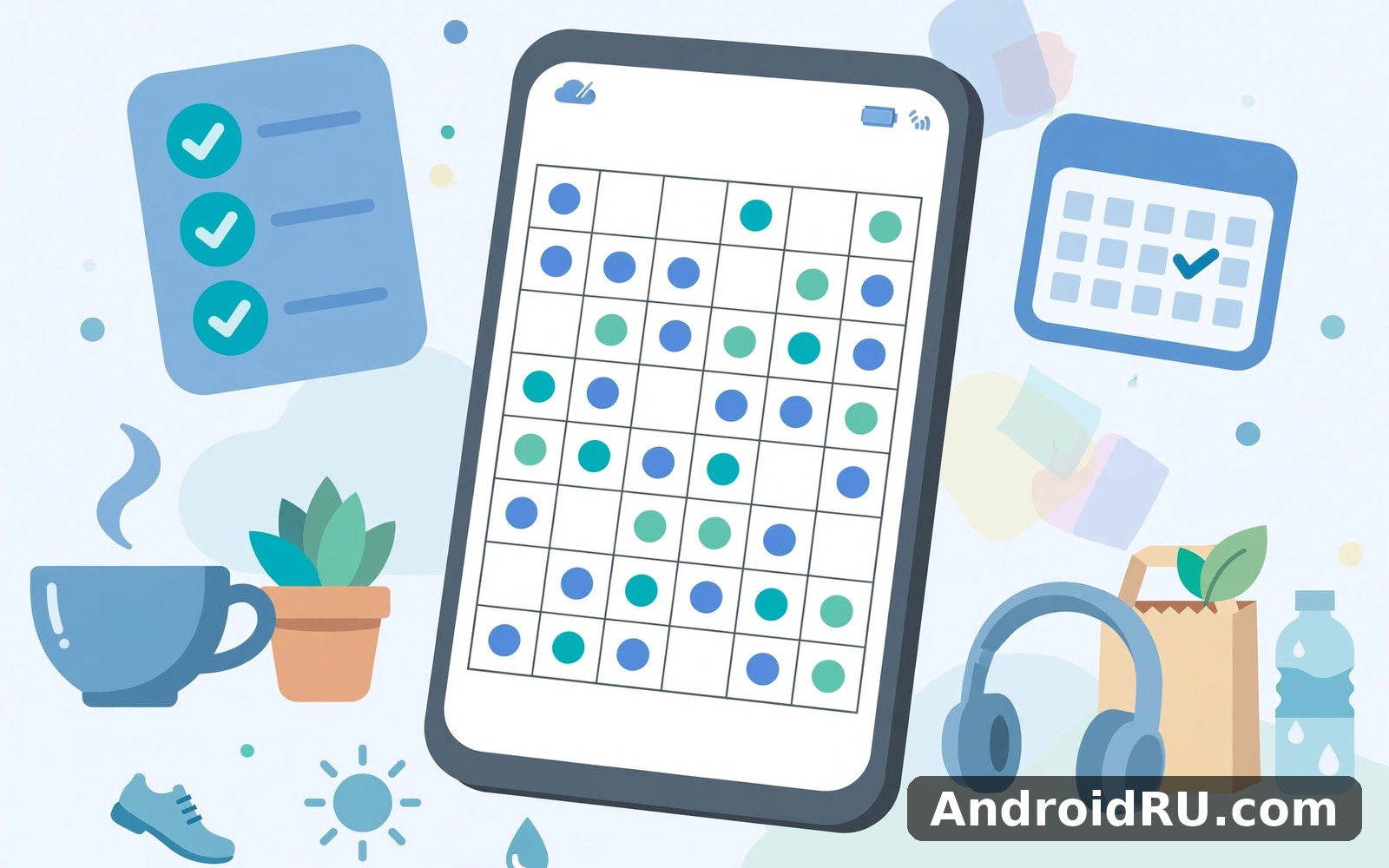
Download APK Sudoku Master Premium Offline Latest Features, Privacy Controls & Review
I opened Sudoku Master Premium Offline on a Tuesday morning while my phone was still on charge, with ten minutes before I needed to leave the house. The first screen felt calm, the grid was easy to read, and I did not have to hunt for the main feature. That small start made me want to stay a little longer, and it set the tone for everything that followed in the weeks after.
This is a puzzle app for people who want a proper game of Sudoku on their phone without an internet connection getting in the way. It gives you a clean 9 by 9 grid, four difficulty levels, daily challenges, hints, notes, and a record of your own progress. It does not try to be a social network, a video app, or a shop full of extras. It does one job, and it does that job in a way that fits into short gaps in a normal day.
In this review I will walk through what the app actually does, which features matter in daily play, how its privacy controls work, where it beats other offline puzzle apps, and where it falls short. I played it in short sessions at home, on the bus, and in a quiet cafe, and I kept notes on what helped and what annoyed me. If you want a calm puzzle that respects your time, read on.
What Sudoku Master Premium Offline actually is and how it plays
Sudoku Master Premium Offline is a classic number puzzle game built around the familiar 9 by 9 grid. Each row, each column, and each 3 by 3 box must contain the digits 1 to 9 exactly once. You start with some numbers already filled in, and your job is to work out the rest using logic alone. There is no guessing required when the puzzle is well made, and that is the quiet satisfaction at the heart of the game.
The app opens straight onto a puzzle, which is a good sign. You tap a cell, then tap a number from the row at the bottom of the screen. If you are not sure yet, you switch on notes option and pencil in the candidates for that cell. A wrong entry is marked at once, so you can see the mistake, undo it, and carry on without losing the thread of your thinking.
That said, the real test of a Sudoku app is not the first puzzle. It is the fiftieth. Does the grid stay readable after a long session? Do the controls stay out of your way? Here the answer is mostly yes. The numbers are large enough to read without squinting, the highlighted row, column, and box make it easy to scan, and the same-number highlight helps you spot where a digit can still go.
Classic Sudoku rules explained for new players
If you have never played Sudoku, the rules take about a minute to learn and a lifetime to master. Fill every row, column, and box with the digits 1 to 9. No digit repeats inside any row, column, or box. Start with the cells that only have one possible number, then use the rows and boxes around them to narrow down the rest.
A practical habit that helps beginners is to scan for a single digit at a time. Pick the number 5, look at every row and box that already has a 5, and see which cells are left where a 5 could still fit. When only one cell remains in a box, that is your answer. Repeat the scan with the next digit, and the grid starts to open up.
Sudoku difficulty levels from easy to expert explained
The app offers four difficulty levels, and the jump between them is real. Easy puzzles give you plenty of starting numbers and can be solved with simple scanning. Medium puzzles ask you to keep notes and think two steps ahead. Hard puzzles hide the obvious moves and reward careful candidate tracking. Expert puzzles demand longer chains of logic, and a single wrong note can cost you ten minutes.
I suggest starting one level below what you think you can handle. Play five puzzles at that level first. If you finish most of them without a hint, move up. If you need three hints per puzzle, stay where you are for another week. Progress in Sudoku comes from pattern recognition, and that only grows with steady practice.
Easy Sudoku puzzles for a relaxed five minute session
Easy puzzles are the morning coffee of this app. They take around five minutes, they rarely need notes, and they leave you with a small win before the day starts. I use them as a warm-up before trying anything harder, and on tired evenings I sometimes play two easy grids in a row instead of one hard one.
Expert Sudoku puzzles and why they need pencil marks
Expert puzzles are a different game. You will need notes option from the first minute, and you will need to check pairs and triples before you commit to a number. My rule is simple: if I cannot explain why a number goes in a cell, I leave it as a note. That habit saved me from more than one ruined grid.
Latest features in Sudoku Master Premium Offline worth using
The feature list is focused rather than sprawling, and that is a strength. The headline tools are daily challenges, a streak counter, hints, notes, mistake tracking, auto-check, and a clean statistics page. None of them shouts for attention. They sit quietly in the interface until you need them, which is exactly how puzzle tools should behave.
Daily challenges give you one fresh puzzle each day at a set difficulty, and your streak grows when you solve it. I found the streak genuinely motivating in the first month. It never punished me harshly for missing a day, and the puzzle itself was always solvable without a hint if I took my time. That balance between encouragement and pressure feels well judged.
Daily Sudoku challenges and streaks that keep you coming back
The daily challenge works best when you tie it to something you already do each day. I linked mine to my morning coffee, and that anchor did most of the work. When coffee happened, the puzzle happened too. If you miss a day, just restart the next morning without a guilt spiral. A missed day is normal, and the app welcomes you back without scolding you.
One thing worth knowing is that the daily puzzle is the same challenge for everyone on that day, which makes it easy to compare notes with a friend. You can talk about where you got stuck without spoiling a random puzzle, because you both faced the same grid. That small shared detail turns a solo puzzle into a light social habit.
Hints, notes, and mistake tracking in Sudoku Master Premium Offline
Hints are the feature I reached for most in hard puzzles. A hint fills in one correct cell and, in practice, it also teaches you something, because you can look at the grid afterwards and work out why that number had to go there. I try to limit myself to one hint per puzzle. Two hints usually means I should drop a difficulty level for a few days.
Notes option, the pencil marks, is where real Sudoku skill lives. Tap the pencil icon, then tap the candidate numbers for a cell. Good notes let you spot hidden singles and naked pairs, which are the two patterns that separate casual players from confident ones. A hidden single is a number that can only go in one cell inside a box, even though the cell itself has several candidates. A naked pair is two cells in the same row, column, or box that share the same two candidates, which tells you those numbers cannot go anywhere else in that unit.
Mistake tracking is honest and useful. The app counts your errors, and after three mistakes the puzzle ends. That limit sounds strict, but it teaches careful play. In my first week I lost two hard puzzles to rushed entries. By week three I was checking each entry twice, and my error count dropped sharply. The limit changed how I played, and the change was for the better.
Sudoku statistics, best times, and personal progress tracking
The statistics page records your best times, your average time, your win rate, and your current streak for each difficulty. I checked it once a week rather than after every puzzle, and that rhythm worked well. Weekly checks show real trends, while checking after every game just feeds impatience. My medium average fell from around twelve minutes to under nine across a month of short daily sessions, and seeing that number move was more rewarding than any badge.
Sudoku Master Premium Offline privacy controls and permissions
Privacy is the part of this review that matters most for an offline puzzle app, because a game that works without the internet should not need much of your personal information. In daily use, Sudoku Master Premium Offline plays fully offline once it is installed. You can switch on flight setting, open a puzzle, finish it, and close the app, and nothing about that session needs to leave your phone.
That offline-first design is the strongest privacy feature the app has. Your puzzle history, your best times, and your settings live on your device. You do not need an account to play, and you do not need to hand over an email address or a phone number to start a game. If an app asks you to sign in before you can play a single puzzle, treat that as a warning sign and check what it really needs the account for.
What data Sudoku Master Premium Offline collects and what stays on your phone
Like most free Android apps, this one may show ads, and ad libraries can collect device information such as an advertising identifier, approximate location, and app usage data. That is the trade-off in the free version. The puzzle itself does not need your contacts, your photos, your location, or your microphone. If you ever see a permission request that does not match the feature you are using, decline it and see whether the feature still works. In my experience, the core game works fine without any extra access.
Check the app permissions in your phone settings before your first long session. On Android, open Settings, then Apps, then the app name, then Permissions, and look at what is listed. A Sudoku game has no honest reason to ask for your contacts or your precise location. If anything there surprises you, switch it off. The grid will still be there when you return.
How to play Sudoku offline without an account or sign in
Playing offline is simple. Install the app, open it, pick a difficulty, and play. No sign-in screen stands between you and the grid. If you are on a flight, in a tunnel, or in a place with a weak signal, the game behaves exactly the same way. I tested this on a train with no signal at all, and the daily puzzle I had already opened played without a hitch. That reliability is the whole point of an offline puzzle.
How to check app permissions on Android before you play
Open Settings, tap Apps, find the app in the list, and tap Permissions. Review each entry and ask one question: does this permission help me solve a puzzle? If the answer is no, set it to not allowed. Repeat the check after a major update, because updates can add new permission requests. A two-minute check once a month is enough to stay in control.
Ad settings and how to reduce tracking in a free puzzle app
Free puzzle apps usually show ads between games, and you can reduce the tracking behind those ads in your phone settings. On Android, open Settings, tap Privacy, then Ads, and delete or reset your advertising ID. That does not remove the ads themselves, but it limits how much of your activity can be tied to a single identifier across apps. It is a small step, and it takes less than a minute.
How to play Sudoku Master Premium Offline step by step
Here is the routine that worked for me from day one. Pick one difficulty and stick with it for a week. Play one puzzle a day at first, not five. Use notes option from the start, even on easy puzzles, so the habit is there when you need it on hard ones. Check your mistakes at the end of each puzzle and ask what pattern you missed. That short review teaches more than rushing into the next grid.
- Open the app and choose a difficulty level that matches your experience, starting one level lower than you think you need.
- Scan the grid for a single digit first, looking at every row, column, and box that already holds that digit.
- Switch on notes option and pencil in candidates for cells where two or three numbers are still possible.
- Look for hidden singles inside each 3 by 3 box, then look for naked pairs in rows and columns.
- Fill in only the numbers you can explain, and use a hint when you are truly stuck rather than guessing.
- Check the statistics page once a week to see whether your average time and error count are improving.
If a puzzle feels impossible after ten minutes, put the phone down and come back later. A fresh look often reveals a single you missed, and that moment of recognition is one of the best feelings in the game. Forcing a solution when you are tired usually ends in three mistakes and a lost puzzle.
Sudoku Master Premium Offline vs Puzzle Master and other offline puzzle apps
No puzzle app lives alone on a phone. Most players keep two or three, and they switch between them when one starts to feel stale. The honest comparison is not about which app is best for everyone. It is about which one fits the way you like to play, and that depends on whether you want pure Sudoku, a mix of puzzle types, or games you can share with friends on one phone.
If you enjoy everyday puzzle games on Android then Puzzle Master is a natural next app to try. It offers a different angle on the same kind of activity, with a broader mix of puzzle styles rather than one deep game. When you want a change of pace then 1 2 3 4 Player Games Offline covers that need neatly, because it turns puzzle time into something you can share on one screen. And for a third option Offline Games No Wifi Games is worth a look as well, especially if you want a collection of games that all work without a connection.
I still came back to Sudoku Master Premium Offline for my daily routine. The other apps are useful, but they did not replace the simple loop I built here. Sudoku gives me one clear goal each day, one grid, one solution, and a visible record of getting better. The mixed collections are fun on a weekend, but they scatter my attention across too many games during the week.
| Feature | Sudoku Master Premium Offline | Puzzle Master | Offline puzzle collections |
|---|---|---|---|
| Main game | Classic 9 by 9 Sudoku only | Mixed puzzle styles | Many short games in one app |
| Difficulty levels | Four, from easy to expert | Varies by puzzle type | Varies by game |
| Offline play | Yes, full game works offline | Mostly offline | Yes, built for offline play |
| Daily challenge | Yes, one puzzle a day with streak | Depends on the puzzle | Usually no daily puzzle |
| Notes and hints | Yes, notes option, hints, mistake limit | Hints vary by puzzle | Basic hints only |
| Best for | Daily Sudoku practice | Variety seekers | Shared and travel play |
| Learning curve | Gentle, then steep at expert | Gentle throughout | Very gentle |
The table makes the trade-off clear. If you want depth in one game, pick Sudoku Master. If you get bored playing the same grid every day, pick a mixed collection instead. There is no wrong answer here, only a better fit for your habits. I keep Sudoku Master on my home screen and the others in a folder for weekends, and that split has lasted for months.
Sudoku Master Premium Offline features, pros, cons, and honest verdict
A fair review needs both sides. This app earns its place through focus, calm design, and honest difficulty. It loses points where it stays narrow, where its free version shows ads, and where advanced players may outgrow it. Neither side is a deal breaker on its own, but together they decide whether the app stays on your phone for a month or for a year.
Features of Sudoku Master Premium Offline at a glance
The feature set is short and practical. You get four difficulty levels, daily challenges with streaks, notes option, hints, undo, erase, auto-check for mistakes, a three-mistake limit, and a statistics page with best times and win rates. The interface highlights the row, column, box, and matching numbers, which makes scanning faster. Daily challenges with streak tracking are the feature that kept me returning, because a small daily win is easier to protect than a vague goal to play more.
Customisation is present but it does not take over the experience. You can adjust a few settings to suit your taste, such as sound, vibration, and the way mistakes are shown. The defaults work well for most people. I changed only two settings in my first week: I switched off the sound and I kept auto-check on, because hearing a buzz for every error broke my concentration.
Pros of Sudoku Master Premium Offline
- Clean offline play that works anywhere: the full game works without a connection, so flights, trains, and weak signal days change nothing about how it plays.
- Calm and readable design: large numbers, clear highlights, and a layout that stays stable from one session to the next make long sessions easy on the eyes.
- Honest difficulty curve: easy puzzles teach the basics, and expert puzzles genuinely test advanced logic, so the app grows with you instead of staying flat.
- Useful learning tools: notes option, hints, and mistake tracking teach real Sudoku technique rather than just handing you answers.
- Daily challenges and statistics: a daily puzzle and a weekly statistics check give you a reason to return and a clear way to see yourself improving.
Cons of Sudoku Master Premium Offline
- Ads in the free version interrupt the calm between puzzles, and they are the most common complaint from players who otherwise like the game.
- Only one game type: if you want crosswords, word games, or logic puzzles in the same app, you will need a second app for that variety.
- Expert puzzles can feel harsh for players moving up from hard, because the jump in logic is bigger than the jump between the lower levels.
- No account sync means your progress stays on one device, so switching phones means starting your statistics and streak from scratch unless a backup option is offered.
Who Sudoku Master Premium Offline is for
This app suits people who like a calm and straightforward tool and who value clarity over spectacle. Beginners will feel welcome here, because the app explains itself through use rather than through long instructions. The easy level teaches the rules gently, and the hint system rescues you without making you feel foolish.
Commuters and travellers will get the most from the offline design. A puzzle that works in flight setting, in a tunnel, or on a train with no signal is worth more than a prettier app that needs a connection. Parents will also like it, because it is a quiet game with no chat, no feed, and no pressure to spend money to keep playing.
Advanced players should know what they are getting. The expert level is genuinely demanding, but the app does not teach advanced techniques such as X-Wing or Swordfish by name. If you want a coach that explains those patterns step by step, you will need a guide or a second app alongside this one. That is not a failure of the app. It is a sign that you have outgrown the beginner loop and need deeper material elsewhere.
Practical tips and troubleshooting for Sudoku Master Premium Offline
Notifications deserve a quick look in week one. Turn on only the ones that actually help you. I kept the morning reminder for the daily challenge and switched off the rest. That balance made the app feel helpful rather than noisy, and it stopped the app from becoming one more source of pings.
If a feature seems slow, check your connection before you blame the app, even though the game itself works offline. I learned that lesson on a weak signal day when an ad took a long time to load between puzzles. Once the signal improved, the app felt fast again. That pattern is common on mobile, and it is usually the network, not the puzzle.
If the app will not open, restart your phone and try again. A restart fixes many temporary problems on Android phones. If trouble continues, check for an app update, and check that your phone has some free space, because a phone with almost no free space behaves oddly with any new app. Free up an old download or two before you begin if space looks tight.
One practical tip is to try Sudoku Master Premium Offline in different places. I used it at home and on the move and in a quiet cafe. Each setting showed me a different strength. At home I explored hard puzzles more deeply. On the move I used only the quick features and easy grids. That flexibility is why it stayed on my phone.
I also tried Sudoku Master Premium Offline with a friend who is less confident with phones. They managed the main feature without my help. That told me more than any feature list could. An app that works for a nervous beginner will work for almost anyone. Simplicity here is a real strength.
Frequently asked questions about Sudoku Master Premium Offline
Can I play Sudoku Master Premium Offline without the internet?
Yes. The core game works fully offline once the app is installed. You can open a puzzle, finish it, and close the app with no connection at all. Daily challenges need to be loaded when you have a connection, but a puzzle you have already opened plays fine in flight setting. That offline-first design is the main reason I recommend it for travel.
Is Sudoku Master Premium Offline good for beginners?
Yes, and the easy level is the right place to start. It gives you plenty of starting numbers, it marks mistakes at once, and the hint system fills in one correct cell when you are stuck. Start with five easy puzzles before you touch medium. If you finish most of them without a hint, move up. If you need three hints per puzzle, stay at easy for another week.
How do hints and notes work in Sudoku Master Premium Offline?
Notes option lets you pencil in candidate numbers for a cell, and hints fill in one correct number when you ask for one. Use notes from the start, even on easy puzzles, so the habit is ready when hard puzzles demand it. Limit yourself to one hint per puzzle if you can. Two hints usually means the puzzle is above your current level, and dropping down for a few days will teach you more than forcing your way through.
Does Sudoku Master Premium Offline need an account or personal data?
No account is needed to play. Your puzzle history, best times, and settings stay on your device. The app may show ads in its free version, and ad libraries can collect device information, so check the permissions in your phone settings and switch off anything the game does not need. A Sudoku game has no honest reason to ask for your contacts or your precise location.
Which is better, Sudoku Master Premium Offline or Puzzle Master?
It depends on what you want. Pick Sudoku Master if you want depth in one game, a daily challenge, and a clear record of improvement. Pick Puzzle Master if you want variety across several puzzle types and you get bored playing the same grid every day. I keep Sudoku Master on my home screen for daily play and Puzzle Master in a folder for weekends, and that split works well.
My final take on Sudoku Master Premium Offline
Looking back at my first month with Sudoku Master Premium Offline, I can see a clear change. What started as curiosity became a normal part of my day. I did not need willpower to open it after week two. The habit carried itself because the sessions were short and rewarding. That is the kind of app I keep installed for the long term.
My final practical note is to back up any important progress inside the app when that option exists, and to keep your routine tied to something you already do each day. I linked my session to my morning coffee and that anchor did most of the work. When coffee happened, practice happened too. A visible app gets used and a hidden app gets forgotten, so keep it on your home screen for the first month.
When you are ready to give it a proper try, Click here to download the Sudoku Master Premium Offline app. I suggest trying it for a full week before you judge it, because a week of short sessions shows the real character of an app. A similar app is worth a quick look too: Click here to download the Puzzle Master app. For a second option, Click here to download the 1 2 3 4 Player Games Offline app.

