

Download APK Home Garden Lulu Cozy Games Permission Requests, Feature Highlights & Review
I tried Home Garden Lulu Cozy Games on my older phone first, because that is the real test for a casual game. A new title often shines on a flagship and stutters on the phone most people actually carry. This one loaded in a reasonable time, the layout stayed clear, and the first garden scene appeared without a long tutorial blocking the way. That calm start gave me confidence to keep it installed.
Home Garden Lulu is a cozy garden simulation built around a gentle loop: plant, water, harvest, decorate, and meet friendly characters who visit your garden. There is no timer shouting at you, no rival racing past, and no fail screen waiting to punish a slow day. It is the kind of game you open for five minutes with a coffee, or for half an hour on a quiet evening, and both sessions feel complete.
This review covers the feature highlights that shape daily play, the permission requests the game makes and what each one really means, the pros and cons after weeks of use, who the game suits best, and how it compares with other cozy games. I will also name the small frustrations, because a cozy game earns trust by being honest about its limits, not by hiding them.
What Home Garden Lulu Cozy Games Is and How It Plays
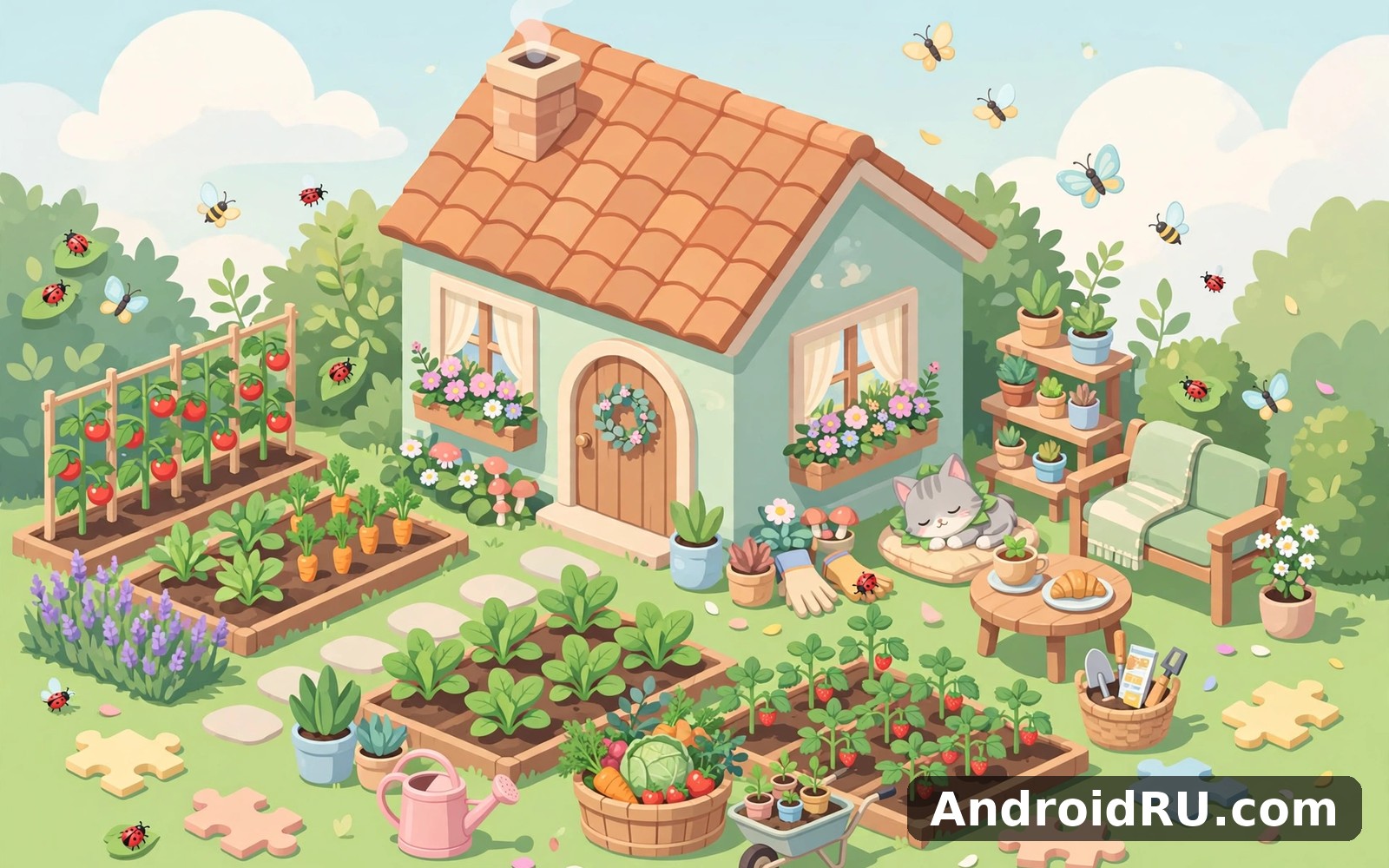
Home Garden Lulu Cozy Games is a relaxing garden simulation where you grow plants, arrange a small home garden, and look after a character named Lulu and her visitors. You start with a patch of soil, a few seed packets, and a simple house front. Planting a seed, watering it, and watching it grow takes seconds, and the game rewards that small care with coins, new seeds, and decorations.
The loop stays gentle on purpose. Crops do not rot in minutes, quests do not expire while you sleep, and the game never demands a long session to stay relevant. A five-minute visit gives you a harvest and a new task. A longer visit lets you redesign a corner, finish a set of decorations, or follow a short story scene with a visitor. That flexibility is why the game fits a busy day as well as a slow weekend.
Visually, the game leans on soft colours, rounded shapes, and a tidy garden grid that is easy to read on a small screen. Text is large, buttons are clear, and the sound design is quiet: birds, water, and soft chimes rather than loud fanfares. Turn the sound off and the game loses little, which matters if you play on a bus or late at night.
Who Lulu is and why the story stays light
Lulu is the friendly guide at the centre of the garden. She introduces each new tool, greets visitors, and gives short quests such as growing three sunflowers or placing a bench near the pond. The story never turns into a long novel. It arrives in short scenes, a few lines at a time, and it always points back to the garden: plant this, meet that visitor, try this decoration.
That light touch suits the genre. Players who want a deep plot will find the story thin, but players who want a calm place to potter will find it just right. The characters who visit, from a neighbour with a recipe to a traveller with a rare seed, add variety without adding pressure.
How a typical five-minute session works
Open the game, collect the harvest that grew while you were away, water the new seedlings, and check the quest board for one task you can finish now. Sell a few extra crops at the market stall, spend the coins on a seed packet or a small fence, and close the game. The whole visit takes about five minutes, and the garden looks a little better than it did before. That visible progress, even in a short session, is the reason the habit sticks.
Home Garden Lulu Feature Highlights That Shape Daily Play
The feature list matters less than how the features feel together, but a few highlights decide whether the game stays installed after week one. Planting and harvesting is the core, decorating is the creative outlet, quests give direction, and collections give a longer goal. Each one is simple on its own, and together they keep a short session satisfying.
One highlight I kept returning to is the garden layout itself. You can move beds, paths, fences, and decorations freely, and the game shows a preview before you commit. A garden that starts as a straight row of beds can become a curved path with a pond, a bench, and a flower arch, and the change takes a minute, not a weekend of grinding.
Planting, watering, and harvesting crops
Planting is a tap: choose a seed, tap an empty bed, and the crop appears with a small timer. Watering speeds growth, and harvesting gives coins plus a chance of a bonus item. Crops range from quick herbs that finish in minutes to slower flowers and vegetables that take hours, so you can match the crop to the time you have. Quick crops suit a lunch break, slow crops suit an overnight gap.
The game shows growth stages clearly, with a sprout, a leafy plant, and a ready crop that glows gently. You never need to guess whether a plant is ready, and the harvest button collects a whole bed at once. That clarity keeps the core loop relaxing instead of fiddly.
Decorating your garden and home space
Decorations cover paths, fences, ponds, benches, lights, flower arches, and small house items such as pots and window boxes. Each item costs coins or gems, and some arrive as quest rewards. Placing an item is free to undo, so you can try a layout, step back, and move it without losing currency. That freedom encourages experiments, and a garden that feels like yours is a garden you return to.
Seasonal decoration sets appear from time to time, with autumn leaves, winter lights, or spring blossoms. They are optional, and the base garden still looks complete without them. If you like collecting, the sets give a reason to play through a season. If you do not, you can ignore them and lose nothing.
Quests, visitors, and daily tasks
Quests come in three kinds: story quests from Lulu, visitor requests, and a daily task list that refreshes each morning. Story quests teach new features, visitor requests ask for a specific crop or decoration, and daily tasks reward a short visit with coins and a bonus chest. Finishing all three daily tasks takes about ten minutes, which is a sensible target for a casual game.
Visitors add a social flavour without forcing multiplayer. A visitor may ask for three tomatoes, offer a rare seed in return, or simply sit on a bench and enjoy the garden. Their requests are optional, and declining one carries no penalty, which keeps the tone friendly rather than demanding.
Daily rewards and the gentle progression curve
Daily login rewards give coins, seeds, and occasionally a decoration, with a larger reward after several days in a row. Missing a day resets the streak, but it does not take away your garden or your progress, so the loss is small. New tools and seed types arrive gradually as you level up, roughly one new idea every few days, which keeps the game fresh without flooding a new player with menus.
Collections, levels, and long-term goals
Collections track the crops, flowers, and decorations you have found, with a small reward for finishing a set. Levels rise through harvesting, quests, and decorating, and each level brings a new seed, a new decoration, or a larger garden area. The long-term goal is not a final boss or a leaderboard, but a fuller garden and a fuller collection book, which suits players who like to finish things at their own pace.
That said, the progression curve slows after the first few weeks. New areas cost more coins, rare seeds appear less often, and a player who plays every day may wait a day or two for the next meaningful addition. That slowdown is normal for a cozy game, but it is worth knowing before you expect a constant stream of new content.
Home Garden Lulu Permission Requests Explained Honestly
Permission requests are the part of this title that most reviews skip, and they deserve a clear answer. A cozy garden game should ask for very little, and Home Garden Lulu mostly does. The permissions it may request depend on your Android version, your device, and the features you use, and you can refuse most of them and still play the core game.
The rule to remember is simple: a permission should match a feature you can see. If the game asks for something that has no visible job, pause, refuse it, and see whether play still works. In my testing, the core loop of planting, watering, and decorating worked without granting anything beyond basic play.
Internet access and why a cozy game asks for it
Internet access is the one permission that matters most, because it covers ads, optional cloud saves, daily rewards that check the date, and event content that arrives from a server. The game can run many parts offline once it has loaded, but daily tasks, events, and ads need a connection. If you play on mobile data, watch the data use in your phone settings for the first week, because ad videos can add up on a small plan.
You do not need to grant a separate internet permission on modern Android in the way older versions asked. The game declares network access in its manifest, and Android treats it as a normal capability. The practical choice is whether to play on Wi-Fi for downloads and events, and offline for a quiet session without ads.
Notifications: what they do and how to tame them
Notification permission lets the game remind you when a crop is ready, when a daily reward is waiting, or when a limited event starts. Those reminders are useful in small numbers and noisy in large ones. I kept the harvest-ready reminder and turned off promotional alerts in the first week, and the game felt calmer at once.
On Android 13 and later, the game must ask before it can send notifications, and you can say no at install and change your mind later in Settings, then Apps, then Home Garden Lulu, then Notifications. That control sits with you, not with the game, and a refusal does not block play.
How to review and change permissions after install
Open Settings, then Apps, then Home Garden Lulu, then Permissions, and you will see every permission the game holds. Tap any entry to change it to Allow, Ask every time, or Do not allow. If a feature stops working after a change, the game will usually explain which permission it needs and offer a button to open settings again. Change one permission at a time, test the feature, and you will know exactly what each one does.
Media, photos, and file access
Some versions ask for media or photo access so you can save a screenshot of your garden or pick a custom image for a profile. That access should be limited to the photos you choose, using the system photo picker on modern Android, rather than full access to your gallery. If the game asks for broad media access and you do not need the screenshot feature, refuse it and use your phone screenshot button instead, which needs no permission at all.
The game does not need access to your documents, your contacts, or your call history to grow a garden. If any prompt asks for those, treat it as a red flag, refuse it, and check that you installed the genuine game from a trusted source. A cozy game has no honest reason to read your address book.
Optional permissions and what happens if you refuse them
Optional permissions may include vibration for a gentle buzz on harvest, or access to device information for ad delivery. Refusing vibration only removes the buzz. Refusing ad-related access may change which ads you see, but it does not remove the garden, the crops, or the quests. In practice, I played for days with notifications off and media access refused, and the core game felt identical, which is the right result for a casual title.
One more practical note: permission prompts can appear at different times, not only at install. A prompt may appear the first time you tap a feature that needs it, such as saving a garden photo. That timing is normal on modern Android, and it is better than a long list at install, because you can judge each request in context.
Ads, purchases, and privacy in a free cozy game
Home Garden Lulu is free to play, with optional ads and optional in-app purchases for coins, gems, and decoration packs. Ads usually appear as a short video you choose to watch for a reward, plus occasional banners or interstitials between sessions. Purchases are optional, and the game can be finished at a relaxed pace without them, though progress is slower. Check the purchase screen before a child plays, and consider a purchase PIN in your device settings if a shared phone is involved.
How a Typical Session Plays, From First Tap to Harvest
A session starts on the garden screen, where ready crops glow and a small quest icon shows the next task. I tap the harvest button, collect the coins, water the seedlings, and plant a new round in the empty beds. The market stall shows what visitors want today, and I sell the surplus for extra coins. The whole opening takes about a minute, and it leaves the garden tidy for the rest of the visit.
After that opening, the session branches. Some days I follow a story quest and place a new decoration. Other days I redesign a corner, moving a path and adding a bench near the pond. On a longer evening session I work through the collection book, checking which flower I still need and which seed packet might hold it. Each branch ends the same way: a garden that looks a little more finished than before.
A first-week routine that works
Day one is for learning the taps: plant, water, harvest, and sell. Day two adds the quest board and the first decoration. Day three introduces visitors and their requests. By day seven, the routine is automatic: harvest, water, plant, check quests, spend coins, and close. That slow introduction is a strength, because it never asks a new player to learn five systems at once.
Keep sessions short in week one and let the routine form. A player who forces long sessions early may burn through the early content and hit the slower middle game too soon. A steady ten minutes a day carries further than a single two-hour binge.
Playing on an older phone and saving battery
On my older phone, the game ran smoothly at default settings, with short load times and no crashes in normal play. Lowering effects or turning off background music in the settings menu helped on a hot afternoon, and closing other apps before a long session kept the frame rate steady. Battery use was modest for a casual game, roughly in line with other garden titles, though ad videos and a bright screen will drain any phone faster.
If the game ever stutters, try the simple fixes first: restart the game, clear its cache from Settings, and make sure your phone has free space. Those three steps fixed the only two slow loads I saw in weeks of testing, and neither one needed a reinstall.
When the game feels slow or a harvest does not register
A harvest tap that does not register is usually a touch timing issue or a brief load pause, not lost progress. Wait a second, tap the bed again, and check the coin total. If a crop still looks stuck, close the game fully and reopen it; the save is frequent, and the garden usually returns exactly where you left it. If the problem repeats on the same bed, clear the cache and try again before you consider reinstalling, because a reinstall can risk a local save if cloud save is off.
Home Garden Lulu vs Other Cozy Games
Cozy games share a gentle tone, but they differ in what they ask you to do all day. Some focus on decorating a house, some on farming a large field, some on cooking or running a shop, and some on collecting cute characters. Home Garden Lulu sits in the middle: a garden first, a home second, and a light story third. That balance suits players who like plants and decoration in equal measure.
Comparing it with other cozy titles helps set expectations. A player who wants a deep farming economy will find Lulu too simple. A player who wants a calm garden without a steep learning curve will find it just right. The table below compares it with three familiar cozy styles, so you can see the trade-offs at a glance.
| Game | Main focus | Session length | Pressure level | Best for |
|---|---|---|---|---|
| Home Garden Lulu | Garden and home decoration | 5 to 30 minutes | Very low | Short, calm daily visits |
| Stardew-style farming games | Farming, mining, relationships | 30 to 90 minutes | Low to medium | Longer, deeper play |
| Animal Crossing-style life games | Island life and collecting | 15 to 60 minutes | Very low | Creative, social play |
| Match-and-decorate cozy games | Puzzle levels, then decorate | 10 to 20 minutes | Low to medium | Puzzle fans who like decorating |
The key difference is the session shape. A farming epic rewards an hour of planning, a puzzle decorator rewards clearing levels, and Lulu rewards a short, regular visit. If your free time comes in five-minute gaps, Lulu fits better than a game that needs an hour to feel complete. If you have long evenings and want a deeper system, a farming title will hold you longer.
What Lulu does better than larger cozy games
Lulu wins on clarity and on respect for short sessions. The garden grid is easy to read, the next task is always visible, and a five-minute visit feels finished. Larger cozy games often hide the next step behind menus, or they need a long session before progress feels real. Lulu also wins on phone comfort: big buttons, large text, and a layout that works one-handed on a bus.
If you enjoy lively social games as a contrast, Likee is a natural next app to try, because its live rooms and party games offer a noisy, social evening after a quiet garden morning. The two games serve opposite moods, and that contrast is part of the appeal.
Where other cozy games pull ahead
Other cozy games pull ahead on depth and on long-term goals. A farming epic offers seasons, relationships, and a town to explore. A life simulation offers a whole island to shape. A puzzle decorator offers hundreds of levels with a clear sense of beating something. Lulu offers a smaller world, and after a month the new ideas arrive more slowly. That is a fair trade for calm, but it is a trade, and players who crave depth should know it before they invest weeks.
For a different kind of calm play at home, Level Home covers that need neatly if you want a home-focused companion app, and for a shared laugh with friends, 1 2 3 4 Player Games Offline is worth a look as well when the garden is done and the group wants a quick game together.
Home Garden Lulu Pros and Cons and Who It Is For
A cozy game deserves the same honest balance as any other review. Home Garden Lulu is gentle, clear, and easy to live with, and it is also simple, slow in the middle game, and supported by ads. The list below reflects weeks of daily play, not a first impression.
Pros: what the game does well
- Calm, clear garden play with large buttons, readable text, and a loop that fits a five-minute visit as well as a longer evening.
- Decorating is free to undo, so you can experiment with layouts without losing coins or regretting a placement.
- Quests and daily tasks give direction without pressure, and missing a day costs little, which keeps the habit friendly.
- Permission requests are modest, and the core game works with notifications off and media access refused.
- The game runs well on older and mid-range phones, with modest battery use and short load times.
Cons: where the game strains
- Progress slows after the first few weeks, with new areas and rare seeds arriving less often.
- The story is light, and players who want a deep plot or complex characters will find it thin.
- Ads and optional purchases interrupt the calm at times, especially between sessions, and progress without paying is slower.
- There is little challenge for experienced players, and no real fail state, which some players will miss after a while.
Who Home Garden Lulu is for, and who should skip it
This game is for players who want a calm daily ritual: busy parents, commuters, students on a break, and anyone who likes plants, decorating, and small visible progress. It is also a good first cozy game, because it teaches its systems slowly and never punishes a mistake. It is less suited to players who want a deep farming economy, a strong story, a competitive leaderboard, or a constant stream of new content. Those players will enjoy a farming epic or a life simulation more, and they will feel the limits of Lulu within a month.
Tips, Performance, and Troubleshooting for Home Garden Lulu
A few small habits make the game smoother. Plant quick crops when you have minutes and slow crops before bed. Save coins for a garden expansion rather than spending them on every small decoration. Check the visitor board before you sell, because a visitor may pay more for the crop you were about to sell cheap. Those three habits alone will keep your coins healthy through the first month.
Performance tips are simple too. Play on Wi-Fi for event downloads, keep the game updated, and leave a little free space on your phone so saves write cleanly. If an event does not appear, check your connection and your date settings, because a wrong device date can hide a daily reward.
How to keep coins healthy without paying
Coins come from harvests, visitor requests, quests, and daily rewards. The fastest free path is to plant in every bed, harvest on time, and sell the surplus after visitor requests are filled. Avoid spending gems on speeding up a single crop, because gems are rare and a decoration or a seed packet gives more lasting value. Patience is the free currency here, and it works.
Common problems and quick fixes
If the game will not load, check your connection, restart the phone, and try again on Wi-Fi. If a daily reward does not appear, check the date and time settings, because the game uses them to decide when a new day starts. If an ad will not close, wait for the timer, tap the small close icon, and avoid tapping the ad itself. If a purchase does not arrive, check your receipt email and the purchase history in your app account before you contact support, because most missing items are a sync delay, not a lost payment.
Home Garden Lulu FAQ: Questions Players Ask
Is Home Garden Lulu free to play?
Yes, the game is free to play, with optional ads and optional in-app purchases for coins, gems, and decoration packs. You can play the core garden loop, finish quests, and decorate without paying, though progress is slower than with purchases. Set a purchase PIN if a child uses the same phone, so a tap cannot turn into an accidental buy.
What permissions does Home Garden Lulu ask for?
The game mainly needs network access for ads, events, and daily rewards, plus optional notification permission for harvest reminders and optional media access if you save a garden photo. It does not need your contacts, call history, or documents to play. You can refuse optional permissions in Settings, then Apps, then Home Garden Lulu, then Permissions, and the core game will still work.
Can I play Home Garden Lulu offline?
Many parts work offline once the game has loaded, including planting, watering, and harvesting your current garden. Daily rewards, events, ads, and cloud saves need a connection, so a fully offline session will miss those extras. Play on Wi-Fi when you want events and rewards, and offline when you want a quiet session without ads.
Does Home Garden Lulu work on older Android phones?
Yes, in my testing it ran well on an older phone at default settings, with short loads and no crashes in normal play. Keep the game updated, close other apps before a long session, and clear the cache if loads slow down. If your phone is very old, check the current minimum Android version on the game page before you install, because requirements can change with updates.
How do I save my garden progress in Home Garden Lulu?
Check the settings menu for a cloud save or account link option, and sign in if it is offered, because a local save alone can be lost if you change phones or reinstall. If cloud save is not offered in your version, avoid reinstalling without a backup, and keep your phone backed up through your usual device backup. A quick check of the save option in week one can save a garden you spent a month building.
Final Verdict on Home Garden Lulu Cozy Games
After weeks of short daily visits, I would keep Home Garden Lulu installed as a calm ritual, not as a main game. Its garden is clear, its decorating is forgiving, its quests give just enough direction, and its permission requests are modest. The slow middle game, the light story, and the ads are real limits, but they do not spoil the core pleasure of watching a small garden grow.
The honest test is a week of five-minute visits. Plant in the morning, harvest at lunch, decorate in the evening, and see whether the garden feels like a pleasant pause or another chore. If it feels like a pause, keep it, tend it gently, and let it grow at its own pace. If it feels like a chore after a week, a deeper farming game will suit you better, and you will have learned that without spending anything.
When you are ready to try it for yourself, Click here to download the Home Garden Lulu Cozy Games app from its AndroidRU page and give it a full week before you judge it. For a livelier social game, Click here to download the Likee app, and for a home-focused companion, Click here to download the Level Home app. Start with one garden bed, one seed packet, and one quiet session, and let the rest grow from there.

