

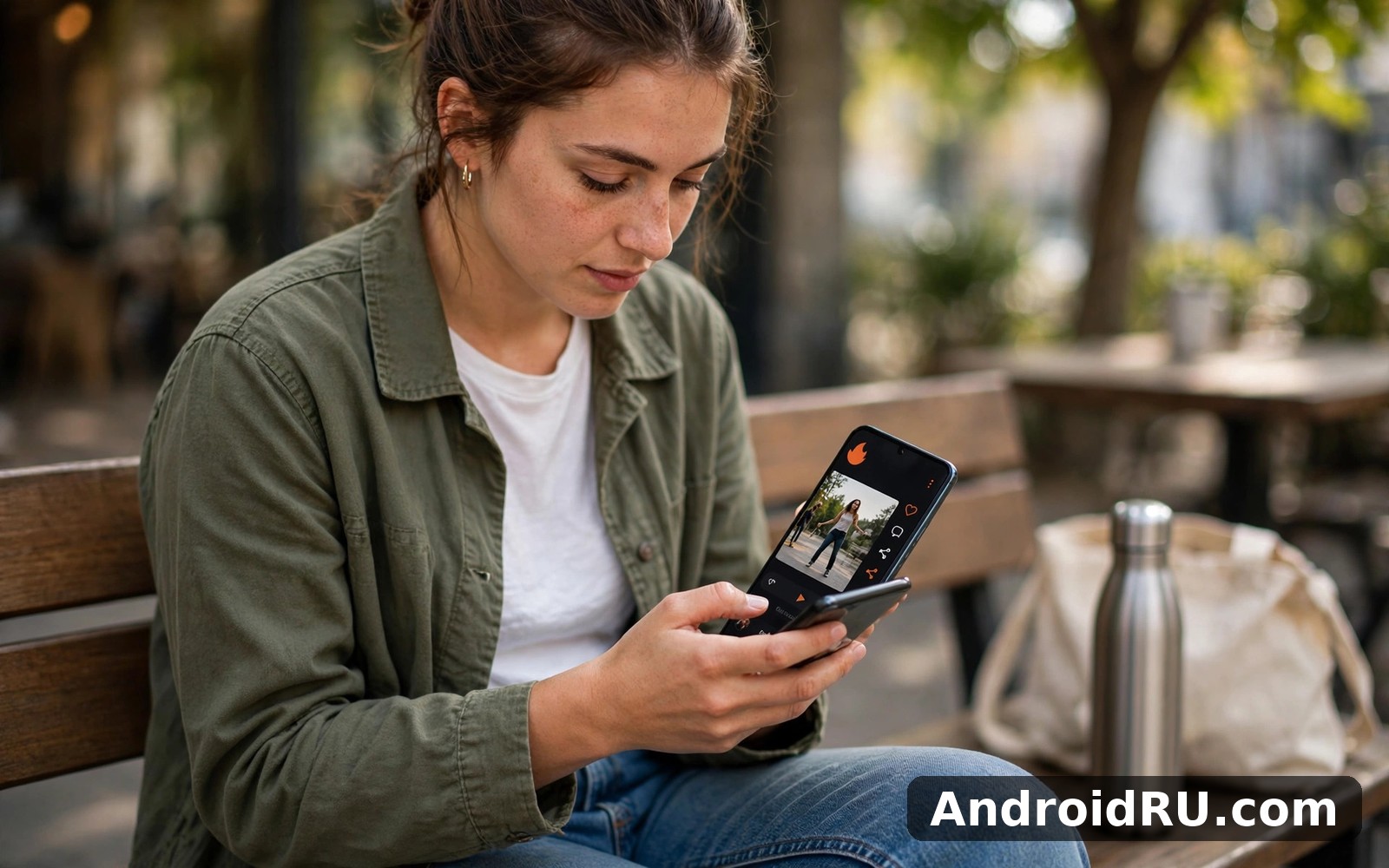
Download APK Chingari Feature Guide, In-App Purchase Guide & Review
Chingari mixes short video with live audio in a way that feels social from the first minute. I opened it on an ordinary evening, with no plan beyond a quick look, and I stayed longer than I expected because the home screen made sense at once. Short clips filled the feed, a live audio room was already running, and the buttons sat exactly where my thumb expected them to be.
This guide covers the whole picture: what Chingari does, which features are worth your time, how its in-app purchases work, what changed in recent updates, and where it sits next to Moj, ShareChat and Kwai. I tested it over several days on a mid-range Android phone, on Wi-Fi and on mobile data, and I kept notes on what felt smooth and what felt rough.
If you want a short answer before the detail, here it is. Chingari suits people who like short video and live audio chat in one place, and who enjoy following creators rather than scrolling an endless feed. It is less suited to people who want long-form video or a quiet reading app. The rest of this guide shows you why, step by step.
What Chingari actually is: short video plus live audio rooms
Chingari is an Indian short-video and social audio app that grew out of the wave of short-video apps that followed the ban on TikTok in India in 2020. It was founded in 2018 by Sumit Ghosh and Biswatma Nayak, and it is based in Bangalore. The idea is simple: watch short clips, follow creators you like, and drop into live audio rooms where people talk in real time.
The home screen is built around a vertical video feed. You swipe up to move to the next clip, double-tap to like, and tap the comment icon to join the conversation. Creators post dance clips, comedy sketches, cooking videos, devotional songs, regional language content and everyday life. Hindi dominates, but you will also find English, Marathi, Punjabi, Bengali, Tamil, Telugu and other Indian languages.
What sets Chingari apart from a plain video feed is the live audio side. Audio rooms run through the day, and they range from casual chat and music sessions to debates and talent shows. You can listen quietly as an audience member, raise your hand to speak, or host a room of your own. That mix of watching and talking is the heart of the app.
Chingari also runs a creator rewards system built around its GARI token, a digital token on the Solana blockchain. Creators earn GARI for engagement on their videos, and viewers can hold tokens in an in-app wallet. The token side is optional, and you can use the app for months without touching it, but it shapes how the app talks about creators and earnings.
Chingari features that matter most in daily use
Chingari packs a lot into one app, so it helps to sort the features that you will actually use from the ones that sit quietly in a menu. After a week of daily use, four features did nearly all the work for me, and the rest were pleasant extras.
The short video feed and how it learns your taste
The short video feed is the first thing you see, and it is where most sessions start. Clips run from a few seconds to about a minute, and the feed adjusts quickly to what you watch, like and share. I watched three cooking clips in a row on my first evening, and by the next morning the feed was full of recipe videos. That fast learning curve is a strength when your taste is clear, and a small trap when you tap something by accident.
You can follow creators, save clips to watch later, and share videos with friends outside the app. The search screen groups videos by hashtag and topic, which makes it easy to find a niche, from home workouts to regional folk songs. Video quality adapts to your connection, and on a weak signal the app drops resolution rather than stalling, which kept my commute sessions usable.
Live audio rooms: the social heart of Chingari
Live audio rooms are where Chingari feels most different from its rivals. A room has a host, a few speakers and an audience that can listen, react and send gifts. Rooms run on themes: music, poetry, casual talk, gaming chat and community discussions. I joined a late-evening music room with about forty listeners, and the host took song requests from the audience for an hour. It felt closer to community radio than to a video feed.
Hosting a room is straightforward. You pick a title, choose a topic, and invite friends or open the room to everyone. Moderation tools let the host mute speakers and remove people who break the mood. The catch is that room quality varies a lot by time of day. Prime evening hours in India are busy and lively, while quiet hours can feel empty, so your experience depends on when you open the app.
GARI wallet and creator rewards
The GARI wallet is Chingari’s best-known extra. Creators earn GARI tokens based on engagement with their videos, and the wallet sits inside the app so earnings and balances are visible in one place. Viewers can also earn small amounts of GARI through activities the app promotes, and the token can be used inside the Chingari ecosystem.
Here is the honest part. Token earnings for an ordinary creator are modest, and the value of any crypto token moves with the market, so treat GARI as a bonus rather than an income plan. The wallet setup asks for the usual care you would give any crypto wallet: keep your recovery details private, and never share them with anyone who messages you claiming to be support. Used with that caution, the wallet is a fun extra. Used as a get-rich plan, it will disappoint.
Video creation tools, duets and effects
Chingari includes a built-in video editor with filters, effects, music and speed controls, so you can record and post without a second app. Duets let you respond to another creator’s clip side by side, and the music library covers popular Hindi and regional tracks. The editor is not as deep as a dedicated editing app, and a serious creator will still edit elsewhere, but for a quick clip shot on the phone it is more than enough.
One detail I liked was the language picker during setup. Choosing your preferred languages early shapes the whole feed, and changing it later in settings reshapes recommendations within a day or two. If your feed ever feels wrong, the language setting is the first place to look.
How to set up Chingari and make your first week count
Setup works best in small steps. Install the app, sign in with your phone number or social account, pick your languages, and follow a handful of creators before you touch any other setting. That is enough for day one. The rest can wait until you know what you actually use.
On day two, spend five minutes in the settings screen. Turn notifications down to the ones you want, check the data saver, and decide whether videos should autoplay on mobile data. Those three choices decide whether the app feels calm or noisy for the next month, and they are easier to make early than to fix later.
Step by step: your first three days with Chingari
Day one is for watching. Open the feed, swipe through clips, like the ones you enjoy, and follow three or four creators. Do not post anything yet. Just learn what the feed offers and how it reacts to your taste. By the end of day one you will know whether the content mix fits you.
Day two is for listening. Join one live audio room as an audience member and stay for ten minutes. Listen to how the host runs the room, how speakers take turns, and whether the crowd feels welcoming. If the room feels right, follow the host. If it feels chaotic, leave and try another room at a different hour.
Day three is for posting. Record one short clip with the built-in editor, or record a voice note in a room if video is not your thing. Keep it simple: one idea, one take, no pressure. Your first post teaches you more about the app than a week of watching, because you see the tools from the creator side.
Notification settings that keep Chingari calm
Chingari can be chatty by default, so open Settings, then Notifications, and keep only the alerts that help you. I kept likes and replies on my own posts, and live room alerts from creators I follow, and switched everything else off. A quiet phone makes a new app feel far more pleasant, and you can always turn an alert back on later.
Data saver and autoplay on mobile data
If you use mobile data, turn on data saver in settings and set video autoplay to Wi-Fi only. Short video feeds eat data fast, and a single commute can use hundreds of megabytes without these limits. On Wi-Fi you can leave quality on auto and let the app pick the best resolution for your connection.
Chingari in-app purchases explained: coins, gifts and GARI
Chingari is free to install and use, and its in-app purchases are all optional extras. You can watch videos, join rooms and post clips for months without spending anything. Purchases exist for people who want to support creators, stand out in a live room, or take part in the token economy. Knowing what each purchase does before you tap buy is the whole trick.
Prices vary by pack and by region, and the app shows the current price in your local currency before you confirm, so check the price on the purchase screen rather than trusting a number you read elsewhere. Google Play handles the payment, and your usual Play payment method applies.
What you can buy inside Chingari
The main purchases are coin packs and GARI token packs. Coins are spent on virtual gifts inside live audio rooms, and GARI tokens sit in your in-app wallet for use inside the Chingari ecosystem. Some packs also unlock profile frames, badges or other cosmetic extras that mark you out in a room. None of these purchases changes how the feed works or unlocks a hidden set of videos, so treat them as social extras rather than keys to locked content.
Before you buy a pack, check the pack size against what you actually plan to spend. A small pack is the right way to test whether gifts matter to you. A large pack only makes sense if you already send gifts regularly and you know the per-coin price is better. I bought the smallest pack once to test the flow, and the purchase completed through Google Play in under a minute with a receipt in my email.
How gifts work in live audio rooms
Gifts are the social currency of live rooms. During a room, you tap the gift icon, pick a gift, and send it to the host or a speaker. The gift appears as an animation in the room, and the host sees who sent it. Popular gifts cost more coins, and sending a gift is the fastest way to get noticed in a busy room.
That said, gifts are a social gesture, not an investment. Creators appreciate them, and regular gifters often get recognised by hosts, but there is no promise of a reply, a follow-back or extra reach. Set a small monthly limit for yourself before your first gift, and stop when you reach it. The app makes gifting easy by design, so the limit has to come from you.
Checking what you spent and turning purchases off
You can review every purchase in Google Play under Payments and subscriptions, then Budget and history. That page shows the date, the pack and the price, which makes it easy to spot a habit before it grows. Inside Chingari, the wallet screen shows your GARI balance and recent token activity.
If you share your phone with family, turn on purchase authentication in Google Play so every purchase needs your fingerprint or password. That one setting stops accidental taps by children and stops a sleepy thumb from buying a pack you did not mean to buy. It takes thirty seconds to switch on, and it is the most useful purchase control in this whole guide.
Chingari vs Moj vs ShareChat vs Kwai: a straight comparison
Chingari does not live alone. Most people who try it also try Moj, ShareChat or Kwai, and each of those apps has a different centre of gravity. The table below compares them on the things that actually shape daily use, and the paragraphs after it explain the trade-offs in plain language.
| App | Main focus | Live audio rooms | Creator rewards | Best for |
|---|---|---|---|---|
| Chingari | Short video plus live audio | Yes, a core feature | GARI token rewards | Watching and talking in one app |
| Moj | Short video and short drama | Limited | Creator fund and brand deals | Quick video entertainment |
| ShareChat | Regional language social feed | Yes, audio chat rooms | Creator monetisation tools | Regional language communities |
| Kwai | Short video with global reach | Limited | Creator bonuses and gifts | Global short video discovery |
If you enjoy short video with a strong Indian flavour, Moj is the closest rival to Chingari, and its short drama reels are a genuine draw. For a change of pace in the same area, ShareChat is worth a look, because its regional language communities are deeper than Chingari’s. Another app in the same world worth exploring is Kwai, which leans more on global short video than on live audio.
The practical difference is simple. Chingari is the pick when you want video and live audio in one place. Moj is the pick when you want short drama and fast entertainment. ShareChat is the pick when your language community matters most. Kwai is the pick when you want a wider global feed. Most people end up keeping one main app and one backup, and that split works fine.
Pros and cons of Chingari after real use
No honest review is one-sided, so here is the balance after a week of daily use. The strengths are real and easy to feel, and the limits are modest but worth naming before you commit your time.
What Chingari does well
- Live audio rooms give Chingari a social layer its rivals do not match, and a good room feels like community radio with friends.
- The short video feed learns your taste fast, so a day or two of honest likes reshapes the whole home screen.
- Regional language content is deep, and Hindi, Marathi, Punjabi and other language feeds feel like real communities rather than translations.
- The built-in editor covers quick clips well, so you can record, add music and post without leaving the app.
- Creator rewards through GARI give small creators a reason to keep posting, and the wallet is visible and easy to check.
Where Chingari falls short
- Live room quality varies a lot by hour, and quiet hours can feel empty while prime evening hours are crowded.
- The feed can repeat popular clips more than it should, and a fresh account sees the same viral videos for the first day or two.
- GARI earnings for ordinary creators are modest, and token value moves with the market, so it is a bonus rather than income.
- Notifications can be noisy on a fresh install, and you need to tune them yourself before the app feels calm.
- Some features sit behind menus that take a few days to learn, and a new user can miss the wallet, the saved clips and the room history at first.
Who Chingari is for, and who should skip it
Chingari fits people who like short video and enjoy talking with strangers in live audio rooms. It fits creators who post in Indian languages and want an audience that understands their references. It fits commuters and evening scrollers who want a ten-minute session that feels social rather than solitary. If that sounds like you, the app will likely earn a place on your home screen.
It fits less well for people who want long-form video, quiet reading or a purely private app. If you dislike live chat, find short video feeds distracting, or want a tool that works fully offline, Chingari will fight your habits rather than support them. That is not a flaw in the app. It is a mismatch, and the honest move is to try something else.
For parents, one practical note matters. Chingari is a social app with live rooms and public comments, so it is not a good fit for young children, and teenagers should use it with the privacy settings reviewed together. Check the account settings with them in week one, and agree on what is fine to share and what stays private.
Troubleshooting Chingari: fixes that actually work
Most Chingari problems have dull, fixable causes. A video that will not load is usually a weak connection, a room that will not open is usually an app version behind, and a feed that feels stale is usually a cache that needs clearing. Work through the fixes below in order, and test the main feature after each one.
If videos stall, switch from mobile data to Wi-Fi and try again. If the whole app feels slow, clear the cache from your phone settings under Apps, then Chingari, then Storage, and restart the app. Clearing the cache removes temporary files without deleting your account or your saved clips. If a live room has no sound, check the in-room mute button first, then your phone media volume, then try leaving and rejoining the room.
If the app will not open at all, restart your phone and try again, then check for an app update. If an update is waiting, install it and test again before you reinstall, because reinstalling wipes your local settings and means signing in again. If a purchase fails, check your Play payment method and your purchase history before trying again, so you do not pay twice for the same pack.
Questions people ask about Chingari
Is Chingari free to use?
Yes, Chingari is free to install and use. Watching videos, joining live audio rooms, following creators and posting clips cost nothing. In-app purchases exist for coin packs, gifts and GARI tokens, but they are optional, and you can use the app for months without buying anything.
What is GARI in Chingari?
GARI is Chingari’s digital token, built on the Solana blockchain, and it rewards creators for engagement on their videos. Creators can hold GARI in the in-app wallet, and viewers can earn small amounts through activities the app promotes. Token value moves with the market, so treat it as a bonus rather than a fixed income.
Can I use Chingari without joining live audio rooms?
Yes, live rooms are entirely optional. You can treat Chingari as a pure short-video app, watch the feed, follow creators and never open a room. The rooms are there when you want company, and they wait quietly when you do not.
Does Chingari work on older Android phones?
Chingari runs on most modern Android phones, and on older devices the core tools still work, though video loading is slower and live rooms can lag on a weak connection. Keep the app updated, use Wi-Fi where you can, and clear the cache now and then to keep an older phone feeling smooth.
The verdict on Chingari
Chingari earns its place as a short-video app with a genuine social layer. The short video feed is fast to learn, the live audio rooms give it a warmth that a plain feed cannot match, and the GARI token rewards give creators a small reason to keep posting. It is not perfect: room quality varies by hour, the feed repeats itself early on, and the token side needs realistic expectations.
The verdict depends on what you want. Pick Chingari if you want video and live audio together, pick Moj if short drama matters more, and pick ShareChat if your regional language community comes first. For most people, the right move is a calm one-week trial: watch, listen to one room, post one clip, and then decide with evidence from your own routine.
When you feel ready, Click here to download the Chingari app and start with the feed before you touch the wallet. If you want to compare it with a neighbour first, Click here to download the Moj app. You can also Click here to download the ShareChat app when you are ready to see which community fits you best.

