

Download APK Discord What’s New, Feature Breakdown & Review
Discord started as a place for gamers to talk while they played, and it has grown into something much wider. I open it most days, sometimes for a five-minute check of a hobby server, sometimes for a two-hour voice hangout with friends who live in three different time zones. The app has changed a lot since its early days, and the recent updates touch almost every corner of it: how servers look, how voice works, how video is shared, and how much you can shape the whole thing to fit the way you actually use it.
This review looks at what is new, what each feature really does, and where Discord still falls short. I tested the Android app on a mid-range phone over several weeks, in group chats, in busy public servers, and in quiet one-to-one calls. If you run a community, play games with friends, or just want a chat app that can hold a whole social life in one place, this breakdown will help you decide whether Discord earns a spot on your home screen.
One thing to know up front: Discord is free to use for its core features, and the paid Nitro plans add extras rather than gating the basics. That split shapes almost everything in this review, because the free app already does a great deal, while Nitro is aimed at people who want the polish on top.
What is new in Discord and what changed recently
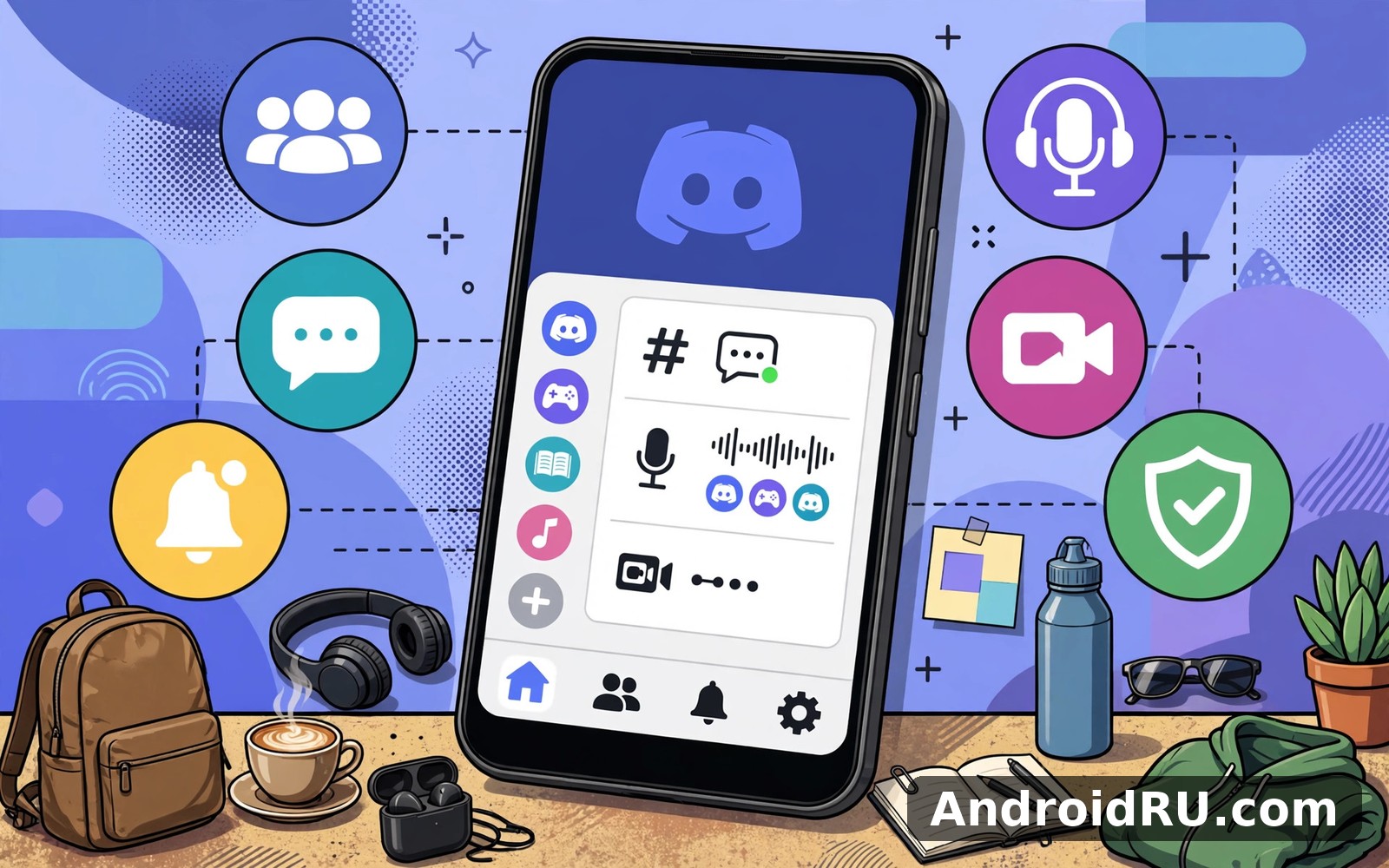
Recent Discord updates have focused on three things: making the mobile app faster and easier to read, giving servers better tools to organise busy conversations, and adding small social touches that make the app feel more personal. The Android app received a redesigned layout that puts messages, notifications, and your server list within easier reach, with larger touch targets and a cleaner bottom bar. On my phone the change was obvious on the first day: I stopped hunting for the server I wanted, because the navigation finally matched the way I actually move through the app.
Voice got quieter and clearer at the same time. Noise suppression, which filters out keyboard clatter, fans, and street noise, is now a standard part of voice calls, and echo cancellation has improved enough that I can take a call from a kitchen without the other side hearing every clink. Voice channels also feel more like rooms you walk into than calls you have to join, because you can see who is already talking before you tap in, and you can leave without any awkward goodbye ritual.
Video and screen sharing have been rebuilt for phones as well. Go Live lets you stream a game or your screen to a voice channel at up to 1080p and 60 frames per second on paid plans, with lower settings free, and viewers can watch from their phones without installing anything extra. I streamed a puzzle game to four friends one evening and the delay was short enough that their reactions landed while the moment was still on screen. Clips, a newer addition, lets you capture the last 30 seconds to two minutes of a stream or a game moment and share it in a channel, which has quietly replaced screenshots in several of my servers.
Servers themselves gained better discovery and onboarding tools. New members can now be guided through a short welcome flow that shows them the channels that matter, and server owners can set up rules, roles, and a welcome screen without digging through a maze of menus. Forum channels, which turn a channel into a set of tagged discussion threads, have become the default way big communities keep long conversations readable instead of letting them drown in one fast-moving chat.
Discord mobile redesign and faster navigation
The mobile redesign is the change most people will notice first. The bottom navigation now separates servers, direct messages, notifications, and your profile into clear tabs, and the server list uses a cleaner rail that makes long server names readable. Search is quicker too: I can type a word I remember from a conversation and find the message, the channel, and the person who wrote it in one pass, instead of scrolling back through days of chat.
Performance on older phones is better than it was a year ago, though it is not perfect. Cold start takes a couple of seconds on my mid-range device, and a server with hundreds of unread messages can still stutter while it loads images. That said, everyday scrolling, switching channels, and joining voice now feel light, and the app no longer eats battery the way it did when every server tried to refresh at once.
How the new layout feels after a week of daily use
After a week the new layout faded into the background, which is the best compliment a redesign can earn. My thumb lands on the right tab without thinking, and I check mentions in one place instead of opening each server. The one habit I had to relearn was finding settings, which moved into a clearer profile area; once I found them, the new arrangement actually made sense, with privacy, appearance, and notifications grouped the way I would expect.
Discord Orbs, avatar decorations, and profile effects
Discord has been experimenting with Orbs, a virtual currency you earn by completing in-app quests such as playing a featured game or watching a short video, and then spend on Nitro credits, avatar decorations, and profile effects. It is a small change on paper, but it changes the feel of the app: free users can now earn a taste of the cosmetic extras that used to be Nitro-only. I earned enough Orbs in a week of normal play to try a profile effect, and the process felt like a reward rather than a sales pitch, though the quests themselves are clearly sponsored.
Avatar decorations and profile effects let you dress up the way you appear in a server without changing your name or identity. They are fun in a gaming server and harmless in a study group, and you can turn them off for yourself if you prefer a plain look. Soundboard sounds, custom emojis, and animated stickers work the same way: small touches that make a community feel like a place with its own jokes.
Discord servers, channels, and roles explained in plain terms
A server is a private or public community with its own set of channels, members, and rules. Think of it as a building: the server is the building, text channels are the rooms where people write, voice channels are the rooms where people talk, and forum channels are the noticeboards where longer discussions live. You can belong to up to 100 servers for free, which sounds generous until you join a dozen active ones and realise you need to mute most of them.
Roles are the key to keeping a server sane. A role is a label with a set of permissions, such as the ability to post links, manage messages, or join a private channel. Moderators get roles that let them time out troublemakers or delete spam, while ordinary members get a role that simply lets them read and write. I run a small server for a local gaming group, and setting up three roles — member, regular, and moderator — took ten minutes and saved hours of arguments later, because everyone could see what they were allowed to do.
Channel types matter more than they first appear. Text channels suit ongoing chat, announcement channels suit one-way news from the owner, forum channels suit questions that deserve a thread of their own, and Stage channels suit a live talk where a few speakers address a large audience. Picking the right type for each purpose is the single best thing a server owner can do, because a busy text channel used as a forum becomes unreadable within a day.
Text channels, threads, and forum channels
Threads are short side conversations attached to a message or a channel, and they are the feature I wish every chat app had. When a discussion branches off, you open a thread, and the main channel stays clean. Threads archive themselves after a period of inactivity, which sounds like a loss until you realise it is the reason your main channel does not fill up with half-finished debates from last month.
Forum channels take that idea further. Each post is a titled thread with tags, so a help server can have posts tagged by topic and a hobby server can have posts tagged by skill level. Searching a forum channel feels like searching a small website, not like scrolling through a chat log, and that difference is what makes large communities usable.
Setting up roles and permissions without breaking your server
Start with the fewest permissions you need, then add more when someone asks for a reason. Give the moderator role the power to time out members and delete messages, but not the power to change the server itself. Test a new role on a test account or a trusted friend before you hand it to a whole group, because a role that can mention everyone can turn a quiet evening into a loud one with a single tap. Discord shows you a clear list of what each permission does, and reading that list once is worth more than fixing a mistake later.
Voice channels, Stage channels, and Go Live streaming
Voice channels are the heart of Discord. You tap to join, you talk, you leave, and there is no ringing, no missed call, and no pressure to answer. In a gaming session that freedom matters: people drift in and out as their evenings allow, and the conversation keeps going. Sound quality is solid for a free service, with clear voices and a noticeable drop in background noise compared with a plain phone call.
Stage channels suit a different shape of conversation. A few speakers hold the floor while the audience listens and raises a hand to join, which works well for club talks, album listening parties, and community question sessions. I attended a Stage talk with about 200 listeners and the moderation tools — hand raising, muting, and moving people on and off stage — kept it orderly without killing the relaxed tone.
Go Live turns a voice channel into a small broadcast studio. You can share your screen or a single app, and up to 50 people can watch at once, with viewers able to react and chat alongside the stream. It is the feature that made Discord my default for showing a friend a game level or a document, because there is no link to send and no separate app to open.
Discord features breakdown: messaging, calls, and bots
Messaging in Discord is richer than it looks at first glance. You can reply to a specific message, react with any emoji, pin important messages, mark a message as a spoiler, format text with bold or code blocks, and send files up to 25 MB for free, with much larger limits on Nitro. Message editing works for a generous window after sending, and a small edited label keeps the history honest. Search covers text, files, links, and media, and you can filter by person, channel, or date, which turns a year-old conversation into something you can actually find again.
Direct messages support one-to-one chats and group chats with up to 10 people, plus voice and video calls from inside the chat. Calls are clear and stable on a decent connection, and you can share your screen mid-call without hanging up first. I use group calls for planning game nights, and the fact that everyone can see the same screen while we talk has ended more than one long argument about which settings to use.
Bots are the hidden engine of many servers. A bot is a small program that joins your server and does a job: playing music, welcoming new members, running polls, moderating spam, tracking game stats, or posting news from a website. Popular bots include MEE6 for levelling and moderation, Dyno for automated rules, and Carl-bot for reaction roles, and adding one takes a couple of minutes from its official page. The trade-off is trust: a bot can read the channels it is given access to, so only add bots you recognise and only give them the permissions they need.
Activities add games and shared apps inside a voice channel. You can watch a video together, play a simple party game, or run a poker night without leaving the call, and the shared screen keeps everyone in sync. It is a small feature that turns a voice chat into an evening, and it is one of the reasons my group keeps coming back to Discord instead of a plain call.
Discord Nitro, Nitro Basic, and what you actually get
Nitro is Discord’s paid tier, and it comes in two sizes. Nitro Basic is the cheaper option, priced around a few dollars a month, and it adds custom emoji anywhere, animated avatars, and a larger file limit. Full Nitro, roughly three times the price of Basic, adds HD video streaming, larger file uploads up to 500 MB, two free server boosts, a custom profile, and a higher character limit for messages. Prices vary by country and change over time, so check the current plan page before you pay.
Whether Nitro is worth it depends on how you use Discord. If you stream games often, share large files, or run a server you care about, the boosts and the HD stream are genuinely useful. If you mostly read and write in a few servers, the free app gives you almost everything that matters, and Nitro becomes a way to support the app and dress up your profile. I paid for Nitro for three months to test it, enjoyed the boosts, and then let it lapse without missing the core experience, which tells you where the value really sits.
Server boosts and what they change for a community
A server boost is a perk you apply to a server, and enough boosts raise the server to a higher level with better audio quality, more emoji slots, a custom banner, and a higher upload limit for everyone in that server. Boosts come from Nitro members, and a server with a lively community often collects them naturally. The catch is that boosts are tied to the person who gave them, so if that person leaves, the level can drop, which can feel unfair to a small server that worked hard to reach a level.
Discord privacy, safety, and parental controls
Privacy in Discord is a mix of good tools and settings you have to find yourself. You can choose who can send you friend requests, who can message you directly from a shared server, and whether your game activity is shown to others. Safe Direct Messaging scans incoming messages from strangers for explicit content and filters it, and you can turn that filter up or down. I recommend new users open the privacy settings on day one, because the defaults are social, and a quieter setup suits most people better.
For parents, Discord offers a Family Centre that links a parent account to a teen account and shows which servers and friends the teen interacts with, without showing the content of messages. It is a reasonable middle ground: you can see the shape of your child’s activity without reading their conversations. Age gates and content filters add another layer, though no filter replaces a conversation about who to trust online.
Moderation tools for server owners include AutoMod, which can block banned words, spam links, and suspicious attachments automatically, and a verification level that asks new members to wait or verify an email before they can post. Used together, these tools cut the spam in a public server to a trickle, and they are free, which is rare for a platform of this size.
Discord vs Telegram vs WhatsApp: a fair comparison
People often ask which chat app to pick, and the honest answer is that Discord, Telegram, and WhatsApp are built for different jobs. Discord is built for communities and voice hangouts. Telegram is built for large public channels and fast cloud messaging. WhatsApp is built for private chats with the people you already know. Comparing them on the same points shows where each one earns its place.
| Feature | Discord | Telegram | |
|---|---|---|---|
| Best for | Gaming groups and hobby communities | Large channels and public broadcasts | Private chats with family and friends |
| Voice and video | Drop-in voice channels, Go Live, Stage | Voice chats and group calls | One-to-one and group calls |
| Group size | Servers with thousands of members | Groups up to 200,000 members | Groups up to about 1,000 members |
| File sharing | 25 MB free, up to 500 MB on Nitro | Up to 2 GB per file | Up to 2 GB per file |
| Privacy model | Server-based, adjustable per server | Cloud chats, optional secret chats | End-to-end encryption by default |
| Customisation | Roles, bots, emojis, server themes | Themes, folders, custom stickers | Wallpapers, limited themes |
| Price | Free, Nitro optional | Free, Premium optional | Free |
The table makes the choice clearer. If your friends already live in a Discord server, no other app replaces the voice channels and the shared history. If you follow news channels and want to send large files, Telegram has an edge. If you want the simplest private chat with your family, WhatsApp is hard to beat. Many people, myself included, keep two of the three installed and use each for the job it does best. A similar social app worth a look is Bluesky, which suits people who want a lighter social feed alongside their chat apps.
Discord pros, cons, and who it is for
Every app review should be honest about both sides, and Discord is no exception. Its strengths are real, and its weaknesses are the kind that only show up after weeks of use, which is exactly why they are worth naming here.
Discord pros: what it does well
- Drop-in voice channels and Go Live streaming make hanging out feel natural, with no ringing, no scheduling, and no extra app to open.
- Servers, roles, and bots give a community real structure, so a group of 500 people can stay organised instead of turning into one noisy chat.
- The free tier covers the features that matter most, including voice, video, messaging, and screen sharing, without a paywall on the basics.
- Cross-platform apps on Android, iOS, Windows, Mac, and the web keep your chats and voice in sync wherever you sit.
- Search, threads, and forum channels make old conversations findable again, which matters once a community has months of history.
Discord cons: where it strains
- Busy servers can overwhelm new members with hundreds of unread messages, and muting and notification settings take time to tune properly.
- Public servers attract spam and unwanted messages, so you need to check privacy settings and be careful about who can message you.
- The app can feel heavy on older phones, with slow cold starts and noticeable battery use during long voice sessions.
- Some of the best extras, such as HD streaming and large file uploads, sit behind the Nitro paywall rather than in the free app.
- Moderation quality varies from server to server, so a badly run community can feel chaotic no matter how good the app itself is.
Who Discord is for, and who should skip it
Discord is for gamers who coordinate with a team, hobby groups that need one home for chat and voice, study groups that share files and screen-share, and creators who want a community that is not ruled by an algorithm. It is also for friends who want a place to hang out without the pressure of a scheduled call. It is less suited to people who want a simple private messenger for family, people who dislike busy group chats, and anyone who wants end-to-end encryption on every message by default. If that last point matters to you, a private messenger is a better fit for your one-to-one chats, while Discord can still handle your communities.
A quick way to decide in one evening
Join one server about something you care about, mute everything except mentions, join one voice channel for twenty minutes, and send one message in a forum thread. If you come back the next day without being asked, Discord fits your habits. If you feel tired just looking at the unread counts, a smaller and quieter chat app will suit you better, and there is no shame in that.
Setting up Discord on Android: a calm first week
Start by installing the app, creating an account with an email address, and picking a username you are happy to keep. Then join one server, either by an invite link from a friend or through server discovery, and spend your first evening just reading. Watch how the channels work, see which ones are busy and which are quiet, and notice how people use threads and reactions before you post much yourself.
On day two, tune your notifications. Open settings, turn off notifications for every server, then turn them back on only for mentions and direct messages. This one change transforms Discord from a noisy app into a calm one, and it is the single most useful tip in this whole review. Next, set your privacy so that only friends can message you directly, and turn on Safe Direct Messaging if you join public servers.
By the end of the week, try a voice channel, share your screen once, and pin a message you want to find again. Those three small actions teach you more about the app than a week of reading about it. If you run into trouble, the usual fixes work: check your connection first, restart the app, clear the cache from the app settings, and make sure microphone permission is granted, because a missing microphone permission is the most common reason a voice channel stays silent.
Discord frequently asked questions
What is Discord used for?
Discord is used for text chat, voice chat, video calls, and screen sharing inside communities called servers, as well as for one-to-one and group direct messages. Gamers use it to coordinate during play, hobby groups use it to organise events and share files, study groups use it for screen sharing and voice study sessions, and creators use it to build a community around their work. The common thread is that it keeps a whole group in one place instead of splitting it across many separate chats.
How do I join a Discord server on Android?
Open the app, tap the plus icon in the server list, choose Join a Server, and paste the invite link you were given. You can also use server discovery to browse public communities by topic, such as gaming, music, or study. Once you join, read the rules channel first, introduce yourself if the server asks for it, and mute any channel that does not interest you so your notifications stay quiet.
Is Discord free to use on Android?
Yes, Discord is free on Android for its core features: messaging, voice channels, video calls, screen sharing, and joining servers all cost nothing. Nitro and Nitro Basic are optional paid plans that add cosmetic extras, HD streaming, larger file uploads, and server boosts. You can use Discord for years without paying, and the free app is not a trial that expires.
Why is Discord so noisy, and how do I make it quiet?
Discord feels noisy when every server and channel sends a notification. The fix is to mute servers by default, enable notifications only for mentions, and use the notification settings to silence specific channels. You can also set a custom notification sound or turn off the red badge counts. After ten minutes of tuning, most people find Discord becomes one of the quieter apps on their phone, because it only speaks up when someone actually mentions them.
Can I use Discord without Nitro?
Yes, and most people do. Nitro adds polish, not access: you can chat, talk, stream, and join servers without it. The main things you miss are HD video quality, very large file uploads, custom emojis in every server, and a fancy profile. If you stream games often or run a server you care about, Nitro is worth a trial month; if you mostly read and write, the free app is already the full experience.
Final verdict: is Discord worth it in 2026?
Discord earns its place for one reason above all others: it is the best app I have used for keeping a community together in one place, with text, voice, and video that actually work together instead of living in separate apps. The recent updates make the mobile app easier to navigate, voice clearer, and servers easier to run, and the free tier is generous enough that the app never feels like a demo.
That said, Discord is not the right app for everyone. If you want a quiet private messenger, look elsewhere. If you join public servers, take ten minutes to set up privacy and notifications, because the defaults are social and loud. Do that, join one community you care about, and give it a week of real use. When you are ready, Click here to download the Discord app and start with a single server and mentions-only notifications. If you want to compare it first, Click here to download the Telegram app or Click here to download the WhatsApp app and try the same group of friends in each one for a few days, then keep the app that fits the way you actually talk.

