

Download APK Real Drum Electronic Drums Set Connectivity Options, What’s New & Full Review
My first beat on Real Drum fell apart halfway through and I laughed out loud at how bad my left hand was. By the third try my hands finally agreed with each other, and by the end of the week I had a simple rock groove I could play without staring at the pads. That is the honest shape of this app: it looks like a toy on first open, then it turns into a practice tool you reach for in spare minutes. I spent two weeks with it in short daily sessions, on a mid-range phone and on a tablet, with wired earbuds, a Bluetooth speaker and a cheap USB audio adapter, because the title of this piece promises connectivity answers and I wanted real ones.
This review covers what the kit actually gives you, every practical way to connect sound in and out, what has changed for regular players, and how it stacks up against its closest relatives. You will get setup steps you can follow tonight, a fair list of strengths and limits, and a verdict that depends on how you plan to use it. If you want a pocket drum kit for daily practice, keep reading. If you want a full recording rig, the comparison table near the end will save you time.
What Real Drum Electronic Drums Set Actually Gives You
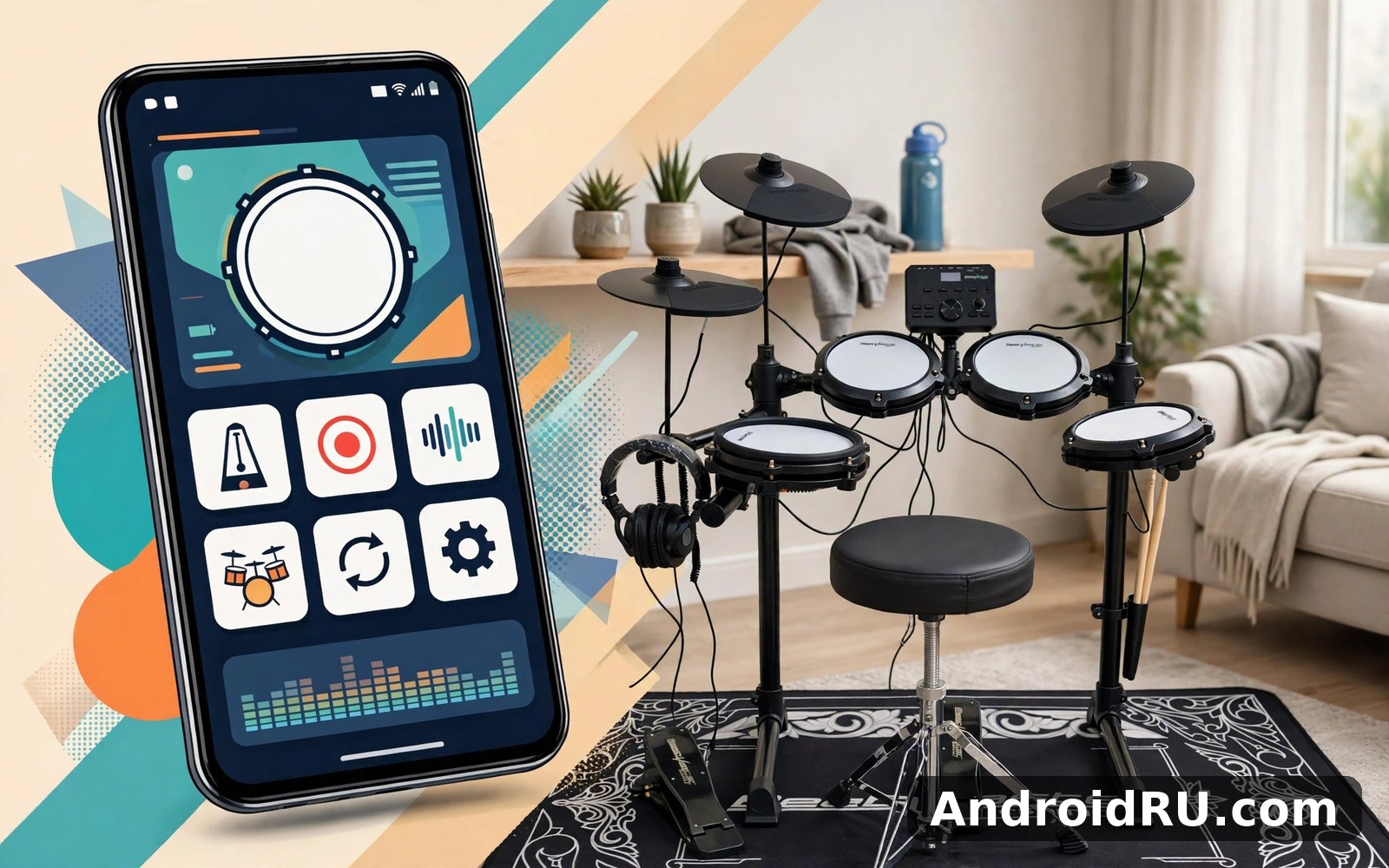
Real Drum is an electronic drum set app from Kolb Apps that puts a full electronic drum kit on your phone screen: kick, snare, toms, hi-hat, crash and ride, each on its own pad. The home screen keeps the kit front and centre, with the extra tools tucked into menus you can ignore until you need them. That layout is the first thing the app gets right. You open it, you see drums, you tap them, and sound comes out at once. There is no account wall and no long setup before your first beat.
The pads respond to taps with velocity in mind, so a light tap sounds softer than a firm one, and fast taps on the snare can build a roll that feels surprisingly alive for a touchscreen. It will never feel like hitting a real drumhead, and anyone who tells you otherwise has not played a real kit. What it does well is give you a timing trainer that is always in your pocket. I used it to work on a basic four-on-the-floor groove, then on moving my hi-hat hand between eighth notes and offbeats, and the app kept up with both without dropping taps on my phone.
The pad layout and how it feels under your fingers
The default layout places the snare and hi-hat where your thumbs or index fingers expect them, with toms across the middle and cymbals along the top edge. On a phone the pads are small, so I played with two fingers per hand and kept my patterns simple. On a tablet the same layout opens up and I could use three fingers per hand for fills that crossed from floor tom to crash. The app lets you rearrange the kit layout, which matters more than it sounds: after three days I moved the ride cymbal closer to my right thumb and my fills got cleaner at once. Spend ten minutes on layout before you judge the app, because a layout that fights your hands will make every groove feel wrong.
One habit that paid off was practising with the screen brightness up and the phone flat on a table instead of held in my hands. A flat phone does not wobble, and both hands stay free. A phone case with a raised lip can catch your fingertips on the outer pads, so if your fills keep missing the crash, try the phone without its case for one session and see if the misses stop.
Drum kits and sounds for rock, pop, jazz and more
Real Drum ships with several drum kits, and switching kits changes the character of the whole set at once: a rock kit hits hard with a deep kick, a jazz kit brushes lighter with a softer snare, and the electronic kits trade acoustic warmth for punchy sampled sounds. I kept coming back to two kits, one acoustic-sounding set for practice and one electronic set for playing along with pop tracks, and that pair covered nearly everything I tried. Kit switching takes a couple of taps, and the app remembers your last kit, so your next session starts where the last one ended.
That said, the sound sets are broad rather than deep. You get a useful range of kits, not a library of hundreds of snares to audition one by one. For daily practice that is a strength, because you spend time playing instead of browsing. For a player who wants to fine-tune every drum to match a specific record, the options will feel thin, and that is a fair limit to know before you invest hours in it.
Switching kits without losing your place
When you switch kits mid-session, your loop and recording keep running, which makes it easy to audition a new snare against the same groove. I used this to test whether a jazz kit could carry a soft pop song, and the answer was yes for verses and no for the chorus, which needed the bigger rock kick. Try the same test with a song you know well: play the verse on one kit, switch, and play the chorus on another. Your ears will tell you more in two minutes than any description can.
Real Drum Connectivity Options Explained
Connectivity is where a drum app either fits your life or fights it, and it is the part of this review I tested most carefully. A drum kit you can only hear through a phone speaker is a kit you will only play when nobody else is home. Real Drum gives you several ways to get sound out, and each one has a trade-off you should know before you pick it. The short version: wired sound is the most reliable for timing, Bluetooth is the most convenient for casual playing, and USB audio sits in the middle with the best quality on phones that support it.
The other half of connectivity is getting your playing out of the app: recording a take, sharing it, or playing along with music from another app. Real Drum handles the first two directly, and the third depends on how your phone mixes audio. I will walk through each option the way I tested it, with the delay and the quirks included, because a connectivity guide that only lists port names is not much use to anyone.
Wired headphones and USB audio for late-night practice
Wired listening is the safest choice for practice, and it is the one I recommend first. Plug in earbuds through the 3.5 mm jack if your phone still has one, or through a USB-C to 3.5 mm adapter if it does not, and the sound arrives with no noticeable delay between your tap and the drum hit. That instant response is what makes timing practice work: when you play a fill, you hear each drum exactly when your finger lands, and your hands learn the spacing between hits. I practised with wired earbuds at night for a week and never woke anyone, which is the whole point of an electronic kit in a flat.
USB-C audio adapters vary more than people expect. The cheap adapter I bought first added a faint hiss and made the kick sound thin, while a slightly better adapter from a known brand sounded clean on the same phone. If your drums sound weak through an adapter, test the same earbuds on another device before you blame the app. The adapter is often the weak link, not the sound set. Keep the adapter plugged in firmly, because a half-seated USB-C plug is the most common cause of sound cutting out mid-groove.
Bluetooth speakers, earbuds and latency in real life
Bluetooth is convenient and it is also the option most likely to trip you up. Every Bluetooth connection adds delay, and Bluetooth audio latency depends on your earbuds, your phone and the codec they agree on. On my phone with ordinary Bluetooth earbuds, the delay was around a third of a beat at a relaxed tempo, which is enough to make fills feel drunk. Slower grooves still worked, because I could hear the lag and adjust, but fast fills fell apart. With a Bluetooth speaker the delay was similar, and the speaker added its own processing on top.
That does not make Bluetooth useless. For listening back to a recording, for playing along casually, or for showing a friend a groove, Bluetooth is fine and the freedom from wires is pleasant. For timing practice, it is the wrong tool. If you only own Bluetooth earbuds, try this: set the metronome running, play simple quarter notes on the kick, and listen to whether your taps land on the click or just after it. If they land after it, the delay is real, and you should switch to wired sound for practice and keep Bluetooth for listening. Some phones and earbuds support low-latency codecs that shrink the gap a lot, so check your earbud settings for a low-latency or gaming mode before you give up on wireless entirely.
MIDI controllers, USB OTG and playing through an external kit
Many drummers ask whether Real Drum can talk to a MIDI controller or an electronic drum kit over USB, and the honest answer is that it depends on your phone and your hardware more than on the app alone. Android supports USB MIDI on many recent phones through a USB OTG adapter, which lets a phone recognise a MIDI device the way a computer would. Whether a given pad controller or e-kit unit works with a given phone is something you have to test with your own gear, because Android MIDI behaviour changes between phone makers and Android versions. If you own a MIDI pad controller, try it: connect it through an OTG adapter, open the app, and tap a pad on the controller to see if the app answers. That five-minute test tells you more than any compatibility list.
For most players this option is a nice extra rather than a reason to choose the app. The touchscreen kit is the main instrument here, and it is good enough for daily practice on its own. If you already own an electronic drum kit with its own sound unit, that unit will usually give you a better playing experience than routing pads through a phone. Where the phone earns its place is as a practice companion next to the kit: metronome, loop and recording running while you play the real pads.
A quick latency check before you record
Before you record anything you care about, run a thirty-second check. Turn the metronome on at a comfortable tempo, record yourself playing quarter notes on the snare, then listen back and count how many hits sit exactly on the click. If most of them sit on the click, your setup is ready. If most of them sit late, change one thing, wired sound first, and test again. Change one variable at a time or you will never know which change fixed it. Write down the setup that passes the test, because you will forget it by next month and the note saves a frustrating evening.
What’s New in Real Drum and What Changed for Regular Players
Real Drum has been updated steadily rather than rebuilt in one dramatic release, and the changes regular players notice most are practical ones: new kit sounds arriving over time, small interface polish that moves common actions closer to the kit, and steadier performance on recent Android versions. The app does not publish a version number or a release date in this article, and you should check the version notes on the app page on your phone for the exact build you have, because update timing differs by device and region. What follows is what changed in how the app feels to use, not a changelog copied from anywhere.
The most useful change for daily players is how the recording and loop tools behave now. Recording starts faster than it used to, and looping a beat while you practise fills over the top feels smoother, with less stutter when you switch kits mid-loop. The lesson area has also grown over time, with more guided material for beginners who want structure instead of open practice. None of this reinvents the app. It sands down the rough edges that used to interrupt a session, and for an app you open every day, that kind of polish matters more than a flashy new screen.
Recent kit and sound updates worth knowing
New kit sounds arrive as part of regular updates, and they are worth a look each time they appear, because a fresh snare can change which grooves you enjoy playing. I make a habit of opening the kit list after an update and tapping through any kit I have not tried, playing the same simple beat on each one. That two-minute tour tells me at once whether a new kit suits rock, pop or something stranger. If an update changes a kit you loved, check the kit settings before you complain, because updates sometimes reset a kit choice to the default and your old favourite is still there waiting.
Recording, loop and lesson updates
Recording and looping are the two tools that turn Real Drum from a novelty into a practice instrument, and the chance to record and loop your beats is what makes daily practice measurable instead of guesswork. The record button sits where your thumb can find it without looking away from the pads, and stopping a take no longer buries you in menus. Lessons sit nearby for players who want guidance, with short guided sessions that teach one groove or one fill at a time. I found the lessons most useful as a warm-up: one short lesson, then ten minutes of free playing on the same groove. That pairing kept practice focused without making it feel like homework.
How to Set Up Real Drum for Your First Practice Session
Setting up well takes about ten minutes, and it pays for itself in every session after that. The goal is simple: sound you can trust, a layout that fits your hands, and one groove to practise before you explore anything else. Work through the steps in order, and resist the urge to change five settings at once. One change at a time is how you learn what each setting actually does.
- Free up space and charge your phone, or plug it in, so a low-battery warning does not interrupt your first groove.
- Open Real Drum and tap through the kit once, pad by pad, to learn where the kick, snare, toms, hi-hat, crash and ride sit.
- Plug in wired earbuds or headphones, play a simple beat, and confirm the sound arrives at once with no delay.
- Pick one kit, acoustic or electronic, and stick with it for your first week so your ears learn its sounds.
- Move any pad that feels awkward, especially the crash and ride, until the layout feels natural under your fingers.
- Turn the metronome on at a slow tempo, around 70 to 80 beats per minute, and play quarter notes on the kick until they sit on the click.
- Record a thirty-second take, listen back, and note one thing to improve tomorrow, such as steadier hi-hat spacing.
After that first session, the routine writes itself. Open the app, run the metronome for two minutes, play the groove you are working on, record one take, and stop. Short sessions beat long ones for the first month, because your hands learn timing through repetition spread across days, not through one heroic evening. I kept a tiny note on my phone with the date and the groove I practised, and looking back at that list after a month showed progress I would never have noticed day by day.
A simple seven-step first setup in plain words
The steps above look basic, and that is deliberate. Most people who bounce off a drum app do it in the first session, because they open every menu at once and never actually play. The seven steps force you to play first and explore later. If a step confuses you, skip it and come back after you have played for ten minutes. A drum app is learned through the hands, not through the settings screen, and ten minutes of playing teaches you more than an hour of reading about pads.
Picking your first beat to practise
Start with the simplest rock beat there is: kick on beats one and three, snare on beats two and four, hi-hat playing steady eighth notes through the bar. Play it slowly, at 70 beats per minute, until it feels boring. Boring is good. Boring means your hands have learned it, and only then should you speed it up by five beats per minute. Add a crash on the first beat of every fourth bar, then try a short fill on the toms at the end of the fourth bar. That small structure, groove for three bars and a fill on the fourth, is the skeleton of most popular music, and it will carry you through your first month.
Real Drum Features in Depth: Recording, Loop, Metronome and Lessons
Four tools carry most of the value in Real Drum, and they work best together rather than alone. Recording shows you the truth about your timing. Loop mode lets you practise fills over a steady groove without stopping to restart. The metronome keeps your tempo honest. Lessons give you a next step when you do not know what to practise. None of these is complicated, and that is the point: each one does a single job, and each one stays out of your way while you play.
The strongest of the four is recording, because it is the only tool that tells you what you actually played instead of what you thought you played. My first recording was humbling. I believed my hi-hat was steady, and the playback showed it rushing after every fill. I spent a week playing hi-hat alone against the metronome, and the next recording was visibly steadier. That loop of play, record, listen and fix is the fastest way to improve, and it needs no teacher. If you use one feature in this app, make it this one.
Recording your playing and hearing your timing honestly
To record, tap the record control, play your groove, and stop the take when you are done. Listen back with wired headphones, because Bluetooth delay will smear the timing you are trying to judge. Pay attention to three things: whether the kick lands on the beat, whether the hi-hat spacing stays even, and whether your fills speed up. Most beginners rush fills, and hearing it on a recording is the moment the problem becomes fixable. Keep your recordings, even the bad ones, because comparing a take from this week with one from last month is the clearest proof of progress you will ever get.
Storage grows as recordings pile up, so delete old takes every few weeks and keep only the ones that mark progress. A recording you never listen to is just weight on your phone. I keep one take per week, labelled with the date and the groove, and delete the rest. That habit keeps the app fast and keeps my practice honest.
Loop mode and the metronome
Loop mode repeats a beat while you play fills over the top, which is the closest thing to playing with a band that a phone can offer. Set a groove looping, then try a fill at the end of every fourth bar. When the fill works, the loop keeps going and you stay in the flow. When it fails, the loop keeps going too, and you learn to recover without stopping, which is a skill in itself. The metronome is the stricter teacher: it does not forgive rushing, and it does not care how good the fill felt. Practise new patterns with the metronome on, then turn it off and play the same pattern inside a loop. If the timing survives without the click, you have really learned it.
Real Drum vs Real Percussion Drum Set vs Real Guitar: A Comparison
Real Drum sits in a small family of music apps from the same maker, and the three most compared ones each serve a different player. Real Percussion Drum Set is the closest relative, a drum app with a different kit feel and its own sound sets, while Real Guitar Acoustic Electric is a different instrument entirely, built for players who want chords and strumming rather than rhythm. Choosing between them is less about which is better and more about which instrument you want to practise this month.
| Feature | Real Drum | Real Percussion Drum Set | Real Guitar Acoustic Electric |
|---|---|---|---|
| Main instrument | Electronic drum kit with pads | Percussion drum set with its own kit layout | Acoustic and electric guitar |
| Best for | Groove, timing and fill practice | Drum practice with a different kit feel | Chords, strumming and songs |
| Recording | Yes, record takes and listen back | Yes, with its own recording tools | Yes, record chord progressions |
| Loop and metronome | Loop mode plus metronome | Practice tools in the same spirit | Metronome and chord tools |
| Sound variety | Several kits for rock, pop and jazz | Its own drum and percussion sounds | Guitar tones, acoustic and electric |
| Learning curve | Easy first beat, fills take practice | Similar, easy to start | Chords take longer to learn |
| Best session length | Short daily sessions work well | Short daily sessions work well | Longer sessions suit song practice |
The table makes the choice plain. If you want to practise rhythm, pick a drum app and stick with it for a month. If you want to play songs, pick the guitar app. If you already play Real Drum and want variety without leaving drums, try its percussion sibling for a week and see which kit layout your hands prefer. Fish Audio covers similar ground from a different angle if you want to explore sound tools beyond the drum family, and comparing two apps briefly often clarifies what you actually value most.
Which Kolb app fits which player
A beginner drummer should start with Real Drum, learn the basic rock beat, and stay there for a month before trying anything else. A drummer who finds the Real Drum layout cramped should try the percussion sibling, because a different pad arrangement can suit different hands. A player who wants to accompany singers or play songs should pick up the guitar app instead, because drums alone will not carry a song. None of these choices is permanent. Music apps are cheap to try and easy to keep side by side, so the real mistake is collecting five of them and practising none.
Pros and Cons of Real Drum: An Honest Balance
After two weeks of daily use, the balance is clear. Real Drum does one job well and stays out of its own way, and its limits are the kind you can work around rather than the kind that ruin a session. Here is the honest list, with the strengths first, because they are the reason the app stays on my phone.
Pros:
- Full electronic kit on one screen, with kick, snare, toms, hi-hat, crash and ride ready the moment the app opens.
- Several drum kits for different styles, so rock, pop and jazz practice each get a sound that fits.
- Recording and loop tools that turn casual tapping into real timing practice with audible proof of progress.
- Custom kit layout, so the pads can move to fit your hands instead of forcing your hands to fit the pads.
- Low barrier to start: no account wall, no long setup, and a first beat you can play within a minute of opening the app.
- Light battery use in short sessions, and it stays quiet in the background when you close it properly.
Cons:
- Phone screens are small for detailed fills, and the outer pads are easy to miss with large fingers or a thick case.
- Bluetooth audio delay makes fast timing practice unreliable on wireless earbuds and speakers.
- Sound sets are broad rather than deep, so players who want to fine-tune every drum will run out of options.
- External MIDI and USB OTG behaviour depends on your phone and hardware, so it needs testing with your own gear.
The trade-off is a fair one for most players. You give up the feel of real drumheads and the depth of a desktop drum library, and you gain a practice kit that lives in your pocket and costs you minutes a day. That exchange suits beginners, returning drummers and curious musicians far more than it suits a player who needs a stage-ready rig.
Who Real Drum is for
Real Drum is for beginners who want to learn rhythm without buying a kit, for drummers returning after years away who want to rebuild timing gently, and for musicians who want a practice tool in spare minutes: on a train, in a waiting room, or late at night with headphones. It is also for parents weighing whether a child is serious about drums before spending money on hardware. A month of daily practice on this app answers that question honestly, and the answer costs nothing but time.
Who should skip it for now
Skip Real Drum if you only need a drum sound once, for a single video or a single song, because a built-in tool or a quick web search may serve that moment better. Skip it too if you need a professional recording rig, a full electronic kit with pedals, or deep sound editing, because a phone touchscreen cannot replace hardware for that job. And if you already own an electronic kit with a good sound unit, the phone is a companion to that kit, not a replacement for it.
Real Drum Frequently Asked Questions
Does Real Drum work with Bluetooth headphones without delay?
It works, but not without delay. Bluetooth always adds some latency, and on ordinary earbuds the gap is large enough to make fast fills feel late. Slow grooves still work, and listening back to recordings over Bluetooth is fine. For timing practice, use wired earbuds or a USB-C audio adapter, and keep Bluetooth for casual playing. If your earbuds offer a low-latency or gaming mode, turn it on and test again, because it can shrink the gap a lot.
Can I connect Real Drum to a MIDI drum kit or keyboard?
It depends on your phone and your hardware. Android supports USB MIDI on many recent phones through a USB OTG adapter, so a MIDI controller may work, but behaviour varies by phone maker and Android version. The only reliable test is to connect your own controller and tap a pad to see if the app answers. For most players the touchscreen kit is the main instrument, and MIDI is a bonus rather than the reason to choose the app.
Can I record my drumming inside Real Drum?
Yes. The app includes recording, so you can capture a take and listen back to hear your timing honestly. Record with wired headphones for the truest picture of your timing, keep one take per week to track progress, and delete old takes every few weeks so storage stays light. Listening back is the fastest way to find rushing fills and uneven hi-hat spacing.
Is Real Drum good for beginners who have never played drums?
Yes, it is one of the friendliest places to start. The first beat, kick on one and three with snare on two and four, can be learned in a single session at a slow tempo. The metronome, the loop mode and the short lessons all support a beginner without demanding long sessions. Start slowly, practise a few minutes a day, and let the habit build before you chase faster fills.
Does Real Drum drain battery or need a constant connection?
Battery use stayed light in my short daily sessions, and longer sessions use more power the way any app does. Closing the app fully after use kept things tidy on my phone. The core drumming works offline once the app is installed, so you can practise on a plane or anywhere without a signal. Updates and new kit sounds arrive when you are back online.
Real Drum Verdict: Worth Your Practice Time
Real Drum earns its place by doing one job well: giving you a drum kit you can practise on every single day, wherever you are, without disturbing anyone. The kit sounds are good, the recording and loop tools turn play into practice, and the connectivity options cover the setups that matter, with wired sound for timing and Bluetooth for casual listening. Its limits are honest ones, a small screen and shallow sound editing, and neither stops a beginner or a returning drummer from making real progress.
Give it a full week before you judge it. Play the basic rock beat for a few minutes a day, record one take, and listen back. If your timing is steadier on day seven than on day one, the app has done its job, and it will keep doing it for as long as you keep showing up. When you are ready, you can open Click here to download the Real Drum Electronic Drums Set app and start tonight. If you want to try a similar tool, Click here to download the Real Percussion Drum Set app. You can also Click here to download the Real Guitar Acoustic Electric app when you are ready to compare drums with guitar.

