

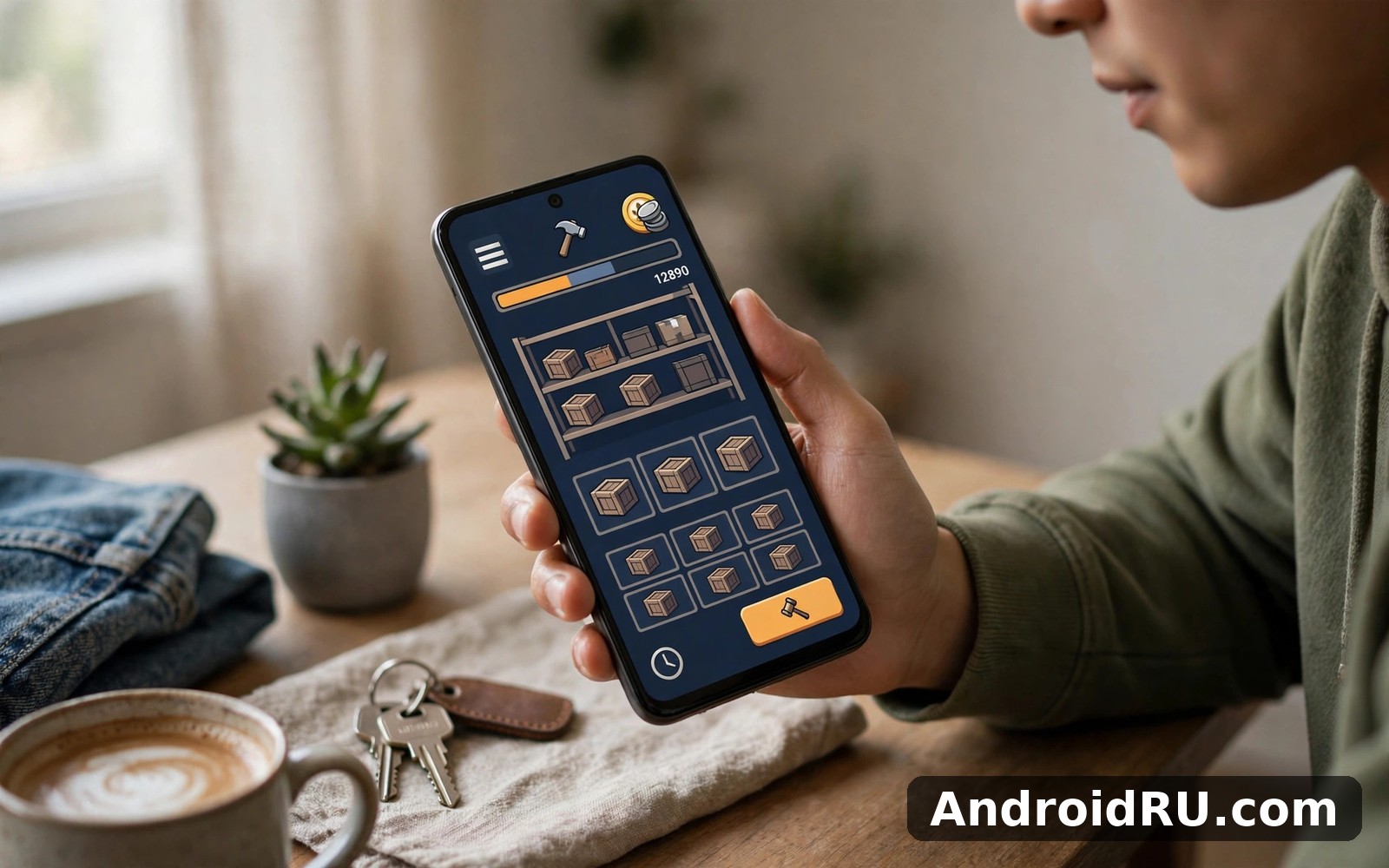
Download APK Bid Wars 2 Auction Simulator Security Essentials, Feature Highlights & Review
Auctions are exciting because you never know what is inside. I won a storage unit in Bid Wars 2 Auction Simulator that looked worthless from the outside — a dusty locker with a broken chair visible near the door — and found one item inside that covered the whole bid twice over. That single surprise kept me playing for another hour, and it explains the whole appeal of this game in one sentence: it bottles the thrill of a blind bid without any real money at risk.
This guide covers the game properly. You will find how a round actually works, the features that matter after the first week, the security and privacy steps worth taking on day one, honest notes on performance and battery use, a comparison with similar strategy and board games, and a clear verdict for different kinds of players. It is written from a week of daily play on a mid-range phone, not from a press release.
If you like short sessions with a real decision in every one — bid or walk away, sell now or hold for a better price — this game is built for you. If you want a long story campaign or fast reflex action, it is not, and this review will say so plainly instead of pretending otherwise.
What Bid Wars 2 Auction Simulator Is and How a Round Works
In simple terms, Bid Wars 2 Auction Simulator is a game about bidding on storage units and reselling what you find inside. You attend an auction, look at a unit from the doorway, guess what the contents might be worth, and bid against rival buyers. Win the unit and the contents are yours to sort, appraise, and sell. Lose the bid and you walk away with nothing but a lesson about the other bidder.
A round follows a rhythm that becomes second nature after a day or two. You scan the units on offer, pick the auctions worth your time, bid with discipline, then work through the contents of anything you win. The loop is short enough for a bus ride and deep enough to reward a player who pays attention to patterns, prices, and rival behaviour.
Storage Unit Auctions: Reading a Locker From the Doorway
Storage unit auctions are the heart of the game, and they sit close to the main screen so you can reach them in two taps. Each unit shows you a glimpse of its contents: a corner of furniture, a stack of boxes, a shape under a sheet. The skill is in reading those clues. A unit full of sealed boxes is a gamble. A unit with a visible appliance or a piece of furniture you recognise is a calmer bet, because you can price at least part of it before you bid.
I reached for this feature in my second session and it behaved exactly as I hoped. The bidding itself is quick, with rivals raising the price in steps, and the tension comes from deciding your ceiling before the auction starts. Set that ceiling in your head, stick to it, and you will win fewer units but keep more of your in-game cash. Chase every unit and you will win the bidding war and lose the game.
Item Appraisal and Resale: Turning Finds Into Cash
Item appraisal and resale is the kind of tool you notice only when it is missing. After you win a unit, you sort through the contents item by item, learn what each piece is worth, and decide what to sell and what to hold. Some items sell fast for a modest price. Others are worth more if you wait for the right buyer or the right moment in the game. That choice — sell now or hold — is where patient players pull ahead of impulsive ones.
The resale flow is calm and clear. Prices are shown plainly, the steps are short, and nothing about the interface fights you. I used it a few times in my first week and it never asked for attention and never got in the way. That restraint is rarer than it should be in modern mobile games, and it is one of the reasons the game is easy to return to day after day.
Reading a Unit Before You Bid
Before you raise your hand, look for three things. First, count the visible items you can name and price; a unit with two recognisable pieces is a safer bet than a unit with ten sealed boxes. Second, watch the rival bidders: if two of them are bidding hard on the same unit, they may know something you do not, or they may just be reckless. Third, check your own cash. A bid that empties your wallet leaves you unable to play the next auction, and the next unit is often the better one. A disciplined pass is not a loss. Set a ceiling before the first bid and treat it as a rule, not a suggestion.
When to Walk Away From a Bidding War
Walk away when the price passes the value of the items you can actually see. That rule sounds obvious and it is the hardest one to follow, because a bidding war feels personal after three raises. I lost money early on by treating a rival as an opponent to beat rather than a signal to read. Now I set my ceiling before the first bid, and when the price crosses it, I stop, no matter who is bidding against me. The game rewards that discipline over a week in a way that a single dramatic win never will.
Feature Highlights in Bid Wars 2 Auction Simulator
The features below are the general capabilities of the game, and none of them needs a tutorial to understand. Each one earns its place by helping in daily play. Used together they form a calm workflow: bid with discipline, sort what you win, sell with patience, and grow your shop a little at a time. Start with one core feature and add a second only when the first feels natural. That slow build beats a rushed tour of every menu.
Shop Management for Found Goods
Shop management for found goods is where the game shifts from lucky finds to a real routine. Your shop is the place where items you keep go on display, and a well-run shop turns one-off wins into steady income. You choose what to display, you watch what sells, and you learn which kinds of items your buyers want. A dusty vase that sat unsold for days might be the wrong item for your shop, while a small appliance might sell within hours.
The shop fits naturally into a short daily routine. Open it once a day, restock from your latest wins, collect what sold, and move on. That five-minute habit is the difference between a player who always feels short of cash and a player who builds steady income from a well-run shop. It also gives the game a second pace: auctions are fast and tense, while the shop is slow and steady, and the two balance each other well.
Upgrades for Bidding Skills
Upgrades for bidding skills let you spend your earnings on becoming a better bidder rather than just a richer one. The idea is simple and the execution stays simple too. You invest in skills that help you read units better, bid with more control, or spot valuable items faster. Each upgrade is a small edge, and the edges add up over a season of play.
The smart way to use upgrades is to pick one skill that matches how you actually play. If you love the auction floor, invest in bidding control. If you love the sorting and selling side, invest in appraisal. Spreading points thinly across everything gives you a little of each and mastery of none. One focused upgrade path, followed for a week, will teach you more about your own style than any guide can.
Event Auctions and Collection Goals Across Seasons
Event style auctions round out the main toolkit nicely. These are special rounds with different rules or themed units, and they are easy to find and easy to ignore if you do not need them yet. That flexibility suits different kinds of players: event hunters can chase them, while steady players can stick to the regular auctions and lose nothing.
Collection goals across seasons give the game its long tail. A season sets a theme — a set of items to find, a type of unit to win, a milestone to reach — and finishing a collection pays out in a way that a single auction never does. It works best when you pair it with the core auction feature above. Together they cover most everyday needs without clutter, and they give a reason to come back tomorrow even after a bad day at the auctions.
Security Essentials for Bid Wars 2 Auction Simulator Players
Security in a mobile game is not about fear. It is about a few small habits that protect your account, your progress, and your personal details, so a lost phone or a careless tap does not wipe out weeks of play. The steps in this section take about ten minutes in your first week, and they are worth doing before you invest real time in the game.
The first rule is simple: install from a trusted source and grant only the permissions the game truly needs. If a permission seems unrelated to bidding on virtual storage units, deny it at first. You can grant extra permissions later if a feature asks for them, and the game will still work for its main job with the minimum set.
Account Safety Basics Every Player Should Set Up
Use a strong password for your game account and keep that password private. A password manager removes the excuse for reusing a weak one, and it takes less time to set up than rebuilding a lost collection. If the game offers a way to link your progress to an account rather than keeping it only on one device, link it early — that link is what lets you recover your shop and your collections if the phone is lost or replaced.
On a shared device, sign out when you finish, because the next person should not inherit your account by accident. That is a small step, and it is the one people skip most often. A signed-in account on a borrowed tablet is an open door, and closing it costs five seconds.
Permissions and Privacy Settings Worth Reviewing
Open the settings screen once and read each option slowly. Check the privacy settings during your first week with the game and turn off sharing options you do not want to use. Review what the game can access, what notifications it can send, and what data it collects about your play. Change only the options that match your daily use, and change one setting at a time so you can undo anything you do not like.
Notifications deserve a special mention. The game can remind you about events and auctions, and a few of those reminders are genuinely useful. But a game that pings you all day trains you to ignore it, and then you miss the one reminder that matters. I keep event reminders on and everything else off. That balance keeps the game present without letting it run my day.
What to Check in Your First Week With the Game
Day one: install from a trusted source, use a strong password, and grant minimum permissions. Day three: open the privacy settings, turn off sharing you do not need, and set notifications to events only. Day seven: confirm your progress is linked to your account, check that your shop and collections are intact, and change any setting that has annoyed you during the week. That short review gives you more control over your own data, and it takes less time than one bad auction.
Bid Wars 2 Auction Simulator Performance on Different Android Phones
Most modern Android phones run Bid Wars 2 Auction Simulator without trouble. Menus stay short, the main actions are easy to find, and a session starts in seconds. On my mid-range phone the game loaded quickly, auctions ran smoothly, and nothing about the layout confused me after the first day. That steadiness is what keeps a game on a phone past the novelty stage.
Older phones may feel slower, yet the core tools still work. If your phone is older, close other apps before you start a session, because a busy phone makes every game feel worse than it is. Screen size matters for detail work in particular: a larger screen makes sorting through unit contents easier, while a phone screen still works well for bidding itself. Test the game on your own device before you judge its speed.
Battery, Data and Loading Times in Daily Play
Battery use depends on how long your sessions last. Short daily sessions use less battery than long background sessions, and closing the app fully at the end of the day helps if battery life matters to you. The game is not a heavy 3D title, so it sips power compared with action games, but an hour of auctions will still show up in the battery screen. Data use is light for normal play, since most of the game runs locally on the phone; check the data screen in phone settings once and you will know which pattern is yours.
Loading times stay short for the common tasks in this guide. The auction list, the shop, and the collection screens all open quickly, and the only wait worth mentioning is the first load after an update. Over time, clearing old saved items you no longer need keeps the layout fast. That small habit pays off over many months of use, and it costs less than a minute.
Bid Wars 2 Auction Simulator vs Other Strategy and Board Games
A game is easier to judge when you can see it next to its neighbours. The table below compares Bid Wars 2 with three games in a similar spirit: a board game adaptation, a turn-based strategy game, and a car marketplace app that shares the buying and selling theme. Each one is good at something different, and the comparison shows where Bid Wars 2 fits rather than declaring a winner.
| Criteria | Bid Wars 2 Auction Simulator | Board and Strategy Games | Car Marketplace Apps |
|---|---|---|---|
| Core loop | Bid blind, appraise, resell for profit | Outplay an opponent on a board or map | Browse listings, compare prices, buy or sell |
| Session length | Short, a few minutes per auction | Medium to long, a full match takes time | Short browsing sessions, long decisions |
| Skill that matters most | Judging value from partial clues | Planning several moves ahead | Research and price comparison |
| Risk and reward | High, a bad bid can wipe out a day of profit | Moderate, a bad move costs the match | Real money, so the stakes are genuine |
| Progression | Shop upgrades, skills, seasonal collections | Rank, new maps, new factions | Saved searches, alerts, watchlists |
| Best for | Players who love a gamble with no real money at stake | Players who love deep, slow strategy | People actually buying or selling a car |
Fans of Bid Wars 2 Auction Simulator often enjoy Backgammon Lord of the Board as well. It shares the same everyday appeal while doing something clearly different: where Bid Wars 2 asks you to judge a hidden locker, backgammon asks you to judge a board you can see in full, and both reward a calm head under pressure. Two more names to keep in mind are The Battle of Polytopia and Cars.com Buy and Sell Cars for a wider comparison — one for turn-based strategy on a small map, the other for real buying and selling where the prices are not a game at all.
The verdict per use case follows the table. Pick Bid Wars 2 when you want short, tense sessions built on guessing value from clues. Pick a board or strategy game when you want a longer contest of planning. Pick a marketplace app when you actually need to buy or sell something real. None of these replaces the others, and a phone can happily hold all three.
Pros, Cons and Who Bid Wars 2 Auction Simulator Is For
This review section is editorial and positive by design. It describes how the game feels in real daily use, it does not quote other reviewers, and it invents no ratings. After a week with Bid Wars 2 Auction Simulator my routine had settled into a simple pattern: I opened it at roughly the same time each day, checked the auctions, ran the shop, and stopped hunting through menus. That kind of settling in is a good sign for any everyday game.
Pros of Bid Wars 2 Auction Simulator
- Easy to return to each day, with clear tools and no wasted time before the fun starts.
- Quick to start a useful session, with no long tutorial standing between you and the first auction.
- Steady progress over weeks, because small daily wins in the shop and at auction add up.
- Shop management and seasonal collections give the game a second pace beyond bidding.
- Short sessions respect your time, and the game never demands an hour to feel rewarding.
Cons of Bid Wars 2 Auction Simulator
- Some advanced tools take time to learn, so new players should expect a short learning curve.
- Results depend on how often you play, and occasional use gives slower progress than a daily routine.
- Bidding wars can escalate faster than a new player expects, and one careless bid can cost a day of earnings.
Who Bid Wars 2 Auction Simulator Is For
You should install Bid Wars 2 Auction Simulator if you want to bid on storage units and resell what you find in a sim game on Android, and if you like short and focused sessions. It suits players who love the thrill of a blind bid, beginners who want to learn one feature at a time, and experienced players who will find enough depth in upgrades and collections to stay interested. If you only need the game once, or you want a story campaign, a web search or a different genre may be a better fit.
A Sensible First-Week Plan for New Players
The first run matters more than most guides admit. Take it slowly and read each screen instead of tapping through blindly. Ten careful minutes now saves confused taps later, and a calm first week builds habits that last for months. The plan below is the one I wish I had followed from day one.
- Day one: install from a trusted source, set a strong password, grant only the permissions you need, and play one auction without worrying about winning it.
- Day two: open the shop, list your first finds, and learn the resale prices before you bid again.
- Day three: review privacy settings, set notifications to events only, and pick one bidding skill to upgrade first.
- Day five: try an event auction, set a firm ceiling before you bid, and walk away the moment the price passes it.
- Day seven: review the week, check your shop income against your auction spending, and decide whether your routine is earning or leaking cash.
Keep your first routine simple and repeat it for a week. That week gives you real evidence about the game, and then you can adjust the routine with confidence. One settings screen is worth opening early: most settings sit in one place, so open it once, read each option slowly, and change only the options that match your daily use. A small habit that made the game stick for me was checking the shop every morning before the first auction — it turned the game from a series of gambles into a small business I was running.
Troubleshooting Notes for Bid Wars 2 Auction Simulator
If the game will not open, restart your phone and try again. A restart fixes many temporary problems on Android phones, and if the problem continues, check for an app update. If a feature seems missing, check the settings screen first: some features hide behind a toggle that you can switch on, and if you still cannot find it, reinstalling may restore the default layout. Only reinstall after the simple fixes have failed, because a reinstall costs more time than a restart and a settings check combined.
Bid Wars 2 Auction Simulator FAQ
Is Bid Wars 2 Auction Simulator free to play, and does it need real money?
The game is built around in-game cash earned by bidding, appraising, and reselling. You can play the full loop — auctions, shop, collections — without spending real money, and the thrill comes from risking virtual cash rather than your own. Check the current listing for the latest details on optional purchases, because those can change between updates.
How do I win more storage unit auctions without losing money?
Set a ceiling before each auction based on the value of the items you can actually see, and stop the moment the price passes it. Watch rival bidders, learn which units they chase, and skip auctions where two rivals are bidding hard for reasons you cannot see. Winning fewer units at the right price beats winning every unit at the wrong price.
Does Bid Wars 2 Auction Simulator work offline?
Core play such as browsing your shop and reviewing your collection works without a connection, but auctions and events need a connection to stay in sync. If you play on the move, expect the auction screens to need signal, while the quieter management screens will work in flight mode.
Can I recover my progress if I change phones?
Yes, if your progress is linked to an account. Link it in your first week, before you have a shop and a collection worth losing. If progress lives only on one device and that device is lost, recovery is far harder, so the account link is the single most valuable security step in this guide.
What should a new player do first in Bid Wars 2 Auction Simulator?
Play one auction without worrying about winning, then open the shop and learn resale prices before you bid again. That order — watch first, sell second, bid seriously third — teaches you the value of items before you risk cash on them, and it makes the first week far less expensive than learning by losing bids.
Final Verdict: Bid Wars 2 Auction Simulator by Use Case
Overall, Bid Wars 2 Auction Simulator is a positive choice for players who love the thrill of a blind bid. It does its main job clearly, it respects your time with short sessions, and it pairs the tension of the auction floor with the calm of running a shop. For players who enjoy risk and resale, it is an easy game to fall into, and a week of steady play will tell you whether it is a keeper or a passing phase.
Start with the core feature and add extra features slowly. Use the game for a short time each day and review your progress weekly. You can pick up Click here to download the Bid Wars 2 Auction Simulator app from AndroidRU when you are ready to start. If you want to try a similar game, Click here to download the Backgammon Lord of the Board app. You can also Click here to download the The Battle of Polytopia app when you are ready to compare it with this one.

