

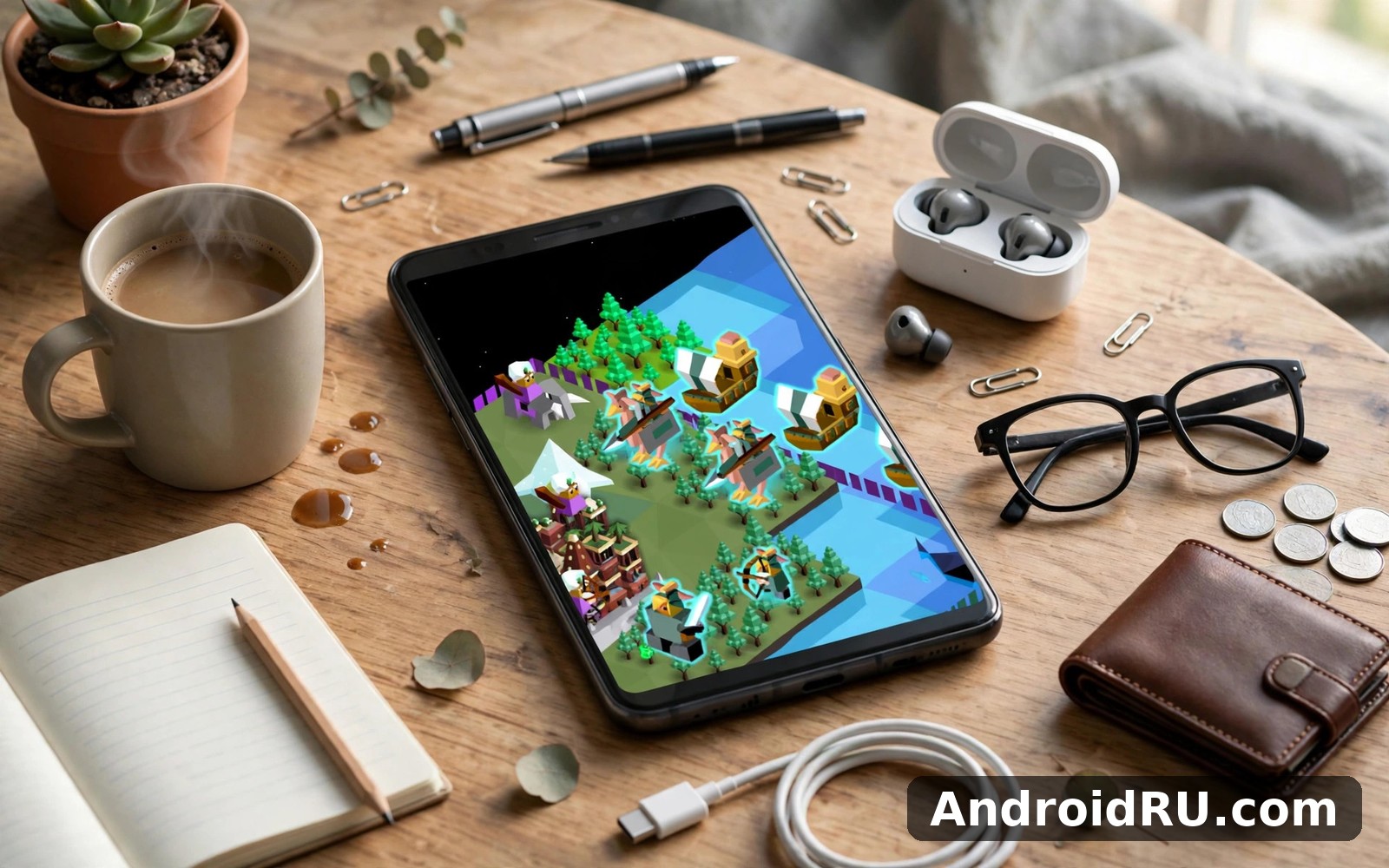
Download APK The Battle of Polytopia Latest Updates, Login Process & App Review
I opened The Battle of Polytopia on a Tuesday night expecting a ten minute distraction, and I looked up forty minutes later with a small empire, a tech tree half finished, and a neighbouring tribe knocking on my border. That is the whole trick of this game. It looks like a cheerful toy, all bright squares and smiling warriors, and then it quietly asks you to make real decisions about expansion, research, and war on every single turn.
After a week of daily sessions on a mid-range Android phone, I kept coming back for the same reason. A match fits into a lunch break, yet the choices inside it feel weighty enough to think about afterwards. This guide covers what changed in recent updates, how the login process works, what the game actually does well, where it frustrates, and how it stacks up against other strategy games on Android. If you want a short answer first: it is one of the best turn-based strategy games on mobile, and it is also a game that will punish careless expansion.
Before we go further, a note on scope. This is a review of the game as it plays today, based on the current build and my own sessions. Prices for extra tribes, tribe rosters, and multiplayer options can shift with updates, so treat any price I mention as a guide and check the current listing inside the game before you buy anything.
What The Battle of Polytopia Is and How a Match Actually Plays
The Battle of Polytopia is a turn-based 4X strategy game from Swedish studio Midjiwan AB. You pick a tribe, claim a small patch of land, and grow it into an empire by exploring the map, researching technologies, founding cities, training units, and either outscoring or conquering rival tribes. Matches take place on square grids, and every action costs stars, the in-game currency you earn from cities each turn.
The loop is simple to learn and hard to master. Each turn you spend stars on technology, units, and city improvements, move your warriors and riders across the map, and then end the turn to watch rival tribes do the same. A short game lasts about thirty turns. A longer domination match can run past fifty. The genius of the design is that a single turn rarely takes more than a minute, so the game respects short sessions while still rewarding long-term planning.
My first three matches taught me the same lesson in three different ways: expand too fast and your economy collapses, ignore the tech tree and your warriors fall behind, and leave a border city undefended and a neighbour will notice. The game never explains this with a lecture. It shows you, by letting you lose a city you cared about.
Picking Your First Tribe in The Battle of Polytopia
Your tribe choice shapes your opening more than any other decision. Xin-Xi starts in the mountains with warriors who climb well. Imperius begins with strong fruit resources and a balanced economy. Bardur starts near forests and snow, with early access to lumber and hunting. Oumaji rides fast across open plains. Kickoo begins near the sea and leans into fishing and ports. Each tribe starts with one free technology, and that single head start defines your first ten turns.
For a first game, Bardur or Imperius are the friendliest picks. Bardur gives you lumber early, which turns into workshops and sawmills, which turn into stars. Imperius gives you fruit and a solid all-round start. Oumaji is fun but punishing for new players, because its riders need open space and careful positioning. Vengir is the hardest start in the game, with a swordsman unit and almost no resources, and it is best left until you understand the economy.
Four tribes are free from the start, and the rest are sold as individual purchases inside the game, usually for a small one-time price each, or as part of a bundle. Aquarion, Elyrion, Polaris, and Cymanti are the special tribes, each with unique units and mechanics that change how the game plays. Cymanti, for example, grows fungi instead of farms and fields poisonous units, which feels like playing a different game entirely.
How Turns, Stars, and the Tech Tree Work Together
Stars are the only currency that matters. Cities produce stars each turn based on their level and improvements, and you spend stars on almost everything: researching a technology, training a warrior, building a farm, or upgrading a city. A city at level one might produce two stars a turn. A well-built city at level five or higher can produce many times that, plus a one-time bonus when it levels up.
The tech tree splits into branches that reward different play styles. Organization opens farming and city growth. Fishing opens ports, boats, and naval play. Hunting opens archery and forests. Riding opens fast cavalry. Mining opens forges and stronger units. The catch is that every technology costs more stars than the last one in its branch, so you cannot research everything. You pick a direction and commit to it, and a rival who picked a different direction will have tools you do not.
City levelling is where the economy snowballs. Each time a city levels up, you choose a reward: a new unit, extra stars, a city wall, or a park that boosts score. Parks matter in Perfection mode, where your final score decides the result. Walls matter in Domination, where survival decides it. I learned to plan my levelling rewards two turns ahead, because a wall chosen at the wrong moment is a wasted level.
Your First Five Turns: A Simple Opening That Works
Turn one: explore with your starting warrior, claim the nearest village, and research the technology that matches your starting terrain. Turn two: found or grow your capital, train a second warrior, and keep exploring. Turn three: research a resource technology, such as farming or fishing, so your cities start growing. Turn four: build your first improvement, a farm or a lumber hut, and look at where your nearest rival sits. Turn five: decide whether to push toward a second city or save stars for a key technology. That opening will not win every game, but it will stop you from falling behind before the game really starts.
Latest Updates in The Battle of Polytopia: What Changed and Why It Matters
Polytopia has been updated steadily since its release in 2016, and the updates that matter most are the ones that changed how the game feels rather than how it looks. The diplomacy update added the ability to negotiate peace, trade, and embassies with rival tribes, which turned multiplayer from a pure war game into something with real negotiation. The ocean update reworked naval play, adding ports, sea routes, and water units that made coastal starts far more interesting than they used to be.
Recent balance passes have tuned the special tribes and the AI. Cymanti received adjustments to its fungi spread and poison units after players found its early game too strong. Polaris, the ice tribe, saw changes to how its freezing mechanics interact with water. The AI tribes now expand more aggressively on higher difficulties and defend their cities more carefully, which makes single-player games against hard AI a genuine challenge instead of a formality.
Quality-of-life changes have quietly piled up as well. The game now shows clearer information about what a city will produce next turn, unit movement previews are easier to read, and multiplayer matchmaking and turn notifications work more smoothly than they did a few years ago. Cloud saves keep your progress across devices, and the game still runs well on older phones, which matters for a title with this many players on budget hardware.
Diplomacy, Naval Play, and the Newer Tribes
Diplomacy changed the rhythm of a match. You can now send an embassy to a rival tribe, agree to peace, and trade resources, which gives peaceful builders a real path to victory in Domination games. Breaking a treaty carries consequences, and the AI remembers it. In my sessions, diplomacy works best as a way to buy time: make peace with the tribe on your western border while you finish the tribe on your eastern one.
Naval play used to be an afterthought. After the ocean rework, ports generate stars, ships can carry units across water, and sea battles matter on maps with large oceans. Kickoo and Aquarion benefit most, but any tribe with a coastal city now has a reason to invest in fishing and sailing. On water-heavy maps, ignoring the navy is a fast way to lose a city you cannot defend.
The newer special tribes remain the most interesting reason to return. Elyrion fields dragons and sanctuary units that grow stronger over time. Polaris freezes water into ice bridges and turns the map itself into a weapon. Cymanti spreads fungi and uses poison, algae, and exploding units. Each one demands a different opening, and each one punishes players who treat it like a normal tribe.
Balance Changes Worth Knowing Before Your Next Match
Balance patches in Polytopia tend to target the same three things: early-game snowballing, overpowered units, and tribes that dominate one map type. Recent tuning trimmed the strength of fast riders in the opening turns, adjusted the cost of key technologies, and made city walls slightly more effective against early rushes. None of these changes rewrote the game, but together they made the first fifteen turns fairer, which is where most matches are decided.
If you return after a long break, expect the AI to feel sharper. Easy AI still makes obvious mistakes, which is fine for learning. Normal AI expands at a steady pace and punishes undefended cities. Hard AI plays with clear intent, coordinates attacks, and techs toward its win condition. Crazy AI, the top difficulty, is genuinely hard and best attempted once you can beat hard AI comfortably.
Features of The Battle of Polytopia That Define the Experience
The feature list is short on paper and deep in practice. There are no daily quests begging for attention, no energy system locking you out, and no cluttered home screen full of banners. You open the game, pick a mode, and play. That restraint is a feature in itself, and it is rare among mobile strategy games.
Single-player modes cover the main ways people play. Perfection mode gives you thirty turns to build the highest score you can, which rewards efficient city building and careful planning. Domination mode is a fight to the last tribe standing, with no turn limit. Creative mode lets you build and experiment without pressure. Each mode uses the same core rules, so skills transfer between them.
Multiplayer is where the game earns its long-term fans. Pass-and-play lets several people share one device, taking turns in the same match. Online multiplayer supports live and asynchronous games, so you can take your turn, close the app, and get a notification when your opponent replies. My asynchronous games typically run for several days, with a turn or two each morning, and that slow pace suits a busy week better than any real-time game could.
Single-Player Modes: Perfection, Domination, and Creative
Perfection mode is the best teacher. Thirty turns, one score, and a clear feedback loop: every decision either raises your final number or lowers it. I recommend every new player start here, because the fixed length forces you to learn city growth, tech priorities, and expansion timing without a war dragging on for an hour. A good Perfection score on normal difficulty usually comes from four or five well-built cities, not from conquering half the map.
Domination mode is the purest test of strategy. There is no turn limit and no score to chase, only survival. You win by eliminating every other tribe, which means your economy, your army, and your diplomacy all have to work at once. Matches against hard AI can last over an hour, so this is the mode for evenings rather than bus rides.
Creative mode removes the pressure entirely. You can place units and cities freely, test a tribe’s special mechanics, and learn the tech tree without an opponent breathing down your neck. I use it to practise new tribes before taking them into a real match, and it is also the best way to learn what each special unit actually does.
Multiplayer, Pass-and-Play, and Custom Maps
Online multiplayer supports games with up to a dozen players, though most of my games have three or four. You can play against friends or strangers, set the map size, choose the number of tribes, and pick the difficulty of any AI tribes in the mix. Turn notifications arrive reliably, and the game handles disconnections gracefully: a player who misses turns can be replaced by AI or removed, depending on the game settings.
Pass-and-play is the most underrated mode in the game. Hand the phone to a friend, they take their turn, they hand it back. It works brilliantly on a tablet, and it turns a quiet evening into a proper strategy session with no accounts or connections needed. The game hides each player’s information between turns, so there is no peeking at your rival’s cities.
Custom maps and game settings let you shape the match before it starts. You can pick map size, water level, number of tribes, and which tribes are allowed. Larger maps favour economic play and late-game armies. Smaller maps favour early aggression. Dry maps make naval tribes weak. Wet maps make them strong. These settings are simple, but they change every match in a meaningful way.
Tribes, Skins, and the In-Game Economy
Skins change how a tribe looks without changing how it plays, and they are sold as small one-time purchases. The in-game economy is unusually fair for a mobile game: there is no premium currency, no loot boxes, and no pay-to-win mechanic. You buy a tribe once, and you own it. That is the whole transaction, and it is one of the reasons the game has kept a loyal audience for years.
Login Process for The Battle of Polytopia: Sign In, Cloud Saves, and Multiplayer Access
The Battle of Polytopia does not force you to create a separate account with a username and password. On Android, the game uses Google Play Games for sign-in, cloud saves, and multiplayer identity. That keeps the login process short, and it means your progress follows your Google account rather than a password you might forget.
Single-player works without signing in at all. You can install the game, pick a tribe, and start a match immediately. Signing in matters for three things: saving your progress to the cloud, playing online multiplayer, and tracking achievements. If you only play offline against the AI, you can skip the login entirely and lose nothing.
Here is the catch that trips up new players: if you switch phones without signing in, your local progress stays on the old phone. Cloud saves only work once you have signed in with Google Play Games and the game has synced. I learned this the hard way after a phone upgrade, and it is worth five minutes of setup now to avoid losing a week of progress later.
How to Sign In with Google Play Games Step by Step
- Install the game and open it once so it creates its local profile and downloads any first-run data.
- On the main menu, tap the Google Play Games icon or the profile button in the corner of the screen.
- Choose the Google account you want to use for saves and multiplayer, then confirm the sign-in prompt.
- Wait for the sync to finish, then check that your profile name and avatar appear on the main menu.
- Start a short single-player match, end your first turn, and close the game to confirm the save syncs to the cloud.
- Open the game on a second device with the same Google account to confirm your progress appears there.
If the sign-in button does nothing, check three things in order. First, confirm Google Play Games is installed and updated on your phone. Second, confirm you are signed into the Google account in your phone settings. Third, restart the game and try again. In most cases, one of those three steps fixes it, because the problem is almost never inside Polytopia itself.
What to Do When Login Fails or Progress Goes Missing
When a sign-in fails repeatedly, the usual cause is a stale Play Games session or a network that blocks Google services. Sign out of Google Play Games in your phone settings, sign back in, and then open Polytopia again. If you are on a work or school network, try mobile data instead, because some networks block the ports that Play Games uses.
When progress goes missing after a phone change, do not start a new game on the new phone first. Open the game, sign in with the same Google account, and wait a full minute on the main menu for the cloud save to download. Starting a new local game before the sync finishes can overwrite the cloud save, and that is very hard to undo. If the save still does not appear, check that the old phone was signed in and synced before you wiped it.
Multiplayer invites that never arrive usually come down to notifications. Check that Polytopia has notification permission in your phone settings, and check that battery optimisation is not putting the game to sleep. On some phones, aggressive battery saving delays turn notifications by hours, which makes asynchronous multiplayer feel broken when the game itself is fine.
Keeping Your Account and Saves Safe
Because Polytopia relies on your Google account, your account security is your game security. Turn on two-step verification for the Google account you use, and do not share that account with anyone. There is no separate Polytopia password to steal, which is good news, and it means the usual advice applies: a strong Google password and two-step verification protect your saves, your purchases, and your multiplayer identity in one place.
The Battle of Polytopia vs Similar Strategy Games: A Real Comparison
Polytopia is often compared with Civilization VI, and the comparison is fair but misleading. Both are turn-based strategy games about building an empire, but they aim at different players. Civilization VI is a deep, long-form strategy game with complex systems, detailed diplomacy, and matches that last for hours. Polytopia is a short, sharp strategy game that fits into a commute. Neither is better in general. They are better for different days.
Other games in the same neighbourhood include Rusted Warfare, a real-time strategy game with a very different pace, and Age of History 2, a grand strategy game with a steeper learning curve and a map-focused style. If you like board games, Polytopia also sits close to digital board games such as Backgammon Lord of the Board in spirit: a classic ruleset, a clean board, and a game that rewards pattern recognition over reflexes.
| Game | Match length | Learning curve | Multiplayer | Price model |
|---|---|---|---|---|
| The Battle of Polytopia | 10 to 60 minutes | Easy to start, deep to master | Online, pass-and-play, async | Free, tribes as one-time buys |
| Civilization VI | Several hours | Steep, many systems | Online, hotseat | Paid game, expansions extra |
| Rusted Warfare | 15 to 45 minutes | Moderate, real-time pace | Online and local network | Paid game, no ads |
| Age of History 2 | 30 minutes to hours | Steep, map-focused | Limited, mostly solo | Paid game, low price |
| Diggys Adventure Mine Puzzle | Short puzzle sessions | Very easy | Social features, not versus | Free, optional purchases |
The table makes the trade-off clear. Polytopia wins on session length and approachability. Civilization VI wins on depth and variety of systems. Rusted Warfare wins if you want real-time battles instead of turns. Age of History 2 wins if you want grand strategy on a world map. Bid Wars 2 Auction Simulator sits in a different corner entirely, a light auction game rather than a strategy title, and it shows how wide the Android strategy and simulation shelf really is.
My verdict per use case is straightforward. Pick Polytopia if you want a strategy game you can play in short sessions every day. Pick Civilization VI if you want a weekend game with deep systems and you do not mind long matches. Pick Rusted Warfare if turns feel too slow for you. Pick Age of History 2 if you love maps and history more than combat. If you already play Polytopia and want something lighter between matches, a puzzle adventure such as Diggys Adventure is a good change of pace.
Pros and Cons of The Battle of Polytopia After a Week of Play
A fair review needs both sides, and Polytopia has real weaknesses alongside its strengths. The list below comes from my own sessions, not from the marketing page, and it includes the small frustrations that only show up after a few days of play.
What Works Well: The Pros
- Short matches that respect your time: a full game fits into a lunch break, and a single turn takes under a minute.
- Clean, readable design: the square grid, bright colours, and clear icons make the board easy to read even on a small phone screen.
- Fair pricing: the base game is free, extra tribes are one-time purchases, and there is no premium currency or energy system.
- Strong multiplayer: asynchronous online play and pass-and-play both work well, and turn notifications keep long games moving.
- Real strategic depth: the tech tree, city economy, and tribe differences give experienced players plenty to learn.
- Good performance on older phones: the game runs smoothly on mid-range and budget hardware without heating the device.
Where It Falls Short: The Cons
- AI can be predictable: after enough games, the AI tribes fall into patterns that experienced players learn to exploit.
- Limited late-game variety: long Domination matches can become a slow grind once the map is mostly settled.
- Special tribes cost extra: the most interesting tribes, such as Cymanti and Polaris, are paid purchases, which stings after the free tribes start to feel familiar.
- Diplomacy is still simple: treaties and trade exist, but they lack the depth of a dedicated diplomacy system.
- Occasional multiplayer delays: turn notifications can arrive late on phones with aggressive battery optimisation.
Who The Battle of Polytopia Is For
This game is for strategy fans who want depth without a two-hour commitment, for board game players who like clean rules and clear boards, and for commuters who want a game that works in five-minute bursts. It is less suited to players who want a cinematic story campaign, real-time combat, or a game with constant new content drops. If you enjoy chess, Settlers of Catan, or Civilization on a smaller scale, you will feel at home here within a day.
Setup and Troubleshooting for The Battle of Polytopia on Android
Getting started is quick, but a few setup choices make the first week smoother. The steps below cover a clean install, the settings worth changing, and the fixes for the problems players report most often.
Setting Up the Game the Right Way
- Install the game from a trusted source and open it once on a stable Wi-Fi connection so first-run data downloads completely. Click here to download the The Battle of Polytopia app if you want the AndroidRU page for it.
- Sign in with Google Play Games using the account you want tied to your saves and multiplayer games.
- Play one Perfection match with Bardur on easy difficulty to learn the economy without pressure.
- Turn on notifications so multiplayer turn alerts reach you on time.
- Check the in-game settings for music and sound, and lower them if you play in public places.
- Try a second tribe, such as Imperius or Kickoo, before you buy any extra tribes, so you know which play style suits you.
Common Problems and How to Fix Them
- Game crashes on launch: clear the app cache in your phone settings, restart the phone, and open the game again. If it still crashes, reinstall the game after confirming your cloud save is synced.
- Multiplayer turn never arrives: check notification permission, exempt the game from battery optimisation, and open the game manually to force a sync.
- Progress lost after a phone change: sign in with the same Google account, wait on the main menu for the cloud save, and do not start a new game before the sync finishes.
- Game runs slowly: close background apps, lower your screen refresh rate if your phone allows it, and restart the device before a long session.
- Purchase does not unlock a tribe: wait a few minutes, restart the game, and check your purchase history. If the tribe is still locked, contact support with your order number rather than buying it twice.
If you enjoy strategy and simulation games beyond Polytopia, the AndroidRU catalogue has plenty to explore next. Click here to download the Backgammon Lord of the Board app for a classic board game with a competitive edge, and Click here to download the Diggys Adventure Mine Puzzle app if you want a puzzle adventure to play between strategy matches.
Frequently Asked Questions About The Battle of Polytopia
Is The Battle of Polytopia free to play on Android?
Yes, the base game is free and includes four tribes, all three single-player modes, and full access to online multiplayer. Extra tribes, special tribes, and skins are sold as one-time purchases inside the game. There is no subscription, no energy system, and no premium currency, so the free game is a complete game rather than a demo.
Can I play The Battle of Polytopia offline?
Yes. All single-player modes work fully offline, including Perfection, Domination, and Creative. You only need a connection for online multiplayer, cloud saves, and purchases. If you play mostly offline, just remember to sign in and sync before you switch phones, because offline progress lives only on the device where you played it.
How long does a match in The Battle of Polytopia take?
A Perfection match takes about fifteen to thirty minutes, since it is capped at thirty turns. A Domination match against AI can take thirty minutes to over an hour, depending on map size. Asynchronous multiplayer matches stretch over days, but each individual turn takes only a minute or two, which is why the game works so well as a daily habit.
Which tribe should a beginner pick first?
Bardur is the safest first pick, because its lumber economy is easy to understand and forgiving of mistakes. Imperius is the best all-rounder, with a balanced start that teaches every system. Avoid Vengir until you understand the economy, and save the special tribes such as Cymanti and Polaris for later, because their unique mechanics assume you already know the basics.
After a week with Polytopia, my verdict is simple. This is a strategy game that respects your time, charges a fair price, and rewards careful thinking without demanding hours of study. Start with Bardur, play a few Perfection matches, sign in so your progress is safe, and try one asynchronous multiplayer game. If the slow, thoughtful rhythm clicks for you, it will stay on your phone for a long time. If it does not click after a week, the game has still cost you nothing but a few lunch breaks, and that is a fair trade.

