

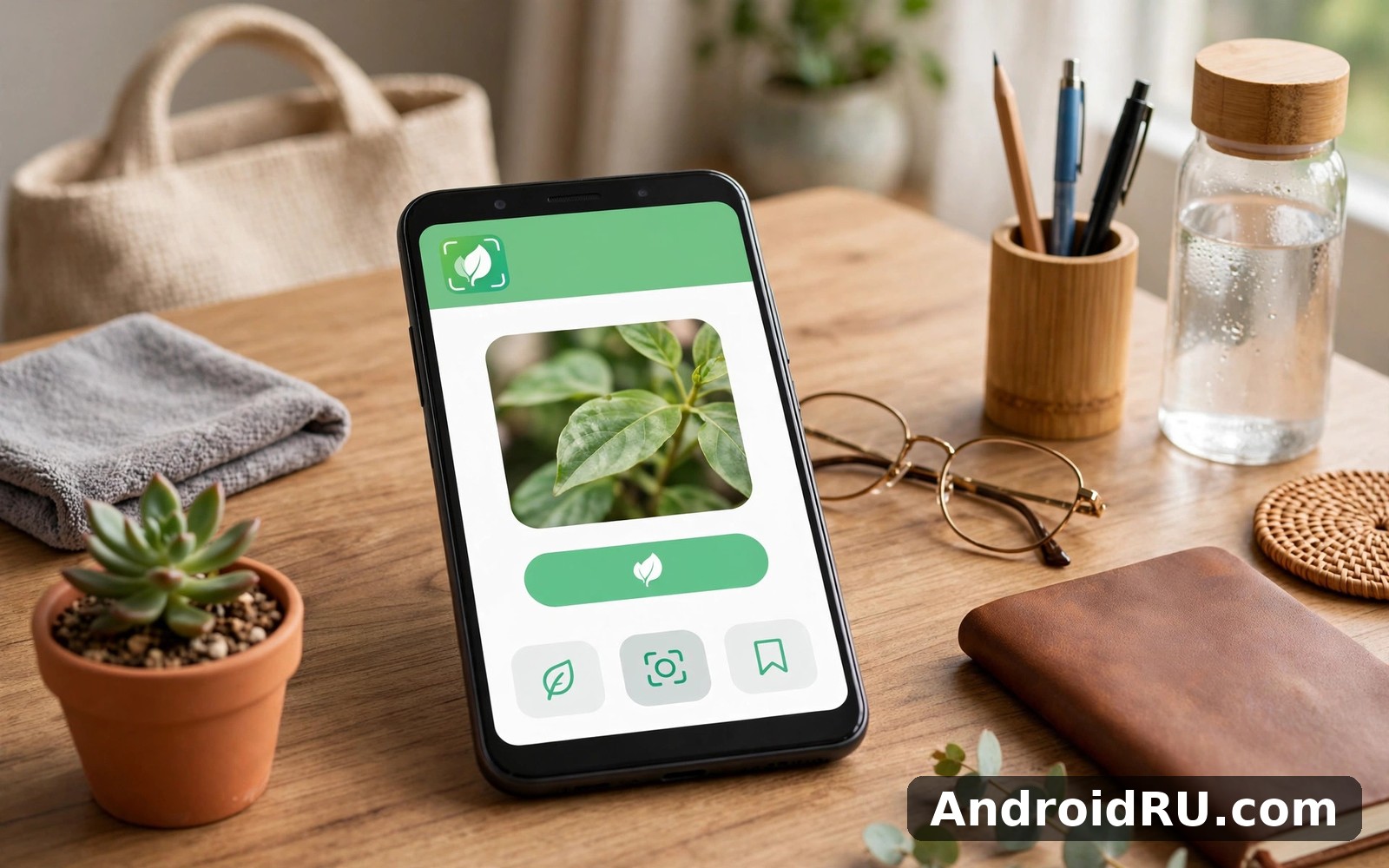
Download APK PictureThis Plant Identifier Latest Updates, Battery Consumption & App Review
I pointed my phone at a wilting monstera one Sunday morning and waited to see what would happen. The leaf had brown edges, the soil looked dry, and I had no idea whether I was overwatering or underwatering. Within seconds the app named the plant, listed the likely cause, and gave me a watering plan I could actually follow. That first test is why PictureThis stayed on my phone, and it is also why this review looks at the app the way a real plant owner would: identification accuracy first, then care tools, then the practical question of how much battery it eats.
This review covers the latest updates to the app, how well identification works on common houseplants and garden plants, what the disease diagnosis tool gets right and where it guesses, and what I measured for battery use across a week of normal sessions. You will also find a head-to-head table against other plant apps, an honest list of strengths and weaknesses, and a clear answer on who should pay for the premium plan and who should stick with the free tier.
What PictureThis Does and What Changed in the Latest Updates
PictureThis is a plant identification and care app built around one simple action: take a photo of a plant and get its name, care needs, and common problems. The database behind it covers more than 400,000 species, from common houseplants like pothos and snake plants to garden shrubs, trees, weeds, and wildflowers. Recent updates have focused on three areas: faster identification, a wider disease database, and a redesigned care calendar that ties watering, fertilising, and repotting reminders to each plant in your collection.
The latest version also reworked the home screen so your own plants sit at the top instead of buried under tips and articles. Identification history is now grouped by date, which makes it easier to find a plant you scanned last week. The app still opens with the camera by default, which suits the way most people use it: see a plant, point, shoot, read the result.
Identification Accuracy and the Plant Database
Accuracy depends heavily on the photo. In my testing, clear shots of a healthy leaf or flower returned the right species on the first try about nine times out of ten for common plants. The app gives a confidence percentage with each result, and when that number sits above 90 percent I have learned to trust it. Below 70 percent, the top result is often a close relative rather than the exact plant, and the app usually lists two or three alternatives underneath.
The database is strongest on popular houseplants, garden flowers, vegetables, and trees sold in nurseries. It struggles more with rare cultivars, young seedlings, and plants photographed out of season when flowers or fruit are missing. A photo of a bare winter branch is a much harder test than a photo of the same tree in full leaf, and the app is honest about that through its confidence score.
Disease Diagnosis and Treatment Plans
The diagnosis tool works from a photo of the damaged part of the plant: a spotted leaf, a yellowing stem, a patch of mould on the soil. It returns a likely problem, such as root rot, powdery mildew, or sunburn, along with a step-by-step treatment plan. The plans are practical rather than vague. They name the action, the timing, and what to watch for afterwards, for example removing affected leaves, improving drainage, and checking the roots before watering again.
That said, a photo alone cannot replace a proper inspection. Two different problems can look alike on a leaf, and the app sometimes leans toward the most common cause. I treat its diagnosis as a strong first guess and a starting point, not a final verdict. For a valuable plant, I still check the roots and the soil myself before following any treatment that involves cutting or chemicals.
How the Care Calendar Ties Everything Together
Each plant you save gets its own care schedule. Watering reminders adjust to the species, the pot size, and the season, and you can mark a task done or snooze it when the soil is still damp. The calendar also tracks fertilising and repotting, which are the two jobs most beginners forget. It is a small feature, but it is the one that turns a one-time identification into an ongoing habit.
How Plant Identification Works in Practice
Open the app, point the camera at the plant, and tap the shutter. The photo goes to the identification engine, which compares it against the database and returns the best matches with confidence scores. The whole round trip takes a few seconds on a decent connection. You can also pick a photo from your gallery, which is useful when the plant is somewhere you cannot reach with the camera or when you want to identify something from an old photo.
Identification works best when the subject fills the frame and the light is even. Backlit leaves and harsh midday sun both cause trouble, because the camera loses detail in the shadows or blows out the leaf edges. I get my best results in soft daylight, outdoors or near a window, with the leaf or flower centred and nothing else competing for attention in the frame.
Taking a Photo That Gets a Correct Match
One clear photo beats five hurried ones. Fill the frame with the leaf or flower, keep the background plain, and hold the phone steady until the shutter fires. If the plant has flowers, include them, because flowers are often the most distinctive feature. For trees, a photo of the leaves plus a second photo of the bark or the overall shape gives the engine more to work with than either shot alone.
When the first result looks wrong, retake the photo from a different angle rather than accepting the top match. A leaf photographed from above and the same leaf from the side can produce different results, and the app lets you compare. Checking the alternative matches underneath the top result is also worth a few seconds, because the right plant is often sitting in second place with a confidence score only a few points lower.
What to Do When the App Gets It Wrong
Wrong answers usually come from blurry photos, mixed plants in one frame, or a species the database covers thinly. The fix is simple: isolate one plant, improve the light, and try again. If the result is still wrong, use the search function to browse the species manually. You can also save the photo and check it later, which helps when you are out in a garden with poor signal and the identification needs a second attempt at home.
Plant Care Reminders, Watering Schedules and My Garden
The My Garden section is where PictureThis earns its keep after the novelty of identification wears off. Each saved plant gets a profile with its light needs, water needs, ideal temperature range, and common problems. The watering schedule is the most-used feature here, and it works by reminding you on the plant’s rhythm rather than a fixed daily alarm. A succulent might need water every two weeks while a fern wants attention every few days, and the app keeps those rhythms separate.
The reminders are gentle rather than nagging. You get a notification, you check the soil, and you either water or snooze the task. Over a few weeks the app builds a record of what you actually did, which is more useful than the schedule itself. That record shows whether a plant is being watered too often or too rarely, and it makes the cause of a problem easier to trace when a leaf starts to yellow.
There is also a light meter that uses the phone camera to measure light levels where the plant sits. It is not a replacement for a dedicated meter, but it answers the one question every indoor gardener asks: is this spot bright enough for this plant? The reading comes with a plain verdict, such as bright indirect light or too dark, which is easier to act on than a raw number.
Battery Consumption: Measured Use and What Drains Power
Battery use is the question that matters most for an app you open outdoors, often far from a charger. I tracked it over a week on a mid-range Android phone with a 5,000 mAh battery, using the system battery settings to read per-app usage. A typical session of five to ten identifications, including camera time and a few minutes browsing care guides, used about 2 to 3 percent of a full charge. A longer garden session of thirty minutes with the camera open most of the time used 6 to 8 percent. Those numbers put the app in the middle of the pack: heavier than a simple notes app, lighter than navigation or video recording.
The camera is the biggest drain, and that is true of any app that keeps the viewfinder live. Each identification also sends the photo to a server for processing, so the radio and the processor both work during the few seconds after you tap the shutter. Browsing the care library and reading articles uses far less power, close to what a normal reading app uses. The difference between a light day and a heavy day is almost entirely down to how long the camera stays open.
What Uses the Most Power During a Session
Three things dominate the drain. First, the live camera preview, especially with the flash on or the screen brightness pushed high in sunlight. Second, the identification round trip itself, which wakes the processor and the network together. Third, the screen, which stays on while you frame a shot and read the result. The reminders and the care calendar, by contrast, cost almost nothing. They wake the app briefly, show a notification, and go back to sleep.
Background use is small but not zero. The app checks for reminder updates and syncs your garden data, which adds up to a fraction of a percent over a full day. I never saw it appear near the top of the battery list on a day when I did not open it, which is the result you want from a care app that is supposed to sit quietly until you need it.
Battery Saving Settings That Actually Help
The most effective saving is also the simplest: close the camera between shots instead of leaving the viewfinder running while you walk between plants. Lowering screen brightness outdoors helps too, though it makes framing harder in direct sun. Turning off the app’s permission to run in the background stops the small sync drain, but it can also delay reminders, so I leave background access on and accept the tiny cost. If you are heading out for a long garden session, a short charge before you leave covers a full hour of heavy use.
Offline Use and Signal Problems
Identification needs a connection, because the photo is processed on a server. Without signal the app will queue the photo and try again later, but it cannot identify a plant fully offline. The care calendar, your saved plants, and the articles you have already opened keep working without a connection, which covers the most common offline situation: checking a watering reminder in the garden. If you garden somewhere with weak signal, identify plants near the house first and save the results before heading to the far end of the plot.
PictureThis vs Other Plant Apps: A Head-to-Head Comparison
No plant app wins on every measure, so the honest way to choose is to compare them on the same criteria. The table below puts PictureThis next to three well-known alternatives: Planta, which focuses on care schedules; PlantNet, which is a free identification tool built with research institutes; and Blossom, which mixes identification with a care community. Each has a different strength, and the right pick depends on whether you care most about identification, care reminders, or price.
| Feature | PictureThis | Planta | PlantNet | Blossom |
|---|---|---|---|---|
| Plant identification | Very accurate, 400,000+ species | Good, smaller database | Good, strong on wild plants | Good, similar coverage |
| Disease diagnosis | Yes, with treatment plans | Yes, basic | No | Yes, with community help |
| Watering reminders | Yes, per plant | Yes, its main strength | No | Yes, per plant |
| Light meter | Yes | Yes | No | Yes |
| Free tier | Limited identifications | Free with limits | Free | Limited identifications |
| Price model | Yearly premium plan | Yearly premium plan | Free, donations | Yearly premium plan |
| Offline use | Saved plants only | Saved plants only | Limited | Saved plants only |
| Best for | All-round plant care | Care schedules | Free identification | Community support |
PictureThis comes out ahead on the combination of identification accuracy and disease diagnosis, which is the pair of features most plant owners use first. Planta wins if your main problem is remembering to water, because its schedule tools are deeper. PlantNet is the right call if you want free identification and do not need care tools at all. Blossom sits closest to PictureThis overall, and the choice between them comes down to which interface you prefer and which community answers you find more useful.
If you enjoy learning about the living world beyond your pots, Biology Book is a natural next app to try, because it explains the science behind how plants grow, photosynthesise, and respond to their environment. And when you are planning outdoor work, Weather Radar Meteored News helps you check conditions before you water, repot, or move plants outside, since a cold snap or a heavy storm can undo a week of careful work.
Pros and Cons of PictureThis
A fair review needs both sides. The app is strong where it matters most, and its weaknesses are real but manageable once you know about them.
Pros
- Fast, accurate identification for common plants, with confidence scores that tell you when to trust the result and when to double-check it.
- Disease diagnosis with practical treatment steps, which turns a worrying brown leaf into a plan instead of a panic.
- A care calendar that tracks watering, fertilising, and repotting per plant, so nothing in your collection gets forgotten.
- A light meter and a large care library that answer the everyday questions new plant owners actually ask.
- A clean interface that opens straight to the camera, so identification takes seconds rather than minutes.
Cons
- The free tier limits how many plants you can identify, and the paywall appears often enough to interrupt a long garden session.
- Identification needs a connection, so the app cannot name a plant in a dead zone or on a phone with no signal.
- Accuracy drops on rare cultivars, seedlings, and plants photographed out of season, and the app sometimes offers a close relative instead of the exact species.
- Some treatment advice is generic, and a photo-based diagnosis can miss problems that only show up in the roots or the soil.
Who PictureThis Is For
New plant owners get the most from this app. If you have just bought your first few houseplants and you want to know what they are, how often to water them, and what to do when a leaf turns brown, the app answers all three questions in one place. The care reminders alone can save a beginner from the two most common mistakes: watering on a fixed schedule instead of checking the soil, and ignoring a plant until the damage is visible.
Busy gardeners with large collections also benefit, because the app keeps track of dozens of plants that no one can hold in their head at once. The identification history becomes a personal catalogue over time, and the reminders keep the routine steady. Experienced growers, on the other hand, may find the advice too basic. If you already know your species by sight and you keep your own care log, the free tier will feel thin and the premium plan may not add much you do not already know.
Parents and teachers get a quiet bonus too. Children love pointing the camera at a flower and getting an instant answer, and the app turns a walk into a small lesson. For that use, the free tier is usually enough, and the identification history doubles as a record of what you found together.
Frequently Asked Questions About PictureThis
Is PictureThis free to use?
Yes, there is a free tier, but it limits the number of identifications you can run and locks the deeper care tools behind the premium plan. The free tier is enough to test accuracy on your own plants for a week or two. If you use the app daily or you keep a large collection, the yearly plan is the practical option, and it is worth checking the current price inside the app before you commit, since pricing changes by region and by promotion.
How accurate is PictureThis plant identification?
For common houseplants and garden plants photographed in good light, the top result is correct most of the time, and the confidence score tells you how much to trust it. Accuracy falls for rare cultivars, young seedlings, and plants without flowers or fruit. A clear, well-lit photo of a single leaf or flower gives the best result, and checking the alternative matches underneath the top answer catches many of the misses.
Does PictureThis drain the battery quickly?
In normal use it does not. A short session of a few identifications uses about 2 to 3 percent of a full charge on a mid-range phone, and the reminders use almost nothing in the background. Battery drain grows when the camera stays open for a long time, so closing the viewfinder between shots and keeping brightness reasonable are the two habits that make the biggest difference.
Can PictureThis diagnose sick plants?
It can give a likely diagnosis and a treatment plan from a photo of the damaged part, and it covers common problems such as root rot, powdery mildew, and sunburn. Treat the result as a strong first guess rather than a final verdict. For valuable plants, inspect the roots and soil yourself and confirm the diagnosis before cutting or treating.
Does PictureThis work offline?
Only partly. Your saved plants, care calendar, and articles you have already opened work without a connection. Identification itself needs a connection, because the photo is processed on a server. If you garden somewhere with weak signal, run identifications where the signal is good and save the results first.
Final Verdict: A Strong All-Round Plant Companion
PictureThis earns its place by doing the two things plant owners need most, and doing them well: naming the plant in front of you and telling you how to keep it alive. Identification is fast and accurate for the plants most people actually own, the disease tool turns worry into a plan, and the care calendar keeps a growing collection under control. Battery use is reasonable for a camera-based app, and the background drain is small enough to ignore.
The trade-offs are the paywall, the need for a connection, and the limits of photo-based diagnosis. None of those are deal-breakers for the audience the app serves best, which is new and intermediate plant owners who want one app for identification and care. If that is you, try the free tier for a week, test it on your own plants, and let the accuracy and the reminders decide whether the premium plan is worth it. If you love stargazing as much as gardening, Solar System Scope opens up astronomy the same way this app opens up the plant world, with a map of the night sky you can explore from your own garden.
Get PictureThis and Related Apps
Ready to try it on your own plants? Click here to download the PictureThis Plant Identifier app and test identification on the first plant you see. If you want to go deeper into the science behind what the app tells you, Click here to download the Biology Book app. And if the night sky interests you as much as the garden, Click here to download the Solar System Scope app.

