

Download APK AutoTempest – Car search Latest Updates, Beginner Tips & App Review
Searching for a car across many websites exhausted me before I found AutoTempest. Each site had different filters, different listings, and a different way of showing price and mileage. I kept losing track of cars I had already seen, and I kept opening the same listing twice on two different sites. That scattered feeling is the problem this app exists to solve, and it solves it by gathering listings from many sources into one search.
My car search had a tight budget and a long wish list, which is a combination that punishes disorganised searching. Gathering listings in one place let me compare honestly across sources. A car that looked cheap on one site sometimes appeared cheaper elsewhere, and a car that looked rare on one site turned out to be listed in three places. That cross-source view stopped me paying more than I needed to, and it showed me cars I would never have found on a single site alone.
What follows is a full review of AutoTempest for car buyers: the latest updates, how the search and filters actually work, beginner tips that saved me time, a comparison with the other car tools people use alongside it, and an honest verdict for different kinds of buyer. If you only need the short version, here it is: AutoTempest is a discovery engine, not a dealer. It finds more cars than any single site can show you, and then it is up to you to inspect, question, and verify before you buy.
What AutoTempest car search is and how it works
AutoTempest is a car search aggregator. Instead of searching one marketplace at a time, you type in what you want once and the app searches many listing sources at the same time, then shows the results in one comparable list. The sources include large classified sites, dealer listings, auction listings, and community marketplaces, depending on your country and the filters you set. The point is breadth: one search covers ground that would take an evening of tab juggling to cover by hand.
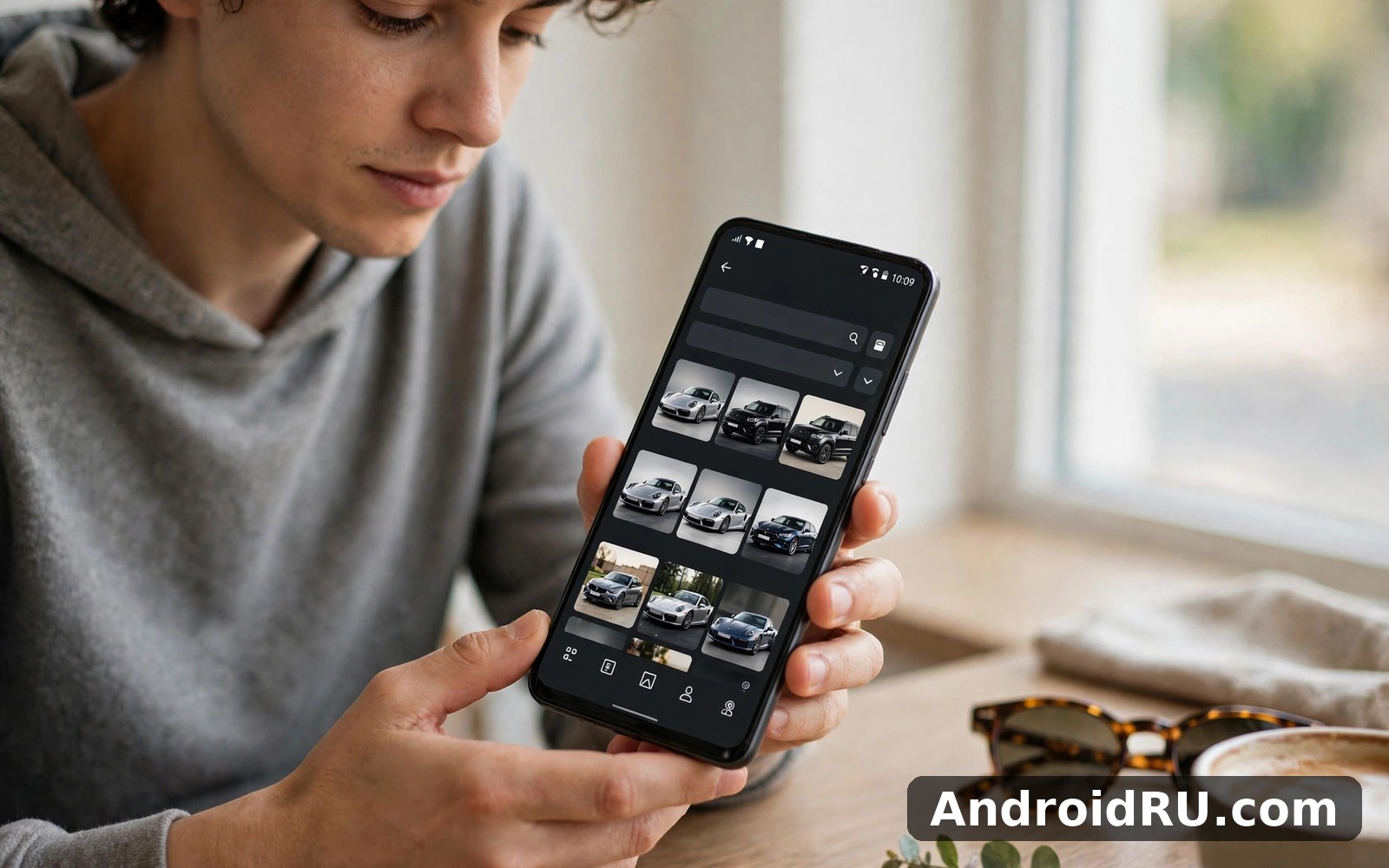
The search itself works the way you would hope. You set the make and model, or leave it open and search by body style, then add your price range, maximum mileage, year range, and how far you are willing to travel. The results arrive as cards with a photo, a price, a mileage figure, a year, and a location, and you can sort them by price, mileage, year, or distance. Tapping a card opens the original listing on its source site, so you always see the full description, the full photo set, and the seller’s contact details where they live.
That last detail matters. AutoTempest does not sell cars and does not hold the listing data itself. It points you to the source, which means the price and availability you see are only as fresh as the source listing. A car that sold yesterday can still appear in results until the source updates, so the app is a starting point for discovery rather than a guarantee. I learned to treat every promising result as a lead to check, not as a car that is definitely waiting for me.
On a practical level the app is light and fast. Searches return quickly even when they cover many sources, and scrolling through a long list of results feels smooth on a mid-range phone. Photo-heavy browsing uses data, so I did my long browsing sessions on Wi-Fi at home and checked saved listings on mobile data while I was out. That split kept my data use reasonable during a search that lasted several weeks.
AutoTempest latest updates and what changed for buyers
Recent updates to AutoTempest have focused on making a huge pile of results easier to manage rather than on adding flashy new features. The search filters have become more precise, with better handling of price ranges, mileage caps, and distance, so a firm budget now removes unsuitable cars more reliably than it used to. Saved searches and alerts have also improved: you can save a search with all its filters and get notified when a new listing matches it, which matters when good cars at fair prices sell within days.
The results list itself has been tidied. Duplicate listings, where the same car appears on two or three sources, are now easier to spot, because the photos and key details line up in a way that makes the match obvious. That matters more than it sounds: I once recognised the same car photos on two different sites and nearly contacted two sellers about one car. Spotting the duplicate early saved me an embarrassing double enquiry and gave me a useful negotiation point, because the same car was listed at two different prices.
Performance and reliability have improved in quieter ways too. The app loads results faster on a slow connection, handles large result sets without stuttering, and recovers more gracefully when one source is slow to respond. None of these changes makes a headline, but together they make the difference between a tool you trust during a long search and a tool you abandon after a frustrating evening. I used the current version across several weeks of real searching, and it stayed steady through long sessions, short checks on the bus, and repeated searches with slightly different filters.
One honest note about updates: AutoTempest is an aggregator, so some changes depend on the sources it searches rather than on the app itself. If a source changes its layout or its listing format, results from that source can look thin until the app adapts. That is a limit of every aggregator, not a flaw unique to this one, and it is worth knowing before you blame the app for a source that went quiet for a day.
AutoTempest features that help a real car search
AutoTempest has a focused feature set, and that focus is its strength. It does not try to be a dealer, a finance calculator, and a garage diary all at once. It tries to do one job well: help you find the right car among many listings, compare them honestly, and keep track of the ones worth a second look. The features below are the ones that shaped my search.
Multi-source search across listing sites
The multi-source search is the feature everything else hangs on. One query covers classifieds, dealer sites, auction listings, and community marketplaces, and the results arrive in one list with the same layout for every source. That shared layout is what makes comparison possible: a price on one site and a price on another sit side by side in the same format, with mileage and year next to them, so you can scan a dozen cars in a minute and know which three deserve a closer look.
The breadth also changes what you find. I found cars listed only on smaller sites that I would never have thought to check, including one that became my eventual shortlist. The trade-off is that listing quality varies hugely between sources. Some sellers write thorough descriptions with service history, while others write two vague sentences and hope the photos suffice. The unified view lets you compare description quality at a glance, and I learned to favour detailed listings because they usually signal careful owners.
How to read a result card in seconds
Read a result card in this order: price, mileage, year, distance, then the first photo. If any of those four numbers fails your limits, skip the card without opening it. That five-second check is the skill that turns a thousand results into a short list, and it is worth practising deliberately for the first few days until it becomes automatic.
Filters for price, mileage, year, and distance
Filters turn thousands of listings into a short list you can actually study. Price and mileage and distance filters did most of the work for me. I set a firm price ceiling and a maximum distance I would travel, and those two filters alone removed most unsuitable cars. Body style and fuel type filters refined the list further: I wanted a practical hatchback with reasonable economy, and filtering out larger cars saved me from temptation by shiny SUVs that would have cost more to run.
A filter is a commitment device as much as a search tool. It protects your budget from your own wandering eye, and it keeps the search honest when a beautiful car appears just above your ceiling. My advice is to start narrow, with a firm budget and a small travel radius, and expand only if narrow results disappoint you. I expanded my radius once after two quiet weeks, and that expansion found the car I eventually bought.
Filter combinations that work for beginners
Start with price ceiling, maximum mileage, and a 50-mile radius. Add a year floor only if the results are full of older cars you do not want. Add body style last, once you know the market for your first choice. Changing one filter at a time shows you what each one costs you in choice, and that knowledge helps you decide which limit is worth relaxing and which one is not.
Saved searches, alerts, and shortlists
Saved listings are your short list in waiting. Save promising cars immediately, even if you feel unsure, because a saved list lets you compare calmly later without re-searching. I saved a dozen cars and narrowed them to three over a weekend, and that calm comparison beat frantic re-searching every time. Saved searches work the same way for the search itself: save the filter set, and the app can alert you when a new listing matches it, so you hear about a fresh car the day it appears rather than a week later.
Alerts deserve a little care. Set them for your real search, not for a dream search with a price no car will ever meet, or you will train yourself to ignore them. One alert for your main search and one for a slightly wider backup search is enough for most buyers. Check the alert the day it arrives, because a fairly priced car in good condition can sell within days, and a week-old alert is often a history lesson rather than an opportunity.
Beginner tips for AutoTempest car search
Beginners often search too broadly and drown in listings. Start narrow with a firm budget and a small travel radius, then expand the radius only if narrow results disappoint you. That staged expansion keeps the search manageable, and it teaches you the market as you go: after a week you will know what your budget buys in your area, which is knowledge no guide can give you in advance.
Save promising listings immediately, even the ones you feel unsure about. A saved list is a calm place to compare, while a search results page is a noisy place to decide. I saved a dozen cars and narrowed them to three over a weekend, and the comparison was clearer because I was looking at three cars side by side instead of scrolling through hundreds.
Read the photos before you read the description. A listing with many daylight photos earns more trust than one with three dark images, and I zoomed into photos for tyre and interior condition clues that often mattered more than the written words. A careful photo review saved me several wasted journeys, because a car that looked fine in a small thumbnail showed worn seats and kerbed wheels once I looked closely.
Finally, act fast on a car that checks every box and wait patiently on a car that does not. Good cars at fair prices sell quickly, and I lost one excellent car by waiting a day too long. Overpriced cars deserve the opposite treatment: sellers often lower prices after weeks without interest, and I watched one car drop in price over a month until it became realistic. Knowing which situation you are in is the skill that separates a good search from a lucky one.
A simple first-week plan for new buyers
Day one: set your budget, your maximum mileage, and your travel radius, then run one search and save the five best results. Day two: open each saved listing on its source site and read the full description and photo set. Day three: set one saved-search alert and check it each morning. By the end of the week you will know the market for your budget, you will have a short list of three cars, and you will know whether to widen your radius or hold your nerve.
AutoTempest compared with Cars.com, VIN lookup, and AutoZen
AutoTempest is a discovery engine, and it works best alongside tools that do the jobs it does not do. The table below compares it with three tools people often use in the same car-buying journey, on the things that matter when you are choosing where to spend your time. Each tool has a real job, and the smart move is to use each one for its own job rather than expecting one app to do everything.
| Feature | AutoTempest | Cars.com | Classic Car VIN Lookup |
|---|---|---|---|
| Sources searched | Many sites at once | Its own marketplace | Vehicle history by VIN |
| Price and mileage filters | Yes, across all sources | Yes, within its listings | No, not a search tool |
| Saved searches and alerts | Yes | Yes, for its own listings | No |
| Vehicle history checks | No, use a VIN tool | Some history on listings | Yes, core feature |
| Daily driving screen | No | No | No |
| Best for | Broad discovery | Structured marketplace browsing | Verifying one car before viewing |
When to use each car tool
If you want a single marketplace view then Cars.com Buy and Sell Cars is a natural next app to try. It offers a structured marketplace experience alongside broad search, and it is a good place to browse once you know roughly what you want. For verifying a specific vehicle then Classic Car VIN Lookup helps you check details before you travel to see it, which can save you a wasted journey. And for life after purchase then AutoZen Car Dashboard Launcher improves your daily driving screen in a clean way, turning your phone into a simple dashboard for the car you now own.
AutoTempest pros and cons in balance
A fair review has to hold both sides at once. AutoTempest has real strengths that save hours of searching, and it has real limits that buyers should understand before they trust it too far. I have kept the two lists separate so you can weigh them against your own buying habits.
Pros of AutoTempest
- One search covers many listing sources, so you see cars a single site would never show you.
- Filters for price, mileage, year, and distance turn thousands of results into a short list you can study.
- Saved searches and alerts tell you about new matching cars quickly, which matters when good cars sell fast.
- Duplicate listings across sources are easy to spot, and price differences for the same car give you a negotiation point.
- The app stays fast and light even with large result sets, and it works well on mid-range phones.
Cons of AutoTempest
- Aggregation cannot verify seller honesty, so a gathered listing can still hide faults or mislead you.
- Listings can be out of date when a source is slow to update, so a sold car can still appear in results.
- Listing quality varies hugely between sources, from thorough descriptions to two vague sentences.
- Photo-heavy browsing uses a lot of data, so long sessions are best done on Wi-Fi rather than mobile data.
Who AutoTempest is for and who should skip it
AutoTempest suits buyers who want breadth: people with a firm budget who are willing to travel a little for the right car, people buying a common model where comparing many examples reveals the fair price, and patient searchers who like watching a market for a few weeks before they act. It also suits first-time buyers, because the filters force you to decide your limits before you fall in love with a car you cannot afford, and the saved list gives you a calm place to compare.
It suits less well the buyer who already knows the exact car, down to the registration, and only needs to contact one seller. That buyer does not need an aggregator, and a direct search on the source site is faster. It also suits less well anyone who wants the app to guarantee a car: no aggregator can do that, and anyone who treats a listing as a promise rather than a lead will be disappointed. The app gives you breadth and comparison tools, and it cannot replace inspection, questions, and a mechanic check.
What a good search looks like after a month
A good month of searching ends with knowledge, not just a car. You will know the fair price for your model in your area, you will know which sellers write honest descriptions, and you will know how quickly good cars sell. That knowledge is worth as much as the car itself, because it stops you overpaying and it stops you hesitating when the right car finally appears. I used AutoTempest as my discovery engine and the other tools as follow-up checks, and that workflow kept my search broad at the start and focused at the end.
Troubleshooting AutoTempest and practical tips
Most AutoTempest problems have simple causes. If a search returns very few results, widen one filter at a time, starting with distance, because a radius that is too small is the most common cause of an empty page. If results look stale, open the listing on its source site and check the date and whether the car is still listed there. If the app feels slow, the usual cause is a long photo-heavy session on mobile data, so switch to Wi-Fi and close other apps running in the background.
Data use deserves a mention because photo-heavy browsing adds up quickly. I browsed on Wi-Fi at home and checked saved listings on mobile data while I was out, and that split kept my data use reasonable during a long search. Battery use is modest for short checks and higher for long browsing sessions, which is normal for any app that loads many photos. And one tip that saved me real money: when you find the same car on two sources at two prices, use the lower price as a calm, factual negotiation point with the seller, and never mention the higher listing as if it were the car’s true value.
AutoTempest frequently asked questions
Is AutoTempest free to use?
Yes, the core search, filters, saved searches, and alerts are free to use. You do not pay to search or to save a listing. The app earns its keep by pointing you to the source listings, and any cost you meet later comes from the seller or the source site, not from the search itself.
Does AutoTempest check a car’s history?
No, and this is important to understand. AutoTempest finds listings and helps you compare them, but it does not verify a car’s history, condition, or ownership. Before you travel to see a car, run a history check with a VIN tool and ask the seller for service records. The search finds the car, and the checks protect you from buying the wrong one.
Why does the same car appear twice in my results?
Because the same car is listed on more than one source site, and the aggregator shows you each listing. That is not a fault: it is the app doing its job of showing you everything. The duplicate is useful, because it lets you compare prices and descriptions for the same vehicle, and the lower price gives you a real negotiation point.
How do I get alerts for new cars that match my search?
Save your search with all its filters set, then turn on alerts for that saved search. The app will notify you when a new listing matches it. Check the alert the same day it arrives, because fairly priced cars in good condition can sell within days, and set only one or two alerts so you do not train yourself to ignore them.
AutoTempest earns its place the way a good tool should: by removing wasted time without pretending to do the buyer’s job for them. The latest updates have made the filters sharper, the duplicates easier to spot, and the alerts more reliable, and those are changes that help a real search rather than just filling a changelog. The app cannot verify a seller, check a car’s history, or replace an inspection, and anyone who expects it to will be disappointed. But for finding more cars, comparing them honestly, and keeping a calm short list, it is the strongest starting point I used.
My honest verdict is to start narrow, save everything promising, and let the market teach you its prices for a week before you act. When a car checks every box and the seller seems honest, move quickly. When a car is overpriced, watch it patiently and let time do the negotiating. That rhythm, broad discovery followed by focused checking, is a sensible buying pattern, and AutoTempest is built for exactly that. When you are ready to start, Click here to download the AutoTempest – Car search app. If you want a structured marketplace to browse alongside it, Click here to download the Cars.com Buy and Sell Cars app, and to verify a car before you travel, Click here to download the Classic Car VIN Lookup app.

