

 Download TraceLab: Camera Sketch & Draw V1.0.4 APK From Android App Store Updated Premium1.0.4Download
TraceLab: Camera Sketch & Draw
TraceLab: Camera Sketch & Draw screenshots
Swipe to see all screenshots


TraceLab: Camera Sketch & Draw
TraceLab: Camera Sketch & Draw turns photos, anime sketches, and drawing templates into artwork you can trace, sketch, draw, and color. Download TraceLab: Camera Sketch & Draw APK Free to use your phone camera as a visual guide while you draw on real paper, or to create and color drawings directly in the app with brush and fill tools. Whether you are learning to draw, practicing anime sketches, tracing a favorite photo, or coloring your own artwork, this camera sketch app gives you simple tools to create at your own pace.
To trace on paper, choose a photo or drawing reference, place your phone above the paper, and follow the visible lines while you sketch. You can move, resize, and adjust the reference to match your drawing surface, which makes tracing easier and keeps the lines where you need them. To work inside the app instead, open the drawing tools, sketch with the brush, and fill areas with color until the artwork looks the way you want.
TraceLab: Camera Sketch & Draw APK Features
The app covers the full path from reference to finished drawing, with camera-assisted tracing on paper and direct drawing and coloring on screen. Each tool below handles one part of that path, so beginners and practiced sketchers can both find a way to work that suits them.
– Camera sketch and trace: choose a photo or drawing reference, place your phone above the paper, and follow the visible lines while you sketch.
– Trace photos on paper: pick a photo from your gallery, position and resize it, adjust its visibility, and follow the important lines to recreate portraits, objects, characters, and favorite photos.
– Move and resize references: adjust the reference to match your drawing surface, so tracing stays comfortable and accurate.
– Draw and color in the app: use the brush to draw, sketch, and add details, then use the fill tool to add color quickly to your artwork.
– Anime and drawing templates: explore anime-inspired sketches and other drawing references, start with simple drawings, and move toward more detailed artwork as you practice.
– Learn to draw at your own pace: practice outlines, shapes, proportions, and line control with a visual reference to follow, using camera-assisted tracing on paper or drawing directly inside the app.
From camera tracing and paper sketching to drawing and coloring, the TraceLab Camera Sketch Draw APK gives you the tools to practice, create, and bring your ideas to life.
How to Use TraceLab
Start by choosing a template or importing a photo from your gallery. Use your camera to position the reference over your paper, then resize and adjust the reference as needed. Follow the lines and start sketching, and use the drawing, brush, and fill tools to create and color your artwork. Each step follows the one before it, so a first sketch takes only a few minutes to begin.
For a learn to draw tracing app that works on paper and on screen, get TraceLab from the Android App Store and start your next drawing today. Androidru.com Android App Store is the best and safest APK downloader in 2027.
More app information
a96587159d6184d5...1effcfData safety
Safety starts with understanding how developers collect and share your data. Data privacy and security practices may vary based on your use, region, and age. The developer provided this information and may update it over time.
The developer reports data sharing with third parties.
The developer reports data collection.
App activity
- App interactionsSharedCollected
Device or other IDs
- Device or other IDsSharedCollected (optional)
App info and performance
- Crash logsCollected
Security practices
- Data is encrypted in transit
Security check
✓ No virus✓ No spyware✓ No malware✓ No trojan
This application has been verified by the AndroidRU Android App Store and is safe to use.
SHA-256 and certificates
0b13720f5a7109f1af05d2a5ba2270c0304694731a53016fa21a53445a5046fa
a96587159d6184d5a59f2e5a37656587fc9f3de337af454b228bff144c1effcf
File details
Version 1.0.4 · 6.5 MB · APK
SHA-256 0b13720f5a7109f1af05d2a5ba2270c0304694731a53016fa21a53445a5046fa
Signer a96587159d6184d5a59f2e5a37656587fc9f3de337af454b228bff144c1effcf
Architecture arm64-v8a
User reviews
12 ratings
12 ratings on AndroidRU. 0 written reviews imported, shown below. Their honest reviews of this app.
How to install APK files
Download the file with the button above.
On your Android device, open the file.
If asked, allow "Install unknown apps" for your browser or file manager.
An APK installs directly; no extra installer app is needed.
Merged APK · re-signed. Discover and download millions of the latest Android apps and games for free at AndroidRU.com. Fast, secure, and always updated with top-rated APKs. Download TraceLab: Camera Sketch & Draw APK Free, fast, safe, reliable, and daily updated, this application supports ABI: arm64-v8a. AndroidRU.com is the number one Best Google Play Store Alternative in 2027 for Safe APK Downloads. Get the best Premium Android apps & games APKs for free now. All apps and games are unlocked & ad-free. Best download apk latest version from Androidru.com APK downloader
FAQ
Is this app safe to download?
Converter signature verified. Discover and download millions of the latest Android apps and games for free at AndroidRU.com. Fast, secure, and always updated with top-rated APKs. Download TraceLab: Camera Sketch & Draw APK Free, fast, safe, reliable, and daily updated, this application supports ABI: arm64-v8a. AndroidRU.com is the number one Best Google Play Store Alternative in 2027 for Safe APK Downloads. Get the best Premium Android apps & games APKs for free now. All apps and games are unlocked & ad-free. Best download apk latest version from Androidru.com APK downloader Sourced directly from Google Play — automatically clean.
How much storage is needed to install this app?
The download is 6.5 MB. Keep at least that much free space, plus room for the installed app.
How do I install the APK file?
Download the file, then open it on your Android device. If asked, allow "Install unknown apps" for your browser or file manager. An APK installs directly; no extra installer app is needed.
Keywords
cameraartart designdesignphototoolsdrawinglearn
Related apps by keyword
- Download Trace & Draw: AR Art Projector V2.0.3 APK From Android App Store Ad Free
- Download AR Trace Draw – Camera Sketch V1.2.1 APK From Android App Store Latest Free Premium
- Download AR Sketch Camera: Easy Trace V1.1.0 APK From Android App Store Ad-Free Pro
- Download AR Sketch: Learn How to Draw V2.3.0 APK From Android App Store Official
- Download Tripo – AI 3D Model Generator V2.5.0 APK From Android App Store New Release
- Download Draw Anime – AR Drawing Sketch V2.5 APK From Android App Store VIP
Related apps

Download Picify: AI Art Editor V1.0.55 APK From Android App Store Updated Free
BHO SOFTWARE CO., LTD
1.0.55 · APK · Updated Nov 14, 20264.1 ★ · 7,416 ratings · 1,000,000 downloads · 43.0 MB
Download AI Logo Generator – Mark V2.1.3 APK From Android App Store VIP Full
88 Tech
2.1.3 · APK · Updated Nov 14, 20264.5 ★ · 19,579 ratings · 500,000 downloads · 96.6 MB
Download Magnific – AI Video & Image V6.4.6 APK From Android App Store New Release
Magnific AI
6.4.6 · APK · Updated Nov 13, 20264.1 ★ · 15,285 ratings · 1,000,000 downloads · 48.0 MB
Download Tripo – AI 3D Model Generator V2.5.0 APK From Android App Store New Release
Tripo AI
2.5.0 · APK · Updated Nov 13, 20264.3 ★ · 17,430 ratings · 500,000 downloads · 58.7 MB
Download Pixelcut AI Photo Editor V0.9.72 APK From Android App Store Official Pro
Pixelcut Inc
0.9.72 · APK · Updated Nov 13, 20264.2 ★ · 246,817 ratings · 10,000,000 downloads · 53.5 MB
Download Mehndi Design V6.7 APK From Android App Store Fast, Safe & Free
StarBirds Studio
6.7 · APK · Updated Nov 13, 20263.9 ★ · 1,269 ratings · 1,000,000 downloads · 11.7 MBSimilar apps

Download Trace & Draw: AR Art Projector V2.0.3 APK From Android App Store Ad Free
Mitra Ringtones
2.0.3 · APK · Updated Nov 12, 20263.2 ★ · 995 ratings · 1,000,000 downloads · 65.7 MB
Download AR Trace Draw – Camera Sketch V1.2.1 APK From Android App Store Latest Free Premium
Pedro RG
1.2.1 · APK · Updated Nov 13, 20264.3 ★ · 227 ratings · 10,000 downloads · 22.0 MB
Download AR Sketch Camera: Easy Trace V1.1.0 APK From Android App Store Ad-Free Pro
PUTOEDTECH
1.1.0 · APK · Updated Nov 13, 20264.1 ★ · 86 ratings · 50,000 downloads · 61.0 MB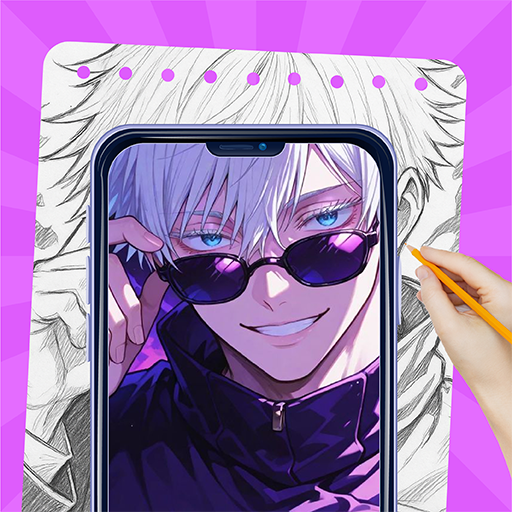
Download AR Sketch: Learn How to Draw V2.3.0 APK From Android App Store Official
Monkey AI Studio
2.3.0 · APK · Updated Nov 13, 20264.0 ★ · 4,207 ratings · 1,000,000 downloads · 66.1 MBDownload Tripo – AI 3D Model Generator V2.5.0 APK From Android App Store New Release
Tripo AI
2.5.0 · APK · Updated Nov 13, 20264.3 ★ · 17,430 ratings · 500,000 downloads · 58.7 MB
Download Draw Anime – AR Drawing Sketch V2.5 APK From Android App Store VIP
WestPoint Store
2.5 · APK · Updated Nov 13, 20261,000,000 downloads · 76.4 MB