Merged APK · re-signed. Discover and download millions of the latest Android apps and games for free at AndroidRU.com. Fast, secure, and always updated with top-rated APKs. Download Phone Cleaner Pro: Clear Cache APK Free, fast, safe, reliable, and daily updated, this application supports ABI: arm64-v8a. AndroidRU.com is the number one Best Google Play Store Alternative in 2027 for Safe APK Downloads. Get the best Premium Android apps & games APKs for free now. All apps and games are unlocked & ad-free. Best download apk latest version from Androidru.com APK downloader
Converter signature verifiedVirusTotal: Not run yetData safety available
5.4 MBSize
1,000Downloads
EveryoneContent rating
Nov 04, 2026Update date
4.5 ★28 ratings
11Written reviews
Signature
Android 12.1+Android OS
About Download Phone Cleaner Pro: Clear Cache V1.0.3 APK Free, Mod Premium
Download Phone Cleaner Pro: Clear Cache APK Free to find storage clutter and manage phone files with review and cleanup tools.
Phone Cleaner Pro: Clear Cache Features
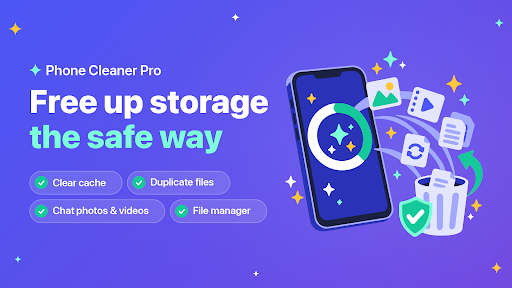
It is a file manager and phone cleaner that frees up storage safely.
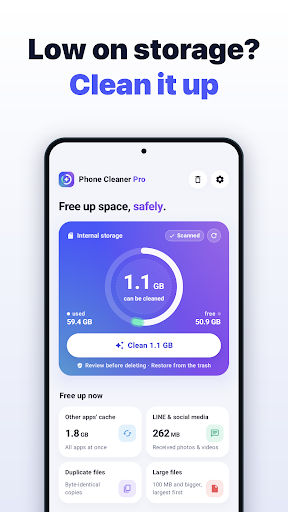
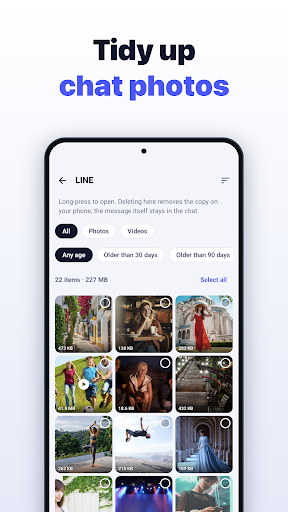
Find junk files, app cache, duplicates, large files and media from LINE or social apps, check what’s inside, then delete them together.
It also works as a full file manager to browse, copy, move, compress and search folders.
Scan and clean
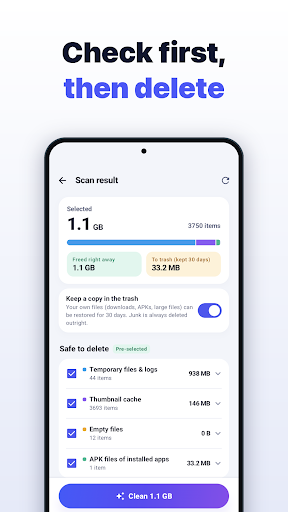
“Scan storage” checks internal storage and the SD card at once and lists results by type and size: temporary files and logs, thumbnail cache, empty files and folders, APKs, app leftovers, LOST.DIR, old downloads and large files.
Only rebuildable data and APKs of installed apps are pre-ticked.
Files you may have saved yourself appear unticked under “Check”.
Freed space and space moved to the trash are shown separately.
Clear the cache of all apps
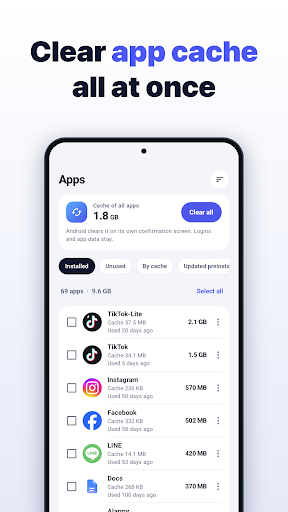
Clear every app’s cache at once via Android’s own confirmation screen (Android 11+, if supported), or open each app’s “App info” from a list sorted by cache.
LINE and social media
Photos, videos and files saved by LINE, WhatsApp, Telegram, Instagram, X, Facebook / Messenger, KakaoTalk, Discord, TikTok, Snapchat and WeChat are totaled per app.
Review by type and delete only what you don’t need.
Duplicate files
Finds identical files, even under different names, by comparing size, first bytes and SHA-256 hash.
“Keep one, select the rest” always leaves one copy.
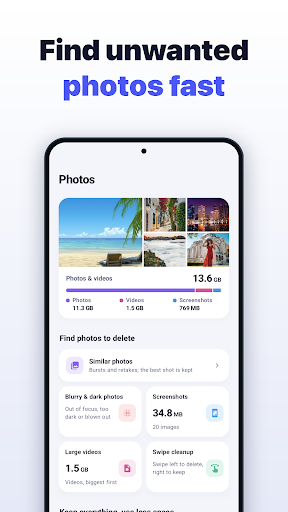
Large files, screenshots and videos
Filter large files by size (10 MB to 1 GB) and type, screenshots by age, and list videos largest first.
App manager
Sort apps by size, name, last use or install date and see their cache.
Uninstall several at once, check updated preinstalled apps, show system apps and extract APKs.
Available features include Sizes and dates need “Usage access”.
Trash and excluded folders
Your own files go to the trash first and can be restored for 7, 14 or 30 days, as you choose.
Excluded folders are skipped by every scan.
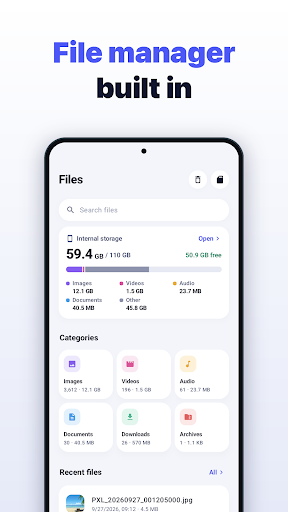
File manager
Browse internal storage, SD cards and USB drives; copy, move, batch rename, share and delete, with tabs and two panes on tablets.
Available features include Categories, favorites, recent files and a storage analyzer.
Search with wildcards, regex and text inside files.
Create ZIP (with password or split), 7z and tar; extract RAR and more.
View images, videos, PDFs and text, edit text, and save files shared by other apps.
Device info
Available features include Memory, battery, CPU clock, display, sensors and app usage, shown without closing other apps.
Premium features
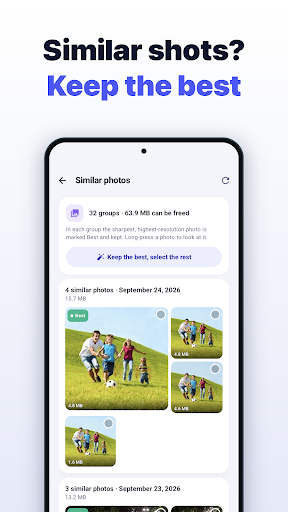
Available features include Similar photos, with the sharpest shot marked “Best” and nothing preselected.
Available features include Blurry, too dark and blown-out photos.
Swipe cleanup, month by month, with undo.
Photo compression keeping date and location (skips motion photos and Ultra HDR).
Available features include video compression to 1080p, 720p or 480p.
Available features include Unused apps.
Available features include Auto clean of rebuildable junk only, and reminders.
Available features include Home-screen widget and quick-settings tile.
Available features include battery, memory and CPU clock as numbers in the status bar (battery and memory also floating).
Available features include battery history (14 days) and health estimate.
Pure black theme and wallpaper colors.
PRICING
Freeing up space is free from scan to deletion, never “free to scan, pay to delete”.
Premium is a one-time purchase that stays yours on every device with the same Google account.
It is not a subscription.
SAFETY
Hidden folders starting with “.” are never entered (except the thumbnail cache), protecting marker files other apps need.
In the Android folder, only large files and APKs are offered.
Standard folders like DCIM are kept even when empty.
Notifications are off by default, with no scary warnings.
There is no RAM boosting, antivirus or CPU cooling.
PERMISSIONS
Available features include all files access: to browse and manage folders as a file manager and find junk across storage.
Available features include Usage access (optional): app sizes and last-used dates.
Display over other apps: only for the floating label.
It is Available in 39 languages.
Get Started with Phone Cleaner Pro: Clear Cache
Open Phone Cleaner Pro: Clear Cache to explore the options described above.
How to install APK files
1Download
Download the file with the button above.
2Open the file
On your Android device, open the file.
3Allow install
If asked, allow "Install unknown apps" for your browser or file manager.
An APK installs directly; no extra installer app is needed.
FAQ
Is this app safe to download?
Converter signature verified. Discover and download millions of the latest Android apps and games for free at AndroidRU.com. Fast, secure, and always updated with top-rated APKs. Download Phone Cleaner Pro: Clear Cache APK Free, fast, safe, reliable, and daily updated, this application supports ABI: arm64-v8a. AndroidRU.com is the number one Best Google Play Store Alternative in 2027 for Safe APK Downloads. Get the best Premium Android apps & games APKs for free now. All apps and games are unlocked & ad-free. Best download apk latest version from Androidru.com APK downloader
How much storage is needed to install this app?
The download is 5.4 MB. Keep at least that much free space, plus room for the installed app.
How do I install the APK file?
Download the file, then open it on your Android device. If asked, allow "Install unknown apps" for your browser or file manager. An APK installs directly; no extra installer app is needed.
Safety starts with understanding how developers collect and share your data. Data privacy and security practices may vary based on your use, region, and age. The developer provided this information and may update it over time.
No data shared with third parties
Data is encrypted in transit
User reviews
4.5
★★★★★
28 ratings
5★100%
4★0%
3★0%
2★0%
1★0%
28 ratings on AndroidRU. 11 written reviews on AndroidRU, 1 shown below. Their honest reviews of this app.
RRamy A.google 2026-10-08★★★★★ 5/5
> I would love to see a "RAM Release / Cleaner" feature added alongside the app's existing capabilities. This functionality is very rare and mostly limited to a few apps that charge expensive monthly subscriptions, whereas your app stands out by offering a one-time purchase model. Adding this feature would be an amazing value-add and a great improvement to the app.🙂


 Download Phone Cleaner Pro: Clear Cache V1.0.3 APK Free, Mod Premium