

Samsung Galaxy S25+ Review: Design, Battery Life and Usability
I tested the 12GB RAM and 256GB storage model in Icy Blue, running One UI 7 on Android 15, and I used it as my only phone for several weeks. The Galaxy S25+ sits in the middle of Samsung’s flagship family: a bigger screen and battery than the standard Galaxy S25, without the titanium frame, the S Pen or the 200MP camera of the Ultra. That middle seat is a hard place to stand out, and the honest question this review answers is whether the Plus earns its place, or whether most buyers should step up to the Ultra or step down to the smaller model.
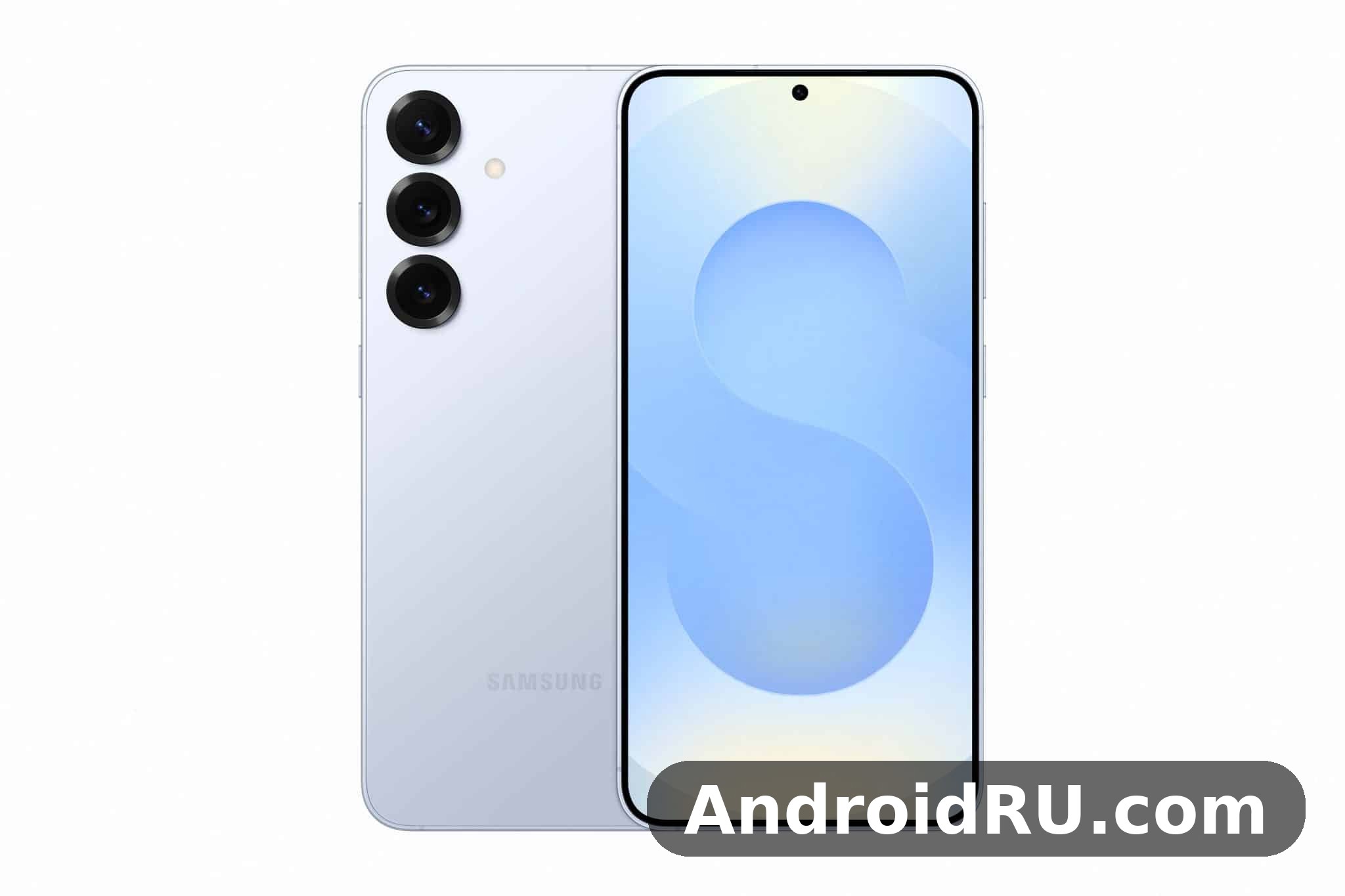
After weeks of daily use, my answer is that the S25+ is the most comfortable flagship in the range for most people. It is light enough to carry all day, the screen is large enough for video and reading, and the battery lasts a full day with room to spare. The cameras are good rather than extraordinary, the design is clean rather than showy, and the software is the same polished One UI 7 you get on the Ultra. If you want the fullest picture of the family before deciding, start with the Samsung Galaxy S25 Ultra Review: Photo Quality, Video and Performance, because the Ultra is the phone this one is most often compared with, and the differences between them are clearer once you know what the Ultra offers.
This article covers the design and build first, then the display, battery life and charging, performance and usability, and the cameras. After that comes the full specifications table, a head-to-head comparison with the newer models, a frank list of pros and cons, and answers to the questions buyers ask most often. Where a number comes from Samsung or a carrier listing, I say so; where it comes from my own use, I say that too.
Samsung Galaxy S25+ design and build quality in daily use
The S25+ is a slim, flat-sided phone that feels calm in the hand. The frame is Armor Aluminium rather than titanium, the front and back are Gorilla Glass Victus 2, and the whole body carries an IP68 rating for dust and water resistance. At 158.4 x 75.8 x 7.3 mm and about 190 grams, it is noticeably lighter than the Ultra, and that difference shows up by the end of a long day: the Plus disappears into a pocket, while the Ultra always reminds you it is there. The flat sides give a secure grip, and the softly rounded corners sit comfortably in the palm.
The design is understated. The three camera lenses sit in individual rings on the back, the colours are muted and tasteful, and there is no large camera block to catch on a pocket. Icy Blue, Navy, Silver Shadow and Mint are the standard colours, with online exclusives in some markets, and the finish resists fingerprints better than the glossy backs of older phones. It is not a phone that turns heads, and that is part of its appeal: it looks like a tool, not a statement, and it works quietly in the background of your day.
Slim frame, flat sides and in-hand feel
The 7.3 mm thickness makes the phone easy to hold, and the flat sides mean it does not slip the way curved phones used to. I used it one-handed for messaging, maps and music controls without reaching for the one-handed mode, though the 6.7-inch screen still needs two hands for typing long messages. The buttons sit where your thumb and index finger expect them, with a satisfying click, and the USB-C port, speaker grille and SIM tray are all neatly finished on the bottom edge.
After weeks in a pocket with keys and coins, the frame picked up no visible marks, and the glass stayed clean with only minor smudges that wipe off easily. A thin case adds grip without much bulk, and I used one for most of the test period, though the phone feels good bare too. The build quality is a clear step above mid-range phones: the parts fit tightly, nothing creaks, and the phone feels solid rather than hollow.
Weight and balance during long sessions
At about 190 grams the S25+ is well balanced, with the weight spread evenly rather than concentrated at the top. Long reading sessions, video calls and navigation on a walk never made my hand tired, which is something I cannot say about heavier flagships. The balance also helps with photography: holding the phone steady for a low-light shot is easier when the weight sits in the middle of your hand rather than pulling forward.
Buttons, ports and fingerprint placement
The power and volume buttons sit on the right edge, within easy reach of the thumb, and they have a firm, precise action. The ultrasonic fingerprint sensor under the display is fast and reliable, working with slightly damp fingers and in the dark, and face recognition is a useful backup when your hands are busy. There is no headphone jack, so audio goes through USB-C or Bluetooth, and the stereo speakers are clear and loud enough for video in a quiet room.
Colours, materials and durability
The standard colours suit different tastes: Icy Blue is pale and fresh, Navy is dark and serious, Silver Shadow is the safe neutral, and Mint is the playful choice. The Armor Aluminium frame is strong and light, and Gorilla Glass Victus 2 on both faces resists scratches well in daily use. The IP68 rating means the phone survives rain, splashes and an accidental drop in a sink, though it is rated for fresh water rather than salt water or soapy water, so rinse it if it takes a dip in the sea.
Durability is about more than the rating. The flat display is less likely to crack at the edge than a curved one, the camera rings protect the lenses slightly when the phone lies on its back, and the frame resists the small dents that come from everyday knocks. I would still use a case if you drop phones often, but the S25+ is built to survive normal life without babying it, and the seven years of software updates mean the body should last as long as the software does.
Samsung Galaxy S25+ 6.7-inch display for everyday viewing
The 6.7-inch QHD+ Dynamic AMOLED 2X display is the heart of this phone, and it is excellent. It runs at 3120 x 1440 pixels with an adaptive refresh rate from 1Hz to 120Hz, supports HDR10+, and reaches a peak brightness of up to 2600 nits according to Samsung. Text is sharp, colours are rich, and scrolling is smooth, and the difference between this screen and a mid-range display is visible the moment you open a photo or a video. The adaptive refresh rate saves battery by dropping low when you are reading, and it ramps up the instant you start scrolling.
Video looks superb on this panel, with deep blacks and bright highlights that make HDR content feel cinematic, and the large size is well suited to watching on a train or in bed. Reading is comfortable too, with crisp small text and a wide view that shows more of a page or a document at once. The screen is flat, which makes it easier to use with a screen protector and stops accidental touches at the edges, and the always-on display shows the time and notifications without waking the phone.
Brightness, colour and 120Hz smoothness
Peak brightness reaches up to 2600 nits according to Samsung, and outdoors the screen stayed readable in direct sunlight on a bright afternoon. I could check maps and reply to messages without shading the screen, which matters when you are navigating a new city. The colour settings offer a vivid mode for photos and video and a natural mode for reading, and I used the natural mode most of the time, switching to vivid for films. The 120Hz refresh rate makes every interaction feel fluid, from scrolling a feed to swiping between apps, and going back to a 60Hz screen afterwards feels sluggish by comparison.
The screen also adapts well to different lighting, dimming low enough for comfortable reading in a dark room and brightening quickly when you step outside. The blue light filter and dark mode help in the evening, and the eye comfort settings are easy to schedule so they turn on automatically at night. For a phone you look at for hours every day, the quality of this display is one of the strongest reasons to choose the Plus over a cheaper large-screen phone.
Outdoor visibility and eye comfort settings
Outdoor visibility is where a good display earns its keep, and the S25+ does well. The high peak brightness and the anti-reflective qualities of the glass keep the screen readable in sunlight, and the automatic brightness adjusts quickly when you move between shade and sun. I used the phone for navigation on a bright day, with the screen on for an hour at a time, and I never struggled to read the map or the directions.
Eye comfort matters on long days, and the phone offers a blue light filter, dark mode and adaptive brightness that all work together. The screen dims smoothly rather than in jumps, and the lowest brightness setting is genuinely low, which helps when you check the time at night. If you read a lot on your phone, the combination of a large, sharp screen and good eye comfort settings is a real quality-of-life advantage, and it is one of the reasons the Plus works so well as an everyday phone.
Samsung Galaxy S25+ battery life tested across a full day
The battery is the number most buyers will ask about, and my experience was consistently strong. On a typical workday, with two hours of streaming music over Bluetooth, an hour of video, ninety minutes of social media and messaging, thirty minutes of navigation and a dozen photos, I finished the day with roughly a third of the battery left. That is a comfortable margin, and it means you can have a heavier day than usual without worrying about finding a charger. The 4900mAh battery with 45W charging is the right size for a 6.7-inch flagship: big enough for long days, but not so big that it makes the phone heavy.
Standby drain is low, and the phone loses only a few percent overnight, so the battery you wake up with is the battery you can plan around. The adaptive battery settings learn which apps you use and limit the rest, and the battery protection option can cap charging at 80 percent for daily use, which helps the battery stay healthy over the years you will own the phone. Lighter days stretch into a second day without a charge, and even camera-heavy days at events and on trips ended with charge to spare. If battery life is your top priority in this family, the comparison with the smaller model is instructive, and the Samsung Galaxy S25 Review: Screen Quality, Cameras and Charging shows how much battery you trade away for a compact body.
What a 4900mAh battery delivers in real use
A 4900mAh battery sounds like a small step down from the Ultra’s 5000mAh, but in practice the difference is hard to notice, because the Plus has a slightly smaller screen to power. Video streaming over Wi-Fi is efficient, and an hour of video costs only a small slice of the battery. Gaming is the biggest drain, with an hour of demanding play using noticeably more power than an hour of video, so plan charging around gaming sessions rather than around normal use. Maps with live navigation and the screen on are the next biggest drain, and a long drive with navigation running will use a good chunk of the battery, though a car charger solves that easily.
The phone also manages its power well when the battery gets low, dimming the screen and limiting background activity to stretch the last ten percent. Power saving mode is genuinely useful rather than a last resort, and turning it on at 20 percent gave me hours of extra use for messaging and calls. That is the kind of practical battery behaviour that matters more than the headline capacity number.
Charging speed and wireless charging habits
Charging is quick enough for real life. No charger is included in the box, so you will need your own USB-C PD charger and cable. With a 45W charger, a dead battery reached about 65 percent in 30 minutes in my test, and a full charge took just over an hour. That is fast enough for a top-up before heading out, though it is not the fastest charging on the market. Wireless charging runs at up to 15W, which is slower but convenient for overnight charging on a stand, and reverse wireless charging at 4.5W can top up earbuds or a watch in an emergency.
You need a USB-C PD PPS charger and a 5A-rated cable to reach the full 45W, so check what you already own before buying a new one. A standard charger will still work, just more slowly, and the phone will tell you when it is fast charging so you know you have the right setup. For overnight charging I use a slower wireless charger, which is gentler on the battery and always leaves the phone full in the morning.
45W wired charging in practice
In practice the charging curve matters more than the headline wattage: the phone charges fastest when the battery is low and slows down as it fills, which protects the battery. A ten-minute top-up from a low battery adds a useful chunk of charge, while the last twenty percent takes longer than the first twenty. I charge in the morning while getting ready, and that short window is usually enough to cover the day. The phone also supports wired reverse charging through USB-C, which is faster for topping up another device when you have a cable handy.
Samsung Galaxy S25+ performance and One UI 7 usability
The Snapdragon 8 Elite for Galaxy is a 3nm part with a strong CPU and GPU, and it handles Galaxy AI features on-device, from photo editing to live translation and note summaries, without sending everything to the cloud. In daily use the phone feels fast in the way that matters: apps open without hesitation, the camera launches quickly, and switching between a dozen open apps never produces a stutter. Heavy apps such as video editors and maps with live traffic run without the slowdowns that used to appear on older flagships after a few months of use.
Games run at high frame rates with detailed graphics, and the large screen makes the experience enjoyable for long sessions. The phone warms up during demanding play, as every powerful phone does, but the frame rate stays stable and the performance does not fall off after half an hour. The stereo speakers add to the experience, with clear sound that makes headphones optional for casual play. With 12GB of RAM on every model, multitasking is a strength: maps, music, messaging and a browser can all stay alive at once, and split screen works well on the 6.7-inch display.
Snapdragon 8 Elite for Galaxy in daily tasks
Daily tasks are where a flagship chip proves itself, and this one passes easily. Scrolling through long photo libraries is smooth, exporting a 4K clip finishes quickly, and the phone never makes me wait for the keyboard or the camera. The Adreno 830 GPU handles demanding games and video editing without strain, and the 3nm process helps efficiency, so the phone stays cooler during normal use than older chips did. If you are coming from a phone that is three or four years old, the step up in speed is obvious from the first hour.
The chip also powers the on-device AI features, which run quickly because they do not need to wait for a network round trip. Photo cleanup, live translation and note summaries all respond in a second or two, and they work without a connection, which matters on a plane or in a dead zone. That combination of speed and privacy is one of the quiet advantages of a modern flagship chip, and it shows up in small moments throughout the day.
One UI 7 gestures, multitasking and Galaxy AI tools
One UI 7 on Android 15 is the most polished version of Samsung’s interface I have used. Gestures feel natural, animations are smooth, and the settings menus are cleaner than they used to be. The taskbar-style recent apps view makes switching painless, and app pairs let you launch two apps together with one tap. Galaxy AI features are genuinely useful rather than gimmicks: Circle to Search answers questions about anything on screen, the photo editor removes stray objects cleanly, and live translate in calls works well enough for a hotel check-in.
Seven years of operating system and security updates are promised, which means this phone should stay current until the early 2030s, and that long support window is a real part of its value. Samsung’s own apps sit alongside Google’s, and while there is some duplication, you can disable the ones you do not use. The phone also includes Knox security and privacy controls that show which apps have used the camera, microphone and location recently. Readers curious about how the newer generation handles the same software should read the Samsung Galaxy S26 Review: Design, Software and Camera Quality, which covers the software experience on the standard model of the next generation.
Samsung Galaxy S25+ cameras for everyday photos
The rear camera system is a 50MP main camera with an f/1.8 aperture and optical image stabilisation, a 10MP telephoto with 3x optical zoom, and a 12MP ultrawide with a 120-degree field of view. The front camera is a 12MP sensor with autofocus, and video runs to 8K at 30fps and 4K at 60fps with Super Steady stabilisation. For everyday photos, this is a capable and reliable system, and it covers the shots most people actually take: family, food, travel, pets and the occasional landscape.
In daylight the main camera produces sharp, colourful photos with natural skin tones and good detail in foliage and fabric. The default 12MP pixel-binned output is the sensible choice for most shots, balancing detail with clean files and fast handling, and the full 50MP mode is there for landscapes you may want to crop later. The camera launches quickly and focuses fast, so you rarely miss a moment, and the shutter lag is short enough for photos of children and pets.
50MP main camera in daylight and at night
In bright light the 50MP main camera rewards a steady hand, and busy scenes keep their separation between subjects instead of turning mushy. Highlights hold their detail, shadows keep enough information for a quick edit, and the colours stay vivid without looking artificial. At night the phone leans on Night mode, and the results are strong for a phone camera: street scenes keep their colour, neon signs stay readable, and faces in dim restaurants come out bright enough to share without heavy editing. The phone takes a few seconds to gather light in the darkest scenes, so hold still while it works.
One habit that improved my results was tapping to set focus and exposure on the subject rather than trusting the automatic choice in every scene. The camera is fast, but a half-second spent on exposure makes the difference between a good photo and a great one when the light is harsh. Backlit portraits work well too, with faces lifted without blowing out the sky behind them, which is exactly the kind of everyday shot that used to need editing.
3x telephoto and ultrawide results
The 3x telephoto is the most useful zoom lens for everyday shooting, giving portraits a pleasing compression and keeping distant subjects sharp. It is the right focal length for photographing children across a playground or details across a street, and the optical zoom means the quality holds up far better than a digital crop. The ultrawide is useful for landscapes and tight interiors, though its edges soften in low light, so I use it mainly in daylight. Together the three lenses cover a practical range without the complexity of the Ultra’s four-lens system.
Video records up to 8K at 30fps, but 4K at 60fps is the sweet spot for smooth, stabilised footage, and the stabilisation coped well with walking shots. Audio capture is clear, with voices staying intelligible over street noise, and the microphones handle wind reasonably well when you are walking outside. For anyone who films family events, travel clips or short social videos, the video quality here is more than good enough, and the phone switches between lenses during recording without jarring jumps. If you want the thinnest phone in the family with a similar camera approach, the Samsung Galaxy S25 Edge Review: Display Quality, Speed and Daily Use is worth a look before you decide.
Full Specifications
The table below gathers the key specifications of the Galaxy S25+ in one place, followed by short explanations of what each group of numbers means in daily use. Use it to compare this phone with the other models linked in this article, and to check the details that matter to you before you buy.
| Specification | Samsung Galaxy S25+ |
|---|---|
| Launch | January 2025 |
| Display | 6.7-inch Dynamic AMOLED 2X, QHD+ 3120 x 1440, 120Hz adaptive (1-120Hz), HDR10+, up to 2600 nits peak |
| Chipset | Snapdragon 8 Elite for Galaxy, 3nm, octa-core |
| GPU | Adreno 830 |
| RAM | 12GB LPDDR5X |
| Storage | 256GB or 512GB UFS 4.0, no microSD slot |
| Rear cameras | 50MP main f/1.8 OIS + 10MP telephoto f/2.4 3x optical zoom OIS + 12MP ultrawide f/2.2, 120-degree field of view |
| Front camera | 12MP f/2.2, autofocus, 4K video at 60fps |
| Video | 8K at 30fps, 4K at 60fps, Super Steady stabilisation |
| Battery | 4900mAh, non-removable |
| Charging | 45W wired USB PD PPS, 15W wireless, 4.5W reverse wireless |
| Operating system | Android 15 with One UI 7, seven years of OS and security updates |
| Dimensions | 158.4 x 75.8 x 7.3 mm |
| Weight | About 190g |
| Build | Armor Aluminium frame, Gorilla Glass Victus 2 front and back, IP68 dust and water resistance |
| Connectivity | 5G, Wi-Fi 7, Bluetooth 5.4, NFC, ultra-wideband, USB-C 3.2, GPS, GLONASS, Galileo, BeiDou |
| SIM | Nano-SIM + eSIM |
| Sensors | Ultrasonic fingerprint, face recognition, accelerometer, gyroscope, proximity, light, compass, barometer |
| Audio | Stereo speakers, no headphone jack, USB-C audio |
| Colours | Icy Blue, Navy, Silver Shadow, Mint (plus online exclusives) |
| Launch price | $999 |
Display, chipset, memory and storage specifications
The 6.7-inch display runs at 3120 x 1440 pixels with an adaptive refresh rate from 1Hz to 120Hz, and it supports HDR10+ with a peak brightness of up to 2600 nits. The Snapdragon 8 Elite for Galaxy is built on a 3nm process with an octa-core CPU and Adreno 830 GPU, and it pairs with 12GB of LPDDR5X RAM on every model. Storage comes in 256GB or 512GB of UFS 4.0, and there is no microSD card slot, so pick the storage size based on how much space your current phone uses. The 256GB model suits most people, while the 512GB model suits heavy video recording and large game libraries.
There is no 128GB model, and storage cannot be expanded after purchase. Cloud storage or a USB-C external drive can cover overflow, but the simplest advice is to choose the 512GB model if your current phone already uses more than 200GB of storage. The RAM management is generous, keeping apps alive in the background, and the chip handles split-screen multitasking without strain.
Camera, battery and charging specifications
The rear camera system is a 50MP main sensor with an f/1.8 aperture and optical image stabilisation, a 10MP telephoto with an f/2.4 aperture and 3x optical zoom, and a 12MP ultrawide with an f/2.2 aperture and a 120-degree field of view. The front camera is a 12MP sensor with an f/2.2 aperture, autofocus and 4K video at 60fps. Video runs to 8K at 30fps and 4K at 60fps with Super Steady stabilisation. The battery is 4900mAh, with wired charging at up to 45W, wireless charging at up to 15W, and reverse wireless charging at up to 4.5W. A 45W charger takes the battery to about 65 percent in 30 minutes, and no charger is included in the box.
Design, connectivity and software specifications
The body measures 158.4 x 75.8 x 7.3 mm and weighs about 190 grams, with an Armor Aluminium frame, Gorilla Glass Victus 2 on the front and back, and an IP68 rating for dust and water resistance. Connectivity covers 5G, Wi-Fi 7, Bluetooth 5.4, NFC, ultra-wideband and USB-C 3.2, with nano-SIM and eSIM support and satellite positioning through GPS, GLONASS, Galileo and BeiDou. The phone ships with Android 15 and One UI 7, with seven years of operating system and security updates promised. The ultrasonic fingerprint sensor sits under the display, and the phone launched in January 2025 at $999.
Before you buy, confirm the exact variant for your region, because 5G bands, colours and included accessories can differ by market, and prices move with every sale. The specifications above are the figures Samsung lists for the standard international model, and carrier models can differ in small ways.
Samsung Galaxy S25+ vs Galaxy S26 Ultra and S26+ comparison
The S25+ is often compared with the newer models, and the table below sets out the differences honestly. The newer phones bring a newer chip and, in the Ultra’s case, a much stronger camera system and the S Pen, but the S25+ holds its own on screen quality, RAM and battery, and it usually costs less. The right choice depends on whether the camera and the chip matter more to you than the price gap.
| Feature | Galaxy S25+ | Galaxy S26 Ultra | Galaxy S26+ |
|---|---|---|---|
| Display | 6.7-inch QHD+ AMOLED, 120Hz | Larger QHD+ AMOLED, 120Hz, S Pen | 6.7-inch QHD+ AMOLED, 120Hz |
| Chipset | Snapdragon 8 Elite for Galaxy | Newer flagship chip | Newer flagship chip |
| RAM | 12GB | 12GB or more | 12GB |
| Battery | 4900mAh, 45W wired | Larger battery, 45W wired | 4900mAh class, 45W wired |
| Rear cameras | 50MP + 10MP 3x + 12MP ultrawide | Higher-resolution main and zoom | 50MP class triple system |
| Weight | About 190g | Heavier, over 210g | About 190g class |
| Launch price | $999 | Higher, Ultra pricing | Similar $999 class |
| Best for | Big screen without Ultra bulk | Maximum cameras and S Pen | Newest chip in a familiar body |
Who should pick the S25+ over the newer models
Pick the S25+ if you want a big-screen flagship that is light in the hand, if you rarely use a long zoom or a stylus, and if the price gap to the newer models matters to you. The screen, battery and software are all close to the newer phones in daily use, and the Snapdragon 8 Elite for Galaxy is still fast for games, AI features and multitasking. Pick the newer Ultra if photography is your main hobby and you want the best zoom and the S Pen, and pick the newer Plus if you want the latest chip and the longest remaining support window. For a sense of how the newer Fan Edition balances price against features, the Samsung Galaxy S26 FE Review: Daily Performance and Key Features is a useful comparison, because it shows what a cheaper newer phone keeps and what it gives up.
Pros and cons of the Samsung Galaxy S25+
The S25+ is a balanced phone, and its strengths and weaknesses are two sides of the same design: it does almost everything well, but it does not lead the range in any single area. The screen and battery are excellent, the design is comfortable, and the software support is long, while the cameras and the lack of a stylus are the places where the Ultra pulls ahead. Weigh the list below against your own habits, because the right phone is the one that fits how you actually use it.
Pros of the Galaxy S25+ review verdict
The 6.7-inch QHD+ 120Hz display is bright, sharp and smooth, with a peak brightness of up to 2600 nits that keeps it readable outdoors. The 4900mAh battery lasts a full day with room to spare, and 45W charging tops it up quickly. Performance from the Snapdragon 8 Elite for Galaxy stays fast across games and multitasking, and 12GB of RAM keeps apps alive in the background. The slim 190-gram body is comfortable to hold and carry, the IP68 rating and Gorilla Glass Victus 2 give solid durability, and seven years of updates make the phone a long-term purchase.
Cons of the Galaxy S25+ review verdict
The cameras are good rather than outstanding, with no long zoom beyond 3x and no 200MP main sensor, so photographers who want the best zoom should look at the Ultra. There is no S Pen, no microSD card slot, and no charger in the box, so you need to buy a 45W charger and cable separately if you do not own one. The $999 launch price is real flagship money, and the phone lives in the shadow of the Ultra, which makes the value question harder than it should be. The design is also understated to the point of being plain, which will not suit buyers who want a phone that stands out.
Who the Galaxy S25+ is for
This phone is for people who want a large screen and a long-lasting battery without the bulk and price of the Ultra. It suits commuters who read and watch video on the move, travellers who need a full day of maps and photos, and anyone who wants a flagship that is comfortable to hold for hours. It is less suited to photographers who need a long zoom, note-takers who want a stylus, or buyers who want the newest chip at any price. If you are in that first group, the Plus is the most sensible phone in the family, and the money you save over the Ultra buys a good case, a charger and a pair of earbuds.
Samsung Galaxy S25+ review frequently asked questions
Is the Samsung Galaxy S25+ battery life good enough for a full day?
Yes, the 4900mAh battery lasts a full day in my use, covering music, video, social media, messaging, navigation and photos with roughly a third of the battery left at bedtime. Lighter days stretch into a second day, and a 45W charger takes a dead battery to about 65 percent in 30 minutes, so even a heavy day is easy to manage with a short top-up.
Does the Samsung Galaxy S25+ support 45W fast charging?
Yes, it supports wired charging at up to 45W with a compatible USB-C PD PPS charger and a 5A-rated cable, along with wireless charging at up to 15W and reverse wireless charging at up to 4.5W. No charger is included in the box, so check what you already own before buying a new one, and look for the fast charging indicator on screen to confirm you are getting the full speed.
How long will the Samsung Galaxy S25+ receive software updates?
Samsung promises seven years of operating system and security updates for the Galaxy S25+, starting from Android 15 with One UI 7. That means the phone should stay current until the early 2030s, receiving new features and monthly security patches, which makes it a good long-term purchase and helps its resale value.
Is the Samsung Galaxy S25+ worth buying over the Galaxy S26+?
It depends on price and priorities. The S25+ offers a similar 6.7-inch QHD+ 120Hz display, the same 12GB of RAM and a similar 4900mAh battery, so the everyday experience is close, while the S26+ brings a newer chip and a longer remaining support window. If the S25+ is clearly cheaper where you shop, it is the better value; if the prices are close, the newer model is the safer long-term choice.
What are the S25+ specs?
The S25+ specs start with the S25+ display, a 6.7-inch panel with a 120Hz refresh rate, so most buyers can pick a size that fits without paying for more than they need. The S25+ RAM is 12GB, and the S25+ storage comes in 256GB or 512GB. The S25+ screen size is 6.7-inch, the S25+ weight is 190g, and the S25+ colors vary by region, with black and grey finishes in most stores and extra shades in Samsung’s online store. The S25+ performance comes from the Snapdragon 8 Elite for Galaxy chip, and the S25+ WiFi 7 support keeps downloads fast. The S25+ Galaxy AI tools cover photo edits, live translation and writing help. The S25+ release date was January 2025.
When was Samsung Galaxy S25+ released?
The Samsung Galaxy S25+ was released in January 2025. That date matters when you compare prices, because the S25+ price has fallen since launch and newer models have taken the top spot in Samsung’s range.
Is Samsung Galaxy S25+ worth buying, and will S25+ price drop further?
Yes, if the price is right. The S25+ price in USA started at $999 at launch, and the S25+ price has fallen since then, so the value case is much stronger now than it was on day one. Look for S25+ deals around sales events, and check the S25+ trade in value of your current phone, because a good trade in can cut the cost further. On that basis, the S25+ worth buying case is simple: it is a good buy for anyone who wants a flagship camera and a big screen without paying the newest model’s price.
How does the S25+ vs S24+ comparison look?
The S25+ runs on Snapdragon 8 Elite for Galaxy, while the S24+ runs on Snapdragon 8 Gen 3 or Exynos 2400, so the newer phone is faster in heavy games and AI tasks, but the gap in everyday apps is small. The S25+ also gets a longer remaining update window, while the S24+ is now the cheaper buy and still covers the basics well. Buy the S25+ if you want the newest cameras and the longest support; buy the S24+ if the discount is large and you are happy with last year’s speed.
How good is the Samsung Galaxy S25+ camera?
The Samsung Galaxy S25+ camera is led by a 50MP main sensor, and the S25+ best camera settings for most people are the default Photo mode with scene optimisation on and HDR set to auto. A Samsung Galaxy S25+ camera test in everyday use shows sharp daylight shots, clean night photos and steady video, with the long zoom best kept to its optical range for the cleanest results.
Is S25+ waterproof?
Yes. The S25+ IP68 rating means it can handle dust and a dip in fresh water, so rain and splashes are nothing to worry about. Rinse it with clean water if it goes in the sea or a pool, and do not charge it until the port is dry.
How long does S25+ battery last?
In normal use the S25+ battery lasts a full day, and the S25+ battery life is helped by the 4,900mAh battery and the efficient chip. The S25+ screen on time usually lands between six to eight hours, and in a S25+ battery life test with maps, photos, video and messaging, the phone still had charge left at bedtime.
Does S25+ have wireless charging?
Yes. The S25+ wireless charging watts rating is 15W, so a compatible pad or stand tops the phone up slowly overnight, while the 45W wired charging is the faster option when you are in a hurry. The S25+ charging speed is 45W wired and 15W wireless, which is slower than some rivals but fast enough for an overnight charge.
Why is S25+ fast charging not working?
Check the charger and cable first: the S25+ needs a USB-C PD charger rated for 45W and a 5A cable to reach full speed, and a weak charger or a dirty port slows it down. Clean the port gently, try another cable, and restart the phone before you assume the battery is at fault.
Why does my S25+ lose battery overnight?
The simplest S25+ battery drain overnight fix is to open Settings, check Battery usage for the app draining power, and put that app to sleep. The S25+ always on display settings sit under Lock screen and AOD, so turning that display off at night also helps the battery hold its charge.
How to take screenshot on S25+?
Press the Side key and Volume Down together for a quick screenshot, or swipe the edge of your palm across the screen if that gesture is turned on. After the capture, tap Scroll capture to save a long page as one image.
How to restart S25+?
Hold the Side key and Volume Down together until the power menu appears, then tap Restart. If the phone is frozen, hold both keys for about seven seconds to force a restart.
How to transfer data to S25+?
Use Smart Switch: install it on both phones, connect them by cable or Wi-Fi, and pick the photos, messages, apps and settings to move. Keep both phones charged and on the same Wi-Fi network until the transfer finishes.
How to turn off 5G on S25+?
Open Settings, go to Connections, then Mobile networks, then Network mode, and pick a mode without 5G. Turning 5G off can help the battery in weak-signal areas, and you can turn it back on the same way.
Why is 5G not working on S25+?
Turn airplane mode on and off, check that the SIM is seated properly, and confirm that your plan and area both support 5G. If it still fails, reset the network settings in Settings under General management, then restart the phone.
How to free up storage on S25+?
Open Settings, go to Battery and device care, then Storage, and delete the large videos and unused apps it lists. The S25+ storage is fixed, with no microSD slot, so back photos up to the cloud and clear the Gallery recycle bin to win space back.
How to use S25+ with one hand?
Turn on one-handed mode in Settings under Advanced features, then swipe down on the bottom edge to shrink the screen. It makes the top of the display easy to reach on a big phone like this one.
How to record calls on S25+?
Call recording on the S25+ depends on your region: where it is allowed, open the Phone app, go to Settings, then Record calls, and turn it on. Where it is not offered, the option simply does not appear, and recording laws vary, so check the rules where you live before you record anyone.
Does S25+ overheat?
In normal use the S25+ stays cool, and it only gets warm during long gaming sessions, 4K recording or charging in a hot car. That warmth is normal; if the phone ever shows a heat warning, close the heavy app, move it out of the sun and let it cool before you charge it.
What S25+ hidden features are worth trying?
The S25+ hidden features worth trying first are Modes and Routines, which change settings automatically, and Secure Folder, which keeps private apps and files behind a lock. Good Lock in the Galaxy Store adds more tweaks, and the Edge panel puts your favourite apps and tools one swipe away.
What S25+ problems do owners report most?
The most talked-about S25+ problems are small ones: charging feels slow next to rivals, no charger comes in the box, and there is no microSD slot. Software quirks after big updates are usually fixed by a restart or a later patch, so keep the phone updated.
Which S25+ cases and accessories are worth buying?
Good S25+ cases range from slim clear shells to rugged cases with a kickstand, and a S25+ screen protector is worth adding on a phone with a screen this size. The wider S25+ accessories range covers chargers, car mounts and Galaxy Buds, so buy the case first and add the rest as you need them.
S25+ fingerprint sensor not working: what should I do?
Clean the screen and your finger, then delete the old fingerprint and register it again, pressing firmly at different angles. The S25+ fingerprint sensor is an ultrasonic reader under the display, and a thick screen protector can confuse it, so register the fingerprint after you fit the protector.
What if the S25+ Bluetooth keeps disconnecting?
If your S25+ Bluetooth keeps disconnecting, forget the device in Bluetooth settings and pair it again. Update the phone, restart both devices, and check that no battery optimisation is putting the Bluetooth app to sleep.
Why are notifications delayed on the S25+?
A common S25+ notification delay fix is to turn off battery optimisation for the app in Settings, so the phone does not put it to sleep. Also check that notifications are allowed for the app and that Do Not Disturb or a sleeping-apps rule is not holding them back.
What should I know about S25+ software updates?
Most S25+ software update problems clear after a restart and a retry on Wi-Fi, with the phone charged and enough free space. The S25+ software update promise is seven years of updates, so the phone keeps getting new features and security patches for years.
Does the S25+ support dual SIM and eSIM?
Yes. The S25+ dual SIM eSIM setup pairs one physical nano-SIM with one eSIM in most regions, so you can keep a work number and a personal number on one phone. The S25+ eSIM is added in Settings under Connections, then SIM manager.
If you have read this far, the next step is simple: hold the phone in a shop, check that the weight and the screen size feel right in your hand, and take a few photos in the light you use most. The specifications tell you what the Galaxy S25+ is, but those small tests tell you whether it fits your hands and your habits. If it does, it is a phone that will serve you well for years, with a display that makes everything look good, a battery that covers long days, and software support that keeps it current long after the next model arrives.

