

NNick
2026-10-15★★★★★
5/5
2026-10-15★★★★★
5/5
works like a charm to cast to Roku when native Android cast didn't work. no ads, no issues, easy to set up.
InShot Inc.
2.5.6 APK Old versions Merged APK · re-signed
Merged APK · re-signed. Discover and download millions of the latest Android apps and games for free at AndroidRU.com. Fast, secure, and always updated with top-rated APKs. Download Cast to TV, Chromecast & Roku APK Free, fast, safe, reliable, and daily updated, this application supports ABI: arm64-v8a. AndroidRU.com is the number one Best Google Play Store Alternative in 2027 for Safe APK Downloads. Get the best Premium Android apps & games APKs for free now. All apps and games are unlocked & ad-free. Best download apk latest version from Androidru.com APK downloader
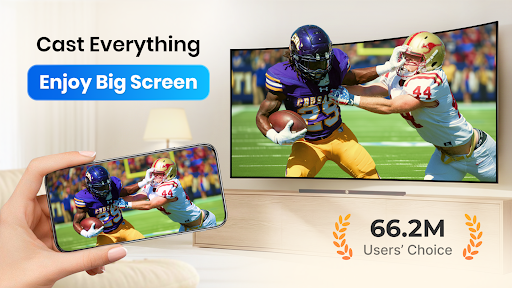
Download Cast to TV, Chromecast & Roku APK Free to cast videos, music, images, and live streams or mirror your phone to compatible devices.
Take a closer look at Cast to TV, Chromecast & Roku and get started when you are ready.
Download the file with the button above.
On your Android device, open the file.
If asked, allow "Install unknown apps" for your browser or file manager.
An APK installs directly; no extra installer app is needed.
Converter signature verified. Discover and download millions of the latest Android apps and games for free at AndroidRU.com. Fast, secure, and always updated with top-rated APKs. Download Cast to TV, Chromecast & Roku APK Free, fast, safe, reliable, and daily updated, this application supports ABI: arm64-v8a. AndroidRU.com is the number one Best Google Play Store Alternative in 2027 for Safe APK Downloads. Get the best Premium Android apps & games APKs for free now. All apps and games are unlocked & ad-free. Best download apk latest version from Androidru.com APK downloader
The download is 12.6 MB. Keep at least that much free space, plus room for the installed app.
Download the file, then open it on your Android device. If asked, allow "Install unknown apps" for your browser or file manager. An APK installs directly; no extra installer app is needed.
a96587159d6184d5...1effcfCategories: Video Players & Editors · Tags: Android, APK, Free Download, Video Players & Editors
Version 2.5.6 · 12.6 MB · APK
SHA-256 4d3e6fcbead18f7df3baded84344ad5ca8dff5fd9406707c53292b5af5d9f238
Signer a96587159d6184d5a59f2e5a37656587fc9f3de337af454b228bff144c1effcf
Architecture arm64-v8a
Antivirus scan: not run for this file. No scan result is claimed here.
4d3e6fcbead18f7df3baded84344ad5ca8dff5fd9406707c53292b5af5d9f238
a96587159d6184d5a59f2e5a37656587fc9f3de337af454b228bff144c1effcf
Swipe to see all screenshots
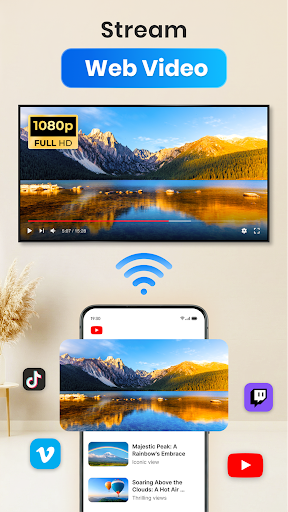
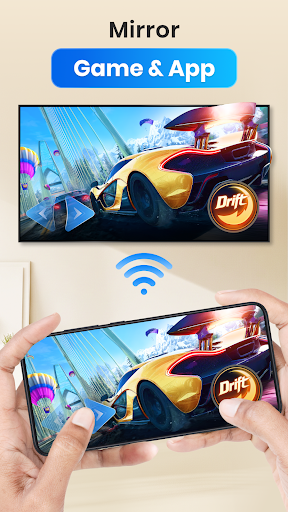
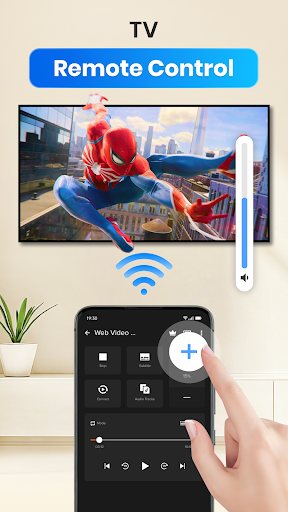
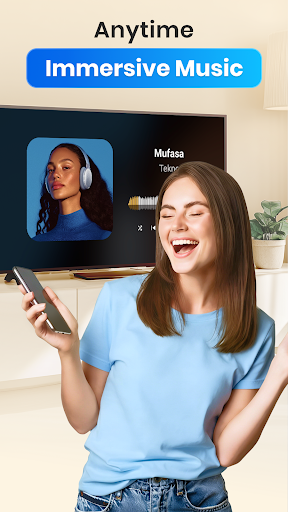
| Size | ||
| Date | ||
| Format |
Safety starts with understanding how developers collect and share your data. Data privacy and security practices may vary based on your use, region, and age. The developer provided this information and may update it over time.
491,278 ratings
491,278 ratings on AndroidRU. 12,676 written reviews on AndroidRU, 100 shown below. Their honest reviews of this app.
works like a charm to cast to Roku when native Android cast didn't work. no ads, no issues, easy to set up.
screen mirroring doesn't work, constant ads, useless
PURE GARBAGE THAT DOESN'T WORK NON STOP ADS THAT TRY TO TRICK YOU INTO HITTING THE BUTTON DATA MINING APP
Honestly, I enjoy this app. It supports my Panasonic TV effortlessly
ad barrage, almost not useable because of so many ads
easy to use, payment is optional which you can still use it for free and it works fine, The only issue is the ads popping up every time I go to another video. Other than that it's good.
awesome App. easy to use and works great. thanks
This triumphs over every other video casting app on Playstore. Simple, no-BS, just simply install it on your phone and TVs and play your favorites. Thank you XCast, for being real in a world full of lies.
love it, you can cast in the background and use phone at the same time. Great app for casting. thank you.
I was upset with this app I paid for. But I figured out the problem and I am now satisfied with this app. I have no more problems with this app. The only problem I have is when I cast to my TV the sound of someone is speaking playing before the person is speaking.
works great with Roku with minimum nonevasive ads. this is the only free one that works!! don't ever change
Works fine, great app. Comes with ads but what the heck ya know
Bought the Pro version expecting it to fix my issues with the sound being unavailable during playback - but no. A waste of money. Thanks a lot...
App does exactly what it is supposed to do. it took me a whole 5 seconds to figure out the app and haven't had a single issue using it. I've tried other apps to cast to TV, but this one is so far, the best app for it. even the free version of this app is superior to the apps you have to pay to use.
Works for what I need it for, although I have never been able to get the subtitles working.
very Good App to cast videos on TV and projected as well...
Great app and great app developer. Tried other apps but this is awesome cast app👍
you can't control in the time of videos from browser can't chose any minute you want it to play can't move to any minute or return 5 minutes as example its stupid problem
Troubleshooting help, instant connection, working well
it's always working, but sometimes it's loading.
Yes! Works perfectly where others did not. Used the Chromecast Cast Screen function to stream a movie to a TV. Worked flawlessly!
Aggressive ads, don't even work! Downloaded this to cast to my Chromecast, but it can’t even connect. It’s completely unusable with constant popup ads, and it relentlessly spams you to buy a subscription for a broken app. Save your time and skip this cash-grab, uninstalled immediately.
The app does what it advertises to do and what it should do The only problems come from the hardware of the devices that's all
not exactly sure how or why, but continuously disconnects and stops mirroring/casting to tv. it does it several times all within a span of only 30 to 40 minutes. and having to reopen and reconnect can sometimes take several minutes due to ads. also, there are lagging issues as well. wish it was better
I have tried every suggestion and nothing works. the play lists function is not working. Single play only. I must physically click the next video. Dunno what has changed. older phone, but the new Techno is exactly the same.
amazing, want to watch a movie to cast on TV and it worked out well👍
It's a very nice and alternative way to stream shows and anime that don't exist in streaming anymore.
The best on the market for screen cast and screen mirroring apps. This was by far the easiest of all the apps I tried. Setting up was a breeze on my Roku TV.
I setup M2 Plus "AnyCast" to the HDMI Wireless does work on "Airplay Made" had DLNA Connect on my Moto G 2025 Cell Phone, but Another I tried switch searching "Cast" Listing missing 3 dots on menu by "MiraCast Made". Failed not showed listing there nothing. where I suppose to play the game app though that only "MiraCast Made" on my Big TV!?. I tried. I am very patient my nick numb head moving to see small there on my cell phone really annoying! Huh..
always gets stuck at 13% when casting online video update - casting to roku tv . It happens on many sites like bili tv and iptvs. Also I tried playing the video 2-3 times after that it did not opened in free plan
rather enjoy this feature it under friendly for all my mobile devices and my Roku...I love it
keeps disconnecting while watching for no reason and it keeps lagging or glitching. seriously why does it ??? It's not my connections. or devices. please fix it
I've used this app for a few years. suddenly cannot find the same TV I've cast to numerous times. no longer works. uninstalling and looking for an app that works.
The app used to work fine but now it has trouble casting. It takes two tries everytime i try to cast anything and the app never used to do that.
doesn't work. I've tried for weeks. it says connected and it doesn't do anything. it was a Roku tv
Personally, my best choice for casting ⭐⭐⭐⭐⭐ 5/5 The best casting and mirroring app on the Play Store! It works perfectly, connects quickly, and provides a smooth and stable experience. The quality is excellent, the interface is easy to use, and it makes sharing your screen to a TV effortless. Definitely one of the best apps I have tried — highly recommended! greetings from Romania p.s ( can I get one month (or week) free for review, ahahaha =))) just joking, keep it up
I bought the lifetime subscription in January of 2023. Now it refuses to restore! As do all the other apps I have bought from you, except the screen recorder. I have brought this to your attention for several years now. FIX IT!
I deleted my previous review to give a more thorough one. an ad played when I started up the app. another ad played when I hit the button to mirror cast. then a notification came up directing me to download a completely different app that does the same thing that is rated lower. so people that are having issues with the app, they will not fix them. they made another version, that likely does the same thing. The redirect (redirecting me to the new app) would not let me back out into the app.
Just a Wow experience Easy and Simple to cast on TV Try it once for casting any movie series anything easily and also open other apps in phone Nice
It is incredibly easy to use. Compared to other casting apps on the market, this one is significantly better; It’s one of the best workarounds for casting media files to a TV that isn't compatible with Google Photos.
Best App I have eveeerrrr used , this app have helped me a lot even the free version is soo good can't image how pro would be. Must and only app to use for casting. genuinely happy with the app.
Non-stop interruptions, including all your favorites: ads disguised as app functionality, rate this app, etc. literally every navigation pops up something else. A cesspool. EDIT: You need to give users a chance to actually use the app before bombarding them with ads and rating popups. I'm not going to suffer through all that just to see if it's worth buying. I wouldn't purchase this app on principle. The first full-screen popup made it seem like you had to register an account, but it was an ad.
Not too bad on the ads. Does seem a bit more effective at streaming than others I have tried. Opted for paid version. Reasonably priced.
The moment I downloaded it and wanted me to verify my account, some apps do that, but the difference here is that it won't verify your account until you pay for I forgot what it was ridiculous I don't want to purchase anything but it won't verify your account which means you can use the application. This is a scam and its garbage.
After installing and uninstalling on my phone and tv box around a half dozen or so casting apps with no luck I finally found one that works, this one. 👌
No subtitles, despite how I choose this in my browser. I've had to reinstall it 3x when it stopped working. Until recently it worked well, but now it says it can't cast from the links I use, despite how the links actually play well in the browser and in the app... so it plays well, just doesn't cast to theTV...
performs well but almost all vertical videos shot phones are rendered in landscape on the Roku xcast app (they are correctly recognized as portrait on my PC) unfortunately i don't have a way to tilt the TV!
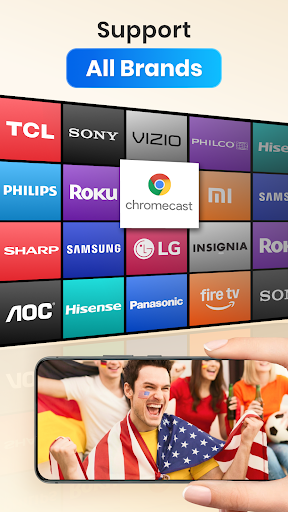
it works great because my phone can only do Chromecast and while you have to download the app on your Roku TV it works great anyways
I struggled to find an app that would mirror my tablet screen to my Toshiba smart TV. This one does what what it should and actually works, it was so easy to set up, and during set up there were no annoying ads hindering me. The biggest plus for me is the sensible pricing to purchase the app, which I have subsequently done. A big thanks to the creators of this app.
I started to used this app for a couple of the months and I can say I had delightful and swifty experience without any problem which at a one time I decided to use the pay version to support the developers. I always looked for a suitable app so I could easily cast it from my phone, and this app did it perfectly. I hope that in the future, they will add new features to this app.
This is a great app, but my wife can't access the premium features even being a part of the same Google family together. No accounts have changed, and I bought the app before they changed their purchase model. If they correct the issue, I will change my review. As I said above, all accounts are unchanged thus my confusion on why she doesn't have access. I have clearly purchased your product so this is becoming quite irritating.
Actually one of the most best screen sharing apps out there. It's very simple to use! I did have some trouble trying to pause my movies and shows but I eventually found out how and I'm happy for that. My ONLY few annoyance tho is the constant ads popping up and sometimes the movie freezes a bit or the audio would go way too early then what's being shown, so I hope that's fixed. But overall great app and would highly recommend especially for Roku TV users!!
Cast to TV, Chromecast & Roku by InShot Inc. is the best casting app I’ve used! Super easy to set up, connects instantly, and streams smoothly without lag. The interface is clean, controls are simple, and it supports many formats. No constant disconnects or frustrating errors, just reliable, high-quality casting every time. Perfect for Chromecast and Roku users. Highly recommend!
Used to be perfect, but has recently started randomly bombing out of streams. It started on my old android 13 phone, has continued onto my new android 15, and all the battery optimisation is disabled for the app on both so it isn't that. You then have to disconnect/reconnect and try to find where you were up to. It isn't a fault in the file either as it will happily play through the same point second time. Hope this gets fixed.
What a pity. Having used the app for several weeks and been very happy, suddenly when attempting to create a 3rd playlist, either it or an advert keeps demanding we pay. We're aware some apps offer a trial period but we can't see that declared on Google Play. Maybe it's an advert that gets stuck - if it is we hope they will let us know because we've uninstalled the app.
This is a great app; lots of abilities to cast various sources (own files, the web, etc). One thing that I've found really annoying is how the Route options keeps popping up every few seconds, making the page (that I'm browsing) unusable basically. I'd like to see that retired, as it's possible to get to it via the button on the bottom (or make in an option in the settings to disable this). Overall, great app!
I have a Google smart TV. I casted to my TV from my phone. There is lots of pixelation issues while watching videos. Also keeps kicking off casting to my TV. Biggest issue is I can't skip to where I left off. It forces me to start from the begining. Even if I had gotten almost to the end of my video before it kicked me off TV cast. I am forced to watch the whole video again from the start. It's extremely frustrating. It does somewhat cast though. And the ads is only one or two after each tap.
The name of your app specifically says "cast to roku." The reason I downloaded the app.. There was no mention or button for Roku. It took rummaging in the text of the app to discover that you do NOT in fact support Roku casting at present. At best this is a bait and switch. At worst out and out fraud and misrepresentation. You should change the app name and listing immediately.
It's a miracle Google allows reviews for this app, because it FAR outperforms their version, which you have to jump through hoops and download further apps to use. This beauty is a 1, 2, 3, start watching deal. It does contains ads, and although I'm the biggest ad-hater anywhere, for ONCE I don't mind them. THIS is the way all apps should be: Apps should make people like me, who don't want to pay for apps, WANT to pay for an app, not because it annoyed me into it, but because it's so good!
Connects to my Fire TV. That's the only thing that's good about this app. Problems are that it is a pain to connect. And doing wireless display brings up my neighbor's TV, which I have almost accidentally connected to many times. Sick of different TVs popping up on the list as I'm about to click on the TV I want (when it finally appears on the list) and I end up clicking something different.
Worked better before paying. Paid to get rid of the ads that were out of control. Now drops often. I use many apps across multiple platforms. This is the only app that drops casting. Today months after my initial review I have removed this app. It keeps updating, then tries to charge me and throws ads up. But today was it with a screen announcing how my info will be shared, and basically sold. Very weak don't waste your time with this app. I have been building networks longer than your life.
Works great and have had no problems yet. Before this app, I tried some of the other top TV Cast Apps and they kept on cutting off or u couldn't watch from where u want such as Web Video Caster, Allcast and few others. This one you could play it from wherever u want and the other ones, u had to start from the beginning and only way u can skip forward is by pressing the 15 or 30 seconds button and it takes forever to do that. This app is better in every way and very simple to find ur Videos
that little popup they show in one of the screenshots that allows you to select resolution? super annoying. makes it impossible to navigate the web as any time there is any video available it covers the bottom half of the screen and comes right back up if dismissed. i literally can't get to the video i want to cast because it wants to stream ads/previews and won't go away. also there's constant in-app ads. every time i come back from my phone's lock screen it shows me the same facebook ad.
Bad Performance App. Downloaded thinking I found an android app on par with Airplay. Wrong! It's like downloading a game that every time you beat a level and add pops up. There are too many ads like these playstore games👎. The videos take forever to load on your TV from your phone, but when disconnected, your movie plays great on your phone. Definitely won't ever put money into this developers' app.
When I tried it in 2021 it was garbage but now it's the best casting app I've used. I just paid for the premium version. Just one issue, the seeking buttons don't work properly. Even when You adjust the settings so that it skips forward more than ten seconds and skips forward a couple minutes, It still only skips forward ten seconds at a time. And trying to manually skip forward with the slider doesn't work. So it's near impossible to fast forward. Also, the browser doesn't have multiple tab
Skip the other apps, because this one works! I tried four apps that had different names, but looked exactly the same once I opened them. They didn't do anything except change the channel on my TV. I have a Roku TV and so I had to install a streaming "channel" called Xcast to my TV in order for this app to connect my TV. But, it only took about thirty seconds and then I could connect. I only used the free features, but there are paid premium features as well.
Great app for streaming from most sources when other browsers won't have the cast option. One improvement I'd like to see is some way to stop the Select Resolution pop-up from constantly popping up everytime a new source is found on a page as it can be nonstop on some sites and will cover the keyboard so as you go to type you actually select some random source to cast, usually an ad or thumbnail, highly annoying.
Stopped being able to chromecast. Was working fine for a while, now it doesn't work. Tried it on a few different devices with paid and non paid version. Edit: tried all those steps and couldn't get it to connect to my Android TV, xbox one s or chromecast, the round Gray one. Before I had no issues with it playing on the chromecast or android TV.
Edit: I've had to lower my score significantly, 90% of the things I want to cast to my TV just won't play./ This is the best app for casting to my Chromecast by far, it's fast and makes streaming any content on my phone to the big screen seamless. I just wish it supported all types of MKV files, it plays the videos but with no audio. Other apps can stream the same files so I know it's not at the Chromecast end, but this app just won't play them. Once it can do that, it'll be 5 stars with ease.
Great app in the beginning but it started not being able to cast to Roku correctly (the cast from my phone was only in the upper lefthand corner of my TV). Looks like this is a known issue but one would think it should be resolved after a few months. The app also does not stream certain file types (mkv), so that limits what I can watch. If those issues are fixed, definitely deserves 5 stars.
Works better than expected 👌. I had to detract 1 ☆. The app is still better than many others. However, I'll often have to close it and restart it, for instance, if I'm watching a series and want to watch the next one. Also, when I try using the ip with my JVC Roku TV the picture shows in just one corner of the screen. Maybe, I'll be able to eventually find the settings to correct it, but it's annoying.
Great for over all usability. Few ads, easy user interface. 4 stars because the app can't handle higher resolution video files without buffer crashing. If there was a display of how much your video has buffered ( like YouTube has) it would be fine. I can wait, but never knowing how much time I have before I have to pause ( for more buffering) or shut it down and start over is irksome.
Great app. We have it in all our devices, the ads don't take all the screen. It can cast videos stored in my phone/tablet or from a website. Also, using the option "play in phone" we use it as a white noise machine (it goes on and on until it plays the last video or until you stop it, depending on how many videos stored) it's so useful, I love this app!
The best App to cast to your TV. Doesn't matter if you're using an Android tv or not, as long as you've a cast plugged in, this would do the trick. One thing to note is, if you're using the cast WiFi, always switch off your mobile data before casting. After casting you can turn it back on. This cast better than iphone, cos I can't make and receive calls without it interrupting the cast unlike when I was using the iphone. This is the best man. I love you all the developers.
Roku Stick+ - For video and audio works. Web stuff, which I really don't need - does not work, cannot find the device. Good value for the price. Just a note: Roku updated the firmware of the stick and broke the Play on Roku app - can't play video now - audio still works - go figure. Getting chromecast to see if that will work. "Don't they test?" Update: added chromecast and it works for all video, audio, etc. Screen mirror works, the web items work as well.
Love this app so much that I bought the full version. Well worth the purchase at the time. However, customer support is apparently not a priority. I had some trouble streaming to Roku devices in the past, and they advised me to find another app that works better (novel idea). Weird model for customer retention, to say the least. In any case, the app works on newer Roku models, so I raised my rating back up to 4 stars to be fair. Hope they can keep it operational.
Horrible app. It used to be good but now I can't stream anything without it freezing my entire phone and having to do a hard reset. Feel like they are hacking into my phone when they do that cause they can read all your data and passwords when you cast to the screen. Edit: It is a smart Android TV. My TV doesn't freeze. My phone does and I'll have to reboot it so I can use my phone again.
I tried localisation and it won't even play the video. Tried the free version and WOW! Awesome picture, awesome controls, I don't leave reviews often but this app hit the spot. Using my Fold 3 casting to my Chromecast on my fire TV. Perfect with zero issues. I'm not a bot, or work for them. Just get this to cast a movie on your cell to your TV on the same wifi.
Great app!! Best Casting app I've downloaded by far. Gives many options to cast from. You can do it from phone storage, Google account, screen mirroring and web. The great thing about using web is that it auto blocks pop-ups, it scans the page and gives you a list of the different qualities of video you can choose from. They have Premium for $5 and is definitely worth it! Only complaint is that it won't support my phone's volume buttons.
Omg! What a gigantic AD sling machine. This is the most annoying AD generator, major time and money waster.This is the same crew, that writes all of the other so called "cast or stream" to TV apps, that are full of malicious, repetitive cycle ad slingware.You only get to the final screen, if you can game yourself through their clickbait machine. What a major waste.
Amazing! It instantly found all my Roku and smart TV devices and connected instantly to the one I selected. My TV accepts MPEG4 but I was able to play my mkv videos as well on both the TV and the Roku. When I tried this using another app the TV said the file was not compatible so I thought it was the TV. Turns out that the app was the problem. I bought the pro version after seeing how well it worked. Very professional and super simple to use!
It works well for the most part, but you can't cast from within other apps so you're dependent on it organizing your media to play and it apparently doesn't buffer photos from one instance to the next so it can take several minutes to bring up a list of photos (or music with a large collection on your phone) to cast. Meanwhile you're sitting there twiddling your thumbs while your friends ask you what the problem is. It'd be nice if you could organize the lists too and remove false photo results
Works very well! Downloaded this on one phone and it started to work, but wouldn't actually show the video. I downloaded two other apps on a second phone, but they wouldn't even connect. I finally turned off the VPN & voila, the first app (this one) immediately worked. Yes, I'm a little hard-headed. lol Disconnected and tried to connect on my other phone, with one of the other two apps. Neither one worked. I deleted both apps, downloaded this one on that phone, and boom, it works!
Tip: bombarding the customer with annoying, screen-blocking advertisements before they've even had a chance to SET UP the app is counterintuitive and absolutely annoying. You can have my one star for that behavior. Learn from your mistakes and do better. EDIT: I understand the need for ads. That's not the problem. The problem is the ad COVERED MY ENTIRE SCREEN AND PREVENTED ME FROM EVEN TRYING OUT YOUR PRODUCT. Do you see the difference? How about offering a 3-day free trial? Save your "sorry."
The basic function of casting with this app works fine, however it quickly becomes frustrating to use. The bar that is ment to show progress in a video does not move or display a timer, so you have to guess at where to skip ahead to or use the fast forward button. This is annoying because the app frequently disconnects and restarts videos from the beginning. I do not have this connection issue with any other apps on my device, nor my TV. The app can play most videos I've tried, but not 100%.
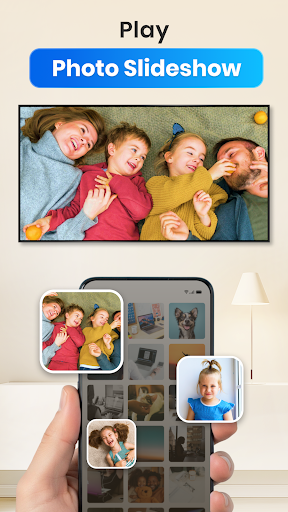
I enjoyed the free version for months, and then I upgraded because I used it so much. Roku, Chrome Cast, and others are going to be in every home soon, and it's nice being able to cast whatever is on my device onto large displays when I visit friends and family. Even they ask my kids, my pets, my projects, or where we went last summer, I can just cast it up on the screen for everyone. It's like having a slide/video presentation in your pocket, only it's better. Awesome app!
Seems good and solid, i would give it a 5 stars, but there's only one problem: the movie crashes randomly, usually 2 or 3 times during one movie. Then you must restart the app and manually search the movie to continue watching from where it was interrupted. It can be quite annoying when having a movie night with friends. Fix this and i'll give a 5.
Best casting app I have used as it doesn't keep shutting down half way through a film like others do. Also, it didn't start buffering until about 1hr into the film which is nice change from other apps & no annoying ads during the film either. Can't fault this so far. Would like to add I read a review complaining about allowing access to storage. If anyone was put off by that, they should realise that you need access to photos, videos & the place they are stored in order to play & cast anything.
i took allcast off my Samsung tablet and replaced it with this app. it was higher rated than allcast. it seems to work OK in getting a video to cast to my chromecast. but, I'm having a little trouble getting it to STOP casting! although i hit the square cast icon and tap Disconnect, i still can see the video on my tv. i had to go to the app itself and again tap Disconnect. this extra step does stop it. I'm sure this could be a bug. i will be trying it on other videos to see what happens...
The app worked for me at first. But as soon as i got it to stream to my tv, there was no audio for the video i was playing. I have the option to increase volume. But, it also told me increasing the volume isnt supportrd by my device??? How does that make sense if it was able to stream video. Also, on top of that it would exit me out of streaming after 2 mins of watching video. I did connect successfully, but would still exit out after a couple a minutes. I was attempting to use showbox
Works when so many others wouldn't. I must have tried 30 other apps to find something that would work. My smart tv doesn't have chromecast. That's what i get for buying a hisense smart tv. I didn't want to go out and buy a chromecast dongle since I already had a roku device. This app linked right up for me. It was simple to setup and now I'm enjoying things on the big screen. Great job on this one guys!
Great app, and I've downloaded a few to try and cast and they've all either been difficult to use or the video has been laggy. I downloaded this app, it detected my Chromecast instantly and within 30 seconds I was watching media lag free. Volume control doesnt work with my phone but that's what the TV remote is for so that's not a big deal.
I've downloaded two other apps prior just trying to simply find an app that'd play the site I always watch, which ain't an app or big site. Thankfully I could just pull up the episode I want, just click the button on the bottom right, and BAM! I'm good to go. The Firestick remote even works for the stream! And I'm even writing this review as I'm watching something, so I'm not forced to sit in the app. The display captions are so clear and concise for the content I'm watching too!
Update: Playlists don't work at all for me. Cant add more than one file. I'm on an S10 casting to a Roku. Decent app for casting. Usually connects without problems and plays quite a few different formats. Support for subtitles (which I think is coming) will be nice. Playlists have never worked for me, just plays one and stops even though there are multiple videos in the queue (is it only supported for pro users?)
so far its pretty good!, I'm able to cast to my console, listen to music while I'm gaming, keep one the that I'm currently listening to looped. It's the best!. since I'm somewhat positive that you want to probably hear something that includes changes, I got a recommendation: allow us to make a playlist(s), I couldn't find anything that allowed me to put my desired songs in a specific playlist of my choosing. the only thing I saw was my "recently added" (which has all the songs you downloaded)
I've never done this type of thing before and it was so easy to set up and get going. I mean I didn't even know what streaming was or that I could just use my fire stick to cast to my reg flat screen. Also I lost my fire remote and now I don't need to purchase one this app has one for a fire.You can design your video ,music, photo and app cast to tv and yes you need Wi-Fi to do so. I really enjoy just having to sign up and hit 1 button and your connected and off you go.
Great app, exactly what I was searching for. I open a built in browser, go to page that contains media I need and just press a button to play video on my KODI powered TV. Works great. But, there us a problem that makes this app practically useless - seeking does not work! Sometimes video stream gets interrupted, not because of the app - might be network issues. But if playing stops, I just can't get it to play from the same point it got stuck. So I have to start watching from the beginning.
Unlike some of the other crappy casting apps, this one actually works for all the sites that I regularly visit and for all devices to which I cast video. It is a solid performer and does not crash or lock up after the 2nd or 3rd video. The ad placement and volume is reasonable and doesn't cripple the overall function of this application. Keep up the good work!
Fantastic, just fantastic. Casting files from my phone is fast, simple and quality. My files show up in the application immediately and are easy to sort through. I'm giving it 5 stars because it does exactly what it says and it does it flawlessly but... I have one complaint. It should be able to play video without casting. This would allow me to delete vlc from my device and have one less app. This casts better than vlc for me so I'd just keep this one.
I would give it 5 stars...but simple "quality of life" adjustments are missing. For example, the directories is ALL of the way at the bottom of all of the videos. I already have my videos organized so I don't want to have to scroll down to the bottom...why not have that on the main menu or at least at the top!? Secondly, you can't view in landscape... It might not seem like a big deal, but I have seasons of TV shows and I can't see the episode number when I'm viewing in landscape. So I'm left to guessing and tapping.... It would be so much easier to have some easy to view the entire name if the file BEFORE it begins to launch.
No reviews match this filter.
GalleryVault Developer Team
4.7.3 · APK · Updated Nov 06, 20264.4 ★ · 605,675 ratings · 50,000,000 downloads · 60.5 MB
bittorrent.com
8.3.19 · APK · Updated Nov 06, 20264.5 ★ · 952,786 ratings · 50,000,000 downloads · 74.7 MB
SNOW Corporation
302.0.24 · APK · Updated Nov 06, 20264.2 ★ · 972,076 ratings · 100,000,000 downloads · 186.9 MB
Leap Fitness Group
1.5.4 · APK · Updated Nov 06, 20264.7 ★ · 576,046 ratings · 100,000,000 downloads · 27.4 MB
AI Dreamweaver
2.48.11104 · APK · Updated Nov 06, 20264.6 ★ · 1,495,103 ratings · 100,000,000 downloads · 93.7 MB
Bluepulse INC.
7.1.8 · APK · Updated Nov 05, 20263.8 ★ · 36,285 ratings · 5,000,000 downloads · 98.7 MB